mirror of
https://github.com/Fechin/reference.git
synced 2026-11-24 23:00:23 +03:00
Merge pull request #538 from FireIsGood/prettier
Add Prettier as a formatter (and format everything)
This commit is contained in:

209 files changed
+21488
-22944
No files matched your search
+1
-1
@@ -9,4 +9,4 @@ community_bridge: # Replace with a single Community Bridge project-name e.g., cl
|
||||
liberapay: # Replace with a single Liberapay username
|
||||
issuehunt: # Replace with a single IssueHunt username
|
||||
otechie: # Replace with a single Otechie username
|
||||
custom: ['https://buymeacoffee.com/randy8080']
|
||||
custom: ["https://buymeacoffee.com/randy8080"]
|
||||
@@ -1,9 +1,7 @@
|
||||
---
|
||||
name: Cheatsheet request
|
||||
about: For request cheatsheet and reference.
|
||||
title: 'Cheatsheet request: '
|
||||
title: "Cheatsheet request: "
|
||||
labels: request
|
||||
assignees: Fechin
|
||||
---
|
||||
|
||||
|
||||
+1
-1
@@ -9,4 +9,4 @@
|
||||
"code_blocks": true,
|
||||
"spaces_per_tab": 2
|
||||
}
|
||||
}
|
||||
}
|
||||
@@ -0,0 +1,3 @@
|
||||
# Minimized files
|
||||
**.min.css
|
||||
fuse_*.js
|
||||
@@ -0,0 +1,5 @@
|
||||
{
|
||||
"printWidth": 120,
|
||||
"proseWrap": "always",
|
||||
"plugins": ["prettier-plugin-tailwindcss"]
|
||||
}
|
||||
@@ -4,13 +4,11 @@
|
||||
[](https://github.com/Fechin/reference/blob/main/LICENSE)
|
||||
[](https://twitter.com/FechinLi)
|
||||
|
||||
Reference is a collection of cheat sheets contributed by open source angels. It shares a quick reference cheat sheet for
|
||||
developers in a nice layout. \[ [中文版](https://github.com/jaywcjlove/reference) | ... \]
|
||||
|
||||
Reference is a collection of cheat sheets contributed by open source angels. It shares a quick reference cheat sheet for developers in a nice layout. \[ [中文版](https://github.com/jaywcjlove/reference) | ... \]
|
||||
|
||||
We encourage you to share your own cheat sheets with the community and make Reference even better. If you notice a cheat sheet that could be improved, feel free to submit a [pull request](#-contributing).
|
||||
|
||||
|
||||
|
||||
We encourage you to share your own cheat sheets with the community and make Reference even better. If you notice a cheat
|
||||
sheet that could be improved, feel free to submit a [pull request](#-contributing).
|
||||
|
||||
## 👀 Live Demonstration
|
||||
|
||||
@@ -18,79 +16,121 @@ You can view the cheat sheets live at [https://cheatsheets.zip](https://cheatshe
|
||||
|
||||
[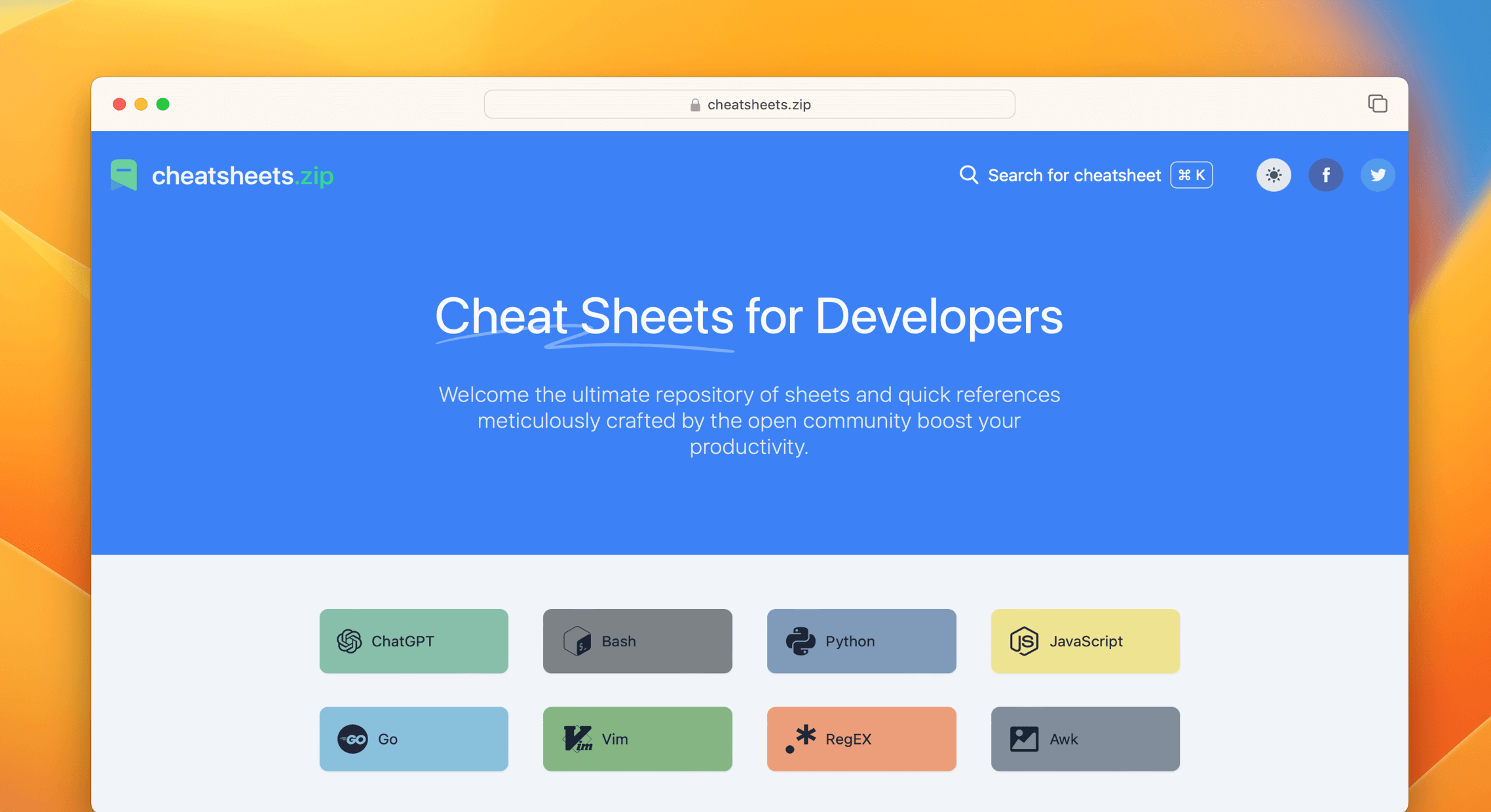](https://cheatsheets.zip)
|
||||
|
||||
|
||||
## 📚 Cheat Sheets List
|
||||
|
||||
Reference provides cheat sheets for the following:
|
||||
|
||||
|
||||
<details>
|
||||
<summary>Programming</summary>
|
||||
|
||||
- [Kubernetes](https://cheatsheets.zip/kubernetes.html): This page contains a list of commonly used kubectl commands and flags.
|
||||
- [ES6](https://cheatsheets.zip/es6.html): A quick reference cheat sheet of what's new in JavaScript for ES2015, ES2016, ES2017, ES2018 and beyond
|
||||
- [MATLAB](https://cheatsheets.zip/matlab.html): This quick reference cheat sheet provides an example introduction to using the [MATLAB](https://mathworks.cn/) scientific computing language to get started quickly
|
||||
- [Kubernetes](https://cheatsheets.zip/kubernetes.html): This page contains a list of commonly used kubectl commands and
|
||||
flags.
|
||||
- [ES6](https://cheatsheets.zip/es6.html): A quick reference cheat sheet of what's new in JavaScript for ES2015, ES2016,
|
||||
ES2017, ES2018 and beyond
|
||||
- [MATLAB](https://cheatsheets.zip/matlab.html): This quick reference cheat sheet provides an example introduction to
|
||||
using the [MATLAB](https://mathworks.cn/) scientific computing language to get started quickly
|
||||
- [C](https://cheatsheets.zip/c.html): C quick reference cheat sheet that provides basic syntax and methods.
|
||||
- [INI](https://cheatsheets.zip/ini.html): This is a quick reference cheat sheet for understanding and writing INI-format configuration files.
|
||||
- [LaTeX](https://cheatsheets.zip/latex.html): This cheat sheet summarizes a reference list of [LaTeX](https://www.latex-project.org/) commonly used display math notation and some application examples of [KaTeX](https://katex.org/).
|
||||
- [Rust](https://cheatsheets.zip/rust.html): The Rust quick reference cheat sheet that aims at providing help on writing basic syntax and methods.
|
||||
- [INI](https://cheatsheets.zip/ini.html): This is a quick reference cheat sheet for understanding and writing
|
||||
INI-format configuration files.
|
||||
- [LaTeX](https://cheatsheets.zip/latex.html): This cheat sheet summarizes a reference list of
|
||||
[LaTeX](https://www.latex-project.org/) commonly used display math notation and some application examples of
|
||||
[KaTeX](https://katex.org/).
|
||||
- [Rust](https://cheatsheets.zip/rust.html): The Rust quick reference cheat sheet that aims at providing help on writing
|
||||
basic syntax and methods.
|
||||
- [C#](https://cheatsheets.zip/cs.html): C# quick reference cheat sheet that provides basic syntax and methods.
|
||||
- [Laravel](https://cheatsheets.zip/laravel.html): [Laravel](https://laravel.com/docs/8.x/) is an expressive and progressive web application framework for PHP.
|
||||
This cheat sheet provides a reference for common commands and features for Laravel 8.
|
||||
- [Dart](https://cheatsheets.zip/dart.html): A Dart cheat sheet with the most important concepts, functions, methods, and more. A complete quick reference for beginners.
|
||||
- [JSON](https://cheatsheets.zip/json.html): This is a quick reference cheat sheet for understanding and writing JSON format configuration files.
|
||||
- [Hook](https://cheatsheets.zip/hook.html): The [Hook](https://github.com/hook-lang/hook/) cheat sheet is a one-page reference sheet for the Hook programming language.
|
||||
- [HTML](https://cheatsheets.zip/html.html): This HTML quick reference cheat sheet lists the common HTML and HTML5 tags in readable layout.
|
||||
- [GraphQL](https://cheatsheets.zip/graphql.html): This quick reference cheat sheet provides a brief overview of GraphQL.
|
||||
- [Laravel](https://cheatsheets.zip/laravel.html): [Laravel](https://laravel.com/docs/8.x/) is an expressive and
|
||||
progressive web application framework for PHP. This cheat sheet provides a reference for common commands and features
|
||||
for Laravel 8.
|
||||
- [Dart](https://cheatsheets.zip/dart.html): A Dart cheat sheet with the most important concepts, functions, methods,
|
||||
and more. A complete quick reference for beginners.
|
||||
- [JSON](https://cheatsheets.zip/json.html): This is a quick reference cheat sheet for understanding and writing JSON
|
||||
format configuration files.
|
||||
- [Hook](https://cheatsheets.zip/hook.html): The [Hook](https://github.com/hook-lang/hook/) cheat sheet is a one-page
|
||||
reference sheet for the Hook programming language.
|
||||
- [HTML](https://cheatsheets.zip/html.html): This HTML quick reference cheat sheet lists the common HTML and HTML5 tags
|
||||
in readable layout.
|
||||
- [GraphQL](https://cheatsheets.zip/graphql.html): This quick reference cheat sheet provides a brief overview of
|
||||
GraphQL.
|
||||
- [C++](https://cheatsheets.zip/cpp.html): C++ quick reference cheat sheet that provides basic syntax and methods.
|
||||
- [Java](https://cheatsheets.zip/java.html): This cheat sheet is a crash course for Java beginners and help review the basic syntax of the Java language.
|
||||
- [PHP](https://cheatsheets.zip/php.html): This [PHP](https://www.php.net/manual/en/) cheat sheet provides a reference for quickly looking up the correct syntax for the code you use most frequently.
|
||||
- [Docker](https://cheatsheets.zip/docker.html): This is a quick reference cheat sheet for [Docker](https://docs.docker.com/get-started/). And you can find the most common Docker commands here.
|
||||
- [TOML](https://cheatsheets.zip/toml.html): This is a quick reference cheat sheet to the TOML format configuration file syntax.
|
||||
- [YAML](https://cheatsheets.zip/yaml.html): This is a quick reference cheat sheet for understanding and writing YAML format configuration files.
|
||||
- [CSS 3](https://cheatsheets.zip/css.html): This is a quick reference cheat sheet for CSS goodness, listing selector syntax, properties, units and other useful bits of information.
|
||||
- [jQuery](https://cheatsheets.zip/jquery.html): This [jQuery](https://jquery.com/) cheat sheet is a great reference for both beginners and experienced developers.
|
||||
- [JavaScript](https://cheatsheets.zip/javascript.html): A JavaScript cheat sheet with the most important concepts, functions, methods, and more. A complete quick reference for beginners.
|
||||
- [Python](https://cheatsheets.zip/python.html): The [Python](https://www.python.org/) cheat sheet is a one-page reference sheet for the Python 3 programming language.
|
||||
- [Sass](https://cheatsheets.zip/sass.html): This is a quick reference cheat sheet that lists the most useful features of [SASS](https://sass-lang.com).
|
||||
- [Go](https://cheatsheets.zip/go.html): This cheat sheet provided basic syntax and methods to help you using [Go](https://go.dev/).
|
||||
- [Java](https://cheatsheets.zip/java.html): This cheat sheet is a crash course for Java beginners and help review the
|
||||
basic syntax of the Java language.
|
||||
- [PHP](https://cheatsheets.zip/php.html): This [PHP](https://www.php.net/manual/en/) cheat sheet provides a reference
|
||||
for quickly looking up the correct syntax for the code you use most frequently.
|
||||
- [Docker](https://cheatsheets.zip/docker.html): This is a quick reference cheat sheet for
|
||||
[Docker](https://docs.docker.com/get-started/). And you can find the most common Docker commands here.
|
||||
- [TOML](https://cheatsheets.zip/toml.html): This is a quick reference cheat sheet to the TOML format configuration file
|
||||
syntax.
|
||||
- [YAML](https://cheatsheets.zip/yaml.html): This is a quick reference cheat sheet for understanding and writing YAML
|
||||
format configuration files.
|
||||
- [CSS 3](https://cheatsheets.zip/css.html): This is a quick reference cheat sheet for CSS goodness, listing selector
|
||||
syntax, properties, units and other useful bits of information.
|
||||
- [jQuery](https://cheatsheets.zip/jquery.html): This [jQuery](https://jquery.com/) cheat sheet is a great reference for
|
||||
both beginners and experienced developers.
|
||||
- [JavaScript](https://cheatsheets.zip/javascript.html): A JavaScript cheat sheet with the most important concepts,
|
||||
functions, methods, and more. A complete quick reference for beginners.
|
||||
- [Python](https://cheatsheets.zip/python.html): The [Python](https://www.python.org/) cheat sheet is a one-page
|
||||
reference sheet for the Python 3 programming language.
|
||||
- [Sass](https://cheatsheets.zip/sass.html): This is a quick reference cheat sheet that lists the most useful features
|
||||
of [SASS](https://sass-lang.com).
|
||||
- [Go](https://cheatsheets.zip/go.html): This cheat sheet provided basic syntax and methods to help you using
|
||||
[Go](https://go.dev/).
|
||||
- [Markdown](https://cheatsheets.zip/markdown.html): This is a quick reference cheat sheet to the Markdown syntax.
|
||||
- [Bash](https://cheatsheets.zip/bash.html): This is a quick reference cheat sheet to getting started with Linux bash shell scripting.
|
||||
- [Bash](https://cheatsheets.zip/bash.html): This is a quick reference cheat sheet to getting started with Linux bash
|
||||
shell scripting.
|
||||
|
||||
</details>
|
||||
|
||||
<details>
|
||||
<summary>Toolkit</summary>
|
||||
|
||||
- [ChatGPT](https://cheatsheets.zip/chatgpt.html): This cheat sheet lists out prompts and tips from all over the world on how to use ChatGPT effectively
|
||||
- [VSCode](https://cheatsheets.zip/vscode.html): This VSCode (Visual Studio Code) quick reference cheat sheet shows its keyboard shortcuts and commands.
|
||||
- [Mitmproxy](https://cheatsheets.zip/mitmproxy.html): [Mitmproxy](https://mitmproxy.org/) is a free and open source interactive HTTPS proxy. This is a quick reference cheat sheet to the Mitmproxy.
|
||||
- [XPath](https://cheatsheets.zip/xpath.html): This is an [XPath](https://en.wikipedia.org/wiki/XPath) selectors cheat sheet, which lists commonly used XPath positioning methods and CSS selectors
|
||||
- [Emacs](https://cheatsheets.zip/emacs.html): [Emacs](https://www.gnu.org/software/emacs) is the extensible, customizable, self-documenting real time display text editor.
|
||||
This reference was made for Emacs 27.
|
||||
- [Emmet](https://cheatsheets.zip/emmet.html): [Emmet](https://emmet.io/) is a web-developer’s toolkit for boosting HTML & CSS code writing, which allows you to write large HTML code blocks at speed of light using well-known CSS selectors.
|
||||
- [RegEX](https://cheatsheets.zip/regex.html): A quick reference for regular expressions (regex), including symbols, ranges, grouping, assertions and some sample patterns to get you started.
|
||||
- [Vim](https://cheatsheets.zip/vim.html): A useful collection of [Vim](http://www.vim.org/) 8.2 quick reference cheat sheets to help you learn vim editor faster.
|
||||
- [ChatGPT](https://cheatsheets.zip/chatgpt.html): This cheat sheet lists out prompts and tips from all over the world
|
||||
on how to use ChatGPT effectively
|
||||
- [VSCode](https://cheatsheets.zip/vscode.html): This VSCode (Visual Studio Code) quick reference cheat sheet shows its
|
||||
keyboard shortcuts and commands.
|
||||
- [Mitmproxy](https://cheatsheets.zip/mitmproxy.html): [Mitmproxy](https://mitmproxy.org/) is a free and open source
|
||||
interactive HTTPS proxy. This is a quick reference cheat sheet to the Mitmproxy.
|
||||
- [XPath](https://cheatsheets.zip/xpath.html): This is an [XPath](https://en.wikipedia.org/wiki/XPath) selectors cheat
|
||||
sheet, which lists commonly used XPath positioning methods and CSS selectors
|
||||
- [Emacs](https://cheatsheets.zip/emacs.html): [Emacs](https://www.gnu.org/software/emacs) is the extensible,
|
||||
customizable, self-documenting real time display text editor. This reference was made for Emacs 27.
|
||||
- [Emmet](https://cheatsheets.zip/emmet.html): [Emmet](https://emmet.io/) is a web-developer’s toolkit for boosting HTML
|
||||
& CSS code writing, which allows you to write large HTML code blocks at speed of light using well-known CSS selectors.
|
||||
- [RegEX](https://cheatsheets.zip/regex.html): A quick reference for regular expressions (regex), including symbols,
|
||||
ranges, grouping, assertions and some sample patterns to get you started.
|
||||
- [Vim](https://cheatsheets.zip/vim.html): A useful collection of [Vim](http://www.vim.org/) 8.2 quick reference cheat
|
||||
sheets to help you learn vim editor faster.
|
||||
|
||||
</details>
|
||||
|
||||
<details>
|
||||
<summary>Linux Command</summary>
|
||||
|
||||
- [Curl](https://cheatsheets.zip/curl.html): This [Curl](https://github.com/curl/curl) cheat sheet contains commands and examples of some common Curl tricks.
|
||||
- [PM2](https://cheatsheets.zip/pm2.html): [PM2] is a daemon process manager that will help you manage and keep your application online. Getting started with PM2 is straightforward, it is offered as a simple and intuitive CLI.
|
||||
- [Chmod](https://cheatsheets.zip/chmod.html): This quick reference cheat sheet provides a brief overview of file permissions, and the operation of the chmod command
|
||||
- [Tmux](https://cheatsheets.zip/tmux.html): The tmux cheat sheet quick reference of most commonly used shortcuts and commands
|
||||
- [Curl](https://cheatsheets.zip/curl.html): This [Curl](https://github.com/curl/curl) cheat sheet contains commands and
|
||||
examples of some common Curl tricks.
|
||||
- [PM2](https://cheatsheets.zip/pm2.html): [PM2] is a daemon process manager that will help you manage and keep your
|
||||
application online. Getting started with PM2 is straightforward, it is offered as a simple and intuitive CLI.
|
||||
- [Chmod](https://cheatsheets.zip/chmod.html): This quick reference cheat sheet provides a brief overview of file
|
||||
permissions, and the operation of the chmod command
|
||||
- [Tmux](https://cheatsheets.zip/tmux.html): The tmux cheat sheet quick reference of most commonly used shortcuts and
|
||||
commands
|
||||
- [Lsof](https://cheatsheets.zip/lsof.html): This quick reference cheat sheet provides various for using lsof command.
|
||||
- [SSH](https://cheatsheets.zip/ssh.html): This quick reference cheat sheet provides various for using SSH.
|
||||
- [Netstat](https://cheatsheets.zip/netstat.html): This quick reference cheat sheet provides various for using netstat command.
|
||||
- [Netstat](https://cheatsheets.zip/netstat.html): This quick reference cheat sheet provides various for using netstat
|
||||
command.
|
||||
- [Screen](https://cheatsheets.zip/screen.html): This is a quick reference guide cheat sheet for the screen command.
|
||||
- [Awk](https://cheatsheets.zip/awk.html): This is a one page quick reference cheat sheet to the [GNU awk](https://www.gnu.org/software/gawk/manual/gawk.html), which covers commonly used awk expressions and commands.
|
||||
- [Find](https://cheatsheets.zip/find.html): This is a quick reference list of cheat sheet for Linux find command, contains common options and examples.
|
||||
- [Sed](https://cheatsheets.zip/sed.html): [Sed](https://www.gnu.org/software/sed/manual/sed.html) is a stream editor, this sed cheat sheet contains sed commands and some common sed tricks.
|
||||
- [Cron](https://cheatsheets.zip/cron.html): [Cron](https://en.wikipedia.org/wiki/Cron) is most suitable for scheduling repetitive tasks. Scheduling one-time tasks can be accomplished using the associated at utility.
|
||||
- [Git](https://cheatsheets.zip/git.html): This cheat sheet summarizes commonly used Git command line instructions for quick reference.
|
||||
- [Grep](https://cheatsheets.zip/grep.html): This cheat sheet is intended to be a quick reminder for the main concepts involved in using the command line program grep and assumes you already understand its usage.
|
||||
- [Awk](https://cheatsheets.zip/awk.html): This is a one page quick reference cheat sheet to the
|
||||
[GNU awk](https://www.gnu.org/software/gawk/manual/gawk.html), which covers commonly used awk expressions and
|
||||
commands.
|
||||
- [Find](https://cheatsheets.zip/find.html): This is a quick reference list of cheat sheet for Linux find command,
|
||||
contains common options and examples.
|
||||
- [Sed](https://cheatsheets.zip/sed.html): [Sed](https://www.gnu.org/software/sed/manual/sed.html) is a stream editor,
|
||||
this sed cheat sheet contains sed commands and some common sed tricks.
|
||||
- [Cron](https://cheatsheets.zip/cron.html): [Cron](https://en.wikipedia.org/wiki/Cron) is most suitable for scheduling
|
||||
repetitive tasks. Scheduling one-time tasks can be accomplished using the associated at utility.
|
||||
- [Git](https://cheatsheets.zip/git.html): This cheat sheet summarizes commonly used Git command line instructions for
|
||||
quick reference.
|
||||
- [Grep](https://cheatsheets.zip/grep.html): This cheat sheet is intended to be a quick reminder for the main concepts
|
||||
involved in using the command line program grep and assumes you already understand its usage.
|
||||
- [Netcat](https://cheatsheets.zip/nc.html): This cheat sheet provides various for using netcat on both Linux and Unix.
|
||||
- [Taskset](https://cheatsheets.zip/taskset): This quick reference cheat sheet for tasket command.
|
||||
</details>
|
||||
@@ -98,121 +138,191 @@ Reference provides cheat sheets for the following:
|
||||
<details>
|
||||
<summary>Python</summary>
|
||||
|
||||
- [NumPy](https://cheatsheets.zip/numpy.html): [NumPy](https://numpy.org/) is the fundamental package for scientific computing with Python. This cheat sheet is a quick reference for NumPy beginners.
|
||||
- [NumPy](https://cheatsheets.zip/numpy.html): [NumPy](https://numpy.org/) is the fundamental package for scientific
|
||||
computing with Python. This cheat sheet is a quick reference for NumPy beginners.
|
||||
|
||||
</details>
|
||||
|
||||
<details>
|
||||
<summary>Database</summary>
|
||||
|
||||
- [Neo4j](https://cheatsheets.zip/neo4j.html): A Neo4j cheat sheet with getting started resources and information on how to query the database with Cypher.
|
||||
- [PostgreSQL](https://cheatsheets.zip/postgres.html): The [PostgreSQL](https://www.postgresql.org/docs/current/) cheat sheet provides you with the common PostgreSQL commands and statements.
|
||||
- [Redis](https://cheatsheets.zip/redis.html): This is a [Redis](https://redis.io/) quick reference cheat sheet that lists examples of redis commands
|
||||
- [MySQL](https://cheatsheets.zip/mysql.html): The SQL cheat sheet provides you with the most commonly used SQL statements for your reference.
|
||||
- [Neo4j](https://cheatsheets.zip/neo4j.html): A Neo4j cheat sheet with getting started resources and information on how
|
||||
to query the database with Cypher.
|
||||
- [PostgreSQL](https://cheatsheets.zip/postgres.html): The [PostgreSQL](https://www.postgresql.org/docs/current/) cheat
|
||||
sheet provides you with the common PostgreSQL commands and statements.
|
||||
- [Redis](https://cheatsheets.zip/redis.html): This is a [Redis](https://redis.io/) quick reference cheat sheet that
|
||||
lists examples of redis commands
|
||||
- [MySQL](https://cheatsheets.zip/mysql.html): The SQL cheat sheet provides you with the most commonly used SQL
|
||||
statements for your reference.
|
||||
|
||||
</details>
|
||||
|
||||
<details>
|
||||
<summary>Keyboard Shortcuts</summary>
|
||||
|
||||
- [Adobe Photoshop](https://cheatsheets.zip/adobe-photoshop.html): A visual cheat-sheet for the 283 keyboard shortcuts found in Adobe Photoshop
|
||||
- [Apex Legends](https://cheatsheets.zip/apex-legends.html): A visual cheat-sheet for the 27 default keyboard shortcuts found in Apex Legends
|
||||
- [Adobe Photoshop](https://cheatsheets.zip/adobe-photoshop.html): A visual cheat-sheet for the 283 keyboard shortcuts
|
||||
found in Adobe Photoshop
|
||||
- [Apex Legends](https://cheatsheets.zip/apex-legends.html): A visual cheat-sheet for the 27 default keyboard shortcuts
|
||||
found in Apex Legends
|
||||
- [Figma](https://cheatsheets.zip/figma.html): A visual cheat-sheet for the 119 keyboard shortcuts found in Figma
|
||||
- [Microsoft Teams](https://cheatsheets.zip/microsoft-teams.html): A visual cheat-sheet for the 38 keyboard shortcuts found in Microsoft Teams
|
||||
- [TablePlus](https://cheatsheets.zip/table-plus.html): A visual cheat-sheet for the 34 keyboard shortcuts found in TablePlus
|
||||
- [Bear](https://cheatsheets.zip/bear-notes.html): A visual cheat-sheet for the 66 keyboard shortcuts found in Bear. This application is MacOS-only.
|
||||
- [Feedly](https://cheatsheets.zip/feedly.html): A visual cheat-sheet for the 25 keyboard shortcuts found on the Feedly app
|
||||
- [FileZilla](https://cheatsheets.zip/filezilla.html): A visual cheat-sheet for the 30 keyboard shortcuts found on the FileZilla program
|
||||
- [Microsoft Teams](https://cheatsheets.zip/microsoft-teams.html): A visual cheat-sheet for the 38 keyboard shortcuts
|
||||
found in Microsoft Teams
|
||||
- [TablePlus](https://cheatsheets.zip/table-plus.html): A visual cheat-sheet for the 34 keyboard shortcuts found in
|
||||
TablePlus
|
||||
- [Bear](https://cheatsheets.zip/bear-notes.html): A visual cheat-sheet for the 66 keyboard shortcuts found in Bear.
|
||||
This application is MacOS-only.
|
||||
- [Feedly](https://cheatsheets.zip/feedly.html): A visual cheat-sheet for the 25 keyboard shortcuts found on the Feedly
|
||||
app
|
||||
- [FileZilla](https://cheatsheets.zip/filezilla.html): A visual cheat-sheet for the 30 keyboard shortcuts found on the
|
||||
FileZilla program
|
||||
- [Reddit](https://cheatsheets.zip/reddit.html): A visual cheat-sheet for the 17 keyboard shortcuts found on Reddit.com
|
||||
- [Slack](https://cheatsheets.zip/slack.html): A visual cheat-sheet for the 62 keyboard shortcuts found in Slack
|
||||
- [SoundCloud](https://cheatsheets.zip/soundcloud.html): A visual cheat-sheet for the 22 keyboard shortcuts found on SoundCloud
|
||||
- [SoundCloud](https://cheatsheets.zip/soundcloud.html): A visual cheat-sheet for the 22 keyboard shortcuts found on
|
||||
SoundCloud
|
||||
- [Twitter](https://cheatsheets.zip/twitter.html): A visual cheat-sheet for the 26 keyboard shortcuts found on Twitter
|
||||
- [Android Studio](https://cheatsheets.zip/android-studio.html): A visual cheat-sheet for the 130 keyboard shortcuts found in the Android Studio software
|
||||
- [Android Studio](https://cheatsheets.zip/android-studio.html): A visual cheat-sheet for the 130 keyboard shortcuts
|
||||
found in the Android Studio software
|
||||
- [Github](https://cheatsheets.zip/github.html): A visual cheat-sheet for the 80 keyboard shortcuts found on Github.com
|
||||
- [Shopify](https://cheatsheets.zip/shopify.html): A visual cheat-sheet for the 50 keyboard shortcuts found on the Shopify website
|
||||
- [Zoom](https://cheatsheets.zip/zoom.html): A visual cheat-sheet for the 32 keyboard shortcuts found in Zoom. These shortcuts are for MacOS, for Windows visit /zoom-windows.
|
||||
- [Adobe XD](https://cheatsheets.zip/adobe-xd.html): A visual cheat-sheet for the 97 keyboard shortcuts found in Adobe XD
|
||||
- [Shopify](https://cheatsheets.zip/shopify.html): A visual cheat-sheet for the 50 keyboard shortcuts found on the
|
||||
Shopify website
|
||||
- [Zoom](https://cheatsheets.zip/zoom.html): A visual cheat-sheet for the 32 keyboard shortcuts found in Zoom. These
|
||||
shortcuts are for MacOS, for Windows visit /zoom-windows.
|
||||
- [Adobe XD](https://cheatsheets.zip/adobe-xd.html): A visual cheat-sheet for the 97 keyboard shortcuts found in Adobe
|
||||
XD
|
||||
- [Firefox](https://cheatsheets.zip/firefox.html): A visual cheat-sheet for the 116 keyboard shortcuts found in Firefox
|
||||
- [PhpStorm](https://cheatsheets.zip/phpstorm.html): A visual cheat-sheet for the 96 keyboard shortcuts found in JetBrains PhpStorm
|
||||
- [PhpStorm](https://cheatsheets.zip/phpstorm.html): A visual cheat-sheet for the 96 keyboard shortcuts found in
|
||||
JetBrains PhpStorm
|
||||
- [Postman](https://cheatsheets.zip/postman.html): A visual cheat-sheet for the 23 keyboard shortcuts found in Postman
|
||||
- [Webflow](https://cheatsheets.zip/webflow.html): A visual cheat-sheet for the 41 keyboard shortcuts found in Webflow
|
||||
- [Adobe Lightroom CC](https://cheatsheets.zip/adobe-lightroom.html): A visual cheat-sheet for the 251 keyboard shortcuts found in Adobe Lightroom CC
|
||||
- [1Password](https://cheatsheets.zip/1password.html): A cheat sheet for 1password's keyboard shortcuts in Mac, Windows, iOS, Linux.
|
||||
- [Affinity Designer](https://cheatsheets.zip/affinity-designer.html): A visual cheat-sheet for the 108 keyboard shortcuts found in Affinity Designer
|
||||
- [Pocket](https://cheatsheets.zip/pocket.html): A visual cheat-sheet for the 36 keyboard shortcuts found on Pocket for Web
|
||||
- [Adobe Lightroom CC](https://cheatsheets.zip/adobe-lightroom.html): A visual cheat-sheet for the 251 keyboard
|
||||
shortcuts found in Adobe Lightroom CC
|
||||
- [1Password](https://cheatsheets.zip/1password.html): A cheat sheet for 1password's keyboard shortcuts in Mac, Windows,
|
||||
iOS, Linux.
|
||||
- [Affinity Designer](https://cheatsheets.zip/affinity-designer.html): A visual cheat-sheet for the 108 keyboard
|
||||
shortcuts found in Affinity Designer
|
||||
- [Pocket](https://cheatsheets.zip/pocket.html): A visual cheat-sheet for the 36 keyboard shortcuts found on Pocket for
|
||||
Web
|
||||
- [Trello](https://cheatsheets.zip/trello.html): A visual cheat-sheet for the 29 keyboard shortcuts found on Trello
|
||||
- [Audacity](https://cheatsheets.zip/audacity.html): A visual cheat-sheet for the 135 default keyboard shortcuts found in Audacity
|
||||
- [Framer X](https://cheatsheets.zip/framer-x.html): A visual cheat-sheet for the 45 keyboard shortcuts found in Framer X. This application is MacOS-only.
|
||||
- [Google Drive](https://cheatsheets.zip/google-drive.html): A visual cheat-sheet for the 54 keyboard shortcuts found in Google Drive on the web
|
||||
- [Audacity](https://cheatsheets.zip/audacity.html): A visual cheat-sheet for the 135 default keyboard shortcuts found
|
||||
in Audacity
|
||||
- [Framer X](https://cheatsheets.zip/framer-x.html): A visual cheat-sheet for the 45 keyboard shortcuts found in Framer
|
||||
X. This application is MacOS-only.
|
||||
- [Google Drive](https://cheatsheets.zip/google-drive.html): A visual cheat-sheet for the 54 keyboard shortcuts found in
|
||||
Google Drive on the web
|
||||
- [PuTTy](https://cheatsheets.zip/putty.html): A visual cheat-sheet for the 32 keyboard shortcuts found on the PuTTy app
|
||||
- [Sequel Pro](https://cheatsheets.zip/sequel-pro.html): A visual cheat-sheet for the 71 keyboard shortcuts found in Sequel Pro. This application is MacOS-only.
|
||||
- [Apple Music](https://cheatsheets.zip/apple-music.html): A visual cheat-sheet for the 62 keyboard shortcuts found in the Apple Music app. This application is MacOS-only.
|
||||
- [Sequel Pro](https://cheatsheets.zip/sequel-pro.html): A visual cheat-sheet for the 71 keyboard shortcuts found in
|
||||
Sequel Pro. This application is MacOS-only.
|
||||
- [Apple Music](https://cheatsheets.zip/apple-music.html): A visual cheat-sheet for the 62 keyboard shortcuts found in
|
||||
the Apple Music app. This application is MacOS-only.
|
||||
- [Blender](https://cheatsheets.zip/blender.html): A visual cheat-sheet for the 187 keyboard shortcuts found in Blender
|
||||
- [Obsidian](https://cheatsheets.zip/obsidian.html): A visual cheat-sheet for the 17 keyboard shortcuts found in the Obsidian knowledge base app.
|
||||
- [Telegram Desktop](https://cheatsheets.zip/telegram.html): A visual cheat-sheet for the 37 keyboard shortcuts found on the Telegram Desktop app
|
||||
- [YouTube](https://cheatsheets.zip/youtube.html): A visual cheat-sheet for the 18 keyboard shortcuts found on YouTube.com
|
||||
- [Airtable](https://cheatsheets.zip/airtable.html): A visual cheat-sheet for the 36 keyboard shortcuts found in Airtable
|
||||
- [Bitbucket](https://cheatsheets.zip/bitbucket.html): A visual cheat-sheet for the 35 keyboard shortcuts found on Bitbucket
|
||||
- [Fortnite](https://cheatsheets.zip/fortnite.html): A visual cheat-sheet for the 26 default keyboard shortcuts found in Fortnite
|
||||
- [Obsidian](https://cheatsheets.zip/obsidian.html): A visual cheat-sheet for the 17 keyboard shortcuts found in the
|
||||
Obsidian knowledge base app.
|
||||
- [Telegram Desktop](https://cheatsheets.zip/telegram.html): A visual cheat-sheet for the 37 keyboard shortcuts found on
|
||||
the Telegram Desktop app
|
||||
- [YouTube](https://cheatsheets.zip/youtube.html): A visual cheat-sheet for the 18 keyboard shortcuts found on
|
||||
YouTube.com
|
||||
- [Airtable](https://cheatsheets.zip/airtable.html): A visual cheat-sheet for the 36 keyboard shortcuts found in
|
||||
Airtable
|
||||
- [Bitbucket](https://cheatsheets.zip/bitbucket.html): A visual cheat-sheet for the 35 keyboard shortcuts found on
|
||||
Bitbucket
|
||||
- [Fortnite](https://cheatsheets.zip/fortnite.html): A visual cheat-sheet for the 26 default keyboard shortcuts found in
|
||||
Fortnite
|
||||
- [Gmail](https://cheatsheets.zip/gmail.html): A visual cheat-sheet for the 90 keyboard shortcuts found on Gmail
|
||||
- [Sketch](https://cheatsheets.zip/sketch.html): A visual cheat-sheet for the 149 keyboard shortcuts found in Sketch. This application is MacOS-only.
|
||||
- [Sketch](https://cheatsheets.zip/sketch.html): A visual cheat-sheet for the 149 keyboard shortcuts found in Sketch.
|
||||
This application is MacOS-only.
|
||||
- [Spotify](https://cheatsheets.zip/spotify.html): A visual cheat-sheet for the 23 keyboard shortcuts found in Spotify
|
||||
- [Brave Browser](https://cheatsheets.zip/brave.html): A visual cheat-sheet for the 64 keyboard shortcuts found in the Brave browser
|
||||
- [KanbanMail](https://cheatsheets.zip/kanbanmail.html): A visual cheat-sheet for the 29 keyboard shortcuts found in KanbanMail
|
||||
- [Microsoft Outlook](https://cheatsheets.zip/outlook.html): A visual cheat-sheet for the 210 keyboard shortcuts found in Microsoft Outlook
|
||||
- [Principle](https://cheatsheets.zip/principle.html): A visual cheat-sheet for the 30 keyboard shortcuts found in Principle. This application is MacOS-only.
|
||||
- [Brave Browser](https://cheatsheets.zip/brave.html): A visual cheat-sheet for the 64 keyboard shortcuts found in the
|
||||
Brave browser
|
||||
- [KanbanMail](https://cheatsheets.zip/kanbanmail.html): A visual cheat-sheet for the 29 keyboard shortcuts found in
|
||||
KanbanMail
|
||||
- [Microsoft Outlook](https://cheatsheets.zip/outlook.html): A visual cheat-sheet for the 210 keyboard shortcuts found
|
||||
in Microsoft Outlook
|
||||
- [Principle](https://cheatsheets.zip/principle.html): A visual cheat-sheet for the 30 keyboard shortcuts found in
|
||||
Principle. This application is MacOS-only.
|
||||
- [Skype](https://cheatsheets.zip/skype.html): A visual cheat-sheet for the 31 keyboard shortcuts found in Skype
|
||||
- [Arduino IDE](https://cheatsheets.zip/arduino.html): A visual cheat-sheet for the 12 keyboard shortcuts found in the Arduino IDE
|
||||
- [Arduino IDE](https://cheatsheets.zip/arduino.html): A visual cheat-sheet for the 12 keyboard shortcuts found in the
|
||||
Arduino IDE
|
||||
- [Asana](https://cheatsheets.zip/asana.html): A visual cheat-sheet for the 40 keyboard shortcuts found in Asana
|
||||
- [Code Editor for iOS](https://cheatsheets.zip/code-editor-ios.html): A visual cheat-sheet for the 43 keyboard shortcuts found in the Code Editor for iOS app. This application is MacOS-only.
|
||||
- [Code Editor for iOS](https://cheatsheets.zip/code-editor-ios.html): A visual cheat-sheet for the 43 keyboard
|
||||
shortcuts found in the Code Editor for iOS app. This application is MacOS-only.
|
||||
- [Jira](https://cheatsheets.zip/jira.html): A visual cheat-sheet for the 44 keyboard shortcuts found in Jira
|
||||
- [Quip.com](https://cheatsheets.zip/quip.html): A visual cheat-sheet for the 52 keyboard shortcuts found in Quip
|
||||
- [WordPress](https://cheatsheets.zip/wordpress.html): A visual cheat-sheet for the 34 keyboard shortcuts found in the WordPress visual editor
|
||||
- [Chrome Developer Tools](https://cheatsheets.zip/chrome-devtools.html): A visual cheat-sheet for the 56 keyboard shortcuts found in Chrome's Developer Tools
|
||||
- [WordPress](https://cheatsheets.zip/wordpress.html): A visual cheat-sheet for the 34 keyboard shortcuts found in the
|
||||
WordPress visual editor
|
||||
- [Chrome Developer Tools](https://cheatsheets.zip/chrome-devtools.html): A visual cheat-sheet for the 56 keyboard
|
||||
shortcuts found in Chrome's Developer Tools
|
||||
- [GIMP](https://cheatsheets.zip/gimp.html): A visual cheat-sheet for the 97 keyboard shortcuts found in GIMP
|
||||
- [Google Chrome](https://cheatsheets.zip/google-chrome.html): A visual cheat-sheet for the 65 keyboard shortcuts found in Google Chrome
|
||||
- [Google Chrome](https://cheatsheets.zip/google-chrome.html): A visual cheat-sheet for the 65 keyboard shortcuts found
|
||||
in Google Chrome
|
||||
- [Todoist](https://cheatsheets.zip/todoist.html): A visual cheat-sheet for the 37 keyboard shortcuts found in Todoist
|
||||
- [TickTick](https://cheatsheets.zip/ticktick.html): A visual cheat-sheet for the 25 keyboard shortcuts found in the TickTick desktop app
|
||||
- [TickTick](https://cheatsheets.zip/ticktick.html): A visual cheat-sheet for the 25 keyboard shortcuts found in the
|
||||
TickTick desktop app
|
||||
- [VLC Player](https://cheatsheets.zip/vlc.html): A visual cheat-sheet for the 82 keyboard shortcuts found in VLC Player
|
||||
- [Missive](https://cheatsheets.zip/missive.html): A visual cheat-sheet for the 83 keyboard shortcuts found in Missive
|
||||
- [Origami Studio](https://cheatsheets.zip/origami.html): A visual cheat-sheet for the 71 keyboard shortcuts found in Origami Studio. This application is MacOS-only.
|
||||
- [Sublime Text](https://cheatsheets.zip/sublime-text.html): A visual cheat-sheet for the 49 keyboard shortcuts found in Sublime Text
|
||||
- [Transmit](https://cheatsheets.zip/transmit.html): A visual cheat-sheet for the 62 keyboard shortcuts found in Transmit. This application is MacOS-only.
|
||||
- [Affinity Photo](https://cheatsheets.zip/affinity-photo.html): A visual cheat-sheet for the 177 keyboard shortcuts found in Affinity Photo
|
||||
- [Monday.com](https://cheatsheets.zip/monday.html): A visual cheat-sheet for the 24 keyboard shortcuts found on Monday.com
|
||||
- [Proto.io](https://cheatsheets.zip/proto-io.html): A visual cheat-sheet for the 48 keyboard shortcuts found in Proto.io
|
||||
- [Superhuman](https://cheatsheets.zip/superhuman.html): A visual cheat-sheet for the 105 keyboard shortcuts found in Superhuman. This application is MacOS-only.
|
||||
- [Vivaldi Browser](https://cheatsheets.zip/vivaldi.html): A visual cheat-sheet for the 69 default keyboard shortcuts found in the Vivaldi browser
|
||||
- [Finder](https://cheatsheets.zip/finder.html): A visual cheat-sheet for the 55 keyboard shortcuts found in Finder. This application is part of MacOS.
|
||||
- [Origami Studio](https://cheatsheets.zip/origami.html): A visual cheat-sheet for the 71 keyboard shortcuts found in
|
||||
Origami Studio. This application is MacOS-only.
|
||||
- [Sublime Text](https://cheatsheets.zip/sublime-text.html): A visual cheat-sheet for the 49 keyboard shortcuts found in
|
||||
Sublime Text
|
||||
- [Transmit](https://cheatsheets.zip/transmit.html): A visual cheat-sheet for the 62 keyboard shortcuts found in
|
||||
Transmit. This application is MacOS-only.
|
||||
- [Affinity Photo](https://cheatsheets.zip/affinity-photo.html): A visual cheat-sheet for the 177 keyboard shortcuts
|
||||
found in Affinity Photo
|
||||
- [Monday.com](https://cheatsheets.zip/monday.html): A visual cheat-sheet for the 24 keyboard shortcuts found on
|
||||
Monday.com
|
||||
- [Proto.io](https://cheatsheets.zip/proto-io.html): A visual cheat-sheet for the 48 keyboard shortcuts found in
|
||||
Proto.io
|
||||
- [Superhuman](https://cheatsheets.zip/superhuman.html): A visual cheat-sheet for the 105 keyboard shortcuts found in
|
||||
Superhuman. This application is MacOS-only.
|
||||
- [Vivaldi Browser](https://cheatsheets.zip/vivaldi.html): A visual cheat-sheet for the 69 default keyboard shortcuts
|
||||
found in the Vivaldi browser
|
||||
- [Finder](https://cheatsheets.zip/finder.html): A visual cheat-sheet for the 55 keyboard shortcuts found in Finder.
|
||||
This application is part of MacOS.
|
||||
- [GitLab](https://cheatsheets.zip/gitlab.html): A visual cheat-sheet for the 58 keyboard shortcuts found in GitLab
|
||||
- [Guitar Pro](https://cheatsheets.zip/guitar-pro.html): A visual cheat-sheet for the 129 keyboard shortcuts found in Guitar Pro
|
||||
- [Roam Research](https://cheatsheets.zip/roam.html): A visual cheat-sheet for the 45 keyboard shortcuts found on Roam Research
|
||||
- [SketchUp Pro](https://cheatsheets.zip/sketchup.html): A visual cheat-sheet for the 135 default keyboard shortcuts found in SketchUp Pro
|
||||
- [Unity 3D](https://cheatsheets.zip/unity-3d.html): A visual cheat-sheet for the 50 keyboard shortcuts found in Unity 3D
|
||||
- [IntelliJ IDEA](https://cheatsheets.zip/idea.html): IntelliJ IDEA is a very good Java IDE, most of its commands have shortcuts to keep your hands from leaving the keyboard
|
||||
- [WebStorm](https://cheatsheets.zip/webstorm.html): This quick reference cheat sheet lists the default keyboard shortcuts for WebStorm running on Windows/Linux or Mac
|
||||
- [Guitar Pro](https://cheatsheets.zip/guitar-pro.html): A visual cheat-sheet for the 129 keyboard shortcuts found in
|
||||
Guitar Pro
|
||||
- [Roam Research](https://cheatsheets.zip/roam.html): A visual cheat-sheet for the 45 keyboard shortcuts found on Roam
|
||||
Research
|
||||
- [SketchUp Pro](https://cheatsheets.zip/sketchup.html): A visual cheat-sheet for the 135 default keyboard shortcuts
|
||||
found in SketchUp Pro
|
||||
- [Unity 3D](https://cheatsheets.zip/unity-3d.html): A visual cheat-sheet for the 50 keyboard shortcuts found in Unity
|
||||
3D
|
||||
- [IntelliJ IDEA](https://cheatsheets.zip/idea.html): IntelliJ IDEA is a very good Java IDE, most of its commands have
|
||||
shortcuts to keep your hands from leaving the keyboard
|
||||
- [WebStorm](https://cheatsheets.zip/webstorm.html): This quick reference cheat sheet lists the default keyboard
|
||||
shortcuts for WebStorm running on Windows/Linux or Mac
|
||||
|
||||
</details>
|
||||
|
||||
<details>
|
||||
<summary>Other</summary>
|
||||
|
||||
- [Google Search](https://cheatsheets.zip/google-search.html): This quick reference cheat sheet lists of Google advanced search operators.
|
||||
- [ASCII Code](https://cheatsheets.zip/ascii-code.html): This cheat sheet is a complete list of ASCII Code Table with their numbers and names.
|
||||
- [Aspect Ratio](https://cheatsheets.zip/aspect-ratio.html): This cheat sheet lists some common aspect ratios and their pixel resolutions. Always confirm your final delivery ratio when shooting.
|
||||
- [HTML Characters Entities](https://cheatsheets.zip/html-char.html): This cheat sheet is a complete list of HTML entities with their numbers and names. Also included is a full list of ASCII characters that can be represented in HTML.
|
||||
- [ISO 639-1 Language Code](https://cheatsheets.zip/iso-639-1.html): This is a list of the ISO language codes that conform to the ISO 639-1 standard, it provide reference for multi-language website.
|
||||
- [Resolutions](https://cheatsheets.zip/resolutions.html): This cheat sheet lists screen sizes, viewport size and CSS media queries for popular Phones, Tablets, Laptops and Watches
|
||||
- [HTTP Status Code](https://cheatsheets.zip/http-status-code.html): The http status codes cheat sheet. A quick reference to every HTTP status code.
|
||||
- [Emoji](https://cheatsheets.zip/emoji.html): Some of the emoji codes are not super easy to remember, so here is a little cheat sheet.
|
||||
- [CheatSheets](https://cheatsheets.zip/quickref.html): This is the magic syntax variant manual that you can use on CheatSheets.zip, It's a good practice for contributors.
|
||||
- [MIME types](https://cheatsheets.zip/mime.html): This cheat sheet lists some common MIME types for the Web. You can look in the [IANA/MIME Media Types registry](http://www.iana.org/assignments/media-types/index.html) which contains all registered MIME types.
|
||||
- [Google Search](https://cheatsheets.zip/google-search.html): This quick reference cheat sheet lists of Google advanced
|
||||
search operators.
|
||||
- [ASCII Code](https://cheatsheets.zip/ascii-code.html): This cheat sheet is a complete list of ASCII Code Table with
|
||||
their numbers and names.
|
||||
- [Aspect Ratio](https://cheatsheets.zip/aspect-ratio.html): This cheat sheet lists some common aspect ratios and their
|
||||
pixel resolutions. Always confirm your final delivery ratio when shooting.
|
||||
- [HTML Characters Entities](https://cheatsheets.zip/html-char.html): This cheat sheet is a complete list of HTML
|
||||
entities with their numbers and names. Also included is a full list of ASCII characters that can be represented in
|
||||
HTML.
|
||||
- [ISO 639-1 Language Code](https://cheatsheets.zip/iso-639-1.html): This is a list of the ISO language codes that
|
||||
conform to the ISO 639-1 standard, it provide reference for multi-language website.
|
||||
- [Resolutions](https://cheatsheets.zip/resolutions.html): This cheat sheet lists screen sizes, viewport size and CSS
|
||||
media queries for popular Phones, Tablets, Laptops and Watches
|
||||
- [HTTP Status Code](https://cheatsheets.zip/http-status-code.html): The http status codes cheat sheet. A quick
|
||||
reference to every HTTP status code.
|
||||
- [Emoji](https://cheatsheets.zip/emoji.html): Some of the emoji codes are not super easy to remember, so here is a
|
||||
little cheat sheet.
|
||||
- [CheatSheets](https://cheatsheets.zip/quickref.html): This is the magic syntax variant manual that you can use on
|
||||
CheatSheets.zip, It's a good practice for contributors.
|
||||
- [MIME types](https://cheatsheets.zip/mime.html): This cheat sheet lists some common MIME types for the Web. You can
|
||||
look in the [IANA/MIME Media Types registry](http://www.iana.org/assignments/media-types/index.html) which contains
|
||||
all registered MIME types.
|
||||
|
||||
</details>
|
||||
|
||||
|
||||
|
||||
## 🗂️ Directory structure
|
||||
|
||||
```
|
||||
.
|
||||
├── source
|
||||
@@ -234,25 +344,25 @@ Reference provides cheat sheets for the following:
|
||||
└── coo # Theme files
|
||||
```
|
||||
|
||||
|
||||
|
||||
|
||||
## 🤝 Contributing
|
||||
|
||||
We would like to extend our gratitude to you for considering a contribution to Reference. Your support is what makes CheatSheets.zip a truly amazing resource. Please feel free to [submit issues](https://github.com/Fechin/reference/issues/new?assignee=Fechin) and enhancement requests.
|
||||
We would like to extend our gratitude to you for considering a contribution to Reference. Your support is what makes
|
||||
CheatSheets.zip a truly amazing resource. Please feel free to
|
||||
[submit issues](https://github.com/Fechin/reference/issues/new?assignee=Fechin) and enhancement requests.
|
||||
|
||||
For consistency, we encourage you to refer to the [https://cheatsheets.zip/quickref](https://cheatsheets.zip/quickref) when creating or editing cheat sheets. To get started with development, follow these steps:
|
||||
For consistency, we encourage you to refer to the [https://cheatsheets.zip/quickref](https://cheatsheets.zip/quickref)
|
||||
when creating or editing cheat sheets. To get started with development, follow these steps:
|
||||
|
||||
1. Clone Github repo `git clone https://github.com/Fechin/reference.git`
|
||||
2. Install `npm` package manager (Read [installation guide](https://docs.npmjs.com/downloading-and-installing-node-js-and-npm))
|
||||
2. Install `npm` package manager (Read
|
||||
[installation guide](https://docs.npmjs.com/downloading-and-installing-node-js-and-npm))
|
||||
3. Run `npm install` in the root folder to install dependencies.
|
||||
4. Run `npm run dev` to start a dev server. This serves the project and live reloads when any files are changed, then visit http://127.0.0.1:4000 preview.
|
||||
4. Run `npm run dev` to start a dev server. This serves the project and live reloads when any files are changed, then
|
||||
visit http://127.0.0.1:4000 preview.
|
||||
5. Submit a pull request and wait for it to be reviewed and merged.
|
||||
|
||||
|
||||
|
||||
To create or edit a cheat sheet, you'll need to create or edit a markdown file in `source/_posts/{filename}.md`. The file should include a front matter section with the following format:
|
||||
|
||||
To create or edit a cheat sheet, you'll need to create or edit a markdown file in `source/_posts/{filename}.md`. The
|
||||
file should include a front matter section with the following format:
|
||||
|
||||
```markdown
|
||||
---
|
||||
@@ -266,24 +376,23 @@ categories:
|
||||
intro: This is a reference of styles that you can use on quickref cheat sheets!
|
||||
---
|
||||
```
|
||||
Only the `title` and `intro` fields are required, and the other options can be left blank.
|
||||
|
||||
Only the `title` and `intro` fields are required, and the other options can be left blank.
|
||||
|
||||
<a href="https://github.com/Fechin/reference/graphs/contributors">
|
||||
<img src="https://contrib.rocks/image?repo=Fechin/reference" />
|
||||
</a>
|
||||
|
||||
|
||||
## 🐦 Follow us on Twitter
|
||||
|
||||
[](https://twitter.com/FechinLi)
|
||||
|
||||
Stay up-to-date with our project by following us on Twitter! Get all the latest news and updates right in your feed. It's the perfect way to stay in the loop.
|
||||
Stay up-to-date with our project by following us on Twitter! Get all the latest news and updates right in your feed.
|
||||
It's the perfect way to stay in the loop.
|
||||
|
||||
<a href="https://www.buymeacoffee.com/randy8080"><img src="https://img.buymeacoffee.com/button-api/?text=Buy me a coffee&emoji=&slug=randy8080&button_colour=40DCA5&font_colour=ffffff&font_family=Cookie&outline_colour=000000&coffee_colour=FFDD00" /></a>
|
||||
|
||||
|
||||
## 📃 License
|
||||
|
||||
The project is licensed under the [MIT](https://github.com/Fechin/reference/blob/main/LICENSE) License and is maintained by [Fechin](https://github.com/Fechin).
|
||||
|
||||
The project is licensed under the [MIT](https://github.com/Fechin/reference/blob/main/LICENSE) License and is maintained
|
||||
by [Fechin](https://github.com/Fechin).
|
||||
+12
-14
@@ -4,12 +4,12 @@
|
||||
|
||||
# Site
|
||||
title: CheatSheets.zip
|
||||
subtitle: 'Quick Reference Cheat Sheet'
|
||||
description: 'Share quick reference and cheat sheet for developers'
|
||||
subtitle: "Quick Reference Cheat Sheet"
|
||||
description: "Share quick reference and cheat sheet for developers"
|
||||
keywords: reference,cheatsheet,code table,snippets,linux
|
||||
author: CheatSheets.zip
|
||||
language: en
|
||||
timezone: ''
|
||||
timezone: ""
|
||||
|
||||
# URL
|
||||
## If your site is put in a subdirectory, set url as 'http://yoursite.com/child' and root as '/child/'
|
||||
@@ -39,7 +39,7 @@ titlecase: false # Transform title into titlecase
|
||||
external_link:
|
||||
enable: true # Open external links in new tab
|
||||
field: site # Apply to the whole site
|
||||
exclude: ''
|
||||
exclude: ""
|
||||
filename_case: 1
|
||||
render_drafts: false
|
||||
post_asset_folder: false
|
||||
@@ -53,7 +53,7 @@ highlight:
|
||||
# per_page: Posts displayed per page. (0 = disable pagination)
|
||||
# order_by: Posts order. (Order by date descending by default)
|
||||
index_generator:
|
||||
path: ''
|
||||
path: ""
|
||||
per_page: 0
|
||||
order_by: -date
|
||||
|
||||
@@ -73,7 +73,7 @@ meta_generator: false
|
||||
date_format: YYYY-MM-DD
|
||||
time_format: HH:mm:ss
|
||||
## Use post's date for updated date unless set in front-matter
|
||||
updated_option: 'date'
|
||||
updated_option: "date"
|
||||
|
||||
# Pagination
|
||||
## Set per_page to 0 to disable pagination
|
||||
@@ -96,7 +96,7 @@ nofollow:
|
||||
enable: true
|
||||
field: site
|
||||
exclude:
|
||||
- 'exclude1.com'
|
||||
- "exclude1.com"
|
||||
|
||||
excerpt:
|
||||
depth: 2
|
||||
@@ -104,11 +104,10 @@ excerpt:
|
||||
more_excludes: []
|
||||
hideWholePostExcerpts: true
|
||||
|
||||
|
||||
# Deployment
|
||||
## Docs: https://hexo.io/docs/deployment.html
|
||||
deploy:
|
||||
# - type: cjh_google_url_submitter
|
||||
# - type: cjh_google_url_submitter
|
||||
- type: cjh_bing_url_submitter
|
||||
- type: cjh_baidu_url_submitter
|
||||
|
||||
@@ -123,7 +122,6 @@ sitemap:
|
||||
tags: false
|
||||
categories: false
|
||||
|
||||
|
||||
# Markdown-it configuration
|
||||
## Docs: https://github.com/celsomiranda/hexo-renderer-markdown-it/wiki
|
||||
markdown:
|
||||
@@ -133,12 +131,12 @@ markdown:
|
||||
breaks: false
|
||||
linkify: false
|
||||
typographer: false
|
||||
quotes: '“”‘’'
|
||||
quotes: "“”‘’"
|
||||
anchors:
|
||||
level: 2
|
||||
collisionSuffix: ''
|
||||
collisionSuffix: ""
|
||||
permalink: true
|
||||
permalinkClass: h-anchor
|
||||
permalinkSymbol: '#'
|
||||
permalinkSymbol: "#"
|
||||
case: 1
|
||||
separator: '-'
|
||||
separator: "-"
|
||||
+37
-30
@@ -1,37 +1,44 @@
|
||||
const gulp = require('gulp');
|
||||
const htmlmin = require('gulp-htmlmin');
|
||||
const htmlclean = require('gulp-htmlclean');
|
||||
const version = require('gulp-version-number');
|
||||
const terser = require('gulp-terser');
|
||||
const gulp = require("gulp");
|
||||
const htmlmin = require("gulp-htmlmin");
|
||||
const htmlclean = require("gulp-htmlclean");
|
||||
const version = require("gulp-version-number");
|
||||
const terser = require("gulp-terser");
|
||||
|
||||
// Compress js files
|
||||
gulp.task('js', function () {
|
||||
return gulp.src(['./public/js/main.js'])
|
||||
.pipe(terser({
|
||||
compress: true
|
||||
}))
|
||||
.pipe(gulp.dest('./public/js'));
|
||||
gulp.task("js", function () {
|
||||
return gulp
|
||||
.src(["./public/js/main.js"])
|
||||
.pipe(
|
||||
terser({
|
||||
compress: true,
|
||||
}),
|
||||
)
|
||||
.pipe(gulp.dest("./public/js"));
|
||||
});
|
||||
|
||||
|
||||
// Build html files
|
||||
gulp.task('html', function () {
|
||||
return gulp.src('./public/**/*.html')
|
||||
.pipe(htmlclean())
|
||||
.pipe(htmlmin({
|
||||
removeComments: true,
|
||||
minifyJS: true,
|
||||
minifyCSS: true,
|
||||
minifyURLs: true,
|
||||
}))
|
||||
.pipe(version({
|
||||
'append': {
|
||||
'key': '_v',
|
||||
'cover': 1,
|
||||
'to': ['css', 'js', 'png', 'jpg', 'woff2']
|
||||
}
|
||||
}))
|
||||
.pipe(gulp.dest('./public'));
|
||||
gulp.task("html", function () {
|
||||
return gulp
|
||||
.src("./public/**/*.html")
|
||||
.pipe(htmlclean())
|
||||
.pipe(
|
||||
htmlmin({
|
||||
removeComments: true,
|
||||
minifyJS: true,
|
||||
minifyCSS: true,
|
||||
minifyURLs: true,
|
||||
}),
|
||||
)
|
||||
.pipe(
|
||||
version({
|
||||
append: {
|
||||
key: "_v",
|
||||
cover: 1,
|
||||
to: ["css", "js", "png", "jpg", "woff2"],
|
||||
},
|
||||
}),
|
||||
)
|
||||
.pipe(gulp.dest("./public"));
|
||||
});
|
||||
|
||||
gulp.task('default', gulp.parallel('js', 'html'));
|
||||
gulp.task("default", gulp.parallel("js", "html"));
|
||||
+4
-1
@@ -11,7 +11,8 @@
|
||||
"build:rm-db.json": "rm db.json || exit 0",
|
||||
"build:css": "npx postcss themes/coo/source/css/style.tailwindcss -o themes/coo/source/css/style.css",
|
||||
"build:generate": "npx hexo generate",
|
||||
"build:gulp": "npx gulp --max-old-space-size=4096"
|
||||
"build:gulp": "npx gulp --max-old-space-size=4096",
|
||||
"format": "prettier --write"
|
||||
},
|
||||
"hexo": {
|
||||
"version": "5.4.2"
|
||||
@@ -69,6 +70,8 @@
|
||||
"postcss-cli": "^9.1.0",
|
||||
"postcss-import": "^14.0.2",
|
||||
"postcss-minify": "^1.1.0",
|
||||
"prettier": "^3.2.5",
|
||||
"prettier-plugin-tailwindcss": "^0.5.14",
|
||||
"sync-request": "^6.1.0",
|
||||
"tailwindcss": "^3.0.1",
|
||||
"tailwindcss-animate": "^1.0.5",
|
||||
|
||||
+7
-7
@@ -1,8 +1,8 @@
|
||||
module.exports = {
|
||||
plugins: {
|
||||
'postcss-import': {path: 'themes/coo/source/css'},
|
||||
'tailwindcss': {config: './tailwind.config.js'},
|
||||
'autoprefixer': {},
|
||||
'postcss-minify':{},
|
||||
}
|
||||
};
|
||||
plugins: {
|
||||
"postcss-import": { path: "themes/coo/source/css" },
|
||||
tailwindcss: { config: "./tailwind.config.js" },
|
||||
autoprefixer: {},
|
||||
"postcss-minify": {},
|
||||
},
|
||||
};
|
||||
@@ -1,6 +0,0 @@
|
||||
---
|
||||
title: {{ title }}
|
||||
date: {{ date }}
|
||||
categories:
|
||||
tags:
|
||||
---
|
||||
@@ -1,4 +0,0 @@
|
||||
---
|
||||
title: {{ title }}
|
||||
date: {{ date }}
|
||||
---
|
||||
@@ -1,16 +0,0 @@
|
||||
---
|
||||
title: {{ title }}
|
||||
date: {{ date }}
|
||||
icon: icon-{{ title }}
|
||||
background: bg-blue-400
|
||||
tags:
|
||||
-
|
||||
categories:
|
||||
-
|
||||
intro:
|
||||
---
|
||||
|
||||
|
||||
|
||||
|
||||
|
||||
@@ -1,6 +0,0 @@
|
||||
---
|
||||
title: {{ title }}
|
||||
date: {{ date }}
|
||||
categories:
|
||||
tags:
|
||||
---
|
||||
+296
-336
@@ -4,422 +4,382 @@ date: 2022-11-23 16:23:31.702312
|
||||
background: bg-[#397fe4]
|
||||
label:
|
||||
tags:
|
||||
- tools
|
||||
-
|
||||
- tools
|
||||
-
|
||||
categories:
|
||||
- Keyboard Shortcuts
|
||||
- Keyboard Shortcuts
|
||||
intro: |
|
||||
A cheat sheet for 1password's keyboard shortcuts in Mac, Windows, iOS, Linux.
|
||||
A cheat sheet for 1password's keyboard shortcuts in Mac, Windows, iOS, Linux.
|
||||
---
|
||||
|
||||
|
||||
|
||||
1Password Keyboard Shortcuts for Mac
|
||||
------------------
|
||||
|
||||
## 1Password Keyboard Shortcuts for Mac
|
||||
|
||||
### Global keyboard shortcuts
|
||||
|
||||
| `Shortcut ` | Action |
|
||||
|-----------------------------|--------------------|
|
||||
| Enter your own shortcut. | Show 1Password. |
|
||||
| `Shift` `cmd` `Space ` | Show Quick Access. |
|
||||
| `Shift` `cmd` `L ` | Lock 1Password. |
|
||||
| `cmd` `\` | Autofill. |
|
||||
| `Shortcut` | Action |
|
||||
| ------------------------ | ------------------ |
|
||||
| Enter your own shortcut. | Show 1Password. |
|
||||
| `Shift` `cmd` `Space` | Show Quick Access. |
|
||||
| `Shift` `cmd` `L` | Lock 1Password. |
|
||||
| `cmd` `\` | Autofill. |
|
||||
|
||||
{.shortcuts}
|
||||
|
||||
|
||||
|
||||
|
||||
### 1Password app {.row-span-2}
|
||||
|
||||
| `Shortcut ` | Action |
|
||||
|-----------------------------|----------------------------------------------------------------------------------------------|
|
||||
| `cmd` `/` | View keyboard shortcuts. |
|
||||
| `cmd` `,` | Open preferences. |
|
||||
| `cmd` `F ` | Search for items. |
|
||||
| `Option` `cmd` `F ` | Find items in the current list. |
|
||||
| `Esc ` | Clear the search field. |
|
||||
| `cmd` `1 ` | Switch to All Accounts. |
|
||||
| `cmd` `2...9` | Switch accounts and collections. |
|
||||
| `cmd` `[` | Go back. |
|
||||
| `cmd` `]` | Go forward. |
|
||||
| `Down Arrow ` | Focus next row. |
|
||||
| `Up Arrow ` | Focus previous row. |
|
||||
| `Right Arrow ` | Focus right section. |
|
||||
| `Left Arrow ` | Focus left section. |
|
||||
| `Return or Space ` | Activate focused element. |
|
||||
| `cmd` `C ` | Copy the username or primary field of the selected. |
|
||||
| `Shift` `cmd` `C ` | Copy the password of the selected. |
|
||||
| `Option` `cmd` `C ` | Copy the one-time password of the selected. |
|
||||
| `Shift` `cmd` `F ` | Open the website for the selected login in your browser and fill your username and password. |
|
||||
| `cmd` `O ` | Open the selected in a new window. |
|
||||
| `cmd` `N ` | Create a new item. |
|
||||
| `cmd` `E ` | Edit the selected. |
|
||||
| `cmd` `S ` | Save changes to an item. |
|
||||
| `Esc ` | Cancel an edit. |
|
||||
| `cmd` `R ` | Reveal or conceal secure fields in the selected. |
|
||||
| `Option ` | Temporarily reveal all secure fields in the selected.* |
|
||||
| `Delete ` | Move the selected(s) to the Archive. |
|
||||
| `cmd` `Delete ` | Delete the selected(s). |
|
||||
| `Shift` `cmd` `D ` | Collapse or expand the sidebar. |
|
||||
| `cmd` `+` | Zoom in. |
|
||||
| `cmd` `-` | Zoom out. |
|
||||
| `cmd` `0 ` | Revert to actual size. |
|
||||
| `cmd` `M ` | Minimize the app to the Dock. |
|
||||
| `cmd` `W ` | Close the current window. |
|
||||
| `Shortcut` | Action |
|
||||
| ------------------ | -------------------------------------------------------------------------------------------- |
|
||||
| `cmd` `/` | View keyboard shortcuts. |
|
||||
| `cmd` `,` | Open preferences. |
|
||||
| `cmd` `F` | Search for items. |
|
||||
| `Option` `cmd` `F` | Find items in the current list. |
|
||||
| `Esc` | Clear the search field. |
|
||||
| `cmd` `1` | Switch to All Accounts. |
|
||||
| `cmd` `2...9` | Switch accounts and collections. |
|
||||
| `cmd` `[` | Go back. |
|
||||
| `cmd` `]` | Go forward. |
|
||||
| `Down Arrow` | Focus next row. |
|
||||
| `Up Arrow` | Focus previous row. |
|
||||
| `Right Arrow` | Focus right section. |
|
||||
| `Left Arrow` | Focus left section. |
|
||||
| `Return or Space` | Activate focused element. |
|
||||
| `cmd` `C` | Copy the username or primary field of the selected. |
|
||||
| `Shift` `cmd` `C` | Copy the password of the selected. |
|
||||
| `Option` `cmd` `C` | Copy the one-time password of the selected. |
|
||||
| `Shift` `cmd` `F` | Open the website for the selected login in your browser and fill your username and password. |
|
||||
| `cmd` `O` | Open the selected in a new window. |
|
||||
| `cmd` `N` | Create a new item. |
|
||||
| `cmd` `E` | Edit the selected. |
|
||||
| `cmd` `S` | Save changes to an item. |
|
||||
| `Esc` | Cancel an edit. |
|
||||
| `cmd` `R` | Reveal or conceal secure fields in the selected. |
|
||||
| `Option` | Temporarily reveal all secure fields in the selected.\* |
|
||||
| `Delete` | Move the selected(s) to the Archive. |
|
||||
| `cmd` `Delete` | Delete the selected(s). |
|
||||
| `Shift` `cmd` `D` | Collapse or expand the sidebar. |
|
||||
| `cmd` `+` | Zoom in. |
|
||||
| `cmd` `-` | Zoom out. |
|
||||
| `cmd` `0` | Revert to actual size. |
|
||||
| `cmd` `M` | Minimize the app to the Dock. |
|
||||
| `cmd` `W` | Close the current window. |
|
||||
|
||||
{.shortcuts}
|
||||
|
||||
|
||||
|
||||
|
||||
### 1Password in the browser {.row-span-2}
|
||||
|
||||
| `Shortcut ` | Action |
|
||||
|-----------------------------|-------------------------------------------------------------------------------------------|
|
||||
| `Shift` `cmd` `X ` | Open or close the 1Password pop-up in Chrome, Edge, Brave, or Safari. |
|
||||
| `cmd` `.` | Open or close the 1Password pop-up in Firefox. |
|
||||
| `cmd` `F ` | Search for items. |
|
||||
| `Esc ` | Clear the search field. |
|
||||
| `cmd` `D ` | Show the list of vaults. |
|
||||
| `cmd` `Down Arrow ` | Open or close the category menu. |
|
||||
| `Down Arrow ` | Select the next category, item, or field. |
|
||||
| `Up Arrow ` | Select the previous category, item, or field. |
|
||||
| `Right Arrow ` | Select the item details. |
|
||||
| `Left Arrow ` | Select the item list. |
|
||||
| `Space ` | Expand item overview banners. |
|
||||
| `Return ` | Copy the selected detail.Perform the default action for the selected. |
|
||||
| `cmd` `C ` | Copy the username of the selected. |
|
||||
| `Shift` `cmd` `C ` | Copy the password of the selected. |
|
||||
| `Control` `Shift` `cmd` `C` | Copy the one-time password of the selected. |
|
||||
| `cmd` `Return ` | Open the website for the selected login in a new tab and fill your username and password. |
|
||||
| `cmd` `O ` | Open the selected in a separate window. |
|
||||
| `cmd` `I ` | Create a new item. |
|
||||
| `cmd` `E ` | Edit the selected. |
|
||||
| `Control` `Option ` | Temporarily reveal all secure fields in the selected. |
|
||||
| `cmd` `G ` | Show the password generator. |
|
||||
| `cmd` `C ` | Copy a password from the password generator. |
|
||||
| `Shift` `cmd` `L ` | Lock 1Password. |
|
||||
| `Esc ` | Close the 1Password pop-up. |
|
||||
| `Shortcut` | Action |
|
||||
| --------------------------- | ----------------------------------------------------------------------------------------- |
|
||||
| `Shift` `cmd` `X` | Open or close the 1Password pop-up in Chrome, Edge, Brave, or Safari. |
|
||||
| `cmd` `.` | Open or close the 1Password pop-up in Firefox. |
|
||||
| `cmd` `F` | Search for items. |
|
||||
| `Esc` | Clear the search field. |
|
||||
| `cmd` `D` | Show the list of vaults. |
|
||||
| `cmd` `Down Arrow` | Open or close the category menu. |
|
||||
| `Down Arrow` | Select the next category, item, or field. |
|
||||
| `Up Arrow` | Select the previous category, item, or field. |
|
||||
| `Right Arrow` | Select the item details. |
|
||||
| `Left Arrow` | Select the item list. |
|
||||
| `Space` | Expand item overview banners. |
|
||||
| `Return` | Copy the selected detail.Perform the default action for the selected. |
|
||||
| `cmd` `C` | Copy the username of the selected. |
|
||||
| `Shift` `cmd` `C` | Copy the password of the selected. |
|
||||
| `Control` `Shift` `cmd` `C` | Copy the one-time password of the selected. |
|
||||
| `cmd` `Return` | Open the website for the selected login in a new tab and fill your username and password. |
|
||||
| `cmd` `O` | Open the selected in a separate window. |
|
||||
| `cmd` `I` | Create a new item. |
|
||||
| `cmd` `E` | Edit the selected. |
|
||||
| `Control` `Option` | Temporarily reveal all secure fields in the selected. |
|
||||
| `cmd` `G` | Show the password generator. |
|
||||
| `cmd` `C` | Copy a password from the password generator. |
|
||||
| `Shift` `cmd` `L` | Lock 1Password. |
|
||||
| `Esc` | Close the 1Password pop-up. |
|
||||
|
||||
{.shortcuts}
|
||||
|
||||
|
||||
|
||||
|
||||
### Quick Access
|
||||
|
||||
| `Shortcut ` | Action |
|
||||
|-----------------------------|-------------------------------------------------------------------------------------|
|
||||
| `Shift` `cmd` `Space` | Open or close Quick Access. |
|
||||
| `Esc ` | Clear the search field. |
|
||||
| `cmd` `1...9` | Switch accounts or collections. |
|
||||
| `Right Arrow ` | View all available actions. |
|
||||
| `cmd` `C ` | Copy username or primary field. |
|
||||
| `Shift` `cmd` `C ` | Copy password. |
|
||||
| `Option` `cmd` `C ` | Copy one-time password. |
|
||||
| `cmd` `O ` | Open item details in new window. |
|
||||
| `Option` `Return ` | Open the website for the login in your browser and fill your username and password. |
|
||||
| `Shift` `Return ` | Fill the item in the currently focused app. |
|
||||
| `Shift` `cmd` `O ` | Open the item in the app. |
|
||||
| `Shortcut` | Action |
|
||||
| --------------------- | ----------------------------------------------------------------------------------- |
|
||||
| `Shift` `cmd` `Space` | Open or close Quick Access. |
|
||||
| `Esc` | Clear the search field. |
|
||||
| `cmd` `1...9` | Switch accounts or collections. |
|
||||
| `Right Arrow` | View all available actions. |
|
||||
| `cmd` `C` | Copy username or primary field. |
|
||||
| `Shift` `cmd` `C` | Copy password. |
|
||||
| `Option` `cmd` `C` | Copy one-time password. |
|
||||
| `cmd` `O` | Open item details in new window. |
|
||||
| `Option` `Return` | Open the website for the login in your browser and fill your username and password. |
|
||||
| `Shift` `Return` | Fill the item in the currently focused app. |
|
||||
| `Shift` `cmd` `O` | Open the item in the app. |
|
||||
|
||||
{.shortcuts}
|
||||
|
||||
|
||||
|
||||
|
||||
|
||||
1Password Keyboard Shortcuts for iOS
|
||||
------------------
|
||||
## 1Password Keyboard Shortcuts for iOS
|
||||
|
||||
### 1Password app (I)
|
||||
|
||||
| `Shortcut ` | Action |
|
||||
|---------------------------|----------------------------------------------------------|
|
||||
| `cmd` `,` | Open settings. |
|
||||
| `cmd` `F ` | Search for items. |
|
||||
| `cmd` `.` | Clear the search field. |
|
||||
| `cmd` `1 ` | Switch to All Accounts. |
|
||||
| `cmd` `2...9` | Switch accounts and collections. |
|
||||
| `cmd` `[` | Go back. |
|
||||
| `cmd` `]` | Go forward. |
|
||||
| `Down Arrow ` | Focus next item. |
|
||||
{.shortcuts}
|
||||
| `Shortcut` | Action |
|
||||
| ------------- | -------------------------------- |
|
||||
| `cmd` `,` | Open settings. |
|
||||
| `cmd` `F` | Search for items. |
|
||||
| `cmd` `.` | Clear the search field. |
|
||||
| `cmd` `1` | Switch to All Accounts. |
|
||||
| `cmd` `2...9` | Switch accounts and collections. |
|
||||
| `cmd` `[` | Go back. |
|
||||
| `cmd` `]` | Go forward. |
|
||||
| `Down Arrow` | Focus next item. |
|
||||
|
||||
{.shortcuts}
|
||||
|
||||
### 1Password app (II)
|
||||
|
||||
| `Shortcut ` | Action |
|
||||
|-----------------------------|----------------------------------------------------------|
|
||||
| `Up Arrow ` | Focus previous item. |
|
||||
| `Space ` | Activate focused item. |
|
||||
| `cmd` `C ` | Copy the username or primary field of the selected. |
|
||||
| `Shift` `cmd` `C ` | Copy the password of the selected. |
|
||||
| `Option` `cmd` `C ` | Copy the one-time password of the selected. |
|
||||
| `cmd` `O ` | Open the selected in a separate window. |
|
||||
| `cmd` `E ` | Edit the selected. |
|
||||
{.shortcuts}
|
||||
| `Shortcut` | Action |
|
||||
| ------------------ | --------------------------------------------------- |
|
||||
| `Up Arrow` | Focus previous item. |
|
||||
| `Space` | Activate focused item. |
|
||||
| `cmd` `C` | Copy the username or primary field of the selected. |
|
||||
| `Shift` `cmd` `C` | Copy the password of the selected. |
|
||||
| `Option` `cmd` `C` | Copy the one-time password of the selected. |
|
||||
| `cmd` `O` | Open the selected in a separate window. |
|
||||
| `cmd` `E` | Edit the selected. |
|
||||
|
||||
{.shortcuts}
|
||||
|
||||
### 1Password app (III)
|
||||
|
||||
| `Shortcut ` | Action |
|
||||
|---------------------------|----------------------------------------------------------|
|
||||
| `cmd` `S ` | Save changes to an item. |
|
||||
| `cmd` `.` | Cancel an edit. |
|
||||
| `cmd` `D ` | Add the selected to your favorites. |
|
||||
| `Delete ` | Move the selected(s) to the Archive. |
|
||||
| `cmd` `Delete ` | Delete the selected(s). |
|
||||
| `Shift` `cmd` `D ` | Collapse or expand the sidebar. |
|
||||
| `Shift` `cmd` `L ` | Lock 1Password. |
|
||||
| `Shortcut` | Action |
|
||||
| ----------------- | ------------------------------------ |
|
||||
| `cmd` `S` | Save changes to an item. |
|
||||
| `cmd` `.` | Cancel an edit. |
|
||||
| `cmd` `D` | Add the selected to your favorites. |
|
||||
| `Delete` | Move the selected(s) to the Archive. |
|
||||
| `cmd` `Delete` | Delete the selected(s). |
|
||||
| `Shift` `cmd` `D` | Collapse or expand the sidebar. |
|
||||
| `Shift` `cmd` `L` | Lock 1Password. |
|
||||
|
||||
{.shortcuts}
|
||||
|
||||
|
||||
|
||||
1Password Keyboard Shortcuts for Windows
|
||||
------------------
|
||||
## 1Password Keyboard Shortcuts for Windows
|
||||
|
||||
### Global keyboard shortcuts
|
||||
|
||||
| `Shortcut ` | Action |
|
||||
|--------------------------|--------------------|
|
||||
| `Shortcut` | Action |
|
||||
| -------------------------- | ------------------ |
|
||||
| `Enter your own shortcut.` | Show 1Password. |
|
||||
| `Ctrl` `Shift` `Space` | Show Quick Access. |
|
||||
| `Ctrl` `Shift` `L ` | Lock 1Password. |
|
||||
| `Ctrl` `\` | Fill in Browser. |
|
||||
| `Ctrl` `Shift` `Space` | Show Quick Access. |
|
||||
| `Ctrl` `Shift` `L` | Lock 1Password. |
|
||||
| `Ctrl` `\` | Fill in Browser. |
|
||||
|
||||
{.shortcuts}
|
||||
|
||||
|
||||
|
||||
|
||||
### 1Password app {.row-span-2}
|
||||
|
||||
| `Shortcut ` | Action |
|
||||
|--------------------------|----------------------------------------------------------------------------------------------|
|
||||
| `Ctrl` `Shift` `/` | View keyboard shortcuts. |
|
||||
| `Ctrl` `,` | Open settings. |
|
||||
| `Ctrl` `F ` | Search for items. |
|
||||
| `Ctrl` `Alt` `F ` | Find items in the current list. |
|
||||
| `Esc ` | Clear the search field. |
|
||||
| `Ctrl` `1 ` | Switch to All Accounts. |
|
||||
| `Ctrl` `2...9` | Switch accounts and collections. |
|
||||
| `Alt` `Left Arrow ` | Go back. |
|
||||
| `Alt` `Right Arrow ` | Go forward. |
|
||||
| `Down Arrow ` | Focus next row. |
|
||||
| `Up Arrow ` | Focus previous row. |
|
||||
| `Right Arrow ` | Focus right section. |
|
||||
| `Left Arrow ` | Focus left section. |
|
||||
| `Space ` | Activate focused element. |
|
||||
| `Ctrl` `C ` | Copy the username or primary field of the selected. |
|
||||
| `Ctrl` `Shift` `C ` | Copy the password of the selected. |
|
||||
| `Ctrl` `Alt` `C ` | Copy the one-time password of the selected. |
|
||||
| `Ctrl` `Shift` `F ` | Open the website for the selected login in your browser and fill your username and password. |
|
||||
| `Ctrl` `O ` | Open the selected in a new window. |
|
||||
| `Ctrl` `N ` | Create a new item. |
|
||||
| `Ctrl` `E ` | Edit the selected. |
|
||||
| `Ctrl` `S ` | Save changes to an item. |
|
||||
| `Esc ` | Cancel an edit. |
|
||||
| `Ctrl` `R ` | Reveal or conceal secure fields in the selected. |
|
||||
| `Ctrl` `Alt ` | Temporarily reveal all secure fields in the selected.* |
|
||||
| `Delete ` | Move the selected(s) to the Archive. |
|
||||
| `Ctrl` `Delete ` | Delete the selected(s). |
|
||||
| `Ctrl` `Shift` `D ` | Collapse or expand the sidebar. |
|
||||
| `Ctrl` `+` | Zoom in. |
|
||||
| `Ctrl` `-` | Zoom out. |
|
||||
| `Ctrl` `0 ` | Revert to actual size. |
|
||||
| `Shortcut` | Action |
|
||||
| ------------------- | -------------------------------------------------------------------------------------------- |
|
||||
| `Ctrl` `Shift` `/` | View keyboard shortcuts. |
|
||||
| `Ctrl` `,` | Open settings. |
|
||||
| `Ctrl` `F` | Search for items. |
|
||||
| `Ctrl` `Alt` `F` | Find items in the current list. |
|
||||
| `Esc` | Clear the search field. |
|
||||
| `Ctrl` `1` | Switch to All Accounts. |
|
||||
| `Ctrl` `2...9` | Switch accounts and collections. |
|
||||
| `Alt` `Left Arrow` | Go back. |
|
||||
| `Alt` `Right Arrow` | Go forward. |
|
||||
| `Down Arrow` | Focus next row. |
|
||||
| `Up Arrow` | Focus previous row. |
|
||||
| `Right Arrow` | Focus right section. |
|
||||
| `Left Arrow` | Focus left section. |
|
||||
| `Space` | Activate focused element. |
|
||||
| `Ctrl` `C` | Copy the username or primary field of the selected. |
|
||||
| `Ctrl` `Shift` `C` | Copy the password of the selected. |
|
||||
| `Ctrl` `Alt` `C` | Copy the one-time password of the selected. |
|
||||
| `Ctrl` `Shift` `F` | Open the website for the selected login in your browser and fill your username and password. |
|
||||
| `Ctrl` `O` | Open the selected in a new window. |
|
||||
| `Ctrl` `N` | Create a new item. |
|
||||
| `Ctrl` `E` | Edit the selected. |
|
||||
| `Ctrl` `S` | Save changes to an item. |
|
||||
| `Esc` | Cancel an edit. |
|
||||
| `Ctrl` `R` | Reveal or conceal secure fields in the selected. |
|
||||
| `Ctrl` `Alt` | Temporarily reveal all secure fields in the selected.\* |
|
||||
| `Delete` | Move the selected(s) to the Archive. |
|
||||
| `Ctrl` `Delete` | Delete the selected(s). |
|
||||
| `Ctrl` `Shift` `D` | Collapse or expand the sidebar. |
|
||||
| `Ctrl` `+` | Zoom in. |
|
||||
| `Ctrl` `-` | Zoom out. |
|
||||
| `Ctrl` `0` | Revert to actual size. |
|
||||
|
||||
{.shortcuts}
|
||||
|
||||
|
||||
|
||||
|
||||
### 1Password in the browser {.row-span-2}
|
||||
|
||||
| `Shortcut ` | Action |
|
||||
|---------------------------------------|-------------------------------------------------------------------------------------------|
|
||||
| `Ctrl` `Shift` `X ` | Open or close the 1Password pop-up in Chrome, Edge, or Brave. |
|
||||
| `Ctrl` `.` | Open or close the 1Password pop-up in Firefox. |
|
||||
| `Ctrl` `F ` | Search for items. |
|
||||
| `Esc ` | Clear the search field. |
|
||||
| `Ctrl` `D ` | Show the list of vaults. |
|
||||
| `Ctrl` `Down Arrow ` | Open or close the category menu. |
|
||||
| `Down Arrow ` | Select the next category, item, or field. |
|
||||
| `Up Arrow ` | Select the previous category, item, or field. |
|
||||
| `Right Arrow ` | Select the item details. |
|
||||
| `Left Arrow ` | Select the item list. |
|
||||
| `Space ` | Expand item overview banners. |
|
||||
| `Enter ` | Copy the selected detail.Perform the default action for the selected. |
|
||||
| `Ctrl` `C ` | Copy the username of the selected. |
|
||||
| `Ctrl` `Shift` `C ` | Copy the password of the selected. |
|
||||
| `Ctrl` `Shift` `Win` `C` | Copy the one-time password of the selected. |
|
||||
| `Ctrl` `Enter ` | Open the website for the selected login in a new tab and fill your username and password. |
|
||||
| `Ctrl` `O ` | Open the selected in a separate window. |
|
||||
| `Ctrl` `I ` | Create new item. |
|
||||
| `Ctrl` `E ` | Edit the selected. |
|
||||
| `Ctrl` `Alt ` | Temporarily reveal all secure fields in the selected. |
|
||||
| `Ctrl` `G ` | Show the password generator. |
|
||||
| `Ctrl` `C ` | Copy a password from the password generator. |
|
||||
| `Ctrl` `Shift` `L ` | Lock 1Password. |
|
||||
| `Esc ` | Close the 1Password pop-up. |
|
||||
| `Shortcut` | Action |
|
||||
| ------------------------ | ----------------------------------------------------------------------------------------- |
|
||||
| `Ctrl` `Shift` `X` | Open or close the 1Password pop-up in Chrome, Edge, or Brave. |
|
||||
| `Ctrl` `.` | Open or close the 1Password pop-up in Firefox. |
|
||||
| `Ctrl` `F` | Search for items. |
|
||||
| `Esc` | Clear the search field. |
|
||||
| `Ctrl` `D` | Show the list of vaults. |
|
||||
| `Ctrl` `Down Arrow` | Open or close the category menu. |
|
||||
| `Down Arrow` | Select the next category, item, or field. |
|
||||
| `Up Arrow` | Select the previous category, item, or field. |
|
||||
| `Right Arrow` | Select the item details. |
|
||||
| `Left Arrow` | Select the item list. |
|
||||
| `Space` | Expand item overview banners. |
|
||||
| `Enter` | Copy the selected detail.Perform the default action for the selected. |
|
||||
| `Ctrl` `C` | Copy the username of the selected. |
|
||||
| `Ctrl` `Shift` `C` | Copy the password of the selected. |
|
||||
| `Ctrl` `Shift` `Win` `C` | Copy the one-time password of the selected. |
|
||||
| `Ctrl` `Enter` | Open the website for the selected login in a new tab and fill your username and password. |
|
||||
| `Ctrl` `O` | Open the selected in a separate window. |
|
||||
| `Ctrl` `I` | Create new item. |
|
||||
| `Ctrl` `E` | Edit the selected. |
|
||||
| `Ctrl` `Alt` | Temporarily reveal all secure fields in the selected. |
|
||||
| `Ctrl` `G` | Show the password generator. |
|
||||
| `Ctrl` `C` | Copy a password from the password generator. |
|
||||
| `Ctrl` `Shift` `L` | Lock 1Password. |
|
||||
| `Esc` | Close the 1Password pop-up. |
|
||||
|
||||
{.shortcuts}
|
||||
|
||||
|
||||
|
||||
|
||||
### Quick Access
|
||||
|
||||
| `Shortcut ` | Action |
|
||||
|------------------------------|-------------------------------------------------------------------------------------|
|
||||
| `Ctrl` `Shift` `Space` | Open or close Quick Access. |
|
||||
| `Esc ` | Clear the search field. |
|
||||
| `Ctrl` `1...9 ` | Switch accounts or collections. |
|
||||
| `Right Arrow ` | View all available actions. |
|
||||
| `Ctrl` `C ` | Copy username or primary field. |
|
||||
| `Ctrl` `Shift` `C ` | Copy password. |
|
||||
| `Ctrl` `Alt` `C ` | Copy one-time password. |
|
||||
| `Ctrl` `O ` | Open item details in new window. |
|
||||
| `Alt` `Enter ` | Open the website for the login in your browser and fill your username and password. |
|
||||
| `Ctrl` `Shift` `O ` | Open the item in the app. |
|
||||
| `Shortcut` | Action |
|
||||
| ---------------------- | ----------------------------------------------------------------------------------- |
|
||||
| `Ctrl` `Shift` `Space` | Open or close Quick Access. |
|
||||
| `Esc` | Clear the search field. |
|
||||
| `Ctrl` `1...9` | Switch accounts or collections. |
|
||||
| `Right Arrow` | View all available actions. |
|
||||
| `Ctrl` `C` | Copy username or primary field. |
|
||||
| `Ctrl` `Shift` `C` | Copy password. |
|
||||
| `Ctrl` `Alt` `C` | Copy one-time password. |
|
||||
| `Ctrl` `O` | Open item details in new window. |
|
||||
| `Alt` `Enter` | Open the website for the login in your browser and fill your username and password. |
|
||||
| `Ctrl` `Shift` `O` | Open the item in the app. |
|
||||
|
||||
{.shortcuts}
|
||||
|
||||
|
||||
|
||||
|
||||
1Password Keyboard Shortcuts for Linux
|
||||
------------------
|
||||
## 1Password Keyboard Shortcuts for Linux
|
||||
|
||||
### X11
|
||||
|
||||
| `Shortcut ` | Action |
|
||||
|--------------------------|--------------------|
|
||||
| `Shortcut` | Action |
|
||||
| ----------------------- | ------------------ |
|
||||
| Enter your own shortcut | Show 1Password. |
|
||||
| `Ctrl` `Shift` `Space` | Show Quick Access. |
|
||||
| `Ctrl` `Shift` `L ` | Lock 1Password. |
|
||||
| `Ctrl` `\` | Fill in Browser. |
|
||||
| `Ctrl` `Shift` `Space` | Show Quick Access. |
|
||||
| `Ctrl` `Shift` `L` | Lock 1Password. |
|
||||
| `Ctrl` `\` | Fill in Browser. |
|
||||
|
||||
{.shortcuts}
|
||||
|
||||
|
||||
|
||||
|
||||
### 1Password app {.row-span-4}
|
||||
|
||||
| `Shortcut ` | Action |
|
||||
|--------------------------|----------------------------------------------------------------------------------------------|
|
||||
| `Ctrl` `Shift` `/` | View keyboard shortcuts. |
|
||||
| `Alt ` | Show or hide the app menu in the title bar. |
|
||||
| `Ctrl` `,` | Open settings. |
|
||||
| `Ctrl` `F ` | Search for items. |
|
||||
| `Ctrl` `Alt` `F ` | Find items in the current list. |
|
||||
| `Esc ` | Clear the search field. |
|
||||
| `Ctrl` `1 ` | Switch to All Accounts. |
|
||||
| `Ctrl` `2...9` | Switch accounts and collections. |
|
||||
| `Alt` `Left Arrow ` | Go back. |
|
||||
| `Alt` `Right Arrow ` | Go forward. |
|
||||
| `Down Arrow ` | Focus next row. |
|
||||
| `Up Arrow ` | Focus previous row. |
|
||||
| `Right Arrow ` | Focus right section. |
|
||||
| `Left Arrow ` | Focus left section. |
|
||||
| `Space ` | Activate focused element. |
|
||||
| `Ctrl` `C ` | Copy the username or primary field of the selected. |
|
||||
| `Ctrl` `Shift` `C ` | Copy the password of the selected. |
|
||||
| `Ctrl` `Alt` `C ` | Copy the one-time password of the selected. |
|
||||
| `Ctrl` `Shift` `F ` | Open the website for the selected login in your browser and fill your username and password. |
|
||||
| `Ctrl` `O ` | Open the selected in a new window. |
|
||||
| `Ctrl` `N ` | Create a new item. |
|
||||
| `Ctrl` `E ` | Edit the selected. |
|
||||
| `Ctrl` `S ` | Save changes to an item. |
|
||||
| `Esc ` | Cancel an edit. |
|
||||
| `Ctrl` `R ` | Reveal or conceal secure fields in the selected. |
|
||||
| `Ctrl` `Alt ` | Temporarily reveal all secure fields in the selected. |
|
||||
| `Delete ` | Move the selected(s) to the Archive. |
|
||||
| `Ctrl` `Delete ` | Delete the selected(s). |
|
||||
| `Ctrl` `Shift` `D ` | Collapse or expand the sidebar. |
|
||||
| `Ctrl` `+` | Zoom in. |
|
||||
| `Ctrl` `-` | Zoom out. |
|
||||
| `Ctrl` `0 ` | Revert to actual size. |
|
||||
| `Shortcut` | Action |
|
||||
| ------------------- | -------------------------------------------------------------------------------------------- |
|
||||
| `Ctrl` `Shift` `/` | View keyboard shortcuts. |
|
||||
| `Alt` | Show or hide the app menu in the title bar. |
|
||||
| `Ctrl` `,` | Open settings. |
|
||||
| `Ctrl` `F` | Search for items. |
|
||||
| `Ctrl` `Alt` `F` | Find items in the current list. |
|
||||
| `Esc` | Clear the search field. |
|
||||
| `Ctrl` `1` | Switch to All Accounts. |
|
||||
| `Ctrl` `2...9` | Switch accounts and collections. |
|
||||
| `Alt` `Left Arrow` | Go back. |
|
||||
| `Alt` `Right Arrow` | Go forward. |
|
||||
| `Down Arrow` | Focus next row. |
|
||||
| `Up Arrow` | Focus previous row. |
|
||||
| `Right Arrow` | Focus right section. |
|
||||
| `Left Arrow` | Focus left section. |
|
||||
| `Space` | Activate focused element. |
|
||||
| `Ctrl` `C` | Copy the username or primary field of the selected. |
|
||||
| `Ctrl` `Shift` `C` | Copy the password of the selected. |
|
||||
| `Ctrl` `Alt` `C` | Copy the one-time password of the selected. |
|
||||
| `Ctrl` `Shift` `F` | Open the website for the selected login in your browser and fill your username and password. |
|
||||
| `Ctrl` `O` | Open the selected in a new window. |
|
||||
| `Ctrl` `N` | Create a new item. |
|
||||
| `Ctrl` `E` | Edit the selected. |
|
||||
| `Ctrl` `S` | Save changes to an item. |
|
||||
| `Esc` | Cancel an edit. |
|
||||
| `Ctrl` `R` | Reveal or conceal secure fields in the selected. |
|
||||
| `Ctrl` `Alt` | Temporarily reveal all secure fields in the selected. |
|
||||
| `Delete` | Move the selected(s) to the Archive. |
|
||||
| `Ctrl` `Delete` | Delete the selected(s). |
|
||||
| `Ctrl` `Shift` `D` | Collapse or expand the sidebar. |
|
||||
| `Ctrl` `+` | Zoom in. |
|
||||
| `Ctrl` `-` | Zoom out. |
|
||||
| `Ctrl` `0` | Revert to actual size. |
|
||||
|
||||
{.shortcuts}
|
||||
|
||||
|
||||
|
||||
|
||||
### 1Password in the browser {.row-span-4}
|
||||
|
||||
| `Shortcut ` | Action |
|
||||
|--------------------------------|-------------------------------------------------------------------------------------------|
|
||||
| `Ctrl` `Shift` `X ` | Open or close the 1Password pop-up in Chrome, Edge, or Brave. |
|
||||
| `Ctrl` `.` | Open or close the 1Password pop-up in Firefox. |
|
||||
| `Ctrl` `F ` | Search for items. |
|
||||
| `Esc ` | Clear the search field. |
|
||||
| `Ctrl` `D ` | Show the list of vaults. |
|
||||
| `Ctrl` `Down Arrow ` | Open or close the category menu. |
|
||||
| `Down Arrow ` | Select the next category, item, or field. |
|
||||
| `Up Arrow ` | Select the previous category, item, or field. |
|
||||
| `Right Arrow ` | Select the item details. |
|
||||
| `Left Arrow ` | Select the item list. |
|
||||
| `Space ` | Expand item overview banners. |
|
||||
| `Enter ` | Copy the selected detail.Perform the default action for the selected. |
|
||||
| `Ctrl` `C ` | Copy the username of the selected. |
|
||||
| `Ctrl` `Shift` `C ` | Copy the password of the selected. |
|
||||
| `Ctrl` `Shift` `Super key` `C` | Copy the one-time password of the selected. |
|
||||
| `Ctrl` `Enter ` | Open the website for the selected login in a new tab and fill your username and password. |
|
||||
| `Ctrl` `O ` | Open the selected in a separate window. |
|
||||
| `Ctrl` `I ` | Create new item. |
|
||||
| `Ctrl` `E ` | Edit the selected. |
|
||||
| `Ctrl` `Alt ` | Temporarily reveal all secure fields in the selected. |
|
||||
| `Ctrl` `G ` | Show the password generator. |
|
||||
| `Ctrl` `C ` | Copy a password from the password generator. |
|
||||
| `Ctrl` `Shift` `L ` | Lock 1Password. |
|
||||
| `Esc ` | Close the 1Password pop-up. |
|
||||
| `Shortcut` | Action |
|
||||
| ------------------------------ | ----------------------------------------------------------------------------------------- |
|
||||
| `Ctrl` `Shift` `X` | Open or close the 1Password pop-up in Chrome, Edge, or Brave. |
|
||||
| `Ctrl` `.` | Open or close the 1Password pop-up in Firefox. |
|
||||
| `Ctrl` `F` | Search for items. |
|
||||
| `Esc` | Clear the search field. |
|
||||
| `Ctrl` `D` | Show the list of vaults. |
|
||||
| `Ctrl` `Down Arrow` | Open or close the category menu. |
|
||||
| `Down Arrow` | Select the next category, item, or field. |
|
||||
| `Up Arrow` | Select the previous category, item, or field. |
|
||||
| `Right Arrow` | Select the item details. |
|
||||
| `Left Arrow` | Select the item list. |
|
||||
| `Space` | Expand item overview banners. |
|
||||
| `Enter` | Copy the selected detail.Perform the default action for the selected. |
|
||||
| `Ctrl` `C` | Copy the username of the selected. |
|
||||
| `Ctrl` `Shift` `C` | Copy the password of the selected. |
|
||||
| `Ctrl` `Shift` `Super key` `C` | Copy the one-time password of the selected. |
|
||||
| `Ctrl` `Enter` | Open the website for the selected login in a new tab and fill your username and password. |
|
||||
| `Ctrl` `O` | Open the selected in a separate window. |
|
||||
| `Ctrl` `I` | Create new item. |
|
||||
| `Ctrl` `E` | Edit the selected. |
|
||||
| `Ctrl` `Alt` | Temporarily reveal all secure fields in the selected. |
|
||||
| `Ctrl` `G` | Show the password generator. |
|
||||
| `Ctrl` `C` | Copy a password from the password generator. |
|
||||
| `Ctrl` `Shift` `L` | Lock 1Password. |
|
||||
| `Esc` | Close the 1Password pop-up. |
|
||||
|
||||
{.shortcuts}
|
||||
|
||||
|
||||
|
||||
|
||||
|
||||
### GNOME
|
||||
|
||||
| Shortcut | Action |
|
||||
|------------------------|--------------------------|
|
||||
| Shortcut | Action |
|
||||
| ---------------------- | ------------------------ |
|
||||
| `Ctrl` `P` | 1password --show |
|
||||
| `Ctrl` `Shift` `Space` | 1password --quick-access |
|
||||
| `Ctrl` `Shift` `L` | 1password --lock |
|
||||
| `Ctrl` `\` | 1password --fill |
|
||||
| `Ctrl` `\` | 1password --fill |
|
||||
|
||||
{.shortcuts}
|
||||
|
||||
|
||||
|
||||
|
||||
### KDE Plasma
|
||||
|
||||
| `Trigger ` | Action |
|
||||
|--------------------------|--------------------------|
|
||||
| `Ctrl` `P ` | 1password --show |
|
||||
| `Ctrl` `Shift` `Space` | 1password --quick` `access |
|
||||
| `Ctrl` `Shift` `L ` | 1password --lock |
|
||||
| `Ctrl` `\` | 1password --fill |
|
||||
| `Trigger` | Action |
|
||||
| ---------------------- | ------------------------ |
|
||||
| `Ctrl` `P` | 1password --show |
|
||||
| `Ctrl` `Shift` `Space` | 1password --quick-access |
|
||||
| `Ctrl` `Shift` `L` | 1password --lock |
|
||||
| `Ctrl` `\` | 1password --fill |
|
||||
|
||||
{.shortcuts}
|
||||
|
||||
|
||||
|
||||
|
||||
|
||||
|
||||
### Quick Access
|
||||
|
||||
| `Shortcut ` | Action |
|
||||
|------------------------------|-------------------------------------------------------------------------------------|
|
||||
| `Ctrl` `Shift` `Space` | Open or close Quick Access. |
|
||||
| `Esc ` | Clear the search field. |
|
||||
| `Ctrl` `1...9 ` | Switch accounts or collections. |
|
||||
| `Right Arrow ` | View all available actions. |
|
||||
| `Ctrl` `C ` | Copy username or primary field. |
|
||||
| `Ctrl` `Shift` `C ` | Copy password. |
|
||||
| `Ctrl` `Alt` `C ` | Copy one-time password. |
|
||||
| `Ctrl` `O ` | Open item details in new window. |
|
||||
| `Alt` `Enter ` | Open the website for the login in your browser and fill your username and password. |
|
||||
| `Ctrl` `Shift` `O ` | Open the item in the app. |
|
||||
| `Shortcut` | Action |
|
||||
| ---------------------- | ----------------------------------------------------------------------------------- |
|
||||
| `Ctrl` `Shift` `Space` | Open or close Quick Access. |
|
||||
| `Esc` | Clear the search field. |
|
||||
| `Ctrl` `1...9` | Switch accounts or collections. |
|
||||
| `Right Arrow` | View all available actions. |
|
||||
| `Ctrl` `C` | Copy username or primary field. |
|
||||
| `Ctrl` `Shift` `C` | Copy password. |
|
||||
| `Ctrl` `Alt` `C` | Copy one-time password. |
|
||||
| `Ctrl` `O` | Open item details in new window. |
|
||||
| `Alt` `Enter` | Open the website for the login in your browser and fill your username and password. |
|
||||
| `Ctrl` `Shift` `O` | Open the item in the app. |
|
||||
|
||||
{.shortcuts}
|
||||
|
||||
## Also see
|
||||
|
||||
|
||||
|
||||
Also see
|
||||
--------
|
||||
- [Keyboard shortcuts for 1Password](https://support.1password.com/keyboard-shortcuts/) _(support.1password.com)_
|
||||
+303
-311
@@ -2,376 +2,368 @@
|
||||
title: Adobe Lightroom CC
|
||||
date: 2022-11-23 16:23:31.702312
|
||||
background: bg-[#081c32]
|
||||
label:
|
||||
tags:
|
||||
-
|
||||
-
|
||||
label:
|
||||
tags:
|
||||
-
|
||||
-
|
||||
categories:
|
||||
- Keyboard Shortcuts
|
||||
- Keyboard Shortcuts
|
||||
intro: |
|
||||
A visual cheat-sheet for the 251 keyboard shortcuts found in Adobe Lightroom CC
|
||||
A visual cheat-sheet for the 251 keyboard shortcuts found in Adobe Lightroom CC
|
||||
---
|
||||
|
||||
|
||||
|
||||
Keyboard Shortcuts
|
||||
------------------
|
||||
|
||||
|
||||
## Keyboard Shortcuts
|
||||
|
||||
### Working with panels {.row-span-2}
|
||||
|
||||
Shortcut | Action
|
||||
---|---
|
||||
`Tab` | Show/hide side panels
|
||||
`Shift` `Tab` | Show/hide all panels
|
||||
`T` | Show/hide toolbar
|
||||
`F5` | Show/hide Module Picker
|
||||
`F6` | Show/hide Filmstrip
|
||||
`F7` | Show/hide left panels
|
||||
`F8` | Show/hide right panels
|
||||
`Alt` `(click a panel)` | Toggle solo mode
|
||||
`Shift` `(click a panel)` | Open a new panel without closing soloed panel
|
||||
`Ctrl` `(click a panel)` | Open/close all panels
|
||||
`Ctrl` `Shift` `0-5` | Open/close left panels, top to bottom
|
||||
`Ctrl` `0-9` | Open/close right panels, Library and Develop modules, top to bottom
|
||||
`Ctrl` `1-7` | Open/close right panels, Slideshow, Print, and Web modules, top to bottom
|
||||
{.shortcuts}
|
||||
| Shortcut | Action |
|
||||
| ------------------------- | ------------------------------------------------------------------------- |
|
||||
| `Tab` | Show/hide side panels |
|
||||
| `Shift` `Tab` | Show/hide all panels |
|
||||
| `T` | Show/hide toolbar |
|
||||
| `F5` | Show/hide Module Picker |
|
||||
| `F6` | Show/hide Filmstrip |
|
||||
| `F7` | Show/hide left panels |
|
||||
| `F8` | Show/hide right panels |
|
||||
| `Alt` `(click a panel)` | Toggle solo mode |
|
||||
| `Shift` `(click a panel)` | Open a new panel without closing soloed panel |
|
||||
| `Ctrl` `(click a panel)` | Open/close all panels |
|
||||
| `Ctrl` `Shift` `0-5` | Open/close left panels, top to bottom |
|
||||
| `Ctrl` `0-9` | Open/close right panels, Library and Develop modules, top to bottom |
|
||||
| `Ctrl` `1-7` | Open/close right panels, Slideshow, Print, and Web modules, top to bottom |
|
||||
|
||||
{.shortcuts}
|
||||
|
||||
### Navigating modules
|
||||
|
||||
Shortcut | Action
|
||||
---|---
|
||||
`Ctrl` `Alt` `1` | Go to Library module
|
||||
`Ctrl` `Alt` `2` | Go to Develop module
|
||||
`Ctrl` `Alt` `3` | Go to Slideshow module
|
||||
`Ctrl` `Alt` `4` | Go to Print module
|
||||
`Ctrl` `Alt` `5` | Go to Web module
|
||||
`Ctrl` `Alt` `Left/Right` | Go back/go forward
|
||||
`Ctrl` `Alt` `Up` | Go back to previous module
|
||||
{.shortcuts}
|
||||
| Shortcut | Action |
|
||||
| ------------------------- | -------------------------- |
|
||||
| `Ctrl` `Alt` `1` | Go to Library module |
|
||||
| `Ctrl` `Alt` `2` | Go to Develop module |
|
||||
| `Ctrl` `Alt` `3` | Go to Slideshow module |
|
||||
| `Ctrl` `Alt` `4` | Go to Print module |
|
||||
| `Ctrl` `Alt` `5` | Go to Web module |
|
||||
| `Ctrl` `Alt` `Left/Right` | Go back/go forward |
|
||||
| `Ctrl` `Alt` `Up` | Go back to previous module |
|
||||
|
||||
{.shortcuts}
|
||||
|
||||
### Using a secondary window
|
||||
|
||||
Shortcut | Action
|
||||
---|---
|
||||
`F11` | Open secondary window
|
||||
`Shift` `G` | Enter Grid view
|
||||
`Shift` `E` | Enter normal Loupe view
|
||||
`Ctrl` `Shift` `Enter` | Enter locked Loupe view
|
||||
`Shift` `C` | Enter Compare view
|
||||
`Shift` `N` | Enter Survey view
|
||||
`Ctrl` `Alt` `Shift` `Enter` | Enter Slideshow view
|
||||
`Shift` `F11` | Enter full-screen mode (requires second monitor)
|
||||
`Shift` `\` | Show/hide Filter bar
|
||||
`Ctrl` `Shift` `+/-` | Zoom in/out
|
||||
| Shortcut | Action |
|
||||
| ---------------------------- | ------------------------------------------------ |
|
||||
| `F11` | Open secondary window |
|
||||
| `Shift` `G` | Enter Grid view |
|
||||
| `Shift` `E` | Enter normal Loupe view |
|
||||
| `Ctrl` `Shift` `Enter` | Enter locked Loupe view |
|
||||
| `Shift` `C` | Enter Compare view |
|
||||
| `Shift` `N` | Enter Survey view |
|
||||
| `Ctrl` `Alt` `Shift` `Enter` | Enter Slideshow view |
|
||||
| `Shift` `F11` | Enter full-screen mode (requires second monitor) |
|
||||
| `Shift` `\` | Show/hide Filter bar |
|
||||
| `Ctrl` `Shift` `+/-` | Zoom in/out |
|
||||
|
||||
{.shortcuts}
|
||||
|
||||
|
||||
|
||||
### Working in the Develop module {.row-span-3}
|
||||
|
||||
Shortcut | Action
|
||||
---|---
|
||||
`V` | Convert to grayscale
|
||||
`Ctrl` `U` | Auto tone
|
||||
`Ctrl` `Shift` `U` | Auto white balance
|
||||
`Ctrl` `E` | Edit in Photoshop
|
||||
`Ctrl` `Shift` `C/V` | Copy/paste Develop settings
|
||||
`Ctrl` `Alt` `V` | Paste settings from previous photo
|
||||
`Ctrl` `Alt` `Shift` `Left` | Copy After settings to Before
|
||||
`Ctrl` `Alt` `Shift` `Right` | Copy Before settings to After
|
||||
`Ctrl` `Alt` `Shift` `Up` | Swap Before and After settings
|
||||
`Up/Down` | Increase/decrease selected slider in small increments
|
||||
`Shift` `Up/Down` | Increase/decrease selected slider in larger increments
|
||||
`./,` | Cycle through Basic panel settings (forward/backward)
|
||||
`(double-click slider name)` | Reset a slider
|
||||
`Alt` `(click group name)` | Reset a group of sliders
|
||||
`Ctrl` `Shift` `R` | Reset all settings
|
||||
`Ctrl` `Shift` `S` | Sync settings
|
||||
`Ctrl` `Alt` `S` | Sync settings bypassing Synchronize Settings dialog box
|
||||
`Ctrl` `(click Sync button)` | Toggle Auto Sync
|
||||
`Ctrl` `Alt` `Shift` `A` | Enable Auto Sync
|
||||
`Ctrl` `Alt` `Shift` `M` | Match total exposures
|
||||
`W` | Select White Balance tool (from any module)
|
||||
`R` | Select the Crop tool (from any module)
|
||||
`A` | Constrain aspect ratio when Crop tool is selected
|
||||
`Shift` `A` | Crop to same aspect ratio as previous crop
|
||||
`Alt` `(drag)` | Crop from center of photo
|
||||
`O` | Cycle Crop grid overlay
|
||||
`Shift` `O` | Cycle Crop grid overlay orientation
|
||||
`X` | Switch crop between portrait and landscape orientation
|
||||
`Ctrl` `Alt` `R` | Reset crop
|
||||
`Shift` `T` | Select the Guided Upright tool
|
||||
`Q` | Select the Spot Removal tool
|
||||
`Shift` `T` | Toggle Brush between Clone and Heal modes when Spot Removal tool is selected
|
||||
`K` | Select the Adjustment Brush tool (from any module)
|
||||
`M` | Select the Graduated Filter tool
|
||||
`Shift` `T` | Toggle Mask between Edit and Brush modes when the Graduated/Radial Filter is selected
|
||||
`]/[` | Increase/decrease brush size
|
||||
`Shift` `]/[` | Increase/decrease brush feathering
|
||||
`/` | Switch between local adjustment brush A and B
|
||||
`Alt` `(drag)` | Temporarily switch from brush A or B to Eraser
|
||||
`Shift` `(drag)` | Paint a horizontal or vertical line
|
||||
`H` | Show/hide local adjustment pin
|
||||
`O` | Show/hide local adjustment mask overlay
|
||||
`Shift` `O` | Cycle local adjustment mask overlay colors
|
||||
`Ctrl` `Alt` `Shift` `T` | Select Targeted Adjustment tool to apply a Tone Curve adjustment
|
||||
`Ctrl` `Alt` `Shift` `H` | Select Targeted Adjustment tool to apply a Hue adjustment
|
||||
`Ctrl` `Alt` `Shift` `S` | Select Targeted Adjustment tool to apply a Saturation adjustment
|
||||
`Ctrl` `Alt` `Shift` `L` | Select Targeted Adjustment tool to apply a Luminance adjustment
|
||||
`Ctrl` `Alt` `Shift` `G` | Select Targeted Adjustment tool to apply a Grayscale Mix adjustment
|
||||
`Ctrl` `Alt` `Shift` `N` | Deselect Targeted Adjustment tool
|
||||
`J` | Show clipping
|
||||
`Ctrl` `]` | Rotate photo right (clockwise)
|
||||
`Ctrl` `[` | Rotate photo left (counterclockwise)
|
||||
`Space/Z` | Toggle between Loupe and 1:1 Zoom preview
|
||||
`Ctrl` `+/-` | Zoom in/out
|
||||
`Ctrl` `Enter` | Play impromptu slide show
|
||||
`Y` | View Before and After left/right
|
||||
`Alt` `Y` | View Before and After top/bottom
|
||||
`Shift` `Y` | View Before and After in a split screen
|
||||
`\` | View Before only
|
||||
`Ctrl` `N` | Create a new snapshot
|
||||
`Ctrl` `Shift` `N` | Create a new preset
|
||||
`Ctrl` `Alt` `N` | Create a new preset folder
|
||||
`Ctrl` `J` | Open Develop view options
|
||||
{.shortcuts}
|
||||
| Shortcut | Action |
|
||||
| ---------------------------- | ------------------------------------------------------------------------------------- |
|
||||
| `V` | Convert to grayscale |
|
||||
| `Ctrl` `U` | Auto tone |
|
||||
| `Ctrl` `Shift` `U` | Auto white balance |
|
||||
| `Ctrl` `E` | Edit in Photoshop |
|
||||
| `Ctrl` `Shift` `C/V` | Copy/paste Develop settings |
|
||||
| `Ctrl` `Alt` `V` | Paste settings from previous photo |
|
||||
| `Ctrl` `Alt` `Shift` `Left` | Copy After settings to Before |
|
||||
| `Ctrl` `Alt` `Shift` `Right` | Copy Before settings to After |
|
||||
| `Ctrl` `Alt` `Shift` `Up` | Swap Before and After settings |
|
||||
| `Up/Down` | Increase/decrease selected slider in small increments |
|
||||
| `Shift` `Up/Down` | Increase/decrease selected slider in larger increments |
|
||||
| `./,` | Cycle through Basic panel settings (forward/backward) |
|
||||
| `(double-click slider name)` | Reset a slider |
|
||||
| `Alt` `(click group name)` | Reset a group of sliders |
|
||||
| `Ctrl` `Shift` `R` | Reset all settings |
|
||||
| `Ctrl` `Shift` `S` | Sync settings |
|
||||
| `Ctrl` `Alt` `S` | Sync settings bypassing Synchronize Settings dialog box |
|
||||
| `Ctrl` `(click Sync button)` | Toggle Auto Sync |
|
||||
| `Ctrl` `Alt` `Shift` `A` | Enable Auto Sync |
|
||||
| `Ctrl` `Alt` `Shift` `M` | Match total exposures |
|
||||
| `W` | Select White Balance tool (from any module) |
|
||||
| `R` | Select the Crop tool (from any module) |
|
||||
| `A` | Constrain aspect ratio when Crop tool is selected |
|
||||
| `Shift` `A` | Crop to same aspect ratio as previous crop |
|
||||
| `Alt` `(drag)` | Crop from center of photo |
|
||||
| `O` | Cycle Crop grid overlay |
|
||||
| `Shift` `O` | Cycle Crop grid overlay orientation |
|
||||
| `X` | Switch crop between portrait and landscape orientation |
|
||||
| `Ctrl` `Alt` `R` | Reset crop |
|
||||
| `Shift` `T` | Select the Guided Upright tool |
|
||||
| `Q` | Select the Spot Removal tool |
|
||||
| `Shift` `T` | Toggle Brush between Clone and Heal modes when Spot Removal tool is selected |
|
||||
| `K` | Select the Adjustment Brush tool (from any module) |
|
||||
| `M` | Select the Graduated Filter tool |
|
||||
| `Shift` `T` | Toggle Mask between Edit and Brush modes when the Graduated/Radial Filter is selected |
|
||||
| `]/[` | Increase/decrease brush size |
|
||||
| `Shift` `]/[` | Increase/decrease brush feathering |
|
||||
| `/` | Switch between local adjustment brush A and B |
|
||||
| `Alt` `(drag)` | Temporarily switch from brush A or B to Eraser |
|
||||
| `Shift` `(drag)` | Paint a horizontal or vertical line |
|
||||
| `H` | Show/hide local adjustment pin |
|
||||
| `O` | Show/hide local adjustment mask overlay |
|
||||
| `Shift` `O` | Cycle local adjustment mask overlay colors |
|
||||
| `Ctrl` `Alt` `Shift` `T` | Select Targeted Adjustment tool to apply a Tone Curve adjustment |
|
||||
| `Ctrl` `Alt` `Shift` `H` | Select Targeted Adjustment tool to apply a Hue adjustment |
|
||||
| `Ctrl` `Alt` `Shift` `S` | Select Targeted Adjustment tool to apply a Saturation adjustment |
|
||||
| `Ctrl` `Alt` `Shift` `L` | Select Targeted Adjustment tool to apply a Luminance adjustment |
|
||||
| `Ctrl` `Alt` `Shift` `G` | Select Targeted Adjustment tool to apply a Grayscale Mix adjustment |
|
||||
| `Ctrl` `Alt` `Shift` `N` | Deselect Targeted Adjustment tool |
|
||||
| `J` | Show clipping |
|
||||
| `Ctrl` `]` | Rotate photo right (clockwise) |
|
||||
| `Ctrl` `[` | Rotate photo left (counterclockwise) |
|
||||
| `Space/Z` | Toggle between Loupe and 1:1 Zoom preview |
|
||||
| `Ctrl` `+/-` | Zoom in/out |
|
||||
| `Ctrl` `Enter` | Play impromptu slide show |
|
||||
| `Y` | View Before and After left/right |
|
||||
| `Alt` `Y` | View Before and After top/bottom |
|
||||
| `Shift` `Y` | View Before and After in a split screen |
|
||||
| `\` | View Before only |
|
||||
| `Ctrl` `N` | Create a new snapshot |
|
||||
| `Ctrl` `Shift` `N` | Create a new preset |
|
||||
| `Ctrl` `Alt` `N` | Create a new preset folder |
|
||||
| `Ctrl` `J` | Open Develop view options |
|
||||
|
||||
{.shortcuts}
|
||||
|
||||
### Changing view and screen modes
|
||||
|
||||
Shortcut | Action
|
||||
---|---
|
||||
`E` | Enter Library Loupe view
|
||||
`G` | Enter Library Grid view
|
||||
`C` | Enter Library Compare view
|
||||
`N` | Enter Library Survey view
|
||||
`D` | Open selected photo in the Develop module
|
||||
`L` | Cycle forward through Lights Out modes
|
||||
`Shift` `L` | Cycle backward through Lights Out modes
|
||||
`Ctrl` `Shift` `L` | Toggle Lights Dim mode
|
||||
`F` | Cycle screen modes
|
||||
`Ctrl` `Shift` `F` | Switch between Normal and full-screen, hide panels
|
||||
`Ctrl` `Alt` `F` | Go to Normal screen mode
|
||||
`I` | Cycle info overlay
|
||||
`Ctrl` `I` | Show/hide info overlay
|
||||
| Shortcut | Action |
|
||||
| ------------------ | -------------------------------------------------- |
|
||||
| `E` | Enter Library Loupe view |
|
||||
| `G` | Enter Library Grid view |
|
||||
| `C` | Enter Library Compare view |
|
||||
| `N` | Enter Library Survey view |
|
||||
| `D` | Open selected photo in the Develop module |
|
||||
| `L` | Cycle forward through Lights Out modes |
|
||||
| `Shift` `L` | Cycle backward through Lights Out modes |
|
||||
| `Ctrl` `Shift` `L` | Toggle Lights Dim mode |
|
||||
| `F` | Cycle screen modes |
|
||||
| `Ctrl` `Shift` `F` | Switch between Normal and full-screen, hide panels |
|
||||
| `Ctrl` `Alt` `F` | Go to Normal screen mode |
|
||||
| `I` | Cycle info overlay |
|
||||
| `Ctrl` `I` | Show/hide info overlay |
|
||||
|
||||
{.shortcuts}
|
||||
|
||||
|
||||
|
||||
### Managing photos and catalogs
|
||||
|
||||
Shortcut | Action
|
||||
---|---
|
||||
`Ctrl` `Shift` `I` | Import photos from disk
|
||||
`Ctrl` `O` | Open catalog
|
||||
`Ctrl` `,` | Open Preferences
|
||||
`Ctrl` `Alt` `,` | Open Catalog Settings
|
||||
`Ctrl` `Shift` `T` | Create new subfolder (segmented tethered capture)
|
||||
`Ctrl` `T` | Hide/show tether capture bar
|
||||
`Ctrl` `Shift` `N` | Create a new folder in the Library module
|
||||
`Ctrl` `'` | Create virtual copy (Library and Develop module only)
|
||||
`Ctrl` `R` | Show in Explorer/Finder (Library and Develop module only)
|
||||
`Right/Left` | Go to next/previous photo in the Filmstrip
|
||||
`Shift/Ctrl` `Click` | Select multiple folders or collections (in Library, Slideshow, Print, and Web modules)
|
||||
`F2` | Rename photo (in Library module)
|
||||
`Delete` | Delete selected photo(s)
|
||||
`Alt` `Backspace` | Remove selected photo(s) from catalog
|
||||
`Ctrl` `Alt` `Shift` `Backspace` | Delete selected photo(s) and move to Trash
|
||||
`Ctrl` `Backspace` | Delete rejected photo(s)
|
||||
`Ctrl` `E` | Edit in Photoshop
|
||||
`Ctrl` `Alt` `E` | Open in other editor
|
||||
`Ctrl` `Shift` `E` | Export selected photo(s)
|
||||
`Ctrl` `Alt` `Shift` `E` | Export with previous settings
|
||||
`Ctrl` `Alt` `Shift` `,` | Open plug-in manager
|
||||
`Ctrl` `P` | Print selected photo
|
||||
`Ctrl` `Shift` `P` | Open Page Setup dialog box
|
||||
{.shortcuts}
|
||||
| Shortcut | Action |
|
||||
| -------------------------------- | -------------------------------------------------------------------------------------- |
|
||||
| `Ctrl` `Shift` `I` | Import photos from disk |
|
||||
| `Ctrl` `O` | Open catalog |
|
||||
| `Ctrl` `,` | Open Preferences |
|
||||
| `Ctrl` `Alt` `,` | Open Catalog Settings |
|
||||
| `Ctrl` `Shift` `T` | Create new subfolder (segmented tethered capture) |
|
||||
| `Ctrl` `T` | Hide/show tether capture bar |
|
||||
| `Ctrl` `Shift` `N` | Create a new folder in the Library module |
|
||||
| `Ctrl` `'` | Create virtual copy (Library and Develop module only) |
|
||||
| `Ctrl` `R` | Show in Explorer/Finder (Library and Develop module only) |
|
||||
| `Right/Left` | Go to next/previous photo in the Filmstrip |
|
||||
| `Shift/Ctrl` `Click` | Select multiple folders or collections (in Library, Slideshow, Print, and Web modules) |
|
||||
| `F2` | Rename photo (in Library module) |
|
||||
| `Delete` | Delete selected photo(s) |
|
||||
| `Alt` `Backspace` | Remove selected photo(s) from catalog |
|
||||
| `Ctrl` `Alt` `Shift` `Backspace` | Delete selected photo(s) and move to Trash |
|
||||
| `Ctrl` `Backspace` | Delete rejected photo(s) |
|
||||
| `Ctrl` `E` | Edit in Photoshop |
|
||||
| `Ctrl` `Alt` `E` | Open in other editor |
|
||||
| `Ctrl` `Shift` `E` | Export selected photo(s) |
|
||||
| `Ctrl` `Alt` `Shift` `E` | Export with previous settings |
|
||||
| `Ctrl` `Alt` `Shift` `,` | Open plug-in manager |
|
||||
| `Ctrl` `P` | Print selected photo |
|
||||
| `Ctrl` `Shift` `P` | Open Page Setup dialog box |
|
||||
|
||||
{.shortcuts}
|
||||
|
||||
### Comparing photos in the Library module
|
||||
|
||||
Shortcut | Action
|
||||
---|---
|
||||
`E/Enter` | Switch to Loupe view
|
||||
`G/Esc` | Switch to Grid view
|
||||
`C` | Switch to Compare view
|
||||
`N` | Switch to Survey view
|
||||
`Space/E` | Switch from Grid to Loupe view
|
||||
`Down` | Swap select and candidate photos in Compare view
|
||||
`Up` | Make next photos select and candidate in Compare view
|
||||
`Z` | Toggle Zoom view
|
||||
`Ctrl` `+/-` | Zoom in/out in Loupe view
|
||||
`PgUp/PgDown` | Scroll up/down zoomed photo in Loupe view
|
||||
`Home/End` | Go to beginning/end of Grid view
|
||||
`Ctrl` `Enter` | Play impromptu slide show
|
||||
`Ctrl` `]` | Rotate photo right (clockwise)
|
||||
`Ctrl` `[` | Rotate photo left (counterclockwise)
|
||||
`=/-` | Increase/decrease Grid thumbnail size
|
||||
`PgUp/PgDown` | Scroll up/down Grid thumbnails
|
||||
`Ctrl` `Shift` `H` | Toggle cell extras
|
||||
`Ctrl` `Alt` `Shift` `H` | Show/hide badges
|
||||
`J` | Cycle Grid views
|
||||
`Ctrl` `J` | Open Library view options
|
||||
`Ctrl` `(click)` | Select multiple discrete photos
|
||||
`Shift` `(click)` | Select multiple contiguous photos
|
||||
`Ctrl` `A` | Select all photos
|
||||
`Ctrl` `D` | Deselect all photos
|
||||
`Ctrl` `Shift` `D` | Select only active photo
|
||||
`/` | Deselect active photo
|
||||
`Shift` `Left/Right` | Add previous/next photo to selection
|
||||
`Ctrl` `Alt` `A` | Select flagged photos
|
||||
`Ctrl` `Alt` `Shift` `D` | Deselect unflagged photos
|
||||
`Ctrl` `G` | Group into stack
|
||||
`Ctrl` `Shift` `G` | Unstack
|
||||
`S` | Toggle stack
|
||||
`Shift` `S` | Move to top of stack
|
||||
`Shift` `[` | Move up in stack
|
||||
`Shift` `]` | Move down in stack
|
||||
{.shortcuts}
|
||||
| Shortcut | Action |
|
||||
| ------------------------ | ----------------------------------------------------- |
|
||||
| `E/Enter` | Switch to Loupe view |
|
||||
| `G/Esc` | Switch to Grid view |
|
||||
| `C` | Switch to Compare view |
|
||||
| `N` | Switch to Survey view |
|
||||
| `Space/E` | Switch from Grid to Loupe view |
|
||||
| `Down` | Swap select and candidate photos in Compare view |
|
||||
| `Up` | Make next photos select and candidate in Compare view |
|
||||
| `Z` | Toggle Zoom view |
|
||||
| `Ctrl` `+/-` | Zoom in/out in Loupe view |
|
||||
| `PgUp/PgDown` | Scroll up/down zoomed photo in Loupe view |
|
||||
| `Home/End` | Go to beginning/end of Grid view |
|
||||
| `Ctrl` `Enter` | Play impromptu slide show |
|
||||
| `Ctrl` `]` | Rotate photo right (clockwise) |
|
||||
| `Ctrl` `[` | Rotate photo left (counterclockwise) |
|
||||
| `=/-` | Increase/decrease Grid thumbnail size |
|
||||
| `PgUp/PgDown` | Scroll up/down Grid thumbnails |
|
||||
| `Ctrl` `Shift` `H` | Toggle cell extras |
|
||||
| `Ctrl` `Alt` `Shift` `H` | Show/hide badges |
|
||||
| `J` | Cycle Grid views |
|
||||
| `Ctrl` `J` | Open Library view options |
|
||||
| `Ctrl` `(click)` | Select multiple discrete photos |
|
||||
| `Shift` `(click)` | Select multiple contiguous photos |
|
||||
| `Ctrl` `A` | Select all photos |
|
||||
| `Ctrl` `D` | Deselect all photos |
|
||||
| `Ctrl` `Shift` `D` | Select only active photo |
|
||||
| `/` | Deselect active photo |
|
||||
| `Shift` `Left/Right` | Add previous/next photo to selection |
|
||||
| `Ctrl` `Alt` `A` | Select flagged photos |
|
||||
| `Ctrl` `Alt` `Shift` `D` | Deselect unflagged photos |
|
||||
| `Ctrl` `G` | Group into stack |
|
||||
| `Ctrl` `Shift` `G` | Unstack |
|
||||
| `S` | Toggle stack |
|
||||
| `Shift` `S` | Move to top of stack |
|
||||
| `Shift` `[` | Move up in stack |
|
||||
| `Shift` `]` | Move down in stack |
|
||||
|
||||
{.shortcuts}
|
||||
|
||||
### Rating and filtering photos
|
||||
|
||||
Shortcut | Action
|
||||
---|---
|
||||
`1-5` | Set star rating
|
||||
`Shift` `1-5` | Set star rating and go to next photo
|
||||
`0` | Remove star rating
|
||||
`Shift` `0` | Remove star rating and go to next photo
|
||||
`]/[` | Increase/decrease rating by one star
|
||||
`6` | Assign a red label
|
||||
`7` | Assign a yellow label
|
||||
`8` | Assign a green label
|
||||
`9` | Assign a blue label
|
||||
`Shift` `6-9` | Assign a color label and go to next photo
|
||||
`P` | Flag photo as a pick
|
||||
`Shift` `P` | Flag photo as a pick and go to next photo
|
||||
`X` | Flag photo as a reject
|
||||
`Shift` `X` | Flag photo as a reject and go to next photo
|
||||
`U` | Unflag photo
|
||||
`Shift` `U` | Unflag photo and go to next photo
|
||||
`Ctrl` `Up/Down` | Increase/decrease flag status
|
||||
<code>\`</code> | Cycle flag settings
|
||||
`Ctrl` `Alt` `R` | Refine photos
|
||||
`\` | Show/hide Library Filter bar
|
||||
`Shift` `(click filter labels)` | Open multiple filters in the Filter bar
|
||||
`Shift` `L` | Toggle filters on/off
|
||||
`Ctrl` `F` | Find photo in the Library module
|
||||
{.shortcuts}
|
||||
| Shortcut | Action |
|
||||
| ------------------------------- | ------------------------------------------- |
|
||||
| `1-5` | Set star rating |
|
||||
| `Shift` `1-5` | Set star rating and go to next photo |
|
||||
| `0` | Remove star rating |
|
||||
| `Shift` `0` | Remove star rating and go to next photo |
|
||||
| `]/[` | Increase/decrease rating by one star |
|
||||
| `6` | Assign a red label |
|
||||
| `7` | Assign a yellow label |
|
||||
| `8` | Assign a green label |
|
||||
| `9` | Assign a blue label |
|
||||
| `Shift` `6-9` | Assign a color label and go to next photo |
|
||||
| `P` | Flag photo as a pick |
|
||||
| `Shift` `P` | Flag photo as a pick and go to next photo |
|
||||
| `X` | Flag photo as a reject |
|
||||
| `Shift` `X` | Flag photo as a reject and go to next photo |
|
||||
| `U` | Unflag photo |
|
||||
| `Shift` `U` | Unflag photo and go to next photo |
|
||||
| `Ctrl` `Up/Down` | Increase/decrease flag status |
|
||||
| <code>\`</code> | Cycle flag settings |
|
||||
| `Ctrl` `Alt` `R` | Refine photos |
|
||||
| `\` | Show/hide Library Filter bar |
|
||||
| `Shift` `(click filter labels)` | Open multiple filters in the Filter bar |
|
||||
| `Shift` `L` | Toggle filters on/off |
|
||||
| `Ctrl` `F` | Find photo in the Library module |
|
||||
|
||||
{.shortcuts}
|
||||
|
||||
### Working with collections
|
||||
|
||||
Shortcut | Action
|
||||
---|---
|
||||
`Ctrl` `N` | Create a new collection in the Library module
|
||||
`B` | Add to Quick Collection
|
||||
`Shift` `B` | Add to Quick Collection and go to next photo
|
||||
`Ctrl` `B` | Show Quick Collection
|
||||
`Ctrl` `Alt` `B` | Save Quick Collection
|
||||
`Ctrl` `Shift` `B` | Clear Quick Collection
|
||||
`Ctrl` `Alt` `Shift` `B` | Set as target collection
|
||||
{.shortcuts}
|
||||
| Shortcut | Action |
|
||||
| ------------------------ | --------------------------------------------- |
|
||||
| `Ctrl` `N` | Create a new collection in the Library module |
|
||||
| `B` | Add to Quick Collection |
|
||||
| `Shift` `B` | Add to Quick Collection and go to next photo |
|
||||
| `Ctrl` `B` | Show Quick Collection |
|
||||
| `Ctrl` `Alt` `B` | Save Quick Collection |
|
||||
| `Ctrl` `Shift` `B` | Clear Quick Collection |
|
||||
| `Ctrl` `Alt` `Shift` `B` | Set as target collection |
|
||||
|
||||
{.shortcuts}
|
||||
|
||||
### Working with metadata and keywords in the Library module
|
||||
|
||||
Shortcut | Action
|
||||
---|---
|
||||
`Ctrl` `K` | Add keywords
|
||||
`Ctrl` `Shift` `K` | Edit keywords
|
||||
`Ctrl` `Alt` `Shift` `K` | Set a keyword shortcut
|
||||
`Shift` `K` | Add/remove keyword shortcut from selected photo
|
||||
`Ctrl` `Alt` `K` | Enable painting
|
||||
`Alt` `1-9` | Add a keyword from a keyword set to selected photo
|
||||
`Alt` `0` | Cycle forward through keyword sets
|
||||
`Alt` `Shift` `0` | Cycle backward through keyword sets
|
||||
`Ctrl` `Alt` `Shift` `C/V` | Copy/paste metadata
|
||||
`Ctrl` `S` | Save metadata to file
|
||||
{.shortcuts}
|
||||
| Shortcut | Action |
|
||||
| -------------------------- | -------------------------------------------------- |
|
||||
| `Ctrl` `K` | Add keywords |
|
||||
| `Ctrl` `Shift` `K` | Edit keywords |
|
||||
| `Ctrl` `Alt` `Shift` `K` | Set a keyword shortcut |
|
||||
| `Shift` `K` | Add/remove keyword shortcut from selected photo |
|
||||
| `Ctrl` `Alt` `K` | Enable painting |
|
||||
| `Alt` `1-9` | Add a keyword from a keyword set to selected photo |
|
||||
| `Alt` `0` | Cycle forward through keyword sets |
|
||||
| `Alt` `Shift` `0` | Cycle backward through keyword sets |
|
||||
| `Ctrl` `Alt` `Shift` `C/V` | Copy/paste metadata |
|
||||
| `Ctrl` `S` | Save metadata to file |
|
||||
|
||||
{.shortcuts}
|
||||
|
||||
### Working in the Slideshow module
|
||||
|
||||
Shortcut | Action
|
||||
---|---
|
||||
`Enter` | Play slide show
|
||||
`Ctrl` `Enter` | Play impromptu slide show
|
||||
`Space` | Pause slide show
|
||||
`Alt` `Enter` | Preview slide show
|
||||
`Esc` | End slide show
|
||||
`Right` | Go to next slide
|
||||
`Left` | Go to previous slide
|
||||
`Ctrl` `]` | Rotate photo right (clockwise)
|
||||
`Ctrl` `[` | Rotate photo left (counterclockwise)
|
||||
`Ctrl` `Shift` `H` | Show/hide guides
|
||||
`Ctrl` `J` | Export PDF slide show
|
||||
`Ctrl` `Shift` `J` | Export JPEG slide show
|
||||
`Ctrl` `Alt` `J` | Export video slide show
|
||||
`Ctrl` `N` | Create a new slide show template
|
||||
`Ctrl` `Shift` `N` | Create a new slide show template folder
|
||||
`Ctrl` `S` | Save slide show settings
|
||||
{.shortcuts}
|
||||
| Shortcut | Action |
|
||||
| ------------------ | --------------------------------------- |
|
||||
| `Enter` | Play slide show |
|
||||
| `Ctrl` `Enter` | Play impromptu slide show |
|
||||
| `Space` | Pause slide show |
|
||||
| `Alt` `Enter` | Preview slide show |
|
||||
| `Esc` | End slide show |
|
||||
| `Right` | Go to next slide |
|
||||
| `Left` | Go to previous slide |
|
||||
| `Ctrl` `]` | Rotate photo right (clockwise) |
|
||||
| `Ctrl` `[` | Rotate photo left (counterclockwise) |
|
||||
| `Ctrl` `Shift` `H` | Show/hide guides |
|
||||
| `Ctrl` `J` | Export PDF slide show |
|
||||
| `Ctrl` `Shift` `J` | Export JPEG slide show |
|
||||
| `Ctrl` `Alt` `J` | Export video slide show |
|
||||
| `Ctrl` `N` | Create a new slide show template |
|
||||
| `Ctrl` `Shift` `N` | Create a new slide show template folder |
|
||||
| `Ctrl` `S` | Save slide show settings |
|
||||
|
||||
{.shortcuts}
|
||||
|
||||
### Working in the Print module
|
||||
|
||||
Shortcut | Action
|
||||
---|---
|
||||
`Ctrl` `P` | Print
|
||||
`Ctrl` `Alt` `P` | Print one copy
|
||||
`Ctrl` `Shift` `P` | Open Page Setup dialog box
|
||||
`Ctrl` `Alt` `Shift` `P` | Open Print Settings dialog box
|
||||
`Ctrl` `Shift` `Left` | Go to first page
|
||||
`Ctrl` `Shift` `Right` | Go to last page
|
||||
`Ctrl` `Left` | Go to previous page
|
||||
`Ctrl` `Right` | Go to next page
|
||||
`Ctrl` `Shift` `H` | Show/hide guides
|
||||
`Ctrl` `R` | Show/hide rulers
|
||||
`Ctrl` `Shift` `J` | Show/hide page bleed
|
||||
`Ctrl` `Shift` `M` | Show/hide margins and gutters
|
||||
`Ctrl` `Shift` `K` | Show/hide image cells
|
||||
`Ctrl` `Shift` `U` | Show/hide dimensions
|
||||
`Ctrl` `Enter` | Play impromptu slide show
|
||||
`Ctrl` `]` | Rotate photo right (clockwise)
|
||||
`Ctrl` `[` | Rotate photo left (counterclockwise)
|
||||
`Ctrl` `N` | Create a new print template
|
||||
`Ctrl` `Shift` `N` | Create a new print template folder
|
||||
`Ctrl` `S` | Save print settings
|
||||
{.shortcuts}
|
||||
| Shortcut | Action |
|
||||
| ------------------------ | ------------------------------------ |
|
||||
| `Ctrl` `P` | Print |
|
||||
| `Ctrl` `Alt` `P` | Print one copy |
|
||||
| `Ctrl` `Shift` `P` | Open Page Setup dialog box |
|
||||
| `Ctrl` `Alt` `Shift` `P` | Open Print Settings dialog box |
|
||||
| `Ctrl` `Shift` `Left` | Go to first page |
|
||||
| `Ctrl` `Shift` `Right` | Go to last page |
|
||||
| `Ctrl` `Left` | Go to previous page |
|
||||
| `Ctrl` `Right` | Go to next page |
|
||||
| `Ctrl` `Shift` `H` | Show/hide guides |
|
||||
| `Ctrl` `R` | Show/hide rulers |
|
||||
| `Ctrl` `Shift` `J` | Show/hide page bleed |
|
||||
| `Ctrl` `Shift` `M` | Show/hide margins and gutters |
|
||||
| `Ctrl` `Shift` `K` | Show/hide image cells |
|
||||
| `Ctrl` `Shift` `U` | Show/hide dimensions |
|
||||
| `Ctrl` `Enter` | Play impromptu slide show |
|
||||
| `Ctrl` `]` | Rotate photo right (clockwise) |
|
||||
| `Ctrl` `[` | Rotate photo left (counterclockwise) |
|
||||
| `Ctrl` `N` | Create a new print template |
|
||||
| `Ctrl` `Shift` `N` | Create a new print template folder |
|
||||
| `Ctrl` `S` | Save print settings |
|
||||
|
||||
{.shortcuts}
|
||||
|
||||
### Working in the Web module
|
||||
|
||||
Shortcut | Action
|
||||
---|---
|
||||
`Ctrl` `R` | Reload web gallery
|
||||
`Ctrl` `Alt` `P` | Preview in browser
|
||||
`Ctrl` `Enter` | Play impromptu slide show
|
||||
`Ctrl` `J` | Export web gallery
|
||||
`Ctrl` `N` | Create a new web gallery template
|
||||
`Ctrl` `Shift` `N` | Create a new web gallery template folder
|
||||
`Ctrl` `S` | Save web gallery settings
|
||||
{.shortcuts}
|
||||
| Shortcut | Action |
|
||||
| ------------------ | ---------------------------------------- |
|
||||
| `Ctrl` `R` | Reload web gallery |
|
||||
| `Ctrl` `Alt` `P` | Preview in browser |
|
||||
| `Ctrl` `Enter` | Play impromptu slide show |
|
||||
| `Ctrl` `J` | Export web gallery |
|
||||
| `Ctrl` `N` | Create a new web gallery template |
|
||||
| `Ctrl` `Shift` `N` | Create a new web gallery template folder |
|
||||
| `Ctrl` `S` | Save web gallery settings |
|
||||
|
||||
{.shortcuts}
|
||||
|
||||
### Using help
|
||||
|
||||
Shortcut | Action
|
||||
---|---
|
||||
`Ctrl` `/` | Display current module shortcuts
|
||||
`(click)` | Hide current module shortcuts
|
||||
`Ctrl` `Alt` `/` | Go to current module Help
|
||||
`F1` | Open Community Help
|
||||
| Shortcut | Action |
|
||||
| ---------------- | -------------------------------- |
|
||||
| `Ctrl` `/` | Display current module shortcuts |
|
||||
| `(click)` | Hide current module shortcuts |
|
||||
| `Ctrl` `Alt` `/` | Go to current module Help |
|
||||
| `F1` | Open Community Help |
|
||||
|
||||
{.shortcuts}
|
||||
|
||||
## Also see
|
||||
|
||||
|
||||
|
||||
Also see
|
||||
--------
|
||||
- [Keyboard shortcuts for Adobe Lightroom CC](https://helpx.adobe.com/lightroom/help/keyboard-shortcuts.html) _(helpx.adobe.com)_
|
||||
- [Keyboard shortcuts for Adobe Lightroom CC](https://helpx.adobe.com/lightroom/help/keyboard-shortcuts.html)
|
||||
_(helpx.adobe.com)_
|
||||
+359
-365
@@ -2,462 +2,456 @@
|
||||
title: Adobe Photoshop
|
||||
date: 2022-11-23 16:23:31.706034
|
||||
background: bg-[#071c25]
|
||||
label:
|
||||
tags:
|
||||
-
|
||||
-
|
||||
label:
|
||||
tags:
|
||||
-
|
||||
-
|
||||
categories:
|
||||
- Keyboard Shortcuts
|
||||
- Keyboard Shortcuts
|
||||
intro: |
|
||||
A visual cheat-sheet for the 283 keyboard shortcuts found in Adobe Photoshop
|
||||
A visual cheat-sheet for the 283 keyboard shortcuts found in Adobe Photoshop
|
||||
---
|
||||
|
||||
|
||||
|
||||
Keyboard Shortcuts
|
||||
------------------
|
||||
|
||||
|
||||
## Keyboard Shortcuts
|
||||
|
||||
### Popular shortcuts
|
||||
|
||||
Shortcut | Action
|
||||
---|---
|
||||
`Ctrl` `T` | Free transform
|
||||
`[` | Decrease brush size
|
||||
`]` | Increase brush size
|
||||
`Shift` `[` | Decrease brush hardness
|
||||
`Shift` `]` | Increase brush hardness
|
||||
`D` | Default foreground/background colors
|
||||
`X` | Switch foreground/background colors
|
||||
`Ctrl` `J` | New layer via copy
|
||||
`Ctrl` `Shift` `J` | New layer via cut
|
||||
`Esc` | Cancel any modal dialog window (including the Start Workspace)
|
||||
`Enter` | Select the first edit field of the tool bar
|
||||
`Tab` | Navigate between fields
|
||||
`Shift` `Tab` | Navigate between fields in the opposite direction
|
||||
`Alt` | Change cancel to reset
|
||||
`Ctrl` `F` | Invoke the search experience
|
||||
{.shortcuts}
|
||||
| Shortcut | Action |
|
||||
| ------------------ | -------------------------------------------------------------- |
|
||||
| `Ctrl` `T` | Free transform |
|
||||
| `[` | Decrease brush size |
|
||||
| `]` | Increase brush size |
|
||||
| `Shift` `[` | Decrease brush hardness |
|
||||
| `Shift` `]` | Increase brush hardness |
|
||||
| `D` | Default foreground/background colors |
|
||||
| `X` | Switch foreground/background colors |
|
||||
| `Ctrl` `J` | New layer via copy |
|
||||
| `Ctrl` `Shift` `J` | New layer via cut |
|
||||
| `Esc` | Cancel any modal dialog window (including the Start Workspace) |
|
||||
| `Enter` | Select the first edit field of the tool bar |
|
||||
| `Tab` | Navigate between fields |
|
||||
| `Shift` `Tab` | Navigate between fields in the opposite direction |
|
||||
| `Alt` | Change cancel to reset |
|
||||
| `Ctrl` `F` | Invoke the search experience |
|
||||
|
||||
{.shortcuts}
|
||||
|
||||
### Use function keys
|
||||
|
||||
Shortcut | Action
|
||||
---|---
|
||||
`F1` | Start help
|
||||
`F2` | Cut
|
||||
`F3` | Copy
|
||||
`F4` | Paste
|
||||
`F5` | Show/hide brush panel
|
||||
`F6` | Show/hide color panel
|
||||
`F7` | Show/hide layers panel
|
||||
`F8` | Show/hide info panel
|
||||
`F9` | Show/hide actions panel
|
||||
`F12` | Revert
|
||||
`Shift` `F5` | Fill
|
||||
`Shift` `F6` | Feather selection
|
||||
`Shift` `F7` | Inverse selection
|
||||
{.shortcuts}
|
||||
| Shortcut | Action |
|
||||
| ------------ | ----------------------- |
|
||||
| `F1` | Start help |
|
||||
| `F2` | Cut |
|
||||
| `F3` | Copy |
|
||||
| `F4` | Paste |
|
||||
| `F5` | Show/hide brush panel |
|
||||
| `F6` | Show/hide color panel |
|
||||
| `F7` | Show/hide layers panel |
|
||||
| `F8` | Show/hide info panel |
|
||||
| `F9` | Show/hide actions panel |
|
||||
| `F12` | Revert |
|
||||
| `Shift` `F5` | Fill |
|
||||
| `Shift` `F6` | Feather selection |
|
||||
| `Shift` `F7` | Inverse selection |
|
||||
|
||||
{.shortcuts}
|
||||
|
||||
### Select tools {.row-span-2}
|
||||
|
||||
Shortcut | Action
|
||||
---|---
|
||||
`V` | Move tool
|
||||
`M` | Rectangular marquee tool
|
||||
`L` | Lasso tool
|
||||
`W` | Magic wand tool > quick selection tool
|
||||
`C` | Crop tool > slice tool > slice select tool
|
||||
`I` | Eyedropper tool > ruler tool > note tool
|
||||
`J` | Spot healing brush tool > healing brush tool > patch tool > red eye tool
|
||||
`B` | Brush tool > pencil tool > color replacement tool > mixer brush tool
|
||||
`S` | Clone stamp tool > pattern stamp tool
|
||||
`Y` | History brush tool > Art history brush tool
|
||||
`E` | Eraser tool > background eraser tool > magic eraser tool
|
||||
`G` | Gradient tool > paint bucket tool
|
||||
`O` | Dodge tool > burn tool > sponge tool
|
||||
`P` | Pen tool > freeform pen tool
|
||||
`T` | Horizontal type tool > vertical type tool > horizontal type mask tool > vertical type mask tool
|
||||
`A` | Path selection tool > direct selection tool
|
||||
`U` | Rectangle tool > rounded rectangle tool > ellipse tool > polygon tool > line tool
|
||||
`H` | Hand tool
|
||||
`R` | Rotate view tool
|
||||
`Z` | Zoom tool
|
||||
`D` | Default foreground/background colors
|
||||
`X` | Switch foreground/background colors
|
||||
`Q` | Toggle standard/quick mask modes
|
||||
`J` | Content-aware move tool
|
||||
`C` | Perspective crop tool
|
||||
`V` | Artboard tool
|
||||
`R` | Rotate view tool
|
||||
`/` | Toggle preserve transparency
|
||||
`,` | Previous brush
|
||||
`.` | Next brush
|
||||
`Shift` `,` | First brush
|
||||
`Shift` `.` | Last brush
|
||||
{.shortcuts}
|
||||
| Shortcut | Action |
|
||||
| ----------- | ----------------------------------------------------------------------------------------------- |
|
||||
| `V` | Move tool |
|
||||
| `M` | Rectangular marquee tool |
|
||||
| `L` | Lasso tool |
|
||||
| `W` | Magic wand tool > quick selection tool |
|
||||
| `C` | Crop tool > slice tool > slice select tool |
|
||||
| `I` | Eyedropper tool > ruler tool > note tool |
|
||||
| `J` | Spot healing brush tool > healing brush tool > patch tool > red eye tool |
|
||||
| `B` | Brush tool > pencil tool > color replacement tool > mixer brush tool |
|
||||
| `S` | Clone stamp tool > pattern stamp tool |
|
||||
| `Y` | History brush tool > Art history brush tool |
|
||||
| `E` | Eraser tool > background eraser tool > magic eraser tool |
|
||||
| `G` | Gradient tool > paint bucket tool |
|
||||
| `O` | Dodge tool > burn tool > sponge tool |
|
||||
| `P` | Pen tool > freeform pen tool |
|
||||
| `T` | Horizontal type tool > vertical type tool > horizontal type mask tool > vertical type mask tool |
|
||||
| `A` | Path selection tool > direct selection tool |
|
||||
| `U` | Rectangle tool > rounded rectangle tool > ellipse tool > polygon tool > line tool |
|
||||
| `H` | Hand tool |
|
||||
| `R` | Rotate view tool |
|
||||
| `Z` | Zoom tool |
|
||||
| `D` | Default foreground/background colors |
|
||||
| `X` | Switch foreground/background colors |
|
||||
| `Q` | Toggle standard/quick mask modes |
|
||||
| `J` | Content-aware move tool |
|
||||
| `C` | Perspective crop tool |
|
||||
| `V` | Artboard tool |
|
||||
| `R` | Rotate view tool |
|
||||
| `/` | Toggle preserve transparency |
|
||||
| `,` | Previous brush |
|
||||
| `.` | Next brush |
|
||||
| `Shift` `,` | First brush |
|
||||
| `Shift` `.` | Last brush |
|
||||
|
||||
{.shortcuts}
|
||||
|
||||
### View images {.row-span-2}
|
||||
|
||||
Shortcut | Action
|
||||
---|---
|
||||
`Ctrl` `Tab` | Cycle through open documents
|
||||
`Ctrl` `Shift` `Tab` | Switch to previous document
|
||||
`Ctrl` `Shift` `W` | Close a file in Photoshop and open Bridge
|
||||
`F` | Toggle forward between Standard screen > Full screen with menu bar > Full screen modes
|
||||
`Shift` `F` | Toggle backwards between Standard screen > Full screen with menu bar > Full screen modes
|
||||
`Space` `F` | Toggle forward canvas color
|
||||
`Shift` `Space` `F` | Toggle backwards canvas color
|
||||
`Space` | Switch to hand tool (when not in text-edit mode)
|
||||
`Ctrl` `Space` | Switch to zoom in tool
|
||||
`Alt` `Space` | Switch to zoom out tool
|
||||
`Shift` `Enter` | Apply zoom percentage, and keep zoom percentage box active
|
||||
`PgUp/PgDn` | Scroll up or down 1 screen
|
||||
`Shift` `PgUp/PgDn` | Scroll up or down 10 units
|
||||
`Home` | Move view to upper-left corner
|
||||
`End` | Move view to lower-right corner
|
||||
`\` | Toggle layer mask on/off as rubylith (layer mask must be selected)
|
||||
{.shortcuts}
|
||||
| Shortcut | Action |
|
||||
| -------------------- | ---------------------------------------------------------------------------------------- |
|
||||
| `Ctrl` `Tab` | Cycle through open documents |
|
||||
| `Ctrl` `Shift` `Tab` | Switch to previous document |
|
||||
| `Ctrl` `Shift` `W` | Close a file in Photoshop and open Bridge |
|
||||
| `F` | Toggle forward between Standard screen > Full screen with menu bar > Full screen modes |
|
||||
| `Shift` `F` | Toggle backwards between Standard screen > Full screen with menu bar > Full screen modes |
|
||||
| `Space` `F` | Toggle forward canvas color |
|
||||
| `Shift` `Space` `F` | Toggle backwards canvas color |
|
||||
| `Space` | Switch to hand tool (when not in text-edit mode) |
|
||||
| `Ctrl` `Space` | Switch to zoom in tool |
|
||||
| `Alt` `Space` | Switch to zoom out tool |
|
||||
| `Shift` `Enter` | Apply zoom percentage, and keep zoom percentage box active |
|
||||
| `PgUp/PgDn` | Scroll up or down 1 screen |
|
||||
| `Shift` `PgUp/PgDn` | Scroll up or down 10 units |
|
||||
| `Home` | Move view to upper-left corner |
|
||||
| `End` | Move view to lower-right corner |
|
||||
| `\` | Toggle layer mask on/off as rubylith (layer mask must be selected) |
|
||||
|
||||
{.shortcuts}
|
||||
|
||||
### Use Puppet Warp
|
||||
|
||||
Shortcut | Action
|
||||
---|---
|
||||
`Esc` | Cancel completely
|
||||
`Ctrl` `Z` | Undo last pin adjustment
|
||||
`Ctrl` `A` | Select all pins
|
||||
`Ctrl` `D` | Deselect all pins
|
||||
`H` | Temporarily hide pins
|
||||
{.shortcuts}
|
||||
| Shortcut | Action |
|
||||
| ---------- | ------------------------ |
|
||||
| `Esc` | Cancel completely |
|
||||
| `Ctrl` `Z` | Undo last pin adjustment |
|
||||
| `Ctrl` `A` | Select all pins |
|
||||
| `Ctrl` `D` | Deselect all pins |
|
||||
| `H` | Temporarily hide pins |
|
||||
|
||||
{.shortcuts}
|
||||
|
||||
### Use Refine Edge
|
||||
|
||||
Shortcut | Action
|
||||
---|---
|
||||
`Ctrl` `Alt` `R` | Open the Refine Edge dialog box
|
||||
`F` | Cycle forward through preview modes
|
||||
`Shift` `F` | Cycle backwards through preview modes
|
||||
`X` | Toggle between original image and selection preview
|
||||
`P` | Toggle between original selection and refined version
|
||||
`J` | Toggle radius preview on and off
|
||||
`Shift` `E` | Toggle between Refine Radius and Erase Refinement tools
|
||||
{.shortcuts}
|
||||
| Shortcut | Action |
|
||||
| ---------------- | ------------------------------------------------------- |
|
||||
| `Ctrl` `Alt` `R` | Open the Refine Edge dialog box |
|
||||
| `F` | Cycle forward through preview modes |
|
||||
| `Shift` `F` | Cycle backwards through preview modes |
|
||||
| `X` | Toggle between original image and selection preview |
|
||||
| `P` | Toggle between original selection and refined version |
|
||||
| `J` | Toggle radius preview on and off |
|
||||
| `Shift` `E` | Toggle between Refine Radius and Erase Refinement tools |
|
||||
|
||||
{.shortcuts}
|
||||
|
||||
### Use the Filter Gallery
|
||||
|
||||
Shortcut | Action
|
||||
---|---
|
||||
`Ctrl` `Alt` `F` | Reapply last-used filter
|
||||
`Ctrl` | Change Cancel button to Default
|
||||
`Alt` | Change Cancel button to Reset
|
||||
`Ctrl` `Z` | Undo/Redo
|
||||
`Ctrl` `Shift` `Z` | Step forward
|
||||
`Ctrl` `Alt` `Z` | Step backward
|
||||
{.shortcuts}
|
||||
| Shortcut | Action |
|
||||
| ------------------ | ------------------------------- |
|
||||
| `Ctrl` `Alt` `F` | Reapply last-used filter |
|
||||
| `Ctrl` | Change Cancel button to Default |
|
||||
| `Alt` | Change Cancel button to Reset |
|
||||
| `Ctrl` `Z` | Undo/Redo |
|
||||
| `Ctrl` `Shift` `Z` | Step forward |
|
||||
| `Ctrl` `Alt` `Z` | Step backward |
|
||||
|
||||
{.shortcuts}
|
||||
|
||||
### Use the Liquify filter
|
||||
|
||||
Shortcut | Action
|
||||
---|---
|
||||
`W` | Forward warp tool
|
||||
`R` | Reconstruct tool
|
||||
`C` | Twirl clockwise tool
|
||||
`S` | Pucker tool
|
||||
`B` | Bloat tool
|
||||
`O` | Push left tool
|
||||
`M` | Mirror tool
|
||||
`T` | Turbulence tool
|
||||
`F` | Freeze mask tool
|
||||
`D` | Thaw mask tool
|
||||
`Alt` `(tool)` | Reverse direction for Bloat, Pucker, Push Left, and Mirror tools
|
||||
`Tab` | Cycle through controls on right from top
|
||||
`Shift` `Tab` | Cycle through controls on right from bottom
|
||||
`Alt` | Change cancel to reset
|
||||
{.shortcuts}
|
||||
| Shortcut | Action |
|
||||
| -------------- | ---------------------------------------------------------------- |
|
||||
| `W` | Forward warp tool |
|
||||
| `R` | Reconstruct tool |
|
||||
| `C` | Twirl clockwise tool |
|
||||
| `S` | Pucker tool |
|
||||
| `B` | Bloat tool |
|
||||
| `O` | Push left tool |
|
||||
| `M` | Mirror tool |
|
||||
| `T` | Turbulence tool |
|
||||
| `F` | Freeze mask tool |
|
||||
| `D` | Thaw mask tool |
|
||||
| `Alt` `(tool)` | Reverse direction for Bloat, Pucker, Push Left, and Mirror tools |
|
||||
| `Tab` | Cycle through controls on right from top |
|
||||
| `Shift` `Tab` | Cycle through controls on right from bottom |
|
||||
| `Alt` | Change cancel to reset |
|
||||
|
||||
{.shortcuts}
|
||||
|
||||
### Use Vanishing Point
|
||||
|
||||
Shortcut | Action
|
||||
---|---
|
||||
`X` | Zoom 2x (temporary)
|
||||
`Ctrl` `+` | Zoom in
|
||||
`Ctrl` `-` | Zoom out
|
||||
`Ctrl` `0` | Fit in view
|
||||
`Ctrl` `Z` | Undo last action
|
||||
`Ctrl` `Shift` `Z` | Redo last action
|
||||
`Ctrl` `D` | Deselect all
|
||||
`Ctrl` `H` | Hide selection and panes
|
||||
`Arrows` | Move selection 1 pixel
|
||||
`Shift` `Arrows` | Move selection 10 pixels
|
||||
`Ctrl` `C` | Copy
|
||||
`Ctrl` `V` | Paste
|
||||
`Ctrl` `Shift` `T` | Repeat last duplicate and move
|
||||
`Ctrl` `Alt` `T` | Create floating selection from the current selection
|
||||
`Alt` `Shift` | Constrain selection to a 15 degree rotation
|
||||
`Backspace` | Delete last node while creating plane
|
||||
{.shortcuts}
|
||||
| Shortcut | Action |
|
||||
| ------------------ | ---------------------------------------------------- |
|
||||
| `X` | Zoom 2x (temporary) |
|
||||
| `Ctrl` `+` | Zoom in |
|
||||
| `Ctrl` `-` | Zoom out |
|
||||
| `Ctrl` `0` | Fit in view |
|
||||
| `Ctrl` `Z` | Undo last action |
|
||||
| `Ctrl` `Shift` `Z` | Redo last action |
|
||||
| `Ctrl` `D` | Deselect all |
|
||||
| `Ctrl` `H` | Hide selection and panes |
|
||||
| `Arrows` | Move selection 1 pixel |
|
||||
| `Shift` `Arrows` | Move selection 10 pixels |
|
||||
| `Ctrl` `C` | Copy |
|
||||
| `Ctrl` `V` | Paste |
|
||||
| `Ctrl` `Shift` `T` | Repeat last duplicate and move |
|
||||
| `Ctrl` `Alt` `T` | Create floating selection from the current selection |
|
||||
| `Alt` `Shift` | Constrain selection to a 15 degree rotation |
|
||||
| `Backspace` | Delete last node while creating plane |
|
||||
|
||||
{.shortcuts}
|
||||
|
||||
### Use the Camera Raw dialog box {.row-span-4}
|
||||
|
||||
Shortcut | Action
|
||||
---|---
|
||||
`Z` | Zoom tool
|
||||
`H` | Hand tool
|
||||
`I` | White balance tool
|
||||
`S` | Color sampler tool
|
||||
`C` | Crop tool
|
||||
`A` | Straighten tool
|
||||
`B` | Spot removal tool
|
||||
`E` | Red eye removal tool
|
||||
`Ctrl` `Alt` `1` | Basic panel
|
||||
`Ctrl` `Alt` `2` | Tone curve panel
|
||||
`Ctrl` `Alt` `3` | Detail panel
|
||||
`Ctrl` `Alt` `4` | HSL/Greyscale panel
|
||||
`Ctrl` `Alt` `5` | Split toning panel
|
||||
`Ctrl` `Alt` `6` | Lens corrections panel
|
||||
`Ctrl` `Alt` `7` | Camera calibration panel
|
||||
`Ctrl` `Alt` `8` | Presets panel
|
||||
`Ctrl` `Alt` `9` | Open snapshots panel
|
||||
`Ctrl` `Alt` `Shift` `T` | Parametric curve targeted adjustment tool
|
||||
`Ctrl` `Alt` `Shift` `H` | Hue targeted adjustment tool
|
||||
`Ctrl` `Alt` `Shift` `S` | Saturation targeted adjustment tool
|
||||
`Ctrl` `Alt` `Shift` `L` | Luminance targeted adjustment tool
|
||||
`Ctrl` `Alt` `Shift` `G` | Grayscale mix targeted adjustment tool
|
||||
`T` | Last-used targeted adjustment tool
|
||||
`K` | Adjustment brush tool
|
||||
`G` | Graduated filter tool
|
||||
`Alt` | Temporarily switch from Add to Erase mode for the Adjustment brush tool, or from Erase to Add mode
|
||||
`Alt` `]/[` | Increase/decrease temporary adjustment brush tool size
|
||||
`Alt` `Shift` `]/[` | Increase/decrease temporary adjustment brush tool feather
|
||||
`Alt` `=/-` | Increase/decrease temporary adjustment brush tool size flow in increments of 10
|
||||
`N` | Switch to New mode from Add or Erase mode of the Adjustment Brush tool or Graduated filter
|
||||
`M` | Toggle Auto Mask for Adjustment Brush tool
|
||||
`Y` | Toggle Show Mask for Adjustment Brush tool
|
||||
`V` | Toggle pins for Adjustment Brush tool
|
||||
`L` | Rotate image left
|
||||
`R` | Rotate image right
|
||||
`Ctrl` | Temporarily switch to zoom in tool
|
||||
`Alt` | Temporarily switch to zoom out tool and change the image open button to open copy
|
||||
`P` | Toggle preview
|
||||
`F` | Full screen mode
|
||||
`Shift` | Temporarily activate the White Balance tool and change the open image button to open object
|
||||
`Arrows` | Move selected point in curves panel 1 pixel
|
||||
`Shift` `Arrows` | Move selected point in curves panel 10 pixels
|
||||
`Ctrl` `R` | Open selected images in Camera Raw dialog box from Bridge
|
||||
`O` | Highlight clipping warning
|
||||
`U` | Shadows clipping warning
|
||||
`Ctrl` `1-5` | Add 1-5 star rating (filmstrip mode)
|
||||
`Ctrl` `./,` | Increase/decrease rating (filmstrip mode)
|
||||
`Ctrl` `6` | Add red label (filmstrip mode)
|
||||
`Ctrl` `7` | Add yellow label (filmstrip mode)
|
||||
`Ctrl` `8` | Add green label (filmstrip mode)
|
||||
`Ctrl` `9` | Add blue label (filmstrip mode)
|
||||
`Ctrl` `Shift` `0` | Add purple label (filmstrip mode)
|
||||
`Ctrl` `K` | Camera Raw preferences
|
||||
`Ctrl` `Alt` | Delete Adobe Camera Raw preferences (on open)
|
||||
{.shortcuts}
|
||||
| Shortcut | Action |
|
||||
| ------------------------ | -------------------------------------------------------------------------------------------------- |
|
||||
| `Z` | Zoom tool |
|
||||
| `H` | Hand tool |
|
||||
| `I` | White balance tool |
|
||||
| `S` | Color sampler tool |
|
||||
| `C` | Crop tool |
|
||||
| `A` | Straighten tool |
|
||||
| `B` | Spot removal tool |
|
||||
| `E` | Red eye removal tool |
|
||||
| `Ctrl` `Alt` `1` | Basic panel |
|
||||
| `Ctrl` `Alt` `2` | Tone curve panel |
|
||||
| `Ctrl` `Alt` `3` | Detail panel |
|
||||
| `Ctrl` `Alt` `4` | HSL/Greyscale panel |
|
||||
| `Ctrl` `Alt` `5` | Split toning panel |
|
||||
| `Ctrl` `Alt` `6` | Lens corrections panel |
|
||||
| `Ctrl` `Alt` `7` | Camera calibration panel |
|
||||
| `Ctrl` `Alt` `8` | Presets panel |
|
||||
| `Ctrl` `Alt` `9` | Open snapshots panel |
|
||||
| `Ctrl` `Alt` `Shift` `T` | Parametric curve targeted adjustment tool |
|
||||
| `Ctrl` `Alt` `Shift` `H` | Hue targeted adjustment tool |
|
||||
| `Ctrl` `Alt` `Shift` `S` | Saturation targeted adjustment tool |
|
||||
| `Ctrl` `Alt` `Shift` `L` | Luminance targeted adjustment tool |
|
||||
| `Ctrl` `Alt` `Shift` `G` | Grayscale mix targeted adjustment tool |
|
||||
| `T` | Last-used targeted adjustment tool |
|
||||
| `K` | Adjustment brush tool |
|
||||
| `G` | Graduated filter tool |
|
||||
| `Alt` | Temporarily switch from Add to Erase mode for the Adjustment brush tool, or from Erase to Add mode |
|
||||
| `Alt` `]/[` | Increase/decrease temporary adjustment brush tool size |
|
||||
| `Alt` `Shift` `]/[` | Increase/decrease temporary adjustment brush tool feather |
|
||||
| `Alt` `=/-` | Increase/decrease temporary adjustment brush tool size flow in increments of 10 |
|
||||
| `N` | Switch to New mode from Add or Erase mode of the Adjustment Brush tool or Graduated filter |
|
||||
| `M` | Toggle Auto Mask for Adjustment Brush tool |
|
||||
| `Y` | Toggle Show Mask for Adjustment Brush tool |
|
||||
| `V` | Toggle pins for Adjustment Brush tool |
|
||||
| `L` | Rotate image left |
|
||||
| `R` | Rotate image right |
|
||||
| `Ctrl` | Temporarily switch to zoom in tool |
|
||||
| `Alt` | Temporarily switch to zoom out tool and change the image open button to open copy |
|
||||
| `P` | Toggle preview |
|
||||
| `F` | Full screen mode |
|
||||
| `Shift` | Temporarily activate the White Balance tool and change the open image button to open object |
|
||||
| `Arrows` | Move selected point in curves panel 1 pixel |
|
||||
| `Shift` `Arrows` | Move selected point in curves panel 10 pixels |
|
||||
| `Ctrl` `R` | Open selected images in Camera Raw dialog box from Bridge |
|
||||
| `O` | Highlight clipping warning |
|
||||
| `U` | Shadows clipping warning |
|
||||
| `Ctrl` `1-5` | Add 1-5 star rating (filmstrip mode) |
|
||||
| `Ctrl` `./,` | Increase/decrease rating (filmstrip mode) |
|
||||
| `Ctrl` `6` | Add red label (filmstrip mode) |
|
||||
| `Ctrl` `7` | Add yellow label (filmstrip mode) |
|
||||
| `Ctrl` `8` | Add green label (filmstrip mode) |
|
||||
| `Ctrl` `9` | Add blue label (filmstrip mode) |
|
||||
| `Ctrl` `Shift` `0` | Add purple label (filmstrip mode) |
|
||||
| `Ctrl` `K` | Camera Raw preferences |
|
||||
| `Ctrl` `Alt` | Delete Adobe Camera Raw preferences (on open) |
|
||||
|
||||
{.shortcuts}
|
||||
|
||||
### Use the Black-and-White dialog box
|
||||
|
||||
Shortcut | Action
|
||||
---|---
|
||||
`Ctrl` `Shift` `Alt` `B` | Open the Black-and-White dialog box
|
||||
`Up/Down` | Increase/decrease selected value by 1%
|
||||
`Shift` `Up/Down` | Increase/decrease selected value by 10%
|
||||
{.shortcuts}
|
||||
| Shortcut | Action |
|
||||
| ------------------------ | --------------------------------------- |
|
||||
| `Ctrl` `Shift` `Alt` `B` | Open the Black-and-White dialog box |
|
||||
| `Up/Down` | Increase/decrease selected value by 1% |
|
||||
| `Shift` `Up/Down` | Increase/decrease selected value by 10% |
|
||||
|
||||
{.shortcuts}
|
||||
|
||||
### Use Curves
|
||||
|
||||
Shortcut | Action
|
||||
---|---
|
||||
`Ctrl` `M` | Open the Curves dialog box
|
||||
`+` | Select next point on the curve
|
||||
`-` | Select the previous point on the curve
|
||||
`Ctrl` `D` | Deselect a point
|
||||
`Del` | Delete a point on the curve
|
||||
`Arrows` | Move the selected point 1 pixel
|
||||
`Shift` `Arrows` | Move the selected point 10 pixels
|
||||
{.shortcuts}
|
||||
| Shortcut | Action |
|
||||
| ---------------- | -------------------------------------- |
|
||||
| `Ctrl` `M` | Open the Curves dialog box |
|
||||
| `+` | Select next point on the curve |
|
||||
| `-` | Select the previous point on the curve |
|
||||
| `Ctrl` `D` | Deselect a point |
|
||||
| `Del` | Delete a point on the curve |
|
||||
| `Arrows` | Move the selected point 1 pixel |
|
||||
| `Shift` `Arrows` | Move the selected point 10 pixels |
|
||||
|
||||
{.shortcuts}
|
||||
|
||||
### Transform selections, selection borders, and paths
|
||||
|
||||
Shortcut | Action
|
||||
---|---
|
||||
`Alt` | Transform from center or reflect
|
||||
`Shift` | Constrain
|
||||
`Ctrl` | Distort
|
||||
`Enter` | Apply
|
||||
`Ctrl` `.` | Cancel
|
||||
`Ctrl` `Alt` `T` | Free transform with duplicate data
|
||||
`Ctrl` `Shift` `Alt` `T` | Transform again with duplicate data
|
||||
{.shortcuts}
|
||||
| Shortcut | Action |
|
||||
| ------------------------ | ----------------------------------- |
|
||||
| `Alt` | Transform from center or reflect |
|
||||
| `Shift` | Constrain |
|
||||
| `Ctrl` | Distort |
|
||||
| `Enter` | Apply |
|
||||
| `Ctrl` `.` | Cancel |
|
||||
| `Ctrl` `Alt` `T` | Free transform with duplicate data |
|
||||
| `Ctrl` `Shift` `Alt` `T` | Transform again with duplicate data |
|
||||
|
||||
{.shortcuts}
|
||||
|
||||
### Edit paths
|
||||
|
||||
Shortcut | Action
|
||||
---|---
|
||||
`Ctrl` | Switch from path selection, pen, add anchor point, delete anchor point, or convert point tools to direct selection tool
|
||||
`Alt` | Switch from pen tool to freeform pen tool to convert point tool when pointer is over anchor or direction point
|
||||
{.shortcuts}
|
||||
| Shortcut | Action |
|
||||
| -------- | ----------------------------------------------------------------------------------------------------------------------- |
|
||||
| `Ctrl` | Switch from path selection, pen, add anchor point, delete anchor point, or convert point tools to direct selection tool |
|
||||
| `Alt` | Switch from pen tool to freeform pen tool to convert point tool when pointer is over anchor or direction point |
|
||||
|
||||
{.shortcuts}
|
||||
|
||||
### Use for painting
|
||||
|
||||
Shortcut | Action
|
||||
---|---
|
||||
`Alt` `Shift` `0-9` | Mixer brush changes mix setting
|
||||
`0-9` | Mixer brush changes wet setting
|
||||
`00` | Mixer brush changes wet and mix to zero
|
||||
`Shift` `+/-` | Cycle through blending modes
|
||||
`Backspace` | Open fill dialog box on background or standard layer
|
||||
`Alt` `Backspace` | Fill with foreground color
|
||||
`Ctrl` `Backspace` | Fill with background color
|
||||
`Ctrl` `Alt` `Backspace` | Fill from history
|
||||
`Shift` `Backspace` | Displays fill dialog box
|
||||
`/` | Lock transparent pixels on/off
|
||||
{.shortcuts}
|
||||
| Shortcut | Action |
|
||||
| ------------------------ | ---------------------------------------------------- |
|
||||
| `Alt` `Shift` `0-9` | Mixer brush changes mix setting |
|
||||
| `0-9` | Mixer brush changes wet setting |
|
||||
| `00` | Mixer brush changes wet and mix to zero |
|
||||
| `Shift` `+/-` | Cycle through blending modes |
|
||||
| `Backspace` | Open fill dialog box on background or standard layer |
|
||||
| `Alt` `Backspace` | Fill with foreground color |
|
||||
| `Ctrl` `Backspace` | Fill with background color |
|
||||
| `Ctrl` `Alt` `Backspace` | Fill from history |
|
||||
| `Shift` `Backspace` | Displays fill dialog box |
|
||||
| `/` | Lock transparent pixels on/off |
|
||||
|
||||
{.shortcuts}
|
||||
|
||||
### Use for blending modes {.row-span-2}
|
||||
|
||||
Shortcut | Action
|
||||
---|---
|
||||
`Ctrl` `-/+` | Cycle through blending modes
|
||||
`Shift` `Alt` `N` | Normal
|
||||
`Shift` `Alt` `I` | Dissolve
|
||||
`Shift` `Alt` `Q` | Behind (brush tool only)
|
||||
`Shift` `Alt` `R` | Clear (brush tool only)
|
||||
`Shift` `Alt` `K` | Darken
|
||||
`Shift` `Alt` `M` | Multiply
|
||||
`Shift` `Alt` `B` | Color burn
|
||||
`Shift` `Alt` `A` | Linear burn
|
||||
`Shift` `Alt` `G` | Lighten
|
||||
`Shift` `Alt` `S` | Screen
|
||||
`Shift` `Alt` `D` | Color dodge
|
||||
`Shift` `Alt` `W` | Linear dodge
|
||||
`Shift` `Alt` `O` | Overlay
|
||||
`Shift` `Alt` `F` | Soft light
|
||||
`Shift` `Alt` `H` | Hard light
|
||||
`Shift` `Alt` `V` | Vivid light
|
||||
`Shift` `Alt` `J` | Linear light
|
||||
`Shift` `Alt` `Z` | Pin light
|
||||
`Shift` `Alt` `L` | Hard mix
|
||||
`Shift` `Alt` `E` | Difference
|
||||
`Shift` `Alt` `X` | Exclusion
|
||||
`Shift` `Alt` `U` | Hue
|
||||
`Shift` `Alt` `T` | Saturation
|
||||
`Shift` `Alt` `C` | Color
|
||||
`Shift` `Alt` `Y` | Luminosity
|
||||
`Shift` `Alt` `N` | Set blending mode to Threshold for bitmap images, Normal for all other images
|
||||
{.shortcuts}
|
||||
| Shortcut | Action |
|
||||
| ----------------- | ----------------------------------------------------------------------------- |
|
||||
| `Ctrl` `-/+` | Cycle through blending modes |
|
||||
| `Shift` `Alt` `N` | Normal |
|
||||
| `Shift` `Alt` `I` | Dissolve |
|
||||
| `Shift` `Alt` `Q` | Behind (brush tool only) |
|
||||
| `Shift` `Alt` `R` | Clear (brush tool only) |
|
||||
| `Shift` `Alt` `K` | Darken |
|
||||
| `Shift` `Alt` `M` | Multiply |
|
||||
| `Shift` `Alt` `B` | Color burn |
|
||||
| `Shift` `Alt` `A` | Linear burn |
|
||||
| `Shift` `Alt` `G` | Lighten |
|
||||
| `Shift` `Alt` `S` | Screen |
|
||||
| `Shift` `Alt` `D` | Color dodge |
|
||||
| `Shift` `Alt` `W` | Linear dodge |
|
||||
| `Shift` `Alt` `O` | Overlay |
|
||||
| `Shift` `Alt` `F` | Soft light |
|
||||
| `Shift` `Alt` `H` | Hard light |
|
||||
| `Shift` `Alt` `V` | Vivid light |
|
||||
| `Shift` `Alt` `J` | Linear light |
|
||||
| `Shift` `Alt` `Z` | Pin light |
|
||||
| `Shift` `Alt` `L` | Hard mix |
|
||||
| `Shift` `Alt` `E` | Difference |
|
||||
| `Shift` `Alt` `X` | Exclusion |
|
||||
| `Shift` `Alt` `U` | Hue |
|
||||
| `Shift` `Alt` `T` | Saturation |
|
||||
| `Shift` `Alt` `C` | Color |
|
||||
| `Shift` `Alt` `Y` | Luminosity |
|
||||
| `Shift` `Alt` `N` | Set blending mode to Threshold for bitmap images, Normal for all other images |
|
||||
|
||||
{.shortcuts}
|
||||
|
||||
### Format type
|
||||
|
||||
Shortcut | Action
|
||||
---|---
|
||||
`Ctrl` `Shift` `L/C/R` | Align left, center, or right
|
||||
`Ctrl` `Shift` `X` | Choose 100% horizontal scale
|
||||
`Ctrl` `Shift` `Alt` `X` | Choose 100% vertical scale
|
||||
`Ctrl` `Shift` `Alt` `A` | Choose auto leading
|
||||
`Ctrl` `Shift` `Q` | Choose 0 for tracking
|
||||
`Ctrl` `Shift` `J` | Justify paragraph, left aligns last line
|
||||
`Ctrl` `Shift` `F` | Justify paragraph, justifies all
|
||||
`Ctrl` `Shift` `Alt` `H` | Toggle paragraph hyphenation on/off
|
||||
`Ctrl` `Shift` `Alt` `T` | Toggle single/every-line composer on/off
|
||||
`Ctrl` `Shift` `</>` | Decrease or increase type size of selected text 2 points or pixels
|
||||
`Alt` `Up/Down` | Decrease or increase leading 2 points or pixels
|
||||
`Shift` `Alt` `Up/Down` | Decrease or increase baseline shift 2 points or pixels
|
||||
`Alt` `Left/Right` | Decrease or increase kerning/tracking 20/1000 ems
|
||||
{.shortcuts}
|
||||
| Shortcut | Action |
|
||||
| ------------------------ | ------------------------------------------------------------------ |
|
||||
| `Ctrl` `Shift` `L/C/R` | Align left, center, or right |
|
||||
| `Ctrl` `Shift` `X` | Choose 100% horizontal scale |
|
||||
| `Ctrl` `Shift` `Alt` `X` | Choose 100% vertical scale |
|
||||
| `Ctrl` `Shift` `Alt` `A` | Choose auto leading |
|
||||
| `Ctrl` `Shift` `Q` | Choose 0 for tracking |
|
||||
| `Ctrl` `Shift` `J` | Justify paragraph, left aligns last line |
|
||||
| `Ctrl` `Shift` `F` | Justify paragraph, justifies all |
|
||||
| `Ctrl` `Shift` `Alt` `H` | Toggle paragraph hyphenation on/off |
|
||||
| `Ctrl` `Shift` `Alt` `T` | Toggle single/every-line composer on/off |
|
||||
| `Ctrl` `Shift` `</>` | Decrease or increase type size of selected text 2 points or pixels |
|
||||
| `Alt` `Up/Down` | Decrease or increase leading 2 points or pixels |
|
||||
| `Shift` `Alt` `Up/Down` | Decrease or increase baseline shift 2 points or pixels |
|
||||
| `Alt` `Left/Right` | Decrease or increase kerning/tracking 20/1000 ems |
|
||||
|
||||
{.shortcuts}
|
||||
|
||||
### Use panels
|
||||
|
||||
Shortcut | Action
|
||||
---|---
|
||||
`Shift` `Enter` | Apply value and keep text box active
|
||||
`Tab` | Show/Hide all panels
|
||||
`Shift` `Tab` | Show/Hide all panels except the toolbox and options bar
|
||||
`Enter` | Highlight options bar (select tool first)
|
||||
`Shift` `Up/Down` | Increase/decrease selected values by 10
|
||||
{.shortcuts}
|
||||
| Shortcut | Action |
|
||||
| ----------------- | ------------------------------------------------------- |
|
||||
| `Shift` `Enter` | Apply value and keep text box active |
|
||||
| `Tab` | Show/Hide all panels |
|
||||
| `Shift` `Tab` | Show/Hide all panels except the toolbox and options bar |
|
||||
| `Enter` | Highlight options bar (select tool first) |
|
||||
| `Shift` `Up/Down` | Increase/decrease selected values by 10 |
|
||||
|
||||
{.shortcuts}
|
||||
|
||||
### Use adjustment layers
|
||||
|
||||
Shortcut | Action
|
||||
---|---
|
||||
`Alt` `3` | Choose red channel for adjustment
|
||||
`Alt` `4` | Choose green channel for adjustment
|
||||
`Alt` `5` | Choose blue channel for adjustment
|
||||
`Alt` `2` | Choose composite channel for adjustment
|
||||
`Backspace` | Delete adjustment layer
|
||||
{.shortcuts}
|
||||
| Shortcut | Action |
|
||||
| ----------- | --------------------------------------- |
|
||||
| `Alt` `3` | Choose red channel for adjustment |
|
||||
| `Alt` `4` | Choose green channel for adjustment |
|
||||
| `Alt` `5` | Choose blue channel for adjustment |
|
||||
| `Alt` `2` | Choose composite channel for adjustment |
|
||||
| `Backspace` | Delete adjustment layer |
|
||||
|
||||
{.shortcuts}
|
||||
|
||||
### Use the Brush panel
|
||||
|
||||
Shortcut | Action
|
||||
---|---
|
||||
`,/.` | Select previous/next brush size
|
||||
`Shift` `,/.` | Select first/last brush
|
||||
`Caps Lock` | Display precise cross hair for brushes
|
||||
`Shift` `Alt` `P` | Toggle airbrush option
|
||||
{.shortcuts}
|
||||
| Shortcut | Action |
|
||||
| ----------------- | -------------------------------------- |
|
||||
| `,/.` | Select previous/next brush size |
|
||||
| `Shift` `,/.` | Select first/last brush |
|
||||
| `Caps Lock` | Display precise cross hair for brushes |
|
||||
| `Shift` `Alt` `P` | Toggle airbrush option |
|
||||
|
||||
{.shortcuts}
|
||||
|
||||
### Use the Clone Source panel
|
||||
|
||||
Shortcut | Action
|
||||
---|---
|
||||
`Alt` `Shift` | Show Clone Source (overlays iamge)
|
||||
`Alt` `Shift` `(arrows)` | Nudge Clone Source
|
||||
`Alt` `Shift` `</>` | Rotate Clone Source
|
||||
`Alt` `Shift` `[/]` | Scale (increase or reduce size) Clone Source
|
||||
{.shortcuts}
|
||||
| Shortcut | Action |
|
||||
| ------------------------ | -------------------------------------------- |
|
||||
| `Alt` `Shift` | Show Clone Source (overlays iamge) |
|
||||
| `Alt` `Shift` `(arrows)` | Nudge Clone Source |
|
||||
| `Alt` `Shift` `</>` | Rotate Clone Source |
|
||||
| `Alt` `Shift` `[/]` | Scale (increase or reduce size) Clone Source |
|
||||
|
||||
{.shortcuts}
|
||||
|
||||
### Use the Layers panel
|
||||
|
||||
Shortcut | Action
|
||||
---|---
|
||||
`Ctrl` `Shift` `N` | New layer
|
||||
`Ctrl` `J` | New layer via copy
|
||||
`Ctrl` `Shift` `J` | New layer via cut
|
||||
`Ctrl` `G` | Group layers
|
||||
`Ctrl` `Shift` `G` | Ungroup layers
|
||||
`Ctrl` `Alt` `G` | Create/release clipping mask
|
||||
`Ctrl` `Alt` `A` | Select all layers
|
||||
`Ctrl` `Shift` `E` | Merge visible layers
|
||||
`Alt` `.` | Select top layer
|
||||
`Alt` `.` | Select bottom layer
|
||||
`Shift` `Alt` `[/]` | Add to layer selection in Layers panel
|
||||
`Alt` `[/]` | Select next layer down/up
|
||||
`Ctrl` `[/]` | Move target layer down/up
|
||||
`Ctrl` `Shift` `Alt` `E` | Merge a copy of all visible layers into target layer
|
||||
`Ctrl` `E` | Merge layers (while layers are highlighted)
|
||||
`Ctrl` `Shift` `[/]` | Move layer to bottom or top
|
||||
`/` | Toggle lock transparency for target layer, or last applied lock
|
||||
`\` | Toggle rubylith mode for layer mask on/off
|
||||
| Shortcut | Action |
|
||||
| ------------------------ | --------------------------------------------------------------- |
|
||||
| `Ctrl` `Shift` `N` | New layer |
|
||||
| `Ctrl` `J` | New layer via copy |
|
||||
| `Ctrl` `Shift` `J` | New layer via cut |
|
||||
| `Ctrl` `G` | Group layers |
|
||||
| `Ctrl` `Shift` `G` | Ungroup layers |
|
||||
| `Ctrl` `Alt` `G` | Create/release clipping mask |
|
||||
| `Ctrl` `Alt` `A` | Select all layers |
|
||||
| `Ctrl` `Shift` `E` | Merge visible layers |
|
||||
| `Alt` `.` | Select top layer |
|
||||
| `Alt` `.` | Select bottom layer |
|
||||
| `Shift` `Alt` `[/]` | Add to layer selection in Layers panel |
|
||||
| `Alt` `[/]` | Select next layer down/up |
|
||||
| `Ctrl` `[/]` | Move target layer down/up |
|
||||
| `Ctrl` `Shift` `Alt` `E` | Merge a copy of all visible layers into target layer |
|
||||
| `Ctrl` `E` | Merge layers (while layers are highlighted) |
|
||||
| `Ctrl` `Shift` `[/]` | Move layer to bottom or top |
|
||||
| `/` | Toggle lock transparency for target layer, or last applied lock |
|
||||
| `\` | Toggle rubylith mode for layer mask on/off |
|
||||
|
||||
{.shortcuts}
|
||||
|
||||
## Also see
|
||||
|
||||
|
||||
|
||||
Also see
|
||||
--------
|
||||
- [Keyboard shortcuts for Adobe Photoshop](https://helpx.adobe.com/photoshop/using/default-keyboard-shortcuts.html) _(helpx.adobe.com)_
|
||||
- [Keyboard shortcuts for Adobe Photoshop](https://helpx.adobe.com/photoshop/using/default-keyboard-shortcuts.html)
|
||||
_(helpx.adobe.com)_
|
||||
+147
-154
@@ -2,220 +2,213 @@
|
||||
title: Adobe XD
|
||||
date: 2022-11-23 16:23:31.703379
|
||||
background: bg-[#400835]
|
||||
label:
|
||||
tags:
|
||||
-
|
||||
-
|
||||
label:
|
||||
tags:
|
||||
-
|
||||
-
|
||||
categories:
|
||||
- Keyboard Shortcuts
|
||||
- Keyboard Shortcuts
|
||||
intro: |
|
||||
A visual cheat-sheet for the 97 keyboard shortcuts found in Adobe XD
|
||||
A visual cheat-sheet for the 97 keyboard shortcuts found in Adobe XD
|
||||
---
|
||||
|
||||
|
||||
|
||||
Keyboard Shortcuts
|
||||
------------------
|
||||
|
||||
|
||||
## Keyboard Shortcuts
|
||||
|
||||
### Keys for Edit menu
|
||||
|
||||
Shortcut | Action
|
||||
---|---
|
||||
`Ctrl` `Z` | Undo
|
||||
`Ctrl` `Shift` `Z` | Redo
|
||||
`Ctrl` `X` | Cut
|
||||
`Ctrl` `C` | Copy
|
||||
`Ctrl` `V` | Paste
|
||||
`Ctrl` `Alt` `V` | Paste Appearance (Design mode) or Paste Interaction (Prototype mode)
|
||||
`Ctrl` `D` | Duplicate
|
||||
`Del` | Delete
|
||||
`Ctrl` `A` | Select All
|
||||
`Ctrl` `Shift` `A` | Deselect All
|
||||
{.shortcuts}
|
||||
| Shortcut | Action |
|
||||
| ------------------ | -------------------------------------------------------------------- |
|
||||
| `Ctrl` `Z` | Undo |
|
||||
| `Ctrl` `Shift` `Z` | Redo |
|
||||
| `Ctrl` `X` | Cut |
|
||||
| `Ctrl` `C` | Copy |
|
||||
| `Ctrl` `V` | Paste |
|
||||
| `Ctrl` `Alt` `V` | Paste Appearance (Design mode) or Paste Interaction (Prototype mode) |
|
||||
| `Ctrl` `D` | Duplicate |
|
||||
| `Del` | Delete |
|
||||
| `Ctrl` `A` | Select All |
|
||||
| `Ctrl` `Shift` `A` | Deselect All |
|
||||
|
||||
{.shortcuts}
|
||||
|
||||
### Keys for File menu
|
||||
|
||||
Shortcut | Action
|
||||
---|---
|
||||
`Ctrl` `N` | New
|
||||
`Ctrl` `Shift` `O` | Open...
|
||||
`Alt` `F4` | Close
|
||||
`Ctrl` `S` | Save...
|
||||
`Ctrl` `Shift` `S` | Save As...
|
||||
`Ctrl` `Shift` `E` | Export Batch
|
||||
`Ctrl` `E` | Export Selected
|
||||
`Ctrl` `Shift` `I` | Import
|
||||
{.shortcuts}
|
||||
| Shortcut | Action |
|
||||
| ------------------ | --------------- |
|
||||
| `Ctrl` `N` | New |
|
||||
| `Ctrl` `Shift` `O` | Open... |
|
||||
| `Alt` `F4` | Close |
|
||||
| `Ctrl` `S` | Save... |
|
||||
| `Ctrl` `Shift` `S` | Save As... |
|
||||
| `Ctrl` `Shift` `E` | Export Batch |
|
||||
| `Ctrl` `E` | Export Selected |
|
||||
| `Ctrl` `Shift` `I` | Import |
|
||||
|
||||
{.shortcuts}
|
||||
|
||||
### Keys for Pen/Path
|
||||
|
||||
Shortcut | Action
|
||||
---|---
|
||||
`P` | Switch to Pen tool
|
||||
`Alt` | Asymmetric control point
|
||||
`Shift` | Snap control point angle
|
||||
`Shift` | Snap anchor point angle
|
||||
`Ctrl` `Alt` `U` | Add
|
||||
`Ctrl` `Alt` `S` | Subtract
|
||||
`Ctrl` `Alt` `I` | Intersect
|
||||
`Ctrl` `Alt` `X` | Exclude overlap
|
||||
`Ctrl` `8` | Convert to path
|
||||
{.shortcuts}
|
||||
| Shortcut | Action |
|
||||
| ---------------- | ------------------------ |
|
||||
| `P` | Switch to Pen tool |
|
||||
| `Alt` | Asymmetric control point |
|
||||
| `Shift` | Snap control point angle |
|
||||
| `Shift` | Snap anchor point angle |
|
||||
| `Ctrl` `Alt` `U` | Add |
|
||||
| `Ctrl` `Alt` `S` | Subtract |
|
||||
| `Ctrl` `Alt` `I` | Intersect |
|
||||
| `Ctrl` `Alt` `X` | Exclude overlap |
|
||||
| `Ctrl` `8` | Convert to path |
|
||||
|
||||
{.shortcuts}
|
||||
|
||||
### Keys for Layers (Objects), Groups, and Artboards {.row-span-2}
|
||||
|
||||
Shortcut | Action
|
||||
---|---
|
||||
`Ctrl` `G` | Group layers
|
||||
`Ctrl` `Shift` `G` | Ungroup layers
|
||||
`Ctrl` `K` | Make component
|
||||
`Ctrl` `L` | Lock/Unlock layer
|
||||
`Ctrl` `,` | Hide/Show layer
|
||||
`Ctrl` `Shift` `M` | Mask with shape
|
||||
`Ctrl` `R` | Make repeat grid
|
||||
`1-9` | Change layer opacity
|
||||
`Ctrl` `;` | Show/Hide artboard guides
|
||||
`Ctrl` `Shift` `;` | Lock artboard guides
|
||||
{.shortcuts}
|
||||
| Shortcut | Action |
|
||||
| ------------------ | ------------------------- |
|
||||
| `Ctrl` `G` | Group layers |
|
||||
| `Ctrl` `Shift` `G` | Ungroup layers |
|
||||
| `Ctrl` `K` | Make component |
|
||||
| `Ctrl` `L` | Lock/Unlock layer |
|
||||
| `Ctrl` `,` | Hide/Show layer |
|
||||
| `Ctrl` `Shift` `M` | Mask with shape |
|
||||
| `Ctrl` `R` | Make repeat grid |
|
||||
| `1-9` | Change layer opacity |
|
||||
| `Ctrl` `;` | Show/Hide artboard guides |
|
||||
| `Ctrl` `Shift` `;` | Lock artboard guides |
|
||||
|
||||
{.shortcuts}
|
||||
|
||||
### Keys for Align
|
||||
|
||||
Shortcut | Action
|
||||
---|---
|
||||
`Ctrl` `Shift` `Left` | Left
|
||||
`Shift` `C` | Center (horizontally)
|
||||
`Ctrl` `Shift` `Right` | Right
|
||||
`Ctrl` `Shift` `Up` | Top
|
||||
`Shift` `M` | Middle (vertically)
|
||||
`Ctrl` `Shift` `Down` | Bottom
|
||||
{.shortcuts}
|
||||
| Shortcut | Action |
|
||||
| ---------------------- | --------------------- |
|
||||
| `Ctrl` `Shift` `Left` | Left |
|
||||
| `Shift` `C` | Center (horizontally) |
|
||||
| `Ctrl` `Shift` `Right` | Right |
|
||||
| `Ctrl` `Shift` `Up` | Top |
|
||||
| `Shift` `M` | Middle (vertically) |
|
||||
| `Ctrl` `Shift` `Down` | Bottom |
|
||||
|
||||
{.shortcuts}
|
||||
|
||||
### Keys for Arrange
|
||||
|
||||
Shortcut | Action
|
||||
---|---
|
||||
`Ctrl` `Shift` `]` | Bring to front
|
||||
`Ctrl` `]` | Bring forward
|
||||
`Ctrl` `[` | Send backward
|
||||
`Ctrl` `Shift` `[` | Send to back
|
||||
{.shortcuts}
|
||||
| Shortcut | Action |
|
||||
| ------------------ | -------------- |
|
||||
| `Ctrl` `Shift` `]` | Bring to front |
|
||||
| `Ctrl` `]` | Bring forward |
|
||||
| `Ctrl` `[` | Send backward |
|
||||
| `Ctrl` `Shift` `[` | Send to back |
|
||||
|
||||
{.shortcuts}
|
||||
|
||||
### Keys for Distribute
|
||||
|
||||
Shortcut | Action
|
||||
---|---
|
||||
`Ctrl` `Shift` `H` | Horizontal
|
||||
`Ctrl` `Shift` `V` | Vertical
|
||||
{.shortcuts}
|
||||
| Shortcut | Action |
|
||||
| ------------------ | ---------- |
|
||||
| `Ctrl` `Shift` `H` | Horizontal |
|
||||
| `Ctrl` `Shift` `V` | Vertical |
|
||||
|
||||
{.shortcuts}
|
||||
|
||||
### Keys for Text
|
||||
|
||||
Shortcut | Action
|
||||
---|---
|
||||
`Ctrl` `B` | Bold
|
||||
`Ctrl` `I` | Italic
|
||||
`Ctrl` `Shift` `.` | Increase font size
|
||||
`Ctrl` `Shift` `,` | Decrease font size
|
||||
{.shortcuts}
|
||||
| Shortcut | Action |
|
||||
| ------------------ | ------------------ |
|
||||
| `Ctrl` `B` | Bold |
|
||||
| `Ctrl` `I` | Italic |
|
||||
| `Ctrl` `Shift` `.` | Increase font size |
|
||||
| `Ctrl` `Shift` `,` | Decrease font size |
|
||||
|
||||
{.shortcuts}
|
||||
|
||||
### Keys for Operations menu
|
||||
|
||||
Shortcut | Action
|
||||
---|---
|
||||
`Alt` | From center
|
||||
`Shift` | Constrain
|
||||
`Enter` | Edit text
|
||||
`Shift` | Constrain rotate (15 deg)
|
||||
`Shift` | Line constrain rotate (45 deg)
|
||||
`Shift` `Alt` | Constrain from center
|
||||
`Ctrl` | Direct select
|
||||
`Ctrl` `Tab` | Switch between Design and Prototype mode
|
||||
{.shortcuts}
|
||||
| Shortcut | Action |
|
||||
| ------------- | ---------------------------------------- |
|
||||
| `Alt` | From center |
|
||||
| `Shift` | Constrain |
|
||||
| `Enter` | Edit text |
|
||||
| `Shift` | Constrain rotate (15 deg) |
|
||||
| `Shift` | Line constrain rotate (45 deg) |
|
||||
| `Shift` `Alt` | Constrain from center |
|
||||
| `Ctrl` | Direct select |
|
||||
| `Ctrl` `Tab` | Switch between Design and Prototype mode |
|
||||
|
||||
{.shortcuts}
|
||||
|
||||
### Keys for Tools menu
|
||||
|
||||
Shortcut | Action
|
||||
---|---
|
||||
`V` | Select
|
||||
`R` | Rectangle
|
||||
`E` | Ellipse
|
||||
`Y` | Polygon
|
||||
`L` | Line
|
||||
`P` | Pen
|
||||
`T` | Text
|
||||
`A` | Artboard
|
||||
`Z` | Zoom
|
||||
`Ctrl` `3` | Zoom to selection
|
||||
`I` | Eyedropper
|
||||
{.shortcuts}
|
||||
| Shortcut | Action |
|
||||
| ---------- | ----------------- |
|
||||
| `V` | Select |
|
||||
| `R` | Rectangle |
|
||||
| `E` | Ellipse |
|
||||
| `Y` | Polygon |
|
||||
| `L` | Line |
|
||||
| `P` | Pen |
|
||||
| `T` | Text |
|
||||
| `A` | Artboard |
|
||||
| `Z` | Zoom |
|
||||
| `Ctrl` `3` | Zoom to selection |
|
||||
| `I` | Eyedropper |
|
||||
|
||||
{.shortcuts}
|
||||
|
||||
### Keys for Interface and Viewing Options
|
||||
|
||||
Shortcut | Action
|
||||
---|---
|
||||
`Ctrl` `+` | Zoom in
|
||||
`Ctrl` `-` | Zoom out
|
||||
`Ctrl` `0` | Zoom to fit
|
||||
`Ctrl` `1` | Zoom to 100%
|
||||
`Ctrl` `2` | Zoom to 200%
|
||||
`Space` | Pan
|
||||
`Ctrl` `Shift` `Y` | Assets
|
||||
`Ctrl` `Y` | Layers
|
||||
`Ctrl` `Shift` `'` | Show layout grid
|
||||
`Ctrl` `'` | Show square grid
|
||||
`Ctrl` `Tab` | Switch between Design and Prototype mode
|
||||
`Up/Down` | Increase or decrease a value in a field by 1
|
||||
`Shift` `Up/Down` | Increase or decrease a value in a field by 10
|
||||
{.shortcuts}
|
||||
| Shortcut | Action |
|
||||
| ------------------ | --------------------------------------------- |
|
||||
| `Ctrl` `+` | Zoom in |
|
||||
| `Ctrl` `-` | Zoom out |
|
||||
| `Ctrl` `0` | Zoom to fit |
|
||||
| `Ctrl` `1` | Zoom to 100% |
|
||||
| `Ctrl` `2` | Zoom to 200% |
|
||||
| `Space` | Pan |
|
||||
| `Ctrl` `Shift` `Y` | Assets |
|
||||
| `Ctrl` `Y` | Layers |
|
||||
| `Ctrl` `Shift` `'` | Show layout grid |
|
||||
| `Ctrl` `'` | Show square grid |
|
||||
| `Ctrl` `Tab` | Switch between Design and Prototype mode |
|
||||
| `Up/Down` | Increase or decrease a value in a field by 1 |
|
||||
| `Shift` `Up/Down` | Increase or decrease a value in a field by 10 |
|
||||
|
||||
{.shortcuts}
|
||||
|
||||
### Keys for Design Specs
|
||||
|
||||
Shortcut | Action
|
||||
---|---
|
||||
`Ctrl` `+/-` | Zoom
|
||||
`Ctrl` `0` | Reset zoom
|
||||
`(arrows)` | Pan
|
||||
`Shift` `(arrows)` | Faster pan
|
||||
`Esc` | Go from Spec view to UX flow view
|
||||
`Esc` | Remove focus from artboard in UX flow view
|
||||
{.shortcuts}
|
||||
| Shortcut | Action |
|
||||
| ------------------ | ------------------------------------------ |
|
||||
| `Ctrl` `+/-` | Zoom |
|
||||
| `Ctrl` `0` | Reset zoom |
|
||||
| `(arrows)` | Pan |
|
||||
| `Shift` `(arrows)` | Faster pan |
|
||||
| `Esc` | Go from Spec view to UX flow view |
|
||||
| `Esc` | Remove focus from artboard in UX flow view |
|
||||
|
||||
{.shortcuts}
|
||||
|
||||
### Keys for Vector Editing
|
||||
|
||||
Shortcut | Action
|
||||
---|---
|
||||
`Enter` | Start editing selected vector object
|
||||
`Esc` | Stop editing selected vector object
|
||||
{.shortcuts}
|
||||
| Shortcut | Action |
|
||||
| -------- | ------------------------------------ |
|
||||
| `Enter` | Start editing selected vector object |
|
||||
| `Esc` | Stop editing selected vector object |
|
||||
|
||||
{.shortcuts}
|
||||
|
||||
### Keys for Prototyping
|
||||
|
||||
Shortcut | Action
|
||||
---|---
|
||||
`Ctrl` `A` | See all connections in prototype mode
|
||||
`Ctrl` `Enter` | Preview
|
||||
`Ctrl` `Shift` `E` | Share prototype online
|
||||
`Left/Right` | Navigate artboards in preview or shared prototype
|
||||
| Shortcut | Action |
|
||||
| ------------------ | ------------------------------------------------- |
|
||||
| `Ctrl` `A` | See all connections in prototype mode |
|
||||
| `Ctrl` `Enter` | Preview |
|
||||
| `Ctrl` `Shift` `E` | Share prototype online |
|
||||
| `Left/Right` | Navigate artboards in preview or shared prototype |
|
||||
|
||||
{.shortcuts}
|
||||
|
||||
## Also see
|
||||
|
||||
|
||||
|
||||
Also see
|
||||
--------
|
||||
- [Keyboard shortcuts for Adobe XD](https://helpx.adobe.com/xd/help/keyboard-shortcuts.html) _(helpx.adobe.com)_
|
||||
+130
-142
@@ -2,167 +2,155 @@
|
||||
title: Affinity Designer
|
||||
date: 2022-11-23 16:23:31.702748
|
||||
background: bg-[#79cdf1]
|
||||
label:
|
||||
tags:
|
||||
-
|
||||
-
|
||||
label:
|
||||
tags:
|
||||
-
|
||||
-
|
||||
categories:
|
||||
- Keyboard Shortcuts
|
||||
- Keyboard Shortcuts
|
||||
intro: |
|
||||
A visual cheat-sheet for the 108 keyboard shortcuts found in Affinity Designer
|
||||
A visual cheat-sheet for the 108 keyboard shortcuts found in Affinity Designer
|
||||
---
|
||||
|
||||
|
||||
|
||||
Keyboard Shortcuts
|
||||
------------------
|
||||
|
||||
|
||||
## Keyboard Shortcuts
|
||||
|
||||
### Designer Persona {.row-span-2}
|
||||
|
||||
Shortcut | Action
|
||||
---|---
|
||||
`Esc` | Cancel operation
|
||||
`F1` | Help
|
||||
`0-9` | Change opacity
|
||||
`Tab` | Toggle UI
|
||||
`T` | Cycle text tools
|
||||
`Y` | Transparency tool
|
||||
`I` | Color picker tool
|
||||
`P` | Pen tool
|
||||
`[` | Decrease brush size
|
||||
`]` | Increase brush size
|
||||
`A` | Node tool
|
||||
`F` | Point transform tool
|
||||
`G` | Fill tool
|
||||
`H` | View tool
|
||||
`;` | Toggle snapping
|
||||
`\` | Clip to canvas
|
||||
`Z` | Zoom tool
|
||||
`X` | Toggle active selector
|
||||
`C` | Corner tool
|
||||
`V` | Move tool
|
||||
`B` | Vector brush tool
|
||||
`N` | Pencil tool
|
||||
`M` | Cycle shape tool
|
||||
`,` | Cycle split view
|
||||
`.` | Reset selection box
|
||||
`/` | Set fill or stroke to none
|
||||
`Ctrl` `1` | Zoom to 100%
|
||||
`Ctrl` `2` | Zoom to 200%
|
||||
`Ctrl` `3` | Zoom to 400%
|
||||
`Ctrl` `4` | Zoom to 800%
|
||||
`Ctrl` `8` | Zoom to actual size
|
||||
`Ctrl` `9` | Zoom to pixel size
|
||||
`Ctrl` `0` | Zoom to fit
|
||||
`Ctrl` `-` | Zoom out
|
||||
`Ctrl` `=` | Zoom in
|
||||
`Ctrl` `Tab` | Switch view
|
||||
`Ctrl` `W` | Close
|
||||
`Ctrl` `R` | Rulers
|
||||
`Ctrl` `T` | Character
|
||||
`Ctrl` `Y` | Redo
|
||||
`Ctrl` `O` | Open
|
||||
`Ctrl` `P` | Print
|
||||
`Ctrl` `[` | Back one
|
||||
`Ctrl` `]` | Forward one
|
||||
`Ctrl` `Enter` | Convert to curves
|
||||
`Ctrl` `A` | Select all
|
||||
`Ctrl` `S` | Save
|
||||
`Ctrl` `G` | Group
|
||||
`Ctrl` `J` | Duplicate
|
||||
`Ctrl` `L` | Lock
|
||||
`Ctrl` `;` | Show guides
|
||||
`Ctrl` `'` | Show grid
|
||||
`Ctrl` `Z` | Undo
|
||||
`Ctrl` `X` | Cut
|
||||
`Ctrl` `C` | Copy
|
||||
`Ctrl` `V` | Paste
|
||||
`Ctrl` `N` | New
|
||||
`Ctrl` `M` | Curves
|
||||
`Ctrl` `,` | Preferences
|
||||
`Space` | Hold for view tool
|
||||
| Shortcut | Action |
|
||||
| -------------- | -------------------------- |
|
||||
| `Esc` | Cancel operation |
|
||||
| `F1` | Help |
|
||||
| `0-9` | Change opacity |
|
||||
| `Tab` | Toggle UI |
|
||||
| `T` | Cycle text tools |
|
||||
| `Y` | Transparency tool |
|
||||
| `I` | Color picker tool |
|
||||
| `P` | Pen tool |
|
||||
| `[` | Decrease brush size |
|
||||
| `]` | Increase brush size |
|
||||
| `A` | Node tool |
|
||||
| `F` | Point transform tool |
|
||||
| `G` | Fill tool |
|
||||
| `H` | View tool |
|
||||
| `;` | Toggle snapping |
|
||||
| `\` | Clip to canvas |
|
||||
| `Z` | Zoom tool |
|
||||
| `X` | Toggle active selector |
|
||||
| `C` | Corner tool |
|
||||
| `V` | Move tool |
|
||||
| `B` | Vector brush tool |
|
||||
| `N` | Pencil tool |
|
||||
| `M` | Cycle shape tool |
|
||||
| `,` | Cycle split view |
|
||||
| `.` | Reset selection box |
|
||||
| `/` | Set fill or stroke to none |
|
||||
| `Ctrl` `1` | Zoom to 100% |
|
||||
| `Ctrl` `2` | Zoom to 200% |
|
||||
| `Ctrl` `3` | Zoom to 400% |
|
||||
| `Ctrl` `4` | Zoom to 800% |
|
||||
| `Ctrl` `8` | Zoom to actual size |
|
||||
| `Ctrl` `9` | Zoom to pixel size |
|
||||
| `Ctrl` `0` | Zoom to fit |
|
||||
| `Ctrl` `-` | Zoom out |
|
||||
| `Ctrl` `=` | Zoom in |
|
||||
| `Ctrl` `Tab` | Switch view |
|
||||
| `Ctrl` `W` | Close |
|
||||
| `Ctrl` `R` | Rulers |
|
||||
| `Ctrl` `T` | Character |
|
||||
| `Ctrl` `Y` | Redo |
|
||||
| `Ctrl` `O` | Open |
|
||||
| `Ctrl` `P` | Print |
|
||||
| `Ctrl` `[` | Back one |
|
||||
| `Ctrl` `]` | Forward one |
|
||||
| `Ctrl` `Enter` | Convert to curves |
|
||||
| `Ctrl` `A` | Select all |
|
||||
| `Ctrl` `S` | Save |
|
||||
| `Ctrl` `G` | Group |
|
||||
| `Ctrl` `J` | Duplicate |
|
||||
| `Ctrl` `L` | Lock |
|
||||
| `Ctrl` `;` | Show guides |
|
||||
| `Ctrl` `'` | Show grid |
|
||||
| `Ctrl` `Z` | Undo |
|
||||
| `Ctrl` `X` | Cut |
|
||||
| `Ctrl` `C` | Copy |
|
||||
| `Ctrl` `V` | Paste |
|
||||
| `Ctrl` `N` | New |
|
||||
| `Ctrl` `M` | Curves |
|
||||
| `Ctrl` `,` | Preferences |
|
||||
| `Space` | Hold for view tool |
|
||||
|
||||
{.shortcuts}
|
||||
|
||||
|
||||
|
||||
### Pixel Persona
|
||||
|
||||
Shortcut | Action
|
||||
---|---
|
||||
`W` | Selection brush
|
||||
`E` | Erase brush
|
||||
`I` | Color picker tool
|
||||
`O` | Cycle dodge or burn brushes
|
||||
`[` | Decrease brush size
|
||||
`]` | Increase brush size
|
||||
`G` | Flood fill tool
|
||||
`L` | Freehand selection tool
|
||||
`X` | Toggle active selector
|
||||
`V` | Move tool
|
||||
`B` | Cycle brush or pixel tools
|
||||
`M` | Cycle marquees
|
||||
`,` | Cycle split view
|
||||
`.` | Reset selection box
|
||||
| Shortcut | Action |
|
||||
| -------- | --------------------------- |
|
||||
| `W` | Selection brush |
|
||||
| `E` | Erase brush |
|
||||
| `I` | Color picker tool |
|
||||
| `O` | Cycle dodge or burn brushes |
|
||||
| `[` | Decrease brush size |
|
||||
| `]` | Increase brush size |
|
||||
| `G` | Flood fill tool |
|
||||
| `L` | Freehand selection tool |
|
||||
| `X` | Toggle active selector |
|
||||
| `V` | Move tool |
|
||||
| `B` | Cycle brush or pixel tools |
|
||||
| `M` | Cycle marquees |
|
||||
| `,` | Cycle split view |
|
||||
| `.` | Reset selection box |
|
||||
|
||||
{.shortcuts}
|
||||
|
||||
### Modifiers and Layer Control {.row-span-2}
|
||||
|
||||
| Shortcut | Action |
|
||||
| -------- | ---------------------------------------------------------------------- |
|
||||
| `Alt` | Drawing and painting - temporarily switches to the color picker tool |
|
||||
| `Shift` | Freehand selection tools - connects clicked points with straight lines |
|
||||
| `Shift` | Reverses aspect ratio constraint on scaling |
|
||||
| `Ctrl` | Scales from the center of selection |
|
||||
| `Alt` | Ignores snapping during an operation |
|
||||
| `Ctrl` | Geometric shapes - moves red handles symmetrically |
|
||||
| `Shift` | Path text - maintains distance between red handles |
|
||||
| `Ctrl` | Path text - moves red handles symmetrically |
|
||||
| `Shift` | Pixel brush painting - draws straight line connecting two strokes |
|
||||
| `Shift` | Pixel selections - constrains marquee to square or circle |
|
||||
| `Ctrl` | Pixel selection - moves underlying layer rather than selection |
|
||||
| `Alt` | Pixel selection - removes from selection |
|
||||
| `Ctrl` | Pixel tool - erases from current layer or projects |
|
||||
| `Shift` | Rotating - constrains rotations to 15 degree intervals |
|
||||
| `Shift` | Selecting - scales multiple objects and layers |
|
||||
| `Alt` | Selecting - selects object or layer behind current selection |
|
||||
| `Ctrl` | Shearing - mirrors shear around center of object |
|
||||
| `Shift` | Vector drawing tools - constrains handle angles to 15 degrees |
|
||||
| `Alt` | Vector drawing tools - sets node to sharp for creating cusps |
|
||||
| `Ctrl` | Vector drawing tools - temporarily switches to node editing from pen |
|
||||
|
||||
|
||||
### Modifiers and Layer Control {.row-span-2}
|
||||
|
||||
Shortcut | Action
|
||||
---|---
|
||||
`Alt` | Drawing and painting - temporarily switches to the color picker tool
|
||||
`Shift` | Freehand selection tools - connects clicked points with straight lines
|
||||
`Shift` | Reverses aspect ratio constraint on scaling
|
||||
`Ctrl` | Scales from the center of selection
|
||||
`Alt` | Ignores snapping during an operation
|
||||
`Ctrl` | Geometric shapes - moves red handles symmetrically
|
||||
`Shift` | Path text - maintains distance between red handles
|
||||
`Ctrl` | Path text - moves red handles symmetrically
|
||||
`Shift` | Pixel brush painting - draws straight line connecting two strokes
|
||||
`Shift` | Pixel selections - constrains marquee to square or circle
|
||||
`Ctrl` | Pixel selection - moves underlying layer rather than selection
|
||||
`Alt` | Pixel selection - removes from selection
|
||||
`Ctrl` | Pixel tool - erases from current layer or projects
|
||||
`Shift` | Rotating - constrains rotations to 15 degree intervals
|
||||
`Shift` | Selecting - scales multiple objects and layers
|
||||
`Alt` | Selecting - selects object or layer behind current selection
|
||||
`Ctrl` | Shearing - mirrors shear around center of object
|
||||
`Shift` | Vector drawing tools - constrains handle angles to 15 degrees
|
||||
`Alt` | Vector drawing tools - sets node to sharp for creating cusps
|
||||
`Ctrl` | Vector drawing tools - temporarily switches to node editing from pen
|
||||
{.shortcuts}
|
||||
|
||||
|
||||
|
||||
### Advanced Text
|
||||
|
||||
Shortcut | Action
|
||||
---|---
|
||||
`Ctrl` `T` | Character panel
|
||||
`Ctrl` `Shift` `T` | Typography dialog
|
||||
`Ctrl` `B` | Bold
|
||||
`Ctrl` `I` | Italic
|
||||
`Ctrl` `U` | Underline
|
||||
`Ctrl` `Alt` `L` | Align left
|
||||
`Ctrl` `Alt` `C` | Align center
|
||||
`Ctrl` `Alt` `R` | Align right
|
||||
`Alt` `Shift` `Left` | Tighten spacing more
|
||||
`Alt` `Shift` `Right` | Loosen spacing more
|
||||
`Ctrl` `Alt` `Shift` `Up` | Precise raise baseline
|
||||
`Ctrl` `Alt` `Shift` `Down` | Precise lower baseline
|
||||
`Ctrl` `Alt` `Down` | Precise increase leading
|
||||
`Ctrl` `Alt` `Up` | Precise decrease leading
|
||||
| Shortcut | Action |
|
||||
| --------------------------- | ------------------------ |
|
||||
| `Ctrl` `T` | Character panel |
|
||||
| `Ctrl` `Shift` `T` | Typography dialog |
|
||||
| `Ctrl` `B` | Bold |
|
||||
| `Ctrl` `I` | Italic |
|
||||
| `Ctrl` `U` | Underline |
|
||||
| `Ctrl` `Alt` `L` | Align left |
|
||||
| `Ctrl` `Alt` `C` | Align center |
|
||||
| `Ctrl` `Alt` `R` | Align right |
|
||||
| `Alt` `Shift` `Left` | Tighten spacing more |
|
||||
| `Alt` `Shift` `Right` | Loosen spacing more |
|
||||
| `Ctrl` `Alt` `Shift` `Up` | Precise raise baseline |
|
||||
| `Ctrl` `Alt` `Shift` `Down` | Precise lower baseline |
|
||||
| `Ctrl` `Alt` `Down` | Precise increase leading |
|
||||
| `Ctrl` `Alt` `Up` | Precise decrease leading |
|
||||
|
||||
{.shortcuts}
|
||||
|
||||
## Also see
|
||||
|
||||
|
||||
|
||||
|
||||
|
||||
Also see
|
||||
--------
|
||||
- [Keyboard shortcuts for Affinity Designer](https://affinityspotlight.com/article/downloadable-affinity-keyboard-shortcut-cheat-sheets/) _(affinityspotlight.com)_
|
||||
- [Keyboard shortcuts for Affinity Designer](https://affinityspotlight.com/article/downloadable-affinity-keyboard-shortcut-cheat-sheets/)
|
||||
_(affinityspotlight.com)_
|
||||
+244
-265
@@ -2,350 +2,329 @@
|
||||
title: Affinity Photo
|
||||
date: 2022-11-23 16:23:31.694998
|
||||
background: bg-[#d578f0]
|
||||
label:
|
||||
tags:
|
||||
-
|
||||
-
|
||||
label:
|
||||
tags:
|
||||
-
|
||||
-
|
||||
categories:
|
||||
- Keyboard Shortcuts
|
||||
- Keyboard Shortcuts
|
||||
intro: |
|
||||
A visual cheat-sheet for the 177 keyboard shortcuts found in Affinity Photo
|
||||
A visual cheat-sheet for the 177 keyboard shortcuts found in Affinity Photo
|
||||
---
|
||||
|
||||
|
||||
|
||||
Keyboard Shortcuts
|
||||
------------------
|
||||
|
||||
|
||||
## Keyboard Shortcuts
|
||||
|
||||
### Editing {.row-span-2}
|
||||
|
||||
Shortcut | Action
|
||||
---|---
|
||||
`Ctrl` `Alt` `I` | Resize document
|
||||
`Ctrl` `Alt` `C` | Resize canvas
|
||||
`.` | Reset selection box
|
||||
`;` | Toggle snapping
|
||||
`Ctrl` | Erase with pixel tool on current layer
|
||||
`X` | Switch between Stroke/Fill color selectors
|
||||
`Shift` `X` | Swap Stroke/Fill colour selectors
|
||||
`/` | Set no fill on Stroke/Fill color selectors
|
||||
`O` | Toggle between crop tool overlays
|
||||
`Shift` `O` | Flip golden spiral overlay (crop tool enabled)
|
||||
`Esc` | Cancel a sizing, moving, or creating operation
|
||||
`(arrows)` | Move item
|
||||
`Shift` `(arrows)` | Move item in 10x measurement units
|
||||
| Shortcut | Action |
|
||||
| ------------------ | ---------------------------------------------- |
|
||||
| `Ctrl` `Alt` `I` | Resize document |
|
||||
| `Ctrl` `Alt` `C` | Resize canvas |
|
||||
| `.` | Reset selection box |
|
||||
| `;` | Toggle snapping |
|
||||
| `Ctrl` | Erase with pixel tool on current layer |
|
||||
| `X` | Switch between Stroke/Fill color selectors |
|
||||
| `Shift` `X` | Swap Stroke/Fill colour selectors |
|
||||
| `/` | Set no fill on Stroke/Fill color selectors |
|
||||
| `O` | Toggle between crop tool overlays |
|
||||
| `Shift` `O` | Flip golden spiral overlay (crop tool enabled) |
|
||||
| `Esc` | Cancel a sizing, moving, or creating operation |
|
||||
| `(arrows)` | Move item |
|
||||
| `Shift` `(arrows)` | Move item in 10x measurement units |
|
||||
|
||||
{.shortcuts}
|
||||
|
||||
|
||||
|
||||
### Tools (Tone Mapping Persona)
|
||||
|
||||
Shortcut | Action
|
||||
---|---
|
||||
`H` | View tool
|
||||
`Z` | Zoom tool
|
||||
`B` | Overlay paint tool
|
||||
`E` | Overlay erase tool
|
||||
`G` | Overlay gradient tool
|
||||
| Shortcut | Action |
|
||||
| -------- | --------------------- |
|
||||
| `H` | View tool |
|
||||
| `Z` | Zoom tool |
|
||||
| `B` | Overlay paint tool |
|
||||
| `E` | Overlay erase tool |
|
||||
| `G` | Overlay gradient tool |
|
||||
|
||||
{.shortcuts}
|
||||
|
||||
|
||||
|
||||
|
||||
### Files
|
||||
|
||||
Shortcut | Action
|
||||
---|---
|
||||
`Ctrl` `N` | New document
|
||||
`Ctrl` `Shift` `Alt` `N` | New from clipboard
|
||||
`Ctrl` `O` | Open document
|
||||
`Ctrl` `W` | Close document, or close app when no documents are open
|
||||
`Ctrl` `Tab` | Switch document/view
|
||||
`Ctrl` `S` | Save
|
||||
`Ctrl` `Shift` `S` | Save as
|
||||
`Ctrl` `Shift` `Alt` `S` | Export
|
||||
`Ctrl` `P` | Print
|
||||
| Shortcut | Action |
|
||||
| ------------------------ | ------------------------------------------------------- |
|
||||
| `Ctrl` `N` | New document |
|
||||
| `Ctrl` `Shift` `Alt` `N` | New from clipboard |
|
||||
| `Ctrl` `O` | Open document |
|
||||
| `Ctrl` `W` | Close document, or close app when no documents are open |
|
||||
| `Ctrl` `Tab` | Switch document/view |
|
||||
| `Ctrl` `S` | Save |
|
||||
| `Ctrl` `Shift` `S` | Save as |
|
||||
| `Ctrl` `Shift` `Alt` `S` | Export |
|
||||
| `Ctrl` `P` | Print |
|
||||
|
||||
{.shortcuts}
|
||||
|
||||
|
||||
|
||||
|
||||
### Vector Graphics
|
||||
|
||||
Shortcut | Action
|
||||
---|---
|
||||
`Ctrl` | Edit curves as you draw using node editing (from pen)
|
||||
`Ctrl` `Enter` | Convert to curves
|
||||
| Shortcut | Action |
|
||||
| -------------- | ----------------------------------------------------- |
|
||||
| `Ctrl` | Edit curves as you draw using node editing (from pen) |
|
||||
| `Ctrl` `Enter` | Convert to curves |
|
||||
|
||||
{.shortcuts}
|
||||
|
||||
|
||||
|
||||
### Tools (Export Persona)
|
||||
|
||||
Shortcut | Action
|
||||
---|---
|
||||
`S` | Slice tool
|
||||
`L` | Layer select tool
|
||||
| Shortcut | Action |
|
||||
| -------- | ----------------- |
|
||||
| `S` | Slice tool |
|
||||
| `L` | Layer select tool |
|
||||
|
||||
{.shortcuts}
|
||||
|
||||
|
||||
|
||||
### Tools (Develop Persona)
|
||||
|
||||
Shortcut | Action
|
||||
---|---
|
||||
`S` | Sampler tool
|
||||
`W` | White balance tool
|
||||
`R` | Red eye removal tool
|
||||
`L` | Blemish removal tool
|
||||
`B` | Overlay paint tool
|
||||
`E` | Overlay erase tool
|
||||
`G` | Overlay gradient tool
|
||||
`C` | Crop tool
|
||||
`Z` | Zoom tool
|
||||
`H` | View tool
|
||||
| Shortcut | Action |
|
||||
| -------- | --------------------- |
|
||||
| `S` | Sampler tool |
|
||||
| `W` | White balance tool |
|
||||
| `R` | Red eye removal tool |
|
||||
| `L` | Blemish removal tool |
|
||||
| `B` | Overlay paint tool |
|
||||
| `E` | Overlay erase tool |
|
||||
| `G` | Overlay gradient tool |
|
||||
| `C` | Crop tool |
|
||||
| `Z` | Zoom tool |
|
||||
| `H` | View tool |
|
||||
|
||||
{.shortcuts}
|
||||
|
||||
|
||||
|
||||
### Tools
|
||||
|
||||
Shortcut | Action
|
||||
---|---
|
||||
`G` | Flood fill tool/gradient cycle
|
||||
`H` | View tool
|
||||
`V` | Move tool
|
||||
`C` | Crop tool
|
||||
`W` | Selection tools cycle
|
||||
`P` | Pen and node tool cycle
|
||||
`Z` | Zoom tool
|
||||
`S` | Clone tool
|
||||
`U` | Shape tools cycle
|
||||
`T` | Text tools cycle
|
||||
`O` | Dodge, burn, and sponge brush tool cycle
|
||||
`J` | Retouch tools cycle
|
||||
`B` | Painting tools cycle
|
||||
`E` | Erase tools cycle
|
||||
`M` | Marquee selection tools cycle
|
||||
`L` | Free hand selection tool
|
||||
| Shortcut | Action |
|
||||
| -------- | ---------------------------------------- |
|
||||
| `G` | Flood fill tool/gradient cycle |
|
||||
| `H` | View tool |
|
||||
| `V` | Move tool |
|
||||
| `C` | Crop tool |
|
||||
| `W` | Selection tools cycle |
|
||||
| `P` | Pen and node tool cycle |
|
||||
| `Z` | Zoom tool |
|
||||
| `S` | Clone tool |
|
||||
| `U` | Shape tools cycle |
|
||||
| `T` | Text tools cycle |
|
||||
| `O` | Dodge, burn, and sponge brush tool cycle |
|
||||
| `J` | Retouch tools cycle |
|
||||
| `B` | Painting tools cycle |
|
||||
| `E` | Erase tools cycle |
|
||||
| `M` | Marquee selection tools cycle |
|
||||
| `L` | Free hand selection tool |
|
||||
|
||||
{.shortcuts}
|
||||
|
||||
|
||||
|
||||
### Tools (Liquify Persona)
|
||||
|
||||
Shortcut | Action
|
||||
---|---
|
||||
`P` | Liquify push forward tool
|
||||
`L` | Liquify push left tool
|
||||
`T` | Liquify twirl tool
|
||||
`U` | Liquify pinch tool
|
||||
`B` | Liquify turbulence tool
|
||||
`C` | Liquify mesh clone tool
|
||||
`R` | Liquify reconstruct tool
|
||||
`F` | Liquify freeze tool
|
||||
`W` | Liquify thaw tool
|
||||
`Z` | Liquify zoom tool
|
||||
`H` | Liquify view tool
|
||||
| Shortcut | Action |
|
||||
| -------- | ------------------------- |
|
||||
| `P` | Liquify push forward tool |
|
||||
| `L` | Liquify push left tool |
|
||||
| `T` | Liquify twirl tool |
|
||||
| `U` | Liquify pinch tool |
|
||||
| `B` | Liquify turbulence tool |
|
||||
| `C` | Liquify mesh clone tool |
|
||||
| `R` | Liquify reconstruct tool |
|
||||
| `F` | Liquify freeze tool |
|
||||
| `W` | Liquify thaw tool |
|
||||
| `Z` | Liquify zoom tool |
|
||||
| `H` | Liquify view tool |
|
||||
|
||||
{.shortcuts}
|
||||
|
||||
|
||||
|
||||
|
||||
### Text {.row-span-3}
|
||||
|
||||
Shortcut | Action
|
||||
---|---
|
||||
`Ctrl` `>` | Bigger text
|
||||
`Ctrl` `<` | Smaller text
|
||||
`Ctrl` `Alt` `>` | Precise bigger text
|
||||
`Ctrl` `Alt` `<` | Precise smaller text
|
||||
`Alt` `Left` | Tighten
|
||||
`Alt` `Right` | Loosen
|
||||
`Alt` `Shift` `Left` | Tighten more
|
||||
`Alt` `Shift` `Right` | Loosen more
|
||||
`Ctrl` `B` | Bold
|
||||
`Ctrl` `I` | Italic
|
||||
`Ctrl` `U` | Underline
|
||||
`Ctrl` `T` | Show character
|
||||
`Ctrl` `Shift` `T` | Show typography
|
||||
`Ctrl` `Alt` `+` | Superscript
|
||||
`Ctrl` `Alt` `-` | Subscript
|
||||
`Ctrl` `Alt` `L` | Align left
|
||||
`Ctrl` `Alt` `R` | Align right
|
||||
`Ctrl` `Alt` `C` | Align center
|
||||
`Ctrl` `Alt` `Shift` `\` | Justify left
|
||||
`Alt` `Down` | Increase paragraph leading
|
||||
`Alt` `Up` | Decrease paragraph leading
|
||||
`Ctrl` `Shift` `Up` | Precise paragraph increase leading
|
||||
`Ctrl` `Shift` `Down` | Precise paragraph decrease leading
|
||||
`Alt` `Shift` `Up` | Raise baseline
|
||||
`Alt` `Shift` `Down` | Lower baseline
|
||||
`Ctrl` `Alt` `Shift` `Up` | Precise raise baseline
|
||||
`Ctrl` `Alt` `Shift` `Down` | Precise lower baseline
|
||||
`Ctrl` `Alt` `Space` | Special characters
|
||||
`Ctrl` `Enter` | Line break
|
||||
`Alt` `Space` | Non-breaking space
|
||||
`Alt` `-` | En dash
|
||||
`Alt` `Shift` `-` | Em dash
|
||||
`Ctrl` `Shift` `;` | Spelling options
|
||||
| Shortcut | Action |
|
||||
| --------------------------- | ---------------------------------- |
|
||||
| `Ctrl` `>` | Bigger text |
|
||||
| `Ctrl` `<` | Smaller text |
|
||||
| `Ctrl` `Alt` `>` | Precise bigger text |
|
||||
| `Ctrl` `Alt` `<` | Precise smaller text |
|
||||
| `Alt` `Left` | Tighten |
|
||||
| `Alt` `Right` | Loosen |
|
||||
| `Alt` `Shift` `Left` | Tighten more |
|
||||
| `Alt` `Shift` `Right` | Loosen more |
|
||||
| `Ctrl` `B` | Bold |
|
||||
| `Ctrl` `I` | Italic |
|
||||
| `Ctrl` `U` | Underline |
|
||||
| `Ctrl` `T` | Show character |
|
||||
| `Ctrl` `Shift` `T` | Show typography |
|
||||
| `Ctrl` `Alt` `+` | Superscript |
|
||||
| `Ctrl` `Alt` `-` | Subscript |
|
||||
| `Ctrl` `Alt` `L` | Align left |
|
||||
| `Ctrl` `Alt` `R` | Align right |
|
||||
| `Ctrl` `Alt` `C` | Align center |
|
||||
| `Ctrl` `Alt` `Shift` `\` | Justify left |
|
||||
| `Alt` `Down` | Increase paragraph leading |
|
||||
| `Alt` `Up` | Decrease paragraph leading |
|
||||
| `Ctrl` `Shift` `Up` | Precise paragraph increase leading |
|
||||
| `Ctrl` `Shift` `Down` | Precise paragraph decrease leading |
|
||||
| `Alt` `Shift` `Up` | Raise baseline |
|
||||
| `Alt` `Shift` `Down` | Lower baseline |
|
||||
| `Ctrl` `Alt` `Shift` `Up` | Precise raise baseline |
|
||||
| `Ctrl` `Alt` `Shift` `Down` | Precise lower baseline |
|
||||
| `Ctrl` `Alt` `Space` | Special characters |
|
||||
| `Ctrl` `Enter` | Line break |
|
||||
| `Alt` `Space` | Non-breaking space |
|
||||
| `Alt` `-` | En dash |
|
||||
| `Alt` `Shift` `-` | Em dash |
|
||||
| `Ctrl` `Shift` `;` | Spelling options |
|
||||
|
||||
{.shortcuts}
|
||||
|
||||
|
||||
|
||||
### Tools (Panorama Persona)
|
||||
|
||||
Shortcut | Action
|
||||
---|---
|
||||
`A` | Transform source image tool
|
||||
`L` | Add to source image mask tool
|
||||
`U` | Erase from source image mask tool
|
||||
| Shortcut | Action |
|
||||
| -------- | --------------------------------- |
|
||||
| `A` | Transform source image tool |
|
||||
| `L` | Add to source image mask tool |
|
||||
| `U` | Erase from source image mask tool |
|
||||
|
||||
{.shortcuts}
|
||||
|
||||
|
||||
|
||||
|
||||
|
||||
### Edit
|
||||
|
||||
Shortcut | Action
|
||||
---|---
|
||||
`Ctrl` `Z` | Undo
|
||||
`Ctrl` `Shift` `Z` | Redo
|
||||
`Ctrl` `Shift` `C` | Copy merged
|
||||
`Ctrl` `Shift` `V` | Paste style
|
||||
`Ctrl` `Alt` `V` | Paste FX
|
||||
`Ctrl` `Shift` `Alt` `V` | Paste without format
|
||||
`Ctrl` `Alt` `V` | Paste inside
|
||||
`Shift` `F5` | Fill
|
||||
`Alt` `Tab` | Inpaint
|
||||
{.shortcuts}
|
||||
| Shortcut | Action |
|
||||
| ------------------------ | -------------------- |
|
||||
| `Ctrl` `Z` | Undo |
|
||||
| `Ctrl` `Shift` `Z` | Redo |
|
||||
| `Ctrl` `Shift` `C` | Copy merged |
|
||||
| `Ctrl` `Shift` `V` | Paste style |
|
||||
| `Ctrl` `Alt` `V` | Paste FX |
|
||||
| `Ctrl` `Shift` `Alt` `V` | Paste without format |
|
||||
| `Ctrl` `Alt` `V` | Paste inside |
|
||||
| `Shift` `F5` | Fill |
|
||||
| `Alt` `Tab` | Inpaint |
|
||||
|
||||
{.shortcuts}
|
||||
|
||||
### Layer Operations
|
||||
|
||||
Shortcut | Action
|
||||
---|---
|
||||
`Ctrl` `Alt` `A` | Select all layers
|
||||
`Ctrl` `G` | Group
|
||||
`Ctrl` `Shift` `G` | Ungroup
|
||||
`Ctrl` `J` | Duplicate
|
||||
`Ctrl` `I` | Invert
|
||||
`Ctrl` `Shift` `]` | Move to front
|
||||
`Ctrl` `]` | Move forward one
|
||||
`Ctrl` `Shift` `[` | Move to back
|
||||
`Ctrl` `[` | Move back one
|
||||
`Ctrl` `Shift` `N` | New layer
|
||||
`Ctrl` `E` | Merge down
|
||||
`Ctrl` `Shift` `E` | Merge selected
|
||||
`Ctrl` `Shift` `Alt` `E` | Merge visible
|
||||
`F` | Toggle between frequency separation layers
|
||||
`Ctrl` `Alt` `P` | Edit live projection
|
||||
{.shortcuts}
|
||||
| Shortcut | Action |
|
||||
| ------------------------ | ------------------------------------------ |
|
||||
| `Ctrl` `Alt` `A` | Select all layers |
|
||||
| `Ctrl` `G` | Group |
|
||||
| `Ctrl` `Shift` `G` | Ungroup |
|
||||
| `Ctrl` `J` | Duplicate |
|
||||
| `Ctrl` `I` | Invert |
|
||||
| `Ctrl` `Shift` `]` | Move to front |
|
||||
| `Ctrl` `]` | Move forward one |
|
||||
| `Ctrl` `Shift` `[` | Move to back |
|
||||
| `Ctrl` `[` | Move back one |
|
||||
| `Ctrl` `Shift` `N` | New layer |
|
||||
| `Ctrl` `E` | Merge down |
|
||||
| `Ctrl` `Shift` `E` | Merge selected |
|
||||
| `Ctrl` `Shift` `Alt` `E` | Merge visible |
|
||||
| `F` | Toggle between frequency separation layers |
|
||||
| `Ctrl` `Alt` `P` | Edit live projection |
|
||||
|
||||
{.shortcuts}
|
||||
|
||||
### Brush
|
||||
|
||||
Shortcut | Action
|
||||
---|---
|
||||
`0-9` | Change selected layer content/brush tool's opacity
|
||||
`[/]` | Increase/decrease brush width
|
||||
{.shortcuts}
|
||||
| Shortcut | Action |
|
||||
| -------- | -------------------------------------------------- |
|
||||
| `0-9` | Change selected layer content/brush tool's opacity |
|
||||
| `[/]` | Increase/decrease brush width |
|
||||
|
||||
{.shortcuts}
|
||||
|
||||
### View
|
||||
|
||||
Shortcut | Action
|
||||
---|---
|
||||
`Ctrl` `+` | Zoom in
|
||||
`Ctrl` `-` | Zoom out
|
||||
`Ctrl` `0` | Zoom to fit
|
||||
`Ctrl` `1` | Zoom to 100%
|
||||
`Ctrl` `2` | Zoom to 200%
|
||||
`Ctrl` `3` | Zoom to 400%
|
||||
`Ctrl` `4` | Zoom to 800%
|
||||
`Ctrl` `8` | Zoom to actual size
|
||||
`Ctrl` `9` | Zoom to pixel size
|
||||
`Space` | Hot key panning
|
||||
`Ctrl` `Space` | Hot key zoom in
|
||||
`H` | View tool
|
||||
`Ctrl` `Tab` | Switch between views
|
||||
`Ctrl` `R` | Show rulers
|
||||
`Ctrl` `;` | Show guides
|
||||
`Ctrl` `'` | Show grid
|
||||
{.shortcuts}
|
||||
| Shortcut | Action |
|
||||
| -------------- | -------------------- |
|
||||
| `Ctrl` `+` | Zoom in |
|
||||
| `Ctrl` `-` | Zoom out |
|
||||
| `Ctrl` `0` | Zoom to fit |
|
||||
| `Ctrl` `1` | Zoom to 100% |
|
||||
| `Ctrl` `2` | Zoom to 200% |
|
||||
| `Ctrl` `3` | Zoom to 400% |
|
||||
| `Ctrl` `4` | Zoom to 800% |
|
||||
| `Ctrl` `8` | Zoom to actual size |
|
||||
| `Ctrl` `9` | Zoom to pixel size |
|
||||
| `Space` | Hot key panning |
|
||||
| `Ctrl` `Space` | Hot key zoom in |
|
||||
| `H` | View tool |
|
||||
| `Ctrl` `Tab` | Switch between views |
|
||||
| `Ctrl` `R` | Show rulers |
|
||||
| `Ctrl` `;` | Show guides |
|
||||
| `Ctrl` `'` | Show grid |
|
||||
|
||||
{.shortcuts}
|
||||
|
||||
### Pixel Selection / Mask
|
||||
|
||||
Shortcut | Action
|
||||
---|---
|
||||
`Ctrl` `A` | Select all
|
||||
`Ctrl` `D` | Deselect
|
||||
`Ctrl` `Shift` `I` | Invert pixel selection
|
||||
`Ctrl` | Add to selection (marquee or free hand selection tools only)
|
||||
`Alt` | Remove from selection
|
||||
`Ctrl` `B` | Grow or shrink
|
||||
`Shift` `F6` | Feather
|
||||
`Ctrl` `Alt` `R` | Refine edges
|
||||
`(arrows)` | Move selection in 1 pixel increments
|
||||
`Shift` `(arrows)` | Move selection in 10 pixel increments
|
||||
`Q` | Quick mask
|
||||
`Ctrl` `I` | Invert mask
|
||||
{.shortcuts}
|
||||
| Shortcut | Action |
|
||||
| ------------------ | ------------------------------------------------------------ |
|
||||
| `Ctrl` `A` | Select all |
|
||||
| `Ctrl` `D` | Deselect |
|
||||
| `Ctrl` `Shift` `I` | Invert pixel selection |
|
||||
| `Ctrl` | Add to selection (marquee or free hand selection tools only) |
|
||||
| `Alt` | Remove from selection |
|
||||
| `Ctrl` `B` | Grow or shrink |
|
||||
| `Shift` `F6` | Feather |
|
||||
| `Ctrl` `Alt` `R` | Refine edges |
|
||||
| `(arrows)` | Move selection in 1 pixel increments |
|
||||
| `Shift` `(arrows)` | Move selection in 10 pixel increments |
|
||||
| `Q` | Quick mask |
|
||||
| `Ctrl` `I` | Invert mask |
|
||||
|
||||
{.shortcuts}
|
||||
|
||||
### Workspace
|
||||
|
||||
Shortcut | Action
|
||||
---|---
|
||||
`Ctrl` `Shift` `H` | Show or hide studio panels
|
||||
`Ctrl` `Alt` `T` | Show or hide toolbar
|
||||
`Tab` | Toggle UI
|
||||
`Ctrl` `H` | Hide workspace
|
||||
{.shortcuts}
|
||||
| Shortcut | Action |
|
||||
| ------------------ | -------------------------- |
|
||||
| `Ctrl` `Shift` `H` | Show or hide studio panels |
|
||||
| `Ctrl` `Alt` `T` | Show or hide toolbar |
|
||||
| `Tab` | Toggle UI |
|
||||
| `Ctrl` `H` | Hide workspace |
|
||||
|
||||
{.shortcuts}
|
||||
|
||||
### Adjustment and Filter
|
||||
|
||||
Shortcut | Action
|
||||
---|---
|
||||
`Ctrl` `L` | Levels adjustment
|
||||
`Ctrl` `U` | HSL adjustment
|
||||
`Ctrl` `I` | Invert adjustment
|
||||
`Ctrl` `M` | Curves adjustment
|
||||
`Ctrl` `Shift` `Alt` `B` | Black and white adjustment
|
||||
`Ctrl` `F` | Repeat filter
|
||||
{.shortcuts}
|
||||
| Shortcut | Action |
|
||||
| ------------------------ | -------------------------- |
|
||||
| `Ctrl` `L` | Levels adjustment |
|
||||
| `Ctrl` `U` | HSL adjustment |
|
||||
| `Ctrl` `I` | Invert adjustment |
|
||||
| `Ctrl` `M` | Curves adjustment |
|
||||
| `Ctrl` `Shift` `Alt` `B` | Black and white adjustment |
|
||||
| `Ctrl` `F` | Repeat filter |
|
||||
|
||||
{.shortcuts}
|
||||
|
||||
### Liquify Persona
|
||||
|
||||
Shortcut | Action
|
||||
---|---
|
||||
`Ctrl` `D` | Mask all
|
||||
`Ctrl` `I` | Invert mask
|
||||
`Ctrl` `A` | Clear mask
|
||||
{.shortcuts}
|
||||
| Shortcut | Action |
|
||||
| ---------- | ----------- |
|
||||
| `Ctrl` `D` | Mask all |
|
||||
| `Ctrl` `I` | Invert mask |
|
||||
| `Ctrl` `A` | Clear mask |
|
||||
|
||||
{.shortcuts}
|
||||
|
||||
### Misc
|
||||
|
||||
Shortcut | Action
|
||||
---|---
|
||||
`Ctrl` `,` | Preferences
|
||||
`Ctrl` `Alt` `L` | Liquify persona
|
||||
`Ctrl` `Alt` `E` | Export persona
|
||||
`Ctrl` `Alt` `R` | Develop persona
|
||||
`Ctrl` `Alt` `H` | Hide others (applications)
|
||||
`Ctrl` `Alt` `M` | Media browser
|
||||
| Shortcut | Action |
|
||||
| ---------------- | -------------------------- |
|
||||
| `Ctrl` `,` | Preferences |
|
||||
| `Ctrl` `Alt` `L` | Liquify persona |
|
||||
| `Ctrl` `Alt` `E` | Export persona |
|
||||
| `Ctrl` `Alt` `R` | Develop persona |
|
||||
| `Ctrl` `Alt` `H` | Hide others (applications) |
|
||||
| `Ctrl` `Alt` `M` | Media browser |
|
||||
|
||||
{.shortcuts}
|
||||
|
||||
## Also see
|
||||
|
||||
|
||||
|
||||
Also see
|
||||
--------
|
||||
- [Keyboard shortcuts for Affinity Photo](https://affinityspotlight.com/article/downloadable-affinity-keyboard-shortcut-cheat-sheets/) _(affinityspotlight.com)_
|
||||
- [Keyboard shortcuts for Affinity Photo](https://affinityspotlight.com/article/downloadable-affinity-keyboard-shortcut-cheat-sheets/)
|
||||
_(affinityspotlight.com)_
|
||||
+319
-317
File diff suppressed because it is too large.
Load diff
+61
-67
@@ -2,96 +2,90 @@
|
||||
title: Airtable
|
||||
date: 2022-11-23 16:23:31.699659
|
||||
background: bg-[#f1b73f]
|
||||
label:
|
||||
tags:
|
||||
-
|
||||
-
|
||||
label:
|
||||
tags:
|
||||
-
|
||||
-
|
||||
categories:
|
||||
- Keyboard Shortcuts
|
||||
- Keyboard Shortcuts
|
||||
intro: |
|
||||
A visual cheat-sheet for the 36 keyboard shortcuts found in Airtable
|
||||
A visual cheat-sheet for the 36 keyboard shortcuts found in Airtable
|
||||
---
|
||||
|
||||
|
||||
|
||||
Keyboard Shortcuts
|
||||
------------------
|
||||
|
||||
|
||||
## Keyboard Shortcuts
|
||||
|
||||
### General {.row-span-3}
|
||||
|
||||
Shortcut | Action
|
||||
---|---
|
||||
`Ctrl` `Z` | Undo action
|
||||
`Ctrl` `Shift` `Z` | Redo action
|
||||
`Ctrl` `P` | Print the current table view or current expanded record (if inside an expanded record)
|
||||
`Ctrl` `J` | Opens the table switcher in the current base
|
||||
`Ctrl` `K` | Opens the quick base switcher if on the home screen or inside a base
|
||||
`Ctrl` `Shift` `K` | Opens the view switcher in the current base
|
||||
`Ctrl` `Shift` `F` | Opens the filter menu in the current view, press enter to create a new filter
|
||||
`Ctrl` `Shift` `D` | Opens the grouped records menu in the current view, press enter to collapse or expand all groups
|
||||
`Ctrl` `Shift` `S` | Opens the sort menu in the current view, press enter to re-apply the most recent sort
|
||||
`Ctrl` `Shift` `\` | Toggles blocks
|
||||
`Ctrl` `F` | Opens the find bar, use esc to close it
|
||||
`Ctrl` `;` | Sets the selected date/datetime field to now
|
||||
{.shortcuts}
|
||||
| Shortcut | Action |
|
||||
| ------------------ | ------------------------------------------------------------------------------------------------ |
|
||||
| `Ctrl` `Z` | Undo action |
|
||||
| `Ctrl` `Shift` `Z` | Redo action |
|
||||
| `Ctrl` `P` | Print the current table view or current expanded record (if inside an expanded record) |
|
||||
| `Ctrl` `J` | Opens the table switcher in the current base |
|
||||
| `Ctrl` `K` | Opens the quick base switcher if on the home screen or inside a base |
|
||||
| `Ctrl` `Shift` `K` | Opens the view switcher in the current base |
|
||||
| `Ctrl` `Shift` `F` | Opens the filter menu in the current view, press enter to create a new filter |
|
||||
| `Ctrl` `Shift` `D` | Opens the grouped records menu in the current view, press enter to collapse or expand all groups |
|
||||
| `Ctrl` `Shift` `S` | Opens the sort menu in the current view, press enter to re-apply the most recent sort |
|
||||
| `Ctrl` `Shift` `\` | Toggles blocks |
|
||||
| `Ctrl` `F` | Opens the find bar, use esc to close it |
|
||||
| `Ctrl` `;` | Sets the selected date/datetime field to now |
|
||||
|
||||
{.shortcuts}
|
||||
|
||||
### Grid View {.row-span-3}
|
||||
|
||||
Shortcut | Action
|
||||
---|---
|
||||
`Ctrl` `C` | Copy a cell or range of cells
|
||||
`Ctrl` `X` | Cut a cell or range of cells
|
||||
`Ctrl` `V` | Paste a cell (if you select a range of cells, you can paste the same value into multiple cells at once)
|
||||
`Space` | Expand the active record, use esc to return to the table
|
||||
`Shift` `Space` | Expand the active cell, you can then use arrow keys to move to different cells
|
||||
`PgUp` | Scrolls one screen up
|
||||
`PgDn` | Scrolls one screen down
|
||||
`Alt` `PgUp` | Scrolls one screen left
|
||||
`Alt` `PgDn` | Scrolls one screen right
|
||||
`Ctrl` `(arrows)` | Jump to the edge of the table
|
||||
`Ctrl` `Shift` `(arrows)` | Jump to the edge of table and select cells
|
||||
`Shift` `(arrows)` | Select range of cells, you can also click while holding shift to select cells
|
||||
`Shift` `Enter` | Insert a record below the selected cell
|
||||
`Enter` | Edit the selected cell
|
||||
{.shortcuts}
|
||||
| Shortcut | Action |
|
||||
| ------------------------- | ------------------------------------------------------------------------------------------------------- |
|
||||
| `Ctrl` `C` | Copy a cell or range of cells |
|
||||
| `Ctrl` `X` | Cut a cell or range of cells |
|
||||
| `Ctrl` `V` | Paste a cell (if you select a range of cells, you can paste the same value into multiple cells at once) |
|
||||
| `Space` | Expand the active record, use esc to return to the table |
|
||||
| `Shift` `Space` | Expand the active cell, you can then use arrow keys to move to different cells |
|
||||
| `PgUp` | Scrolls one screen up |
|
||||
| `PgDn` | Scrolls one screen down |
|
||||
| `Alt` `PgUp` | Scrolls one screen left |
|
||||
| `Alt` `PgDn` | Scrolls one screen right |
|
||||
| `Ctrl` `(arrows)` | Jump to the edge of the table |
|
||||
| `Ctrl` `Shift` `(arrows)` | Jump to the edge of table and select cells |
|
||||
| `Shift` `(arrows)` | Select range of cells, you can also click while holding shift to select cells |
|
||||
| `Shift` `Enter` | Insert a record below the selected cell |
|
||||
| `Enter` | Edit the selected cell |
|
||||
|
||||
{.shortcuts}
|
||||
|
||||
### Gallery View
|
||||
|
||||
Shortcut | Action
|
||||
---|---
|
||||
`Ctrl` `Up/Down` | Scroll to edge of gallery
|
||||
{.shortcuts}
|
||||
| Shortcut | Action |
|
||||
| ---------------- | ------------------------- |
|
||||
| `Ctrl` `Up/Down` | Scroll to edge of gallery |
|
||||
|
||||
{.shortcuts}
|
||||
|
||||
### Kanban View
|
||||
|
||||
Shortcut | Action
|
||||
---|---
|
||||
`Left` | Scroll kanban board to the left by one stack
|
||||
`Right` | Scroll kanban board to the right by one stack
|
||||
`Ctrl` `Left` | Scroll kanban board to the left edge
|
||||
`Ctrl` `Right` | Scroll kanban board to the right edge
|
||||
`Ctrl` `Up` | Scroll all stacks to the top
|
||||
`Ctrl` `Down` | Scroll all stacks to the bottom
|
||||
{.shortcuts}
|
||||
| Shortcut | Action |
|
||||
| -------------- | --------------------------------------------- |
|
||||
| `Left` | Scroll kanban board to the left by one stack |
|
||||
| `Right` | Scroll kanban board to the right by one stack |
|
||||
| `Ctrl` `Left` | Scroll kanban board to the left edge |
|
||||
| `Ctrl` `Right` | Scroll kanban board to the right edge |
|
||||
| `Ctrl` `Up` | Scroll all stacks to the top |
|
||||
| `Ctrl` `Down` | Scroll all stacks to the bottom |
|
||||
|
||||
{.shortcuts}
|
||||
|
||||
### Expanded Record
|
||||
|
||||
Shortcut | Action
|
||||
---|---
|
||||
`Ctrl` `Shift` `<` | Move to the previous record while viewing an expanded record
|
||||
`Ctrl` `Shift` `>` | Move to the next record while viewing an expanded record
|
||||
`Esc` | Close expanded record
|
||||
| Shortcut | Action |
|
||||
| ------------------ | ------------------------------------------------------------ |
|
||||
| `Ctrl` `Shift` `<` | Move to the previous record while viewing an expanded record |
|
||||
| `Ctrl` `Shift` `>` | Move to the next record while viewing an expanded record |
|
||||
| `Esc` | Close expanded record |
|
||||
|
||||
{.shortcuts}
|
||||
|
||||
## Also see
|
||||
|
||||
|
||||
|
||||
Also see
|
||||
--------
|
||||
- [Keyboard shortcuts for Airtable](https://support.airtable.com/hc/en-us/articles/204143385-Airtable-keyboard-shortcuts) _(support.airtable.com)_
|
||||
- [Keyboard shortcuts for Airtable](https://support.airtable.com/hc/en-us/articles/204143385-Airtable-keyboard-shortcuts)
|
||||
_(support.airtable.com)_
|
||||
+103
-108
@@ -3,76 +3,85 @@ title: Alan AI
|
||||
date: 2023-03-03 6:00:00
|
||||
background: bg-[#4aa181]
|
||||
tags:
|
||||
- AI
|
||||
- AlanAI
|
||||
- Prompts
|
||||
- Tips
|
||||
- AI
|
||||
- AlanAI
|
||||
- Prompts
|
||||
- Tips
|
||||
categories:
|
||||
- Toolkit
|
||||
intro: This cheat sheet covers all major script concepts, client API methods, handlers and other tools to create a multimodal conversational experience with Alan AI
|
||||
- Toolkit
|
||||
intro:
|
||||
This cheat sheet covers all major script concepts, client API methods, handlers and other tools to create a multimodal
|
||||
conversational experience with Alan AI
|
||||
---
|
||||
|
||||
### Legend
|
||||
### Legend
|
||||
|
||||
- ``pattern`` — phrase to invoke a voice/text command or a response to be played
|
||||
- ``value`` — specified value
|
||||
- ``params`` — passed parameters
|
||||
- ``action`` — action to be performed
|
||||
- ``output`` — data outcome
|
||||
- ``[...]`` — optional data or parameters
|
||||
- `pattern` — phrase to invoke a voice/text command or a response to be played
|
||||
- `value` — specified value
|
||||
- `params` — passed parameters
|
||||
- `action` — action to be performed
|
||||
- `output` — data outcome
|
||||
- `[...]` — optional data or parameters
|
||||
|
||||
Dialog script
|
||||
-------------
|
||||
## Dialog script
|
||||
|
||||
### Intents & patterns
|
||||
|
||||
Define a voice/text command to play a response
|
||||
|
||||
``` {.wrap}
|
||||
```{.wrap}
|
||||
intent('pattern'[, 'patternN'], reply('pattern'))
|
||||
```
|
||||
|
||||
Define a voice/text command to play a response or perform an action
|
||||
``` {.wrap}
|
||||
|
||||
```{.wrap}
|
||||
intent('pattern'[, 'patternN'], p => { action })
|
||||
```
|
||||
|
||||
Define alternatives
|
||||
``` {.wrap}
|
||||
|
||||
```{.wrap}
|
||||
intent('phrase1|phrase2')
|
||||
```
|
||||
|
||||
Define optional words and phrases
|
||||
``` {.wrap}
|
||||
|
||||
```{.wrap}
|
||||
intent('pattern (optional phrase|)')
|
||||
```
|
||||
|
||||
|
||||
|
||||
### Response functions
|
||||
|
||||
Play a response (in case of multiple patterns, a response is picked at random)
|
||||
``` {.wrap}
|
||||
|
||||
```{.wrap}
|
||||
reply('pattern'[, 'patternN'])
|
||||
```
|
||||
|
||||
Play a response
|
||||
``` {.wrap}
|
||||
|
||||
```{.wrap}
|
||||
p.play('pattern')
|
||||
```
|
||||
|
||||
Define voice settings for the assistant reply: ``accent (en, fr, de, it, ru, es)``, ``gender (male/female)``, ``voice type``, ``speaking pitch``, ``speaking rate``
|
||||
``` {.wrap}
|
||||
Define voice settings for the assistant reply: `accent (en, fr, de, it, ru, es)`, `gender (male/female)`, `voice type`,
|
||||
`speaking pitch`, `speaking rate`
|
||||
|
||||
```{.wrap}
|
||||
p.play([voice(code, gender, type, pitch, rate), ]'pattern')
|
||||
```
|
||||
|
||||
Define play options: ``force:true`` (execute if the button is inactive), ``activate:true`` (activate the button before), ``deactivate:true`` (deactivate the button after)
|
||||
``` {.wrap}
|
||||
Define play options: `force:true` (execute if the button is inactive), `activate:true` (activate the button before),
|
||||
`deactivate:true` (deactivate the button after)
|
||||
|
||||
```{.wrap}
|
||||
p.play('pattern'[, opts(options)])
|
||||
```
|
||||
|
||||
Send a command to the app
|
||||
``` {.wrap}
|
||||
|
||||
```{.wrap}
|
||||
p.play({command:data})
|
||||
```
|
||||
|
||||
@@ -80,31 +89,31 @@ p.play({command:data})
|
||||
|
||||
Define a static list of values expected in the input
|
||||
|
||||
``` {.wrap}
|
||||
```{.wrap}
|
||||
$(SLOTNAME value1|value2) => p.SLOTNAME.value
|
||||
```
|
||||
|
||||
Provide labels to classify or identify the slot values
|
||||
|
||||
``` {.wrap}
|
||||
```{.wrap}
|
||||
$(SLOTNAME value1~label1|value2~label2) => p.SLOTNAME.label
|
||||
```
|
||||
|
||||
Enable fuzzy matching to capture similar variants
|
||||
|
||||
``` {.wrap}
|
||||
```{.wrap}
|
||||
$(SLOTNAME~ value1|value2) => p.SLOTNAME.value
|
||||
```
|
||||
|
||||
Make a slot optional
|
||||
|
||||
``` {.wrap}
|
||||
```{.wrap}
|
||||
$(SLOTNAME value1|value2|)
|
||||
```
|
||||
|
||||
Capture several slot values
|
||||
|
||||
``` {.wrap}
|
||||
```{.wrap}
|
||||
intent('$(SLOTNAME value1|value2) and $(SLOTNAME value1|value2 )') => p.SLOTNAME_ (array), p.SLOTNAME_[0].value, p.SLOTNAME_[1].value
|
||||
```
|
||||
|
||||
@@ -112,37 +121,37 @@ intent('$(SLOTNAME value1|value2) and $(SLOTNAME value1|value2 )') => p.SLOTNAME
|
||||
|
||||
Capture date values
|
||||
|
||||
``` {.wrap}
|
||||
```{.wrap}
|
||||
$(DATE) => p.DATE.value, p.DATE.moment, p.DATE.luxon
|
||||
```
|
||||
|
||||
Capture time values
|
||||
|
||||
``` {.wrap}
|
||||
```{.wrap}
|
||||
$(TIME) => p.TIME.value, p.TIME.moment
|
||||
```
|
||||
|
||||
Capture cardinal numbers
|
||||
|
||||
``` {.wrap}
|
||||
```{.wrap}
|
||||
$(NUMBER) => p.NUMBER.value, p.NUMBER.number
|
||||
```
|
||||
|
||||
Capture ordinal numbers
|
||||
|
||||
``` {.wrap}
|
||||
```{.wrap}
|
||||
$(ORDINAL) => p.ORDINAL.value, p.ORDINAL.number
|
||||
```
|
||||
|
||||
Capture locations
|
||||
|
||||
``` {.wrap}
|
||||
```{.wrap}
|
||||
$(LOC) => p.LOC.value
|
||||
```
|
||||
|
||||
Capture names
|
||||
|
||||
``` {.wrap}
|
||||
```{.wrap}
|
||||
$(NAME) => p.NAME.value
|
||||
```
|
||||
|
||||
@@ -150,21 +159,21 @@ $(NAME) => p.NAME.value
|
||||
|
||||
Define a dynamic slot at the project level
|
||||
|
||||
``` {.wrap}
|
||||
```{.wrap}
|
||||
project.name = {en: "value1|value2|value3"}
|
||||
$(SLOTNAME p:name) => p.SLOTNAME.value
|
||||
```
|
||||
|
||||
Define a dynamic slot at the dialog session level
|
||||
|
||||
``` {.wrap}
|
||||
```{.wrap}
|
||||
p.userData.name = {en: "value1|value2|value3"}
|
||||
$(SLOTNAME u:name) => p.SLOTNAME.value
|
||||
```
|
||||
|
||||
Get data for a dynamic slot with the visual state
|
||||
|
||||
``` {.wrap}
|
||||
```{.wrap}
|
||||
let name = ["value1|value2|value3"]
|
||||
p.visual.data = {en: name};
|
||||
$(SLOTNAME v:name) => p.SLOTNAME.value
|
||||
@@ -172,7 +181,7 @@ $(SLOTNAME v:name) => p.SLOTNAME.value
|
||||
|
||||
Define a dynamic slot in a short form
|
||||
|
||||
``` {.wrap}
|
||||
```{.wrap}
|
||||
project.name = {en: "value1|value2|value3"}
|
||||
$(p:name) => p.SLOTNAME.value
|
||||
```
|
||||
@@ -185,19 +194,18 @@ Make a dynamic slot optional: see [User-defined slots](#user-defined-slots).
|
||||
|
||||
Capture several slot values: see [User-defined slots](#user-defined-slots).
|
||||
|
||||
|
||||
### RegEx slots
|
||||
|
||||
Capture digit and/or letter combination
|
||||
|
||||
``` {.wrap}
|
||||
```{.wrap}
|
||||
const reg = "([A-Za-z]{1}\\s?){6}"
|
||||
$(SLOTNAME* ${reg}) => p.SLOTNAME.value
|
||||
```
|
||||
|
||||
Capture any user’s input
|
||||
|
||||
``` {.wrap}
|
||||
```{.wrap}
|
||||
$(SLOTNAME* .+) => p.SLOTNAME.value
|
||||
```
|
||||
|
||||
@@ -205,50 +213,49 @@ $(SLOTNAME* .+) => p.SLOTNAME.value
|
||||
|
||||
Define a context
|
||||
|
||||
``` {.wrap}
|
||||
```{.wrap}
|
||||
let contextName = context(() => { action })
|
||||
```
|
||||
|
||||
Activate a context
|
||||
|
||||
``` {.wrap}
|
||||
```{.wrap}
|
||||
intent('pattern', p => {..., p.then(contextName)}
|
||||
```
|
||||
|
||||
Pass data to the context
|
||||
|
||||
``` {.wrap}
|
||||
```{.wrap}
|
||||
p.then(contextName, state: {data:yourData}) => p.state.data
|
||||
```
|
||||
|
||||
Resolve a context
|
||||
|
||||
``` {.wrap}
|
||||
```{.wrap}
|
||||
p.resolve([data:yourData])
|
||||
```
|
||||
|
||||
|
||||
Reset a context
|
||||
|
||||
``` {.wrap}
|
||||
```{.wrap}
|
||||
p.resetContext()
|
||||
```
|
||||
|
||||
Define intents to be matched at any time without switching the current context
|
||||
|
||||
``` {.wrap}
|
||||
```{.wrap}
|
||||
intent(noctx, 'pattern', ...) or noContext(() => {intent(...)})
|
||||
```
|
||||
|
||||
Play a prompt for an expected input
|
||||
|
||||
``` {.wrap}
|
||||
```{.wrap}
|
||||
fallback('pattern1'[, 'patternN'])
|
||||
```
|
||||
|
||||
Title a context
|
||||
|
||||
``` {.wrap}
|
||||
```{.wrap}
|
||||
title('contextName')
|
||||
```
|
||||
|
||||
@@ -256,37 +263,37 @@ title('contextName')
|
||||
|
||||
Store static device- and user-specific data passed from the client app
|
||||
|
||||
``` {.wrap}
|
||||
```{.wrap}
|
||||
authData.data => p.authData.data
|
||||
```
|
||||
|
||||
Store state data to be available globally at the project scope
|
||||
|
||||
``` {.wrap}
|
||||
```{.wrap}
|
||||
project.info = {data:yourData} => project.info.data
|
||||
```
|
||||
|
||||
Store the intent match score
|
||||
|
||||
``` {.wrap}
|
||||
```{.wrap}
|
||||
p.score
|
||||
```
|
||||
|
||||
Store data to be passed between contexts
|
||||
|
||||
``` {.wrap}
|
||||
```{.wrap}
|
||||
p.state.data
|
||||
```
|
||||
|
||||
Store visual context data to be passed from the client app with ``setVisualState()``
|
||||
Store visual context data to be passed from the client app with `setVisualState()`
|
||||
|
||||
``` {.wrap}
|
||||
```{.wrap}
|
||||
p.visual.data
|
||||
```
|
||||
|
||||
Store user-specific state data to be accessible during the dialog session
|
||||
|
||||
``` {.wrap}
|
||||
```{.wrap}
|
||||
p.userData.data
|
||||
```
|
||||
|
||||
@@ -294,51 +301,52 @@ p.userData.data
|
||||
|
||||
Define actions to be performed when the script is saved and dialog model is built
|
||||
|
||||
``` {.wrap}
|
||||
```{.wrap}
|
||||
onCreateProject(() => { action })
|
||||
```
|
||||
|
||||
Define actions to be performed when the dialog session starts
|
||||
|
||||
``` {.wrap}
|
||||
```{.wrap}
|
||||
onCreateUser((p) => { action })
|
||||
```
|
||||
|
||||
Define actions to be performed when the dialog session ends
|
||||
|
||||
``` {.wrap}
|
||||
```{.wrap}
|
||||
onCleanupUser((p) => { action })
|
||||
```
|
||||
|
||||
Define actions to be performed when the visual state is set
|
||||
|
||||
``` {.wrap}
|
||||
```{.wrap}
|
||||
onVisualState((p, s) => { action })
|
||||
```
|
||||
|
||||
Define actions to be performed when a user event is triggered in the client app: ``buttonReady``, ``buttonClicked``, ``micPermissionPrompt``, ``micAllowed``, ``firstActivate``, ``showPopup``, ``popupCloseClicked``, ``recognized``
|
||||
Define actions to be performed when a user event is triggered in the client app: `buttonReady`, `buttonClicked`,
|
||||
`micPermissionPrompt`, `micAllowed`, `firstActivate`, `showPopup`, `popupCloseClicked`, `recognized`
|
||||
|
||||
``` {.wrap}
|
||||
```{.wrap}
|
||||
onUserEvent((p, e) => { action })
|
||||
```
|
||||
|
||||
Define actions to be performed when a context is activated
|
||||
|
||||
``` {.wrap}
|
||||
```{.wrap}
|
||||
onEnter((p) => { action })
|
||||
```
|
||||
|
||||
|
||||
### Q&A service
|
||||
|
||||
Define a URL of a resource to be indexed
|
||||
|
||||
``` {.wrap}
|
||||
```{.wrap}
|
||||
corpus({url: url, depth: depthLevel})
|
||||
```
|
||||
|
||||
Define text corpus to be used by the assistant in the dialog
|
||||
``` {.wrap}
|
||||
|
||||
```{.wrap}
|
||||
corpus('text')
|
||||
```
|
||||
|
||||
@@ -346,19 +354,19 @@ corpus('text')
|
||||
|
||||
Make API calls
|
||||
|
||||
``` {.wrap}
|
||||
```{.wrap}
|
||||
axios, request
|
||||
```
|
||||
|
||||
Work with time
|
||||
|
||||
``` {.wrap}
|
||||
```{.wrap}
|
||||
moment-timezone, luxon
|
||||
```
|
||||
|
||||
Work with arrays, numbers, objects, strings and so on
|
||||
|
||||
``` {.wrap}
|
||||
```{.wrap}
|
||||
lodash
|
||||
```
|
||||
|
||||
@@ -366,36 +374,35 @@ lodash
|
||||
|
||||
Provide a list of hints to help recognize specific terms
|
||||
|
||||
``` {.wrap}
|
||||
```{.wrap}
|
||||
recognitionHints('hint'[, 'hintN'])
|
||||
```
|
||||
|
||||
Write info messages to Alan Studio logs
|
||||
|
||||
``` {.wrap}
|
||||
```{.wrap}
|
||||
console.log(data)
|
||||
```
|
||||
|
||||
Write error messages to Alan Studio logs
|
||||
|
||||
``` {.wrap}
|
||||
```{.wrap}
|
||||
console.error(data)
|
||||
```
|
||||
|
||||
Client SDK
|
||||
----------
|
||||
## Client SDK
|
||||
|
||||
### Client API methods
|
||||
|
||||
Send information about the visual state from the client app to the dialog script
|
||||
|
||||
``` {.wrap}
|
||||
```{.wrap}
|
||||
setVisualState(visualStateData:object)
|
||||
```
|
||||
|
||||
Send data or perform actions without a voice/text command
|
||||
|
||||
``` {.wrap}
|
||||
```{.wrap}
|
||||
projectAPI.method = function(p, param, callback) {
|
||||
p.userData.data = param.data;
|
||||
callback();
|
||||
@@ -406,19 +413,19 @@ callProjectApi(method:string, data:object, callback:function)
|
||||
|
||||
Play a text message in the client app
|
||||
|
||||
``` {.wrap}
|
||||
```{.wrap}
|
||||
playText(text:string)
|
||||
```
|
||||
|
||||
Send a text message to Alan as the user’s input
|
||||
|
||||
``` {.wrap}
|
||||
```{.wrap}
|
||||
sendText(text:string)
|
||||
```
|
||||
|
||||
Execute a command in the client app
|
||||
|
||||
``` {.wrap}
|
||||
```{.wrap}
|
||||
playCommand(command:object)
|
||||
```
|
||||
|
||||
@@ -426,37 +433,37 @@ playCommand(command:object)
|
||||
|
||||
Activate the Alan button programmatically
|
||||
|
||||
``` {.wrap}
|
||||
```{.wrap}
|
||||
activate()
|
||||
```
|
||||
|
||||
Deactivate the Alan button programmatically
|
||||
|
||||
``` {.wrap}
|
||||
```{.wrap}
|
||||
deactivate()
|
||||
```
|
||||
|
||||
Check the Alan button state
|
||||
|
||||
``` {.wrap}
|
||||
```{.wrap}
|
||||
isActive()
|
||||
```
|
||||
|
||||
Remove the Alan button from the parent element, page (supported on Web, Ionic)
|
||||
|
||||
``` {.wrap}
|
||||
```{.wrap}
|
||||
remove()
|
||||
```
|
||||
|
||||
Check the state of the wake word (supported on iOS, Android)
|
||||
|
||||
``` {.wrap}
|
||||
```{.wrap}
|
||||
getWakewordEnabled()
|
||||
```
|
||||
|
||||
Set the state of the wake word (supported on iOS, Android)
|
||||
|
||||
``` {.wrap}
|
||||
```{.wrap}
|
||||
setWakewordEnabled(enabled:boolean)
|
||||
```
|
||||
|
||||
@@ -466,42 +473,30 @@ setWakewordEnabled(enabled:boolean)
|
||||
|
||||
Handle commands sent from the dialog script to the client app
|
||||
|
||||
``` {.wrap}
|
||||
```{.wrap}
|
||||
onCommand: function (commandData) { action }
|
||||
```
|
||||
|
||||
Handle Alan button state changes
|
||||
|
||||
``` {.wrap}
|
||||
```{.wrap}
|
||||
onButtonState: function (e) { action }
|
||||
```
|
||||
|
||||
Handle connection status to the virtual assistant project in the Alan Cloud
|
||||
|
||||
``` {.wrap}
|
||||
```{.wrap}
|
||||
onConnectionStatus: function (e) { action }
|
||||
```
|
||||
|
||||
Handle events received from Alan
|
||||
|
||||
``` {.wrap}
|
||||
```{.wrap}
|
||||
onEvent: function (e) { action }
|
||||
```
|
||||
|
||||
|
||||
|
||||
|
||||
Also see
|
||||
--------
|
||||
## Also see
|
||||
|
||||
- [Alan AI website](https://alan.app)
|
||||
- [About the Alan Platform](https://alan.app/platform)
|
||||
- [Alan AI documentation](https://alan.app/docs)
|
||||
|
||||
|
||||
|
||||
<style>
|
||||
em { font-size: 0.785em; }
|
||||
strong {font-weight: 400;}
|
||||
ul.collapsible > li > pre { padding-left: 0; padding-right: 0; font-size: 0.925em;}
|
||||
</style>
|
||||
+170
-178
@@ -2,227 +2,219 @@
|
||||
title: Android Studio
|
||||
date: 2022-11-23 16:23:31.704217
|
||||
background: bg-[#6bd488]
|
||||
label:
|
||||
tags:
|
||||
-
|
||||
-
|
||||
label:
|
||||
tags:
|
||||
-
|
||||
-
|
||||
categories:
|
||||
- Keyboard Shortcuts
|
||||
- Keyboard Shortcuts
|
||||
intro: |
|
||||
A visual cheat-sheet for the 130 keyboard shortcuts found in the Andriod Studio software
|
||||
A visual cheat-sheet for the 130 keyboard shortcuts found in the Andriod Studio software
|
||||
---
|
||||
|
||||
|
||||
|
||||
Keyboard Shortcuts
|
||||
------------------
|
||||
|
||||
|
||||
## Keyboard Shortcuts
|
||||
|
||||
### General
|
||||
|
||||
Shortcut | Action
|
||||
---|---
|
||||
`Ctrl` `S` | Save all
|
||||
`Ctrl` `Alt` `Y` | Synchronize
|
||||
`Ctrl` `Shift` `F12` | Minimize or maximize the editor
|
||||
`Alt` `Shift` `F` | Add to favorites
|
||||
`Alt` `Shift` `I` | Inspect the current file with the current profile
|
||||
`Ctrl` <code>\`</code> | Quick switch the scheme
|
||||
`Ctrl` `Alt` `S` | Open the settings dialogue
|
||||
`Ctrl` `Alt` `Shift` `S` | Open the project structure dialogue
|
||||
`Ctrl` `Tab` | Switch between the tabs and tool window
|
||||
| Shortcut | Action |
|
||||
| ------------------------ | ------------------------------------------------- |
|
||||
| `Ctrl` `S` | Save all |
|
||||
| `Ctrl` `Alt` `Y` | Synchronize |
|
||||
| `Ctrl` `Shift` `F12` | Minimize or maximize the editor |
|
||||
| `Alt` `Shift` `F` | Add to favorites |
|
||||
| `Alt` `Shift` `I` | Inspect the current file with the current profile |
|
||||
| `Ctrl` <code>\`</code> | Quick switch the scheme |
|
||||
| `Ctrl` `Alt` `S` | Open the settings dialogue |
|
||||
| `Ctrl` `Alt` `Shift` `S` | Open the project structure dialogue |
|
||||
| `Ctrl` `Tab` | Switch between the tabs and tool window |
|
||||
|
||||
{.shortcuts}
|
||||
|
||||
### Navigating and Searching {.row-span-2}
|
||||
|
||||
### Navigating and Searching {.row-span-2}
|
||||
| Shortcut | Action |
|
||||
| -------------------------- | ------------------------------------------- |
|
||||
| `Shift` `Shift` | Search everything, including code and menus |
|
||||
| `Ctrl` `F` | Find |
|
||||
| `F3` | Find next |
|
||||
| `Shift` `F3` | Find previous |
|
||||
| `Ctrl` `R` | Replace |
|
||||
| `Ctrl` `Shift` `A` | Find action |
|
||||
| `Ctrl` `Alt` `Shift` `N` | Search by a symbol name |
|
||||
| `Ctrl` `N` | Find class |
|
||||
| `Ctrl` `Shift` `N` | Find file, instead of class |
|
||||
| `Ctrl` `Shift` `F` | Find in path |
|
||||
| `Ctrl` `F12` | Open file structure pop-up |
|
||||
| `Alt` `Right/Left` | Navigate between open editor tabs |
|
||||
| `Ctrl` `Enter` | Jump to source |
|
||||
| `Shift` `F4` | Open the current editor tab in a new window |
|
||||
| `Ctrl` `E` | Recently opened files pop-up |
|
||||
| `Ctrl` `Shift` `E` | Recently edited files pop-up |
|
||||
| `Ctrl` `Shift` `Backspace` | Go to last edit location |
|
||||
| `Ctrl` `F4` | Close active editor tab |
|
||||
| `Esc` | Return to editor window from a tool window |
|
||||
| `Shift` `Esc` | Hide active or last active tool window |
|
||||
| `Ctrl` `G` | Go to line |
|
||||
| `Ctrl` `H` | Open type hierarchy |
|
||||
| `Ctrl` `Shift` `H` | Open method hierarchy |
|
||||
| `Ctrl` `Alt` `H` | Open call hierarchy |
|
||||
|
||||
Shortcut | Action
|
||||
---|---
|
||||
`Shift` `Shift` | Search everything, including code and menus
|
||||
`Ctrl` `F` | Find
|
||||
`F3` | Find next
|
||||
`Shift` `F3` | Find previous
|
||||
`Ctrl` `R` | Replace
|
||||
`Ctrl` `Shift` `A` | Find action
|
||||
`Ctrl` `Alt` `Shift` `N` | Search by a symbol name
|
||||
`Ctrl` `N` | Find class
|
||||
`Ctrl` `Shift` `N` | Find file, instead of class
|
||||
`Ctrl` `Shift` `F` | Find in path
|
||||
`Ctrl` `F12` | Open file structure pop-up
|
||||
`Alt` `Right/Left` | Navigate between open editor tabs
|
||||
`Ctrl` `Enter` | Jump to source
|
||||
`Shift` `F4` | Open the current editor tab in a new window
|
||||
`Ctrl` `E` | Recently opened files pop-up
|
||||
`Ctrl` `Shift` `E` | Recently edited files pop-up
|
||||
`Ctrl` `Shift` `Backspace` | Go to last edit location
|
||||
`Ctrl` `F4` | Close active editor tab
|
||||
`Esc` | Return to editor window from a tool window
|
||||
`Shift` `Esc` | Hide active or last active tool window
|
||||
`Ctrl` `G` | Go to line
|
||||
`Ctrl` `H` | Open type hierarchy
|
||||
`Ctrl` `Shift` `H` | Open method hierarchy
|
||||
`Ctrl` `Alt` `H` | Open call hierarchy
|
||||
{.shortcuts}
|
||||
|
||||
|
||||
|
||||
### Writing Code {.row-span-4}
|
||||
|
||||
Shortcut | Action
|
||||
---|---
|
||||
`Alt` `Insert` | Generate code, e.g. getters, setters, constructors, new class
|
||||
`Ctrl` `O` | Override methods
|
||||
`Ctrl` `I` | Implement methods
|
||||
`Ctrl` `Alt` `T` | Surround with if...else, try...catch, etc
|
||||
`Ctrl` `Y` | Delete line at caret
|
||||
`Ctrl` `-` | Collapse the current code block
|
||||
`Ctrl` `+` | Expand the current code block
|
||||
`Ctrl` `Shift` `-` | Collapse all code blocks
|
||||
`Ctrl` `Shift` `+` | Expand all code blocks
|
||||
`Ctrl` `D` | Duplicate the current line or selection
|
||||
`Ctrl` `Space` | Basic code completion
|
||||
`Ctrl` `Shift` `Space` | Smart code completion, filters the list of methods and variables by expected type
|
||||
`Ctrl` `Shift` `Enter` | Complete statement
|
||||
`Ctrl` `Q` | Quick documentation lookup
|
||||
`Ctrl` `P` | Show parameters for selected method
|
||||
`Ctrl` `B` | Go to declaration, directly
|
||||
`Ctrl` `Alt` `B` | Go to implementations
|
||||
`Ctrl` `U` | Go to super-method or super-class
|
||||
`Ctrl` `Shift` `I` | Open quick definition lookup
|
||||
`Alt` `1` | Toggle project tool window visibility
|
||||
`F11` | Toggle bookmark
|
||||
`Ctrl` `F11` | Toggle bookmark with mnemonic
|
||||
`Ctrl` `/` | Comment or uncomment with line comment
|
||||
`Ctrl` `Shift` `/` | Comment or uncomment with block comment
|
||||
`Ctrl` `W` | Select successively increasing code blocks
|
||||
`Ctrl` `Shift` `W` | Decrease current selection to previous state
|
||||
`Ctrl` `[` | Move to code block start
|
||||
`Ctrl` `]` | Move to code block end
|
||||
`Ctrl` `Shift` `[` | Select to the code block start
|
||||
`Ctrl` `Shift` `]` | Select to the code block end
|
||||
`Ctrl` `Del` | Delete to the end of a word
|
||||
`Ctrl` `Backspace` | Delete to the start of a word
|
||||
`Ctrl` `Alt` `O` | Optimize imports
|
||||
`Alt` `Enter` | Project quick fix, show intention actions and quick fixes
|
||||
`Ctrl` `Alt` `L` | Reformat code
|
||||
`Ctrl` `Alt` `I` | Auto-indent lines
|
||||
`Tab` | Indent lines
|
||||
`Shift` `Tab` | Unindent lines
|
||||
`Ctrl` `Shift` `J` | Smart line join
|
||||
`Ctrl` `Enter` | Smart line split
|
||||
`Shift` `Enter` | Start new line
|
||||
`F2` | Next highlighted error
|
||||
`Shift` `F2` | Previous highlighted error
|
||||
{.shortcuts}
|
||||
| Shortcut | Action |
|
||||
| ---------------------- | --------------------------------------------------------------------------------- |
|
||||
| `Alt` `Insert` | Generate code, e.g. getters, setters, constructors, new class |
|
||||
| `Ctrl` `O` | Override methods |
|
||||
| `Ctrl` `I` | Implement methods |
|
||||
| `Ctrl` `Alt` `T` | Surround with if...else, try...catch, etc |
|
||||
| `Ctrl` `Y` | Delete line at caret |
|
||||
| `Ctrl` `-` | Collapse the current code block |
|
||||
| `Ctrl` `+` | Expand the current code block |
|
||||
| `Ctrl` `Shift` `-` | Collapse all code blocks |
|
||||
| `Ctrl` `Shift` `+` | Expand all code blocks |
|
||||
| `Ctrl` `D` | Duplicate the current line or selection |
|
||||
| `Ctrl` `Space` | Basic code completion |
|
||||
| `Ctrl` `Shift` `Space` | Smart code completion, filters the list of methods and variables by expected type |
|
||||
| `Ctrl` `Shift` `Enter` | Complete statement |
|
||||
| `Ctrl` `Q` | Quick documentation lookup |
|
||||
| `Ctrl` `P` | Show parameters for selected method |
|
||||
| `Ctrl` `B` | Go to declaration, directly |
|
||||
| `Ctrl` `Alt` `B` | Go to implementations |
|
||||
| `Ctrl` `U` | Go to super-method or super-class |
|
||||
| `Ctrl` `Shift` `I` | Open quick definition lookup |
|
||||
| `Alt` `1` | Toggle project tool window visibility |
|
||||
| `F11` | Toggle bookmark |
|
||||
| `Ctrl` `F11` | Toggle bookmark with mnemonic |
|
||||
| `Ctrl` `/` | Comment or uncomment with line comment |
|
||||
| `Ctrl` `Shift` `/` | Comment or uncomment with block comment |
|
||||
| `Ctrl` `W` | Select successively increasing code blocks |
|
||||
| `Ctrl` `Shift` `W` | Decrease current selection to previous state |
|
||||
| `Ctrl` `[` | Move to code block start |
|
||||
| `Ctrl` `]` | Move to code block end |
|
||||
| `Ctrl` `Shift` `[` | Select to the code block start |
|
||||
| `Ctrl` `Shift` `]` | Select to the code block end |
|
||||
| `Ctrl` `Del` | Delete to the end of a word |
|
||||
| `Ctrl` `Backspace` | Delete to the start of a word |
|
||||
| `Ctrl` `Alt` `O` | Optimize imports |
|
||||
| `Alt` `Enter` | Project quick fix, show intention actions and quick fixes |
|
||||
| `Ctrl` `Alt` `L` | Reformat code |
|
||||
| `Ctrl` `Alt` `I` | Auto-indent lines |
|
||||
| `Tab` | Indent lines |
|
||||
| `Shift` `Tab` | Unindent lines |
|
||||
| `Ctrl` `Shift` `J` | Smart line join |
|
||||
| `Ctrl` `Enter` | Smart line split |
|
||||
| `Shift` `Enter` | Start new line |
|
||||
| `F2` | Next highlighted error |
|
||||
| `Shift` `F2` | Previous highlighted error |
|
||||
|
||||
{.shortcuts}
|
||||
|
||||
### Viewing Layouts
|
||||
|
||||
Shortcut | Action
|
||||
---|---
|
||||
`Ctrl` `+` | Zoom in
|
||||
`Ctrl` `-` | Zoom out
|
||||
`Ctrl` `0` | Fit to screen
|
||||
`Ctrl` `Shift` `1` | Actual size
|
||||
{.shortcuts}
|
||||
| Shortcut | Action |
|
||||
| ------------------ | ------------- |
|
||||
| `Ctrl` `+` | Zoom in |
|
||||
| `Ctrl` `-` | Zoom out |
|
||||
| `Ctrl` `0` | Fit to screen |
|
||||
| `Ctrl` `Shift` `1` | Actual size |
|
||||
|
||||
{.shortcuts}
|
||||
|
||||
### Layout Editor
|
||||
|
||||
Shortcut | Action
|
||||
---|---
|
||||
`B` | Toggle between Design and Blueprint modes
|
||||
`O` | Toggle between Portrait and Landscaope modes
|
||||
`D` | Toggle devices
|
||||
`R` | Force refresh
|
||||
`E` | Toggle render errors panel
|
||||
`Del` | Delete constraints
|
||||
`Ctrl` `+` | Zoom in
|
||||
`Ctrl` `-` | Zoom out
|
||||
`Ctrl` `0` | Zoom to fit
|
||||
`Ctrl` `B` | Go to XML
|
||||
`Ctrl` `A` | Select all components
|
||||
`Shift` `(click)` | Select multiple components
|
||||
{.shortcuts}
|
||||
| Shortcut | Action |
|
||||
| ----------------- | -------------------------------------------- |
|
||||
| `B` | Toggle between Design and Blueprint modes |
|
||||
| `O` | Toggle between Portrait and Landscaope modes |
|
||||
| `D` | Toggle devices |
|
||||
| `R` | Force refresh |
|
||||
| `E` | Toggle render errors panel |
|
||||
| `Del` | Delete constraints |
|
||||
| `Ctrl` `+` | Zoom in |
|
||||
| `Ctrl` `-` | Zoom out |
|
||||
| `Ctrl` `0` | Zoom to fit |
|
||||
| `Ctrl` `B` | Go to XML |
|
||||
| `Ctrl` `A` | Select all components |
|
||||
| `Shift` `(click)` | Select multiple components |
|
||||
|
||||
{.shortcuts}
|
||||
|
||||
### Navigation Editor
|
||||
|
||||
Shortcut | Action
|
||||
---|---
|
||||
`Ctrl` `+` | Zoom in
|
||||
`Ctrl` `-` | Zoom out
|
||||
`Ctrl` `0` | Zoom to fit
|
||||
`Ctrl` `B` | Go to XML
|
||||
`E` | Toggle render errors panel
|
||||
`Ctrl` `G` | Group into a nested graph
|
||||
`Tab` | Cycle through destinations
|
||||
`Ctrl` `A` | Select all destinations
|
||||
`Ctrl` `(click)` | Select multiple destinations
|
||||
| Shortcut | Action |
|
||||
| ---------------- | ---------------------------- |
|
||||
| `Ctrl` `+` | Zoom in |
|
||||
| `Ctrl` `-` | Zoom out |
|
||||
| `Ctrl` `0` | Zoom to fit |
|
||||
| `Ctrl` `B` | Go to XML |
|
||||
| `E` | Toggle render errors panel |
|
||||
| `Ctrl` `G` | Group into a nested graph |
|
||||
| `Tab` | Cycle through destinations |
|
||||
| `Ctrl` `A` | Select all destinations |
|
||||
| `Ctrl` `(click)` | Select multiple destinations |
|
||||
|
||||
{.shortcuts}
|
||||
|
||||
|
||||
|
||||
### Build and Run
|
||||
|
||||
Shortcut | Action
|
||||
---|---
|
||||
`Ctrl` `F9` | Build
|
||||
`Shift` `F10` | Build and run
|
||||
`Ctrl` `F10` | Apply changes and restart activity
|
||||
`Ctrl` `Alt` `F10` | Apply code changes
|
||||
{.shortcuts}
|
||||
| Shortcut | Action |
|
||||
| ------------------ | ---------------------------------- |
|
||||
| `Ctrl` `F9` | Build |
|
||||
| `Shift` `F10` | Build and run |
|
||||
| `Ctrl` `F10` | Apply changes and restart activity |
|
||||
| `Ctrl` `Alt` `F10` | Apply code changes |
|
||||
|
||||
{.shortcuts}
|
||||
|
||||
### Debugging
|
||||
|
||||
Shortcut | Action
|
||||
---|---
|
||||
`Shift` `F9` | Debug
|
||||
`F8` | Step over
|
||||
`F7` | Step into
|
||||
`Shift` `F7` | Smart step into
|
||||
`Shift` `F8` | Step out
|
||||
`Alt` `F9` | Run to cursor
|
||||
`Alt` `F8` | Evaluate expression
|
||||
`F9` | Resume program
|
||||
`Ctrl` `F8` | Toggle breakpoint
|
||||
`Ctrl` `Shift` `F8` | View breakpoints
|
||||
{.shortcuts}
|
||||
| Shortcut | Action |
|
||||
| ------------------- | ------------------- |
|
||||
| `Shift` `F9` | Debug |
|
||||
| `F8` | Step over |
|
||||
| `F7` | Step into |
|
||||
| `Shift` `F7` | Smart step into |
|
||||
| `Shift` `F8` | Step out |
|
||||
| `Alt` `F9` | Run to cursor |
|
||||
| `Alt` `F8` | Evaluate expression |
|
||||
| `F9` | Resume program |
|
||||
| `Ctrl` `F8` | Toggle breakpoint |
|
||||
| `Ctrl` `Shift` `F8` | View breakpoints |
|
||||
|
||||
{.shortcuts}
|
||||
|
||||
### Refactoring
|
||||
|
||||
Shortcut | Action
|
||||
---|---
|
||||
`F5` | Copy
|
||||
`F6` | Move
|
||||
`Alt` `Del` | Safe delete
|
||||
`Shift` `F6` | Rename
|
||||
`Ctrl` `F6` | Change signature
|
||||
`Ctrl` `Alt` `N` | Inline
|
||||
`Ctrl` `Alt` `M` | Extract method
|
||||
`Ctrl` `Alt` `V` | Extract variable
|
||||
`Ctrl` `Alt` `F` | Extract field
|
||||
`Ctrl` `Alt` `C` | Extract constant
|
||||
`Ctrl` `Alt` `P` | Extract parameter
|
||||
{.shortcuts}
|
||||
| Shortcut | Action |
|
||||
| ---------------- | ----------------- |
|
||||
| `F5` | Copy |
|
||||
| `F6` | Move |
|
||||
| `Alt` `Del` | Safe delete |
|
||||
| `Shift` `F6` | Rename |
|
||||
| `Ctrl` `F6` | Change signature |
|
||||
| `Ctrl` `Alt` `N` | Inline |
|
||||
| `Ctrl` `Alt` `M` | Extract method |
|
||||
| `Ctrl` `Alt` `V` | Extract variable |
|
||||
| `Ctrl` `Alt` `F` | Extract field |
|
||||
| `Ctrl` `Alt` `C` | Extract constant |
|
||||
| `Ctrl` `Alt` `P` | Extract parameter |
|
||||
|
||||
{.shortcuts}
|
||||
|
||||
### Version Control
|
||||
|
||||
Shortcut | Action
|
||||
---|---
|
||||
`Ctrl` `K` | Commit project to VCS
|
||||
`Ctrl` `T` | Update project from VCS
|
||||
`Alt` `Shift` `C` | View recent changes
|
||||
`Alt` <code>\`</code> | Open VCS pop-up
|
||||
| Shortcut | Action |
|
||||
| --------------------- | ----------------------- |
|
||||
| `Ctrl` `K` | Commit project to VCS |
|
||||
| `Ctrl` `T` | Update project from VCS |
|
||||
| `Alt` `Shift` `C` | View recent changes |
|
||||
| `Alt` <code>\`</code> | Open VCS pop-up |
|
||||
|
||||
{.shortcuts}
|
||||
|
||||
## Also see
|
||||
|
||||
|
||||
|
||||
Also see
|
||||
--------
|
||||
- [Keyboard shortcuts for Android Studio](https://developer.android.com/studio/intro/keyboard-shortcuts) _(developer.android.com)_
|
||||
- [Keyboard shortcuts for Android Studio](https://developer.android.com/studio/intro/keyboard-shortcuts)
|
||||
_(developer.android.com)_
|
||||
@@ -2,73 +2,67 @@
|
||||
title: Apex Legends
|
||||
date: 2022-11-23 16:23:31.706352
|
||||
background: bg-[#a74145]
|
||||
label:
|
||||
tags:
|
||||
-
|
||||
-
|
||||
label:
|
||||
tags:
|
||||
-
|
||||
-
|
||||
categories:
|
||||
- Keyboard Shortcuts
|
||||
- Keyboard Shortcuts
|
||||
intro: |
|
||||
A visual cheat-sheet for the 27 default keyboard shortcuts found in Apex Legends
|
||||
A visual cheat-sheet for the 27 default keyboard shortcuts found in Apex Legends
|
||||
---
|
||||
|
||||
|
||||
|
||||
Keyboard Shortcuts
|
||||
------------------
|
||||
|
||||
|
||||
## Keyboard Shortcuts
|
||||
|
||||
### Movement
|
||||
|
||||
Shortcut | Action
|
||||
---|---
|
||||
`W` | Move forward
|
||||
`S` | Move back
|
||||
`A` | Move left
|
||||
`D` | Move right
|
||||
`Left Shift` | Sprint
|
||||
`Space` | Jump
|
||||
`C` | Toggle crouch
|
||||
`Left Ctrl` | Hold to crouch
|
||||
{.shortcuts}
|
||||
| Shortcut | Action |
|
||||
| ------------ | -------------- |
|
||||
| `W` | Move forward |
|
||||
| `S` | Move back |
|
||||
| `A` | Move left |
|
||||
| `D` | Move right |
|
||||
| `Left Shift` | Sprint |
|
||||
| `Space` | Jump |
|
||||
| `C` | Toggle crouch |
|
||||
| `Left Ctrl` | Hold to crouch |
|
||||
|
||||
{.shortcuts}
|
||||
|
||||
### Weapons and Abilities
|
||||
|
||||
Shortcut | Action
|
||||
---|---
|
||||
`Q` | Tactical ability
|
||||
`Z` | Ultimate ability
|
||||
`E` | Interact or pickup
|
||||
`X` | Alternate interact
|
||||
`Tab` | Toggle inventory
|
||||
`M` | Toggle map
|
||||
`B` | Toggle fire mode
|
||||
`V` | Melee
|
||||
`R` | Reload
|
||||
`1` | Equip first weapon
|
||||
`2` | Equip second weapon
|
||||
`3` | Holster weapons
|
||||
`G` | Equip grenade
|
||||
`4` | Use selected health item
|
||||
`H` | Toggle Gibraltar's shield
|
||||
`N` | Inspect weapon
|
||||
{.shortcuts}
|
||||
| Shortcut | Action |
|
||||
| -------- | ------------------------- |
|
||||
| `Q` | Tactical ability |
|
||||
| `Z` | Ultimate ability |
|
||||
| `E` | Interact or pickup |
|
||||
| `X` | Alternate interact |
|
||||
| `Tab` | Toggle inventory |
|
||||
| `M` | Toggle map |
|
||||
| `B` | Toggle fire mode |
|
||||
| `V` | Melee |
|
||||
| `R` | Reload |
|
||||
| `1` | Equip first weapon |
|
||||
| `2` | Equip second weapon |
|
||||
| `3` | Holster weapons |
|
||||
| `G` | Equip grenade |
|
||||
| `4` | Use selected health item |
|
||||
| `H` | Toggle Gibraltar's shield |
|
||||
| `N` | Inspect weapon |
|
||||
|
||||
{.shortcuts}
|
||||
|
||||
### Communication
|
||||
|
||||
Shortcut | Action
|
||||
---|---
|
||||
`F` | Ping enemy here
|
||||
`T` | Hold to use push to talk
|
||||
`Enter` | Message team
|
||||
| Shortcut | Action |
|
||||
| -------- | ------------------------ |
|
||||
| `F` | Ping enemy here |
|
||||
| `T` | Hold to use push to talk |
|
||||
| `Enter` | Message team |
|
||||
|
||||
{.shortcuts}
|
||||
|
||||
## Also see
|
||||
|
||||
|
||||
|
||||
Also see
|
||||
--------
|
||||
- [Keyboard shortcuts for Apex Legends](https://www.metabomb.net/off-meta/gameplay-guides/apex-legends-controls-pc-playstation-4xbox-one) _(www.metabomb.net)_
|
||||
- [Keyboard shortcuts for Apex Legends](https://www.metabomb.net/off-meta/gameplay-guides/apex-legends-controls-pc-playstation-4xbox-one)
|
||||
_(www.metabomb.net)_
|
||||
@@ -3,130 +3,122 @@ title: Apple Music
|
||||
date: 2022-11-23 16:23:31.700157
|
||||
background: bg-[#e05564]
|
||||
label: Mac
|
||||
tags:
|
||||
-
|
||||
- mac
|
||||
tags:
|
||||
-
|
||||
- mac
|
||||
categories:
|
||||
- Keyboard Shortcuts
|
||||
- Keyboard Shortcuts
|
||||
intro: |
|
||||
A visual cheat-sheet for the 62 keyboard shortcuts found in the Apple Music app. This application is MacOS-only.
|
||||
A visual cheat-sheet for the 62 keyboard shortcuts found in the Apple Music app. This application is MacOS-only.
|
||||
---
|
||||
|
||||
|
||||
|
||||
Keyboard Shortcuts
|
||||
------------------
|
||||
|
||||
|
||||
## Keyboard Shortcuts
|
||||
|
||||
### Playing Music {.row-span-2}
|
||||
|
||||
Shortcut | Action
|
||||
---|---
|
||||
`Space` | Start playing or pause the selected song
|
||||
`Enter` | Play the currently selected song from the beginning
|
||||
`Cmd` `Opt` `Right` | Move forward within a song
|
||||
`Cmd` `Opt` `Left` | Move backward within a song
|
||||
`Cmd` `.` | Stop playing the selected song
|
||||
`Right` | When a song is playing, play the next song in a list
|
||||
`Left` | When a song is playing, play the previous song in a list
|
||||
`Cmd` `L` | Show the currently playing song in the list
|
||||
`Cmd` `Opt` `U` | Show the Playing Next queue
|
||||
`Opt` `Right` | Listen to the next album in a list
|
||||
`Opt` `Left` | Listen to the previous album in a list
|
||||
`Cmd` `Up` | Increase the volume
|
||||
`Cmd` `Down` | Decrease the volume
|
||||
`Cmd` `Opt` `E` | Open the equalizer
|
||||
`Cmd` `Shift` `Right` | Go to the next chapter, if available
|
||||
`Cmd` `Shift` `Left` | Go to the previous chapter, if available
|
||||
`Cmd` `U` | Stream audio file at a specific URL to Music
|
||||
{.shortcuts}
|
||||
| Shortcut | Action |
|
||||
| --------------------- | -------------------------------------------------------- |
|
||||
| `Space` | Start playing or pause the selected song |
|
||||
| `Enter` | Play the currently selected song from the beginning |
|
||||
| `Cmd` `Opt` `Right` | Move forward within a song |
|
||||
| `Cmd` `Opt` `Left` | Move backward within a song |
|
||||
| `Cmd` `.` | Stop playing the selected song |
|
||||
| `Right` | When a song is playing, play the next song in a list |
|
||||
| `Left` | When a song is playing, play the previous song in a list |
|
||||
| `Cmd` `L` | Show the currently playing song in the list |
|
||||
| `Cmd` `Opt` `U` | Show the Playing Next queue |
|
||||
| `Opt` `Right` | Listen to the next album in a list |
|
||||
| `Opt` `Left` | Listen to the previous album in a list |
|
||||
| `Cmd` `Up` | Increase the volume |
|
||||
| `Cmd` `Down` | Decrease the volume |
|
||||
| `Cmd` `Opt` `E` | Open the equalizer |
|
||||
| `Cmd` `Shift` `Right` | Go to the next chapter, if available |
|
||||
| `Cmd` `Shift` `Left` | Go to the previous chapter, if available |
|
||||
| `Cmd` `U` | Stream audio file at a specific URL to Music |
|
||||
|
||||
{.shortcuts}
|
||||
|
||||
### Playlists
|
||||
|
||||
Shortcut | Action
|
||||
---|---
|
||||
`Cmd` `N` | Create a new playlist
|
||||
`Cmd` `Shift` `N` | Create a playlist from a selection of songs
|
||||
`Cmd` `Opt` `N` | Create a new Smart Playlist
|
||||
`Opt` `Space` | Start the Genius Shuffle
|
||||
`Cmd` `R` | Refresh a Genius Playlist, when the playlist is selected
|
||||
`Cmd` `Del` | Delete the selected playlist without confirmation
|
||||
`Opt` `Del` | Delete the selected playlist and all songs it contains from your library
|
||||
`Opt` `Del` | Delete the selected song from your library and all playlists
|
||||
| Shortcut | Action |
|
||||
| ----------------- | ------------------------------------------------------------------------ |
|
||||
| `Cmd` `N` | Create a new playlist |
|
||||
| `Cmd` `Shift` `N` | Create a playlist from a selection of songs |
|
||||
| `Cmd` `Opt` `N` | Create a new Smart Playlist |
|
||||
| `Opt` `Space` | Start the Genius Shuffle |
|
||||
| `Cmd` `R` | Refresh a Genius Playlist, when the playlist is selected |
|
||||
| `Cmd` `Del` | Delete the selected playlist without confirmation |
|
||||
| `Opt` `Del` | Delete the selected playlist and all songs it contains from your library |
|
||||
| `Opt` `Del` | Delete the selected song from your library and all playlists |
|
||||
|
||||
{.shortcuts}
|
||||
|
||||
|
||||
|
||||
### Window Options {.row-span-2}
|
||||
|
||||
Shortcut | Action
|
||||
---|---
|
||||
`Cmd` `Shift` `M` | Open the MiniPlayer
|
||||
`Cmd` `Shift` `F` | Open the Full Screen Player
|
||||
`Cmd` `Ctrl` `F` | Toggle full-screen view
|
||||
`Cmd` `/` | Show or hide the status bar
|
||||
`Cmd` `I` | Open the info window for the selected song
|
||||
`Cmd` `N` | In the info window, see information for the next song
|
||||
`Cmd` `P` | In the info window, see information for the previous song
|
||||
`Cmd` `Shift` `[` | Go to the previous pane in the info window
|
||||
`Cmd` `Shift` `]` | Go to the next pane in the info window
|
||||
`Cmd` `J` | Open the View Options window for the selected source
|
||||
`Cmd` `T` | Turn the visualizer on or off
|
||||
`?` | See more options when a visual effect is showing
|
||||
`Cmd` `R` | Refresh Apple Music or the iTunes Store
|
||||
`Cmd` `0` | Open the Music window
|
||||
`Cmd` `W` | Close the Music window
|
||||
`Cmd` `M` | Put the Music window in the Dock
|
||||
`Cmd` `H` | Hide the Music window
|
||||
`Cmd` `Opt` `H` | Hide all other applications
|
||||
{.shortcuts}
|
||||
| Shortcut | Action |
|
||||
| ----------------- | --------------------------------------------------------- |
|
||||
| `Cmd` `Shift` `M` | Open the MiniPlayer |
|
||||
| `Cmd` `Shift` `F` | Open the Full Screen Player |
|
||||
| `Cmd` `Ctrl` `F` | Toggle full-screen view |
|
||||
| `Cmd` `/` | Show or hide the status bar |
|
||||
| `Cmd` `I` | Open the info window for the selected song |
|
||||
| `Cmd` `N` | In the info window, see information for the next song |
|
||||
| `Cmd` `P` | In the info window, see information for the previous song |
|
||||
| `Cmd` `Shift` `[` | Go to the previous pane in the info window |
|
||||
| `Cmd` `Shift` `]` | Go to the next pane in the info window |
|
||||
| `Cmd` `J` | Open the View Options window for the selected source |
|
||||
| `Cmd` `T` | Turn the visualizer on or off |
|
||||
| `?` | See more options when a visual effect is showing |
|
||||
| `Cmd` `R` | Refresh Apple Music or the iTunes Store |
|
||||
| `Cmd` `0` | Open the Music window |
|
||||
| `Cmd` `W` | Close the Music window |
|
||||
| `Cmd` `M` | Put the Music window in the Dock |
|
||||
| `Cmd` `H` | Hide the Music window |
|
||||
| `Cmd` `Opt` `H` | Hide all other applications |
|
||||
|
||||
{.shortcuts}
|
||||
|
||||
### Library
|
||||
|
||||
Shortcut | Action
|
||||
---|---
|
||||
`Cmd` `O` | Add a file to your library
|
||||
`Cmd` `Shift` `R` | Show where a song file is located
|
||||
`Cmd` `F` | Select the search field
|
||||
`Cmd` `Z` | Undo your last typing change while editing an item
|
||||
`Cmd` `X` | Cut the selected song's information or artwork
|
||||
`Cmd` `C` | Copy the selected song's information or artwork
|
||||
`Cmd` `V` | Paste the selected song's information or artwork
|
||||
`Cmd` `A` | Select all the songs in the list
|
||||
`Cmd` `B` | Show or hide the column browser
|
||||
`Cmd` `Shift` `A` | De-select all the songs in the list
|
||||
| Shortcut | Action |
|
||||
| ----------------- | -------------------------------------------------- |
|
||||
| `Cmd` `O` | Add a file to your library |
|
||||
| `Cmd` `Shift` `R` | Show where a song file is located |
|
||||
| `Cmd` `F` | Select the search field |
|
||||
| `Cmd` `Z` | Undo your last typing change while editing an item |
|
||||
| `Cmd` `X` | Cut the selected song's information or artwork |
|
||||
| `Cmd` `C` | Copy the selected song's information or artwork |
|
||||
| `Cmd` `V` | Paste the selected song's information or artwork |
|
||||
| `Cmd` `A` | Select all the songs in the list |
|
||||
| `Cmd` `B` | Show or hide the column browser |
|
||||
| `Cmd` `Shift` `A` | De-select all the songs in the list |
|
||||
|
||||
{.shortcuts}
|
||||
|
||||
|
||||
|
||||
### iTunes Store
|
||||
|
||||
Shortcut | Action
|
||||
---|---
|
||||
`Opt` `Enter` | Initiate a search in the iTunes Store
|
||||
`Cmd` `]` | Go to the next page in the iTunes Store
|
||||
`Cmd` `[` | Go to the previous page in the iTunes Store
|
||||
`Cmd` `R` | Reload the current page
|
||||
{.shortcuts}
|
||||
| Shortcut | Action |
|
||||
| ------------- | ------------------------------------------- |
|
||||
| `Opt` `Enter` | Initiate a search in the iTunes Store |
|
||||
| `Cmd` `]` | Go to the next page in the iTunes Store |
|
||||
| `Cmd` `[` | Go to the previous page in the iTunes Store |
|
||||
| `Cmd` `R` | Reload the current page |
|
||||
|
||||
{.shortcuts}
|
||||
|
||||
### Other
|
||||
|
||||
Shortcut | Action
|
||||
---|---
|
||||
`Cmd` `,` | Open Music Preferences
|
||||
`Cmd` `Q` | Quit the Music app
|
||||
`Cmd` `E` | Eject a CD
|
||||
`Cmd` `?` | Open the Music Help menu
|
||||
`Cmd` `Opt` | Open a different music library, while opening Music
|
||||
| Shortcut | Action |
|
||||
| ----------- | --------------------------------------------------- |
|
||||
| `Cmd` `,` | Open Music Preferences |
|
||||
| `Cmd` `Q` | Quit the Music app |
|
||||
| `Cmd` `E` | Eject a CD |
|
||||
| `Cmd` `?` | Open the Music Help menu |
|
||||
| `Cmd` `Opt` | Open a different music library, while opening Music |
|
||||
|
||||
{.shortcuts}
|
||||
|
||||
## Also see
|
||||
|
||||
|
||||
|
||||
Also see
|
||||
--------
|
||||
- [Keyboard shortcuts for Music on Mac](https://support.apple.com/guide/music/keyboard-shortcuts-mus1019/mac) _(support.apple.com)_
|
||||
- [Keyboard shortcuts for Music on Mac](https://support.apple.com/guide/music/keyboard-shortcuts-mus1019/mac)
|
||||
_(support.apple.com)_
|
||||
+25
-31
@@ -2,44 +2,38 @@
|
||||
title: Arduino IDE
|
||||
date: 2022-11-23 16:23:31.697581
|
||||
background: bg-[#409096]
|
||||
label:
|
||||
tags:
|
||||
-
|
||||
-
|
||||
label:
|
||||
tags:
|
||||
-
|
||||
-
|
||||
categories:
|
||||
- Keyboard Shortcuts
|
||||
- Keyboard Shortcuts
|
||||
intro: |
|
||||
A visual cheat-sheet for the 12 keyboard shortcuts found in the Arduino IDE
|
||||
A visual cheat-sheet for the 12 keyboard shortcuts found in the Arduino IDE
|
||||
---
|
||||
|
||||
|
||||
|
||||
Keyboard Shortcuts
|
||||
------------------
|
||||
|
||||
|
||||
## Keyboard Shortcuts
|
||||
|
||||
### General
|
||||
|
||||
Shortcut | Action
|
||||
---|---
|
||||
`Ctrl` `S` | Save
|
||||
`Ctrl` `Shift` `S` | Save as
|
||||
`Ctrl` `N` | Open a new sketch
|
||||
`Ctrl` `O` | Open an existing sketch
|
||||
`Ctrl` `Q` | Close the Arduino IDE
|
||||
`Ctrl` `R` | Verify
|
||||
`Ctrl` `U` | Upload
|
||||
`Ctrl` `F` | Find
|
||||
`Ctrl` `T` | Adjust the alignment and spacing
|
||||
`Ctrl` `/` | Comment
|
||||
`Ctrl` `Shift` `M` | Open the serial monitor
|
||||
`Ctrl` `K` | Open the sketch folder
|
||||
| Shortcut | Action |
|
||||
| ------------------ | -------------------------------- |
|
||||
| `Ctrl` `S` | Save |
|
||||
| `Ctrl` `Shift` `S` | Save as |
|
||||
| `Ctrl` `N` | Open a new sketch |
|
||||
| `Ctrl` `O` | Open an existing sketch |
|
||||
| `Ctrl` `Q` | Close the Arduino IDE |
|
||||
| `Ctrl` `R` | Verify |
|
||||
| `Ctrl` `U` | Upload |
|
||||
| `Ctrl` `F` | Find |
|
||||
| `Ctrl` `T` | Adjust the alignment and spacing |
|
||||
| `Ctrl` `/` | Comment |
|
||||
| `Ctrl` `Shift` `M` | Open the serial monitor |
|
||||
| `Ctrl` `K` | Open the sketch folder |
|
||||
|
||||
{.shortcuts}
|
||||
|
||||
## Also see
|
||||
|
||||
|
||||
|
||||
Also see
|
||||
--------
|
||||
- [Keyboard shortcuts for the Arduino IDE](https://progtpoint.blogspot.com/2017/02/arduino-keyboard-shortcuts.html) _(progtpoint.blogspot.com)_
|
||||
- [Keyboard shortcuts for the Arduino IDE](https://progtpoint.blogspot.com/2017/02/arduino-keyboard-shortcuts.html)
|
||||
_(progtpoint.blogspot.com)_
|
||||
+66
-73
@@ -2,107 +2,100 @@
|
||||
title: Asana
|
||||
date: 2022-11-23 16:23:31.697445
|
||||
background: bg-[#e0726e]
|
||||
label:
|
||||
tags:
|
||||
-
|
||||
-
|
||||
label:
|
||||
tags:
|
||||
-
|
||||
-
|
||||
categories:
|
||||
- Keyboard Shortcuts
|
||||
- Keyboard Shortcuts
|
||||
intro: |
|
||||
A visual cheat-sheet for the 40 keyboard shortcuts found in Asana
|
||||
A visual cheat-sheet for the 40 keyboard shortcuts found in Asana
|
||||
---
|
||||
|
||||
|
||||
|
||||
Keyboard Shortcuts
|
||||
------------------
|
||||
|
||||
|
||||
## Keyboard Shortcuts
|
||||
|
||||
### My Tasks
|
||||
|
||||
Shortcut | Action
|
||||
---|---
|
||||
`Tab` `Y` | Mark as Today in your My Tasks
|
||||
`Tab` `U` | Mark as Upcoming in your My Tasks
|
||||
`Tab` `L` | Mark as Later in your My Tasks
|
||||
{.shortcuts}
|
||||
| Shortcut | Action |
|
||||
| --------- | --------------------------------- |
|
||||
| `Tab` `Y` | Mark as Today in your My Tasks |
|
||||
| `Tab` `U` | Mark as Upcoming in your My Tasks |
|
||||
| `Tab` `L` | Mark as Later in your My Tasks |
|
||||
|
||||
{.shortcuts}
|
||||
|
||||
### Inbox
|
||||
|
||||
Shortcut | Action
|
||||
---|---
|
||||
`K/J` | Move Up/Down
|
||||
`H` | Jump to Inbox tab
|
||||
`S` | Jump to Archive tab
|
||||
`F` | Follow or Unfollow
|
||||
`I` | Archive
|
||||
`U` | Move to Inbox
|
||||
| Shortcut | Action |
|
||||
| -------- | ------------------- |
|
||||
| `K/J` | Move Up/Down |
|
||||
| `H` | Jump to Inbox tab |
|
||||
| `S` | Jump to Archive tab |
|
||||
| `F` | Follow or Unfollow |
|
||||
| `I` | Archive |
|
||||
| `U` | Move to Inbox |
|
||||
|
||||
{.shortcuts}
|
||||
|
||||
### Task Actions {.row-span-2}
|
||||
|
||||
### Task Actions {.row-span-2}
|
||||
| Shortcut | Action |
|
||||
| ------------------------ | --------------------------------------------- |
|
||||
| `Enter` | New Task |
|
||||
| `Tab` `Backspace` | Delete Selected Task(s) |
|
||||
| `Backspace` | Delete current task (when task name is empty) |
|
||||
| `Ctrl` `Enter` | Complete Selected Task(s) |
|
||||
| `Ctrl` `Up/Down` | Move Up/Down |
|
||||
| `Ctrl` `Shift` `Up/Down` | Jump Up/Down to the next Section |
|
||||
| `Ctrl` `C` | Copy Selected Tasks |
|
||||
| `Ctrl` `V` | Paste Tasks (one per line) |
|
||||
| `Tab` `M` | Assign to Me |
|
||||
| `Tab` `H` | Like a Selected Task |
|
||||
| `:` | Create a Section (at the end of a task name) |
|
||||
|
||||
Shortcut | Action
|
||||
---|---
|
||||
`Enter` | New Task
|
||||
`Tab` `Backspace` | Delete Selected Task(s)
|
||||
`Backspace` | Delete current task (when task name is empty)
|
||||
`Ctrl` `Enter` | Complete Selected Task(s)
|
||||
`Ctrl` `Up/Down` | Move Up/Down
|
||||
`Ctrl` `Shift` `Up/Down` | Jump Up/Down to the next Section
|
||||
`Ctrl` `C` | Copy Selected Tasks
|
||||
`Ctrl` `V` | Paste Tasks (one per line)
|
||||
`Tab` `M` | Assign to Me
|
||||
`Tab` `H` | Like a Selected Task
|
||||
`:` | Create a Section (at the end of a task name)
|
||||
{.shortcuts}
|
||||
|
||||
|
||||
### Navigation
|
||||
|
||||
Shortcut | Action
|
||||
---|---
|
||||
`Tab` `Z` | Navigate to My Tasks
|
||||
`Tab` `I` | Navigate to Inbox
|
||||
`Tab` `C` | Comment on Selected Task
|
||||
`Tab` `A` | Assign Selected Task
|
||||
`Tab` `D` | Set Due Date
|
||||
`Tab` `F` | Add Follower
|
||||
`Tab` `T` | Add a tag to the task
|
||||
`Tab` `S` | Focus Subtasks
|
||||
`Tab` `/` | Search for a project, tag, person, or task
|
||||
{.shortcuts}
|
||||
| Shortcut | Action |
|
||||
| --------- | ------------------------------------------ |
|
||||
| `Tab` `Z` | Navigate to My Tasks |
|
||||
| `Tab` `I` | Navigate to Inbox |
|
||||
| `Tab` `C` | Comment on Selected Task |
|
||||
| `Tab` `A` | Assign Selected Task |
|
||||
| `Tab` `D` | Set Due Date |
|
||||
| `Tab` `F` | Add Follower |
|
||||
| `Tab` `T` | Add a tag to the task |
|
||||
| `Tab` `S` | Focus Subtasks |
|
||||
| `Tab` `/` | Search for a project, tag, person, or task |
|
||||
|
||||
{.shortcuts}
|
||||
|
||||
### Selection
|
||||
|
||||
Shortcut | Action
|
||||
---|---
|
||||
`Up/Down` | Change Selection
|
||||
`Shift` `(click)` | Select Range
|
||||
`Shift` `Up/Down` | Select Range
|
||||
`Ctrl` `(click)` | Multi-select Individual Task
|
||||
{.shortcuts}
|
||||
| Shortcut | Action |
|
||||
| ----------------- | ---------------------------- |
|
||||
| `Up/Down` | Change Selection |
|
||||
| `Shift` `(click)` | Select Range |
|
||||
| `Shift` `Up/Down` | Select Range |
|
||||
| `Ctrl` `(click)` | Multi-select Individual Task |
|
||||
|
||||
{.shortcuts}
|
||||
|
||||
### Application
|
||||
|
||||
Shortcut | Action
|
||||
---|---
|
||||
`Ctrl` `/` | Show Keyboard Shortcuts
|
||||
`Tab` | Expand the right pane
|
||||
`Esc` | Collapse the right pane
|
||||
`Tab` `X` | Enter Focus Mode
|
||||
`Tab` `Q` | Quick Add
|
||||
`Tab` `Enter` | Post Comment (from comment field)
|
||||
`Tab` `B` | What it sounds like
|
||||
| Shortcut | Action |
|
||||
| ------------- | --------------------------------- |
|
||||
| `Ctrl` `/` | Show Keyboard Shortcuts |
|
||||
| `Tab` | Expand the right pane |
|
||||
| `Esc` | Collapse the right pane |
|
||||
| `Tab` `X` | Enter Focus Mode |
|
||||
| `Tab` `Q` | Quick Add |
|
||||
| `Tab` `Enter` | Post Comment (from comment field) |
|
||||
| `Tab` `B` | What it sounds like |
|
||||
|
||||
{.shortcuts}
|
||||
|
||||
## Also see
|
||||
|
||||
|
||||
|
||||
Also see
|
||||
--------
|
||||
- [Keyboard shortcuts for Asana](https://asana.com/guide/help/faq/shortcuts) _(asana.com)_
|
||||
+262
-266
@@ -2,280 +2,276 @@
|
||||
title: ASCII Code
|
||||
date: 2023-01-05 12:44:21
|
||||
tags:
|
||||
- ASCII
|
||||
- code
|
||||
- Table
|
||||
- ASCII
|
||||
- code
|
||||
- Table
|
||||
categories:
|
||||
- Other
|
||||
intro: |
|
||||
This cheatsheet is a complete list of ASCII Code Table with their numbers and names.
|
||||
---
|
||||
|
||||
|
||||
ASCII Code Table {.cols-1}
|
||||
---------------
|
||||
|
||||
|
||||
## ASCII Code Table {.cols-1}
|
||||
|
||||
### ASCII Code Table
|
||||
|
||||
| Symbol | Dec | Oct | Hex | Bin |
|
||||
| ---------------------------------- | --- | --- | --- | -------- |
|
||||
| NUL (Null) | 0 | 0 | 0 | 0 |
|
||||
| SOH (Start of Heading) | 1 | 1 | 1 | 1 |
|
||||
| STX (Start of Text) | 2 | 2 | 2 | 10 |
|
||||
| ETX (End of Text) | 3 | 3 | 3 | 11 |
|
||||
| EOT (End of Transmission) | 4 | 4 | 4 | 100 |
|
||||
| ENQ (Enquiry) | 5 | 5 | 5 | 101 |
|
||||
| ACK (Acknowledgment) | 6 | 6 | 6 | 110 |
|
||||
| BEL (Bell) | 7 | 7 | 7 | 111 |
|
||||
| BS (Back Space) | 8 | 10 | 8 | 1000 |
|
||||
| HT (Horizontal Tab) | 9 | 11 | 9 | 1001 |
|
||||
| LF (Line Feed) | 10 | 12 | 0A | 1010 |
|
||||
| VT (Vertical Tab) | 11 | 13 | 0B | 1011 |
|
||||
| FF (Form Feed) | 12 | 14 | 0C | 1100 |
|
||||
| CR (Carriage Return) | 13 | 15 | 0D | 1101 |
|
||||
| SO (Shift Out / X-On) | 14 | 16 | 0E | 1110 |
|
||||
| SI (Shift In / X-Off) | 15 | 17 | 0F | 1111 |
|
||||
| DLE (Data Line Escape) | 16 | 20 | 10 | 10000 |
|
||||
| DC1 (Device Control 1 / oft. XON) | 17 | 21 | 11 | 10001 |
|
||||
| DC2 (Device Control 2) | 18 | 22 | 12 | 10010 |
|
||||
| DC3 (Device Control 3 / oft. XOFF) | 19 | 23 | 13 | 10011 |
|
||||
| DC4 (Device Control 4) | 20 | 24 | 14 | 10100 |
|
||||
| NAK (Negative Acknowledgement) | 21 | 25 | 15 | 10101 |
|
||||
| SYN (Synchronous Idle) | 22 | 26 | 16 | 10110 |
|
||||
| ETB (End of Transmit Block) | 23 | 27 | 17 | 10111 |
|
||||
| CAN (Cancel) | 24 | 30 | 18 | 11000 |
|
||||
| EM (End of Medium) | 25 | 31 | 19 | 11001 |
|
||||
| SUB (Substitute) | 26 | 32 | 1A | 11010 |
|
||||
| ESC (Escape) | 27 | 33 | 1B | 11011 |
|
||||
| FS (File Separator) | 28 | 34 | 1C | 11100 |
|
||||
| GS (Group Separator) | 29 | 35 | 1D | 11101 |
|
||||
| RS (Record Separator) | 30 | 36 | 1E | 11110 |
|
||||
| US (Unit Separator) | 31 | 37 | 1F | 11111 |
|
||||
| (Space) | 32 | 40 | 20 | 100000 |
|
||||
| ! | 33 | 41 | 21 | 100001 |
|
||||
| " | 34 | 42 | 22 | 100010 |
|
||||
| # | 35 | 43 | 23 | 100011 |
|
||||
| $ | 36 | 44 | 24 | 100100 |
|
||||
| % | 37 | 45 | 25 | 100101 |
|
||||
| & | 38 | 46 | 26 | 100110 |
|
||||
| ' | 39 | 47 | 27 | 100111 |
|
||||
| ( | 40 | 50 | 28 | 101000 |
|
||||
| ) | 41 | 51 | 29 | 101001 |
|
||||
| \* | 42 | 52 | 2A | 101010 |
|
||||
| + | 43 | 53 | 2B | 101011 |
|
||||
| , | 44 | 54 | 2C | 101100 |
|
||||
| - | 45 | 55 | 2D | 101101 |
|
||||
| . | 46 | 56 | 2E | 101110 |
|
||||
| / | 47 | 57 | 2F | 101111 |
|
||||
| 0 | 48 | 60 | 30 | 110000 |
|
||||
| 1 | 49 | 61 | 31 | 110001 |
|
||||
| 2 | 50 | 62 | 32 | 110010 |
|
||||
| 3 | 51 | 63 | 33 | 110011 |
|
||||
| 4 | 52 | 64 | 34 | 110100 |
|
||||
| 5 | 53 | 65 | 35 | 110101 |
|
||||
| 6 | 54 | 66 | 36 | 110110 |
|
||||
| 7 | 55 | 67 | 37 | 110111 |
|
||||
| 8 | 56 | 70 | 38 | 111000 |
|
||||
| 9 | 57 | 71 | 39 | 111001 |
|
||||
| : | 58 | 72 | 3A | 111010 |
|
||||
| ; | 59 | 73 | 3B | 111011 |
|
||||
| < | 60 | 74 | 3C | 111100 |
|
||||
| = | 61 | 75 | 3D | 111101 |
|
||||
| > | 62 | 76 | 3E | 111110 |
|
||||
| ? | 63 | 77 | 3F | 111111 |
|
||||
| @ | 64 | 100 | 40 | 1000000 |
|
||||
| A | 65 | 101 | 41 | 1000001 |
|
||||
| B | 66 | 102 | 42 | 1000010 |
|
||||
| C | 67 | 103 | 43 | 1000011 |
|
||||
| D | 68 | 104 | 44 | 1000100 |
|
||||
| E | 69 | 105 | 45 | 1000101 |
|
||||
| F | 70 | 106 | 46 | 1000110 |
|
||||
| G | 71 | 107 | 47 | 1000111 |
|
||||
| H | 72 | 110 | 48 | 1001000 |
|
||||
| I | 73 | 111 | 49 | 1001001 |
|
||||
| J | 74 | 112 | 4A | 1001010 |
|
||||
| K | 75 | 113 | 4B | 1001011 |
|
||||
| L | 76 | 114 | 4C | 1001100 |
|
||||
| M | 77 | 115 | 4D | 1001101 |
|
||||
| N | 78 | 116 | 4E | 1001110 |
|
||||
| O | 79 | 117 | 4F | 1001111 |
|
||||
| P | 80 | 120 | 50 | 1010000 |
|
||||
| Q | 81 | 121 | 51 | 1010001 |
|
||||
| R | 82 | 122 | 52 | 1010010 |
|
||||
| S | 83 | 123 | 53 | 1010011 |
|
||||
| T | 84 | 124 | 54 | 1010100 |
|
||||
| U | 85 | 125 | 55 | 1010101 |
|
||||
| V | 86 | 126 | 56 | 1010110 |
|
||||
| W | 87 | 127 | 57 | 1010111 |
|
||||
| X | 88 | 130 | 58 | 1011000 |
|
||||
| Y | 89 | 131 | 59 | 1011001 |
|
||||
| Z | 90 | 132 | 5A | 1011010 |
|
||||
| [ | 91 | 133 | 5B | 1011011 |
|
||||
| \ | 92 | 134 | 5C | 1011100 |
|
||||
| ] | 93 | 135 | 5D | 1011101 |
|
||||
| ^ | 94 | 136 | 5E | 1011110 |
|
||||
| \_ | 95 | 137 | 5F | 1011111 |
|
||||
| <code>\`</code> | 96 | 140 | 60 | 1100000 |
|
||||
| a | 97 | 141 | 61 | 1100001 |
|
||||
| b | 98 | 142 | 62 | 1100010 |
|
||||
| c | 99 | 143 | 63 | 1100011 |
|
||||
| d | 100 | 144 | 64 | 1100100 |
|
||||
| e | 101 | 145 | 65 | 1100101 |
|
||||
| f | 102 | 146 | 66 | 1100110 |
|
||||
| g | 103 | 147 | 67 | 1100111 |
|
||||
| h | 104 | 150 | 68 | 1101000 |
|
||||
| i | 105 | 151 | 69 | 1101001 |
|
||||
| j | 106 | 152 | 6A | 1101010 |
|
||||
| k | 107 | 153 | 6B | 1101011 |
|
||||
| l | 108 | 154 | 6C | 1101100 |
|
||||
| m | 109 | 155 | 6D | 1101101 |
|
||||
| n | 110 | 156 | 6E | 1101110 |
|
||||
| o | 111 | 157 | 6F | 1101111 |
|
||||
| p | 112 | 160 | 70 | 1110000 |
|
||||
| q | 113 | 161 | 71 | 1110001 |
|
||||
| r | 114 | 162 | 72 | 1110010 |
|
||||
| s | 115 | 163 | 73 | 1110011 |
|
||||
| t | 116 | 164 | 74 | 1110100 |
|
||||
| u | 117 | 165 | 75 | 1110101 |
|
||||
| v | 118 | 166 | 76 | 1110110 |
|
||||
| w | 119 | 167 | 77 | 1110111 |
|
||||
| x | 120 | 170 | 78 | 1111000 |
|
||||
| y | 121 | 171 | 79 | 1111001 |
|
||||
| z | 122 | 172 | 7A | 1111010 |
|
||||
| { | 123 | 173 | 7B | 1111011 |
|
||||
| | 124 | 174 | 7C | 1111100 |
|
||||
| } | 125 | 175 | 7D | 1111101 |
|
||||
| ~ | 126 | 176 | 7E | 1111110 |
|
||||
| (Delete) | 127 | 177 | 7F | 1111111 |
|
||||
| € | 128 | 200 | 80 | 10000000 |
|
||||
| | 129 | 201 | 81 | 10000001 |
|
||||
| ‚ | 130 | 202 | 82 | 10000010 |
|
||||
| ƒ | 131 | 203 | 83 | 10000011 |
|
||||
| „ | 132 | 204 | 84 | 10000100 |
|
||||
| … | 133 | 205 | 85 | 10000101 |
|
||||
| † | 134 | 206 | 86 | 10000110 |
|
||||
| ‡ | 135 | 207 | 87 | 10000111 |
|
||||
| ˆ | 136 | 210 | 88 | 10001000 |
|
||||
| ‰ | 137 | 211 | 89 | 10001001 |
|
||||
| Š | 138 | 212 | 8A | 10001010 |
|
||||
| ‹ | 139 | 213 | 8B | 10001011 |
|
||||
| Π| 140 | 214 | 8C | 10001100 |
|
||||
| | 141 | 215 | 8D | 10001101 |
|
||||
| Ž | 142 | 216 | 8E | 10001110 |
|
||||
| | 143 | 217 | 8F | 10001111 |
|
||||
| | 144 | 220 | 90 | 10010000 |
|
||||
| ‘ | 145 | 221 | 91 | 10010001 |
|
||||
| ’ | 146 | 222 | 92 | 10010010 |
|
||||
| “ | 147 | 223 | 93 | 10010011 |
|
||||
| ” | 148 | 224 | 94 | 10010100 |
|
||||
| • | 149 | 225 | 95 | 10010101 |
|
||||
| – | 150 | 226 | 96 | 10010110 |
|
||||
| — | 151 | 227 | 97 | 10010111 |
|
||||
| ˜ | 152 | 230 | 98 | 10011000 |
|
||||
| ™ | 153 | 231 | 99 | 10011001 |
|
||||
| š | 154 | 232 | 9A | 10011010 |
|
||||
| › | 155 | 233 | 9B | 10011011 |
|
||||
| œ | 156 | 234 | 9C | 10011100 |
|
||||
| | 157 | 235 | 9D | 10011101 |
|
||||
| ž | 158 | 236 | 9E | 10011110 |
|
||||
| Ÿ | 159 | 237 | 9F | 10011111 |
|
||||
| (Non-breaking space) | 160 | 240 | A0 | 10100000 |
|
||||
| ¡ | 161 | 241 | A1 | 10100001 |
|
||||
| ¢ | 162 | 242 | A2 | 10100010 |
|
||||
| £ | 163 | 243 | A3 | 10100011 |
|
||||
| ¤ | 164 | 244 | A4 | 10100100 |
|
||||
| ¥ | 165 | 245 | A5 | 10100101 |
|
||||
| ¦ | 166 | 246 | A6 | 10100110 |
|
||||
| § | 167 | 247 | A7 | 10100111 |
|
||||
| ¨ | 168 | 250 | A8 | 10101000 |
|
||||
| © | 169 | 251 | A9 | 10101001 |
|
||||
| ª | 170 | 252 | AA | 10101010 |
|
||||
| « | 171 | 253 | AB | 10101011 |
|
||||
| ¬ | 172 | 254 | AC | 10101100 |
|
||||
| (Soft hyphen) | 173 | 255 | AD | 10101101 |
|
||||
| ® | 174 | 256 | AE | 10101110 |
|
||||
| ¯ | 175 | 257 | AF | 10101111 |
|
||||
| ° | 176 | 260 | B0 | 10110000 |
|
||||
| ± | 177 | 261 | B1 | 10110001 |
|
||||
| ² | 178 | 262 | B2 | 10110010 |
|
||||
| ³ | 179 | 263 | B3 | 10110011 |
|
||||
| ´ | 180 | 264 | B4 | 10110100 |
|
||||
| µ | 181 | 265 | B5 | 10110101 |
|
||||
| ¶ | 182 | 266 | B6 | 10110110 |
|
||||
| · | 183 | 267 | B7 | 10110111 |
|
||||
| ¸ | 184 | 270 | B8 | 10111000 |
|
||||
| ¹ | 185 | 271 | B9 | 10111001 |
|
||||
| º | 186 | 272 | BA | 10111010 |
|
||||
| » | 187 | 273 | BB | 10111011 |
|
||||
| ¼ | 188 | 274 | BC | 10111100 |
|
||||
| ½ | 189 | 275 | BD | 10111101 |
|
||||
| ¾ | 190 | 276 | BE | 10111110 |
|
||||
| ¿ | 191 | 277 | BF | 10111111 |
|
||||
| À | 192 | 300 | C0 | 11000000 |
|
||||
| Á | 193 | 301 | C1 | 11000001 |
|
||||
| Â | 194 | 302 | C2 | 11000010 |
|
||||
| Ã | 195 | 303 | C3 | 11000011 |
|
||||
| Ä | 196 | 304 | C4 | 11000100 |
|
||||
| Å | 197 | 305 | C5 | 11000101 |
|
||||
| Æ | 198 | 306 | C6 | 11000110 |
|
||||
| Ç | 199 | 307 | C7 | 11000111 |
|
||||
| È | 200 | 310 | C8 | 11001000 |
|
||||
| É | 201 | 311 | C9 | 11001001 |
|
||||
| Ê | 202 | 312 | CA | 11001010 |
|
||||
| Ë | 203 | 313 | CB | 11001011 |
|
||||
| Ì | 204 | 314 | CC | 11001100 |
|
||||
| Í | 205 | 315 | CD | 11001101 |
|
||||
| Î | 206 | 316 | CE | 11001110 |
|
||||
| Ï | 207 | 317 | CF | 11001111 |
|
||||
| Ð | 208 | 320 | D0 | 11010000 |
|
||||
| Ñ | 209 | 321 | D1 | 11010001 |
|
||||
| Ò | 210 | 322 | D2 | 11010010 |
|
||||
| Ó | 211 | 323 | D3 | 11010011 |
|
||||
| Ô | 212 | 324 | D4 | 11010100 |
|
||||
| Õ | 213 | 325 | D5 | 11010101 |
|
||||
| Ö | 214 | 326 | D6 | 11010110 |
|
||||
| × | 215 | 327 | D7 | 11010111 |
|
||||
| Ø | 216 | 330 | D8 | 11011000 |
|
||||
| Ù | 217 | 331 | D9 | 11011001 |
|
||||
| Ú | 218 | 332 | DA | 11011010 |
|
||||
| Û | 219 | 333 | DB | 11011011 |
|
||||
| Ü | 220 | 334 | DC | 11011100 |
|
||||
| Ý | 221 | 335 | DD | 11011101 |
|
||||
| Þ | 222 | 336 | DE | 11011110 |
|
||||
| ß | 223 | 337 | DF | 11011111 |
|
||||
| à | 224 | 340 | E0 | 11100000 |
|
||||
| á | 225 | 341 | E1 | 11100001 |
|
||||
| â | 226 | 342 | E2 | 11100010 |
|
||||
| ã | 227 | 343 | E3 | 11100011 |
|
||||
| ä | 228 | 344 | E4 | 11100100 |
|
||||
| å | 229 | 345 | E5 | 11100101 |
|
||||
| æ | 230 | 346 | E6 | 11100110 |
|
||||
| ç | 231 | 347 | E7 | 11100111 |
|
||||
| è | 232 | 350 | E8 | 11101000 |
|
||||
| é | 233 | 351 | E9 | 11101001 |
|
||||
| ê | 234 | 352 | EA | 11101010 |
|
||||
| ë | 235 | 353 | EB | 11101011 |
|
||||
| ì | 236 | 354 | EC | 11101100 |
|
||||
| í | 237 | 355 | ED | 11101101 |
|
||||
| î | 238 | 356 | EE | 11101110 |
|
||||
| ï | 239 | 357 | EF | 11101111 |
|
||||
| ð | 240 | 360 | F0 | 11110000 |
|
||||
| ñ | 241 | 361 | F1 | 11110001 |
|
||||
| ò | 242 | 362 | F2 | 11110010 |
|
||||
| ó | 243 | 363 | F3 | 11110011 |
|
||||
| ô | 244 | 364 | F4 | 11110100 |
|
||||
| õ | 245 | 365 | F5 | 11110101 |
|
||||
| ö | 246 | 366 | F6 | 11110110 |
|
||||
| ÷ | 247 | 367 | F7 | 11110111 |
|
||||
| ø | 248 | 370 | F8 | 11111000 |
|
||||
| ù | 249 | 371 | F9 | 11111001 |
|
||||
| ú | 250 | 372 | FA | 11111010 |
|
||||
| û | 251 | 373 | FB | 11111011 |
|
||||
| ü | 252 | 374 | FC | 11111100 |
|
||||
| ý | 253 | 375 | FD | 11111101 |
|
||||
| þ | 254 | 376 | FE | 11111110 |
|
||||
| ÿ | 255 | 377 | FF | 11111111 |
|
||||
|
||||
| Symbol | Dec | Oct | Hex | Bin |
|
||||
|------------------------------------|------|------|------|----------|
|
||||
| NUL (Null) | 0 | 0 | 0 | 0 |
|
||||
| SOH (Start of Heading) | 1 | 1 | 1 | 1 |
|
||||
| STX (Start of Text) | 2 | 2 | 2 | 10 |
|
||||
| ETX (End of Text) | 3 | 3 | 3 | 11 |
|
||||
| EOT (End of Transmission) | 4 | 4 | 4 | 100 |
|
||||
| ENQ (Enquiry) | 5 | 5 | 5 | 101 |
|
||||
| ACK (Acknowledgment) | 6 | 6 | 6 | 110 |
|
||||
| BEL (Bell) | 7 | 7 | 7 | 111 |
|
||||
| BS (Back Space) | 8 | 10 | 8 | 1000 |
|
||||
| HT (Horizontal Tab) | 9 | 11 | 9 | 1001 |
|
||||
| LF (Line Feed) | 10 | 12 | 0A | 1010 |
|
||||
| VT (Vertical Tab) | 11 | 13 | 0B | 1011 |
|
||||
| FF (Form Feed) | 12 | 14 | 0C | 1100 |
|
||||
| CR (Carriage Return) | 13 | 15 | 0D | 1101 |
|
||||
| SO (Shift Out / X-On) | 14 | 16 | 0E | 1110 |
|
||||
| SI (Shift In / X-Off) | 15 | 17 | 0F | 1111 |
|
||||
| DLE (Data Line Escape) | 16 | 20 | 10 | 10000 |
|
||||
| DC1 (Device Control 1 / oft. XON) | 17 | 21 | 11 | 10001 |
|
||||
| DC2 (Device Control 2) | 18 | 22 | 12 | 10010 |
|
||||
| DC3 (Device Control 3 / oft. XOFF) | 19 | 23 | 13 | 10011 |
|
||||
| DC4 (Device Control 4) | 20 | 24 | 14 | 10100 |
|
||||
| NAK (Negative Acknowledgement) | 21 | 25 | 15 | 10101 |
|
||||
| SYN (Synchronous Idle) | 22 | 26 | 16 | 10110 |
|
||||
| ETB (End of Transmit Block) | 23 | 27 | 17 | 10111 |
|
||||
| CAN (Cancel) | 24 | 30 | 18 | 11000 |
|
||||
| EM (End of Medium) | 25 | 31 | 19 | 11001 |
|
||||
| SUB (Substitute) | 26 | 32 | 1A | 11010 |
|
||||
| ESC (Escape) | 27 | 33 | 1B | 11011 |
|
||||
| FS (File Separator) | 28 | 34 | 1C | 11100 |
|
||||
| GS (Group Separator) | 29 | 35 | 1D | 11101 |
|
||||
| RS (Record Separator) | 30 | 36 | 1E | 11110 |
|
||||
| US (Unit Separator) | 31 | 37 | 1F | 11111 |
|
||||
| (Space) | 32 | 40 | 20 | 100000 |
|
||||
| ! | 33 | 41 | 21 | 100001 |
|
||||
| " | 34 | 42 | 22 | 100010 |
|
||||
| # | 35 | 43 | 23 | 100011 |
|
||||
| $ | 36 | 44 | 24 | 100100 |
|
||||
| % | 37 | 45 | 25 | 100101 |
|
||||
| & | 38 | 46 | 26 | 100110 |
|
||||
| ' | 39 | 47 | 27 | 100111 |
|
||||
| ( | 40 | 50 | 28 | 101000 |
|
||||
| ) | 41 | 51 | 29 | 101001 |
|
||||
| * | 42 | 52 | 2A | 101010 |
|
||||
| + | 43 | 53 | 2B | 101011 |
|
||||
| , | 44 | 54 | 2C | 101100 |
|
||||
| - | 45 | 55 | 2D | 101101 |
|
||||
| . | 46 | 56 | 2E | 101110 |
|
||||
| / | 47 | 57 | 2F | 101111 |
|
||||
| 0 | 48 | 60 | 30 | 110000 |
|
||||
| 1 | 49 | 61 | 31 | 110001 |
|
||||
| 2 | 50 | 62 | 32 | 110010 |
|
||||
| 3 | 51 | 63 | 33 | 110011 |
|
||||
| 4 | 52 | 64 | 34 | 110100 |
|
||||
| 5 | 53 | 65 | 35 | 110101 |
|
||||
| 6 | 54 | 66 | 36 | 110110 |
|
||||
| 7 | 55 | 67 | 37 | 110111 |
|
||||
| 8 | 56 | 70 | 38 | 111000 |
|
||||
| 9 | 57 | 71 | 39 | 111001 |
|
||||
| : | 58 | 72 | 3A | 111010 |
|
||||
| ; | 59 | 73 | 3B | 111011 |
|
||||
| < | 60 | 74 | 3C | 111100 |
|
||||
| = | 61 | 75 | 3D | 111101 |
|
||||
| > | 62 | 76 | 3E | 111110 |
|
||||
| ? | 63 | 77 | 3F | 111111 |
|
||||
| @ | 64 | 100 | 40 | 1000000 |
|
||||
| A | 65 | 101 | 41 | 1000001 |
|
||||
| B | 66 | 102 | 42 | 1000010 |
|
||||
| C | 67 | 103 | 43 | 1000011 |
|
||||
| D | 68 | 104 | 44 | 1000100 |
|
||||
| E | 69 | 105 | 45 | 1000101 |
|
||||
| F | 70 | 106 | 46 | 1000110 |
|
||||
| G | 71 | 107 | 47 | 1000111 |
|
||||
| H | 72 | 110 | 48 | 1001000 |
|
||||
| I | 73 | 111 | 49 | 1001001 |
|
||||
| J | 74 | 112 | 4A | 1001010 |
|
||||
| K | 75 | 113 | 4B | 1001011 |
|
||||
| L | 76 | 114 | 4C | 1001100 |
|
||||
| M | 77 | 115 | 4D | 1001101 |
|
||||
| N | 78 | 116 | 4E | 1001110 |
|
||||
| O | 79 | 117 | 4F | 1001111 |
|
||||
| P | 80 | 120 | 50 | 1010000 |
|
||||
| Q | 81 | 121 | 51 | 1010001 |
|
||||
| R | 82 | 122 | 52 | 1010010 |
|
||||
| S | 83 | 123 | 53 | 1010011 |
|
||||
| T | 84 | 124 | 54 | 1010100 |
|
||||
| U | 85 | 125 | 55 | 1010101 |
|
||||
| V | 86 | 126 | 56 | 1010110 |
|
||||
| W | 87 | 127 | 57 | 1010111 |
|
||||
| X | 88 | 130 | 58 | 1011000 |
|
||||
| Y | 89 | 131 | 59 | 1011001 |
|
||||
| Z | 90 | 132 | 5A | 1011010 |
|
||||
| [ | 91 | 133 | 5B | 1011011 |
|
||||
| \ | 92 | 134 | 5C | 1011100 |
|
||||
| ] | 93 | 135 | 5D | 1011101 |
|
||||
| ^ | 94 | 136 | 5E | 1011110 |
|
||||
| _ | 95 | 137 | 5F | 1011111 |
|
||||
| <code>\`</code> | 96 | 140 | 60 | 1100000 |
|
||||
| a | 97 | 141 | 61 | 1100001 |
|
||||
| b | 98 | 142 | 62 | 1100010 |
|
||||
| c | 99 | 143 | 63 | 1100011 |
|
||||
| d | 100 | 144 | 64 | 1100100 |
|
||||
| e | 101 | 145 | 65 | 1100101 |
|
||||
| f | 102 | 146 | 66 | 1100110 |
|
||||
| g | 103 | 147 | 67 | 1100111 |
|
||||
| h | 104 | 150 | 68 | 1101000 |
|
||||
| i | 105 | 151 | 69 | 1101001 |
|
||||
| j | 106 | 152 | 6A | 1101010 |
|
||||
| k | 107 | 153 | 6B | 1101011 |
|
||||
| l | 108 | 154 | 6C | 1101100 |
|
||||
| m | 109 | 155 | 6D | 1101101 |
|
||||
| n | 110 | 156 | 6E | 1101110 |
|
||||
| o | 111 | 157 | 6F | 1101111 |
|
||||
| p | 112 | 160 | 70 | 1110000 |
|
||||
| q | 113 | 161 | 71 | 1110001 |
|
||||
| r | 114 | 162 | 72 | 1110010 |
|
||||
| s | 115 | 163 | 73 | 1110011 |
|
||||
| t | 116 | 164 | 74 | 1110100 |
|
||||
| u | 117 | 165 | 75 | 1110101 |
|
||||
| v | 118 | 166 | 76 | 1110110 |
|
||||
| w | 119 | 167 | 77 | 1110111 |
|
||||
| x | 120 | 170 | 78 | 1111000 |
|
||||
| y | 121 | 171 | 79 | 1111001 |
|
||||
| z | 122 | 172 | 7A | 1111010 |
|
||||
| { | 123 | 173 | 7B | 1111011 |
|
||||
| | 124 | 174 | 7C | 1111100 |
|
||||
| } | 125 | 175 | 7D | 1111101 |
|
||||
| ~ | 126 | 176 | 7E | 1111110 |
|
||||
| (Delete) | 127 | 177 | 7F | 1111111 |
|
||||
| € | 128 | 200 | 80 | 10000000 |
|
||||
| | 129 | 201 | 81 | 10000001 |
|
||||
| ‚ | 130 | 202 | 82 | 10000010 |
|
||||
| ƒ | 131 | 203 | 83 | 10000011 |
|
||||
| „ | 132 | 204 | 84 | 10000100 |
|
||||
| … | 133 | 205 | 85 | 10000101 |
|
||||
| † | 134 | 206 | 86 | 10000110 |
|
||||
| ‡ | 135 | 207 | 87 | 10000111 |
|
||||
| ˆ | 136 | 210 | 88 | 10001000 |
|
||||
| ‰ | 137 | 211 | 89 | 10001001 |
|
||||
| Š | 138 | 212 | 8A | 10001010 |
|
||||
| ‹ | 139 | 213 | 8B | 10001011 |
|
||||
| Π| 140 | 214 | 8C | 10001100 |
|
||||
| | 141 | 215 | 8D | 10001101 |
|
||||
| Ž | 142 | 216 | 8E | 10001110 |
|
||||
| | 143 | 217 | 8F | 10001111 |
|
||||
| | 144 | 220 | 90 | 10010000 |
|
||||
| ‘ | 145 | 221 | 91 | 10010001 |
|
||||
| ’ | 146 | 222 | 92 | 10010010 |
|
||||
| “ | 147 | 223 | 93 | 10010011 |
|
||||
| ” | 148 | 224 | 94 | 10010100 |
|
||||
| • | 149 | 225 | 95 | 10010101 |
|
||||
| – | 150 | 226 | 96 | 10010110 |
|
||||
| — | 151 | 227 | 97 | 10010111 |
|
||||
| ˜ | 152 | 230 | 98 | 10011000 |
|
||||
| ™ | 153 | 231 | 99 | 10011001 |
|
||||
| š | 154 | 232 | 9A | 10011010 |
|
||||
| › | 155 | 233 | 9B | 10011011 |
|
||||
| œ | 156 | 234 | 9C | 10011100 |
|
||||
| | 157 | 235 | 9D | 10011101 |
|
||||
| ž | 158 | 236 | 9E | 10011110 |
|
||||
| Ÿ | 159 | 237 | 9F | 10011111 |
|
||||
| (Non-breaking space) | 160 | 240 | A0 | 10100000 |
|
||||
| ¡ | 161 | 241 | A1 | 10100001 |
|
||||
| ¢ | 162 | 242 | A2 | 10100010 |
|
||||
| £ | 163 | 243 | A3 | 10100011 |
|
||||
| ¤ | 164 | 244 | A4 | 10100100 |
|
||||
| ¥ | 165 | 245 | A5 | 10100101 |
|
||||
| ¦ | 166 | 246 | A6 | 10100110 |
|
||||
| § | 167 | 247 | A7 | 10100111 |
|
||||
| ¨ | 168 | 250 | A8 | 10101000 |
|
||||
| © | 169 | 251 | A9 | 10101001 |
|
||||
| ª | 170 | 252 | AA | 10101010 |
|
||||
| « | 171 | 253 | AB | 10101011 |
|
||||
| ¬ | 172 | 254 | AC | 10101100 |
|
||||
| (Soft hyphen) | 173 | 255 | AD | 10101101 |
|
||||
| ® | 174 | 256 | AE | 10101110 |
|
||||
| ¯ | 175 | 257 | AF | 10101111 |
|
||||
| ° | 176 | 260 | B0 | 10110000 |
|
||||
| ± | 177 | 261 | B1 | 10110001 |
|
||||
| ² | 178 | 262 | B2 | 10110010 |
|
||||
| ³ | 179 | 263 | B3 | 10110011 |
|
||||
| ´ | 180 | 264 | B4 | 10110100 |
|
||||
| µ | 181 | 265 | B5 | 10110101 |
|
||||
| ¶ | 182 | 266 | B6 | 10110110 |
|
||||
| · | 183 | 267 | B7 | 10110111 |
|
||||
| ¸ | 184 | 270 | B8 | 10111000 |
|
||||
| ¹ | 185 | 271 | B9 | 10111001 |
|
||||
| º | 186 | 272 | BA | 10111010 |
|
||||
| » | 187 | 273 | BB | 10111011 |
|
||||
| ¼ | 188 | 274 | BC | 10111100 |
|
||||
| ½ | 189 | 275 | BD | 10111101 |
|
||||
| ¾ | 190 | 276 | BE | 10111110 |
|
||||
| ¿ | 191 | 277 | BF | 10111111 |
|
||||
| À | 192 | 300 | C0 | 11000000 |
|
||||
| Á | 193 | 301 | C1 | 11000001 |
|
||||
| Â | 194 | 302 | C2 | 11000010 |
|
||||
| Ã | 195 | 303 | C3 | 11000011 |
|
||||
| Ä | 196 | 304 | C4 | 11000100 |
|
||||
| Å | 197 | 305 | C5 | 11000101 |
|
||||
| Æ | 198 | 306 | C6 | 11000110 |
|
||||
| Ç | 199 | 307 | C7 | 11000111 |
|
||||
| È | 200 | 310 | C8 | 11001000 |
|
||||
| É | 201 | 311 | C9 | 11001001 |
|
||||
| Ê | 202 | 312 | CA | 11001010 |
|
||||
| Ë | 203 | 313 | CB | 11001011 |
|
||||
| Ì | 204 | 314 | CC | 11001100 |
|
||||
| Í | 205 | 315 | CD | 11001101 |
|
||||
| Î | 206 | 316 | CE | 11001110 |
|
||||
| Ï | 207 | 317 | CF | 11001111 |
|
||||
| Ð | 208 | 320 | D0 | 11010000 |
|
||||
| Ñ | 209 | 321 | D1 | 11010001 |
|
||||
| Ò | 210 | 322 | D2 | 11010010 |
|
||||
| Ó | 211 | 323 | D3 | 11010011 |
|
||||
| Ô | 212 | 324 | D4 | 11010100 |
|
||||
| Õ | 213 | 325 | D5 | 11010101 |
|
||||
| Ö | 214 | 326 | D6 | 11010110 |
|
||||
| × | 215 | 327 | D7 | 11010111 |
|
||||
| Ø | 216 | 330 | D8 | 11011000 |
|
||||
| Ù | 217 | 331 | D9 | 11011001 |
|
||||
| Ú | 218 | 332 | DA | 11011010 |
|
||||
| Û | 219 | 333 | DB | 11011011 |
|
||||
| Ü | 220 | 334 | DC | 11011100 |
|
||||
| Ý | 221 | 335 | DD | 11011101 |
|
||||
| Þ | 222 | 336 | DE | 11011110 |
|
||||
| ß | 223 | 337 | DF | 11011111 |
|
||||
| à | 224 | 340 | E0 | 11100000 |
|
||||
| á | 225 | 341 | E1 | 11100001 |
|
||||
| â | 226 | 342 | E2 | 11100010 |
|
||||
| ã | 227 | 343 | E3 | 11100011 |
|
||||
| ä | 228 | 344 | E4 | 11100100 |
|
||||
| å | 229 | 345 | E5 | 11100101 |
|
||||
| æ | 230 | 346 | E6 | 11100110 |
|
||||
| ç | 231 | 347 | E7 | 11100111 |
|
||||
| è | 232 | 350 | E8 | 11101000 |
|
||||
| é | 233 | 351 | E9 | 11101001 |
|
||||
| ê | 234 | 352 | EA | 11101010 |
|
||||
| ë | 235 | 353 | EB | 11101011 |
|
||||
| ì | 236 | 354 | EC | 11101100 |
|
||||
| í | 237 | 355 | ED | 11101101 |
|
||||
| î | 238 | 356 | EE | 11101110 |
|
||||
| ï | 239 | 357 | EF | 11101111 |
|
||||
| ð | 240 | 360 | F0 | 11110000 |
|
||||
| ñ | 241 | 361 | F1 | 11110001 |
|
||||
| ò | 242 | 362 | F2 | 11110010 |
|
||||
| ó | 243 | 363 | F3 | 11110011 |
|
||||
| ô | 244 | 364 | F4 | 11110100 |
|
||||
| õ | 245 | 365 | F5 | 11110101 |
|
||||
| ö | 246 | 366 | F6 | 11110110 |
|
||||
| ÷ | 247 | 367 | F7 | 11110111 |
|
||||
| ø | 248 | 370 | F8 | 11111000 |
|
||||
| ù | 249 | 371 | F9 | 11111001 |
|
||||
| ú | 250 | 372 | FA | 11111010 |
|
||||
| û | 251 | 373 | FB | 11111011 |
|
||||
| ü | 252 | 374 | FC | 11111100 |
|
||||
| ý | 253 | 375 | FD | 11111101 |
|
||||
| þ | 254 | 376 | FE | 11111110 |
|
||||
| ÿ | 255 | 377 | FF | 11111111 |
|
||||
{.show-header}
|
||||
@@ -3,28 +3,27 @@ title: Aspect Ratio
|
||||
date: 2022-09-21 10:28:43
|
||||
background: bg-emerald-600
|
||||
tags:
|
||||
- photo
|
||||
- image
|
||||
- aspect
|
||||
- ratio
|
||||
- resolutions
|
||||
- photo
|
||||
- image
|
||||
- aspect
|
||||
- ratio
|
||||
- resolutions
|
||||
categories:
|
||||
- Other
|
||||
- Other
|
||||
intro: |
|
||||
This cheat sheet lists some common aspect ratios and their pixel resolutions. Always confirm your final delivery ratio when shooting.
|
||||
This cheat sheet lists some common aspect ratios and their pixel resolutions. Always confirm your final delivery ratio when shooting.
|
||||
---
|
||||
|
||||
|
||||
Getting Started {.cols-2}
|
||||
---------------
|
||||
## Getting Started {.cols-2}
|
||||
|
||||
### Introduction
|
||||
|
||||
- The aspect ratio is the ratio between the width and height of the screen or image
|
||||
- It's usually written as two numbers separated by a colon or "x", ex: 16:9 or 16x9
|
||||
- Which is interpreted as W pixels in width for every H pixel in height.
|
||||
- Resolution is the number of pixels (individual points of color)
|
||||
{.marker-round}
|
||||
|
||||
{.marker-round}
|
||||
|
||||
### Multi-format of Aspect Ratio
|
||||
|
||||
@@ -51,20 +50,15 @@ Getting Started {.cols-2}
|
||||
- [BBCode](https://tableconvert.com/html-to-bbcode?data=https://cheatsheets.zip/aspect-ratio#TableGenerator)
|
||||
- [PDF](https://tableconvert.com/html-to-pdf?data=https://cheatsheets.zip/aspect-ratio#TableGenerator)
|
||||
- [JPEG](https://tableconvert.com/html-to-jpeg?data=https://cheatsheets.zip/aspect-ratio#TableGenerator)
|
||||
|
||||
{.cols-4 .marker-none}
|
||||
|
||||
|
||||
|
||||
|
||||
Lists of Aspect Ratios
|
||||
-------------------
|
||||
|
||||
|
||||
## Lists of Aspect Ratios
|
||||
|
||||
### 1080p {.row-span-2}
|
||||
|
||||
| Aspect Ratio | Resolution |
|
||||
|--------------|-------------|
|
||||
| ------------ | ----------- |
|
||||
| 0.80 (4:5) | 864 x 1080 |
|
||||
| 1.25 (5:4) | 1350 x 1080 |
|
||||
| 1.33 (4:3) | 1440 x 1080 |
|
||||
@@ -78,13 +72,13 @@ Lists of Aspect Ratios
|
||||
| 2.39 | 1920 x 803 |
|
||||
| 2.40 | 1920 x 800 |
|
||||
| 2.44 | 1920 x 787 |
|
||||
{.show-header}
|
||||
|
||||
{.show-header}
|
||||
|
||||
### 720p {.row-span-2}
|
||||
|
||||
| Aspect Ratio | Resolution |
|
||||
|--------------|------------|
|
||||
| ------------ | ---------- |
|
||||
| 0.80 (4:5) | 576 x 720 |
|
||||
| 1.25 (5:4) | 900 x 720 |
|
||||
| 1.33 (4:3) | 960 x 720 |
|
||||
@@ -98,35 +92,33 @@ Lists of Aspect Ratios
|
||||
| 2.39 | 1280 x 536 |
|
||||
| 2.40 | 1280 x 533 |
|
||||
| 2.44 | 1280 x 525 |
|
||||
{.show-header}
|
||||
|
||||
{.show-header}
|
||||
|
||||
### Cinema DCP 4K
|
||||
|
||||
| Aspect Ratio | Resolution |
|
||||
|-----------------------|-------------|
|
||||
| --------------------- | ----------- |
|
||||
| Flat (1.85) | 3996 x 2160 |
|
||||
| Scope (2.39) | 4096 x 1716 |
|
||||
| Full Container (1.90) | 4096 x 2160 |
|
||||
|
||||
{.show-header}
|
||||
|
||||
|
||||
|
||||
### Cinema DCP 2K
|
||||
|
||||
| Aspect Ratio | Resolution |
|
||||
|-----------------------|-------------|
|
||||
| --------------------- | ----------- |
|
||||
| Flat (1.85) | 1998 x 1080 |
|
||||
| Scope (2.39) | 2048 x 858 |
|
||||
| Full Container (1.90) | 2048 x 1080 |
|
||||
|
||||
{.show-header}
|
||||
|
||||
|
||||
|
||||
### 8K
|
||||
|
||||
| Aspect Ratio | Resolution |
|
||||
|--------------|-------------|
|
||||
| ------------ | ----------- |
|
||||
| 0.80 (4:5) | 3686 x 4608 |
|
||||
| 1.25 (5:4) | 5760 x 4608 |
|
||||
| 1.33 (4:3) | 6144 x 4608 |
|
||||
@@ -140,14 +132,13 @@ Lists of Aspect Ratios
|
||||
| 2.39 | 8192 x 3428 |
|
||||
| 2.40 | 8192 x 3413 |
|
||||
| 2.44 | 8192 x 3357 |
|
||||
|
||||
{.show-header}
|
||||
|
||||
|
||||
|
||||
### 6K
|
||||
|
||||
| Aspect Ratio | Resolution |
|
||||
|--------------|-------------|
|
||||
| ------------ | ----------- |
|
||||
| 0.80 (4:5) | 2765 x 3456 |
|
||||
| 1.25 (5:4) | 4320 x 3456 |
|
||||
| 1.33 (4:3) | 4608 x 3456 |
|
||||
@@ -161,13 +152,13 @@ Lists of Aspect Ratios
|
||||
| 2.39 | 6144 x 2571 |
|
||||
| 2.40 | 6144 x 2560 |
|
||||
| 2.44 | 6144 x 2518 |
|
||||
{.show-header}
|
||||
|
||||
{.show-header}
|
||||
|
||||
### 4K
|
||||
|
||||
| Aspect Ratio | Resolution |
|
||||
|--------------|-------------|
|
||||
| ------------ | ----------- |
|
||||
| 0.80 (4:5) | 2765 x 3456 |
|
||||
| 1.25 (5:4) | 4320 x 3456 |
|
||||
| 1.33 (4:3) | 4608 x 3456 |
|
||||
@@ -181,13 +172,13 @@ Lists of Aspect Ratios
|
||||
| 2.39 | 6144 x 2571 |
|
||||
| 2.40 | 6144 x 2560 |
|
||||
| 2.44 | 6144 x 2518 |
|
||||
{.show-header}
|
||||
|
||||
{.show-header}
|
||||
|
||||
### 3K
|
||||
|
||||
| Aspect Ratio | Resolution |
|
||||
|--------------|-------------|
|
||||
| ------------ | ----------- |
|
||||
| 0.80 (4:5) | 1382 x 1728 |
|
||||
| 1.25 (5:4) | 2160 x 1728 |
|
||||
| 1.33 (4:3) | 2304 x 1728 |
|
||||
@@ -201,13 +192,13 @@ Lists of Aspect Ratios
|
||||
| 2.39 | 3072 x 1285 |
|
||||
| 2.40 | 3072 x 1280 |
|
||||
| 2.44 | 3072 x 1259 |
|
||||
{.show-header}
|
||||
|
||||
{.show-header}
|
||||
|
||||
### 2K
|
||||
|
||||
| Aspect Ratio | Resolution |
|
||||
|--------------|-------------|
|
||||
| ------------ | ----------- |
|
||||
| 0.80 (4:5) | 922 x 1152 |
|
||||
| 1.25 (5:4) | 1440 x 1152 |
|
||||
| 1.33 (4:3) | 1536 x 1152 |
|
||||
@@ -221,14 +212,13 @@ Lists of Aspect Ratios
|
||||
| 2.39 | 2048 x 858 |
|
||||
| 2.40 | 2048 x 853 |
|
||||
| 2.44 | 2048 x 838 |
|
||||
|
||||
{.show-header}
|
||||
|
||||
|
||||
|
||||
### 8K UHD
|
||||
|
||||
| Aspect Ratio | Resolution |
|
||||
|--------------|-------------|
|
||||
| ------------ | ----------- |
|
||||
| 0.80 (4:5) | 2765 x 3456 |
|
||||
| 1.25 (5:4) | 5400 x 3456 |
|
||||
| 1.33 (4:3) | 5760 x 3456 |
|
||||
@@ -242,13 +232,13 @@ Lists of Aspect Ratios
|
||||
| 2.39 | 7680 x 3213 |
|
||||
| 2.40 | 7680 x 3200 |
|
||||
| 2.44 | 7680 x 3148 |
|
||||
{.show-header}
|
||||
|
||||
{.show-header}
|
||||
|
||||
### 5K
|
||||
|
||||
| Aspect Ratio | Resolution |
|
||||
|--------------|-------------|
|
||||
| ------------ | ----------- |
|
||||
| 0.80 (4:5) | 2304 x 2880 |
|
||||
| 1.25 (5:4) | 3600 x 2880 |
|
||||
| 1.33 (4:3) | 3840 x 2880 |
|
||||
@@ -262,13 +252,13 @@ Lists of Aspect Ratios
|
||||
| 2.39 | 5120 x 2142 |
|
||||
| 2.40 | 5120 x 2133 |
|
||||
| 2.44 | 5120 x 2098 |
|
||||
{.show-header}
|
||||
|
||||
{.show-header}
|
||||
|
||||
### 4K UHD
|
||||
|
||||
| Aspect Ratio | Resolution |
|
||||
|--------------|-------------|
|
||||
| ------------ | ----------- |
|
||||
| 0.80 (4:5) | 1728 x 2160 |
|
||||
| 1.25 (5:4) | 2700 x 2160 |
|
||||
| 1.33 (4:3) | 2880 x 2160 |
|
||||
@@ -282,13 +272,13 @@ Lists of Aspect Ratios
|
||||
| 2.39 | 3840 x 1607 |
|
||||
| 2.40 | 3840 x 1600 |
|
||||
| 2.44 | 3840 x 1574 |
|
||||
{.show-header}
|
||||
|
||||
{.show-header}
|
||||
|
||||
### 3K UHD
|
||||
|
||||
| Aspect Ratio | Resolution |
|
||||
|--------------|-------------|
|
||||
| ------------ | ----------- |
|
||||
| 0.80 (4:5) | 1296 x 1620 |
|
||||
| 1.25 (5:4) | 2025 x 1620 |
|
||||
| 1.33 (4:3) | 2160 x 1620 |
|
||||
@@ -302,10 +292,5 @@ Lists of Aspect Ratios
|
||||
| 2.39 | 2880 x 1205 |
|
||||
| 2.40 | 2880 x 1200 |
|
||||
| 2.44 | 2880 x 1180 |
|
||||
|
||||
{.show-header}
|
||||
|
||||
|
||||
|
||||
|
||||
|
||||
|
||||
+169
-179
@@ -2,220 +2,210 @@
|
||||
title: Audacity
|
||||
date: 2022-11-23 16:23:31.701833
|
||||
background: bg-[#0000e1]
|
||||
label:
|
||||
tags:
|
||||
-
|
||||
-
|
||||
label:
|
||||
tags:
|
||||
-
|
||||
-
|
||||
categories:
|
||||
- Keyboard Shortcuts
|
||||
- Keyboard Shortcuts
|
||||
intro: |
|
||||
A visual cheat-sheet for the 135 default keyboard shortcuts found in Audacity
|
||||
A visual cheat-sheet for the 135 default keyboard shortcuts found in Audacity
|
||||
---
|
||||
|
||||
|
||||
|
||||
Keyboard Shortcuts
|
||||
------------------
|
||||
|
||||
|
||||
## Keyboard Shortcuts
|
||||
|
||||
### File Menu
|
||||
|
||||
Shortcut | Action
|
||||
---|---
|
||||
`Ctrl` `N` | New
|
||||
`Ctrl` `O` | Open
|
||||
`Ctrl` `W` | Close
|
||||
`Ctrl` `Q` | Exit
|
||||
`Ctrl` `S` | Save project
|
||||
`Ctrl` `Shift` `E` | Export audio
|
||||
`Ctrl` `Shift` `L` | Export multiple
|
||||
`Ctrl` `Shift` `I` | Import audio
|
||||
{.shortcuts}
|
||||
| Shortcut | Action |
|
||||
| ------------------ | --------------- |
|
||||
| `Ctrl` `N` | New |
|
||||
| `Ctrl` `O` | Open |
|
||||
| `Ctrl` `W` | Close |
|
||||
| `Ctrl` `Q` | Exit |
|
||||
| `Ctrl` `S` | Save project |
|
||||
| `Ctrl` `Shift` `E` | Export audio |
|
||||
| `Ctrl` `Shift` `L` | Export multiple |
|
||||
| `Ctrl` `Shift` `I` | Import audio |
|
||||
|
||||
{.shortcuts}
|
||||
|
||||
### Edit Menu
|
||||
|
||||
Shortcut | Action
|
||||
---|---
|
||||
`Ctrl` `Z` | Undo
|
||||
`Ctrl` `Y` | Redo
|
||||
`Ctrl` `X` | Cut
|
||||
`Ctrl` `K` | Delete
|
||||
`Ctrl` `C` | Copy
|
||||
`Ctrl` `V` | Paste
|
||||
`Ctrl` `D` | Duplicate
|
||||
`Ctrl` `P` | Preferences
|
||||
`Ctrl` `Alt` `X` | Split cut
|
||||
`Ctrl` `Alt` `K` | Split delete
|
||||
`Ctrl` `L` | Silence audio
|
||||
`Ctrl` `T` | Trim audio
|
||||
`Ctrl` `Alt` `I` | Split new
|
||||
`Ctrl` `J` | Join
|
||||
`Ctrl` `Shift` `J` | Detach at silences
|
||||
`Ctrl` `B` | Add label at selection
|
||||
`Ctrl` `M` | Add label at playback position
|
||||
`Ctrl` `Alt` `V` | Paste text to new label
|
||||
`Alt` `X` | Cut labeled audio
|
||||
`Alt` `K` | Delete labeled audio
|
||||
`Alt` `Shift` `X` | Split cut labeled audio
|
||||
`Alt` `Shift` `K` | Split delete labeled audio
|
||||
`Alt` `L` | Silence labeled audio
|
||||
`Alt` `Shift` `C` | Copy labeled audio
|
||||
`Alt` `I` | Split labeled audio
|
||||
`Alt` `J` | Join labeled audio
|
||||
`Alt` `Shift` `J` | Detach labeled audio at silences
|
||||
| Shortcut | Action |
|
||||
| ------------------ | -------------------------------- |
|
||||
| `Ctrl` `Z` | Undo |
|
||||
| `Ctrl` `Y` | Redo |
|
||||
| `Ctrl` `X` | Cut |
|
||||
| `Ctrl` `K` | Delete |
|
||||
| `Ctrl` `C` | Copy |
|
||||
| `Ctrl` `V` | Paste |
|
||||
| `Ctrl` `D` | Duplicate |
|
||||
| `Ctrl` `P` | Preferences |
|
||||
| `Ctrl` `Alt` `X` | Split cut |
|
||||
| `Ctrl` `Alt` `K` | Split delete |
|
||||
| `Ctrl` `L` | Silence audio |
|
||||
| `Ctrl` `T` | Trim audio |
|
||||
| `Ctrl` `Alt` `I` | Split new |
|
||||
| `Ctrl` `J` | Join |
|
||||
| `Ctrl` `Shift` `J` | Detach at silences |
|
||||
| `Ctrl` `B` | Add label at selection |
|
||||
| `Ctrl` `M` | Add label at playback position |
|
||||
| `Ctrl` `Alt` `V` | Paste text to new label |
|
||||
| `Alt` `X` | Cut labeled audio |
|
||||
| `Alt` `K` | Delete labeled audio |
|
||||
| `Alt` `Shift` `X` | Split cut labeled audio |
|
||||
| `Alt` `Shift` `K` | Split delete labeled audio |
|
||||
| `Alt` `L` | Silence labeled audio |
|
||||
| `Alt` `Shift` `C` | Copy labeled audio |
|
||||
| `Alt` `I` | Split labeled audio |
|
||||
| `Alt` `J` | Join labeled audio |
|
||||
| `Alt` `Shift` `J` | Detach labeled audio at silences |
|
||||
|
||||
{.shortcuts}
|
||||
|
||||
|
||||
|
||||
|
||||
### Extra Menu {.row-span-4}
|
||||
|
||||
Shortcut | Action
|
||||
---|---
|
||||
`F11` | Toggle full screen
|
||||
`1` | Play one second
|
||||
`B` | Play to selection
|
||||
`Shift` `F5` | Play before selection start
|
||||
`Shift` `F6` | Play after selection start
|
||||
`Shift` `F7` | Play before selection end
|
||||
`Shift` `F8` | Play after selection end
|
||||
`Ctrl` `Shift` `F5` | Play before and after selection start
|
||||
`Ctrl` `Shift` `F7` | Play before and after selection end
|
||||
`C` | Play cut preview
|
||||
`F1` | Selection tool
|
||||
`F2` | Envelope tool
|
||||
`F3` | Draw tool
|
||||
`F4` | Zoom tool
|
||||
`F5` | Time shift tool
|
||||
`F6` | Multi tool
|
||||
`A` | Previous tool
|
||||
`D` | Next tool
|
||||
`Backspace` | Delete
|
||||
`Alt` `Left` | Move to previous label
|
||||
`Alt` `Right` | Move to next label
|
||||
`Left` | Short seek left during playback
|
||||
`Right` | Short seek right during playback
|
||||
`Shift` `Left` | Long seek left during playback
|
||||
`Shift` `Right` | Long seek right during playback
|
||||
`Shift` `I` | Change recording device
|
||||
`Shift` `O` | Change playback device
|
||||
`Shift` `H` | Change audio host
|
||||
`Shift` `N` | Change recording channels
|
||||
`Shift` `Home` | Selection to start
|
||||
`Shift` `End` | Selection to end
|
||||
`Shift` `Left` | Selection extend left
|
||||
`Shift` `Right` | Selection extend right
|
||||
`Ctrl` `Shift` `Right` | Selection contract left
|
||||
`Ctrl` `Shift` `Left` | Selection contract right
|
||||
`Ctrl` `Shift` `F6` | Move backwards from toolbars to tracks
|
||||
`Ctrl` `F6` | Move forward from toolbars to tracks
|
||||
`Up` | Move focus to previous track
|
||||
`Down` | Move focus to next track
|
||||
`Ctrl` `Home` | Move focus to first track
|
||||
`Ctrl` `End` | Move focus to last track
|
||||
`Shift` `Up` | Move focus to previous and select
|
||||
`Shift` `Down` | Move focus to next and select
|
||||
`Enter` | Toggle focused track
|
||||
`Left` | Cursor left
|
||||
`Right` | Cursor right
|
||||
`,` | Cursor short jump left
|
||||
`.` | Cursor short jump right
|
||||
`Shift` `,` | Cursor long jump left
|
||||
`Shift` `.` | Cursor long jump right
|
||||
`Shift` `P` | Change pan on focused track
|
||||
`Alt` `Shift` `Left` | Pan left on focused track
|
||||
`Alt` `Shift` `Right` | Pan right on focused track
|
||||
`Shift` `G` | Change gain on focused track
|
||||
`Alt` `Shift` `Up` | Increase gain on focused track
|
||||
`Alt` `Shift` `Down` | Decrease gain on focused track
|
||||
`Shift` `U` | Mute or unmute focused track
|
||||
`Shift` `S` | Solo or unsolo focused track
|
||||
`Shift` `C` | Close focused track
|
||||
| Shortcut | Action |
|
||||
| ---------------------- | -------------------------------------- |
|
||||
| `F11` | Toggle full screen |
|
||||
| `1` | Play one second |
|
||||
| `B` | Play to selection |
|
||||
| `Shift` `F5` | Play before selection start |
|
||||
| `Shift` `F6` | Play after selection start |
|
||||
| `Shift` `F7` | Play before selection end |
|
||||
| `Shift` `F8` | Play after selection end |
|
||||
| `Ctrl` `Shift` `F5` | Play before and after selection start |
|
||||
| `Ctrl` `Shift` `F7` | Play before and after selection end |
|
||||
| `C` | Play cut preview |
|
||||
| `F1` | Selection tool |
|
||||
| `F2` | Envelope tool |
|
||||
| `F3` | Draw tool |
|
||||
| `F4` | Zoom tool |
|
||||
| `F5` | Time shift tool |
|
||||
| `F6` | Multi tool |
|
||||
| `A` | Previous tool |
|
||||
| `D` | Next tool |
|
||||
| `Backspace` | Delete |
|
||||
| `Alt` `Left` | Move to previous label |
|
||||
| `Alt` `Right` | Move to next label |
|
||||
| `Left` | Short seek left during playback |
|
||||
| `Right` | Short seek right during playback |
|
||||
| `Shift` `Left` | Long seek left during playback |
|
||||
| `Shift` `Right` | Long seek right during playback |
|
||||
| `Shift` `I` | Change recording device |
|
||||
| `Shift` `O` | Change playback device |
|
||||
| `Shift` `H` | Change audio host |
|
||||
| `Shift` `N` | Change recording channels |
|
||||
| `Shift` `Home` | Selection to start |
|
||||
| `Shift` `End` | Selection to end |
|
||||
| `Shift` `Left` | Selection extend left |
|
||||
| `Shift` `Right` | Selection extend right |
|
||||
| `Ctrl` `Shift` `Right` | Selection contract left |
|
||||
| `Ctrl` `Shift` `Left` | Selection contract right |
|
||||
| `Ctrl` `Shift` `F6` | Move backwards from toolbars to tracks |
|
||||
| `Ctrl` `F6` | Move forward from toolbars to tracks |
|
||||
| `Up` | Move focus to previous track |
|
||||
| `Down` | Move focus to next track |
|
||||
| `Ctrl` `Home` | Move focus to first track |
|
||||
| `Ctrl` `End` | Move focus to last track |
|
||||
| `Shift` `Up` | Move focus to previous and select |
|
||||
| `Shift` `Down` | Move focus to next and select |
|
||||
| `Enter` | Toggle focused track |
|
||||
| `Left` | Cursor left |
|
||||
| `Right` | Cursor right |
|
||||
| `,` | Cursor short jump left |
|
||||
| `.` | Cursor short jump right |
|
||||
| `Shift` `,` | Cursor long jump left |
|
||||
| `Shift` `.` | Cursor long jump right |
|
||||
| `Shift` `P` | Change pan on focused track |
|
||||
| `Alt` `Shift` `Left` | Pan left on focused track |
|
||||
| `Alt` `Shift` `Right` | Pan right on focused track |
|
||||
| `Shift` `G` | Change gain on focused track |
|
||||
| `Alt` `Shift` `Up` | Increase gain on focused track |
|
||||
| `Alt` `Shift` `Down` | Decrease gain on focused track |
|
||||
| `Shift` `U` | Mute or unmute focused track |
|
||||
| `Shift` `S` | Solo or unsolo focused track |
|
||||
| `Shift` `C` | Close focused track |
|
||||
|
||||
{.shortcuts}
|
||||
|
||||
|
||||
|
||||
|
||||
|
||||
### Select Menu
|
||||
|
||||
Shortcut | Action
|
||||
---|---
|
||||
`Ctrl` `A` | Select all
|
||||
`Ctrl` `Shift` `A` | Select none
|
||||
`Z` | Select at zero crossings
|
||||
`Ctrl` `Shift` `K` | Select in all tracks
|
||||
`Ctrl` `Shift` `Y` | Select in all sync-locked tracks
|
||||
`[` | Left at playback position
|
||||
`]` | Right at playback position
|
||||
`Shift` `J` | Track start to cursor
|
||||
`Shift` `K` | Cursor to track end
|
||||
`Q` | Toggle spectral selection
|
||||
`Ctrl` `Alt` `P` | Previous clip
|
||||
`Ctrl` `Alt` `N` | Next clip
|
||||
{.shortcuts}
|
||||
| Shortcut | Action |
|
||||
| ------------------ | -------------------------------- |
|
||||
| `Ctrl` `A` | Select all |
|
||||
| `Ctrl` `Shift` `A` | Select none |
|
||||
| `Z` | Select at zero crossings |
|
||||
| `Ctrl` `Shift` `K` | Select in all tracks |
|
||||
| `Ctrl` `Shift` `Y` | Select in all sync-locked tracks |
|
||||
| `[` | Left at playback position |
|
||||
| `]` | Right at playback position |
|
||||
| `Shift` `J` | Track start to cursor |
|
||||
| `Shift` `K` | Cursor to track end |
|
||||
| `Q` | Toggle spectral selection |
|
||||
| `Ctrl` `Alt` `P` | Previous clip |
|
||||
| `Ctrl` `Alt` `N` | Next clip |
|
||||
|
||||
{.shortcuts}
|
||||
|
||||
### View Menu
|
||||
|
||||
Shortcut | Action
|
||||
---|---
|
||||
`Ctrl` `1` | Zoom in
|
||||
`Ctrl` `2` | Zoom normal
|
||||
`Ctrl` `3` | Zoom out
|
||||
`Ctrl` `E` | Zoom to selection
|
||||
`Shift` `Z` | Zoom toggle
|
||||
`Ctrl` `F` | Fit to width
|
||||
`Ctrl` `Shift` `F` | Fit to height
|
||||
`Ctrl` `Shift` `C` | Collapse all tracks
|
||||
`Ctrl` `Shift` `X` | Expand collapsed tracks
|
||||
`Ctrl` `[` | Skip to selection start
|
||||
`Ctrl` `]` | Skip to selection end
|
||||
{.shortcuts}
|
||||
| Shortcut | Action |
|
||||
| ------------------ | ----------------------- |
|
||||
| `Ctrl` `1` | Zoom in |
|
||||
| `Ctrl` `2` | Zoom normal |
|
||||
| `Ctrl` `3` | Zoom out |
|
||||
| `Ctrl` `E` | Zoom to selection |
|
||||
| `Shift` `Z` | Zoom toggle |
|
||||
| `Ctrl` `F` | Fit to width |
|
||||
| `Ctrl` `Shift` `F` | Fit to height |
|
||||
| `Ctrl` `Shift` `C` | Collapse all tracks |
|
||||
| `Ctrl` `Shift` `X` | Expand collapsed tracks |
|
||||
| `Ctrl` `[` | Skip to selection start |
|
||||
| `Ctrl` `]` | Skip to selection end |
|
||||
|
||||
{.shortcuts}
|
||||
|
||||
### Transport Menu
|
||||
|
||||
Shortcut | Action
|
||||
---|---
|
||||
`Space` | Play or stop
|
||||
`X` | Play or stop and set cursor
|
||||
`Shift` `Space` | Loop play
|
||||
`P` | Pause
|
||||
`R` | Record
|
||||
`Shift` `R` | Record new track
|
||||
`Shift` `T` | Timer record...
|
||||
`Shift` `D` | Punch and roll record
|
||||
`P` | Pause
|
||||
`J` | Cursor to track start
|
||||
`K` | Cursor to track end
|
||||
`Home` | Cursor to project start
|
||||
`End` | Cursor to project end
|
||||
{.shortcuts}
|
||||
| Shortcut | Action |
|
||||
| --------------- | --------------------------- |
|
||||
| `Space` | Play or stop |
|
||||
| `X` | Play or stop and set cursor |
|
||||
| `Shift` `Space` | Loop play |
|
||||
| `P` | Pause |
|
||||
| `R` | Record |
|
||||
| `Shift` `R` | Record new track |
|
||||
| `Shift` `T` | Timer record... |
|
||||
| `Shift` `D` | Punch and roll record |
|
||||
| `P` | Pause |
|
||||
| `J` | Cursor to track start |
|
||||
| `K` | Cursor to track end |
|
||||
| `Home` | Cursor to project start |
|
||||
| `End` | Cursor to project end |
|
||||
|
||||
{.shortcuts}
|
||||
|
||||
### Tracks Menu
|
||||
|
||||
Shortcut | Action
|
||||
---|---
|
||||
`Ctrl` `Shift` `N` | Add new mono track
|
||||
`Ctrl` `Shift` `M` | Mix and render to new track
|
||||
`Ctrl` `U` | Mute all tracks
|
||||
`Ctrl` `Shift` `U` | Unmute all tracks
|
||||
{.shortcuts}
|
||||
| Shortcut | Action |
|
||||
| ------------------ | --------------------------- |
|
||||
| `Ctrl` `Shift` `N` | Add new mono track |
|
||||
| `Ctrl` `Shift` `M` | Mix and render to new track |
|
||||
| `Ctrl` `U` | Mute all tracks |
|
||||
| `Ctrl` `Shift` `U` | Unmute all tracks |
|
||||
|
||||
{.shortcuts}
|
||||
|
||||
### Effect Menu
|
||||
|
||||
Shortcut | Action
|
||||
---|---
|
||||
`Ctrl` `R` | Repeat last effect
|
||||
| Shortcut | Action |
|
||||
| ---------- | ------------------ |
|
||||
| `Ctrl` `R` | Repeat last effect |
|
||||
|
||||
{.shortcuts}
|
||||
|
||||
## Also see
|
||||
|
||||
|
||||
Also see
|
||||
--------
|
||||
- [Keyboard shortcuts for Audacity](https://manual.audacityteam.org/man/keyboard_shortcut_reference.html) _(manual.audacityteam.org)_
|
||||
- [Keyboard shortcuts for Audacity](https://manual.audacityteam.org/man/keyboard_shortcut_reference.html)
|
||||
_(manual.audacityteam.org)_
|
||||
+167
-149
@@ -3,46 +3,50 @@ title: Awk
|
||||
date: 2020-12-31 15:18:34
|
||||
background: bg-slate-600
|
||||
tags:
|
||||
- bash
|
||||
- text
|
||||
- script
|
||||
- bash
|
||||
- text
|
||||
- script
|
||||
categories:
|
||||
- Linux Command
|
||||
- Linux Command
|
||||
intro: |
|
||||
This is a one page quick reference cheat sheet to the [GNU awk](https://www.gnu.org/software/gawk/manual/gawk.html), which covers commonly used awk expressions and commands.
|
||||
This is a one page quick reference cheat sheet to the [GNU awk](https://www.gnu.org/software/gawk/manual/gawk.html), which covers commonly used awk expressions and commands.
|
||||
plugins:
|
||||
- copyCode
|
||||
- copyCode
|
||||
---
|
||||
|
||||
Getting Started
|
||||
---------------
|
||||
## Getting Started
|
||||
|
||||
### Have a try
|
||||
|
||||
```shell script {.wrap}
|
||||
$ awk -F: '{print $1, $NF}' /etc/passwd
|
||||
```
|
||||
----
|
||||
| - | - | - |
|
||||
|---|---------------|---------------------------|
|
||||
| | `-F:` | Colon as a separator |
|
||||
| | `{...}` | Awk program |
|
||||
| | `print` | Prints the current record |
|
||||
| | `$1` | First field |
|
||||
| | `$NF` | Last field |
|
||||
| | `/etc/passwd` | Input data file |
|
||||
|
||||
---
|
||||
|
||||
| - | - |
|
||||
| ------------- | ------------------------- |
|
||||
| `-F:` | Colon as a separator |
|
||||
| `{...}` | Awk program |
|
||||
| `print` | Prints the current record |
|
||||
| `$1` | First field |
|
||||
| `$NF` | Last field |
|
||||
| `/etc/passwd` | Input data file |
|
||||
|
||||
{.left-text}
|
||||
|
||||
### Awk program
|
||||
|
||||
|
||||
### Awk program
|
||||
```
|
||||
BEGIN {<initializations>}
|
||||
<pattern 1> {<program actions>}
|
||||
<pattern 2> {<program actions>}
|
||||
BEGIN {<initializations>}
|
||||
<pattern 1> {<program actions>}
|
||||
<pattern 2> {<program actions>}
|
||||
...
|
||||
END {< final actions >}
|
||||
```
|
||||
|
||||
#### Example
|
||||
|
||||
```
|
||||
awk '
|
||||
BEGIN { print "\n>>>Start" }
|
||||
@@ -51,11 +55,11 @@ awk '
|
||||
' /etc/passwd
|
||||
```
|
||||
|
||||
|
||||
### Variables {.row-span-2}
|
||||
|
||||
```bash
|
||||
$1 $2/$(NF-1) $3/$NF
|
||||
▼ ▼ ▼
|
||||
▼ ▼ ▼
|
||||
┌──────┬──────────────────┬───────┐
|
||||
$0/NR ▶ │ ID │ WEBSITE │ URI │
|
||||
├──────┼──────────────────┼───────┤
|
||||
@@ -64,6 +68,7 @@ $0/NR ▶ │ 1 │ cheatsheets.zip │ awk │
|
||||
$0/NR ▶ │ 2 │ google.com │ 25 │
|
||||
└──────┴──────────────────┴───────┘
|
||||
```
|
||||
|
||||
---
|
||||
|
||||
```
|
||||
@@ -76,38 +81,38 @@ awk -F: '{print NR, $0}' /etc/passwd
|
||||
# Second last field
|
||||
awk -F: '{print $(NF-1)}' /etc/passwd
|
||||
|
||||
# Custom string
|
||||
# Custom string
|
||||
awk -F: '{print $1 "=" $6}' /etc/passwd
|
||||
```
|
||||
|
||||
See: [Variables](#awk-variables)
|
||||
|
||||
|
||||
|
||||
|
||||
### Awk program examples {.col-span-2 .row-span-2}
|
||||
|
||||
```
|
||||
awk 'BEGIN {print "hello world"}' # Prints "hello world"
|
||||
awk -F: '{print $1}' /etc/passwd # -F: Specify field separator
|
||||
|
||||
# /pattern/ Execute actions only for matched pattern
|
||||
awk -F: '/root/ {print $1}' /etc/passwd
|
||||
awk -F: '/root/ {print $1}' /etc/passwd
|
||||
|
||||
# BEGIN block is executed once at the start
|
||||
awk -F: 'BEGIN { print "uid"} { print $1 }' /etc/passwd
|
||||
awk -F: 'BEGIN { print "uid"} { print $1 }' /etc/passwd
|
||||
|
||||
# END block is executed once at the end
|
||||
awk -F: '{print $1} END { print "-done-"}' /etc/passwd
|
||||
```
|
||||
|
||||
|
||||
### Conditions
|
||||
|
||||
```
|
||||
awk -F: '$3>30 {print $1}' /etc/passwd
|
||||
```
|
||||
|
||||
See: [Conditions](#awk-conditions)
|
||||
|
||||
|
||||
### Generate 1000 spaces
|
||||
|
||||
```
|
||||
awk 'BEGIN{
|
||||
while (a++ < 1000)
|
||||
@@ -115,11 +120,11 @@ awk 'BEGIN{
|
||||
print s
|
||||
}'
|
||||
```
|
||||
|
||||
See: [Loops](#awk-loops)
|
||||
|
||||
|
||||
|
||||
### Arrays
|
||||
|
||||
```
|
||||
awk 'BEGIN {
|
||||
fruits["mango"] = "yellow";
|
||||
@@ -129,11 +134,11 @@ awk 'BEGIN {
|
||||
}
|
||||
}'
|
||||
```
|
||||
|
||||
See: [Arrays](#awk-arrays)
|
||||
|
||||
|
||||
|
||||
### Functions
|
||||
|
||||
```
|
||||
# => 5
|
||||
awk 'BEGIN{print length("hello")}'
|
||||
@@ -142,33 +147,29 @@ awk 'BEGIN{print toupper("hello")}'
|
||||
# => hel
|
||||
awk 'BEGIN{print substr("hello", 1, 3)}'
|
||||
```
|
||||
|
||||
See: [Functions](#awk-functions)
|
||||
|
||||
|
||||
|
||||
|
||||
Awk Variables
|
||||
---------
|
||||
|
||||
## Awk Variables
|
||||
|
||||
### Build-in variables
|
||||
|
||||
| - | - |
|
||||
|----------------|-----------------------------------------------------|
|
||||
| -------------- | --------------------------------------------------- |
|
||||
| `$0` | Whole line |
|
||||
| `$1, $2...$NF` | First, second… last field |
|
||||
| `NR` | `N`umber of `R`ecords |
|
||||
| `NF` | `N`umber of `F`ields |
|
||||
| `OFS` | `O`utput `F`ield `S`eparator <br> _(default " ")_ |
|
||||
| `OFS` | `O`utput `F`ield `S`eparator <br> _(default " ")_ |
|
||||
| `FS` | input `F`ield `S`eparator <br> _(default " ")_ |
|
||||
| `ORS` | `O`utput `R`ecord `S`eparator <br> _(default "\n")_ |
|
||||
| `RS` | input `R`ecord `S`eparator <br> _(default "\n")_ |
|
||||
| `FILENAME` | Name of the file |
|
||||
|
||||
|
||||
|
||||
### Expressions
|
||||
|
||||
| - | - |
|
||||
|---------------------|------------------------------------|
|
||||
| ------------------- | ---------------------------------- |
|
||||
| `$1 == "root"` | First field equals root |
|
||||
| `{print $(NF-1)}` | Second last field |
|
||||
| `NR!=1{print $0}` | From 2nd record |
|
||||
@@ -177,7 +178,7 @@ Awk Variables
|
||||
| `END{print NR}` | Total records |
|
||||
| `BEGIN{print OFMT}` | Output format |
|
||||
| `{print NR, $0}` | Line number |
|
||||
| `{print NR " " $0}` | Line number (tab) |
|
||||
| `{print NR " " $0}` | Line number (tab) |
|
||||
| `{$1 = NR; print}` | Replace 1st field with line number |
|
||||
| `$NF > 4` | Last field > 4 |
|
||||
| `NR % 2 == 0` | Even records |
|
||||
@@ -185,70 +186,72 @@ Awk Variables
|
||||
| `BEGIN{print ARGC}` | Total arguments |
|
||||
| `ORS=NR%5?",":"\n"` | Concatenate records |
|
||||
|
||||
|
||||
|
||||
|
||||
### Examples
|
||||
|
||||
Print sum and average
|
||||
|
||||
```
|
||||
awk -F: '{sum += $3}
|
||||
END { print sum, sum/NR }
|
||||
' /etc/passwd
|
||||
```
|
||||
|
||||
Printing parameters
|
||||
|
||||
```
|
||||
awk 'BEGIN {
|
||||
for (i = 1; i < ARGC; i++)
|
||||
print ARGV[i] }' a b c
|
||||
```
|
||||
|
||||
Output field separator as a comma
|
||||
|
||||
```
|
||||
awk 'BEGIN { FS=":";OFS=","}
|
||||
{print $1,$2,$3,$4}' /etc/passwd
|
||||
```
|
||||
|
||||
Position of match
|
||||
|
||||
```
|
||||
awk 'BEGIN {
|
||||
if (match("One Two Three", "Tw"))
|
||||
print RSTART }'
|
||||
```
|
||||
|
||||
Length of match
|
||||
|
||||
```
|
||||
awk 'BEGIN {
|
||||
if (match("One Two Three", "re"))
|
||||
print RLENGTH }'
|
||||
```
|
||||
|
||||
|
||||
|
||||
|
||||
|
||||
### Environment Variables
|
||||
|
||||
| - | - |
|
||||
|-----------|-----------------------------------------------------------|
|
||||
| --------- | --------------------------------------------------------- |
|
||||
| `ARGC` | Number or arguments |
|
||||
| `ARGV` | Array of arguments |
|
||||
| `FNR` | `F`ile `N`umber of `R`ecords |
|
||||
| `OFMT` | Format for numbers <br> _(default "%.6g")_ |
|
||||
| `OFMT` | Format for numbers <br> _(default "%.6g")_ |
|
||||
| `RSTART` | Location in the string |
|
||||
| `RLENGTH` | Length of match |
|
||||
| `SUBSEP` | Multi-dimensional array separator <br> _(default "\034")_ |
|
||||
| `ARGIND` | Argument Index |
|
||||
|
||||
|
||||
|
||||
### GNU awk only
|
||||
|
||||
| - | - |
|
||||
|---------------|-----------------------|
|
||||
| ------------- | --------------------- |
|
||||
| `ENVIRON` | Environment variables |
|
||||
| `IGNORECASE` | Ignore case |
|
||||
| `CONVFMT` | Conversion format |
|
||||
| `ERRNO` | System errors |
|
||||
| `FIELDWIDTHS` | Fixed width fields |
|
||||
|
||||
|
||||
|
||||
### Defining variable
|
||||
|
||||
```
|
||||
awk -v var1="Hello" -v var2="Wold" '
|
||||
END {print var1, var2}
|
||||
@@ -256,80 +259,94 @@ awk -v var1="Hello" -v var2="Wold" '
|
||||
```
|
||||
|
||||
#### Use shell variables
|
||||
|
||||
```
|
||||
awk -v varName="$PWD" '
|
||||
END {print varName}' </dev/null
|
||||
```
|
||||
|
||||
|
||||
|
||||
Awk Operators
|
||||
---------
|
||||
## Awk Operators
|
||||
|
||||
### Operators
|
||||
|
||||
| - | - |
|
||||
|------------------|-------------|
|
||||
| ---------------- | ----------- |
|
||||
| `{print $1}` | First field |
|
||||
| `$2 == "foo"` | Equals |
|
||||
| `$2 != "foo"` | Not equals |
|
||||
| `"foo" in array` | In array |
|
||||
|
||||
#### Regular expression
|
||||
|
||||
| - | - |
|
||||
|-----------------|-------------------|
|
||||
| --------------- | ----------------- |
|
||||
| `/regex/` | Line matches |
|
||||
| `!/regex/` | Line not matches |
|
||||
| `$1 ~ /regex/` | Field matches |
|
||||
| `$1 !~ /regex/` | Field not matches |
|
||||
|
||||
#### More conditions
|
||||
| - | - |
|
||||
|------------------------|-----|
|
||||
| `($2 <= 4 || $3 < 20)` | Or |
|
||||
| `($1 == 4 && $3 < 20)` | And |
|
||||
|
||||
| - | - |
|
||||
| ------------------------ | --- |
|
||||
| `($2 <= 4 \|\| $3 < 20)` | Or |
|
||||
| `($1 == 4 && $3 < 20)` | And |
|
||||
|
||||
### Operations
|
||||
|
||||
#### Arithmetic operations
|
||||
|
||||
- `+`
|
||||
- `-`
|
||||
- `*`
|
||||
- `/`
|
||||
- `%`
|
||||
- `++`
|
||||
- `--`
|
||||
- `-`
|
||||
- `*`
|
||||
- `/`
|
||||
- `%`
|
||||
- `++`
|
||||
- `--`
|
||||
|
||||
{.cols-3 .marker-none}
|
||||
|
||||
#### Shorthand assignments
|
||||
- `+=`
|
||||
- `-=`
|
||||
- `*=`
|
||||
- `/=`
|
||||
- `%=`
|
||||
|
||||
- `+=`
|
||||
- `-=`
|
||||
- `*=`
|
||||
- `/=`
|
||||
- `%=`
|
||||
|
||||
{.cols-3 .marker-none}
|
||||
|
||||
#### Comparison operators
|
||||
|
||||
- `==`
|
||||
- `!=`
|
||||
- `<`
|
||||
- `>`
|
||||
- `<=`
|
||||
- `>=`
|
||||
|
||||
{.cols-3 .marker-none}
|
||||
|
||||
|
||||
|
||||
### Examples
|
||||
|
||||
```
|
||||
awk 'BEGIN {
|
||||
if ("foo" ~ "^fo+$")
|
||||
print "Fooey!";
|
||||
}'
|
||||
```
|
||||
|
||||
#### Not match
|
||||
|
||||
```
|
||||
awk 'BEGIN {
|
||||
if ("boo" !~ "^fo+$")
|
||||
print "Boo!";
|
||||
}'
|
||||
```
|
||||
|
||||
#### if in array
|
||||
|
||||
```
|
||||
awk 'BEGIN {
|
||||
assoc["foo"] = "bar";
|
||||
@@ -339,14 +356,12 @@ awk 'BEGIN {
|
||||
}'
|
||||
```
|
||||
|
||||
## Awk Functions
|
||||
|
||||
|
||||
|
||||
Awk Functions
|
||||
----------
|
||||
### Common functions {.col-span-2}
|
||||
|
||||
| Function | Description |
|
||||
|-----------------------|---------------------------------------------------------------------------------|
|
||||
| --------------------- | ------------------------------------------------------------------------------- |
|
||||
| `index(s,t)` | Position in string s where string t occurs, 0 if not found |
|
||||
| `length(s)` | Length of string s (or $0 if no arg) |
|
||||
| `rand` | Random number between 0 and 1 |
|
||||
@@ -362,8 +377,8 @@ Awk Functions
|
||||
| `toupper(s)` | String s to uppercase |
|
||||
| `getline` | Set $0 to next input record from current input file. |
|
||||
|
||||
|
||||
### User defined function
|
||||
|
||||
```
|
||||
awk '
|
||||
# Returns minimum number
|
||||
@@ -382,7 +397,7 @@ awk '
|
||||
function main(num1, num2){
|
||||
result = find_min(num1, num2)
|
||||
print "Minimum =", result
|
||||
|
||||
|
||||
result = find_max(num1, num2)
|
||||
print "Maximum =", result
|
||||
}
|
||||
@@ -393,15 +408,10 @@ awk '
|
||||
'
|
||||
```
|
||||
|
||||
|
||||
|
||||
|
||||
Awk Arrays
|
||||
---------
|
||||
|
||||
|
||||
## Awk Arrays
|
||||
|
||||
### Array with index
|
||||
|
||||
```
|
||||
awk 'BEGIN {
|
||||
arr[0] = "foo";
|
||||
@@ -413,6 +423,7 @@ awk 'BEGIN {
|
||||
```
|
||||
|
||||
### Array with key
|
||||
|
||||
```
|
||||
awk 'BEGIN {
|
||||
assoc["foo"] = "bar";
|
||||
@@ -422,8 +433,8 @@ awk 'BEGIN {
|
||||
}'
|
||||
```
|
||||
|
||||
|
||||
### Array with split
|
||||
|
||||
```
|
||||
awk 'BEGIN {
|
||||
split("foo:bar:baz", arr, ":");
|
||||
@@ -433,6 +444,7 @@ awk 'BEGIN {
|
||||
```
|
||||
|
||||
### Array with asort
|
||||
|
||||
```
|
||||
awk 'BEGIN {
|
||||
arr[0] = 3
|
||||
@@ -444,9 +456,8 @@ awk 'BEGIN {
|
||||
}'
|
||||
```
|
||||
|
||||
|
||||
|
||||
### Multi-dimensional
|
||||
|
||||
```
|
||||
awk 'BEGIN {
|
||||
multidim[0,0] = "foo";
|
||||
@@ -457,24 +468,23 @@ awk 'BEGIN {
|
||||
```
|
||||
|
||||
### Multi-dimensional iteration
|
||||
|
||||
```
|
||||
awk 'BEGIN {
|
||||
array[1,2]=3;
|
||||
array[2,3]=5;
|
||||
for (comb in array) {
|
||||
split(comb,sep,SUBSEP);
|
||||
print sep[1], sep[2],
|
||||
print sep[1], sep[2],
|
||||
array[sep[1],sep[2]]
|
||||
}
|
||||
}'
|
||||
```
|
||||
|
||||
|
||||
|
||||
Awk Conditions
|
||||
----------
|
||||
## Awk Conditions
|
||||
|
||||
### if-else statement
|
||||
|
||||
```
|
||||
awk -v count=2 'BEGIN {
|
||||
if (count == 1)
|
||||
@@ -483,15 +493,17 @@ awk -v count=2 'BEGIN {
|
||||
print "Huh?";
|
||||
}'
|
||||
```
|
||||
|
||||
#### Ternary operator
|
||||
|
||||
```
|
||||
awk -v count=2 'BEGIN {
|
||||
print (count==1) ? "Yes" : "Huh?";
|
||||
}'
|
||||
```
|
||||
|
||||
|
||||
### Exists
|
||||
|
||||
```
|
||||
awk 'BEGIN {
|
||||
assoc["foo"] = "bar";
|
||||
@@ -500,7 +512,9 @@ awk 'BEGIN {
|
||||
print "Fooey!";
|
||||
}'
|
||||
```
|
||||
|
||||
#### Not exists
|
||||
|
||||
```
|
||||
awk 'BEGIN {
|
||||
assoc["foo"] = "bar";
|
||||
@@ -510,8 +524,8 @@ awk 'BEGIN {
|
||||
}'
|
||||
```
|
||||
|
||||
|
||||
### switch
|
||||
|
||||
```
|
||||
awk -F: '{
|
||||
switch (NR * 2 + 1) {
|
||||
@@ -519,31 +533,32 @@ awk -F: '{
|
||||
case "11":
|
||||
print NR - 1
|
||||
break
|
||||
|
||||
|
||||
case /2[[:digit:]]+/:
|
||||
print NR
|
||||
|
||||
|
||||
default:
|
||||
print NR + 1
|
||||
|
||||
|
||||
case -1:
|
||||
print NR * -1
|
||||
}
|
||||
}' /etc/passwd
|
||||
```
|
||||
|
||||
|
||||
Awk Loops
|
||||
----------
|
||||
## Awk Loops
|
||||
|
||||
### for...i
|
||||
|
||||
```
|
||||
awk 'BEGIN {
|
||||
for (i = 0; i < 10; i++)
|
||||
print "i=" i;
|
||||
}'
|
||||
```
|
||||
#### Powers of two between 1 and 100
|
||||
|
||||
#### Powers of two between 1 and 100
|
||||
|
||||
```
|
||||
awk 'BEGIN {
|
||||
for (i = 1; i <= 100; i *= 2)
|
||||
@@ -551,8 +566,8 @@ awk 'BEGIN {
|
||||
}'
|
||||
```
|
||||
|
||||
|
||||
### for...in
|
||||
|
||||
```
|
||||
awk 'BEGIN {
|
||||
assoc["key1"] = "val1"
|
||||
@@ -561,7 +576,9 @@ awk 'BEGIN {
|
||||
print assoc[key];
|
||||
}'
|
||||
```
|
||||
|
||||
#### Arguments
|
||||
|
||||
```
|
||||
awk 'BEGIN {
|
||||
for (argnum in ARGV)
|
||||
@@ -569,10 +586,10 @@ awk 'BEGIN {
|
||||
}' a b c
|
||||
```
|
||||
|
||||
|
||||
|
||||
### Examples {.row-span-3}
|
||||
|
||||
#### Reverse records
|
||||
|
||||
```
|
||||
awk -F: '{ x[NR] = $0 }
|
||||
END {
|
||||
@@ -583,6 +600,7 @@ awk -F: '{ x[NR] = $0 }
|
||||
```
|
||||
|
||||
#### Reverse fields
|
||||
|
||||
```
|
||||
awk -F: '{
|
||||
for (i = NF; i > 0; i--)
|
||||
@@ -592,6 +610,7 @@ awk -F: '{
|
||||
```
|
||||
|
||||
#### Sum by record
|
||||
|
||||
```
|
||||
awk -F: '{
|
||||
s=0;
|
||||
@@ -601,8 +620,8 @@ awk -F: '{
|
||||
}' /etc/passwd
|
||||
```
|
||||
|
||||
|
||||
#### Sum whole file
|
||||
|
||||
```
|
||||
awk -F: '
|
||||
{for (i = 1; i <= NF; i++)
|
||||
@@ -612,9 +631,8 @@ awk -F: '
|
||||
' /etc/passwd
|
||||
```
|
||||
|
||||
|
||||
|
||||
### while {.row-span-2}
|
||||
|
||||
```
|
||||
awk 'BEGIN {
|
||||
while (a < 10) {
|
||||
@@ -623,7 +641,9 @@ awk 'BEGIN {
|
||||
}
|
||||
}'
|
||||
```
|
||||
|
||||
#### do...while
|
||||
|
||||
```
|
||||
awk '{
|
||||
i = 1
|
||||
@@ -634,9 +654,8 @@ awk '{
|
||||
}' /etc/passwd
|
||||
```
|
||||
|
||||
|
||||
|
||||
### Break
|
||||
|
||||
```
|
||||
awk 'BEGIN {
|
||||
break_num = 5
|
||||
@@ -648,9 +667,8 @@ awk 'BEGIN {
|
||||
}'
|
||||
```
|
||||
|
||||
|
||||
|
||||
### Continue
|
||||
|
||||
```
|
||||
awk 'BEGIN {
|
||||
for (x = 0; x <= 10; x++) {
|
||||
@@ -662,28 +680,30 @@ awk 'BEGIN {
|
||||
}'
|
||||
```
|
||||
|
||||
|
||||
|
||||
Awk Formatted Printing
|
||||
---------
|
||||
## Awk Formatted Printing
|
||||
|
||||
### Usage
|
||||
|
||||
#### Right align
|
||||
|
||||
```
|
||||
awk 'BEGIN{printf "|%10s|\n", "hello"}'
|
||||
|
||||
| hello|
|
||||
```
|
||||
|
||||
#### Left align
|
||||
|
||||
```
|
||||
awk 'BEGIN{printf "|%-10s|\n", "hello"}'
|
||||
|
||||
|hello |
|
||||
```
|
||||
|
||||
### Common specifiers
|
||||
### Common specifiers
|
||||
|
||||
| Character | Description |
|
||||
|---------------|-----------------------|
|
||||
| ------------- | --------------------- |
|
||||
| `c` | ASCII character |
|
||||
| `d` | Decimal integer |
|
||||
| `e`, `E`, `f` | Floating-point format |
|
||||
@@ -691,25 +711,24 @@ awk 'BEGIN{printf "|%-10s|\n", "hello"}'
|
||||
| `s` | String |
|
||||
| `%` | Literal % |
|
||||
|
||||
|
||||
|
||||
|
||||
### Space
|
||||
|
||||
```
|
||||
awk -F: '{
|
||||
printf "%-10s %s\n", $1, $(NF-1)
|
||||
}' /etc/passwd | head -n 3
|
||||
```
|
||||
|
||||
Outputs
|
||||
|
||||
```shell script
|
||||
root /root
|
||||
bin /bin
|
||||
daemon /sbin
|
||||
```
|
||||
|
||||
|
||||
|
||||
### Header
|
||||
|
||||
```
|
||||
awk -F: 'BEGIN {
|
||||
printf "%-10s %s\n", "User", "Home"
|
||||
@@ -717,7 +736,9 @@ awk -F: 'BEGIN {
|
||||
{ printf "%-10s %s\n", $1, $(NF-1) }
|
||||
' /etc/passwd | head -n 5
|
||||
```
|
||||
|
||||
Outputs
|
||||
|
||||
```
|
||||
User Home
|
||||
---- ----
|
||||
@@ -726,12 +747,10 @@ bin /bin
|
||||
daemon /sbin
|
||||
```
|
||||
|
||||
|
||||
|
||||
Miscellaneous
|
||||
-------------
|
||||
## Miscellaneous
|
||||
|
||||
### Regex Metacharacters
|
||||
|
||||
- `\`
|
||||
- `^`
|
||||
- `$`
|
||||
@@ -744,11 +763,13 @@ Miscellaneous
|
||||
- `*`
|
||||
- `+`
|
||||
- `?`
|
||||
|
||||
{.cols-3 .marker-none}
|
||||
|
||||
### Escape Sequences
|
||||
|
||||
| - | - |
|
||||
|------|---------------------|
|
||||
| ---- | ------------------- |
|
||||
| `\b` | Backspace |
|
||||
| `\f` | Form feed |
|
||||
| `\n` | Newline (line feed) |
|
||||
@@ -756,8 +777,8 @@ Miscellaneous
|
||||
| `\t` | Horizontal tab |
|
||||
| `\v` | Vertical tab |
|
||||
|
||||
|
||||
### Run script
|
||||
|
||||
```shell script
|
||||
$ cat demo.awk
|
||||
#!/usr/bin/awk -f
|
||||
@@ -768,11 +789,8 @@ $ awk -f demo.awk /etc/passwd
|
||||
69
|
||||
```
|
||||
|
||||
## Also see
|
||||
|
||||
Also see
|
||||
--------
|
||||
|
||||
- [The GNU Awk User's Guide](https://www-zeuthen.desy.de/dv/documentation/unixguide/infohtml/gawk/gawk.html) _(www-zeuthen.desy.de)_
|
||||
- [The GNU Awk User's Guide](https://www-zeuthen.desy.de/dv/documentation/unixguide/infohtml/gawk/gawk.html)
|
||||
_(www-zeuthen.desy.de)_
|
||||
- [AWK cheatsheet](https://gist.github.com/Rafe/3102414) _(gist.github.com)_
|
||||
|
||||
|
||||
+87
-156
@@ -3,21 +3,20 @@ title: Bash
|
||||
date: 2020-11-25 18:28:43
|
||||
background: bg-[#3e4548]
|
||||
tags:
|
||||
- shell
|
||||
- sh
|
||||
- echo
|
||||
- script
|
||||
- linux
|
||||
- shell
|
||||
- sh
|
||||
- echo
|
||||
- script
|
||||
- linux
|
||||
categories:
|
||||
- Programming
|
||||
- Operating System
|
||||
- Programming
|
||||
- Operating System
|
||||
intro: This is a quick reference cheat sheet to getting started with linux bash shell scripting.
|
||||
plugins:
|
||||
- copyCode
|
||||
- copyCode
|
||||
---
|
||||
|
||||
Getting Started
|
||||
---------------
|
||||
## Getting Started
|
||||
|
||||
### hello.sh
|
||||
|
||||
@@ -27,12 +26,13 @@ Getting Started
|
||||
VAR="world"
|
||||
echo "Hello $VAR!" # => Hello world!
|
||||
```
|
||||
|
||||
Execute the script
|
||||
|
||||
```shell script
|
||||
$ bash hello.sh
|
||||
```
|
||||
|
||||
|
||||
### Variables
|
||||
|
||||
```bash
|
||||
@@ -47,8 +47,6 @@ echo "${NAME}!" # => John! (Variables)
|
||||
NAME = "John" # => Error (about space)
|
||||
```
|
||||
|
||||
|
||||
|
||||
### Comments
|
||||
|
||||
```bash
|
||||
@@ -62,15 +60,13 @@ very neat comment
|
||||
in bash
|
||||
'
|
||||
```
|
||||
|
||||
Multi-line comments use `:'` to open and `'` to close
|
||||
|
||||
|
||||
|
||||
|
||||
### Arguments {.row-span-2}
|
||||
|
||||
| Expression | Description |
|
||||
|-------------|---------------------------------------|
|
||||
| ----------- | ------------------------------------- |
|
||||
| `$1` … `$9` | Parameter 1 ... 9 |
|
||||
| `$0` | Name of the script itself |
|
||||
| `$1` | First argument |
|
||||
@@ -84,7 +80,6 @@ Multi-line comments use `:'` to open and `'` to close
|
||||
|
||||
See: [Special parameters](http://wiki.bash-hackers.org/syntax/shellvars#special_parameters_and_shell_variables)
|
||||
|
||||
|
||||
### Functions
|
||||
|
||||
```bash
|
||||
@@ -114,10 +109,11 @@ See: [Conditionals](#bash-conditionals)
|
||||
```bash
|
||||
echo {A,B}.js
|
||||
```
|
||||
|
||||
---
|
||||
|
||||
| Expression | Description |
|
||||
|------------|---------------------|
|
||||
| ---------- | ------------------- |
|
||||
| `{A,B}` | Same as `A B` |
|
||||
| `{A,B}.js` | Same as `A.js B.js` |
|
||||
| `{1..5}` | Same as `1 2 3 4 5` |
|
||||
@@ -136,17 +132,12 @@ echo "I'm in `pwd`"
|
||||
|
||||
See: [Command substitution](http://wiki.bash-hackers.org/syntax/expansion/cmdsubst)
|
||||
|
||||
|
||||
|
||||
Bash Parameter expansions
|
||||
--------------------
|
||||
|
||||
|
||||
## Bash Parameter expansions
|
||||
|
||||
### Syntax {.row-span-2}
|
||||
|
||||
| Code | Description |
|
||||
|-------------------|---------------------|
|
||||
| ----------------- | ------------------- |
|
||||
| `${FOO%suffix}` | Remove suffix |
|
||||
| `${FOO#prefix}` | Remove prefix |
|
||||
| `${FOO%%suffix}` | Remove long suffix |
|
||||
@@ -155,32 +146,35 @@ Bash Parameter expansions
|
||||
| `${FOO//from/to}` | Replace all |
|
||||
| `${FOO/%from/to}` | Replace suffix |
|
||||
| `${FOO/#from/to}` | Replace prefix |
|
||||
|
||||
#### Substrings
|
||||
|
||||
| Expression | Description |
|
||||
|-----------------|--------------------------------|
|
||||
| --------------- | ------------------------------ |
|
||||
| `${FOO:0:3}` | Substring _(position, length)_ |
|
||||
| `${FOO:(-3):3}` | Substring from the right |
|
||||
|
||||
#### Length
|
||||
|
||||
| Expression | Description |
|
||||
|------------|------------------|
|
||||
| ---------- | ---------------- |
|
||||
| `${#FOO}` | Length of `$FOO` |
|
||||
|
||||
#### Default values
|
||||
|
||||
| Expression | Description |
|
||||
|-------------------|------------------------------------------|
|
||||
| ----------------- | ---------------------------------------- |
|
||||
| `${FOO:-val}` | `$FOO`, or `val` if unset |
|
||||
| `${FOO:=val}` | Set `$FOO` to `val` if unset |
|
||||
| `${FOO:+val}` | `val` if `$FOO` is set |
|
||||
| `${FOO:?message}` | Show message and exit if `$FOO` is unset |
|
||||
|
||||
|
||||
|
||||
### Substitution
|
||||
|
||||
```bash
|
||||
echo ${food:-Cake} #=> $food or "Cake"
|
||||
```
|
||||
|
||||
|
||||
```bash
|
||||
STR="/path/to/foo.cpp"
|
||||
echo ${STR%.cpp} # /path/to/foo
|
||||
@@ -196,7 +190,6 @@ echo ${STR##*/} # foo.cpp
|
||||
echo ${STR/foo/bar} # /path/to/bar.cpp
|
||||
```
|
||||
|
||||
|
||||
### Slicing
|
||||
|
||||
```bash
|
||||
@@ -212,17 +205,17 @@ echo ${name:(-2):2} # => hn
|
||||
length=2
|
||||
echo ${name:0:length} # => Jo
|
||||
```
|
||||
|
||||
See: [Parameter expansion](http://wiki.bash-hackers.org/syntax/pe)
|
||||
|
||||
|
||||
|
||||
### basepath & dirpath
|
||||
|
||||
```bash
|
||||
SRC="/path/to/foo.cpp"
|
||||
```
|
||||
|
||||
```bash
|
||||
BASEPATH=${SRC##*/}
|
||||
BASEPATH=${SRC##*/}
|
||||
echo $BASEPATH # => "foo.cpp"
|
||||
|
||||
|
||||
@@ -230,12 +223,7 @@ DIRPATH=${SRC%$BASEPATH}
|
||||
echo $DIRPATH # => "/path/to/"
|
||||
```
|
||||
|
||||
|
||||
|
||||
|
||||
|
||||
|
||||
### Transform
|
||||
### Transform
|
||||
|
||||
```bash
|
||||
STR="HELLO WORLD!"
|
||||
@@ -251,11 +239,7 @@ echo "${ARR[@],}" # => hello world
|
||||
echo "${ARR[@]^}" # => Hello World
|
||||
```
|
||||
|
||||
|
||||
|
||||
|
||||
Bash Arrays
|
||||
------
|
||||
## Bash Arrays
|
||||
|
||||
### Defining arrays
|
||||
|
||||
@@ -277,12 +261,10 @@ declare -a Numbers=(1 2 3)
|
||||
Numbers+=(4 5) # Append => 1 2 3 4 5
|
||||
```
|
||||
|
||||
|
||||
|
||||
### Indexing
|
||||
|
||||
| - | - |
|
||||
|--------------------|---------------|
|
||||
| ------------------ | ------------- |
|
||||
| `${Fruits[0]}` | First element |
|
||||
| `${Fruits[-1]}` | Last element |
|
||||
| `${Fruits[*]}` | All elements |
|
||||
@@ -293,8 +275,6 @@ Numbers+=(4 5) # Append => 1 2 3 4 5
|
||||
| `${Fruits[@]:3:2}` | Range |
|
||||
| `${!Fruits[@]}` | Keys of all |
|
||||
|
||||
|
||||
|
||||
### Iteration
|
||||
|
||||
```bash
|
||||
@@ -304,7 +284,9 @@ for e in "${Fruits[@]}"; do
|
||||
echo $e
|
||||
done
|
||||
```
|
||||
|
||||
#### With index
|
||||
|
||||
```bash
|
||||
for i in "${!Fruits[@]}"; do
|
||||
printf "%s\t%s\n" "$i" "${Fruits[$i]}"
|
||||
@@ -312,7 +294,6 @@ done
|
||||
|
||||
```
|
||||
|
||||
|
||||
### Operations {.col-span-2}
|
||||
|
||||
```bash
|
||||
@@ -326,6 +307,7 @@ lines=(`cat "logfile"`) # Read from file
|
||||
```
|
||||
|
||||
### Arrays as arguments
|
||||
|
||||
```bash
|
||||
function extract()
|
||||
{
|
||||
@@ -337,12 +319,7 @@ Fruits=('Apple' 'Banana' 'Orange')
|
||||
extract Fruits 2 # => Orangle
|
||||
```
|
||||
|
||||
|
||||
|
||||
|
||||
|
||||
Bash Dictionaries
|
||||
------------
|
||||
## Bash Dictionaries
|
||||
|
||||
### Defining
|
||||
|
||||
@@ -357,7 +334,6 @@ sounds[bird]="tweet"
|
||||
sounds[wolf]="howl"
|
||||
```
|
||||
|
||||
|
||||
### Working with dictionaries
|
||||
|
||||
```bash
|
||||
@@ -375,24 +351,21 @@ for val in "${sounds[@]}"; do
|
||||
echo $val
|
||||
done
|
||||
```
|
||||
|
||||
---
|
||||
|
||||
```bash
|
||||
for key in "${!sounds[@]}"; do
|
||||
echo $key
|
||||
done
|
||||
```
|
||||
|
||||
|
||||
|
||||
|
||||
|
||||
Bash Conditionals
|
||||
------------
|
||||
## Bash Conditionals
|
||||
|
||||
### Integer conditions
|
||||
|
||||
| Condition | Description |
|
||||
|---------------------|---------------------------------------------|
|
||||
| ------------------- | ------------------------------------------- |
|
||||
| `[[ NUM -eq NUM ]]` | <yel>Eq</yel>ual |
|
||||
| `[[ NUM -ne NUM ]]` | <yel>N</yel>ot <yel>e</yel>qual |
|
||||
| `[[ NUM -lt NUM ]]` | <yel>L</yel>ess <yel>t</yel>han |
|
||||
@@ -404,11 +377,10 @@ Bash Conditionals
|
||||
| `(( NUM > NUM ))` | Greater than |
|
||||
| `(( NUM >= NUM ))` | Greater than or equal |
|
||||
|
||||
|
||||
### String conditions
|
||||
|
||||
| Condition | Description |
|
||||
|--------------------|-----------------------------|
|
||||
| ------------------ | --------------------------- |
|
||||
| `[[ -z STR ]]` | Empty string |
|
||||
| `[[ -n STR ]]` | <yel>N</yel>ot empty string |
|
||||
| `[[ STR == STR ]]` | Equal |
|
||||
@@ -418,14 +390,10 @@ Bash Conditionals
|
||||
| `[[ STR != STR ]]` | Not Equal |
|
||||
| `[[ STR =~ STR ]]` | Regexp |
|
||||
|
||||
|
||||
|
||||
|
||||
|
||||
|
||||
### Example {.row-span-3}
|
||||
|
||||
#### String
|
||||
|
||||
```bash
|
||||
if [[ -z "$string" ]]; then
|
||||
echo "String is empty"
|
||||
@@ -437,6 +405,7 @@ fi
|
||||
```
|
||||
|
||||
#### Combinations
|
||||
|
||||
```bash
|
||||
if [[ X && Y ]]; then
|
||||
...
|
||||
@@ -444,6 +413,7 @@ fi
|
||||
```
|
||||
|
||||
#### Equal
|
||||
|
||||
```bash
|
||||
if [[ "$A" == "$B" ]]; then
|
||||
...
|
||||
@@ -451,6 +421,7 @@ fi
|
||||
```
|
||||
|
||||
#### Regex
|
||||
|
||||
```bash
|
||||
if [[ '1. abc' =~ ([a-z]+) ]]; then
|
||||
echo ${BASH_REMATCH[1]}
|
||||
@@ -458,6 +429,7 @@ fi
|
||||
```
|
||||
|
||||
#### Smaller
|
||||
|
||||
```bash
|
||||
if (( $a < $b )); then
|
||||
echo "$a is smaller than $b"
|
||||
@@ -465,20 +437,17 @@ fi
|
||||
```
|
||||
|
||||
#### Exists
|
||||
|
||||
```bash
|
||||
if [[ -e "file.txt" ]]; then
|
||||
echo "file exists"
|
||||
fi
|
||||
```
|
||||
|
||||
|
||||
|
||||
|
||||
|
||||
### File conditions {.row-span-2}
|
||||
|
||||
| Condition | Description |
|
||||
|-------------------|----------------------------------------|
|
||||
| ----------------- | -------------------------------------- |
|
||||
| `[[ -e FILE ]]` | <yel>E</yel>xists |
|
||||
| `[[ -d FILE ]]` | <yel>D</yel>irectory |
|
||||
| `[[ -f FILE ]]` | <yel>F</yel>ile |
|
||||
@@ -491,18 +460,17 @@ fi
|
||||
| `[[ f1 -ot f2 ]]` | f2 <yel>o</yel>lder <yel>t</yel>han f1 |
|
||||
| `[[ f1 -ef f2 ]]` | Same files |
|
||||
|
||||
|
||||
### More conditions
|
||||
|
||||
| Condition | Description |
|
||||
|----------------------|----------------------|
|
||||
| -------------------- | -------------------- | ----- | --- |
|
||||
| `[[ -o noclobber ]]` | If OPTION is enabled |
|
||||
| `[[ ! EXPR ]]` | Not |
|
||||
| `[[ X && Y ]]` | And |
|
||||
| `[[ X || Y ]]` | Or |
|
||||
|
||||
| `[[ X | | Y ]]` | Or |
|
||||
|
||||
### logical and, or
|
||||
|
||||
```bash
|
||||
if [ "$1" = 'y' -a $2 -gt 0 ]; then
|
||||
echo "yes"
|
||||
@@ -513,10 +481,7 @@ if [ "$1" = 'n' -o $2 -lt 0 ]; then
|
||||
fi
|
||||
```
|
||||
|
||||
|
||||
|
||||
Bash Loops
|
||||
-----
|
||||
## Bash Loops
|
||||
|
||||
### Basic for loop
|
||||
|
||||
@@ -542,7 +507,6 @@ for i in {1..5}; do
|
||||
done
|
||||
```
|
||||
|
||||
|
||||
#### With step size
|
||||
|
||||
```bash
|
||||
@@ -551,8 +515,6 @@ for i in {5..50..5}; do
|
||||
done
|
||||
```
|
||||
|
||||
|
||||
|
||||
### Auto increment
|
||||
|
||||
```bash
|
||||
@@ -573,7 +535,6 @@ while [[ $i -gt 0 ]]; do
|
||||
done
|
||||
```
|
||||
|
||||
|
||||
### Continue
|
||||
|
||||
```bash {data=3,5}
|
||||
@@ -585,7 +546,6 @@ for number in $(seq 1 3); do
|
||||
done
|
||||
```
|
||||
|
||||
|
||||
### Break
|
||||
|
||||
```bash
|
||||
@@ -600,6 +560,7 @@ done
|
||||
```
|
||||
|
||||
### Until
|
||||
|
||||
```bash
|
||||
count=0
|
||||
until [ $count -gt 10 ]; do
|
||||
@@ -608,8 +569,7 @@ until [ $count -gt 10 ]; do
|
||||
done
|
||||
```
|
||||
|
||||
|
||||
### Forever
|
||||
### Forever
|
||||
|
||||
```bash
|
||||
while true; do
|
||||
@@ -618,13 +578,13 @@ done
|
||||
```
|
||||
|
||||
### Forever (shorthand)
|
||||
|
||||
```bash
|
||||
while :; do
|
||||
# here is some code.
|
||||
done
|
||||
```
|
||||
|
||||
|
||||
### Reading lines
|
||||
|
||||
```bash
|
||||
@@ -633,12 +593,7 @@ cat file.txt | while read line; do
|
||||
done
|
||||
```
|
||||
|
||||
|
||||
|
||||
|
||||
|
||||
Bash Functions
|
||||
---------
|
||||
## Bash Functions
|
||||
|
||||
### Defining functions
|
||||
|
||||
@@ -688,10 +643,7 @@ else
|
||||
fi
|
||||
```
|
||||
|
||||
|
||||
|
||||
Bash Options {.cols-2}
|
||||
-------
|
||||
## Bash Options {.cols-2}
|
||||
|
||||
### Options
|
||||
|
||||
@@ -702,10 +654,10 @@ set -o noclobber
|
||||
|
||||
# Used to exit upon error
|
||||
# avoiding cascading errors
|
||||
set -o errexit
|
||||
set -o errexit
|
||||
|
||||
# Unveils hidden failures
|
||||
set -o pipefail
|
||||
set -o pipefail
|
||||
|
||||
# Exposes unset variables
|
||||
set -o nounset
|
||||
@@ -714,33 +666,31 @@ set -o nounset
|
||||
### Glob options
|
||||
|
||||
```bash
|
||||
# Non-matching globs are removed
|
||||
# Non-matching globs are removed
|
||||
# ('*.foo' => '')
|
||||
shopt -s nullglob
|
||||
shopt -s nullglob
|
||||
|
||||
# Non-matching globs throw errors
|
||||
shopt -s failglob
|
||||
shopt -s failglob
|
||||
|
||||
# Case insensitive globs
|
||||
shopt -s nocaseglob
|
||||
shopt -s nocaseglob
|
||||
|
||||
# Wildcards match dotfiles
|
||||
# Wildcards match dotfiles
|
||||
# ("*.sh" => ".foo.sh")
|
||||
shopt -s dotglob
|
||||
shopt -s dotglob
|
||||
|
||||
# Allow ** for recursive matches
|
||||
# Allow ** for recursive matches
|
||||
# ('lib/**/*.rb' => 'lib/a/b/c.rb')
|
||||
shopt -s globstar
|
||||
shopt -s globstar
|
||||
```
|
||||
|
||||
|
||||
Bash History {.cols-2}
|
||||
-------
|
||||
## Bash History {.cols-2}
|
||||
|
||||
### Commands
|
||||
|
||||
| Command | Description |
|
||||
|-----------------------|-------------------------------------------|
|
||||
| --------------------- | ----------------------------------------- |
|
||||
| `history` | Show history |
|
||||
| `sudo !!` | Run the previous command with sudo |
|
||||
| `shopt -s histverify` | Don't execute expanded result immediately |
|
||||
@@ -748,7 +698,7 @@ Bash History {.cols-2}
|
||||
### Expansions
|
||||
|
||||
| Expression | Description |
|
||||
|--------------|------------------------------------------------------|
|
||||
| ------------ | ---------------------------------------------------- |
|
||||
| `!$` | Expand last parameter of most recent command |
|
||||
| `!*` | Expand all parameters of most recent command |
|
||||
| `!-n` | Expand `n`th most recent command |
|
||||
@@ -758,7 +708,7 @@ Bash History {.cols-2}
|
||||
### Operations
|
||||
|
||||
| Code | Description |
|
||||
|----------------------|-----------------------------------------------------------------------|
|
||||
| -------------------- | --------------------------------------------------------------------- |
|
||||
| `!!` | Execute last command again |
|
||||
| `!!:s/<FROM>/<TO>/` | Replace first occurrence of `<FROM>` to `<TO>` in most recent command |
|
||||
| `!!:gs/<FROM>/<TO>/` | Replace all occurrences of `<FROM>` to `<TO>` in most recent command |
|
||||
@@ -770,7 +720,7 @@ Bash History {.cols-2}
|
||||
### Slices
|
||||
|
||||
| Code | Description |
|
||||
|----------|------------------------------------------------------------------------------------------|
|
||||
| -------- | ---------------------------------------------------------------------------------------- |
|
||||
| `!!:n` | Expand only `n`th token from most recent command (command is `0`; first argument is `1`) |
|
||||
| `!^` | Expand first argument from most recent command |
|
||||
| `!$` | Expand last token from most recent command |
|
||||
@@ -779,9 +729,7 @@ Bash History {.cols-2}
|
||||
|
||||
`!!` can be replaced with any valid expansion i.e. `!cat`, `!-2`, `!42`, etc.
|
||||
|
||||
|
||||
Miscellaneous
|
||||
-------------
|
||||
## Miscellaneous
|
||||
|
||||
### Numeric calculations
|
||||
|
||||
@@ -800,7 +748,6 @@ $(($RANDOM%200)) # Random number 0..199
|
||||
pwd # still in first directory
|
||||
```
|
||||
|
||||
|
||||
### Inspecting commands
|
||||
|
||||
```bash
|
||||
@@ -808,7 +755,6 @@ command -V cd
|
||||
#=> "cd is a function/alias/whatever"
|
||||
```
|
||||
|
||||
|
||||
### Redirection {.row-span-2 .col-span-2}
|
||||
|
||||
```bash
|
||||
@@ -824,7 +770,6 @@ python hello.py &>/dev/null # stdout and stderr to (null)
|
||||
python hello.py < foo.txt # feed foo.txt to stdin for python
|
||||
```
|
||||
|
||||
|
||||
### Source relative
|
||||
|
||||
```bash
|
||||
@@ -851,7 +796,6 @@ case "$1" in
|
||||
esac
|
||||
```
|
||||
|
||||
|
||||
### Trap errors {.col-span-2}
|
||||
|
||||
```bash
|
||||
@@ -869,7 +813,6 @@ set -o errtrace
|
||||
trap traperr ERR
|
||||
```
|
||||
|
||||
|
||||
### printf
|
||||
|
||||
```bash
|
||||
@@ -901,7 +844,7 @@ esac; shift; done
|
||||
if [[ "$1" == '--' ]]; then shift; fi
|
||||
```
|
||||
|
||||
### Check for command's result {.col-span-2}
|
||||
### Check for command's result {.col-span-2}
|
||||
|
||||
```bash
|
||||
if ping -c 1 google.com; then
|
||||
@@ -909,11 +852,10 @@ if ping -c 1 google.com; then
|
||||
fi
|
||||
```
|
||||
|
||||
|
||||
### Special variables {.row-span-2}
|
||||
### Special variables {.row-span-2}
|
||||
|
||||
| Expression | Description |
|
||||
|------------|------------------------------|
|
||||
| ---------- | ---------------------------- |
|
||||
| `$?` | Exit status of last task |
|
||||
| `$!` | PID of last background task |
|
||||
| `$$` | PID of shell |
|
||||
@@ -921,8 +863,7 @@ fi
|
||||
|
||||
See [Special parameters](http://wiki.bash-hackers.org/syntax/shellvars#special_parameters_and_shell_variables).
|
||||
|
||||
|
||||
### Grep check {.col-span-2}
|
||||
### Grep check {.col-span-2}
|
||||
|
||||
```bash
|
||||
if grep -q 'foo' ~/.bash_history; then
|
||||
@@ -930,10 +871,9 @@ if grep -q 'foo' ~/.bash_history; then
|
||||
fi
|
||||
```
|
||||
|
||||
|
||||
### Backslash escapes {.row-span-2}
|
||||
|
||||
-
|
||||
-
|
||||
- \!
|
||||
- \"
|
||||
- \#
|
||||
@@ -956,14 +896,11 @@ fi
|
||||
- \$
|
||||
- \*
|
||||
- \?
|
||||
|
||||
{.cols-4 .marker-none}
|
||||
|
||||
|
||||
Escape these special characters with `\`
|
||||
|
||||
|
||||
|
||||
|
||||
### Heredoc
|
||||
|
||||
```sh
|
||||
@@ -972,7 +909,6 @@ hello world
|
||||
END
|
||||
```
|
||||
|
||||
|
||||
### Go to previous directory
|
||||
|
||||
```bash
|
||||
@@ -983,7 +919,6 @@ cd -
|
||||
pwd # /home/user/foo
|
||||
```
|
||||
|
||||
|
||||
### Reading input
|
||||
|
||||
```bash
|
||||
@@ -996,7 +931,6 @@ echo $ans
|
||||
read -n 1 ans # Just one character
|
||||
```
|
||||
|
||||
|
||||
### Conditional execution
|
||||
|
||||
```bash
|
||||
@@ -1004,7 +938,6 @@ git commit && git push
|
||||
git commit || echo "Commit failed"
|
||||
```
|
||||
|
||||
|
||||
### Strict mode
|
||||
|
||||
```bash
|
||||
@@ -1014,7 +947,6 @@ IFS=$'\n\t'
|
||||
|
||||
See: [Unofficial bash strict mode](http://redsymbol.net/articles/unofficial-bash-strict-mode/)
|
||||
|
||||
|
||||
### Optional arguments
|
||||
|
||||
```bash
|
||||
@@ -1026,13 +958,12 @@ echo "${args[@]}"
|
||||
|
||||
Put the arguments into an array and then append
|
||||
|
||||
|
||||
|
||||
## Also see {.cols-1}
|
||||
* [Devhints](https://devhints.io/bash) _(devhints.io)_
|
||||
* [Bash-hackers wiki](http://wiki.bash-hackers.org/) _(bash-hackers.org)_
|
||||
* [Shell vars](http://wiki.bash-hackers.org/syntax/shellvars) _(bash-hackers.org)_
|
||||
* [Learn bash in y minutes](https://learnxinyminutes.com/docs/bash/) _(learnxinyminutes.com)_
|
||||
* [Bash Guide](http://mywiki.wooledge.org/BashGuide) _(mywiki.wooledge.org)_
|
||||
* [ShellCheck](https://www.shellcheck.net/) _(shellcheck.net)_
|
||||
* [shell - Standard Shell](https://devmanual.gentoo.org/tools-reference/bash/index.html) _(devmanual.gentoo.org)_
|
||||
|
||||
- [Devhints](https://devhints.io/bash) _(devhints.io)_
|
||||
- [Bash-hackers wiki](http://wiki.bash-hackers.org/) _(bash-hackers.org)_
|
||||
- [Shell vars](http://wiki.bash-hackers.org/syntax/shellvars) _(bash-hackers.org)_
|
||||
- [Learn bash in y minutes](https://learnxinyminutes.com/docs/bash/) _(learnxinyminutes.com)_
|
||||
- [Bash Guide](http://mywiki.wooledge.org/BashGuide) _(mywiki.wooledge.org)_
|
||||
- [ShellCheck](https://www.shellcheck.net/) _(shellcheck.net)_
|
||||
- [shell - Standard Shell](https://devmanual.gentoo.org/tools-reference/bash/index.html) _(devmanual.gentoo.org)_
|
||||
+106
-114
@@ -3,168 +3,160 @@ title: Bear
|
||||
date: 2022-11-23 16:23:31.705436
|
||||
background: bg-[#cd5654]
|
||||
label: Mac
|
||||
tags:
|
||||
-
|
||||
- mac
|
||||
tags:
|
||||
-
|
||||
- mac
|
||||
categories:
|
||||
- Keyboard Shortcuts
|
||||
- Keyboard Shortcuts
|
||||
intro: |
|
||||
A visual cheat-sheet for the 66 keyboard shortcuts found in Bear. This application is MacOS-only.
|
||||
A visual cheat-sheet for the 66 keyboard shortcuts found in Bear. This application is MacOS-only.
|
||||
---
|
||||
|
||||
|
||||
|
||||
Keyboard Shortcuts
|
||||
------------------
|
||||
|
||||
|
||||
## Keyboard Shortcuts
|
||||
|
||||
### Text Styles {.row-span-3}
|
||||
|
||||
Shortcut | Action
|
||||
---|---
|
||||
`Option` `Cmd` `1-6` | Headings
|
||||
`Option` `Cmd` `S` | Line separator
|
||||
`Cmd` `B` | Bold
|
||||
`Cmd` `I` | Italic
|
||||
`Cmd` `U` | Underline
|
||||
`Shift` `Cmd` `E` | Strikethrough
|
||||
`Cmd` `K` | Link
|
||||
`Cmd` `L` | Unordered list
|
||||
`Shift` `Cmd` `L` | Ordered list
|
||||
`Shift` `Cmd` `U` | Quote
|
||||
`Cmd` `T` | Todo
|
||||
`Option` `Cmd` `C` | Inline code
|
||||
`Ctrl` `Option` `C` | Code block
|
||||
`Shift` `Cmd` `M` | Marker/Highlighter
|
||||
`Shift` `Cmd` `V` | Insert file
|
||||
{.shortcuts}
|
||||
| Shortcut | Action |
|
||||
| -------------------- | ------------------ |
|
||||
| `Option` `Cmd` `1-6` | Headings |
|
||||
| `Option` `Cmd` `S` | Line separator |
|
||||
| `Cmd` `B` | Bold |
|
||||
| `Cmd` `I` | Italic |
|
||||
| `Cmd` `U` | Underline |
|
||||
| `Shift` `Cmd` `E` | Strikethrough |
|
||||
| `Cmd` `K` | Link |
|
||||
| `Cmd` `L` | Unordered list |
|
||||
| `Shift` `Cmd` `L` | Ordered list |
|
||||
| `Shift` `Cmd` `U` | Quote |
|
||||
| `Cmd` `T` | Todo |
|
||||
| `Option` `Cmd` `C` | Inline code |
|
||||
| `Ctrl` `Option` `C` | Code block |
|
||||
| `Shift` `Cmd` `M` | Marker/Highlighter |
|
||||
| `Shift` `Cmd` `V` | Insert file |
|
||||
|
||||
{.shortcuts}
|
||||
|
||||
### Todos
|
||||
|
||||
Shortcut | Action
|
||||
---|---
|
||||
`Shift` `Cmd` `T` | Toggle Todo
|
||||
`Option` `Cmd` `T` | Mark Todo as completed
|
||||
`Ctrl` `Cmd` `T` | Mark Todo as incomplete
|
||||
{.shortcuts}
|
||||
| Shortcut | Action |
|
||||
| ------------------ | ----------------------- |
|
||||
| `Shift` `Cmd` `T` | Toggle Todo |
|
||||
| `Option` `Cmd` `T` | Mark Todo as completed |
|
||||
| `Ctrl` `Cmd` `T` | Mark Todo as incomplete |
|
||||
|
||||
{.shortcuts}
|
||||
|
||||
### Structure
|
||||
|
||||
Shortcut | Action
|
||||
---|---
|
||||
`Cmd` `]` | Shift line right
|
||||
`Cmd` `[` | Shift line left
|
||||
`Cmd` `Option` `Up` | Move line up
|
||||
`Cmd` `Option` `Down` | Move line down
|
||||
{.shortcuts}
|
||||
| Shortcut | Action |
|
||||
| --------------------- | ---------------- |
|
||||
| `Cmd` `]` | Shift line right |
|
||||
| `Cmd` `[` | Shift line left |
|
||||
| `Cmd` `Option` `Up` | Move line up |
|
||||
| `Cmd` `Option` `Down` | Move line down |
|
||||
|
||||
{.shortcuts}
|
||||
|
||||
### Lists
|
||||
|
||||
Shortcut | Action
|
||||
---|---
|
||||
`Tab` | Shift the list element right
|
||||
`Shift` `Tab` | Shift the list element left
|
||||
`Shift` `Enter` | End the list
|
||||
{.shortcuts}
|
||||
| Shortcut | Action |
|
||||
| --------------- | ---------------------------- |
|
||||
| `Tab` | Shift the list element right |
|
||||
| `Shift` `Tab` | Shift the list element left |
|
||||
| `Shift` `Enter` | End the list |
|
||||
|
||||
{.shortcuts}
|
||||
|
||||
### Dates
|
||||
|
||||
Shortcut | Action
|
||||
---|---
|
||||
`Shift` `Cmd` `7` | Long Form Date with time (11 Jul 2017, 10:43)
|
||||
`Shift` `Cmd` `8` | Long Form Date (11 Jul 2017)
|
||||
`Shift` `Cmd` `9` | Short Form Date (11/07/2017)
|
||||
`Shift` `Cmd` `0` | Hours (11:43)
|
||||
{.shortcuts}
|
||||
| Shortcut | Action |
|
||||
| ----------------- | --------------------------------------------- |
|
||||
| `Shift` `Cmd` `7` | Long Form Date with time (11 Jul 2017, 10:43) |
|
||||
| `Shift` `Cmd` `8` | Long Form Date (11 Jul 2017) |
|
||||
| `Shift` `Cmd` `9` | Short Form Date (11/07/2017) |
|
||||
| `Shift` `Cmd` `0` | Hours (11:43) |
|
||||
|
||||
{.shortcuts}
|
||||
|
||||
### Control
|
||||
|
||||
Shortcut | Action
|
||||
---|---
|
||||
`Cmd` `A` | Select all
|
||||
`Cmd` `Enter` | End editing
|
||||
`Cmd` `P` | Print note
|
||||
{.shortcuts}
|
||||
| Shortcut | Action |
|
||||
| ------------- | ----------- |
|
||||
| `Cmd` `A` | Select all |
|
||||
| `Cmd` `Enter` | End editing |
|
||||
| `Cmd` `P` | Print note |
|
||||
|
||||
{.shortcuts}
|
||||
|
||||
### Zoom
|
||||
|
||||
Shortcut | Action
|
||||
---|---
|
||||
`Cmd` `+` | Zoom in
|
||||
`Cmd` `-` | Zoom out
|
||||
`Cmd` `0` | Actual size
|
||||
| Shortcut | Action |
|
||||
| --------- | ----------- |
|
||||
| `Cmd` `+` | Zoom in |
|
||||
| `Cmd` `-` | Zoom out |
|
||||
| `Cmd` `0` | Actual size |
|
||||
|
||||
{.shortcuts}
|
||||
|
||||
|
||||
|
||||
### Navigation {.row-span-2}
|
||||
|
||||
Shortcut | Action
|
||||
---|---
|
||||
`Cmd` `N` | Create a new note
|
||||
`Option` `Cmd` `N` | Create a new note in a new window
|
||||
`Up/Down` | Move the selection in the note and tags list
|
||||
`Left/Right` | Move the selection between the sidebar, the nost list, and the editor
|
||||
`Enter` | Edit the selected note
|
||||
`Option` `Cmd` `F` | Search in the current note list
|
||||
`Cmd` `Backspace` | Delete selected note
|
||||
`Shift` `Cmd` `R` | Restore selected note
|
||||
`Shift` `Cmd` `P` | Pin/unpin selected note
|
||||
`Cmd` `A` | Select all the notes in the list
|
||||
`Shift` `Cmd` `Backspace` | Empty Trash
|
||||
`Cmd` `1` | Select Notes in the sidebar
|
||||
`Cmd` `2` | Select Untagged in the sidebar
|
||||
`Cmd` `3` | Select ToDo in the sidebar
|
||||
`Cmd` `4` | Select Today in the sidebar
|
||||
`Cmd` `5` | Select Archive in the sidebar
|
||||
`Cmd` `6` | Select Trash in the sidebar
|
||||
`Option` `Cmd` `Left` | Navigate back in visualized notes history
|
||||
`Option` `Cmd` `Right` | Navigate forward in visualized notes history
|
||||
{.shortcuts}
|
||||
| Shortcut | Action |
|
||||
| ------------------------- | --------------------------------------------------------------------- |
|
||||
| `Cmd` `N` | Create a new note |
|
||||
| `Option` `Cmd` `N` | Create a new note in a new window |
|
||||
| `Up/Down` | Move the selection in the note and tags list |
|
||||
| `Left/Right` | Move the selection between the sidebar, the nost list, and the editor |
|
||||
| `Enter` | Edit the selected note |
|
||||
| `Option` `Cmd` `F` | Search in the current note list |
|
||||
| `Cmd` `Backspace` | Delete selected note |
|
||||
| `Shift` `Cmd` `R` | Restore selected note |
|
||||
| `Shift` `Cmd` `P` | Pin/unpin selected note |
|
||||
| `Cmd` `A` | Select all the notes in the list |
|
||||
| `Shift` `Cmd` `Backspace` | Empty Trash |
|
||||
| `Cmd` `1` | Select Notes in the sidebar |
|
||||
| `Cmd` `2` | Select Untagged in the sidebar |
|
||||
| `Cmd` `3` | Select ToDo in the sidebar |
|
||||
| `Cmd` `4` | Select Today in the sidebar |
|
||||
| `Cmd` `5` | Select Archive in the sidebar |
|
||||
| `Cmd` `6` | Select Trash in the sidebar |
|
||||
| `Option` `Cmd` `Left` | Navigate back in visualized notes history |
|
||||
| `Option` `Cmd` `Right` | Navigate forward in visualized notes history |
|
||||
|
||||
{.shortcuts}
|
||||
|
||||
### Panels and search
|
||||
|
||||
Shortcut | Action
|
||||
---|---
|
||||
`Shift` `Cmd` `I` | Toggle information panel
|
||||
`Cmd` `F` | Search inside the current note
|
||||
`Option` `Cmd` `F` | Search and replace inside the current note
|
||||
`Shift` `Cmd` `F` | Search inside the note list
|
||||
{.shortcuts}
|
||||
| Shortcut | Action |
|
||||
| ------------------ | ------------------------------------------ |
|
||||
| `Shift` `Cmd` `I` | Toggle information panel |
|
||||
| `Cmd` `F` | Search inside the current note |
|
||||
| `Option` `Cmd` `F` | Search and replace inside the current note |
|
||||
| `Shift` `Cmd` `F` | Search inside the note list |
|
||||
|
||||
{.shortcuts}
|
||||
|
||||
### Saving and importing
|
||||
|
||||
Shortcut | Action
|
||||
---|---
|
||||
`Shift` `Cmd` `S` | Export selected notes
|
||||
`Shift` `Cmd` `O` | Import notes
|
||||
{.shortcuts}
|
||||
| Shortcut | Action |
|
||||
| ----------------- | --------------------- |
|
||||
| `Shift` `Cmd` `S` | Export selected notes |
|
||||
| `Shift` `Cmd` `O` | Import notes |
|
||||
|
||||
{.shortcuts}
|
||||
|
||||
### Window
|
||||
|
||||
Shortcut | Action
|
||||
---|---
|
||||
`Ctrl` `1` | Show sidebar, note list and editor
|
||||
`Ctrl` `2` | Show note list and editor
|
||||
`Ctrl` `3` | Show editor only
|
||||
`Cmd` `,` | Show preferences
|
||||
`Ctrl` `Cmd` `F` | Enter fullscreen
|
||||
`Cmd` `\` | Open main window
|
||||
| Shortcut | Action |
|
||||
| ---------------- | ---------------------------------- |
|
||||
| `Ctrl` `1` | Show sidebar, note list and editor |
|
||||
| `Ctrl` `2` | Show note list and editor |
|
||||
| `Ctrl` `3` | Show editor only |
|
||||
| `Cmd` `,` | Show preferences |
|
||||
| `Ctrl` `Cmd` `F` | Enter fullscreen |
|
||||
| `Cmd` `\` | Open main window |
|
||||
|
||||
{.shortcuts}
|
||||
|
||||
## Also see
|
||||
|
||||
|
||||
|
||||
Also see
|
||||
--------
|
||||
- [Keyboard shortcuts for Bear notes app](https://bear.app/faq/Shortcuts%20and%20more/Mac%20shortcuts/) _(bear.app)_
|
||||
+66
-73
@@ -2,110 +2,103 @@
|
||||
title: Bitbucket
|
||||
date: 2022-11-23 16:23:31.699805
|
||||
background: bg-[#4382f7]
|
||||
label:
|
||||
tags:
|
||||
-
|
||||
-
|
||||
label:
|
||||
tags:
|
||||
-
|
||||
-
|
||||
categories:
|
||||
- Keyboard Shortcuts
|
||||
- Keyboard Shortcuts
|
||||
intro: |
|
||||
A visual cheat-sheet for the 35 keyboard shortcuts found on Bitbucket
|
||||
A visual cheat-sheet for the 35 keyboard shortcuts found on Bitbucket
|
||||
---
|
||||
|
||||
|
||||
|
||||
Keyboard Shortcuts
|
||||
------------------
|
||||
|
||||
|
||||
## Keyboard Shortcuts
|
||||
|
||||
### All pages
|
||||
|
||||
Shortcut | Action
|
||||
---|---
|
||||
`?` | Display keyboard shortcuts
|
||||
`[` | Expand and collapse left navigation
|
||||
`/` | Focus the site search
|
||||
{.shortcuts}
|
||||
| Shortcut | Action |
|
||||
| -------- | ----------------------------------- |
|
||||
| `?` | Display keyboard shortcuts |
|
||||
| `[` | Expand and collapse left navigation |
|
||||
| `/` | Focus the site search |
|
||||
|
||||
{.shortcuts}
|
||||
|
||||
### Most pages (except Your Work and Source)
|
||||
|
||||
Shortcut | Action
|
||||
---|---
|
||||
`.` | Open the Omnibar
|
||||
`J` | Select next item
|
||||
`K` | Select previous item
|
||||
`Enter` | View selected item
|
||||
`G` `D` | Go to Your Work dashboard
|
||||
`G` `A` | Go to your Personal Settings
|
||||
`Esc` | Dismiss dialog or remove focus
|
||||
`U` | Go back
|
||||
| Shortcut | Action |
|
||||
| -------- | ------------------------------ |
|
||||
| `.` | Open the Omnibar |
|
||||
| `J` | Select next item |
|
||||
| `K` | Select previous item |
|
||||
| `Enter` | View selected item |
|
||||
| `G` `D` | Go to Your Work dashboard |
|
||||
| `G` `A` | Go to your Personal Settings |
|
||||
| `Esc` | Dismiss dialog or remove focus |
|
||||
| `U` | Go back |
|
||||
|
||||
{.shortcuts}
|
||||
|
||||
|
||||
|
||||
### Repository pages (except for Source)
|
||||
|
||||
Shortcut | Action
|
||||
---|---
|
||||
`C` `R` | Create a repository
|
||||
`I` `R` | Import a repository
|
||||
`R` `S` | Open repository source
|
||||
`R` `C` | Open repository commits
|
||||
`R` `B` | Open repository branches
|
||||
`R` `P` | Open repository pull requests
|
||||
`R` `I` | Open repository issues
|
||||
`R` `W` | Open repository wiki
|
||||
`R` `D` | Open repository downloads
|
||||
`R` `A` | Open repository settings
|
||||
`F` | Search for file
|
||||
{.shortcuts}
|
||||
| Shortcut | Action |
|
||||
| -------- | ----------------------------- |
|
||||
| `C` `R` | Create a repository |
|
||||
| `I` `R` | Import a repository |
|
||||
| `R` `S` | Open repository source |
|
||||
| `R` `C` | Open repository commits |
|
||||
| `R` `B` | Open repository branches |
|
||||
| `R` `P` | Open repository pull requests |
|
||||
| `R` `I` | Open repository issues |
|
||||
| `R` `W` | Open repository wiki |
|
||||
| `R` `D` | Open repository downloads |
|
||||
| `R` `A` | Open repository settings |
|
||||
| `F` | Search for file |
|
||||
|
||||
{.shortcuts}
|
||||
|
||||
### Repository pages (except for Source and Settings) {.row-span-2}
|
||||
|
||||
Shortcut | Action
|
||||
---|---
|
||||
`X` `F` | Fork repository
|
||||
`X` `B` | Create branch
|
||||
`X` `C` | Compare branches or tags
|
||||
`X` `P` | Create pull request
|
||||
`X` `I` | Create issue
|
||||
{.shortcuts}
|
||||
| Shortcut | Action |
|
||||
| -------- | ------------------------ |
|
||||
| `X` `F` | Fork repository |
|
||||
| `X` `B` | Create branch |
|
||||
| `X` `C` | Compare branches or tags |
|
||||
| `X` `P` | Create pull request |
|
||||
| `X` `I` | Create issue |
|
||||
|
||||
{.shortcuts}
|
||||
|
||||
### Pull requests {.row-span-2}
|
||||
|
||||
Shortcut | Action
|
||||
---|---
|
||||
`Ctrl` `Enter` | Submit a comment
|
||||
`T` `C` | Toggle display of inline comments
|
||||
`P` `D` | Switch to the pull request diff tab
|
||||
`P` `C` | Switch to the pull request commits tab
|
||||
`P` `A` | Switch to the pull request activity tab
|
||||
`Shift` `T` | Show the list of tasks
|
||||
| Shortcut | Action |
|
||||
| -------------- | --------------------------------------- |
|
||||
| `Ctrl` `Enter` | Submit a comment |
|
||||
| `T` `C` | Toggle display of inline comments |
|
||||
| `P` `D` | Switch to the pull request diff tab |
|
||||
| `P` `C` | Switch to the pull request commits tab |
|
||||
| `P` `A` | Switch to the pull request activity tab |
|
||||
| `Shift` `T` | Show the list of tasks |
|
||||
|
||||
{.shortcuts}
|
||||
|
||||
|
||||
|
||||
### Repository pages with sidebar
|
||||
|
||||
Shortcut | Action
|
||||
---|---
|
||||
`]` | Expand and collapse right sidebar
|
||||
{.shortcuts}
|
||||
| Shortcut | Action |
|
||||
| -------- | --------------------------------- |
|
||||
| `]` | Expand and collapse right sidebar |
|
||||
|
||||
{.shortcuts}
|
||||
|
||||
### Repository source
|
||||
|
||||
Shortcut | Action
|
||||
---|---
|
||||
`F` | Focus the file filter
|
||||
| Shortcut | Action |
|
||||
| -------- | --------------------- |
|
||||
| `F` | Focus the file filter |
|
||||
|
||||
{.shortcuts}
|
||||
|
||||
## Also see
|
||||
|
||||
|
||||
Also see
|
||||
--------
|
||||
- [Keyboard shortcuts for Bitbucket](https://confluence.atlassian.com/bitbucket/keyboard-shortcuts-269980511.html) _(confluence.atlassian.com)_
|
||||
- [Keyboard shortcuts for Bitbucket](https://confluence.atlassian.com/bitbucket/keyboard-shortcuts-269980511.html)
|
||||
_(confluence.atlassian.com)_
|
||||
+227
-233
@@ -2,282 +2,276 @@
|
||||
title: Blender
|
||||
date: 2022-11-23 16:23:31.700590
|
||||
background: bg-[#e48040]
|
||||
label:
|
||||
tags:
|
||||
-
|
||||
-
|
||||
label:
|
||||
tags:
|
||||
-
|
||||
-
|
||||
categories:
|
||||
- Keyboard Shortcuts
|
||||
- Keyboard Shortcuts
|
||||
intro: |
|
||||
A visual cheat-sheet for the 187 keyboard shortcuts found in Blender
|
||||
A visual cheat-sheet for the 187 keyboard shortcuts found in Blender
|
||||
---
|
||||
|
||||
|
||||
|
||||
Keyboard Shortcuts {.cols-2}
|
||||
------------------
|
||||
|
||||
|
||||
## Keyboard Shortcuts {.cols-2}
|
||||
|
||||
### Universal
|
||||
|
||||
Shortcut | Action
|
||||
---|---
|
||||
`Esc` | Cancels Blender functions without changes
|
||||
`Space` | Open the toolbox
|
||||
`Tab` | Start or quit edit mode
|
||||
`F1` | Loads a Blender file, changes the window to a file window
|
||||
`Shift` `F1` | Appends parts from other files, or loads as library data
|
||||
`F2` | Writes a Blender file, changes the window to a file window
|
||||
`Shift` `F2` | Exports the scene as a DXF file
|
||||
`Ctrl` `F2` | Exports the scene as a VRML1 file
|
||||
`F3` | Writes a picture, if a picture has been rendered, and the file format is as indicated in the display buttons
|
||||
`Ctrl` `F3` | Saves a screen dump of the active window
|
||||
`Ctrl` `Shift` `F3` | Saves a screen dump of the whole Blender screen
|
||||
`F4` | Displays the logic context
|
||||
`F5` | Displays the shading context, light, material, or world sub-contexts
|
||||
`F6` | Displays the shading context and texture sub-context
|
||||
`F7` | Displays the object context
|
||||
`F8` | Displays the shading context and world sub-context
|
||||
`F9` | Displays the editing context
|
||||
`F10` | Displays the scene context
|
||||
`F11` | Hides or shows the render window
|
||||
`F12` | Starts the rendering from the active camera
|
||||
`Left` | Go to the previous frame
|
||||
`Shift` `Left` | Go to the first frame
|
||||
`Right` | Go to the next frame
|
||||
`Shift` `Right` | Go to the last frame
|
||||
`Up` | Go forward 10 frames
|
||||
`Down` | Go back 10 frames
|
||||
`Alt` `A` | Change the current Blender window to animation playback mode, the cursor changes to a counter
|
||||
`Alt` `Shift` `A` | Change the current window and all 3D windows to animation playback mode
|
||||
`I` | Insert key menu, this menu differs from window to window
|
||||
`J` | Toggle the render buffers
|
||||
`Ctrl` `O` | Opens the last saved file
|
||||
`Q` | Quit Blender
|
||||
`Ctrl` `Alt` `T` | Timer menu, this menu offers access to information about drawing speed
|
||||
`Ctrl` `U` | Save user defaults, current project settings are written to the default file that will be loaded every time you start Blender
|
||||
`Ctrl` `W` | Write file without opening a file window
|
||||
`Alt` `W` | Write videoscape file
|
||||
`Ctrl` `X` | Erase everything except the render buffer, the default scene is reloaded
|
||||
`Ctrl` `Y` | Redo
|
||||
`Ctrl` `Z` | Undo
|
||||
`Ctrl` `Shift` `Z` | Redo
|
||||
{.shortcuts}
|
||||
| Shortcut | Action |
|
||||
| ------------------- | ----------------------------------------------------------------------------------------------------------------------------- |
|
||||
| `Esc` | Cancels Blender functions without changes |
|
||||
| `Space` | Open the toolbox |
|
||||
| `Tab` | Start or quit edit mode |
|
||||
| `F1` | Loads a Blender file, changes the window to a file window |
|
||||
| `Shift` `F1` | Appends parts from other files, or loads as library data |
|
||||
| `F2` | Writes a Blender file, changes the window to a file window |
|
||||
| `Shift` `F2` | Exports the scene as a DXF file |
|
||||
| `Ctrl` `F2` | Exports the scene as a VRML1 file |
|
||||
| `F3` | Writes a picture, if a picture has been rendered, and the file format is as indicated in the display buttons |
|
||||
| `Ctrl` `F3` | Saves a screen dump of the active window |
|
||||
| `Ctrl` `Shift` `F3` | Saves a screen dump of the whole Blender screen |
|
||||
| `F4` | Displays the logic context |
|
||||
| `F5` | Displays the shading context, light, material, or world sub-contexts |
|
||||
| `F6` | Displays the shading context and texture sub-context |
|
||||
| `F7` | Displays the object context |
|
||||
| `F8` | Displays the shading context and world sub-context |
|
||||
| `F9` | Displays the editing context |
|
||||
| `F10` | Displays the scene context |
|
||||
| `F11` | Hides or shows the render window |
|
||||
| `F12` | Starts the rendering from the active camera |
|
||||
| `Left` | Go to the previous frame |
|
||||
| `Shift` `Left` | Go to the first frame |
|
||||
| `Right` | Go to the next frame |
|
||||
| `Shift` `Right` | Go to the last frame |
|
||||
| `Up` | Go forward 10 frames |
|
||||
| `Down` | Go back 10 frames |
|
||||
| `Alt` `A` | Change the current Blender window to animation playback mode, the cursor changes to a counter |
|
||||
| `Alt` `Shift` `A` | Change the current window and all 3D windows to animation playback mode |
|
||||
| `I` | Insert key menu, this menu differs from window to window |
|
||||
| `J` | Toggle the render buffers |
|
||||
| `Ctrl` `O` | Opens the last saved file |
|
||||
| `Q` | Quit Blender |
|
||||
| `Ctrl` `Alt` `T` | Timer menu, this menu offers access to information about drawing speed |
|
||||
| `Ctrl` `U` | Save user defaults, current project settings are written to the default file that will be loaded every time you start Blender |
|
||||
| `Ctrl` `W` | Write file without opening a file window |
|
||||
| `Alt` `W` | Write videoscape file |
|
||||
| `Ctrl` `X` | Erase everything except the render buffer, the default scene is reloaded |
|
||||
| `Ctrl` `Y` | Redo |
|
||||
| `Ctrl` `Z` | Undo |
|
||||
| `Ctrl` `Shift` `Z` | Redo |
|
||||
|
||||
{.shortcuts}
|
||||
|
||||
### Object Mode
|
||||
|
||||
Shortcut | Action
|
||||
---|---
|
||||
`Home` | All objects in the visible layer are displayed completely, centered in the window
|
||||
`PgUp` | Select the next object key, if more than one is selected the selection is shifted up cyclically
|
||||
`Shift` `PgUp` | Add to selection the next object key
|
||||
`PgDn` | Select the previous object key, if more than one is selected the selection is shifted up cyclically
|
||||
`Shift` `PgDn` | Adds to selection the previous object key
|
||||
<code>\`</code> | Select all layers
|
||||
`Shift` <code>\`</code> | Revert to the previous layer setting
|
||||
`Tab` | Start or stop edit mode
|
||||
`A` | Selects or deselects all
|
||||
`Ctrl` `A` | Apply size and rotation
|
||||
`Ctrl` `Shift` `A` | If the active object is automatically duplicated, brings up a menu for actually creating the objects
|
||||
`Shift` `A` | Brings up the add menu, the toolbox items that start with ADD
|
||||
`B` | Border select, draws a rectangle with the left mouse to select objects
|
||||
`Shift` `B` | Render border, this only works in camera view mode
|
||||
`C` | Center view, the position of the 3D cursor becomes the new center of the 3D window
|
||||
`Alt` `C` | Convert menu, depending on the active object a popup menu is displayed enabling you to convert certain types of ObData
|
||||
`Ctrl` `C` | Copy menu, this menu copies information from the active object to selected objects
|
||||
`Shift` `C` | Center zero view, the 3D cursor is set to zero and the view is changed so all objects can be displayed
|
||||
`D` | Display draw mode menu
|
||||
`Shift` `D` | Add duplicate, the selected objects are duplicated
|
||||
`Alt` `D` | Add linked duplicate, linked duplicates of the selected objects are created
|
||||
`Ctrl` `D` | Draw the texture image as wire
|
||||
`Alt` `E` | Start or stop edit mode
|
||||
`F` | If selected object is a mash, toggles face select mode on or off
|
||||
`Ctrl` `F` | Sort faces, the faces of the active mesh object are sorted based on the current view in the 3D window
|
||||
`G` | Grab mode, or translation mode
|
||||
`Alt` `G` | Clears translations, given in grab mode
|
||||
`Shift` `G` | Group selection
|
||||
`I` | Insert object key, a keyposition is inserted in the current frame of all selected objects
|
||||
`Ctrl` `J` | Join objects, all selected objects of the same type are added to the active object
|
||||
`K` | Show keys, the draw key option is turned on for all selected objects
|
||||
`Shift` `K` | Display popup menu for showing and selecting all keys
|
||||
`L` | Makes selected object local, makes library linked objects local for the current scene
|
||||
`Ctrl` `L` | Link selected, links some of the active object data to all selected objects
|
||||
`Shift` `L` | Select linked, selected all objects somehow linked to the active object
|
||||
`M` | Move selected objects to another layer
|
||||
`Ctrl` `M` | Mirror menu, it is possible to mirror an object along the X, Y, or Z axis
|
||||
`N` | Number panel, the location, rotation, and scaling of the active object are displayed and can be modified
|
||||
`Alt` `O` | Clear origin, the origin is erased for all child objects, which causes them to move ot the exact location of the parent objects
|
||||
`Shift` `O` | If the selected object is a mesh, toggles the subsurf on or off
|
||||
`Ctrl` `P` | Make selected objects the children of the active object
|
||||
`Alt` `P` | Clears parent relation, user is asked if they wish to keep or clear parent-induced transforms
|
||||
`R` | Rotate mode, works on selected objects
|
||||
`Alt` `R` | Clears rotation, the X, Y, and Z rotations of selected objects are set to zero
|
||||
`S` | Size mode or scaling mode, works on selected objects
|
||||
`Alt` `S` | Clears size, the X, Y, and Z dimensions of selected objects are set to 1
|
||||
`Shift` `S` | Opens the snap menu
|
||||
`T` | Texture space mode, the position of dimensions of the texture space for the selected objects can be changed in the same manner for grab and size mode
|
||||
`Ctrl` `T` | Makes selected objects track the active object
|
||||
`Alt` `T` | Clears old style track, constraint track is removed as all constrains are
|
||||
`U` | Makes object single user, the inverse operation of link
|
||||
`V` | Switches in and out of vertex paint mode
|
||||
`Alt` `V` | Object image aspect, this hotkey sets the X and Y dimensions of the selected objects in relation to the dimensions of the image texture they have
|
||||
`W` | Opens the object booleans menu
|
||||
`X` | Deletes selected objects
|
||||
`Z` | Toggles solid mode on or off
|
||||
`Shift` `Z` | Toggles shaded mode on or off
|
||||
`Alt` `Z` | Toggles textured mode on or off
|
||||
{.shortcuts}
|
||||
| Shortcut | Action |
|
||||
| ----------------------- | ----------------------------------------------------------------------------------------------------------------------------------------------------- |
|
||||
| `Home` | All objects in the visible layer are displayed completely, centered in the window |
|
||||
| `PgUp` | Select the next object key, if more than one is selected the selection is shifted up cyclically |
|
||||
| `Shift` `PgUp` | Add to selection the next object key |
|
||||
| `PgDn` | Select the previous object key, if more than one is selected the selection is shifted up cyclically |
|
||||
| `Shift` `PgDn` | Adds to selection the previous object key |
|
||||
| <code>\`</code> | Select all layers |
|
||||
| `Shift` <code>\`</code> | Revert to the previous layer setting |
|
||||
| `Tab` | Start or stop edit mode |
|
||||
| `A` | Selects or deselects all |
|
||||
| `Ctrl` `A` | Apply size and rotation |
|
||||
| `Ctrl` `Shift` `A` | If the active object is automatically duplicated, brings up a menu for actually creating the objects |
|
||||
| `Shift` `A` | Brings up the add menu, the toolbox items that start with ADD |
|
||||
| `B` | Border select, draws a rectangle with the left mouse to select objects |
|
||||
| `Shift` `B` | Render border, this only works in camera view mode |
|
||||
| `C` | Center view, the position of the 3D cursor becomes the new center of the 3D window |
|
||||
| `Alt` `C` | Convert menu, depending on the active object a popup menu is displayed enabling you to convert certain types of ObData |
|
||||
| `Ctrl` `C` | Copy menu, this menu copies information from the active object to selected objects |
|
||||
| `Shift` `C` | Center zero view, the 3D cursor is set to zero and the view is changed so all objects can be displayed |
|
||||
| `D` | Display draw mode menu |
|
||||
| `Shift` `D` | Add duplicate, the selected objects are duplicated |
|
||||
| `Alt` `D` | Add linked duplicate, linked duplicates of the selected objects are created |
|
||||
| `Ctrl` `D` | Draw the texture image as wire |
|
||||
| `Alt` `E` | Start or stop edit mode |
|
||||
| `F` | If selected object is a mash, toggles face select mode on or off |
|
||||
| `Ctrl` `F` | Sort faces, the faces of the active mesh object are sorted based on the current view in the 3D window |
|
||||
| `G` | Grab mode, or translation mode |
|
||||
| `Alt` `G` | Clears translations, given in grab mode |
|
||||
| `Shift` `G` | Group selection |
|
||||
| `I` | Insert object key, a keyposition is inserted in the current frame of all selected objects |
|
||||
| `Ctrl` `J` | Join objects, all selected objects of the same type are added to the active object |
|
||||
| `K` | Show keys, the draw key option is turned on for all selected objects |
|
||||
| `Shift` `K` | Display popup menu for showing and selecting all keys |
|
||||
| `L` | Makes selected object local, makes library linked objects local for the current scene |
|
||||
| `Ctrl` `L` | Link selected, links some of the active object data to all selected objects |
|
||||
| `Shift` `L` | Select linked, selected all objects somehow linked to the active object |
|
||||
| `M` | Move selected objects to another layer |
|
||||
| `Ctrl` `M` | Mirror menu, it is possible to mirror an object along the X, Y, or Z axis |
|
||||
| `N` | Number panel, the location, rotation, and scaling of the active object are displayed and can be modified |
|
||||
| `Alt` `O` | Clear origin, the origin is erased for all child objects, which causes them to move ot the exact location of the parent objects |
|
||||
| `Shift` `O` | If the selected object is a mesh, toggles the subsurf on or off |
|
||||
| `Ctrl` `P` | Make selected objects the children of the active object |
|
||||
| `Alt` `P` | Clears parent relation, user is asked if they wish to keep or clear parent-induced transforms |
|
||||
| `R` | Rotate mode, works on selected objects |
|
||||
| `Alt` `R` | Clears rotation, the X, Y, and Z rotations of selected objects are set to zero |
|
||||
| `S` | Size mode or scaling mode, works on selected objects |
|
||||
| `Alt` `S` | Clears size, the X, Y, and Z dimensions of selected objects are set to 1 |
|
||||
| `Shift` `S` | Opens the snap menu |
|
||||
| `T` | Texture space mode, the position of dimensions of the texture space for the selected objects can be changed in the same manner for grab and size mode |
|
||||
| `Ctrl` `T` | Makes selected objects track the active object |
|
||||
| `Alt` `T` | Clears old style track, constraint track is removed as all constrains are |
|
||||
| `U` | Makes object single user, the inverse operation of link |
|
||||
| `V` | Switches in and out of vertex paint mode |
|
||||
| `Alt` `V` | Object image aspect, this hotkey sets the X and Y dimensions of the selected objects in relation to the dimensions of the image texture they have |
|
||||
| `W` | Opens the object booleans menu |
|
||||
| `X` | Deletes selected objects |
|
||||
| `Z` | Toggles solid mode on or off |
|
||||
| `Shift` `Z` | Toggles shaded mode on or off |
|
||||
| `Alt` `Z` | Toggles textured mode on or off |
|
||||
|
||||
{.shortcuts}
|
||||
|
||||
### Edit Mode - General
|
||||
|
||||
Shortcut | Action
|
||||
---|---
|
||||
`Tab` | Start or stop edit mode
|
||||
`Alt` `E` | Start or stop edit mode (alternative)
|
||||
`Ctrl` `Tab` | Switches between vertex select, edge select, and face select modes
|
||||
`A` | Select or unselect all
|
||||
`B` `B` | Circle select
|
||||
`Ctrl` `H` | With vertices selected, this creates a hook object
|
||||
`N` | Number panel, simpler than the object mode one
|
||||
`O` | Switch in and out of proportional editing
|
||||
`Shift` `O` | Toggles between smooth and sharp proportional editing
|
||||
`P` | Separate, you can choose to make a new object with all selected vertices, edges, faces, and curves
|
||||
`Ctrl` `P` | Make vertex parent
|
||||
`Ctrl` `S` | Shear, in edit mode this operation enables you to make selected forms slant
|
||||
`U` | Undo
|
||||
`W` | Displays specials popup menu
|
||||
`Shift` `W` | Warp, selected vertices can be bent into curves with this option
|
||||
{.shortcuts}
|
||||
| Shortcut | Action |
|
||||
| ------------ | -------------------------------------------------------------------------------------------------- |
|
||||
| `Tab` | Start or stop edit mode |
|
||||
| `Alt` `E` | Start or stop edit mode (alternative) |
|
||||
| `Ctrl` `Tab` | Switches between vertex select, edge select, and face select modes |
|
||||
| `A` | Select or unselect all |
|
||||
| `B` `B` | Circle select |
|
||||
| `Ctrl` `H` | With vertices selected, this creates a hook object |
|
||||
| `N` | Number panel, simpler than the object mode one |
|
||||
| `O` | Switch in and out of proportional editing |
|
||||
| `Shift` `O` | Toggles between smooth and sharp proportional editing |
|
||||
| `P` | Separate, you can choose to make a new object with all selected vertices, edges, faces, and curves |
|
||||
| `Ctrl` `P` | Make vertex parent |
|
||||
| `Ctrl` `S` | Shear, in edit mode this operation enables you to make selected forms slant |
|
||||
| `U` | Undo |
|
||||
| `W` | Displays specials popup menu |
|
||||
| `Shift` `W` | Warp, selected vertices can be bent into curves with this option |
|
||||
|
||||
{.shortcuts}
|
||||
|
||||
### Edit Mode - Mesh
|
||||
|
||||
Shortcut | Action
|
||||
---|---
|
||||
`Ctrl` `+` | Adds to selection all vertices connected by an edge to an already selected vertex
|
||||
`Ctrl` `-` | Removes from selection all vertices of the outer ring of selected vertices
|
||||
`C` | If using curve deformation, toggles the curve cyclic mode on or off
|
||||
`E` | Extrude selected
|
||||
`Shift` `E` | Crease subsurf edge
|
||||
`Ctrl` `E` | Mark LSCM seam
|
||||
`F` | Make edge or face
|
||||
`Shift` `F` | Fill selected, all selected vertices that are bound by edges and form a closed polygon are filled with triangular faces
|
||||
`Alt` `F` | Beauty fill, edges of all selected triangular faces are switched so equally sized faces are formed
|
||||
`Ctrl` `F` | Flip faces, selected triangular faces are paired and common edge of each pair swapped
|
||||
`H` | Hide selected, all selected vertices and faces are hidden
|
||||
`Shift` `H` | Hide not selected, all non-selected vertices and faces are hidden
|
||||
`Alt` `H` | Reveal, all hidden vertices and faces are drawn again
|
||||
`Alt` `J` | Join faces, selected triangular faces are joined in pairs and transformed to quads
|
||||
`K` | Knife tool menu
|
||||
`L` | Select linked
|
||||
`Shift` `L` | Deselect linked
|
||||
`Ctrl` `L` | Select linked selected
|
||||
`M` | Mirror, opens a popup asking for the axis to mirror
|
||||
`Alt` `M` | Merges selected vertices as barycentrum or at cursor depending on selection made on popup
|
||||
`Ctrl` `N` | Calculate normals outside
|
||||
`Ctrl` `Shift` `N` | Calculate normals inside
|
||||
`Alt` `S` | Scales each vertex in the direction of its local normal
|
||||
`Ctrl` `T` | Make triangles, all selected faces are converted to triangles
|
||||
`U` | Undo
|
||||
`Shift` `U` | Redo
|
||||
`Alt` `U` | Undo menu
|
||||
`W` | Special menu
|
||||
`X` | Erase selected
|
||||
`Y` | Split, this command splits the selected part of a mesh without deleting faces
|
||||
{.shortcuts}
|
||||
| Shortcut | Action |
|
||||
| ------------------ | ----------------------------------------------------------------------------------------------------------------------- |
|
||||
| `Ctrl` `+` | Adds to selection all vertices connected by an edge to an already selected vertex |
|
||||
| `Ctrl` `-` | Removes from selection all vertices of the outer ring of selected vertices |
|
||||
| `C` | If using curve deformation, toggles the curve cyclic mode on or off |
|
||||
| `E` | Extrude selected |
|
||||
| `Shift` `E` | Crease subsurf edge |
|
||||
| `Ctrl` `E` | Mark LSCM seam |
|
||||
| `F` | Make edge or face |
|
||||
| `Shift` `F` | Fill selected, all selected vertices that are bound by edges and form a closed polygon are filled with triangular faces |
|
||||
| `Alt` `F` | Beauty fill, edges of all selected triangular faces are switched so equally sized faces are formed |
|
||||
| `Ctrl` `F` | Flip faces, selected triangular faces are paired and common edge of each pair swapped |
|
||||
| `H` | Hide selected, all selected vertices and faces are hidden |
|
||||
| `Shift` `H` | Hide not selected, all non-selected vertices and faces are hidden |
|
||||
| `Alt` `H` | Reveal, all hidden vertices and faces are drawn again |
|
||||
| `Alt` `J` | Join faces, selected triangular faces are joined in pairs and transformed to quads |
|
||||
| `K` | Knife tool menu |
|
||||
| `L` | Select linked |
|
||||
| `Shift` `L` | Deselect linked |
|
||||
| `Ctrl` `L` | Select linked selected |
|
||||
| `M` | Mirror, opens a popup asking for the axis to mirror |
|
||||
| `Alt` `M` | Merges selected vertices as barycentrum or at cursor depending on selection made on popup |
|
||||
| `Ctrl` `N` | Calculate normals outside |
|
||||
| `Ctrl` `Shift` `N` | Calculate normals inside |
|
||||
| `Alt` `S` | Scales each vertex in the direction of its local normal |
|
||||
| `Ctrl` `T` | Make triangles, all selected faces are converted to triangles |
|
||||
| `U` | Undo |
|
||||
| `Shift` `U` | Redo |
|
||||
| `Alt` `U` | Undo menu |
|
||||
| `W` | Special menu |
|
||||
| `X` | Erase selected |
|
||||
| `Y` | Split, this command splits the selected part of a mesh without deleting faces |
|
||||
|
||||
{.shortcuts}
|
||||
|
||||
### Edit Mode - Curve
|
||||
|
||||
Shortcut | Action
|
||||
---|---
|
||||
`C` | Set the selected curves to cyclic or turn cyclic off
|
||||
`E` | Extrude curve
|
||||
`F` | Add segment, a segment is added between two selected vertices at the end of two curves
|
||||
`H` | Toggle handle align or free
|
||||
`Shift` `H` | Set handle to auto
|
||||
`Ctrl` `H` | Calculate handles
|
||||
`L` | Select linked
|
||||
`Shift` `L` | Deselect linked
|
||||
`M` | Mirror selected control points exactly as for vertices in a mesh
|
||||
`T` | Tilt mode, specify an extra axis rotation for each vertex in a 3D curve
|
||||
`Alt` `T` | Clear tilt
|
||||
`V` | Vector handle
|
||||
`W` | The special menu for curves appears
|
||||
`X` | Erase selected
|
||||
{.shortcuts}
|
||||
| Shortcut | Action |
|
||||
| ----------- | -------------------------------------------------------------------------------------- |
|
||||
| `C` | Set the selected curves to cyclic or turn cyclic off |
|
||||
| `E` | Extrude curve |
|
||||
| `F` | Add segment, a segment is added between two selected vertices at the end of two curves |
|
||||
| `H` | Toggle handle align or free |
|
||||
| `Shift` `H` | Set handle to auto |
|
||||
| `Ctrl` `H` | Calculate handles |
|
||||
| `L` | Select linked |
|
||||
| `Shift` `L` | Deselect linked |
|
||||
| `M` | Mirror selected control points exactly as for vertices in a mesh |
|
||||
| `T` | Tilt mode, specify an extra axis rotation for each vertex in a 3D curve |
|
||||
| `Alt` `T` | Clear tilt |
|
||||
| `V` | Vector handle |
|
||||
| `W` | The special menu for curves appears |
|
||||
| `X` | Erase selected |
|
||||
|
||||
{.shortcuts}
|
||||
|
||||
### Edit Mode - Surface
|
||||
|
||||
Shortcut | Action
|
||||
---|---
|
||||
`C` | Toggle cyclic menu
|
||||
`E` | Extrude selected
|
||||
`F` | Add segment, a segment is added between two selected vertices at the end of two curves
|
||||
`L` | Select linked
|
||||
`Shift` `L` | Deselect linked
|
||||
`M` | Mirror selected control points exactly as for vertices in a mesh
|
||||
`Shift` `R` | Select row, starting with the last selected vertex
|
||||
`W` | The special menu for surfaces appears
|
||||
`X` | Erase selected
|
||||
{.shortcuts}
|
||||
| Shortcut | Action |
|
||||
| ----------- | -------------------------------------------------------------------------------------- |
|
||||
| `C` | Toggle cyclic menu |
|
||||
| `E` | Extrude selected |
|
||||
| `F` | Add segment, a segment is added between two selected vertices at the end of two curves |
|
||||
| `L` | Select linked |
|
||||
| `Shift` `L` | Deselect linked |
|
||||
| `M` | Mirror selected control points exactly as for vertices in a mesh |
|
||||
| `Shift` `R` | Select row, starting with the last selected vertex |
|
||||
| `W` | The special menu for surfaces appears |
|
||||
| `X` | Erase selected |
|
||||
|
||||
{.shortcuts}
|
||||
|
||||
### Edit Mode - Font
|
||||
|
||||
Shortcut | Action
|
||||
---|---
|
||||
`Right` | Move text cursor one position forward
|
||||
`Shift` `Right` | Move text cursor to the end of the line
|
||||
`Left` | Move text cursor one position backwards
|
||||
`Shift` `Left` | Move text cursor to the start of the line
|
||||
`Down` | Move text cursor one line forward
|
||||
`Shift` `Down` | Move text cursor to the end of the text
|
||||
`Up` | Move text cursor one line back
|
||||
`Shift` `Up` | Move text cursor to the beginning of the text
|
||||
`Alt` `U` | Reload original data
|
||||
`Alt` `V` | Paste text
|
||||
{.shortcuts}
|
||||
| Shortcut | Action |
|
||||
| --------------- | --------------------------------------------- |
|
||||
| `Right` | Move text cursor one position forward |
|
||||
| `Shift` `Right` | Move text cursor to the end of the line |
|
||||
| `Left` | Move text cursor one position backwards |
|
||||
| `Shift` `Left` | Move text cursor to the start of the line |
|
||||
| `Down` | Move text cursor one line forward |
|
||||
| `Shift` `Down` | Move text cursor to the end of the text |
|
||||
| `Up` | Move text cursor one line back |
|
||||
| `Shift` `Up` | Move text cursor to the beginning of the text |
|
||||
| `Alt` `U` | Reload original data |
|
||||
| `Alt` `V` | Paste text |
|
||||
|
||||
{.shortcuts}
|
||||
|
||||
### VertexPaint
|
||||
|
||||
Shortcut | Action
|
||||
---|---
|
||||
`Shift` `K` | All vertex colors are erased, they are changed to the current drawing color
|
||||
`U` | Undo, press twice redos the undone
|
||||
`W` | Shared vertexcol, the colors of all faces that share vertices are blended
|
||||
{.shortcuts}
|
||||
| Shortcut | Action |
|
||||
| ----------- | --------------------------------------------------------------------------- |
|
||||
| `Shift` `K` | All vertex colors are erased, they are changed to the current drawing color |
|
||||
| `U` | Undo, press twice redos the undone |
|
||||
| `W` | Shared vertexcol, the colors of all faces that share vertices are blended |
|
||||
|
||||
{.shortcuts}
|
||||
|
||||
### UV Editor
|
||||
|
||||
Shortcut | Action
|
||||
---|---
|
||||
`E` | LSCM unwrapping, launches on the faces visible in the UV editor
|
||||
`P` | Pin selected vertices, they will stay in place on the UV editor when executing an LSCM unwrap
|
||||
`Alt` `P` | Un-pin selected vertices
|
||||
{.shortcuts}
|
||||
| Shortcut | Action |
|
||||
| --------- | --------------------------------------------------------------------------------------------- |
|
||||
| `E` | LSCM unwrapping, launches on the faces visible in the UV editor |
|
||||
| `P` | Pin selected vertices, they will stay in place on the UV editor when executing an LSCM unwrap |
|
||||
| `Alt` `P` | Un-pin selected vertices |
|
||||
|
||||
{.shortcuts}
|
||||
|
||||
### FaceSelect
|
||||
|
||||
Shortcut | Action
|
||||
---|---
|
||||
`Tab` | Switches to edit mode
|
||||
`F` | With multiple, co-planar faces selected, this will merge them into one FGon so long as they remain co-planar
|
||||
`L` | Select linked UVs
|
||||
`R` | Calls a menu allowing to rotate the UV coordinates or the vertex col
|
||||
`U` | Calls the UV Calculation menu
|
||||
| Shortcut | Action |
|
||||
| -------- | ------------------------------------------------------------------------------------------------------------ |
|
||||
| `Tab` | Switches to edit mode |
|
||||
| `F` | With multiple, co-planar faces selected, this will merge them into one FGon so long as they remain co-planar |
|
||||
| `L` | Select linked UVs |
|
||||
| `R` | Calls a menu allowing to rotate the UV coordinates or the vertex col |
|
||||
| `U` | Calls the UV Calculation menu |
|
||||
|
||||
{.shortcuts}
|
||||
|
||||
## Also see
|
||||
|
||||
|
||||
|
||||
Also see
|
||||
--------
|
||||
- [Keyboard shortcuts for Blender](https://download.blender.org/documentation/BlenderHotkeyReference.pdf) _(download.blender.org)_
|
||||
- [Keyboard shortcuts for Blender](https://download.blender.org/documentation/BlenderHotkeyReference.pdf)
|
||||
_(download.blender.org)_
|
||||
+86
-92
@@ -2,117 +2,111 @@
|
||||
title: Brave Browser
|
||||
date: 2022-11-23 16:23:31.698868
|
||||
background: bg-[#da6b37]
|
||||
label:
|
||||
tags:
|
||||
-
|
||||
-
|
||||
label:
|
||||
tags:
|
||||
-
|
||||
-
|
||||
categories:
|
||||
- Keyboard Shortcuts
|
||||
- Keyboard Shortcuts
|
||||
intro: |
|
||||
A visual cheat-sheet for the 64 keyboard shortcuts found in the Brave browser
|
||||
A visual cheat-sheet for the 64 keyboard shortcuts found in the Brave browser
|
||||
---
|
||||
|
||||
|
||||
|
||||
Keyboard Shortcuts {.cols-2}
|
||||
------------------
|
||||
|
||||
|
||||
## Keyboard Shortcuts {.cols-2}
|
||||
|
||||
### Tabs and Windows
|
||||
|
||||
Shortcut | Action
|
||||
---|---
|
||||
`Ctrl` `N` | Open a new window
|
||||
`Ctrl` `Shift` `N` | Open a new window in Private mode
|
||||
`Ctrl` `T` | Open a new tab, and jump to it
|
||||
`Ctrl` `Shift` `T` | Reopen the last closed tab, and jump to it
|
||||
`Ctrl` `Tab` | Jump to the next open tab
|
||||
`Ctrl` `Shift` `Tab` | Jump to the previous open tab
|
||||
`Ctrl` `1-8` | Jump to a specific tab
|
||||
`Ctrl` `9` | Jump to the last tab
|
||||
`Alt` `Home` | Open your home page in the current tab
|
||||
`Ctrl` `Left` | Open the previous page from your browsing history in the current tab
|
||||
`Alt` `Right` | Open the next page from your browsing history in the current tab
|
||||
`Ctrl` `W` | Close the current tab
|
||||
`Ctrl` `Shift` `W` | Close the current window
|
||||
`Alt` `Space` `N` | Minimize the current window
|
||||
`Alt` `Space` `X` | Maximize the current window
|
||||
`Alt` `F4` | Close the current window
|
||||
`Ctrl` `Shift` `Q` | Quit Brave
|
||||
{.shortcuts}
|
||||
| Shortcut | Action |
|
||||
| -------------------- | -------------------------------------------------------------------- |
|
||||
| `Ctrl` `N` | Open a new window |
|
||||
| `Ctrl` `Shift` `N` | Open a new window in Private mode |
|
||||
| `Ctrl` `T` | Open a new tab, and jump to it |
|
||||
| `Ctrl` `Shift` `T` | Reopen the last closed tab, and jump to it |
|
||||
| `Ctrl` `Tab` | Jump to the next open tab |
|
||||
| `Ctrl` `Shift` `Tab` | Jump to the previous open tab |
|
||||
| `Ctrl` `1-8` | Jump to a specific tab |
|
||||
| `Ctrl` `9` | Jump to the last tab |
|
||||
| `Alt` `Home` | Open your home page in the current tab |
|
||||
| `Ctrl` `Left` | Open the previous page from your browsing history in the current tab |
|
||||
| `Alt` `Right` | Open the next page from your browsing history in the current tab |
|
||||
| `Ctrl` `W` | Close the current tab |
|
||||
| `Ctrl` `Shift` `W` | Close the current window |
|
||||
| `Alt` `Space` `N` | Minimize the current window |
|
||||
| `Alt` `Space` `X` | Maximize the current window |
|
||||
| `Alt` `F4` | Close the current window |
|
||||
| `Ctrl` `Shift` `Q` | Quit Brave |
|
||||
|
||||
{.shortcuts}
|
||||
|
||||
### Browser
|
||||
|
||||
Shortcut | Action
|
||||
---|---
|
||||
`Alt` `F` | Open the main menu
|
||||
`Ctrl` `Shift` `B` | Show or hide the bookmarks bar
|
||||
`Ctrl` `H` | Open the history page in a new tab
|
||||
`Ctrl` `J` | Open the downloads page in a new tab
|
||||
`Shift` `Esc` | Open the Brave task manager
|
||||
`Shift` `Alt` `T` | Set focus on the first item in the toolbar
|
||||
`F10` | Set focus on the last item in the toolbar
|
||||
`F6` | Switch focus to unfocused dialog, if showing
|
||||
`Ctrl` `F` | Open the find bar to search the current page
|
||||
`Ctrl` `G` | Jump to the next match in your find bar search
|
||||
`Ctrl` `Shift` `G` | Jump to the previous match in your find bar search
|
||||
`Ctrl` `Shift` `J` | Open developer tools
|
||||
`Ctrl` `Shift` `Delete` | Open the clear browser data options
|
||||
`F1` | Open the Brave help center in a new tab
|
||||
`Ctrl` `Shift` `M` | Open profile menu
|
||||
`` |
|
||||
{.shortcuts}
|
||||
| Shortcut | Action |
|
||||
| ----------------------- | -------------------------------------------------- |
|
||||
| `Alt` `F` | Open the main menu |
|
||||
| `Ctrl` `Shift` `B` | Show or hide the bookmarks bar |
|
||||
| `Ctrl` `H` | Open the history page in a new tab |
|
||||
| `Ctrl` `J` | Open the downloads page in a new tab |
|
||||
| `Shift` `Esc` | Open the Brave task manager |
|
||||
| `Shift` `Alt` `T` | Set focus on the first item in the toolbar |
|
||||
| `F10` | Set focus on the last item in the toolbar |
|
||||
| `F6` | Switch focus to unfocused dialog, if showing |
|
||||
| `Ctrl` `F` | Open the find bar to search the current page |
|
||||
| `Ctrl` `G` | Jump to the next match in your find bar search |
|
||||
| `Ctrl` `Shift` `G` | Jump to the previous match in your find bar search |
|
||||
| `Ctrl` `Shift` `J` | Open developer tools |
|
||||
| `Ctrl` `Shift` `Delete` | Open the clear browser data options |
|
||||
| `F1` | Open the Brave help center in a new tab |
|
||||
| `Ctrl` `Shift` `M` | Open profile menu |
|
||||
| `` |
|
||||
|
||||
{.shortcuts}
|
||||
|
||||
### Address Bar
|
||||
|
||||
Shortcut | Action
|
||||
---|---
|
||||
`Enter` | Search with your default search engine (after typing)
|
||||
`Tab` | Search using a different search engine (after typing)
|
||||
`Ctrl` `Enter` | Add www. and .com to a site name, and open it in the current tab (after typing)
|
||||
`Alt` `Enter` | Open a new tab and perform a search (after typing)
|
||||
`Ctrl` `L` | Jump to the address bar
|
||||
`Ctrl` `K` | Search from anywhere on the page
|
||||
`Shift` `Delete` | Remove predictions from your address bar (after highlighting them)
|
||||
{.shortcuts}
|
||||
| Shortcut | Action |
|
||||
| ---------------- | ------------------------------------------------------------------------------- |
|
||||
| `Enter` | Search with your default search engine (after typing) |
|
||||
| `Tab` | Search using a different search engine (after typing) |
|
||||
| `Ctrl` `Enter` | Add www. and .com to a site name, and open it in the current tab (after typing) |
|
||||
| `Alt` `Enter` | Open a new tab and perform a search (after typing) |
|
||||
| `Ctrl` `L` | Jump to the address bar |
|
||||
| `Ctrl` `K` | Search from anywhere on the page |
|
||||
| `Shift` `Delete` | Remove predictions from your address bar (after highlighting them) |
|
||||
|
||||
{.shortcuts}
|
||||
|
||||
### Webpage
|
||||
|
||||
Shortcut | Action
|
||||
---|---
|
||||
`Ctrl` `P` | Open options to print the current page
|
||||
`Ctrl` `S` | Open options to save the current page
|
||||
`Ctrl` `R` | Reload the current page
|
||||
`Ctrl` `Shift` `R` | Reload the current page, ignoring cached content
|
||||
`Esc` | Stop the page loading
|
||||
`Tab` | Browse clickable items moving forward
|
||||
`Shift` `Tab` | Browse clickable items moving backwards
|
||||
`Ctrl` `O` | Open a file from your computer in Brave
|
||||
`Ctrl` `U` | Display non-editable HTML source code for the current page
|
||||
`Ctrl` `D` | Save your current webpage as a bookmark
|
||||
`Ctrl` `Shift` `D` | Save all open tabs as bookmarks in a new folder
|
||||
`F11` | Turn full-screen mode on or off
|
||||
`Ctrl` `+` | Make everything on the page bigger
|
||||
`Ctrl` `-` | Make everything on the page smaller
|
||||
`Ctrl` `0` | Return everything on the page to default size
|
||||
`Space` | Scroll down a webpage, a screen at a time
|
||||
`Shift` `Space` | Scroll up a webpage, a screen at a time
|
||||
`Home` | Go to the top of the page
|
||||
`End` | Go to the bottom of the page
|
||||
`Shift` `(scroll)` | Scroll horizontally on the page
|
||||
`Alt` `Left` | Move your cursor to the front of the previous word in a text field
|
||||
`Ctrl` `Right` | Move your cursor to the back of the next word in a text field
|
||||
`Ctrl` `Back` | Delete the previous word in a text field
|
||||
`Alt` `Home` | Open the home page in the current tab
|
||||
| Shortcut | Action |
|
||||
| ------------------ | ------------------------------------------------------------------ |
|
||||
| `Ctrl` `P` | Open options to print the current page |
|
||||
| `Ctrl` `S` | Open options to save the current page |
|
||||
| `Ctrl` `R` | Reload the current page |
|
||||
| `Ctrl` `Shift` `R` | Reload the current page, ignoring cached content |
|
||||
| `Esc` | Stop the page loading |
|
||||
| `Tab` | Browse clickable items moving forward |
|
||||
| `Shift` `Tab` | Browse clickable items moving backwards |
|
||||
| `Ctrl` `O` | Open a file from your computer in Brave |
|
||||
| `Ctrl` `U` | Display non-editable HTML source code for the current page |
|
||||
| `Ctrl` `D` | Save your current webpage as a bookmark |
|
||||
| `Ctrl` `Shift` `D` | Save all open tabs as bookmarks in a new folder |
|
||||
| `F11` | Turn full-screen mode on or off |
|
||||
| `Ctrl` `+` | Make everything on the page bigger |
|
||||
| `Ctrl` `-` | Make everything on the page smaller |
|
||||
| `Ctrl` `0` | Return everything on the page to default size |
|
||||
| `Space` | Scroll down a webpage, a screen at a time |
|
||||
| `Shift` `Space` | Scroll up a webpage, a screen at a time |
|
||||
| `Home` | Go to the top of the page |
|
||||
| `End` | Go to the bottom of the page |
|
||||
| `Shift` `(scroll)` | Scroll horizontally on the page |
|
||||
| `Alt` `Left` | Move your cursor to the front of the previous word in a text field |
|
||||
| `Ctrl` `Right` | Move your cursor to the back of the next word in a text field |
|
||||
| `Ctrl` `Back` | Delete the previous word in a text field |
|
||||
| `Alt` `Home` | Open the home page in the current tab |
|
||||
|
||||
{.shortcuts}
|
||||
|
||||
## Also see
|
||||
|
||||
|
||||
|
||||
Also see
|
||||
--------
|
||||
- [Keyboard shortcuts for Brave](https://support.brave.com/hc/en-us/articles/360032272171-What-keyboard-shortcuts-can-I-use-in-Brave-) _(support.brave.com)_
|
||||
- [Keyboard shortcuts for Brave](https://support.brave.com/hc/en-us/articles/360032272171-What-keyboard-shortcuts-can-I-use-in-Brave-)
|
||||
_(support.brave.com)_
|
||||
+176
-294
@@ -6,15 +6,12 @@ tags:
|
||||
categories:
|
||||
- Programming
|
||||
intro: |
|
||||
C quick reference cheat sheet that provides basic syntax and methods.
|
||||
C quick reference cheat sheet that provides basic syntax and methods.
|
||||
plugins:
|
||||
- copyCode
|
||||
- copyCode
|
||||
---
|
||||
|
||||
Getting Started
|
||||
----
|
||||
|
||||
|
||||
## Getting Started
|
||||
|
||||
### hello.c {.row-span-2}
|
||||
|
||||
@@ -42,8 +39,6 @@ $ ./hello
|
||||
|
||||
Output => Hello World!
|
||||
|
||||
|
||||
|
||||
### Variables {.row-span-2}
|
||||
|
||||
```c
|
||||
@@ -66,8 +61,6 @@ int sum = x + y; // add variables to sum
|
||||
int x = 5, y = 6, z = 50;
|
||||
```
|
||||
|
||||
|
||||
|
||||
### Constants
|
||||
|
||||
```c
|
||||
@@ -81,8 +74,6 @@ Best Practices
|
||||
const int BIRTHYEAR = 1980;
|
||||
```
|
||||
|
||||
|
||||
|
||||
### Comment
|
||||
|
||||
```c
|
||||
@@ -93,8 +84,6 @@ printf("Hello World!"); // Can comment anywhere in file
|
||||
to the screen, it's awesome */
|
||||
```
|
||||
|
||||
|
||||
|
||||
### Print text
|
||||
|
||||
```c
|
||||
@@ -126,8 +115,6 @@ printf("a=%hX, b=%X, c=%lX\n", a, b, c);
|
||||
// output => a=56, b=5CB, c=1DAB83
|
||||
```
|
||||
|
||||
|
||||
|
||||
### Control the number of spaces
|
||||
|
||||
```c
|
||||
@@ -145,30 +132,30 @@ printf("%-9d %-9d %-9d\n", d1, d2, d3);
|
||||
output result
|
||||
|
||||
```bash
|
||||
20 345 700
|
||||
56720 9999 20098
|
||||
233 205 1
|
||||
34 0 23
|
||||
20 345 700
|
||||
56720 9999 20098
|
||||
233 205 1
|
||||
34 0 23
|
||||
```
|
||||
|
||||
In `%-9d`, `d` means to output in `10` base, `9` means to occupy at least `9` characters width, and the width is not enough to fill with spaces, `-` means left alignment
|
||||
|
||||
|
||||
In `%-9d`, `d` means to output in `10` base, `9` means to occupy at least `9` characters width, and the width is not
|
||||
enough to fill with spaces, `-` means left alignment
|
||||
|
||||
### Strings
|
||||
|
||||
```c
|
||||
char greetings[] = "Hello World!";
|
||||
printf("%s", greetings);
|
||||
```
|
||||
|
||||
access string
|
||||
Access string
|
||||
|
||||
```c
|
||||
char greetings[] = "Hello World!";
|
||||
printf("%c", greetings[0]);
|
||||
```
|
||||
|
||||
modify string
|
||||
Modify string
|
||||
|
||||
```c
|
||||
char greetings[] = "Hello World!";
|
||||
@@ -188,17 +175,18 @@ printf("%s", greetings);
|
||||
```
|
||||
|
||||
Creating String using character pointer (String Literals)
|
||||
|
||||
```c
|
||||
char *greetings = "Hello";
|
||||
printf("%s", greetings);
|
||||
// print "Hello!"
|
||||
```
|
||||
**NOTE**: String literals might be stored in read-only section of memory. Modifying a string literal invokes undefined behavior. You can't modify it.!
|
||||
|
||||
**NOTE**: String literals might be stored in read-only section of memory. Modifying a string literal invokes undefined
|
||||
behavior. You can't modify it.!
|
||||
|
||||
`C` **does not** have a String type, use `char` type and create an `array` of characters
|
||||
|
||||
|
||||
|
||||
### Condition {.row-span-2}
|
||||
|
||||
```c
|
||||
@@ -220,8 +208,6 @@ if (time < 10) {
|
||||
// Output -> "Good evening!"
|
||||
```
|
||||
|
||||
|
||||
|
||||
### Ternary operator {.col-span-2}
|
||||
|
||||
```c
|
||||
@@ -229,8 +215,6 @@ int age = 20;
|
||||
(age > 19) ? printf("Adult") : printf("Teenager");
|
||||
```
|
||||
|
||||
|
||||
|
||||
### Switch
|
||||
|
||||
```c
|
||||
@@ -245,8 +229,6 @@ switch (day) {
|
||||
// output -> "Thursday" (day 4)
|
||||
```
|
||||
|
||||
|
||||
|
||||
### While Loop
|
||||
|
||||
```c
|
||||
@@ -258,9 +240,8 @@ while (i < 5) {
|
||||
}
|
||||
```
|
||||
|
||||
**NOTE**: Don't forget to increment the variable used in the condition, otherwise the loop will never end and become an "infinite loop"!
|
||||
|
||||
|
||||
**NOTE**: Don't forget to increment the variable used in the condition, otherwise the loop will never end and become an
|
||||
"infinite loop"!
|
||||
|
||||
### Do/While Loop
|
||||
|
||||
@@ -273,8 +254,6 @@ do {
|
||||
} while (i < 5);
|
||||
```
|
||||
|
||||
|
||||
|
||||
### For Loop
|
||||
|
||||
```c
|
||||
@@ -283,8 +262,6 @@ for (int i = 0; i < 5; i++) {
|
||||
}
|
||||
```
|
||||
|
||||
|
||||
|
||||
### Break out of the loop Break/Continue {.row-span-2}
|
||||
|
||||
```c
|
||||
@@ -296,7 +273,7 @@ for (int i = 0; i < 10; i++) {
|
||||
}
|
||||
```
|
||||
|
||||
break out of the loop when `i` is equal to `4`
|
||||
Break out of the loop when `i` is equal to `4`
|
||||
|
||||
```c
|
||||
for (int i = 0; i < 10; i++) {
|
||||
@@ -309,8 +286,6 @@ for (int i = 0; i < 10; i++) {
|
||||
|
||||
Example to skip the value of `4`
|
||||
|
||||
|
||||
|
||||
### While Break Example
|
||||
|
||||
```c
|
||||
@@ -326,8 +301,6 @@ while (i < 10) {
|
||||
}
|
||||
```
|
||||
|
||||
|
||||
|
||||
### While continue example
|
||||
|
||||
```c
|
||||
@@ -343,8 +316,6 @@ while (i < 10) {
|
||||
}
|
||||
```
|
||||
|
||||
|
||||
|
||||
### Arrays {.row-span-2}
|
||||
|
||||
```c
|
||||
@@ -354,7 +325,7 @@ printf("%d", myNumbers[0]);
|
||||
// output 25
|
||||
```
|
||||
|
||||
change array elements
|
||||
Change array elements
|
||||
|
||||
```c
|
||||
int myNumbers[] = {25, 50, 75, 100};
|
||||
@@ -374,7 +345,7 @@ for (i = 0; i < 4; i++) {
|
||||
}
|
||||
```
|
||||
|
||||
set array size
|
||||
Set array size
|
||||
|
||||
```c
|
||||
// Declare an array of four integers:
|
||||
@@ -387,15 +358,13 @@ myNumbers[2] = 75;
|
||||
myNumbers[3] = 100;
|
||||
```
|
||||
|
||||
|
||||
|
||||
### Enumeration Enum {.col-span-2}
|
||||
|
||||
```c
|
||||
enum week { Mon = 1, Tues, Wed, Thurs, Fri, Sat, Sun };
|
||||
```
|
||||
|
||||
define enum variable
|
||||
Define enum variable
|
||||
|
||||
```c
|
||||
enum week a, b, c;
|
||||
@@ -411,8 +380,6 @@ enum week a = Mon, b = Wed, c = Sat;
|
||||
enum week{ Mon = 1, Tues, Wed, Thurs, Fri, Sat, Sun } a = Mon, b = Wed, c = Sat;
|
||||
```
|
||||
|
||||
|
||||
|
||||
### Enumerate sample applications
|
||||
|
||||
```c
|
||||
@@ -429,8 +396,6 @@ switch(day) {
|
||||
}
|
||||
```
|
||||
|
||||
|
||||
|
||||
### User input
|
||||
|
||||
```c
|
||||
@@ -447,8 +412,6 @@ scanf("%d", &myNum);
|
||||
printf("The number you entered: %d", myNum);
|
||||
```
|
||||
|
||||
|
||||
|
||||
### User input string
|
||||
|
||||
```c
|
||||
@@ -462,8 +425,6 @@ scanf("%s", &firstName);
|
||||
printf("Hello %s.", firstName);
|
||||
```
|
||||
|
||||
|
||||
|
||||
### memory address
|
||||
|
||||
When a variable is created, it is assigned a memory address
|
||||
@@ -477,8 +438,6 @@ printf("%p", &myAge);
|
||||
|
||||
To access it, use the reference operator (`&`)
|
||||
|
||||
|
||||
|
||||
### create pointer
|
||||
|
||||
```c
|
||||
@@ -489,8 +448,6 @@ printf("%d", myAge); // output the value of myAge(43)
|
||||
printf("%p", &myAge);
|
||||
```
|
||||
|
||||
|
||||
|
||||
### pointer variable {.col-span-2}
|
||||
|
||||
```c
|
||||
@@ -503,8 +460,6 @@ printf("%p\n", &myAge); // output the memory address of myAge (0x7ffe5367e044)
|
||||
printf("%p\n", ptr); // use the pointer (0x7ffe5367e044) to output the memory address of myAge
|
||||
```
|
||||
|
||||
|
||||
|
||||
### Dereference
|
||||
|
||||
```c
|
||||
@@ -518,10 +473,7 @@ printf("%p\n", ptr);
|
||||
printf("%d\n", *ptr);
|
||||
```
|
||||
|
||||
Operators
|
||||
---
|
||||
|
||||
|
||||
## Operators
|
||||
|
||||
### Arithmetic Operators
|
||||
|
||||
@@ -532,37 +484,33 @@ int sum2 = sum1 + 250; // 400 (150 + 250)
|
||||
int sum3 = sum2 + sum2; // 800 (400 + 400)
|
||||
```
|
||||
|
||||
----
|
||||
---
|
||||
|
||||
| Operator | Name | Example |
|
||||
|----------|-----------|---------|
|
||||
| -------- | --------- | ------- |
|
||||
| `+` | Add | `x + y` |
|
||||
| `-` | Subtract | `x - y` |
|
||||
| `*` | Multiply | `x * y` |
|
||||
| `/` | Divide | `x / y` |
|
||||
| `-` | Subtract | `x - y` |
|
||||
| `*` | Multiply | `x * y` |
|
||||
| `/` | Divide | `x / y` |
|
||||
| `%` | Modulo | `x % y` |
|
||||
| `++` | Increment | `++x` |
|
||||
| `++` | Increment | `++x` |
|
||||
| `--` | Decrement | `--x` |
|
||||
|
||||
|
||||
|
||||
### Assignment operator
|
||||
|
||||
| example | as |
|
||||
|-----------|----------------|
|
||||
| x `=` 5 | x `=` 5 |
|
||||
| x `+=` 3 | x `=` x `+` 3 |
|
||||
| x `-=` 3 | x `=` x `-` 3 |
|
||||
| x `*=` 3 | x `=` x `*` 3 |
|
||||
| x `/=` 3 | x `=` x `/` 3 |
|
||||
| x `%=` 3 | x `=` x `%` 3 |
|
||||
| x `&=` 3 | x `=` x `&` 3 |
|
||||
| x `|=` 3 | x `=` x `|` 3 |
|
||||
| x `^=` 3 | x `=` x `^` 3 |
|
||||
| x `>>=` 3 | x `=` x `>>` 3 |
|
||||
| x `<<=` 3 | x `=` x `<<` 3 |
|
||||
|
||||
|
||||
| Example | As |
|
||||
| -------------------- | ------------------------- |
|
||||
| x `=` 5 | x `=` 5 |
|
||||
| x `+=` 3 | x `=` x `+` 3 |
|
||||
| x `-=` 3 | x `=` x `-` 3 |
|
||||
| x `*=` 3 | x `=` x `*` 3 |
|
||||
| x `/=` 3 | x `=` x `/` 3 |
|
||||
| x `%=` 3 | x `=` x `%` 3 |
|
||||
| x `&=` 3 | x `=` x `&` 3 |
|
||||
| x <code>\|=</code> 3 | x `=` x <code>\|</code> 3 |
|
||||
| x `^=` 3 | x `=` x `^` 3 |
|
||||
| x `>>=` 3 | x `=` x `>>` 3 |
|
||||
| x `<<=` 3 | x `=` x `<<` 3 |
|
||||
|
||||
### Comparison Operators
|
||||
|
||||
@@ -574,30 +522,28 @@ printf("%d", x > y);
|
||||
// returns 1 (true) because 5 is greater than 3
|
||||
```
|
||||
|
||||
----
|
||||
---
|
||||
|
||||
| Symbol | Name | Example |
|
||||
| --------| -------| -------|
|
||||
| `==` | equals | x `==` y |
|
||||
| `!=` | not equal to | x `!=` y |
|
||||
| `>` | greater than | x `>` y |
|
||||
| `<` | less than | x `<` y |
|
||||
| `>=` | greater than or equal to | x `>=` y |
|
||||
| `<=` | less than or equal to | x `<=` y |
|
||||
| Symbol | Name | Example |
|
||||
| ------ | ------------------------ | -------- |
|
||||
| `==` | equals | x `==` y |
|
||||
| `!=` | not equal to | x `!=` y |
|
||||
| `>` | greater than | x `>` y |
|
||||
| `<` | less than | x `<` y |
|
||||
| `>=` | greater than or equal to | x `>=` y |
|
||||
| `<=` | less than or equal to | x `<=` y |
|
||||
|
||||
Comparison operators are used to compare two values
|
||||
|
||||
|
||||
|
||||
### Logical Operators {.col-span-2}
|
||||
|
||||
| Symbol | Name | Description | Example |
|
||||
| --------| --------| --------| --------|
|
||||
| `&&` | `and` logical | returns true if both statements are true | `x < 5 && x < 10` |
|
||||
| `||` | `or` logical | returns true if one of the statements is true | `x < 5 || x < 4` |
|
||||
| `!` | `not` logical | Invert result, return false if true | `!(x < 5 && x < 10)` |
|
||||
|
||||
| Symbol | Name | Description | Example |
|
||||
| ----------------- | ------------- | --------------------------------------------- | ----------------------------- |
|
||||
| `&&` | `and` logical | returns true if both statements are true | `x < 5 && x < 10` |
|
||||
| <code>\|\|</code> | `or` logical | returns true if one of the statements is true | <code>x < 5 \|\| x < 4</code> |
|
||||
| `!` | `not` logical | Invert result, return false if true | `!(x < 5 && x < 10)` |
|
||||
|
||||
{.show-header}
|
||||
|
||||
### Operator Examples {.row-span-2}
|
||||
|
||||
@@ -621,45 +567,42 @@ c = a >> 2; /*15 = 0000 1111 */
|
||||
printf("Line 6 -The value of c is %d\n", c);
|
||||
```
|
||||
|
||||
|
||||
|
||||
### Bitwise operators {.col-span-2}
|
||||
|
||||
operator | description | instance
|
||||
:-|:-|:-
|
||||
`&` | Bitwise AND operation, "AND" operation by binary digits | `(A & B)` will get `12` which is 0000 1100
|
||||
`|` | Bitwise OR operator, "or" operation by binary digit | `(A | B)` will get `61` which is 0011 1101
|
||||
`^` | XOR operator, perform "XOR" operation by binary digits | `(A ^ B)` will get `49` which is 0011 0001
|
||||
`~` | Inversion operator, perform "inversion" operation by binary bit | `(~A)` will get `-61` which is 1100 0011
|
||||
`<<` | binary left shift operator | `A << 2` will get `240` which is 1111 0000
|
||||
`>>` | binary right shift operator | `A >> 2` will get `15` which is 0000 1111
|
||||
|
||||
Data Types
|
||||
---
|
||||
| Operator | Description | Instance |
|
||||
| :-------------- | :-------------------------------------------------------------- | :---------------------------------------------------- |
|
||||
| `&` | Bitwise AND operation, "AND" operation by binary digits | `(A & B)` will get `12` which is 0000 1100 |
|
||||
| <code>\|</code> | Bitwise OR operator, "or" operation by binary digit | <code>(A \| B)</code> will get`61` which is 0011 1101 |
|
||||
| `^` | XOR operator, perform "XOR" operation by binary digits | `(A ^ B)` will get `49` which is 0011 0001 |
|
||||
| `~` | Inversion operator, perform "inversion" operation by binary bit | `(~A)` will get `-61` which is 1100 0011 |
|
||||
| `<<` | binary left shift operator | `A << 2` will get `240` which is 1111 0000 |
|
||||
| `>>` | binary right shift operator | `A >> 2` will get `15` which is 0000 1111 |
|
||||
|
||||
{.show-header}
|
||||
|
||||
## Data Types
|
||||
|
||||
### Basic data types {.col-span-2}
|
||||
|
||||
| Data Type | Size Size | Range Range | Description Description |
|
||||
| -----| -----| -----| -----|
|
||||
| `char` | 1 byte | `−128` ~ `127` | single character/alphanumeric/ASCII |
|
||||
| `signed char` | 1 byte | `−128` ~ `127` | -|
|
||||
| `unsigned char` | 1 byte | `0` ~ `255` | -|
|
||||
| `int` | `2` to `4` bytes | `−32,768` ~ `32,767` | store integers |
|
||||
| `signed int` | 2 bytes | `−32,768` ~ `32,767` | |
|
||||
| `unsigned int` | 2 bytes | `0` ~ `65,535` | |
|
||||
| `short int` | 2 bytes | `−32,768` ~ `32,767` | |
|
||||
| `signed short int` | 2 bytes | `−32,768` ~ `32,767` | |
|
||||
| `unsigned short int` | 2 bytes | `0` ~ `65,535` | |
|
||||
| `long int` | 4 bytes | `-2,147,483,648` ~ `2,147,483,647` | |
|
||||
| `signed long int` | 4 bytes | `-2,147,483,648` ~ `2,147,483,647` | |
|
||||
| `unsigned long int` | 4 bytes | `0` ~ `4,294,967,295` | |
|
||||
| `float` | 4 bytes | `3.4E-38` ~ `3.4E+38` | |
|
||||
| `double` | 8 bytes | `1.7E-308` ~ `1.7E+308` | |
|
||||
| `long double` | 10 bytes | `3.4E-4932` ~ `1.1E+4932` | |
|
||||
|
||||
| Data Type | Size | Range | Description |
|
||||
| -------------------- | ---------------- | ---------------------------------- | :---------------------------------- |
|
||||
| `char` | 1 byte | `−128` ~ `127` | single character/alphanumeric/ASCII |
|
||||
| `signed char` | 1 byte | `−128` ~ `127` | |
|
||||
| `unsigned char` | 1 byte | `0` ~ `255` | |
|
||||
| `int` | `2` to `4` bytes | `−32,768` ~ `32,767` | store integers |
|
||||
| `signed int` | 2 bytes | `−32,768` ~ `32,767` | |
|
||||
| `unsigned int` | 2 bytes | `0` ~ `65,535` | |
|
||||
| `short int` | 2 bytes | `−32,768` ~ `32,767` | |
|
||||
| `signed short int` | 2 bytes | `−32,768` ~ `32,767` | |
|
||||
| `unsigned short int` | 2 bytes | `0` ~ `65,535` | |
|
||||
| `long int` | 4 bytes | `-2,147,483,648` ~ `2,147,483,647` | |
|
||||
| `signed long int` | 4 bytes | `-2,147,483,648` ~ `2,147,483,647` | |
|
||||
| `unsigned long int` | 4 bytes | `0` ~ `4,294,967,295` | |
|
||||
| `float` | 4 bytes | `3.4E-38` ~ `3.4E+38` | |
|
||||
| `double` | 8 bytes | `1.7E-308` ~ `1.7E+308` | |
|
||||
| `long double` | 10 bytes | `3.4E-4932` ~ `1.1E+4932` | |
|
||||
|
||||
{.show-header}
|
||||
|
||||
### Data types
|
||||
|
||||
@@ -677,41 +620,39 @@ printf("%c\n", myLetter);
|
||||
printf("%lf\n", myDouble);
|
||||
```
|
||||
|
||||
----
|
||||
|
||||
Data Type | Description
|
||||
:-| :-
|
||||
`char` | character type
|
||||
`short` | short integer
|
||||
`int` | integer type
|
||||
`long` | long integer
|
||||
`float` | single-precision floating-point type
|
||||
`double` | double-precision floating-point type
|
||||
`void` | no type
|
||||
|
||||
---
|
||||
|
||||
| Data Type | Description |
|
||||
| :-------- | :----------------------------------- |
|
||||
| `char` | character type |
|
||||
| `short` | short integer |
|
||||
| `int` | integer type |
|
||||
| `long` | long integer |
|
||||
| `float` | single-precision floating-point type |
|
||||
| `double` | double-precision floating-point type |
|
||||
| `void` | no type |
|
||||
|
||||
### Basic format specifiers
|
||||
|
||||
| format specifier | data type |
|
||||
| -----| -----|
|
||||
| `%d` or `%i` | `int` integer |
|
||||
| `%f` | `float` single-precision decimal type |
|
||||
| `%lf` | `double` high precision floating point data or number |
|
||||
| `%c` | `char` character |
|
||||
| `%s` | for `strings` strings |
|
||||
| Format Specifier | Data Type |
|
||||
| ---------------- | :---------------------------------------------------- |
|
||||
| `%d` or `%i` | `int` integer |
|
||||
| `%f` | `float` single-precision decimal type |
|
||||
| `%lf` | `double` high precision floating point data or number |
|
||||
| `%c` | `char` character |
|
||||
| `%s` | for `strings` strings |
|
||||
|
||||
{.show-header}
|
||||
|
||||
### Separate base format specifiers
|
||||
|
||||
### Basic format specifiers
|
||||
|
||||
| | short | int | long |
|
||||
| ----| ----| ----| ----|
|
||||
| Octal | `%ho` | `%o` | `%lo` |
|
||||
| Decimal | `%hd` | `%d` | `%ld` |
|
||||
| Hexadecimal | `%hx` /`%hX` | `%x` /`%X` | `%lx` /`%lX` |
|
||||
|
||||
| Format | Short | Int | Long |
|
||||
| ----------- | ------------- | ----------- | :------------ |
|
||||
| Octal | `%ho` | `%o` | `%lo` |
|
||||
| Decimal | `%hd` | `%d` | `%ld` |
|
||||
| Hexadecimal | `%hx` / `%hX` | `%x` / `%X` | `%lx` / `%lX` |
|
||||
|
||||
{.show-header}
|
||||
|
||||
### Data format example
|
||||
|
||||
@@ -725,26 +666,25 @@ printf("%f\n", myFloatNum);
|
||||
printf("%c\n", myLetter);
|
||||
```
|
||||
|
||||
C Preprocessor
|
||||
---
|
||||
|
||||
|
||||
## C Preprocessor
|
||||
|
||||
### Preprocessor Directives {.row-span-2}
|
||||
|
||||
command | description
|
||||
----| ----
|
||||
`#define` | define a macro
|
||||
`#include` | include a source code file
|
||||
`#undef` | undefined macro
|
||||
`#ifdef` | Returns true if the macro is defined
|
||||
`#ifndef` | Returns true if the macro is not defined
|
||||
`#if` | Compile the following code if the given condition is true
|
||||
`#else` | Alternative to `#if`
|
||||
`#elif` | If the `#if` condition is false, the current condition is `true`
|
||||
`#endif` | End a `#if...#else` conditional compilation block
|
||||
`#error` | Print an error message when standard error is encountered
|
||||
`#pragma` | Issue special commands to the compiler using the standardized method
|
||||
| Directive | Description |
|
||||
| ---------- | :------------------------------------------------------------------- |
|
||||
| `#define` | define a macro |
|
||||
| `#include` | include a source code file |
|
||||
| `#undef` | undefined macro |
|
||||
| `#ifdef` | Returns true if the macro is defined |
|
||||
| `#ifndef` | Returns true if the macro is not defined |
|
||||
| `#if` | Compile the following code if the given condition is true |
|
||||
| `#else` | Alternative to `#if` |
|
||||
| `#elif` | If the `#if` condition is false, the current condition is `true` |
|
||||
| `#endif` | End a `#if...#else` conditional compilation block |
|
||||
| `#error` | Print an error message when standard error is encountered |
|
||||
| `#pragma` | Issue special commands to the compiler using the standardized method |
|
||||
|
||||
{.show-header}
|
||||
|
||||
```c
|
||||
// replace all MAX_ARRAY_LENGTH with 20
|
||||
@@ -757,23 +697,20 @@ command | description
|
||||
#define FILE_SIZE 42 // undefine and define to 42
|
||||
```
|
||||
|
||||
|
||||
|
||||
### Predefined macros {.row-span-2}
|
||||
|
||||
macro | description
|
||||
----| ----
|
||||
`__DATE__` | The current date, a character constant in the format "MMM DD YYYY"
|
||||
`__TIME__` | The current time, a character constant in the format "HH:MM:SS"
|
||||
`__FILE__` | This will contain the current filename, a string constant
|
||||
`__LINE__` | This will contain the current line number, a decimal constant
|
||||
`__STDC__` | Defined as `1` when the compiler compiles against the `ANSI` standard
|
||||
<!--rehype:className=style-list-->
|
||||
| Macro | Description |
|
||||
| ---------- | :-------------------------------------------------------------------- |
|
||||
| `__DATE__` | The current date, a character constant in the format "MMM DD YYYY" |
|
||||
| `__TIME__` | The current time, a character constant in the format "HH:MM:SS" |
|
||||
| `__FILE__` | This will contain the current filename, a string constant |
|
||||
| `__LINE__` | This will contain the current line number, a decimal constant |
|
||||
| `__STDC__` | Defined as `1` when the compiler compiles against the `ANSI` standard |
|
||||
|
||||
{.show-header}
|
||||
|
||||
`ANSI C` defines a number of macros that you can use, but you cannot directly modify these predefined macros
|
||||
|
||||
|
||||
|
||||
#### Predefined macro example
|
||||
|
||||
```c
|
||||
@@ -788,9 +725,7 @@ int main() {
|
||||
}
|
||||
```
|
||||
|
||||
|
||||
|
||||
### Macro continuation operator (\)
|
||||
### Macro continuation operator (\\)
|
||||
|
||||
A macro is usually written on a single line.
|
||||
|
||||
@@ -801,8 +736,6 @@ A macro is usually written on a single line.
|
||||
|
||||
If the macro is too long to fit on a single line, use the macro continuation operator `\`
|
||||
|
||||
|
||||
|
||||
### String Constantization Operator (#)
|
||||
|
||||
```c
|
||||
@@ -817,6 +750,7 @@ int main(void) {
|
||||
return 0;
|
||||
}
|
||||
```
|
||||
|
||||
When the above code is compiled and executed, it produces the following result:
|
||||
|
||||
```
|
||||
@@ -825,8 +759,6 @@ Carole and Debra: We love you!
|
||||
|
||||
When you need to convert a macro parameter to a string constant, use the string constant operator `#`
|
||||
|
||||
|
||||
|
||||
### tag paste operator (##)
|
||||
|
||||
```c
|
||||
@@ -842,8 +774,6 @@ int main(void) {
|
||||
}
|
||||
```
|
||||
|
||||
|
||||
|
||||
### defined() operator
|
||||
|
||||
```c
|
||||
@@ -860,8 +790,6 @@ int main(void) {
|
||||
}
|
||||
```
|
||||
|
||||
|
||||
|
||||
### Parameterized macros
|
||||
|
||||
```c
|
||||
@@ -889,10 +817,7 @@ int main(void) {
|
||||
}
|
||||
```
|
||||
|
||||
C Function
|
||||
----
|
||||
|
||||
|
||||
## C Function
|
||||
|
||||
### Function declaration and definition {.row-span-2}
|
||||
|
||||
@@ -912,11 +837,12 @@ void myFunction() { // declaration declaration
|
||||
}
|
||||
```
|
||||
|
||||
----
|
||||
---
|
||||
|
||||
- `Declaration` declares the function name, return type and parameters _(if any)_
|
||||
- `Definition` function body _(code to execute)_
|
||||
|
||||
----
|
||||
---
|
||||
|
||||
```c
|
||||
// function declaration
|
||||
@@ -933,8 +859,6 @@ void myFunction() {// Function definition
|
||||
}
|
||||
```
|
||||
|
||||
|
||||
|
||||
### Call function
|
||||
|
||||
```c
|
||||
@@ -953,8 +877,6 @@ int main() {
|
||||
// Output -> "Good evening!"
|
||||
```
|
||||
|
||||
|
||||
|
||||
### Function parameters
|
||||
|
||||
```c
|
||||
@@ -972,8 +894,6 @@ int main() {
|
||||
// Hello Jenny
|
||||
```
|
||||
|
||||
|
||||
|
||||
### Multiple parameters
|
||||
|
||||
```c
|
||||
@@ -990,8 +910,6 @@ int main() {
|
||||
// Hi Jenny you are 14 years old.
|
||||
```
|
||||
|
||||
|
||||
|
||||
### Return value {.row-span-2}
|
||||
|
||||
```c
|
||||
@@ -1006,7 +924,7 @@ int main() {
|
||||
// output 8 (5 + 3)
|
||||
```
|
||||
|
||||
two parameters
|
||||
Two parameters
|
||||
|
||||
```c
|
||||
int myFunction(int x, int y) {
|
||||
@@ -1025,8 +943,6 @@ int main() {
|
||||
// result = 8 (5 + 3)
|
||||
```
|
||||
|
||||
|
||||
|
||||
### Recursive example
|
||||
|
||||
```c
|
||||
@@ -1048,8 +964,6 @@ int sum(int k) {
|
||||
}
|
||||
```
|
||||
|
||||
|
||||
|
||||
### Mathematical functions
|
||||
|
||||
```c
|
||||
@@ -1063,7 +977,7 @@ void main(void) {
|
||||
}
|
||||
```
|
||||
|
||||
----
|
||||
---
|
||||
|
||||
- `abs(x)` absolute value
|
||||
- `acos(x)` arc cosine value
|
||||
@@ -1075,10 +989,7 @@ void main(void) {
|
||||
- `sin(x)` the sine of x
|
||||
- tangent of `tan(x)` angle
|
||||
|
||||
C Structures
|
||||
---
|
||||
|
||||
|
||||
## C Structures
|
||||
|
||||
### Create structure
|
||||
|
||||
@@ -1104,8 +1015,6 @@ int main() {
|
||||
}
|
||||
```
|
||||
|
||||
|
||||
|
||||
### Strings in the structure
|
||||
|
||||
```c{9}
|
||||
@@ -1127,8 +1036,6 @@ int main() {
|
||||
|
||||
Assigning values to strings using the `strcpy` function
|
||||
|
||||
|
||||
|
||||
### Accessing structure members {.row-span-2}
|
||||
|
||||
```c{11,12,16}
|
||||
@@ -1169,8 +1076,6 @@ s2.myNum = 20;
|
||||
s2.myLetter = 'C';
|
||||
```
|
||||
|
||||
|
||||
|
||||
### Copy structure
|
||||
|
||||
```c{6}
|
||||
@@ -1184,8 +1089,6 @@ s2 = s1;
|
||||
|
||||
In the example, the value of `s1` is copied to `s2`
|
||||
|
||||
|
||||
|
||||
### Modify value
|
||||
|
||||
```c{6,7}
|
||||
@@ -1202,49 +1105,46 @@ printf("%d %c %s",
|
||||
s1.myLetter);
|
||||
```
|
||||
|
||||
file processing
|
||||
---
|
||||
|
||||
|
||||
## File Processing
|
||||
|
||||
### File processing function
|
||||
|
||||
function | description Description
|
||||
----| ----
|
||||
`fopen()` | `open` a new or existing file
|
||||
`fprintf()` | write data to `file`
|
||||
`fscanf()` | `read` data from a file
|
||||
`fputc()` | write a character to `file`
|
||||
`fgetc()` | `read` a character from a file
|
||||
`fclose()` | `close` the file
|
||||
`fseek()` | set the file pointer to `the given position`
|
||||
`fputw()` | Write an integer `to` a file
|
||||
`fgetw()` | `read` an integer from a file
|
||||
`ftell()` | returns the current `position`
|
||||
`rewind()` | set the file pointer to the beginning of the file
|
||||
| Function | Description |
|
||||
| ----------- | :------------------------------------------------ |
|
||||
| `fopen()` | `open` a new or existing file |
|
||||
| `fprintf()` | write data to `file` |
|
||||
| `fscanf()` | `read` data from a file |
|
||||
| `fputc()` | write a character to `file` |
|
||||
| `fgetc()` | `read` a character from a file |
|
||||
| `fclose()` | `close` the file |
|
||||
| `fseek()` | set the file pointer to `the given position` |
|
||||
| `fputw()` | Write an integer `to` a file |
|
||||
| `fgetw()` | `read` an integer from a file |
|
||||
| `ftell()` | returns the current `position` |
|
||||
| `rewind()` | set the file pointer to the beginning of the file |
|
||||
|
||||
{.show-header}
|
||||
|
||||
There are many functions in the C library to `open`/`read`/`write`/`search` and `close` files
|
||||
|
||||
|
||||
|
||||
### Open mode parameter
|
||||
|
||||
Mode Mode | Description Description
|
||||
----| ----
|
||||
`r` | Open a text file in `read` mode, allowing the file to be read
|
||||
`w` | Open a text file in `write` mode, allowing writing to the file
|
||||
`a` | Open a text file in `append` mode<br />If the file does not exist, a new one will be created
|
||||
`r+` | Open a text file in `read-write` mode, allowing reading and writing of the file
|
||||
`w+` | Open a text file in `read-write` mode, allowing reading and writing of the file
|
||||
`a+` | Open a text file in `read-write` mode, allowing reading and writing of the file
|
||||
`rb` | Open a binary file in `read` mode
|
||||
`wb` | Open binary file in `write` mode
|
||||
`ab` | Open a binary file in `append` mode
|
||||
`rb+` | open binary file in `read-write` mode
|
||||
`wb+` | Open binary file in `read-write` mode
|
||||
`ab+` | open binary file in `read-write` mode
|
||||
|
||||
| Mode | Description |
|
||||
| ----- | :---------------------------------------------------------------------------------------------------------- |
|
||||
| `r` | Open a text file in `read` mode, allowing the file to be read |
|
||||
| `w` | Open a text file in `write` mode, allowing writing to the file |
|
||||
| `a` | Open a text file in `append` mode<br /><small>If the file does not exist, a new one will be created</small> |
|
||||
| `r+` | Open a text file in `read-write` mode, allowing reading and writing of the file |
|
||||
| `w+` | Open a text file in `read-write` mode, allowing reading and writing of the file |
|
||||
| `a+` | Open a text file in `read-write` mode, allowing reading and writing of the file |
|
||||
| `rb` | Open a binary file in `read` mode |
|
||||
| `wb` | Open binary file in `write` mode |
|
||||
| `ab` | Open a binary file in `append` mode |
|
||||
| `rb+` | open binary file in `read-write` mode |
|
||||
| `wb+` | Open binary file in `read-write` mode |
|
||||
| `ab+` | open binary file in `read-write` mode |
|
||||
|
||||
{.show-header}
|
||||
|
||||
### Open the file: fopen()
|
||||
|
||||
@@ -1269,8 +1169,6 @@ void main() {
|
||||
|
||||
After performing all operations on the file, the file must be closed with `fclose()`
|
||||
|
||||
|
||||
|
||||
### Write to file: fprintf()
|
||||
|
||||
```c{7}
|
||||
@@ -1286,8 +1184,6 @@ void main() {
|
||||
}
|
||||
```
|
||||
|
||||
|
||||
|
||||
### Read the file: fscanf()
|
||||
|
||||
```c{6}
|
||||
@@ -1306,8 +1202,6 @@ void main() {
|
||||
}
|
||||
```
|
||||
|
||||
|
||||
|
||||
### Write to file: fputc()
|
||||
|
||||
```c{6}
|
||||
@@ -1321,8 +1215,6 @@ void main() {
|
||||
}
|
||||
```
|
||||
|
||||
|
||||
|
||||
### Read the file: fgetc()
|
||||
|
||||
```c{8}
|
||||
@@ -1346,8 +1238,6 @@ void main() {
|
||||
}
|
||||
```
|
||||
|
||||
|
||||
|
||||
### Write to file: fputs()
|
||||
|
||||
```c {8}
|
||||
@@ -1367,8 +1257,6 @@ void main() {
|
||||
}
|
||||
```
|
||||
|
||||
|
||||
|
||||
### Read files: fgets()
|
||||
|
||||
```c {10}
|
||||
@@ -1389,8 +1277,6 @@ void main() {
|
||||
}
|
||||
```
|
||||
|
||||
|
||||
|
||||
### fseek()
|
||||
|
||||
```c{8}
|
||||
@@ -1410,9 +1296,7 @@ void main(void) {
|
||||
}
|
||||
```
|
||||
|
||||
set the file pointer to the given position
|
||||
|
||||
|
||||
Set the file pointer to the given position
|
||||
|
||||
### rewind()
|
||||
|
||||
@@ -1445,8 +1329,6 @@ void main() {
|
||||
// Hello World! Hello World!
|
||||
```
|
||||
|
||||
|
||||
|
||||
### ftell()
|
||||
|
||||
```c{11}
|
||||
|
||||
+472
-556
File diff suppressed because it is too large.
Load diff
+69
-41
@@ -3,47 +3,50 @@ title: Chmod
|
||||
date: 2021-07-01 10:51:44
|
||||
background: bg-emerald-600
|
||||
tags:
|
||||
- permission
|
||||
- permission
|
||||
categories:
|
||||
- Linux Command
|
||||
- Linux Command
|
||||
intro: |
|
||||
This quick reference cheat sheet provides a brief overview of file permissions, and the operation of the chmod command
|
||||
This quick reference cheat sheet provides a brief overview of file permissions, and the operation of the chmod command
|
||||
plugins:
|
||||
- copyCode
|
||||
- copyCode
|
||||
---
|
||||
|
||||
|
||||
Getting Started
|
||||
--------
|
||||
|
||||
## Getting Started
|
||||
|
||||
### Syntax
|
||||
|
||||
```shell script
|
||||
$ chmod [options] <permissions> <file>
|
||||
$ chmod [options] <permissions> <file>
|
||||
```
|
||||
|
||||
#### Example
|
||||
|
||||
```shell
|
||||
$ chmod 755 foo.txt
|
||||
$ chmod +x cheatsheets.py
|
||||
$ chmod u-x cheatsheets.py
|
||||
$ chmod u=rwx,g=rx,o= cheatsheets.sh
|
||||
```
|
||||
|
||||
#### Change files and directories recursively
|
||||
|
||||
```shell
|
||||
$ chmod -R 755 my_directory
|
||||
```
|
||||
The `chmod` command stands for "change mode"
|
||||
|
||||
The `chmod` command stands for "change mode"
|
||||
|
||||
### Chmod Generator
|
||||
|
||||
<widget name="chmod"/>
|
||||
|
||||
Chmod Generator allows you to quickly and visually generate permissions in numerical and symbolic.
|
||||
|
||||
|
||||
### Common Permissions
|
||||
|
||||
| Command | s | Meaning |
|
||||
|---------|-----------|------------------------------|
|
||||
| ------- | --------- | ---------------------------- |
|
||||
| `400` | r-------- | Readable by owner only |
|
||||
| `500` | r-x------ | Avoid Changing |
|
||||
| `600` | rw------- | Changeable by user |
|
||||
@@ -54,28 +57,30 @@ Chmod Generator allows you to quickly and visually generate permissions in numer
|
||||
| `775` | rwxrwxr-x | Sharing mode for a group |
|
||||
| `777` | rwxrwxrwx | Everybody can do everything |
|
||||
|
||||
|
||||
### Explains
|
||||
|
||||
```shell
|
||||
$ ls -l
|
||||
-rw-r--r-- 1 root root 3 Jun 29 15:35 a.log
|
||||
drwxr-xr-x 2 root root 2 Jun 30 18:06 dir
|
||||
```
|
||||
|
||||
#### Permission analysis of "dir"
|
||||
|
||||
```text
|
||||
d rwx r-x r-x
|
||||
┬ ─┬─ ─┬─ ─┬─
|
||||
│ │ │ │
|
||||
┬ ─┬─ ─┬─ ─┬─
|
||||
│ │ │ │
|
||||
│ │ │ └─ 4. Other|5 (4+0+1)
|
||||
│ │ └────── 3. Group|5 (4+0+1)
|
||||
│ └─────────── 2. User |7 (4+2+1)
|
||||
└─────────────── 1. File Type | directory
|
||||
```
|
||||
|
||||
|
||||
### Permission Modes {.col-span-2}
|
||||
|
||||
| Permission | Description | Octal | Decimal |
|
||||
|------------|-------------------------|-------|-----------|
|
||||
| ---------- | ----------------------- | ----- | --------- |
|
||||
| `---` | No Permission | 000 | 0 (0+0+0) |
|
||||
| `--x` | Execute | 001 | 1 (0+0+1) |
|
||||
| `-w-` | Write | 010 | 2 (0+2+0) |
|
||||
@@ -84,61 +89,61 @@ d rwx r-x r-x
|
||||
| `r-x` | Read and Execute | 101 | 5 (4+0+1) |
|
||||
| `rw-` | Read and Write | 110 | 6 (4+2+0) |
|
||||
| `rwx` | Read, Write and Execute | 111 | 7 (4+2+1) |
|
||||
|
||||
{.show-header}
|
||||
|
||||
|
||||
|
||||
### Objects
|
||||
|
||||
| Who (abbr.) | Meaning |
|
||||
|-------------|--------------------|
|
||||
| ----------- | ------------------ |
|
||||
| `u` | `U`ser |
|
||||
| `g` | `G`roup |
|
||||
| `o` | `O`thers |
|
||||
| `a` | `A`ll, same as ugo |
|
||||
|
||||
{.show-header}
|
||||
|
||||
|
||||
### Permissions
|
||||
|
||||
| Abbreviation | Permission | Value |
|
||||
|--------------|---------------|-------|
|
||||
| ------------ | ------------- | ----- |
|
||||
| `r` | `R`ead | 4 |
|
||||
| `w` | `W`rite | 2 |
|
||||
| `x` | E`x`ecute | 1 |
|
||||
| `-` | No permission | 0 |
|
||||
|
||||
{.show-header}
|
||||
|
||||
|
||||
### File Types
|
||||
|
||||
| Abbreviation | File Type |
|
||||
|--------------|-----------------|
|
||||
| ------------ | --------------- |
|
||||
| `d` | `D`irectory |
|
||||
| `-` | Regular file |
|
||||
| `l` | Symbolic `L`ink |
|
||||
|
||||
{.show-header}
|
||||
|
||||
|
||||
|
||||
Chmod Examples
|
||||
--------
|
||||
|
||||
## Chmod Examples
|
||||
|
||||
### Operators
|
||||
|
||||
| Symbol | Description |
|
||||
|--------|-------------|
|
||||
| ------ | ----------- |
|
||||
| `+` | Add |
|
||||
| `-` | Remove |
|
||||
| `=` | Set |
|
||||
|
||||
|
||||
### chmod 600
|
||||
|
||||
```shell
|
||||
$ chmod 600 example.txt
|
||||
$ chmod u=rw,g=,o= example.txt
|
||||
$ chmod a+rwx,u-x,g-rwx,o-rwx example.txt
|
||||
```
|
||||
|
||||
|
||||
### chmod 664
|
||||
|
||||
```shell
|
||||
$ chmod 664 example.txt
|
||||
$ chmod u=rw,g=rw,o=r example.txt
|
||||
@@ -146,54 +151,74 @@ $ chmod a+rwx,u-x,g-x,o-wx example.txt
|
||||
```
|
||||
|
||||
### chmod 777
|
||||
|
||||
```shell
|
||||
$ chmod 777 example.txt
|
||||
$ chmod u=rwx,g=rwx,o=rwx example.txt
|
||||
$ chmod a=rwx example.txt
|
||||
```
|
||||
|
||||
|
||||
### Symbolic mode {.row-span-3}
|
||||
|
||||
Deny execute permission to everyone.
|
||||
|
||||
```shell
|
||||
$ chmod a-x chmodExampleFile.txt
|
||||
```
|
||||
|
||||
Allow read permission to everyone.
|
||||
|
||||
```shell
|
||||
$ chmod a+r chmodExampleFile.txt
|
||||
```
|
||||
|
||||
Make a file readable and writable by the group and others.
|
||||
|
||||
```shell
|
||||
$ chmod go+rw chmodExampleFile.txt
|
||||
```
|
||||
|
||||
Make a shell script executable by the user/owner.
|
||||
|
||||
```shell
|
||||
$ chmod u+x chmodExampleScript.sh
|
||||
```
|
||||
|
||||
Allow everyone to read, write, and execute the file and turn on the set group-ID.
|
||||
|
||||
```shell
|
||||
$ chmod =rwx,g+s chmodExampleScript.sh
|
||||
```
|
||||
|
||||
### Removing Permissions {.row-span-3}
|
||||
### Removing Permissions {.row-span-3}
|
||||
|
||||
In order to remove read write permissions given to a file, use the following syntax:
|
||||
|
||||
```shell
|
||||
$ chmod o-rw example.txt
|
||||
```
|
||||
|
||||
For our file example.txt, we can remove read write permissions using chmod for group by running the following command:
|
||||
|
||||
```shell
|
||||
$ chmod g-rx example.txt
|
||||
```
|
||||
To remove chmod read write permissions from the group while adding read write permission to public/others, we can use the following command:
|
||||
|
||||
To remove chmod read write permissions from the group while adding read write permission to public/others, we can use
|
||||
the following command:
|
||||
|
||||
```shell
|
||||
$ chmod g-rx, o+rx example.txt
|
||||
```
|
||||
|
||||
But, if you wish to remove all permissions for group and others, you can do so using the go= instead:
|
||||
|
||||
```shell
|
||||
$ chmod go= example.txt
|
||||
```
|
||||
|
||||
### Executable
|
||||
|
||||
```shell
|
||||
$ chmod +x ~/example.py
|
||||
$ chmod u+x ~/example.py
|
||||
@@ -201,17 +226,16 @@ $ chmod a+x ~/example.py
|
||||
```
|
||||
|
||||
### chmod 754
|
||||
|
||||
```shell
|
||||
$ chmod 754 foo.sh
|
||||
$ chmod u=rwx,g=rx,o=r foo.sh
|
||||
```
|
||||
|
||||
|
||||
|
||||
Chmod Practices
|
||||
---------------
|
||||
## Chmod Practices
|
||||
|
||||
### SSH Permissions
|
||||
|
||||
```shell script
|
||||
$ chmod 700 ~/.ssh
|
||||
$ chmod 600 ~/.ssh/authorized_keys
|
||||
@@ -221,6 +245,7 @@ $ chmod 400 /path/to/access_key.pem
|
||||
```
|
||||
|
||||
### Web Permissions
|
||||
|
||||
```shell script
|
||||
$ chmod -R 644 /var/www/html/
|
||||
$ chmod 644 .htaccess
|
||||
@@ -230,13 +255,16 @@ $ find /var/www/html -type d -exec chmod 755 {} \;
|
||||
```
|
||||
|
||||
### Batch Change
|
||||
|
||||
```shell script
|
||||
$ chmod -R 644 /your_path
|
||||
$ find /path -type d -exec chmod 755 {} \;
|
||||
$ find /path -type f -exec chmod 644 {} \;
|
||||
```
|
||||
|
||||
See: [Command Substitution](https://tldp.org/LDP/abs/html/commandsub.html)
|
||||
|
||||
|
||||
## Also see
|
||||
* [Modify File Permissions with chmod](https://www.linode.com/docs/guides/modify-file-permissions-with-chmod/) _(linode.com)_
|
||||
|
||||
- [Modify File Permissions with chmod](https://www.linode.com/docs/guides/modify-file-permissions-with-chmod/)
|
||||
_(linode.com)_
|
||||
@@ -2,137 +2,131 @@
|
||||
title: Chrome Developer Tools
|
||||
date: 2022-11-23 16:23:31.696017
|
||||
background: bg-[#c64d3e]
|
||||
label:
|
||||
tags:
|
||||
-
|
||||
-
|
||||
label:
|
||||
tags:
|
||||
-
|
||||
-
|
||||
categories:
|
||||
- Keyboard Shortcuts
|
||||
- Keyboard Shortcuts
|
||||
intro: |
|
||||
A visual cheat-sheet for the 56 keyboard shortcuts found in Chrome's Developer Tools
|
||||
A visual cheat-sheet for the 56 keyboard shortcuts found in Chrome's Developer Tools
|
||||
---
|
||||
|
||||
|
||||
|
||||
Keyboard Shortcuts
|
||||
------------------
|
||||
|
||||
|
||||
## Keyboard Shortcuts
|
||||
|
||||
### Opening DevTools
|
||||
|
||||
Shortcut | Action
|
||||
---|---
|
||||
`Ctrl` `Shift` `I` | Open whatever panel you used last
|
||||
`Ctrl` `Shift` `J` | Open the Console panel
|
||||
`Ctrl` `Shift` `C` | Open the Elements panel
|
||||
| Shortcut | Action |
|
||||
| ------------------ | --------------------------------- |
|
||||
| `Ctrl` `Shift` `I` | Open whatever panel you used last |
|
||||
| `Ctrl` `Shift` `J` | Open the Console panel |
|
||||
| `Ctrl` `Shift` `C` | Open the Elements panel |
|
||||
|
||||
{.shortcuts}
|
||||
|
||||
### Global Shortcuts {.row-span-2}
|
||||
|
||||
### Global Shortcuts {.row-span-2}
|
||||
| Shortcut | Action |
|
||||
| ------------------ | ------------------------------------------------------ |
|
||||
| `F1` | Show Settings |
|
||||
| `Ctrl` `]` | Focus the next panel |
|
||||
| `Ctrl` `[` | Focus the previous panel |
|
||||
| `Ctrl` `Shift` `D` | Switch back to whatever docking position you last used |
|
||||
| `Ctrl` `Shift` `M` | Toggle Device Mode |
|
||||
| `Ctrl` `Shift` `C` | Toggle Inspect Element Mode |
|
||||
| `Ctrl` `Shift` `P` | Open the Command Menu |
|
||||
| `Esc` | Toggle the Drawer |
|
||||
| `Ctrl` `R` | Normal reload |
|
||||
| `Ctrl` `Shift` `R` | Hard reload |
|
||||
| `Ctrl` `F` | Search for text within the current panel |
|
||||
| `Ctrl` `Shift` `F` | Opens the Search tab in the Drawer |
|
||||
| `Ctrl` `P` | Open a file in the Sources panel |
|
||||
| `Ctrl` `Shift` `+` | Zoom in |
|
||||
| `Ctrl` `-` | Zoom out |
|
||||
| `Ctrl` `0` | Restore default zoom level |
|
||||
| `Ctrl` `O` `!` | Run snippet |
|
||||
|
||||
Shortcut | Action
|
||||
---|---
|
||||
`F1` | Show Settings
|
||||
`Ctrl` `]` | Focus the next panel
|
||||
`Ctrl` `[` | Focus the previous panel
|
||||
`Ctrl` `Shift` `D` | Switch back to whatever docking position you last used
|
||||
`Ctrl` `Shift` `M` | Toggle Device Mode
|
||||
`Ctrl` `Shift` `C` | Toggle Inspect Element Mode
|
||||
`Ctrl` `Shift` `P` | Open the Command Menu
|
||||
`Esc` | Toggle the Drawer
|
||||
`Ctrl` `R` | Normal reload
|
||||
`Ctrl` `Shift` `R` | Hard reload
|
||||
`Ctrl` `F` | Search for text within the current panel
|
||||
`Ctrl` `Shift` `F` | Opens the Search tab in the Drawer
|
||||
`Ctrl` `P` | Open a file in the Sources panel
|
||||
`Ctrl` `Shift` `+` | Zoom in
|
||||
`Ctrl` `-` | Zoom out
|
||||
`Ctrl` `0` | Restore default zoom level
|
||||
`Ctrl` `O` `!` | Run snippet
|
||||
{.shortcuts}
|
||||
|
||||
|
||||
### Elements Panel
|
||||
|
||||
Shortcut | Action
|
||||
---|---
|
||||
`Ctrl` `Z` | Undo change
|
||||
`Ctrl` `Y` | Redo change
|
||||
`Up/Down` | Select the element above or below the currently-selected element
|
||||
`Right` | Expand the currently-selected node
|
||||
`Left` | Collapse the currently-selected node
|
||||
`Enter` | Toggle Edit Attributes mode on the currently-selected element
|
||||
`Tab` | Select the next attribute after entering Edit Attributes mode
|
||||
`Shift` `Tab` | Select the previous attribute after entering Edit Attributes mode
|
||||
`H` | Hide the currently-selected element
|
||||
`F2` | Toggle Edit as HTML mode on the currently-selected element
|
||||
{.shortcuts}
|
||||
| Shortcut | Action |
|
||||
| ------------- | ----------------------------------------------------------------- |
|
||||
| `Ctrl` `Z` | Undo change |
|
||||
| `Ctrl` `Y` | Redo change |
|
||||
| `Up/Down` | Select the element above or below the currently-selected element |
|
||||
| `Right` | Expand the currently-selected node |
|
||||
| `Left` | Collapse the currently-selected node |
|
||||
| `Enter` | Toggle Edit Attributes mode on the currently-selected element |
|
||||
| `Tab` | Select the next attribute after entering Edit Attributes mode |
|
||||
| `Shift` `Tab` | Select the previous attribute after entering Edit Attributes mode |
|
||||
| `H` | Hide the currently-selected element |
|
||||
| `F2` | Toggle Edit as HTML mode on the currently-selected element |
|
||||
|
||||
{.shortcuts}
|
||||
|
||||
### Sources Panel
|
||||
|
||||
Shortcut | Action
|
||||
---|---
|
||||
`Ctrl` `\` | Pause script execution (if running), or resume (if paused)
|
||||
`Ctrl` `'` | Step over next function call
|
||||
`Ctrl` `;` | Step into next function call
|
||||
`Ctrl` `Shift` `;` | Step out of current function
|
||||
`Ctrl` `./,` | Select the call frame below or above the currently-selected frame
|
||||
`Ctrl` `S` | Save changes to local modifications
|
||||
`Ctrl` `Alt` `S` | Save all changes
|
||||
`Ctrl` `G` | Go to line
|
||||
`Alt` `W` | Close the active tab
|
||||
{.shortcuts}
|
||||
| Shortcut | Action |
|
||||
| ------------------ | ----------------------------------------------------------------- |
|
||||
| `Ctrl` `\` | Pause script execution (if running), or resume (if paused) |
|
||||
| `Ctrl` `'` | Step over next function call |
|
||||
| `Ctrl` `;` | Step into next function call |
|
||||
| `Ctrl` `Shift` `;` | Step out of current function |
|
||||
| `Ctrl` `./,` | Select the call frame below or above the currently-selected frame |
|
||||
| `Ctrl` `S` | Save changes to local modifications |
|
||||
| `Ctrl` `Alt` `S` | Save all changes |
|
||||
| `Ctrl` `G` | Go to line |
|
||||
| `Alt` `W` | Close the active tab |
|
||||
|
||||
{.shortcuts}
|
||||
|
||||
### Code Editor
|
||||
|
||||
Shortcut | Action
|
||||
---|---
|
||||
`Ctrl` `Del` | Delete all characters in the last word, up to the cursor
|
||||
`Ctrl` `M` | Go to matching bracket
|
||||
`Ctrl` `/` | Toggle single-line comment
|
||||
`Ctrl` `D` | Select the next occurrence of whatever word the cursor is on
|
||||
`Ctrl` `U` | Deselect the next occurrence of whatever word the cursor is on
|
||||
{.shortcuts}
|
||||
| Shortcut | Action |
|
||||
| ------------ | -------------------------------------------------------------- |
|
||||
| `Ctrl` `Del` | Delete all characters in the last word, up to the cursor |
|
||||
| `Ctrl` `M` | Go to matching bracket |
|
||||
| `Ctrl` `/` | Toggle single-line comment |
|
||||
| `Ctrl` `D` | Select the next occurrence of whatever word the cursor is on |
|
||||
| `Ctrl` `U` | Deselect the next occurrence of whatever word the cursor is on |
|
||||
|
||||
{.shortcuts}
|
||||
|
||||
### Performance Panel
|
||||
|
||||
Shortcut | Action
|
||||
---|---
|
||||
`Ctrl` `E` | Start or stop recording
|
||||
`Ctrl` `S` | Save recording
|
||||
`Ctrl` `O` | Load recording
|
||||
{.shortcuts}
|
||||
| Shortcut | Action |
|
||||
| ---------- | ----------------------- |
|
||||
| `Ctrl` `E` | Start or stop recording |
|
||||
| `Ctrl` `S` | Save recording |
|
||||
| `Ctrl` `O` | Load recording |
|
||||
|
||||
{.shortcuts}
|
||||
|
||||
### Memory Panel
|
||||
|
||||
Shortcut | Action
|
||||
---|---
|
||||
`Ctrl` `E` | Start or stop recording
|
||||
{.shortcuts}
|
||||
| Shortcut | Action |
|
||||
| ---------- | ----------------------- |
|
||||
| `Ctrl` `E` | Start or stop recording |
|
||||
|
||||
{.shortcuts}
|
||||
|
||||
### Console Panel
|
||||
|
||||
Shortcut | Action
|
||||
---|---
|
||||
`Tab` | Accept autocomplete suggestion
|
||||
`Esc` | Reject autocomplete suggestion
|
||||
`Up` | Get previous statement
|
||||
`Down` | Get next statement
|
||||
`Ctrl` <code>\`</code> | Focus the Console
|
||||
`Ctrl` `L` | Clear the console
|
||||
`Shift` `Enter` | Force a multi-line entry
|
||||
`Enter` | Execute
|
||||
| Shortcut | Action |
|
||||
| ---------------------- | ------------------------------ |
|
||||
| `Tab` | Accept autocomplete suggestion |
|
||||
| `Esc` | Reject autocomplete suggestion |
|
||||
| `Up` | Get previous statement |
|
||||
| `Down` | Get next statement |
|
||||
| `Ctrl` <code>\`</code> | Focus the Console |
|
||||
| `Ctrl` `L` | Clear the console |
|
||||
| `Shift` `Enter` | Force a multi-line entry |
|
||||
| `Enter` | Execute |
|
||||
|
||||
{.shortcuts}
|
||||
|
||||
## Also see
|
||||
|
||||
|
||||
|
||||
Also see
|
||||
--------
|
||||
- [Keyboard shortcuts for Chrome DevTools](https://developers.google.com/web/tools/chrome-devtools/shortcuts) _(developers.google.com)_
|
||||
- [Keyboard shortcuts for Chrome DevTools](https://developers.google.com/web/tools/chrome-devtools/shortcuts)
|
||||
_(developers.google.com)_
|
||||
@@ -3,81 +3,75 @@ title: Code Editor for iOS
|
||||
date: 2022-11-23 16:23:31.697110
|
||||
background: bg-[#4880c2]
|
||||
label: Mac
|
||||
tags:
|
||||
-
|
||||
- mac
|
||||
tags:
|
||||
-
|
||||
- mac
|
||||
categories:
|
||||
- Keyboard Shortcuts
|
||||
- Keyboard Shortcuts
|
||||
intro: |
|
||||
A visual cheat-sheet for the 43 keyboard shortcuts found in the Code Editor for iOS app. This application is MacOS-only.
|
||||
A visual cheat-sheet for the 43 keyboard shortcuts found in the Code Editor for iOS app. This application is MacOS-only.
|
||||
---
|
||||
|
||||
|
||||
|
||||
Keyboard Shortcuts {.cols-2}
|
||||
------------------
|
||||
|
||||
|
||||
## Keyboard Shortcuts {.cols-2}
|
||||
|
||||
### General Shortcuts I
|
||||
|
||||
Shortcut | Action
|
||||
---|---
|
||||
`Esc` | Show completions
|
||||
`Tab` | Insert indent, depending on the preferences of tabs or spaces
|
||||
`Cmd` `N` | New document tab
|
||||
`Cmd` `W` | Close tab
|
||||
`Cmd` `S` | Save
|
||||
`Cmd` `Z` | Undo
|
||||
`Cmd` `Shift` `Z` | Redo
|
||||
`Cmd` `A` | Select all
|
||||
`Cmd` `X` | Cut
|
||||
`Cmd` `C` | Copy
|
||||
`Cmd` `V` | Paste
|
||||
`Cmd` `F` | Find
|
||||
`Cmd` `G` | Find next
|
||||
`Cmd` `Shift` `G` | Find previous
|
||||
`Cmd` `/` | Toggle comment
|
||||
`Cmd` `[` | Indent selection
|
||||
`Cmd` `]` | Dedent selection
|
||||
`Cmd` `Shift` `[` | Move to previous tab
|
||||
`Cmd` `Shift` `]` | Move to next tab
|
||||
`Cmd` `4` | Toggle preview, in editor only
|
||||
`Cmd` `K` | Clear scrollback, in terminal and playgrounds only
|
||||
{.shortcuts}
|
||||
| Shortcut | Action |
|
||||
| ----------------- | ------------------------------------------------------------- |
|
||||
| `Esc` | Show completions |
|
||||
| `Tab` | Insert indent, depending on the preferences of tabs or spaces |
|
||||
| `Cmd` `N` | New document tab |
|
||||
| `Cmd` `W` | Close tab |
|
||||
| `Cmd` `S` | Save |
|
||||
| `Cmd` `Z` | Undo |
|
||||
| `Cmd` `Shift` `Z` | Redo |
|
||||
| `Cmd` `A` | Select all |
|
||||
| `Cmd` `X` | Cut |
|
||||
| `Cmd` `C` | Copy |
|
||||
| `Cmd` `V` | Paste |
|
||||
| `Cmd` `F` | Find |
|
||||
| `Cmd` `G` | Find next |
|
||||
| `Cmd` `Shift` `G` | Find previous |
|
||||
| `Cmd` `/` | Toggle comment |
|
||||
| `Cmd` `[` | Indent selection |
|
||||
| `Cmd` `]` | Dedent selection |
|
||||
| `Cmd` `Shift` `[` | Move to previous tab |
|
||||
| `Cmd` `Shift` `]` | Move to next tab |
|
||||
| `Cmd` `4` | Toggle preview, in editor only |
|
||||
| `Cmd` `K` | Clear scrollback, in terminal and playgrounds only |
|
||||
|
||||
{.shortcuts}
|
||||
|
||||
### General Shortcuts II
|
||||
|
||||
Shortcut | Action
|
||||
---|---
|
||||
`Cmd` `R` | Reload, in preview only
|
||||
`Cmd` `Left` | Back, in preview only
|
||||
`Cmd` `Right` | Forward, in preview only
|
||||
`Shift` `Left` | Select the previous character
|
||||
`Shift` `Right` | Select the next character
|
||||
`Cmd` `Left` | Move to the beginning of the current line
|
||||
`Cmd` `Right` | Move to the end of the current line
|
||||
`Cmd` `Shift` `Left` | Select to the beginning of the current line
|
||||
`Cmd` `Shift` `Right` | Select to the end of the current line
|
||||
`Opt` `Left` | Move to the beginning of the current word
|
||||
`Opt` `Right` | Move to the end of the current word
|
||||
`Opt` `Shift` `Left` | Select to the beginning of the current word
|
||||
`Opt` `Shift` `Right` | Select to the end of the current word
|
||||
`Cmd` `Del` | Delete to the beginning of the current line
|
||||
`Cmd` `Opt` `Del` | Delete to the beginning of the current word
|
||||
`Cmd` `Del (forward)` | Delete to the end of the current line
|
||||
`Cmd` `Opt` `Del (forward)` | Delete to the end of the current word
|
||||
`Ctrl` `A` | Move to the beginning of the current line
|
||||
`Ctrl` `Shift` `A` | Select to the beginning of the current line
|
||||
`Ctrl` `E` | Move to the end of the current line
|
||||
`Ctrl` `Shift` `E` | Select to the end of the current line
|
||||
`Ctrl` `K` | Delete to the end of the current line
|
||||
| Shortcut | Action |
|
||||
| --------------------------- | ------------------------------------------- |
|
||||
| `Cmd` `R` | Reload, in preview only |
|
||||
| `Cmd` `Left` | Back, in preview only |
|
||||
| `Cmd` `Right` | Forward, in preview only |
|
||||
| `Shift` `Left` | Select the previous character |
|
||||
| `Shift` `Right` | Select the next character |
|
||||
| `Cmd` `Left` | Move to the beginning of the current line |
|
||||
| `Cmd` `Right` | Move to the end of the current line |
|
||||
| `Cmd` `Shift` `Left` | Select to the beginning of the current line |
|
||||
| `Cmd` `Shift` `Right` | Select to the end of the current line |
|
||||
| `Opt` `Left` | Move to the beginning of the current word |
|
||||
| `Opt` `Right` | Move to the end of the current word |
|
||||
| `Opt` `Shift` `Left` | Select to the beginning of the current word |
|
||||
| `Opt` `Shift` `Right` | Select to the end of the current word |
|
||||
| `Cmd` `Del` | Delete to the beginning of the current line |
|
||||
| `Cmd` `Opt` `Del` | Delete to the beginning of the current word |
|
||||
| `Cmd` `Del (forward)` | Delete to the end of the current line |
|
||||
| `Cmd` `Opt` `Del (forward)` | Delete to the end of the current word |
|
||||
| `Ctrl` `A` | Move to the beginning of the current line |
|
||||
| `Ctrl` `Shift` `A` | Select to the beginning of the current line |
|
||||
| `Ctrl` `E` | Move to the end of the current line |
|
||||
| `Ctrl` `Shift` `E` | Select to the end of the current line |
|
||||
| `Ctrl` `K` | Delete to the end of the current line |
|
||||
|
||||
{.shortcuts}
|
||||
|
||||
## Also see
|
||||
|
||||
|
||||
|
||||
Also see
|
||||
--------
|
||||
- [Keyboard shortcuts for the Code Editor iOS app](https://library.panic.com/code-editor/shortcut-keys/) _(library.panic.com)_
|
||||
- [Keyboard shortcuts for the Code Editor iOS app](https://library.panic.com/code-editor/shortcut-keys/)
|
||||
_(library.panic.com)_
|
||||
@@ -11,15 +11,12 @@ intro: |
|
||||
plugins:
|
||||
---
|
||||
|
||||
|
||||
|
||||
Getting Started {.cols-3}
|
||||
----
|
||||
## Getting Started {.cols-3}
|
||||
|
||||
### Quick Guide
|
||||
|
||||
|
||||
#### Why Conventional Commits
|
||||
|
||||
- Easy-to-follow structure for commit messages.
|
||||
- Clearly states the nature of changes.
|
||||
- Ensures uniformity in commit messages across teams.
|
||||
@@ -31,21 +28,18 @@ Getting Started {.cols-3}
|
||||
- Makes the review process efficient.
|
||||
- Helps in future troubleshooting with descriptive commit messages.
|
||||
|
||||
|
||||
#### Structure
|
||||
|
||||
```javascript
|
||||
<type>[optional scope]: <description>
|
||||
|
||||
|
||||
[optional body]
|
||||
|
||||
|
||||
[optional footer(s)]
|
||||
```
|
||||
|
||||
[Official Website](https://www.conventionalcommits.org/en) {.link-arrow}
|
||||
|
||||
|
||||
|
||||
### Examples
|
||||
|
||||
- feat: add jwt support
|
||||
@@ -65,11 +59,10 @@ Getting Started {.cols-3}
|
||||
- ci: add job for integration tests
|
||||
- revert: revert commit a1b2c3d4e5f
|
||||
|
||||
|
||||
|
||||
### Types
|
||||
|
||||
| Type | Description |
|
||||
|----------|------------------------------------------------------------------------------------------------------------------|
|
||||
| -------- | ---------------------------------------------------------------------------------------------------------------- |
|
||||
| `feat` | Introduces a new feature |
|
||||
| `fix` | Fixes a bug |
|
||||
| `docs` | Changes in documentation only |
|
||||
@@ -81,11 +74,10 @@ Getting Started {.cols-3}
|
||||
| build | Changes affecting the build system or external dependencies (e.g., changes in webpack, npm packages) |
|
||||
| ci | Changes to Continuous Integration configuration files and scripts (e.g., Travis, CircleCI, Jenkins) |
|
||||
| revert | Reverts a previously made commit |
|
||||
|
||||
{.bold-first}
|
||||
|
||||
|
||||
Specification {.cols-1}
|
||||
----
|
||||
## Specification {.cols-1}
|
||||
|
||||
### Specification
|
||||
|
||||
@@ -101,8 +93,8 @@ Specification {.cols-1}
|
||||
the code changes. The body MUST begin one blank line after the description.
|
||||
- A commit body is free-form and MAY consist of any number of newline separated paragraphs.
|
||||
- One or more footers MAY be provided one blank line after the body. Each footer MUST consist of a word token, followed
|
||||
by either a :<space> or <space># separator, followed by a string value (this is inspired by
|
||||
the [git trailer convention](https://git-scm.com/docs/git-interpret-trailers)).
|
||||
by either a :<space> or <space># separator, followed by a string value (this is inspired by the
|
||||
[git trailer convention](https://git-scm.com/docs/git-interpret-trailers)).
|
||||
- A footer’s token MUST use - in place of whitespace characters, e.g., Acked-by (this helps differentiate the footer
|
||||
section from a multi-paragraph body). An exception is made for BREAKING CHANGE, which MAY also be used as a token.
|
||||
- A footer’s value MAY contain spaces and newlines, and parsing MUST terminate when the next valid footer
|
||||
@@ -118,7 +110,6 @@ Specification {.cols-1}
|
||||
the exception of BREAKING CHANGE which MUST be uppercase.
|
||||
- BREAKING-CHANGE MUST be synonymous with BREAKING CHANGE, when used as a token in a footer.
|
||||
|
||||
Also see
|
||||
--------
|
||||
## Also see
|
||||
|
||||
- [Conventional Commits](https://conventionalcommits.org/) _(conventionalcommits.org)_
|
||||
+56
-70
@@ -6,14 +6,12 @@ tags:
|
||||
categories:
|
||||
- Programming
|
||||
intro: |
|
||||
C++ quick reference cheat sheet that provides basic syntax and methods.
|
||||
C++ quick reference cheat sheet that provides basic syntax and methods.
|
||||
plugins:
|
||||
- copyCode
|
||||
- copyCode
|
||||
---
|
||||
|
||||
|
||||
Getting Started
|
||||
--------
|
||||
## Getting Started
|
||||
|
||||
### hello.cpp
|
||||
|
||||
@@ -48,7 +46,7 @@ bool isRight = true; // Boolean
|
||||
const float RATE = 0.8;
|
||||
```
|
||||
|
||||
----
|
||||
---
|
||||
|
||||
```cpp
|
||||
int age {25}; // Since C++11
|
||||
@@ -58,7 +56,7 @@ std::cout << age; // Print 25
|
||||
### Primitive Data Types
|
||||
|
||||
| Data Type | Size | Range |
|
||||
|-----------|----------------|---------------------|
|
||||
| --------- | -------------- | ------------------- |
|
||||
| `int` | 4 bytes | -2^31^ ^to^ 2^31^-1 |
|
||||
| `float` | 4 bytes | _N/A_ |
|
||||
| `double` | 8 bytes | _N/A_ |
|
||||
@@ -66,6 +64,7 @@ std::cout << age; // Print 25
|
||||
| `bool` | 1 byte | true / false |
|
||||
| `void` | _N/A_ | _N/A_ |
|
||||
| `wchar_t` | 2 ^or^ 4 bytes | 1 wide character |
|
||||
|
||||
{.show-header}
|
||||
|
||||
### User Input
|
||||
@@ -122,13 +121,13 @@ See: [Loops](#c-loops)
|
||||
|
||||
```cpp
|
||||
#include <iostream>
|
||||
|
||||
|
||||
void hello(); // Declaring
|
||||
|
||||
|
||||
int main() { // main function
|
||||
hello(); // Calling
|
||||
}
|
||||
|
||||
|
||||
void hello() { // Defining
|
||||
std::cout << "Hello CheatSheets!\n";
|
||||
}
|
||||
@@ -171,14 +170,13 @@ using namespace ns1;
|
||||
using namespace std;
|
||||
int main()
|
||||
{
|
||||
cout << val();
|
||||
cout << val();
|
||||
}
|
||||
```
|
||||
|
||||
Namespaces allow global identifiers under a name
|
||||
|
||||
C++ Arrays
|
||||
------
|
||||
## C++ Arrays
|
||||
|
||||
### Declaration
|
||||
|
||||
@@ -258,11 +256,10 @@ for (int i = 0; i < 2; ++i) {
|
||||
std::cout << x[i][j] << " ";
|
||||
}
|
||||
}
|
||||
// Outputs: 1 2 3 4 5 6 6 5 4 3 2 1
|
||||
// Outputs: 1 2 3 4 5 6 6 5 4 3 2 1
|
||||
```
|
||||
|
||||
C++ Conditionals
|
||||
------------
|
||||
## C++ Conditionals
|
||||
|
||||
### If Clause
|
||||
|
||||
@@ -316,7 +313,7 @@ else
|
||||
#### Relational Operators
|
||||
|
||||
| | |
|
||||
|----------|------------------------------|
|
||||
| -------- | ---------------------------- |
|
||||
| `a == b` | a is equal to b |
|
||||
| `a != b` | a is NOT equal to b |
|
||||
| `a < b` | a is less than b |
|
||||
@@ -326,32 +323,32 @@ else
|
||||
|
||||
#### Assignment Operators
|
||||
|
||||
| Example | Equivalent to |
|
||||
|----------|-----------------|
|
||||
| `a += b` | _Aka_ a = a + b |
|
||||
| `a -= b` | _Aka_ a = a - b |
|
||||
| `a *= b` | _Aka_ a = a * b |
|
||||
| `a /= b` | _Aka_ a = a / b |
|
||||
| `a %= b` | _Aka_ a = a % b |
|
||||
| Example | Equivalent to |
|
||||
| -------- | ---------------- |
|
||||
| `a += b` | _Aka_ a = a + b |
|
||||
| `a -= b` | _Aka_ a = a - b |
|
||||
| `a *= b` | _Aka_ a = a \* b |
|
||||
| `a /= b` | _Aka_ a = a / b |
|
||||
| `a %= b` | _Aka_ a = a % b |
|
||||
|
||||
#### Logical Operators
|
||||
|
||||
| Example | Meaning |
|
||||
|----------------|------------------------|
|
||||
| `exp1 && exp2` | Both are true _(AND)_ |
|
||||
| `exp1 || exp2` | Either is true _(OR)_ |
|
||||
| `!exp` | `exp` is false _(NOT)_ |
|
||||
| Example | Meaning |
|
||||
| --------------------------- | ---------------------- |
|
||||
| `exp1 && exp2` | Both are true _(AND)_ |
|
||||
| <code>exp1 \|\| exp2</code> | Either is true _(OR)_ |
|
||||
| `!exp` | `exp` is false _(NOT)_ |
|
||||
|
||||
#### Bitwise Operators
|
||||
|
||||
| Operator | Description |
|
||||
|----------|-------------------------|
|
||||
| `a & b` | Binary AND |
|
||||
| `a | b` | Binary OR |
|
||||
| `a ^ b` | Binary XOR |
|
||||
| `~ a` | Binary One's Complement |
|
||||
| `a << b` | Binary Shift Left |
|
||||
| `a >> b` | Binary Shift Right |
|
||||
| Operator | Description |
|
||||
| ------------------- | ----------------------- |
|
||||
| `a & b` | Binary AND |
|
||||
| <code>a \| b</code> | Binary OR |
|
||||
| `a ^ b` | Binary XOR |
|
||||
| `~ a` | Binary One's Complement |
|
||||
| `a << b` | Binary Shift Left |
|
||||
| `a >> b` | Binary Shift Right |
|
||||
|
||||
### Ternary Operator
|
||||
|
||||
@@ -407,8 +404,7 @@ switch (num) {
|
||||
}
|
||||
```
|
||||
|
||||
C++ Loops
|
||||
------------
|
||||
## C++ Loops
|
||||
|
||||
### While
|
||||
|
||||
@@ -499,7 +495,7 @@ for (char c: hello)
|
||||
{
|
||||
std::cout << c << " ";
|
||||
}
|
||||
// Outputs: Q u i c k R e f . M E
|
||||
// Outputs: Q u i c k R e f . M E
|
||||
```
|
||||
|
||||
### Break statements
|
||||
@@ -526,8 +522,7 @@ for (int i = 0, j = 2; i < 3; i++, j--){
|
||||
// Outputs: i=0,j=2;i=1,j=1;i=2,j=0;
|
||||
```
|
||||
|
||||
C++ Functions
|
||||
------------
|
||||
## C++ Functions
|
||||
|
||||
### Arguments & Returns
|
||||
|
||||
@@ -535,11 +530,11 @@ C++ Functions
|
||||
#include <iostream>
|
||||
|
||||
int add(int a, int b) {
|
||||
return a + b;
|
||||
return a + b;
|
||||
}
|
||||
|
||||
int main() {
|
||||
std::cout << add(10, 20);
|
||||
std::cout << add(10, 20);
|
||||
}
|
||||
```
|
||||
|
||||
@@ -564,15 +559,14 @@ void fun(int a) {
|
||||
```cpp
|
||||
#include <iostream>
|
||||
#include <cmath> // import library
|
||||
|
||||
|
||||
int main() {
|
||||
// sqrt() is from cmath
|
||||
std::cout << sqrt(9);
|
||||
}
|
||||
```
|
||||
|
||||
C++ Classes & Objects {.cols-2}
|
||||
-----------------
|
||||
## C++ Classes & Objects {.cols-2}
|
||||
|
||||
### Defining a Class
|
||||
|
||||
@@ -643,7 +637,6 @@ MyClass myObj; // Create an object of MyClass
|
||||
|
||||
```
|
||||
|
||||
|
||||
### Class Methods
|
||||
|
||||
```cpp
|
||||
@@ -660,7 +653,6 @@ MyClass myObj; // Create an object of MyClass
|
||||
myObj.myMethod(); // Call the method
|
||||
```
|
||||
|
||||
|
||||
### Access Modifiers
|
||||
|
||||
```cpp
|
||||
@@ -680,7 +672,6 @@ myObj.z = 75; // Not allowed (protected)
|
||||
|
||||
```
|
||||
|
||||
|
||||
### Getters and Setters
|
||||
|
||||
```cpp
|
||||
@@ -702,7 +693,6 @@ cout << myObj.getMyNum() << endl; // Output 15
|
||||
|
||||
```
|
||||
|
||||
|
||||
### Inheritance
|
||||
|
||||
```cpp
|
||||
@@ -724,10 +714,7 @@ myCar.honk(); // Output "Tuut, tuut!"
|
||||
cout << myCar.brand + " " + myCar.model << endl; // Output "Ford Mustang"
|
||||
```
|
||||
|
||||
|
||||
|
||||
C++ Preprocessor
|
||||
------------
|
||||
## C++ Preprocessor
|
||||
|
||||
### Preprocessor {.row-span-3}
|
||||
|
||||
@@ -744,11 +731,12 @@ C++ Preprocessor
|
||||
- [error](https://en.cppreference.com/w/cpp/preprocessor/error)
|
||||
- [pragma](https://en.cppreference.com/w/cpp/preprocessor/impl)
|
||||
- [defined](https://en.cppreference.com/w/cpp/preprocessor/conditional)
|
||||
- [__has_include](https://en.cppreference.com/w/cpp/feature_test)
|
||||
- [__has_cpp_attribute](https://en.cppreference.com/w/cpp/feature_test)
|
||||
- [\_\_has_include](https://en.cppreference.com/w/cpp/feature_test)
|
||||
- [\_\_has_cpp_attribute](https://en.cppreference.com/w/cpp/feature_test)
|
||||
- [export](https://en.cppreference.com/w/cpp/keyword/export)
|
||||
- [import](https://en.cppreference.com/mwiki/index.php?title=cpp/keyword/import&action=edit&redlink=1)
|
||||
- [module](https://en.cppreference.com/mwiki/index.php?title=cpp/keyword/module&action=edit&redlink=1)
|
||||
- [import](https://en.cppreference.com/mwiki/index.php?title=cpp/keyword/import&action=edit&redlink=1)
|
||||
- [module](https://en.cppreference.com/mwiki/index.php?title=cpp/keyword/module&action=edit&redlink=1)
|
||||
|
||||
{.marker-none .cols-2}
|
||||
|
||||
### Includes
|
||||
@@ -815,13 +803,12 @@ char * a = STR(object); #=> char * a = "object";
|
||||
#=> console.log("file.txt", 3, "hey")
|
||||
```
|
||||
|
||||
Miscellaneous
|
||||
-------------
|
||||
## Miscellaneous
|
||||
|
||||
### Escape Sequences
|
||||
|
||||
| Escape Sequences | Characters |
|
||||
|------------------|-----------------------|
|
||||
| ---------------- | --------------------- |
|
||||
| `\b` | Backspace |
|
||||
| `\f` | Form feed |
|
||||
| `\n` | Newline |
|
||||
@@ -834,7 +821,7 @@ Miscellaneous
|
||||
| `\?` | Question mark |
|
||||
| `\0` | Null Character |
|
||||
|
||||
### Keywords {.col-span-2 .row-span-2}
|
||||
### Keywords {.col-span-2 .row-span-2}
|
||||
|
||||
- [alignas](https://en.cppreference.com/w/cpp/keyword/alignas)
|
||||
- [alignof](https://en.cppreference.com/w/cpp/keyword/alignof)
|
||||
@@ -936,8 +923,7 @@ Miscellaneous
|
||||
- [final](https://en.cppreference.com/w/cpp/language/final)
|
||||
- [override](https://en.cppreference.com/w/cpp/language/override)
|
||||
- [transaction_safe](https://en.cppreference.com/w/cpp/language/transactional_memory)
|
||||
- [transaction_safe_dynamic](https://en.cppreference.com/w/cpp/language/transactional_memory)
|
||||
{.marker-none .cols-5}
|
||||
- [transaction_safe_dynamic](https://en.cppreference.com/w/cpp/language/transactional_memory) {.marker-none .cols-5}
|
||||
|
||||
### Preprocessor
|
||||
|
||||
@@ -954,12 +940,12 @@ Miscellaneous
|
||||
- [error](https://en.cppreference.com/w/cpp/preprocessor/error)
|
||||
- [pragma](https://en.cppreference.com/w/cpp/preprocessor/impl)
|
||||
- [defined](https://en.cppreference.com/w/cpp/preprocessor/conditional)
|
||||
- [__has_include](https://en.cppreference.com/w/cpp/feature_test)
|
||||
- [__has_cpp_attribute](https://en.cppreference.com/w/cpp/feature_test)
|
||||
- [\_\_has_include](https://en.cppreference.com/w/cpp/feature_test)
|
||||
- [\_\_has_cpp_attribute](https://en.cppreference.com/w/cpp/feature_test)
|
||||
- [export](https://en.cppreference.com/w/cpp/keyword/export)
|
||||
- [import](https://en.cppreference.com/mwiki/index.php?title=cpp/keyword/import&action=edit&redlink=1)
|
||||
- [module](https://en.cppreference.com/mwiki/index.php?title=cpp/keyword/module&action=edit&redlink=1)
|
||||
{.marker-none .cols-2}
|
||||
- [import](https://en.cppreference.com/mwiki/index.php?title=cpp/keyword/import&action=edit&redlink=1)
|
||||
- [module](https://en.cppreference.com/mwiki/index.php?title=cpp/keyword/module&action=edit&redlink=1) {.marker-none
|
||||
.cols-2}
|
||||
|
||||
## Also see
|
||||
|
||||
|
||||
+48
-58
@@ -3,20 +3,18 @@ title: Cron
|
||||
date: 2020-12-16 18:28:43
|
||||
background: bg-red-500
|
||||
tags:
|
||||
- schedule
|
||||
- crontab
|
||||
- time
|
||||
- schedule
|
||||
- crontab
|
||||
- time
|
||||
categories:
|
||||
- Linux Command
|
||||
- Linux Command
|
||||
intro: |
|
||||
[Cron](https://en.wikipedia.org/wiki/Cron) is most suitable for scheduling repetitive tasks. Scheduling one-time tasks can be accomplished using the associated at utility.
|
||||
[Cron](https://en.wikipedia.org/wiki/Cron) is most suitable for scheduling repetitive tasks. Scheduling one-time tasks can be accomplished using the associated at utility.
|
||||
plugins:
|
||||
- copyCode
|
||||
- copyCode
|
||||
---
|
||||
|
||||
|
||||
Crontab Format {.cols-2}
|
||||
------
|
||||
## Crontab Format {.cols-2}
|
||||
|
||||
### Format
|
||||
|
||||
@@ -24,7 +22,7 @@ Crontab Format {.cols-2}
|
||||
Min Hour Day Mon Weekday
|
||||
```
|
||||
|
||||
-------
|
||||
---
|
||||
|
||||
```
|
||||
* * * * * command to be executed
|
||||
@@ -39,81 +37,73 @@ Min Hour Day Mon Weekday
|
||||
└───────────────────── Minute (0..59)
|
||||
```
|
||||
|
||||
------
|
||||
------
|
||||
---
|
||||
|
||||
| Field | Range | Special characters |
|
||||
|--------------|--------|--------------------|
|
||||
| Minute | 0 - 59 | , - * / |
|
||||
| Hour | 0 - 23 | , - * / |
|
||||
| Day of Month | 1 - 31 | , - * ? / L W |
|
||||
| Month | 1 - 12 | , - * / |
|
||||
| Day of Week | 0 - 6 | , - * ? / L # |
|
||||
{.show-header}
|
||||
| ------------ | ------ | ------------------ |
|
||||
| Minute | 0 - 59 | , - \* / |
|
||||
| Hour | 0 - 23 | , - \* / |
|
||||
| Day of Month | 1 - 31 | , - \* ? / L W |
|
||||
| Month | 1 - 12 | , - \* / |
|
||||
| Day of Week | 0 - 6 | , - \* ? / L # |
|
||||
|
||||
{.show-header}
|
||||
|
||||
### Examples
|
||||
|
||||
| Example | Description |
|
||||
|----------------|------------------------|
|
||||
| `*/15 * * * *` | Every 15 mins |
|
||||
| `0 * * * *` | Every hour |
|
||||
| `0 */2 * * *` | Every 2 hours |
|
||||
| `15 2 * * *` | At 2:15AM of every day |
|
||||
| `15 2 * * ?` | At 2:15AM of every day |
|
||||
|
||||
| `10 9 * * 5` | At 9:10AM of every Friday |
|
||||
| `0 0 * * 0` | At midnight of every Sunday |
|
||||
|
||||
| `15 2 * * 1L` | At 2:15am on the last monday of every month |
|
||||
| `15 0 * * 4#2` | At 00:15am on the second thursday of every month |
|
||||
| `0 0 1 * *` | Every 1st of month (monthly) |
|
||||
| `0 0 1 1 *` | Every 1st of january (yearly) |
|
||||
|
||||
| `@reboot` | Every reboot <br>_(non-standard)_ |
|
||||
|
||||
| Example | Description |
|
||||
| -------------- | ------------------------------------------------ |
|
||||
| `*/15 * * * *` | Every 15 mins |
|
||||
| `0 * * * *` | Every hour |
|
||||
| `0 */2 * * *` | Every 2 hours |
|
||||
| `15 2 * * *` | At 2:15AM of every day |
|
||||
| `15 2 * * ?` | At 2:15AM of every day |
|
||||
| `10 9 * * 5` | At 9:10AM of every Friday |
|
||||
| `0 0 * * 0` | At midnight of every Sunday |
|
||||
| `15 2 * * 1L` | At 2:15am on the last monday of every month |
|
||||
| `15 0 * * 4#2` | At 00:15am on the second thursday of every month |
|
||||
| `0 0 1 * *` | Every 1st of month (monthly) |
|
||||
| `0 0 1 1 *` | Every 1st of january (yearly) |
|
||||
| `@reboot` | Every reboot <br>_(non-standard)_ |
|
||||
|
||||
### Special strings
|
||||
|
||||
| Special String | Meaning |
|
||||
|----------------|----------------------------------------------------|
|
||||
| @reboot | Run once, at system startup _(non-standard)_ |
|
||||
| @yearly | Run once every year, "0 0 1 1 *" _(non-standard)_ |
|
||||
| @annually | (same as @yearly) _(non-standard)_ |
|
||||
| @monthly | Run once every month, "0 0 1 * *" _(non-standard)_ |
|
||||
| @weekly | Run once every week, "0 0 * * 0" _(non-standard)_ |
|
||||
| @daily | Run once each day, "0 0 * * *" _(non-standard)_ |
|
||||
| @midnight | (same as @daily) _(non-standard)_ |
|
||||
| @hourly | Run once an hour, "0 * * * *" _(non-standard)_ |
|
||||
|
||||
| Special String | Meaning |
|
||||
| -------------- | ---------------------------------------------------- |
|
||||
| @reboot | Run once, at system startup _(non-standard)_ |
|
||||
| @yearly | Run once every year, "0 0 1 1 \*" _(non-standard)_ |
|
||||
| @annually | (same as @yearly) _(non-standard)_ |
|
||||
| @monthly | Run once every month, "0 0 1 \* \*" _(non-standard)_ |
|
||||
| @weekly | Run once every week, "0 0 \* \* 0" _(non-standard)_ |
|
||||
| @daily | Run once each day, "0 0 \* \* \*" _(non-standard)_ |
|
||||
| @midnight | (same as @daily) _(non-standard)_ |
|
||||
| @hourly | Run once an hour, "0 \* \* \* \*" _(non-standard)_ |
|
||||
|
||||
### Crontab command
|
||||
|
||||
|
||||
| - | - |
|
||||
|--------------|-------------------------------------------------------------------------|
|
||||
| ------------ | ----------------------------------------------------------------------- |
|
||||
| `crontab -e` | Edit or create a crontab file if doesn’t already exist. |
|
||||
| `crontab -l` | Display the crontab file. |
|
||||
| `crontab -r` | Remove the crontab file. |
|
||||
| `crontab -v` | Display the last time you edited your crontab file.<br>_(non-standard)_ |
|
||||
|
||||
{.shortcuts}
|
||||
|
||||
|
||||
### Special characters {.col-span-2}
|
||||
|
||||
| Special Character | Description |
|
||||
|---------------------|------------------------------------------------------------------------------------------------------------------------------------------------------|
|
||||
| ------------------- | ---------------------------------------------------------------------------------------------------------------------------------------------------- |
|
||||
| `Asterik(*)` | Matches all values in the field or any possible value. |
|
||||
| `Hyphen(-)` | Used to define a range.Ex: 1-5 in 5th field(Day Of Week) Every Weekday i.e., Monday to Friday |
|
||||
| `Slash (/)` | 1st field(Minute) /15 meaning every fifteen minute or increment of range. |
|
||||
| `Comma (,)` | Used to separate items.Ex: 2,6,8 in 2nd fields(Hour) executes at 2am,6am and 8am |
|
||||
| `L` | It is allowed only for Day of Month or Day Of Week field, 2L in Day of week indicates Last tuesday of every month |
|
||||
| `Hash (#)` | It is allowed only for Day Of Week field, which must be followed within range of 1 to 5. For example, 4#1 means "The first Thursday" of given month. |
|
||||
| `Question mark (?)` | Can be instead of '*' and allowed for Day of Month and Day Of Week. Usage is restricted to either Day of Month or Day Of Week in a cron expression. |
|
||||
|
||||
|
||||
| `Question mark (?)` | Can be instead of '\*' and allowed for Day of Month and Day Of Week. Usage is restricted to either Day of Month or Day Of Week in a cron expression. |
|
||||
|
||||
## Also see {.cols-1}
|
||||
|
||||
* [Devhints](https://devhints.io/cron) _(devhints.io)_
|
||||
* [Crontab Generator](https://crontab-generator.org/) _(crontab-generator.org)_
|
||||
* [Crontab guru](https://crontab.guru/) _(crontab.guru)_
|
||||
- [Devhints](https://devhints.io/cron) _(devhints.io)_
|
||||
- [Crontab Generator](https://crontab-generator.org/) _(crontab-generator.org)_
|
||||
- [Crontab guru](https://crontab.guru/) _(crontab.guru)_
|
||||
+57
-58
@@ -3,21 +3,20 @@ title: C#
|
||||
date: 2021-12-14 12:22:00
|
||||
background: bg-[#8c4c8a]
|
||||
tags:
|
||||
- object-oriented
|
||||
- class
|
||||
- object-oriented
|
||||
- class
|
||||
categories:
|
||||
- Programming
|
||||
- Programming
|
||||
intro: |
|
||||
C# quick reference cheat sheet that provides basic syntax and methods.
|
||||
C# quick reference cheat sheet that provides basic syntax and methods.
|
||||
plugins:
|
||||
- copyCode
|
||||
- copyCode
|
||||
---
|
||||
|
||||
|
||||
Getting Started
|
||||
--------
|
||||
## Getting Started
|
||||
|
||||
### Hello.cs
|
||||
|
||||
```cs
|
||||
class Hello {
|
||||
// main method
|
||||
@@ -30,24 +29,26 @@ class Hello {
|
||||
```
|
||||
|
||||
Creates a project directory for new console application
|
||||
|
||||
```cs
|
||||
$ dotnet new console
|
||||
```
|
||||
|
||||
lists all the applications templates
|
||||
Lists all the applications templates
|
||||
|
||||
```cs
|
||||
$ dotnet new list
|
||||
$ dotnet new list
|
||||
```
|
||||
|
||||
Compiling and running (make sure you are in the project directory)
|
||||
|
||||
```shell script
|
||||
$ dotnet run
|
||||
Hello, world!
|
||||
```
|
||||
|
||||
|
||||
|
||||
### Variables
|
||||
|
||||
```cs
|
||||
int intNum = 9;
|
||||
long longNum = 9999999;
|
||||
@@ -63,40 +64,40 @@ var str = "999";
|
||||
var bo = false;
|
||||
```
|
||||
|
||||
### Primitive Data Types
|
||||
|
||||
### Primitive Data Types
|
||||
| Data Type | Size | Range |
|
||||
| --------- | ---------------- | ----------------------- |
|
||||
| `int` | 4 bytes | -2^31^ ^to^ 2^31^-1 |
|
||||
| `long` | 8 bytes | -2^63^ ^to^ 2^63^-1 |
|
||||
| Data Type | Size | Range |
|
||||
| --------- | ---------------- | ------------------------- |
|
||||
| `int` | 4 bytes | -2^31^ ^to^ 2^31^-1 |
|
||||
| `long` | 8 bytes | -2^63^ ^to^ 2^63^-1 |
|
||||
| `float` | 4 bytes | 6 ^to^ 7 decimal digits |
|
||||
| `double` | 8 bytes | 15 decimal digits |
|
||||
| `double` | 8 bytes | 15 decimal digits |
|
||||
| `decimal` | 16 bytes | 28 ^to^ 29 decimal digits |
|
||||
| `char` | 2 bytes | 0 ^to^ 65535 |
|
||||
| `bool` | 1 bit | true / false |
|
||||
| `string` | 2 bytes per char | _N/A_ |
|
||||
| `char` | 2 bytes | 0 ^to^ 65535 |
|
||||
| `bool` | 1 bit | true / false |
|
||||
| `string` | 2 bytes per char | _N/A_ |
|
||||
|
||||
{.show-header}
|
||||
|
||||
|
||||
|
||||
### Comments
|
||||
|
||||
```cs
|
||||
// Single-line comment
|
||||
|
||||
/* Multi-line
|
||||
/* Multi-line
|
||||
comment */
|
||||
|
||||
// TODO: Adds comment to a task list in Visual Studio
|
||||
|
||||
/// Single-line comment used for documentation
|
||||
|
||||
/** Multi-line comment
|
||||
/** Multi-line comment
|
||||
used for documentation **/
|
||||
|
||||
```
|
||||
|
||||
|
||||
### Strings
|
||||
|
||||
```cs
|
||||
string first = "John";
|
||||
string last = "Doe";
|
||||
@@ -105,9 +106,11 @@ string last = "Doe";
|
||||
string name = first + " " + last;
|
||||
Console.WriteLine(name); // => John Doe
|
||||
```
|
||||
|
||||
See: [Strings](#c-strings)
|
||||
|
||||
### User Input
|
||||
|
||||
```cs
|
||||
Console.WriteLine("Enter number:");
|
||||
if(int.TryParse(Console.ReadLine(),out int input))
|
||||
@@ -117,8 +120,8 @@ if(int.TryParse(Console.ReadLine(),out int input))
|
||||
}
|
||||
```
|
||||
|
||||
|
||||
### Conditionals
|
||||
|
||||
```cs
|
||||
int j = 10;
|
||||
|
||||
@@ -131,8 +134,8 @@ if (j == 10) {
|
||||
}
|
||||
```
|
||||
|
||||
|
||||
### Arrays
|
||||
|
||||
```cs
|
||||
char[] chars = new char[10];
|
||||
chars[0] = 'a';
|
||||
@@ -143,8 +146,8 @@ int[] mylist = {100, 200};
|
||||
bool[] answers = {true, false};
|
||||
```
|
||||
|
||||
|
||||
### Loops
|
||||
|
||||
```cs
|
||||
int[] numbers = {1, 2, 3, 4, 5};
|
||||
|
||||
@@ -152,21 +155,19 @@ for(int i = 0; i < numbers.Length; i++) {
|
||||
Console.WriteLine(numbers[i]);
|
||||
}
|
||||
```
|
||||
|
||||
---
|
||||
|
||||
```cs
|
||||
foreach(int num in numbers) {
|
||||
Console.WriteLine(num);
|
||||
}
|
||||
```
|
||||
|
||||
|
||||
|
||||
|
||||
|
||||
C# Strings
|
||||
----------------
|
||||
## C# Strings
|
||||
|
||||
### String concatenation
|
||||
|
||||
```cs
|
||||
string first = "John";
|
||||
string last = "Doe";
|
||||
@@ -176,6 +177,7 @@ Console.WriteLine(name); // => John Doe
|
||||
```
|
||||
|
||||
### String interpolation
|
||||
|
||||
```cs
|
||||
string first = "John";
|
||||
string last = "Doe";
|
||||
@@ -185,25 +187,27 @@ Console.WriteLine(name); // => John Doe
|
||||
```
|
||||
|
||||
### String Members {.row-span-2}
|
||||
| Member | Description |
|
||||
|------------ |-------------|
|
||||
| Length | A property that returns the length of the string. |
|
||||
| Compare() | A static method that compares two strings. |
|
||||
| Contains() | Determines if the string contains a specific substring. |
|
||||
| Equals() | Determines if the two strings have the same character data. |
|
||||
| Format() | Formats a string via the {0} notation and by using other primitives. |
|
||||
| Trim() | Removes all instances of specific characters from trailing and leading characters. Defaults to removing leading and trailing spaces. |
|
||||
| Split() | Removes the provided character and creates an array out of the remaining characters on either side. |
|
||||
|
||||
| Member | Description |
|
||||
| ---------- | ------------------------------------------------------------------------------------------------------------------------------------ |
|
||||
| Length | A property that returns the length of the string. |
|
||||
| Compare() | A static method that compares two strings. |
|
||||
| Contains() | Determines if the string contains a specific substring. |
|
||||
| Equals() | Determines if the two strings have the same character data. |
|
||||
| Format() | Formats a string via the {0} notation and by using other primitives. |
|
||||
| Trim() | Removes all instances of specific characters from trailing and leading characters. Defaults to removing leading and trailing spaces. |
|
||||
| Split() | Removes the provided character and creates an array out of the remaining characters on either side. |
|
||||
|
||||
{.show-header}
|
||||
|
||||
|
||||
### Verbatim strings
|
||||
|
||||
```cs {.wrap}
|
||||
string longString = @"I can type any characters in here !#@$%^&*()__+ '' \n \t except double quotes and I will be taken literally. I even work with multiple lines.";
|
||||
```
|
||||
|
||||
|
||||
### Member Example
|
||||
|
||||
```cs
|
||||
// Using property of System.String
|
||||
string lengthOfString = "How long?";
|
||||
@@ -213,20 +217,15 @@ lengthOfString.Length // => 9
|
||||
lengthOfString.Contains("How"); // => true
|
||||
```
|
||||
|
||||
|
||||
|
||||
|
||||
Misc
|
||||
-----------
|
||||
## Misc
|
||||
|
||||
### General .NET Terms {.col-span-2}
|
||||
|
||||
| Term | Definition |
|
||||
|------------|------------|
|
||||
| Runtime | A collection of services that are required to execute a given compiled unit of code. |
|
||||
| Term | Definition |
|
||||
| ----------------------------- | --------------------------------------------------------------------------------------------------------------------------------------------------------------------------------------------------- |
|
||||
| Runtime | A collection of services that are required to execute a given compiled unit of code. |
|
||||
| Common Language Runtime (CLR) | Primarily locates, loads, and managed .NET objects. The CLR also handles memory management, application hosting, coordination of threads, performaing security checks, and other low-level details. |
|
||||
| Managed code | Code that compiles and runs on .NET runtime. C#/F#/VB are examples. |
|
||||
| Unmanaged code | Code that compiles straight to machine code and cannot be directly hosted by the .NET runtime. Contains no free memory management, garbage collection, etc. DLLs created from C/C++ are examples. |
|
||||
|
||||
{.show-header}
|
||||
|
||||
|
||||
+237
-287
File diff suppressed because it is too large.
Load diff
+37
-90
@@ -3,23 +3,22 @@ title: Curl
|
||||
date: 2023-01-03 15:18:34
|
||||
background: bg-slate-600
|
||||
tags:
|
||||
- url
|
||||
- request
|
||||
- url
|
||||
- request
|
||||
categories:
|
||||
- Linux Command
|
||||
- Linux Command
|
||||
intro: |
|
||||
This [Curl](https://github.com/curl/curl) cheat sheet contains commands and examples of some common Curl tricks.
|
||||
This [Curl](https://github.com/curl/curl) cheat sheet contains commands and examples of some common Curl tricks.
|
||||
plugins:
|
||||
- copyCode
|
||||
- copyCode
|
||||
---
|
||||
|
||||
Getting Started
|
||||
---------------
|
||||
|
||||
## Getting Started
|
||||
|
||||
### Introduction
|
||||
|
||||
`Curl` is a tool for transferring data between servers, supporting protocols, including:
|
||||
`Curl` is a tool for transferring data between servers, supporting protocols, including:
|
||||
|
||||
- HTTP
|
||||
- HTTPS
|
||||
- FTP
|
||||
@@ -31,14 +30,14 @@ Getting Started
|
||||
- SMB
|
||||
- SMTP
|
||||
- etc...
|
||||
|
||||
{.cols-3 .marker-none}
|
||||
|
||||
----------------------------------------------------------------
|
||||
---
|
||||
|
||||
- [Curl GitHub source repository](https://github.com/curl/curl) _(github.com)_
|
||||
- [Curl Official Website](https://curl.se/) _(curl.se)_
|
||||
|
||||
|
||||
### Options {.col-span-2 row-span-2}
|
||||
|
||||
```bash
|
||||
@@ -62,8 +61,6 @@ Getting Started
|
||||
-I # --head: header only
|
||||
```
|
||||
|
||||
|
||||
|
||||
### Request
|
||||
|
||||
```bash
|
||||
@@ -71,9 +68,6 @@ Getting Started
|
||||
-L # If the page redirects, follow the link
|
||||
-F # --form: HTTP POST data for multipart/form-data
|
||||
```
|
||||
<!--rehype:className=wrap-text -->
|
||||
|
||||
|
||||
|
||||
### data
|
||||
|
||||
@@ -89,8 +83,6 @@ Getting Started
|
||||
-G
|
||||
```
|
||||
|
||||
|
||||
|
||||
### Header information Headers
|
||||
|
||||
```bash
|
||||
@@ -106,8 +98,6 @@ Getting Started
|
||||
--compressed # use deflate/gzip
|
||||
```
|
||||
|
||||
|
||||
|
||||
### SSL
|
||||
|
||||
```bash
|
||||
@@ -121,33 +111,25 @@ Getting Started
|
||||
-k, --insecure # For self-signed certificates
|
||||
```
|
||||
|
||||
|
||||
|
||||
#### Install
|
||||
|
||||
```bash
|
||||
apk add --update curl # install in alpine linux
|
||||
```
|
||||
|
||||
Example {.cols-6}
|
||||
----
|
||||
<!--rehype:body-class=cols-6-->
|
||||
|
||||
## Example {.cols-6}
|
||||
|
||||
### CURL GET/HEAD {.col-span-4 .row-span-2}
|
||||
|
||||
command | description
|
||||
:-| :-
|
||||
`curl -I https://cheatsheets.zip` | `curl` sends a request
|
||||
`curl -v -I https://cheatsheets.zip` | `curl` request with details
|
||||
`curl -X GET https://cheatsheets.zip` | use explicit http method for `curl`
|
||||
`curl --noproxy 127.0.0.1 http://www.stackoverflow.com` | `curl` without http proxy
|
||||
`curl --connect-timeout 10 -I -k https://cheatsheets.zip` | `curl` has no timeout by default
|
||||
`curl --verbose --header "Host: www.mytest.com:8182" cheatsheets.zip` | `curl` get extra header
|
||||
`curl -k -v https://www.google.com` | `curl` get response with headers
|
||||
<!--rehype:class=auto-wrap-->
|
||||
|
||||
|
||||
| command | description |
|
||||
| :-------------------------------------------------------------------- | :---------------------------------- |
|
||||
| `curl -I https://cheatsheets.zip` | `curl` sends a request |
|
||||
| `curl -v -I https://cheatsheets.zip` | `curl` request with details |
|
||||
| `curl -X GET https://cheatsheets.zip` | use explicit http method for `curl` |
|
||||
| `curl --noproxy 127.0.0.1 http://www.stackoverflow.com` | `curl` without http proxy |
|
||||
| `curl --connect-timeout 10 -I -k https://cheatsheets.zip` | `curl` has no timeout by default |
|
||||
| `curl --verbose --header "Host: www.mytest.com:8182" cheatsheets.zip` | `curl` get extra header |
|
||||
| `curl -k -v https://www.google.com` | `curl` get response with headers |
|
||||
|
||||
### Multiple file upload {.col-span-2}
|
||||
|
||||
@@ -157,46 +139,36 @@ $ curl -v --include \
|
||||
--form upload=@localfilename URL
|
||||
```
|
||||
|
||||
|
||||
|
||||
### Prettify json output for curl response {.col-span-2}
|
||||
|
||||
```bash
|
||||
$ curl -XGET http://${elasticsearch_ip}:9200/_cluster/nodes | python -m json.tool
|
||||
```
|
||||
<!--rehype:className=wrap-text -->
|
||||
|
||||
|
||||
|
||||
### CURL POST {.col-span-4}
|
||||
|
||||
command | description
|
||||
:-| :-
|
||||
`curl -d "name=username&password=123456" <URL>` | `curl` send request
|
||||
`curl <URL> -H "content-type: application/json" -d "{ \"woof\": \"bark\"}"` | `curl` sends json
|
||||
<!--rehype:class=auto-wrap-->
|
||||
| command | description |
|
||||
| :-------------------------------------------------------------------------- | :------------------ |
|
||||
| `curl -d "name=username&password=123456" <URL>` | `curl` send request |
|
||||
| `curl <URL> -H "content-type: application/json" -d "{ \"woof\": \"bark\"}"` | `curl` sends json |
|
||||
|
||||
### CURL script install rvm {.col-span-2}
|
||||
|
||||
```shell
|
||||
curl -sSL https://get.rvm.io | bash
|
||||
```
|
||||
|
||||
|
||||
|
||||
### CURL Advanced {.col-span-6}
|
||||
|
||||
command | description
|
||||
:-| :-
|
||||
`curl -L -s http://ipecho.net/plain, curl -L -s http://whatismijnip.nl` | get my public `IP`
|
||||
`curl -u $username:$password http://repo.dennyzhang.com/README.txt` | `curl` with credentials
|
||||
`curl -v -F key1=value1 -F upload=@localfilename <URL>` | `curl` upload
|
||||
`curl -k -v --http2 https://www.google.com/` | use http2 curl
|
||||
`curl -T cryptopp552.zip -u test:test ftp://10.32.99.187/` | curl `ftp` upload
|
||||
`curl -u test:test ftp://10.32.99.187/cryptopp552.zip -o cryptopp552.zip` | curl `ftp` download
|
||||
`curl -v -u admin:admin123 --upload-file package1.zip http://mysever:8081/dir/package1.zip` | upload with credentials `curl`
|
||||
<!--rehype:class=auto-wrap-->
|
||||
|
||||
|
||||
| command | description |
|
||||
| :------------------------------------------------------------------------------------------ | :----------------------------- |
|
||||
| `curl -L -s http://ipecho.net/plain, curl -L -s http://whatismijnip.nl` | get my public `IP` |
|
||||
| `curl -u $username:$password http://repo.dennyzhang.com/README.txt` | `curl` with credentials |
|
||||
| `curl -v -F key1=value1 -F upload=@localfilename <URL>` | `curl` upload |
|
||||
| `curl -k -v --http2 https://www.google.com/` | use http2 curl |
|
||||
| `curl -T cryptopp552.zip -u test:test ftp://10.32.99.187/` | curl `ftp` upload |
|
||||
| `curl -u test:test ftp://10.32.99.187/cryptopp552.zip -o cryptopp552.zip` | curl `ftp` download |
|
||||
| `curl -v -u admin:admin123 --upload-file package1.zip http://mysever:8081/dir/package1.zip` | upload with credentials `curl` |
|
||||
|
||||
### Check website response time {.col-span-4}
|
||||
|
||||
@@ -205,18 +177,12 @@ curl -s -w \
|
||||
'\nLookup time:\t%{time_namelookup}\nConnect time:\t%{time_connect}\nAppCon time:\t%{time_appconnect}\nRedirect time:\t%{time_redirect}\nPreXfer time:\t%{time_pretransfer }\nStartXfer time:\t%{time_starttransfer}\n\nTotal time:\t%{time_total}\n' \
|
||||
-o /dev/null https://www.google.com
|
||||
```
|
||||
<!--rehype:className=wrap-text -->
|
||||
|
||||
|
||||
|
||||
### Use Curl to check if a remote resource is available {.col-span-2}
|
||||
|
||||
```bash
|
||||
curl -o /dev/null --silent -Iw "%{http_code}" https://example.com/my.remote.tarball.gz
|
||||
```
|
||||
<!--rehype:className=wrap-text -->
|
||||
|
||||
|
||||
|
||||
### Downloading file {.col-span-3}
|
||||
|
||||
@@ -230,56 +196,44 @@ while read i; do curl https://example.com/"${i}" \
|
||||
|
||||
Download all PNG files from the site (using GNU grep)
|
||||
|
||||
|
||||
|
||||
### Download the file, save the file without changing its name {.col-span-3}
|
||||
|
||||
```bash
|
||||
curl --remote-name "https://example.com/linux-distro.iso"
|
||||
```
|
||||
|
||||
rename file
|
||||
Rename file
|
||||
|
||||
```bash
|
||||
curl --remote-name "http://example.com/index.html" --output foo.html
|
||||
```
|
||||
|
||||
|
||||
|
||||
### continue partial download {.col-span-3}
|
||||
|
||||
```bash
|
||||
curl --remote-name --continue-at -"https://example.com/linux-distro.iso"
|
||||
```
|
||||
<!--rehype:className=wrap-text -->
|
||||
|
||||
|
||||
|
||||
### Download files from multiple domains {.col-span-3}
|
||||
|
||||
```bash
|
||||
curl "https://www.{example,w3,iana}.org/index.html" --output "file_#1.html"
|
||||
```
|
||||
<!--rehype:className=wrap-text -->
|
||||
|
||||
|
||||
|
||||
### Download a series of files {.col-span-3}
|
||||
|
||||
```bash
|
||||
curl "https://{foo,bar}.com/file_[1-4].webp" --output "#1_#2.webp"
|
||||
```
|
||||
<!--rehype:className=wrap-text -->
|
||||
|
||||
Download a series of files (output `foo_file1.webp`, `foo_file2.webp...bar_file1_webp`, etc.)
|
||||
|
||||
### Redirect output to file {.col-span-3}
|
||||
|
||||
```bash
|
||||
$ curl http://url/file > file
|
||||
```
|
||||
|
||||
|
||||
|
||||
### Basic Authentication {.col-span-3}
|
||||
|
||||
```bash
|
||||
@@ -287,8 +241,6 @@ $ curl --user username:password http://example.com/
|
||||
$ curl -u username:password http://example.com/
|
||||
```
|
||||
|
||||
|
||||
|
||||
### Write to file instead of stdout {.col-span-2}
|
||||
|
||||
```bash
|
||||
@@ -296,8 +248,6 @@ $ curl -o file http://url/file
|
||||
$ curl --output file http://url/file
|
||||
```
|
||||
|
||||
|
||||
|
||||
### Download header information
|
||||
|
||||
```bash
|
||||
@@ -305,22 +255,19 @@ $ curl -I url
|
||||
# display header information
|
||||
```
|
||||
|
||||
|
||||
|
||||
### Write output to a file named remote_file {.col-span-2}
|
||||
|
||||
```bash
|
||||
$ curl -o file http://url/file
|
||||
$ curl --output file http://url/file
|
||||
```
|
||||
|
||||
### Execute remote script {.col-span-2}
|
||||
|
||||
```bash
|
||||
$ curl -s http://url/myscript.sh
|
||||
```
|
||||
|
||||
|
||||
|
||||
### Configuration file {.col-span-2}
|
||||
|
||||
```bash
|
||||
|
||||
+56
-67
@@ -3,31 +3,28 @@ title: Dart
|
||||
date: 2021-11-04 10:12:25
|
||||
background: bg-[#58aee9]
|
||||
tags:
|
||||
- dart
|
||||
- flutter
|
||||
- dart
|
||||
- flutter
|
||||
categories:
|
||||
- Programming
|
||||
intro: |
|
||||
A Dart cheat sheet with the most important concepts, functions, methods, and more. A complete quick reference for beginners.
|
||||
A Dart cheat sheet with the most important concepts, functions, methods, and more. A complete quick reference for beginners.
|
||||
plugins:
|
||||
- copyCode
|
||||
- copyCode
|
||||
---
|
||||
|
||||
|
||||
|
||||
|
||||
Getting Started {.cols-2}
|
||||
------------
|
||||
## Getting Started {.cols-2}
|
||||
|
||||
### hello.dart
|
||||
|
||||
```dart
|
||||
// top-level function where app execution starts
|
||||
void main(){
|
||||
print("Hello World!"); // Print to console
|
||||
}
|
||||
```
|
||||
Every app has a main() function
|
||||
|
||||
Every app has a main() function
|
||||
|
||||
### Variables
|
||||
|
||||
@@ -46,7 +43,6 @@ final String email = "temid@gmail.com"; // you can't change the value
|
||||
const qty = 5; // Compile-time constant
|
||||
```
|
||||
|
||||
|
||||
### Datatypes
|
||||
|
||||
```dart
|
||||
@@ -65,7 +61,6 @@ bool isFavourite = true;
|
||||
bool isLoaded = false;
|
||||
```
|
||||
|
||||
|
||||
### String interpolation
|
||||
|
||||
```dart
|
||||
@@ -84,6 +79,7 @@ print(upperCase); //Print: NICOLA
|
||||
```
|
||||
|
||||
### Comments
|
||||
|
||||
```dart
|
||||
// This is a normal, one-line comment.
|
||||
|
||||
@@ -95,6 +91,7 @@ print(upperCase); //Print: NICOLA
|
||||
```
|
||||
|
||||
### Imports
|
||||
|
||||
```dart
|
||||
// Importing core libraries
|
||||
import 'dart:math';
|
||||
@@ -106,11 +103,10 @@ import 'package:test/test.dart';
|
||||
import 'path/to/my_other_file.dart';
|
||||
```
|
||||
|
||||
|
||||
Operators {.cols-2}
|
||||
------------
|
||||
## Operators {.cols-2}
|
||||
|
||||
### Arithmatic Operators
|
||||
|
||||
```dart
|
||||
print(2 + 3); //Print: 5
|
||||
print(2 - 3); //Print: -1
|
||||
@@ -129,8 +125,8 @@ b = --a; // predecrement - Decrement a before b gets its value.
|
||||
b = a--; // postdecrement - Decrement a AFTER b gets its value.
|
||||
```
|
||||
|
||||
|
||||
### Equality and relational operators
|
||||
|
||||
```dart
|
||||
print(2 == 2); //Print: true - Equal
|
||||
print(2 != 3); //Print: true - Not Equal
|
||||
@@ -140,8 +136,8 @@ print(3 >= 3); //Print: true - Greater than or equal to
|
||||
print(2 <= 3); //Print: true - Less than or equal to
|
||||
```
|
||||
|
||||
|
||||
### Logical operators
|
||||
|
||||
```dart
|
||||
// !expr inverts the expression (changes false to true, and vice versa)
|
||||
// || logical OR
|
||||
@@ -153,14 +149,10 @@ if (!isOutOfStock && (quantity == 2 || quantity == 3)) {
|
||||
}
|
||||
```
|
||||
|
||||
|
||||
|
||||
|
||||
Control Flows : Conditionals {.cols-2}
|
||||
------------
|
||||
|
||||
## Control Flows : Conditionals {.cols-2}
|
||||
|
||||
### if and else if
|
||||
|
||||
```dart
|
||||
if(age < 18){
|
||||
print("Teen");
|
||||
@@ -171,8 +163,8 @@ if(age < 18){
|
||||
}
|
||||
```
|
||||
|
||||
|
||||
### switch case
|
||||
|
||||
```dart
|
||||
enum Pet {dog, cat}
|
||||
Pet myPet = Pet.dog;
|
||||
@@ -189,30 +181,30 @@ switch(myPet){
|
||||
// Prints: My Pet is Dog.
|
||||
```
|
||||
|
||||
|
||||
|
||||
|
||||
Control Flows : Loops
|
||||
------------
|
||||
|
||||
## Control Flows : Loops
|
||||
|
||||
### while loop
|
||||
|
||||
```dart
|
||||
while (!dreamsAchieved) {
|
||||
workHard();
|
||||
}
|
||||
```
|
||||
|
||||
while loop check condition before iteration of the loop
|
||||
|
||||
### do-while loop
|
||||
|
||||
```dart
|
||||
do {
|
||||
workHard();
|
||||
} while (!dreamsAchieved);
|
||||
```
|
||||
|
||||
do-while loop verifies the condition after the execution of the statements inside the loop
|
||||
|
||||
### for loop
|
||||
|
||||
```dart
|
||||
for(int i=0; i< 10; i++){
|
||||
print(i);
|
||||
@@ -225,10 +217,7 @@ for(var number in numbers){
|
||||
}
|
||||
```
|
||||
|
||||
|
||||
|
||||
Collections {.cols-2}
|
||||
------------
|
||||
## Collections {.cols-2}
|
||||
|
||||
### Lists
|
||||
|
||||
@@ -247,7 +236,6 @@ List<String> cities = <String>["New York", "Mumbai", "Tokyo"];
|
||||
const constantCities = const ["New York", "Mumbai", "Tokyo"];
|
||||
```
|
||||
|
||||
|
||||
### Sets
|
||||
|
||||
```dart
|
||||
@@ -260,7 +248,6 @@ Set<String> names = {}; // This works, too.
|
||||
//var names = {}; // Creates a map, not a set.
|
||||
```
|
||||
|
||||
|
||||
### Maps
|
||||
|
||||
```dart
|
||||
@@ -282,12 +269,10 @@ var nobleGases = {
|
||||
};
|
||||
```
|
||||
|
||||
|
||||
|
||||
Functions {.cols-2}
|
||||
------------
|
||||
## Functions {.cols-2}
|
||||
|
||||
### Functions
|
||||
|
||||
```dart
|
||||
// functions in dart are objects and have a type
|
||||
int add(int a, int b){
|
||||
@@ -301,14 +286,15 @@ int sum = add(2,3); // returns: 5
|
||||
int totalSum = add(2, add(2,3)); // returns : 7
|
||||
```
|
||||
|
||||
### Arrow Syntax (=>)
|
||||
|
||||
### Arrow Syntax (=>)
|
||||
```dart
|
||||
// functions that contain just one expression, you can use a shorthand syntax
|
||||
bool isFav(Product product) => favProductsList.contains(product);
|
||||
```
|
||||
|
||||
### Anonymous (lambda) functions
|
||||
|
||||
```dart
|
||||
// small one line functions that dont have name
|
||||
int add(a,b) => a+b;
|
||||
@@ -320,10 +306,10 @@ list.forEach(
|
||||
//Prints: 0: apples 1: bananas 2: oranges
|
||||
```
|
||||
|
||||
Classes and Objects
|
||||
----------
|
||||
## Classes and Objects
|
||||
|
||||
### Class
|
||||
|
||||
```dart
|
||||
class Cat {
|
||||
String name;
|
||||
@@ -335,8 +321,8 @@ class Cat {
|
||||
}
|
||||
```
|
||||
|
||||
|
||||
### Object
|
||||
|
||||
```dart
|
||||
// instance of a class
|
||||
// below myCat is Object of class Cat
|
||||
@@ -348,8 +334,8 @@ void main(){
|
||||
}
|
||||
```
|
||||
|
||||
|
||||
### Constructors
|
||||
|
||||
```dart
|
||||
class Cat {
|
||||
String name;
|
||||
@@ -361,8 +347,8 @@ void main(){
|
||||
}
|
||||
```
|
||||
|
||||
|
||||
### Abstract Classes
|
||||
|
||||
```dart
|
||||
// abstract class—a class that can’t be instantiated
|
||||
// This class is declared abstract and thus can't be instantiated.
|
||||
@@ -373,13 +359,13 @@ abstract class AbstractContainer {
|
||||
}
|
||||
```
|
||||
|
||||
|
||||
### Getters Setters
|
||||
|
||||
```dart
|
||||
// provide read and write access to an object’s properties
|
||||
class Cat {
|
||||
String name;
|
||||
|
||||
|
||||
// getter
|
||||
String get catName {
|
||||
return name;
|
||||
@@ -392,11 +378,10 @@ class Cat {
|
||||
}
|
||||
```
|
||||
|
||||
|
||||
Implicit interfaces {.cols-2}
|
||||
------------
|
||||
## Implicit interfaces {.cols-2}
|
||||
|
||||
### A basic interface
|
||||
|
||||
```dart
|
||||
// A person. The implicit interface contains greet().
|
||||
class Person {
|
||||
@@ -426,6 +411,7 @@ void main() {
|
||||
```
|
||||
|
||||
### Extending a class
|
||||
|
||||
```dart
|
||||
class Phone {
|
||||
|
||||
@@ -445,10 +431,10 @@ class SmartPhone extends Phone {
|
||||
}
|
||||
```
|
||||
|
||||
Exceptions
|
||||
------------
|
||||
## Exceptions
|
||||
|
||||
### Throw
|
||||
|
||||
```dart
|
||||
// throws or raises and exception
|
||||
throw IntegerDivisionByZeroException();
|
||||
@@ -457,7 +443,8 @@ throw IntegerDivisionByZeroException();
|
||||
throw "Product out of stock!";
|
||||
```
|
||||
|
||||
### Catch
|
||||
### Catch
|
||||
|
||||
```dart
|
||||
|
||||
try {
|
||||
@@ -475,7 +462,9 @@ try {
|
||||
}
|
||||
|
||||
```
|
||||
|
||||
### Finally
|
||||
|
||||
```dart
|
||||
// To ensure that some code runs whether or not an exception is thrown
|
||||
try {
|
||||
@@ -487,10 +476,10 @@ try {
|
||||
}
|
||||
```
|
||||
|
||||
## Futures
|
||||
|
||||
Futures
|
||||
------------
|
||||
### Async Await
|
||||
|
||||
```dart
|
||||
// functions which are asynchronous: they return after setting up a possibly time-consuming operation
|
||||
// The async and await keywords support asynchronous programming
|
||||
@@ -509,12 +498,12 @@ main() async {
|
||||
}
|
||||
```
|
||||
|
||||
Extensions {.cols-2}
|
||||
----------
|
||||
## Extensions {.cols-2}
|
||||
|
||||
### Why use extensions? {.row-span-2}
|
||||
|
||||
```dart
|
||||
// Extensions allow you to add methods to existing
|
||||
// Extensions allow you to add methods to existing
|
||||
// classes without modifying them.
|
||||
|
||||
// Instead of defining a util class.
|
||||
@@ -528,7 +517,7 @@ class StringUtil {
|
||||
print(StringUtil.isValidEmail('someString')); //Print: false
|
||||
|
||||
// We can define an extension which will be applied
|
||||
// on a certain type.
|
||||
// on a certain type.
|
||||
|
||||
extension StringExtensions on String {
|
||||
bool get isValidEmail {
|
||||
@@ -538,10 +527,12 @@ extension StringExtensions on String {
|
||||
}
|
||||
|
||||
print('test@example.com'.isValidEmail); //Print: true
|
||||
print('SomeString'.isValidEmail); //Print: false
|
||||
print('SomeString'.isValidEmail); //Print: false
|
||||
|
||||
```
|
||||
|
||||
### Generic Extensions
|
||||
|
||||
```dart
|
||||
// allows you to apply the same logic to a range of types.
|
||||
extension NumGenericExtensions<T extends num> on T {
|
||||
@@ -552,6 +543,7 @@ print(7.addTwo()); // Print: 9
|
||||
```
|
||||
|
||||
### Dart Extensions in Flutter
|
||||
|
||||
```dart
|
||||
extension ContextExtension on BuildContext {
|
||||
double get screenHeight => MediaQuery.of(this).size.height;
|
||||
@@ -572,9 +564,7 @@ Widget build(BuildContext context) => MaterialApp(
|
||||
);
|
||||
```
|
||||
|
||||
|
||||
Miscellaneous {.cols-2}
|
||||
------------
|
||||
## Miscellaneous {.cols-2}
|
||||
|
||||
### Null and Null aware
|
||||
|
||||
@@ -592,9 +582,8 @@ print(x); // Print: 6 - result is still 6
|
||||
print(null ?? 10); // Prints: 10. Display the value on the left if it's not null else return the value on the right
|
||||
```
|
||||
|
||||
|
||||
|
||||
### Ternary Operator
|
||||
|
||||
```dart
|
||||
// condition ? exprIfTrue : exprIfFalse
|
||||
bool isAvailable;
|
||||
@@ -602,7 +591,6 @@ bool isAvailable;
|
||||
isAvailable ? orderproduct() : addToFavourite();
|
||||
```
|
||||
|
||||
|
||||
### Spread Operator (...)
|
||||
|
||||
```dart
|
||||
@@ -632,6 +620,7 @@ var user = User()
|
||||
```
|
||||
|
||||
### Conditional Property Access
|
||||
|
||||
```dart
|
||||
userObject?.userName
|
||||
|
||||
|
||||
+168
-154
@@ -9,38 +9,16 @@ tags:
|
||||
categories:
|
||||
- Programming
|
||||
intro: |
|
||||
A Django cheat sheet.
|
||||
A Django cheat sheet.
|
||||
plugins:
|
||||
- copyCode
|
||||
---
|
||||
|
||||
### Contents
|
||||
## Getting Started
|
||||
|
||||
- [Start New Django Project](#start-a-new-django-project)
|
||||
- [Project Config](#project-config)
|
||||
- [Create Data Model](#create-data-model)
|
||||
- [Field Lookups](#field-lookups)
|
||||
- [Admin Panel](#admin-panel)
|
||||
- [Routing](#routing)
|
||||
- [Static Route & Customize Admin Panel](#static-route-and-customize-admin-panel)
|
||||
- [Function Based Views](#function-based-views)
|
||||
- [Class Based Views](#class-based-views)
|
||||
- [Django Template](#django-template)
|
||||
- [Create custom template tags and filters](#create-custom-template-tags-and-filters)
|
||||
- [Creating custom Context Processor](#creating-custom-context-processor)
|
||||
- [Model Managers and Querysets](#model-managers-and-querysets)
|
||||
- [Form (forms.py)](#form)
|
||||
- [Flash Mssages](#flash-messages)
|
||||
- [User Model (pre-created)](#user-model)
|
||||
- [Authentication Configure](#authentication-configure)
|
||||
- [Create Custom Accounts Model](#create-custom-accounts-model)
|
||||
- [Send Email](#send-email)
|
||||
- [Signals](#signals)
|
||||
- [Seed](#seed)
|
||||
- [Environment Variables](#environment-variables)
|
||||
- [Asynchronous Task with Django Celery Redis](#asynchronous-task-with-django-celery-redis)
|
||||
### Start a new Django Project
|
||||
|
||||
#### Start a New Django Project
|
||||
{.row-span-2}
|
||||
|
||||
```python
|
||||
# Create et access project folder
|
||||
@@ -66,48 +44,48 @@ plugins:
|
||||
~$ python manage.py startapp app_name
|
||||
```
|
||||
|
||||
#### Migration:
|
||||
### Migration:
|
||||
|
||||
<small>Django create a database table for each models present in your app using thoses commands:</small>
|
||||
<small>Django create a database table for each models present in your app using those commands:</small>
|
||||
|
||||
- Makemigrations: Create a file under app_name/migrations with the database structure to create
|
||||
Makemigrations: Create a file under app_name/migrations with the database structure to create
|
||||
|
||||
```python
|
||||
~$ python manage.py makemigrations
|
||||
```
|
||||
|
||||
- Migrate: Will read the migrations files and create the actual database and tables
|
||||
Migrate: Will read the migrations files and create the actual database and tables
|
||||
|
||||
```python
|
||||
~$ python manage.py migrate
|
||||
```
|
||||
|
||||
#### Create superuser for authenficiation/admin panel
|
||||
### Create superuser for authenficiation/admin panel
|
||||
|
||||
```python
|
||||
~$ python manage.py createsuperuser
|
||||
```
|
||||
|
||||
#### Start server
|
||||
### Start server
|
||||
|
||||
```python
|
||||
~$ python manage.py runserver => ex. http://127.0.0.1:8000
|
||||
```
|
||||
|
||||
#### Requirements
|
||||
### Requirements
|
||||
|
||||
```python
|
||||
# Create a requirements file that contain all your projet dependencies
|
||||
# Create a requirements file that contain all your project dependencies
|
||||
~$ pip freeze > requirements.txt
|
||||
|
||||
# Install your project requirements (if a requirements file exist)
|
||||
~$ pip install -r requirements.txt
|
||||
```
|
||||
|
||||
#### Other commands
|
||||
### Other commands
|
||||
|
||||
```python
|
||||
# Django shell (Run projet code direclty)
|
||||
# Django shell (Run project code directly)
|
||||
~$ python manage.py shell
|
||||
|
||||
# example of code to run in the shell:
|
||||
@@ -129,7 +107,11 @@ plugins:
|
||||
~$ django-admin compilemessages
|
||||
```
|
||||
|
||||
## Project config
|
||||
## Project config {.cols-1}
|
||||
|
||||
### Configuration settings
|
||||
|
||||
<!-- TODO: split this section up (I am not a Django dev) -->
|
||||
|
||||
```python
|
||||
# Add app to settings.py
|
||||
@@ -215,13 +197,15 @@ SESSION_COOKIE_SECURE = True
|
||||
CSRF_COOKIE_SECURE = True
|
||||
```
|
||||
|
||||
## Create Data Model:
|
||||
## Data Models
|
||||
|
||||
### Create Data Model {.col-span-2}
|
||||
|
||||
<small>Theses models can be created as database tables with the migrations commands</small>
|
||||
|
||||
```python
|
||||
# models.py
|
||||
# The id fields is automaticly created by Django
|
||||
# The id fields is automatically created by Django
|
||||
# for each model that why it's not show below
|
||||
from django.db import models
|
||||
|
||||
@@ -255,7 +239,7 @@ class Customer(models.Model)
|
||||
return reverse("customer_detail", kwargs={"pk": self.pk})
|
||||
```
|
||||
|
||||
#### Relationship between models
|
||||
### Relationship between models
|
||||
|
||||
```python
|
||||
# One-to-Many: (use double quotes if the entity is not yet declare) ex. "Supplier"
|
||||
@@ -277,13 +261,17 @@ def save(self, (*args, **kwargs):
|
||||
super().save(*args, **kwargs)
|
||||
```
|
||||
|
||||
## Field Lookups
|
||||
## Lookup
|
||||
|
||||
<small>In Django, the `field__lookuptype` syntax is used to perform lookups on fields in queries. The `field` represents the name of the field you want to perform the lookup on, and `lookuptype` represents the type of lookup you want to perform.
|
||||
### Field Lookups {.col-span-2}
|
||||
|
||||
For example, let's say you have a model called `Book` with a field called `title` . You can use the `field__lookuptype` syntax to perform different types of lookups on the `title` field.
|
||||
In Django, the `field__lookuptype` syntax is used to perform lookups on fields in queries. The `field` represents the
|
||||
name of the field you want to perform the lookup on, and `lookuptype` represents the type of lookup you want to perform.
|
||||
|
||||
Here are a few examples:</small>
|
||||
For example, let's say you have a model called `Book` with a field called `title` . You can use the `field__lookuptype`
|
||||
syntax to perform different types of lookups on the `title` field.
|
||||
|
||||
Here are a few examples:
|
||||
|
||||
```python
|
||||
|
||||
@@ -301,46 +289,44 @@ Book.objects.filter(title__endswith='Tricks')
|
||||
|
||||
### Field Lookups Reference
|
||||
|
||||
<small>A list of all field look up keywords:</small>
|
||||
| Keyword | Description |
|
||||
| -------------- | :----------------------------------------------- |
|
||||
| `contains` | Contains the phrase |
|
||||
| `icontains` | Same as contains, but case-insensitive |
|
||||
| `date` | Matches a date |
|
||||
| `day` | Matches a date (day of month, 1-31) (for dates) |
|
||||
| `endswith` | Ends with |
|
||||
| `iendswith` | Same as endswidth, but case-insensitive |
|
||||
| `exact` | An exact match |
|
||||
| `iexact` | Same as exact, but case-insensitive |
|
||||
| `in` | Matches one of the values |
|
||||
| `isnull` | Matches NULL values |
|
||||
| `gt` | Greater than |
|
||||
| `gte` | Greater than, or equal to |
|
||||
| `hour` | Matches an hour (for datetimes) |
|
||||
| `lt` | Less than |
|
||||
| `lte` | Less than, or equal to |
|
||||
| `minute` | Matches a minute (for datetimes) |
|
||||
| `month` | Matches a month (for dates) |
|
||||
| `quarter` | Matches a quarter of the year (1-4) (for dates) |
|
||||
| `range` | Match between |
|
||||
| `regex` | Matches a regular expression |
|
||||
| `iregex` | Same as regex, but case-insensitive |
|
||||
| `second` | Matches a second (for datetimes) |
|
||||
| `startswith` | Starts with |
|
||||
| `istartswith` | Same as startswith, but case-insensitive |
|
||||
| `time` | Matches a time (for datetimes) |
|
||||
| `week` | Matches a week number (1-53) (for dates) |
|
||||
| `week_day` | Matches a day of week (1-7) 1 is Sunday |
|
||||
| `iso_week_day` | Matches a ISO 8601 day of week (1-7) 1 is Monday |
|
||||
| `year` | Matches a year (for dates) |
|
||||
| `iso_year` | Matches an ISO 8601 year (for dates) |
|
||||
|
||||
| **Keyword** | **Description** |
|
||||
| ------------ | ------------------------------------------------ |
|
||||
| contains | Contains the phrase |
|
||||
| icontains | Same as contains, but case-insensitive |
|
||||
| date | Matches a date |
|
||||
| day | Matches a date (day of month, 1-31) (for dates) |
|
||||
| endswith | Ends with |
|
||||
| iendswith | Same as endswidth, but case-insensitive |
|
||||
| exact | An exact match |
|
||||
| iexact | Same as exact, but case-insensitive |
|
||||
| in | Matches one of the values |
|
||||
| isnull | Matches NULL values |
|
||||
| gt | Greater than |
|
||||
| gte | Greater than, or equal to |
|
||||
| hour | Matches an hour (for datetimes) |
|
||||
| lt | Less than |
|
||||
| lte | Less than, or equal to |
|
||||
| minute | Matches a minute (for datetimes) |
|
||||
| month | Matches a month (for dates) |
|
||||
| quarter | Matches a quarter of the year (1-4) (for dates) |
|
||||
| range | Match between |
|
||||
| regex | Matches a regular expression |
|
||||
| iregex | Same as regex, but case-insensitive |
|
||||
| second | Matches a second (for datetimes) |
|
||||
| startswith | Starts with |
|
||||
| istartswith | Same as startswith, but case-insensitive |
|
||||
| time | Matches a time (for datetimes) |
|
||||
| week | Matches a week number (1-53) (for dates) |
|
||||
| week_day | Matches a day of week (1-7) 1 is Sunday |
|
||||
| iso_week_day | Matches a ISO 8601 day of week (1-7) 1 is Monday |
|
||||
| year | Matches a year (for dates) |
|
||||
| iso_year | Matches an ISO 8601 year (for dates) |
|
||||
### Admin Panel {.col-span-2}
|
||||
|
||||
## Admin Panel:
|
||||
|
||||
<small>Every Django projects come with an Admin Panel that can be open at /admin url (ex: localhost:8000/admin)<br>
|
||||
To display the model in the Admin panel register the model in the app_name/admin.py file<br>
|
||||
For each models you can specify the fields you want to use</small>
|
||||
Every Django projects come with an Admin Panel that can be open at /admin url (ex: localhost:8000/admin)<br> To display
|
||||
the model in the Admin panel register the model in the app_name/admin.py file<br> For each models you can specify the
|
||||
fields you want to use</small>
|
||||
|
||||
```python
|
||||
from django.contrib import admin
|
||||
@@ -357,9 +343,9 @@ class BlogAdmin(admin.ModelAdmin)
|
||||
list_filter =("title",) # define list filters that appear in the right sidebar
|
||||
```
|
||||
|
||||
## Routing:
|
||||
### Routing
|
||||
|
||||
<small>Django routing info is store in project_folder/urls.py file</small>
|
||||
Django routing info is store in project_folder/urls.py file
|
||||
|
||||
```python
|
||||
from django.contrib import admin
|
||||
@@ -371,8 +357,7 @@ urlpatterns = [
|
||||
]
|
||||
```
|
||||
|
||||
<small>the 'include()' method allow to link another urls.py file created in your app folder (app_name/urls.py)
|
||||
</small>
|
||||
The 'include()' method allow to link another urls.py file created in your app folder (app_name/urls.py)
|
||||
|
||||
```python
|
||||
from django.urls import path
|
||||
@@ -388,9 +373,11 @@ urlpatterns = [
|
||||
]
|
||||
```
|
||||
|
||||
## Static Route and Customize Admin Panel
|
||||
## Static Route and Customize Admin Panel {.cols-1}
|
||||
|
||||
<small>Header and Title admin panel & Custom 404,500,503 Template</small>
|
||||
### Customizing Admin Panel
|
||||
|
||||
Header and Title admin panel & Custom `404`, `500`, and `503` Template
|
||||
|
||||
```python
|
||||
# add in project/urls.py
|
||||
@@ -415,7 +402,9 @@ handler500 = 'app_name.views.handler500'
|
||||
handler503 = 'app_name.views.handler503'
|
||||
```
|
||||
|
||||
## Function Based Views
|
||||
## Views {.cols-1}
|
||||
|
||||
### Function Based Views
|
||||
|
||||
```python
|
||||
# views.py
|
||||
@@ -464,7 +453,7 @@ def status(request, id, state):
|
||||
return redirect('appfolder/status.html', {'post': post})
|
||||
```
|
||||
|
||||
## Class Based Views
|
||||
### Class Based Views
|
||||
|
||||
```python
|
||||
from django.views.generic import TemplateView, ListView, DetailView,
|
||||
@@ -531,9 +520,13 @@ class PostsDeleteView(DeleteView):
|
||||
path('<int:pk>/update/', PostsUpdateView.as_view(), name='post-update')
|
||||
```
|
||||
|
||||
## Django Template
|
||||
## Templates
|
||||
|
||||
<small>Templates are store in project_folder/templates or in your app_folder/templates/app_name/\*.html</small>
|
||||
### Basic Template
|
||||
|
||||
Templates are store in `project_folder/templates` or in your <code>app_folder/templates/app_name/\*.html</code>
|
||||
|
||||
<!-- TODO: Fix this, as it is not correctly escaped -->
|
||||
|
||||
```python
|
||||
{% extends 'base.html' %}
|
||||
@@ -561,7 +554,7 @@ path('<int:pk>/update/', PostsUpdateView.as_view(), name='post-update')
|
||||
# Access to the variable in the template
|
||||
{{ var_name }}
|
||||
|
||||
# Template variables formating
|
||||
# Template variables formatting
|
||||
{{ title | lower }}
|
||||
{{ blog.post | truncatwords:50 }}
|
||||
{{ order.date | date:"D M Y" }}
|
||||
@@ -586,9 +579,9 @@ path('<int:pk>/update/', PostsUpdateView.as_view(), name='post-update')
|
||||
{% endwith %}
|
||||
```
|
||||
|
||||
## Create custom template tags and filters
|
||||
### Custom Template Tags and Filters
|
||||
|
||||
<small>For example, if your custom tags/filters are in a file called `basetags.py`, your app layout might look like this:</small>
|
||||
For example, if your custom tags/filters are in a file called `basetags.py`, your app layout might look like this:
|
||||
|
||||
```
|
||||
app_name/
|
||||
@@ -605,19 +598,17 @@ app_name/
|
||||
{% load basetags %}
|
||||
```
|
||||
|
||||
- the module must contain a module-level variable named register that is a template.Library instance, in which all the tags and filters are registered. So, near the top of your module, put the following:
|
||||
- the module must contain a module-level variable named register that is a template.Library instance, in which all the
|
||||
tags and filters are registered. So, near the top of your module, put the following:
|
||||
|
||||
#### Writing custom template filters
|
||||
### Writing custom template filters
|
||||
|
||||
Custom filters are Python functions that take one or two arguments:
|
||||
The value of the variable (input) – not necessarily a string.
|
||||
The value of the argument – this can have a default value, or be left out altogether.
|
||||
For example, in the filter `{{ var|foo:"bar" }}`, the filter foo would be passed the variable var and the argument "bar".
|
||||
Custom filters are Python functions that take one or two arguments: The value of the variable (input) – not necessarily
|
||||
a string. The value of the argument – this can have a default value, or be left out altogether. For example, in the
|
||||
filter `{{ var|foo:"bar" }}`, the filter foo would be passed the variable var and the argument "bar".
|
||||
|
||||
The Library.filter() method takes two arguments:
|
||||
The name of the filter – a string.
|
||||
The compilation function – a Python function (not the name of the function as a string).
|
||||
You can use register.filter() as a decorator instead:
|
||||
The Library.filter() method takes two arguments: The name of the filter – a string. The compilation function – a Python
|
||||
function (not the name of the function as a string). You can use register.filter() as a decorator instead:
|
||||
|
||||
```python
|
||||
# basetags.py
|
||||
@@ -650,9 +641,11 @@ def to_class_name(object):
|
||||
<p>Model Class Name: {{ objectmodel }}</p>
|
||||
```
|
||||
|
||||
## Creating custom Context Processor
|
||||
## Context Processor {.cols-1}
|
||||
|
||||
<small>1. Anywhere, create a context_processors.py file</small>
|
||||
### Creating custom Context Processor
|
||||
|
||||
Anywhere, create a `context_processors.py` file
|
||||
|
||||
```
|
||||
project_name
|
||||
@@ -661,8 +654,10 @@ project_name
|
||||
└───context_processors.pyy
|
||||
```
|
||||
|
||||
<small>2. Create a function in context_processors.py that accepts a HttpRequest object as an argument and returns a dictionary<br>
|
||||
A context processor is just a function that accepts an HttpRequest object as an argument and returns a dictionary. Like this:</small>
|
||||
Create a function in context_processors.py that accepts a HttpRequest object as an argument and returns a dictionary
|
||||
|
||||
A context processor is just a function that accepts an HttpRequest object as an argument and returns a dictionary. Like
|
||||
this:
|
||||
|
||||
```python
|
||||
# app_name/context_processors.py
|
||||
@@ -688,7 +683,9 @@ def site_email(request):
|
||||
|
||||
## Model Managers and Querysets
|
||||
|
||||
<small>Model manager allow model database reads and writes</small>
|
||||
### Model Manager
|
||||
|
||||
Model manager allow model database reads and writes
|
||||
|
||||
```python
|
||||
# One line create and save
|
||||
@@ -769,7 +766,10 @@ tag1.articles_set.all()
|
||||
|
||||
## Form
|
||||
|
||||
<small>In HTML, a form is a collection of elements inside `<form>...</form>` that allow a visitor to do things like enter text, select options, manipulate objects or controls, and so on, and then send that information back to the server.</small>
|
||||
### Form creation {.col-span-2}
|
||||
|
||||
In HTML, a form is a collection of elements inside `<form>...</form>` that allow a visitor to do things like enter text,
|
||||
select options, manipulate objects or controls, and so on, and then send that information back to the server.
|
||||
|
||||
```python
|
||||
# app_name/forms.py
|
||||
@@ -824,7 +824,7 @@ CRISPY_TEMPLATE_PACK = 'tailwind'
|
||||
{{ form|crispy}}
|
||||
```
|
||||
|
||||
#### Form validation
|
||||
### Form Validation
|
||||
|
||||
```python
|
||||
# forms.py
|
||||
@@ -845,7 +845,11 @@ def clean(self):
|
||||
raise ValidationError('Your name must not be Mike Taylor')
|
||||
```
|
||||
|
||||
## Flash messages
|
||||
## Flash messages {.cols-1}
|
||||
|
||||
### Displaying messages
|
||||
|
||||
<!-- TODO: Fix this, as it is not correctly escaped -->
|
||||
|
||||
```python
|
||||
messages.success(request, 'Login successful')
|
||||
@@ -863,7 +867,9 @@ messages.error(request, 'Login error')
|
||||
|
||||
## User Model
|
||||
|
||||
<small>User Model (pre-created)</small>
|
||||
### Pre-created
|
||||
|
||||
User Model (pre-created)
|
||||
|
||||
```python
|
||||
# Get a reference to Django pre-created User model
|
||||
@@ -880,9 +886,9 @@ class User(AbstractUser):
|
||||
# To make Django use that model go to settings.py and add: AUTH_USER_MODEL = 'app_name.User'
|
||||
```
|
||||
|
||||
## Authentication Configure
|
||||
## Authentication
|
||||
|
||||
#### Authentication : LoginView
|
||||
### Authentication : LoginView
|
||||
|
||||
```python
|
||||
# LoginView is already pre-created by Django
|
||||
@@ -1375,7 +1381,7 @@ from django.core.email import send_mail
|
||||
|
||||
send_mail(
|
||||
subject = "A new post has been created",
|
||||
messsage = "Go to the web site to see the detail",
|
||||
message = "Go to the web site to see the detail",
|
||||
from_email = "test@test.com",
|
||||
recipient_list = ["test2@text.com"]
|
||||
)
|
||||
@@ -1391,7 +1397,7 @@ def post_user_created_signal(sender, instance, created, **kwargs):
|
||||
if created:
|
||||
UserProfile.objects.create(user=instance)
|
||||
|
||||
# Launch the post_user_create_singal method if User model is save
|
||||
# Launch the post_user_created_signal method if User model is save
|
||||
post_save.connect(post_user_created_signal, sender=User)
|
||||
```
|
||||
|
||||
@@ -1430,20 +1436,20 @@ def seed(request):
|
||||
|
||||
## Environment Variables
|
||||
|
||||
#### .env key/value file
|
||||
### .env key/value file
|
||||
|
||||
```python
|
||||
$ pip install python-decouple
|
||||
```
|
||||
|
||||
##### Create a file name '.env' in the root folder of your project
|
||||
Create a file name '.env' in the root folder of your project
|
||||
|
||||
```python
|
||||
SECRET_KEY = 'your secret key'
|
||||
ALLOWED_HOST = 127.0.0.1
|
||||
```
|
||||
|
||||
##### In settings.py change security related settings to point to the .env file
|
||||
In settings.py change security related settings to point to the .env file
|
||||
|
||||
```python
|
||||
from decouple import config
|
||||
@@ -1452,17 +1458,19 @@ SECRET_KEY = config('SECRET_KEY')
|
||||
ALLOWED_HOST = config('ALLOWED_HOST')
|
||||
```
|
||||
|
||||
## Asynchronous Task with Django Celery Redis
|
||||
## Asynchronous Tasks
|
||||
|
||||
<small>Celery is a distributed task queue that can collect, record, schedule, and perform tasks outside of your main program.</small>
|
||||
### Django Celery Redis
|
||||
|
||||
##### Step 1: Install Celery Using pip
|
||||
Celery is a distributed task queue that can collect, record, schedule, and perform tasks outside of your main program.
|
||||
|
||||
#### Step 1: Install Celery Using pip
|
||||
|
||||
```python
|
||||
~$ pip install celery # pip install celery[redis]
|
||||
```
|
||||
|
||||
##### Step 2. Add celery.py File in Your Project Module
|
||||
#### Step 2. Add celery.py File in Your Project Module
|
||||
|
||||
```python
|
||||
# your_project/celery.py
|
||||
@@ -1479,9 +1487,10 @@ def debug_task(self):
|
||||
print(f'Request: {self.request!r}')
|
||||
```
|
||||
|
||||
##### Step 3: Import the Celery App to Django
|
||||
#### Step 3: Import the Celery App to Django
|
||||
|
||||
<small>To ensure that the Celery app is loaded when Django starts, add the following code into the `__init__.py` file that sits on the project module beside on settings.py file.</small>
|
||||
<small>To ensure that the Celery app is loaded when Django starts, add the following code into the `__init__.py` file
|
||||
that sits on the project module beside on settings.py file.</small>
|
||||
|
||||
```python
|
||||
# your_project/__init__.py
|
||||
@@ -1490,7 +1499,7 @@ from .celery import app as celery_app
|
||||
__all__ = ('celery_app',)
|
||||
```
|
||||
|
||||
##### Step 4: Download and Run Redis as a Celery ‘broker’
|
||||
#### Step 4: Download and Run Redis as a Celery ‘broker’
|
||||
|
||||
```python
|
||||
~$ redis-server
|
||||
@@ -1502,24 +1511,25 @@ __all__ = ('celery_app',)
|
||||
~$ redis-cli ping
|
||||
```
|
||||
|
||||
> <small>Redis should reply with PONG - try it!</small>
|
||||
Redis should reply with PONG - try it!
|
||||
|
||||
##### Step 5: Add Redis as a Dependency in the Django Project:
|
||||
#### Step 5: Add Redis as a Dependency in the Django Project:
|
||||
|
||||
```python
|
||||
~$ pip install redis
|
||||
```
|
||||
|
||||
##### step 6: Celery Stuff Configure to the Django Settings File
|
||||
#### Step 6: Celery Stuff Configure to the Django Settings File
|
||||
|
||||
<small>Once Redis is up, add the following code to your settings.py file and use celery-result</small>
|
||||
Once Redis is up, add the following code to your settings.py file and use celery-result
|
||||
|
||||
```python
|
||||
~$ pip install django-celery-results
|
||||
```
|
||||
|
||||
> This extension enables you to store Celery task results using the Django ORM.<br>
|
||||
> It defines a single model (`django_celery_results.models.TaskResult`) used to store task results, and you can query this database table like any other Django model.
|
||||
This extension enables you to store Celery task results using the Django ORM.<br> It defines a single model
|
||||
(`django_celery_results.models.TaskResult`) used to store task results, and you can query this database table like any
|
||||
other Django model.
|
||||
|
||||
```python
|
||||
INSTALLED_APPS = [
|
||||
@@ -1547,15 +1557,16 @@ CACHES = {
|
||||
}
|
||||
```
|
||||
|
||||
##### That’s it! You should now be able to use Celery with Django
|
||||
#### That’s it! You should now be able to use Celery with Django
|
||||
|
||||
<small>Test that the Celery worker is ready to receive tasks:</small>
|
||||
Test that the Celery worker is ready to receive tasks:
|
||||
|
||||
```python
|
||||
~$ celery -A your_project_name worker -l info
|
||||
```
|
||||
|
||||
> The most important task is: Always run a worker is needed to execute the celery task<br>if any error throws from Redis like this:
|
||||
The most important task is: Always run a worker is needed to execute the celery task if any error throws from Redis like
|
||||
this:
|
||||
|
||||
```python
|
||||
AttributeError: 'str' object has no attribute 'items'
|
||||
@@ -1563,9 +1574,9 @@ AttributeError: 'str' object has no attribute 'items'
|
||||
|
||||
- the solution is: you have to use Redis old version
|
||||
|
||||
#### Add a New Task to the Celery Step by Step:
|
||||
### Add a New Task
|
||||
|
||||
##### Step 1: Add tasks.py File to Your Django App.
|
||||
#### Step 1: Add tasks.py File to Your Django App.
|
||||
|
||||
```python
|
||||
# app_name/tasks.py
|
||||
@@ -1592,9 +1603,10 @@ def adding(x, y):
|
||||
return result
|
||||
```
|
||||
|
||||
##### Step 2: Assign Task to the Celery.
|
||||
#### Step 2: Assign Task to the Celery.
|
||||
|
||||
<small>You need to assign a task to the celery. To assign this task you need to call this function with something different. celery gives us two methods `delay()` and `apply_async()` to call task.</small>
|
||||
You need to assign a task to the celery. To assign this task you need to call this function with something different.
|
||||
celery gives us two methods `delay()` and `apply_async()` to call task.
|
||||
|
||||
```bash
|
||||
# Normal function call in python
|
||||
@@ -1604,14 +1616,15 @@ def adding(x, y):
|
||||
~$ my_first_task.delay()
|
||||
```
|
||||
|
||||
> you can send argument to the function using the delay method.
|
||||
> <small>To check celery on the action open a separate tab of the terminal then go to the project directory (activate environment if you are using one) and run this command again</small>
|
||||
You can send argument to the function using the delay method. <small>To check celery on the action open a separate tab
|
||||
of the terminal then go to the project directory (activate environment if you are using one) and run this command
|
||||
again</small>
|
||||
|
||||
```bash
|
||||
~$ celery -A your_project_name worker -l info
|
||||
```
|
||||
|
||||
##### Create a View in your App
|
||||
### Create a View in your App
|
||||
|
||||
```python
|
||||
# app_name/views.py
|
||||
@@ -1628,7 +1641,7 @@ def test(request):
|
||||
return HttpResponse("Done")
|
||||
```
|
||||
|
||||
##### Then call the view from your app URL
|
||||
#### Then call the view from your app URL
|
||||
|
||||
```python
|
||||
# app_name/urls.py
|
||||
@@ -1640,7 +1653,7 @@ urlpatterns = [
|
||||
]
|
||||
```
|
||||
|
||||
### Celery In Production Using Supervisor on Linux Server Step by Step:
|
||||
### Celery In Production Using Supervisor
|
||||
|
||||
#### Step 1: Install Supervisor on Ubuntu Server
|
||||
|
||||
@@ -1654,7 +1667,7 @@ urlpatterns = [
|
||||
~$ sudo nano /etc/supervisor/conf.d/app_name.conf
|
||||
```
|
||||
|
||||
> app_name can be anything you like, it should be similar to your project name.
|
||||
`app_name` can be anything you like, it should be similar to your project name.
|
||||
|
||||
#### Step 3: Add some Configure in app_name.conf
|
||||
|
||||
@@ -1669,7 +1682,7 @@ stdout_logfile=/path/to/workflow/your_project_name/logs/celeryd.log
|
||||
redirect_stderr=true
|
||||
```
|
||||
|
||||
> let's describe the configure file:
|
||||
Describe the configure file:
|
||||
|
||||
```bash
|
||||
[program:your_app_name]
|
||||
@@ -1699,7 +1712,8 @@ redirect_stderr=true
|
||||
|
||||
#### Step 4: Inform Configuration to the Server
|
||||
|
||||
<small>After adding a new program, we should run the following two commands, to inform the server to reread the configuration files and to apply any changes.</small>
|
||||
After adding a new program, we should run the following two commands, to inform the server to reread the configuration
|
||||
files and to apply any changes.
|
||||
|
||||
```python
|
||||
~$ sudo supervisorctl reread
|
||||
@@ -1712,14 +1726,15 @@ redirect_stderr=true
|
||||
~$ sudo supervisorctl
|
||||
```
|
||||
|
||||
<small>You will be greeted with a list of the registered processes. You will see a process called `your_app_name` with a `RUNNING` status.</small>
|
||||
You will be greeted with a list of the registered processes. You will see a process called `your_app_name` with a
|
||||
`RUNNING` status.
|
||||
|
||||
```bash
|
||||
your_app_name RUNNING pid 6853, uptime 0:22:30
|
||||
supervisor>
|
||||
```
|
||||
|
||||
<small>Type `help` for a list of available commands.</small>
|
||||
Type `help` for a list of available commands.
|
||||
|
||||
```bash
|
||||
supervisor> help
|
||||
@@ -1730,9 +1745,8 @@ avail fg pid remove shutdown status update
|
||||
clear maintail quit reread signal stop version
|
||||
```
|
||||
|
||||
<small>In a nutshell, we can `start`, `stop` and `restart` programs bypassing the program name as an argument to the respective command.
|
||||
We can also take a look at the program output with the `tail` command.
|
||||
Once you are finished, you can `quit`.</small>
|
||||
In a nutshell, we can `start`, `stop` and `restart` programs bypassing the program name as an argument to the respective
|
||||
command. We can also take a look at the program output with the `tail` command. Once you are finished, you can `quit`.
|
||||
|
||||
```bash
|
||||
~$ supervisor> quit
|
||||
|
||||
+68
-71
@@ -3,52 +3,53 @@ title: Docker
|
||||
date: 2020-12-30 10:55:24
|
||||
background: bg-[#488fdf]
|
||||
tags:
|
||||
- container
|
||||
- virtual
|
||||
- container
|
||||
- virtual
|
||||
categories:
|
||||
- Programming
|
||||
- Programming
|
||||
intro: |
|
||||
This is a quick reference cheat sheet for [Docker](https://docs.docker.com/get-started/). And you can find the most common Docker commands here.
|
||||
This is a quick reference cheat sheet for [Docker](https://docs.docker.com/get-started/). And you can find the most common Docker commands here.
|
||||
plugins:
|
||||
- copyCode
|
||||
- copyCode
|
||||
---
|
||||
|
||||
Getting Started {.cols-2}
|
||||
---------------
|
||||
## Getting Started {.cols-2}
|
||||
|
||||
### Getting started
|
||||
|
||||
### Getting started
|
||||
Create and run a container in background
|
||||
|
||||
```shell script
|
||||
```shell script
|
||||
$ docker run -d -p 80:80 docker/getting-started
|
||||
```
|
||||
|
||||
----
|
||||
---
|
||||
|
||||
- `-d` - Run the container in detached mode
|
||||
- `-p 80:80` - Map port 80 to port 80 in the container
|
||||
- `-p 80:80` - Map port 80 to port 80 in the container
|
||||
- `docker/getting-started` - The image to use
|
||||
|
||||
{.marker-none}
|
||||
|
||||
|
||||
Create and run a container in foreground
|
||||
|
||||
```shell script
|
||||
$ docker run -it -p 8001:8080 --name my-nginx nginx
|
||||
```
|
||||
|
||||
----
|
||||
---
|
||||
|
||||
- `-it` - Interactive bash mode
|
||||
- `-p 8001:8080` - Map port 8001 to port 8080 in the container
|
||||
- `--name my-nginx` - Specify a name
|
||||
- `nginx` - The image to use
|
||||
|
||||
{.marker-none}
|
||||
|
||||
### General commands
|
||||
|
||||
|
||||
### General commands
|
||||
| Example | Description |
|
||||
|-------------------------------------|--------------------------------------------------|
|
||||
| ----------------------------------- | ------------------------------------------------ |
|
||||
| `docker ps` | List running containers |
|
||||
| `docker ps -a` | List all containers |
|
||||
| `docker ps -s` | List running containers<br>_(with CPU / memory)_ |
|
||||
@@ -64,16 +65,12 @@ $ docker run -it -p 8001:8080 --name my-nginx nginx
|
||||
|
||||
Parameter `<container>` can be container id or name
|
||||
|
||||
|
||||
|
||||
|
||||
Docker Containers {.cols-2}
|
||||
----------
|
||||
|
||||
## Docker Containers {.cols-2}
|
||||
|
||||
### Starting & Stopping
|
||||
| Description | Example |
|
||||
|-------------------------------|-------------------------------------|
|
||||
|
||||
| Description | Example |
|
||||
| ------------------------- | ----------------------------------- |
|
||||
| `docker start my-nginx` | Starting |
|
||||
| `docker stop my-nginx` | Stopping |
|
||||
| `docker restart my-nginx` | Restarting |
|
||||
@@ -83,14 +80,12 @@ Docker Containers {.cols-2}
|
||||
| `docker kill my-nginx` | Sending a SIGKILL |
|
||||
| `docker attach my-nginx` | Connecting to an Existing Container |
|
||||
|
||||
|
||||
|
||||
### Information
|
||||
|
||||
| Example | Description |
|
||||
|-------------------------------|----------------------------------------|
|
||||
| `docker ps` | List running containers |
|
||||
| `docker ps -a` | List all containers |
|
||||
| Example | Description |
|
||||
| ------------------------- | -------------------------------------- |
|
||||
| `docker ps` | List running containers |
|
||||
| `docker ps -a` | List all containers |
|
||||
| `docker logs my-nginx` | Container Logs |
|
||||
| `docker inspect my-nginx` | Inspecting Containers |
|
||||
| `docker events my-nginx` | Containers Events |
|
||||
@@ -99,7 +94,6 @@ Docker Containers {.cols-2}
|
||||
| `docker stats my-nginx` | Container Resource Usage |
|
||||
| `docker diff my-nginx` | Lists the changes made to a container. |
|
||||
|
||||
|
||||
### Creating
|
||||
|
||||
```yaml
|
||||
@@ -115,35 +109,39 @@ docker create [options] IMAGE
|
||||
-v, --volume `pwd`:/app # mount (absolute paths needed)
|
||||
-e, --env NAME=hello # env vars
|
||||
```
|
||||
|
||||
#### Example
|
||||
|
||||
```shell script
|
||||
$ docker create --name my_redis --expose 6379 redis:3.0.2
|
||||
```
|
||||
|
||||
|
||||
### Manipulating
|
||||
|
||||
Renaming a Container
|
||||
|
||||
```shell script
|
||||
docker rename my-nginx my-nginx
|
||||
```
|
||||
|
||||
Removing a Container
|
||||
|
||||
```shell script
|
||||
docker rm my-nginx
|
||||
```
|
||||
|
||||
Updating a Container
|
||||
|
||||
```shell script
|
||||
docker update --cpu-shares 512 -m 300M my-nginx
|
||||
```
|
||||
|
||||
|
||||
|
||||
|
||||
Docker Images {.cols-2}
|
||||
------
|
||||
## Docker Images {.cols-2}
|
||||
|
||||
### Manipulating
|
||||
|
||||
| `Example` | Description |
|
||||
|------------------------------------|---------------------------------|
|
||||
| ---------------------------------- | ------------------------------- |
|
||||
| `docker images` | Listing images |
|
||||
| `docker rmi nginx` | Removing an image |
|
||||
| `docker load < ubuntu.tar.gz` | Loading a tarred repository |
|
||||
@@ -154,8 +152,8 @@ Docker Images {.cols-2}
|
||||
| `docker tag nginx eon01/nginx` | Tagging an image |
|
||||
| `docker push eon01/nginx` | Pushing an image |
|
||||
|
||||
|
||||
### Building Images
|
||||
|
||||
```shell script
|
||||
$ docker build .
|
||||
$ docker build github.com/creack/docker-firefox
|
||||
@@ -166,44 +164,48 @@ $ docker build -f myOtherDockerfile .
|
||||
$ curl example.com/remote/Dockerfile | docker build -f - .
|
||||
```
|
||||
|
||||
|
||||
|
||||
Docker Networking {.cols-2}
|
||||
----------
|
||||
|
||||
|
||||
|
||||
## Docker Networking {.cols-2}
|
||||
|
||||
### Manipulating
|
||||
|
||||
Removing a network
|
||||
|
||||
```shell script
|
||||
docker network rm MyOverlayNetwork
|
||||
```
|
||||
|
||||
Listing networks
|
||||
|
||||
```shell script
|
||||
docker network ls
|
||||
```
|
||||
|
||||
Getting information about a network
|
||||
|
||||
```shell script
|
||||
docker network inspect MyOverlayNetwork
|
||||
```
|
||||
|
||||
Connecting a running container to a network
|
||||
|
||||
```shell script
|
||||
docker network connect MyOverlayNetwork nginx
|
||||
```
|
||||
|
||||
Connecting a container to a network when it starts
|
||||
|
||||
```shell script
|
||||
docker run -it -d --network=MyOverlayNetwork nginx
|
||||
```
|
||||
|
||||
Disconnecting a container from a network
|
||||
|
||||
```shell script
|
||||
docker network disconnect MyOverlayNetwork nginx
|
||||
```
|
||||
|
||||
|
||||
|
||||
### Creating Networks
|
||||
|
||||
```shell script
|
||||
docker network create -d overlay MyOverlayNetwork
|
||||
|
||||
@@ -222,19 +224,17 @@ docker network create -d overlay \
|
||||
MyOverlayNetwork
|
||||
```
|
||||
|
||||
|
||||
|
||||
Clean Up {.cols-2}
|
||||
-------------
|
||||
|
||||
## Clean Up {.cols-2}
|
||||
|
||||
### Clean All
|
||||
|
||||
Cleans up dangling images, containers, volumes, and networks (ie, not associated with a container)
|
||||
|
||||
```shell
|
||||
docker system prune
|
||||
```
|
||||
|
||||
-------
|
||||
---
|
||||
|
||||
Additionally, remove any stopped containers and all unused images (not just dangling images)
|
||||
|
||||
@@ -242,16 +242,16 @@ Additionally, remove any stopped containers and all unused images (not just dang
|
||||
docker system prune -a
|
||||
```
|
||||
|
||||
|
||||
|
||||
### Containers
|
||||
|
||||
Stop all running containers
|
||||
|
||||
```shell
|
||||
docker stop $(docker ps -a -q)
|
||||
```
|
||||
|
||||
Delete stopped containers
|
||||
|
||||
```shell
|
||||
docker container prune
|
||||
```
|
||||
@@ -259,41 +259,36 @@ docker container prune
|
||||
### Images
|
||||
|
||||
Remove all dangling (not tagged and is not associated with a container) images:
|
||||
|
||||
```shell
|
||||
docker image prune
|
||||
```
|
||||
|
||||
Remove all images which are not used by existing containers
|
||||
|
||||
```shell
|
||||
docker image prune -a
|
||||
```
|
||||
|
||||
|
||||
### Volumes
|
||||
|
||||
```shell
|
||||
docker volume prune
|
||||
```
|
||||
|
||||
Remove all volumes not used by at least one container
|
||||
|
||||
|
||||
|
||||
Miscellaneous {.cols-2}
|
||||
-------------
|
||||
|
||||
## Miscellaneous {.cols-2}
|
||||
|
||||
### Docker Hub
|
||||
|
||||
| Docker Syntax | Description |
|
||||
|-----------------------------|-------------------------------------|
|
||||
| --------------------------- | ----------------------------------- |
|
||||
| `docker search search_word` | Search docker hub for images. |
|
||||
| `docker pull user/image ` | Downloads an image from docker hub. |
|
||||
| `docker login ` | Authenticate to docker hub |
|
||||
| `docker push user/image ` | Uploads an image to docker hub. |
|
||||
|
||||
|
||||
|
||||
|
||||
|
||||
### Registry commands {.row-span-3}
|
||||
|
||||
Login to a Registry
|
||||
@@ -331,22 +326,24 @@ $ docker push eon01/nginx
|
||||
$ docker push eon01/nginx localhost:5000/myadmin/nginx
|
||||
```
|
||||
|
||||
|
||||
|
||||
### Batch clean
|
||||
|
||||
| Example | Description |
|
||||
|-------------------------------------|-------------------------|
|
||||
| `docker stop $(docker ps -a -q)` | Stopping all containers |
|
||||
| ----------------------------------- | ----------------------- |
|
||||
| `docker stop -f $(docker ps -a -q)` | Stopping all containers |
|
||||
| `docker rm -f $(docker ps -a -q)` | Removing all containers |
|
||||
| `docker rmi -f $(docker images -q)` | Removing all images |
|
||||
|
||||
### Volumes
|
||||
|
||||
Check volumes
|
||||
|
||||
```shell script
|
||||
$ docker volume ls
|
||||
```
|
||||
|
||||
Cleanup unused volumes
|
||||
|
||||
```shell script
|
||||
$ docker volume prune
|
||||
```
|
||||
+124
-126
@@ -8,22 +8,27 @@ tags:
|
||||
- Framework
|
||||
categories:
|
||||
- Programming
|
||||
intro: EJS(Embedded JavaScript) is a simple templating language that lets you generate HTML markup with plain JavaScript.
|
||||
intro:
|
||||
EJS(Embedded JavaScript) is a simple templating language that lets you generate HTML markup with plain JavaScript.
|
||||
plugins:
|
||||
- copyCode
|
||||
---
|
||||
|
||||
Get Started { .cols-3 }
|
||||
-----------
|
||||
<!-- NOTE: EJS does not have Prettier support, so manually format and add a prettier-ignore above broken code blocks -->
|
||||
|
||||
## Get Started { .cols-3 }
|
||||
|
||||
### Hello world
|
||||
|
||||
#### install
|
||||
```
|
||||
npm install ejs
|
||||
|
||||
```shell
|
||||
$ npm install ejs
|
||||
```
|
||||
|
||||
#### hello.ejs
|
||||
|
||||
<!-- prettier-ignore -->
|
||||
```html
|
||||
<% if (user.email) { %>
|
||||
<h1><%= user.email %></h1>
|
||||
@@ -31,81 +36,79 @@ npm install ejs
|
||||
```
|
||||
|
||||
#### CLI
|
||||
|
||||
```shell
|
||||
$ ejs hello.ejs -o hello.html
|
||||
```
|
||||
|
||||
|
||||
|
||||
### Render with Data
|
||||
|
||||
```
|
||||
let ejs = require('ejs');
|
||||
```js
|
||||
let ejs = require("ejs");
|
||||
|
||||
let people = ['geddy', 'neil', 'alex'];
|
||||
let people = ["geddy", "neil", "alex"];
|
||||
let tpl = '<%= people.join(", "); %>';
|
||||
|
||||
let html = ejs.render(tpl, {people: people});
|
||||
let html = ejs.render(tpl, { people: people });
|
||||
console.log(html);
|
||||
```
|
||||
Pass EJS a template string and some data.
|
||||
|
||||
|
||||
Pass EJS a template string and some data.
|
||||
|
||||
### Browser Support
|
||||
|
||||
```
|
||||
```html
|
||||
<script src="ejs.js"></script>
|
||||
<script>
|
||||
let people = ['geddy', 'neil', 'alex'];
|
||||
let html = ejs.render('<%= people.join(", "); %>', {people: people});
|
||||
let people = ["geddy", "neil", "alex"];
|
||||
let html = ejs.render('<%= people.join(", "); %>', { people: people });
|
||||
</script>
|
||||
```
|
||||
|
||||
Use ejs in a script tag.
|
||||
|
||||
|
||||
|
||||
### Variables
|
||||
|
||||
| | |
|
||||
|--------------|----------------------------------|
|
||||
| ------------ | -------------------------------- |
|
||||
| `<%= var %>` | Prints the value of the variable |
|
||||
| `<%- var %>` | Prints without HTML escaping |
|
||||
|
||||
|
||||
### CLI
|
||||
|
||||
Render and specify an output file.
|
||||
|
||||
```shell
|
||||
$ ejs hello.ejs -o hello.html
|
||||
```
|
||||
|
||||
Feed it a template file and a data file
|
||||
|
||||
```shell
|
||||
$ ejs hello.ejs -f data.json -o hello.html
|
||||
```
|
||||
|
||||
|
||||
|
||||
### Comments
|
||||
|
||||
```html
|
||||
<%# This line will denote a comment %>
|
||||
```
|
||||
---------
|
||||
|
||||
---
|
||||
|
||||
<!-- prettier-ignore -->
|
||||
```html
|
||||
<%# This is a multi-line EJS comment.
|
||||
It can span multiple lines,
|
||||
but will not be displayed
|
||||
in the final HTML output.
|
||||
but will not be displayed
|
||||
in the final HTML output.
|
||||
%>
|
||||
```
|
||||
|
||||
### Method {.col-span-2}
|
||||
|
||||
|
||||
|
||||
### Method
|
||||
|
||||
```
|
||||
let ejs = require('ejs');
|
||||
```js
|
||||
let ejs = require("ejs");
|
||||
let template = ejs.compile(str, options);
|
||||
|
||||
template(data);
|
||||
@@ -114,13 +117,11 @@ template(data);
|
||||
ejs.render(str, data, options);
|
||||
// => Rendered HTML string
|
||||
|
||||
ejs.renderFile(filename, data, options, function(err, str){
|
||||
// str => Rendered HTML string
|
||||
ejs.renderFile(filename, data, options, function (err, str) {
|
||||
// str => Rendered HTML string
|
||||
});
|
||||
```
|
||||
|
||||
|
||||
|
||||
### Including Files
|
||||
|
||||
```html
|
||||
@@ -132,8 +133,10 @@ Include a template with data:
|
||||
```html
|
||||
<% include('header', { title: 'My Page' }) %>
|
||||
```
|
||||
------------
|
||||
|
||||
---
|
||||
|
||||
<!-- prettier-ignore -->
|
||||
```html
|
||||
<ul>
|
||||
<% users.forEach(function(user){ %>
|
||||
@@ -144,13 +147,11 @@ Include a template with data:
|
||||
|
||||
To include a template, needs a file name option, paths are relative
|
||||
|
||||
|
||||
|
||||
Docs {.cols-3}
|
||||
--------
|
||||
|
||||
## Docs {.cols-3}
|
||||
|
||||
### Conditionals
|
||||
|
||||
<!-- prettier-ignore -->
|
||||
```html
|
||||
<% if (userLoggedIn) { %>
|
||||
<p>Welcome, <%= username %>!</p>
|
||||
@@ -159,45 +160,38 @@ Docs {.cols-3}
|
||||
<% } %>
|
||||
```
|
||||
|
||||
|
||||
### Using loops
|
||||
|
||||
<!-- prettier-ignore -->
|
||||
```html
|
||||
<ul>
|
||||
<% for(i=0; i < users.length; i++) { %>
|
||||
<li> <%= users[i].username %> </li>
|
||||
<li><%= users[i].username %></li>
|
||||
<% } %>
|
||||
</ul>
|
||||
```
|
||||
|
||||
|
||||
|
||||
### Custom delimiters
|
||||
|
||||
```
|
||||
let ejs = require('ejs'),
|
||||
users = ['geddy', 'neil', 'alex'];
|
||||
```js
|
||||
let ejs = require("ejs"),
|
||||
users = ["geddy", "neil", "alex"];
|
||||
|
||||
// Just one template
|
||||
ejs.render('<?= users.join(" | "); ?>',
|
||||
{users: users},
|
||||
{delimiter: '?'});
|
||||
ejs.render('<?= users.join(" | "); ?>', { users: users }, { delimiter: "?" });
|
||||
// => 'geddy | neil | alex'
|
||||
|
||||
// Or globally
|
||||
ejs.delimiter = '$';
|
||||
ejs.render('<$= users.join(" | "); $>',
|
||||
{users: users});
|
||||
ejs.delimiter = "$";
|
||||
ejs.render('<$= users.join(" | "); $>', { users: users });
|
||||
// => 'geddy | neil | alex'
|
||||
```
|
||||
|
||||
|
||||
|
||||
|
||||
### Caching
|
||||
|
||||
```
|
||||
let ejs = require('ejs'),
|
||||
LRU = require('lru-cache');
|
||||
```js
|
||||
let ejs = require("ejs"),
|
||||
LRU = require("lru-cache");
|
||||
|
||||
// LRU cache with 100-item limit
|
||||
ejs.cache = LRU(100);
|
||||
@@ -205,10 +199,10 @@ ejs.cache = LRU(100);
|
||||
|
||||
### Custom file loader
|
||||
|
||||
```
|
||||
let ejs = require('ejs');
|
||||
```js
|
||||
let ejs = require("ejs");
|
||||
let myFileLoader = function (filePath) {
|
||||
return 'myFileLoader: ' + fs.readFileSync(filePath);
|
||||
return "myFileLoader: " + fs.readFileSync(filePath);
|
||||
};
|
||||
|
||||
ejs.fileLoader = myFileLoader;
|
||||
@@ -216,7 +210,8 @@ ejs.fileLoader = myFileLoader;
|
||||
|
||||
### Layouts
|
||||
|
||||
```
|
||||
<!-- prettier-ignore -->
|
||||
```html
|
||||
<%- include('header'); -%>
|
||||
<h1>
|
||||
Title
|
||||
@@ -227,30 +222,31 @@ ejs.fileLoader = myFileLoader;
|
||||
<%- include('footer'); -%>
|
||||
```
|
||||
|
||||
## Client-side support { .cols-2 }
|
||||
## Client-side support {.cols-2}
|
||||
|
||||
### Example
|
||||
|
||||
```
|
||||
```html
|
||||
<div id="output"></div>
|
||||
<script src="ejs.min.js"></script>
|
||||
<script>
|
||||
let people = ['geddy', 'neil', 'alex'],
|
||||
html = ejs.render('<%= people.join(", "); %>', {people: people});
|
||||
let people = ["geddy", "neil", "alex"],
|
||||
html = ejs.render('<%= people.join(", "); %>', { people: people });
|
||||
// With jQuery:
|
||||
$('#output').html(html);
|
||||
$("#output").html(html);
|
||||
// Vanilla JS:
|
||||
document.getElementById('output').innerHTML = html;
|
||||
document.getElementById("output").innerHTML = html;
|
||||
</script>
|
||||
```
|
||||
|
||||
### Caveats
|
||||
|
||||
```
|
||||
```js
|
||||
let str = "Hello <%= include('file', {person: 'John'}); %>",
|
||||
fn = ejs.compile(str, {client: true});
|
||||
fn = ejs.compile(str, { client: true });
|
||||
|
||||
fn(data, null, function(path, d){ // include callback
|
||||
// include callback
|
||||
fn(data, null, function (path, d) {
|
||||
// path -> 'file'
|
||||
// d -> {person: 'John'}
|
||||
// Put your code here
|
||||
@@ -258,69 +254,71 @@ fn(data, null, function(path, d){ // include callback
|
||||
}); // returns rendered string
|
||||
```
|
||||
|
||||
|
||||
## Options { .cols-1 }
|
||||
## Options {.cols-1}
|
||||
|
||||
### Options list
|
||||
| Option | Description |
|
||||
|-------------------|------------------------------------------------------------------------------------------------------------------------------------------------------------------------------------------------------------------------------|
|
||||
| cache | Compiled functions are cached, requires filename |
|
||||
| filename | Used by cache to key caches, and for includes |
|
||||
| root | Set project root for includes with an absolute path (e.g., /file.ejs). Can be an array to try to resolve include from multiple directories. |
|
||||
| views | An array of paths to use when resolving includes with relative paths. |
|
||||
| context | Function execution context |
|
||||
| compileDebug | When false, no debug instrumentation is compiled |
|
||||
| client | Returns standalone compiled function |
|
||||
| delimiter | Character to use for inner delimiter, by default '%' |
|
||||
| openDelimiter | Character to use for opening delimiter, by default '<' |
|
||||
| closeDelimiter | Character to use for closing delimiter, by default '>' |
|
||||
| debug | Outputs generated function body |
|
||||
| strict | When set to `true`, generated function is in strict mode |
|
||||
| _with | Whether or not to use with() {} constructs. If false, then the locals will be stored in the locals object. (Implies `--strict`) |
|
||||
| localsName | Name to use for the object storing local variables when not using with Defaults to locals |
|
||||
| rmWhitespace | Remove all safe-to-remove whitespace, including leading and trailing whitespace. It also enables a safer version of -%> line slurping for all scriptlet tags (it does not strip new lines of tags in the middle of a line). |
|
||||
| escape | The escaping function used with <%= construct. It is used in rendering and is .toString()ed in the generation of client functions. (By default escapes XML). |
|
||||
| outputFunctionName| Set to a string (e.g., 'echo' or 'print') for a function to print output inside scriptlet tags. |
|
||||
| async | When true, EJS will use an async function for rendering. (Depends on async/await support in the JS runtime. |
|
||||
|
||||
## Tags { .cols-1 }
|
||||
| Option | Description |
|
||||
| ------------------ | :---------------------------------------------------------------------------------------------------------------------------------------------------------------------------------------------------------------------------- |
|
||||
| cache | Compiled functions are cached, requires filename |
|
||||
| filename | Used by cache to key caches, and for includes |
|
||||
| root | Set project root for includes with an absolute path (e.g. `/file.ejs`). Can be an array to try to resolve include from multiple directories. |
|
||||
| views | An array of paths to use when resolving includes with relative paths. |
|
||||
| context | Function execution context |
|
||||
| compileDebug | When false, no debug instrumentation is compiled |
|
||||
| client | Returns standalone compiled function |
|
||||
| delimiter | Character to use for inner delimiter, by default `%` |
|
||||
| openDelimiter | Character to use for opening delimiter, by default `<` |
|
||||
| closeDelimiter | Character to use for closing delimiter, by default `>` |
|
||||
| debug | Outputs generated function body |
|
||||
| strict | When set to `true`, generated function is in strict mode |
|
||||
| \_with | Whether or not to use with() {} constructs. If `false`, then the locals will be stored in the locals object. (Implies `--strict`) |
|
||||
| localsName | Name to use for the object storing local variables when not using with defaults to `locals` |
|
||||
| rmWhitespace | Remove all safe-to-remove whitespace, including leading and trailing whitespace. It also enables a safer version of `-%> `line slurping for all scriptlet tags (it does not strip new lines of tags in the middle of a line). |
|
||||
| escape | The escaping function used with `<%=` construct. It is used in rendering and is `.toString()`ed in the generation of client functions. (By default escapes XML). |
|
||||
| outputFunctionName | Set to a string (e.g., 'echo' or 'print') for a function to print output inside scriptlet tags. |
|
||||
| async | When true, EJS will use an async function for rendering. (Depends on async/await support in the JS runtime. |
|
||||
|
||||
## Tags {.cols-1}
|
||||
|
||||
### Tags list
|
||||
| Tag | Description |
|
||||
|------|----------------------------------------------------------------------|
|
||||
| <% | 'Scriptlet' tag, for control-flow, no output |
|
||||
| <%_ | 'Whitespace Slurping' Scriptlet tag, strips all whitespace before it |
|
||||
| <%= | Outputs the value into the template (HTML escaped) |
|
||||
| <%- | Outputs the unescaped value into the template |
|
||||
| <%# | Comment tag, no execution, no output |
|
||||
| <%% | Outputs a literal '<%' |
|
||||
| %> | Plain ending tag |
|
||||
| -%> | Trim-mode ('newline slurp') tag, trims following newline |
|
||||
| _%> | 'Whitespace Slurping' ending tag, removes all whitespace after it |
|
||||
|
||||
## Cli { .cols-1 }
|
||||
| Tag | Description |
|
||||
| ----------------- | :------------------------------------------------------------------- |
|
||||
| `<%` | 'Scriptlet' tag, for control-flow, no output |
|
||||
| <code><%\_</code> | 'Whitespace Slurping' Scriptlet tag, strips all whitespace before it |
|
||||
| `<%=` | Outputs the value into the template (HTML escaped) |
|
||||
| `<%-` | Outputs the unescaped value into the template |
|
||||
| `<%#` | Comment tag, no execution, no output |
|
||||
| `<%%` | Outputs a literal `<%` |
|
||||
| `%>` | Plain ending tag |
|
||||
| `-%>` | Trim-mode ('newline slurp') tag, trims following newline |
|
||||
| <code>\_%></code> | 'Whitespace Slurping' ending tag, removes all whitespace after it |
|
||||
|
||||
### Cli list
|
||||
| Option | Description |
|
||||
|----------------|-------------------------------------------------------------------------------------------------------------------------|
|
||||
| cache | Compiled functions are cached, requires filename |
|
||||
| -o / --output-file FILE | Write the rendered output to FILE rather than stdout. |
|
||||
| -f / --data-file FILE | Must be JSON-formatted. Use parsed input from FILE as data for rendering. |
|
||||
| -i / --data-input STRING | Must be JSON-formatted and URI-encoded. Use parsed input from STRING as data for rendering. |
|
||||
| -m / --delimiter CHARACTER | Use CHARACTER with angle brackets for open/close (defaults to %). |
|
||||
| -p / --open-delimiter CHARACTER | Use CHARACTER instead of left angle bracket to open. |
|
||||
| -c / --close-delimiter CHARACTER| Use CHARACTER instead of right angle bracket to close. |
|
||||
| -s / --strict | When set to `true`, generated function is in strict mode |
|
||||
| -n / --no-with | Use 'locals' object for vars rather than using `with` (implies --strict). |
|
||||
| -l / --locals-name | Name to use for the object storing local variables when not using `with`. |
|
||||
| -w / --rm-whitespace | Remove all safe-to-remove whitespace, including leading and trailing whitespace. |
|
||||
| -d / --debug | Outputs generated function body |
|
||||
| -h / --help | Display this help message. |
|
||||
| -V/v / --version | Display the EJS version. |
|
||||
## CLI {.cols-1}
|
||||
|
||||
### CLI list
|
||||
|
||||
| Option | Description |
|
||||
| ------------------------------------ | :------------------------------------------------------------------------------------------ |
|
||||
| `cache` | Compiled functions are cached, requires filename |
|
||||
| `-o` / `--output-file FILE` | Write the rendered output to FILE rather than stdout. |
|
||||
| `-f` / `--data-file FILE` | Must be JSON-formatted. Use parsed input from FILE as data for rendering. |
|
||||
| `-i` / `--data-input STRING` | Must be JSON-formatted and URI-encoded. Use parsed input from STRING as data for rendering. |
|
||||
| `-m` / `--delimiter CHARACTER` | Use CHARACTER with angle brackets for open/close (defaults to %). |
|
||||
| `-p` / `--open-delimiter CHARACTER` | Use CHARACTER instead of left angle bracket to open. |
|
||||
| `-c` / `--close-delimiter CHARACTER` | Use CHARACTER instead of right angle bracket to close. |
|
||||
| `-s` / `--strict` | When set to `true`, generated function is in strict mode |
|
||||
| `-n` / `--no-with` | Use `locals` object for vars rather than using `with` (implies --strict). |
|
||||
| `-l` / `--locals-name` | Name to use for the object storing local variables when not using `with`. |
|
||||
| `-w` / `--rm-whitespace` | Remove all safe-to-remove whitespace, including leading and trailing whitespace. |
|
||||
| `-d` / `--debug` | Outputs generated function body |
|
||||
| `-h` / `--help` | Display this help message. |
|
||||
| `-V` / `-v` / `--version` | Display the EJS version. |
|
||||
|
||||
Examples of use :
|
||||
```
|
||||
|
||||
```shell
|
||||
$ ejs -p [ -c ] ./template_file.ejs -o ./output.html
|
||||
$ ejs ./test/fixtures/user.ejs name=Lerxst
|
||||
$ ejs -n -l _ ./some_template.ejs -f ./data_file.json
|
||||
|
||||
+126
-167
@@ -3,50 +3,52 @@ title: Emacs
|
||||
date: 2020-12-17 16:21:49
|
||||
background: bg-[#7752a9]
|
||||
tags:
|
||||
- editor
|
||||
- text
|
||||
- shortcut
|
||||
- editor
|
||||
- text
|
||||
- shortcut
|
||||
categories:
|
||||
- Toolkit
|
||||
- Toolkit
|
||||
intro: |
|
||||
[Emacs](https://www.gnu.org/software/emacs) is the extensible, customizable, self-documenting real time display text editor.
|
||||
This reference was made for Emacs 27.
|
||||
[Emacs](https://www.gnu.org/software/emacs) is the extensible, customizable, self-documenting real time display text editor.
|
||||
This reference was made for Emacs 27.
|
||||
plugins:
|
||||
- copyCode
|
||||
- copyCode
|
||||
---
|
||||
|
||||
|
||||
## Getting started {.cols-3}
|
||||
|
||||
## Getting started
|
||||
|
||||
### Starting Emacs
|
||||
To enter Emacs, just type its name:
|
||||
```shell script
|
||||
|
||||
To enter Emacs, just type its name:
|
||||
|
||||
```shell
|
||||
$ emacs
|
||||
```
|
||||
|
||||
------
|
||||
---
|
||||
|
||||
| - | - |
|
||||
|-------------|------------------------|
|
||||
| ----------- | :--------------------- |
|
||||
| `C-z` | Suspend Emacs |
|
||||
| `C-x` `C-c` | Exit Emacs permanently |
|
||||
|
||||
{.shortcuts}
|
||||
|
||||
### Global Description {.secondary}
|
||||
|
||||
| - | - |
|
||||
|-----------|---------------------------------------------|
|
||||
| --------- | :------------------------------------------ |
|
||||
| `C-<key>` | Means hold the control, and press `<key>` |
|
||||
| `M-<key>` | Means press the Esc once, and press `<key>` |
|
||||
|
||||
{.shortcuts}
|
||||
|
||||
NOTICE: This cheatsheet follows the above rules.
|
||||
|
||||
|
||||
### Motion {.row-span-2}
|
||||
|
||||
| Backward | Forward | Entity to move over |
|
||||
|-----------|-----------|--------------------------------|
|
||||
| --------- | --------- | :----------------------------- |
|
||||
| `C-b` | `C-f` | Haracter |
|
||||
| `M-b` | `M-f` | Word |
|
||||
| `C-p` | `C-n` | Line |
|
||||
@@ -57,27 +59,25 @@ NOTICE: This cheatsheet follows the above rules.
|
||||
| `C-M-b` | `C-M-f` | Sexp |
|
||||
| `C-M-a` | `C-M-e` | Function |
|
||||
| `M-<` | `M->` | Buffer beginning<br>_(or end)_ |
|
||||
|
||||
{.shortcuts .show-header}
|
||||
|
||||
|
||||
|
||||
### Case Change
|
||||
|
||||
| - | - |
|
||||
|-------------|------------------|
|
||||
| ----------- | :--------------- |
|
||||
| `M-u` | Uppercase word |
|
||||
| `M-l` | Lowercase word |
|
||||
| `M-c` | Capitalize word |
|
||||
| `C-x` `C-u` | Uppercase region |
|
||||
| `C-x` `C-l` | Lowercase region |
|
||||
|
||||
{.shortcuts}
|
||||
|
||||
|
||||
|
||||
### Files
|
||||
|
||||
| - | - |
|
||||
|-------------|--------------------------------------------------|
|
||||
| ----------- | :----------------------------------------------- |
|
||||
| `C-x` `C-f` | Read a file into Emacs |
|
||||
| `C-x` `C-s` | Save a file back to disk |
|
||||
| `C-x` `s` | Save all files |
|
||||
@@ -85,63 +85,58 @@ NOTICE: This cheatsheet follows the above rules.
|
||||
| `C-x` `C-v` | Replace this file with your file |
|
||||
| `C-x` `C-w` | Write buffer to a specified file |
|
||||
| `C-x` `C-q` | Toggle read-only status of buffer |
|
||||
|
||||
{.shortcuts}
|
||||
|
||||
|
||||
|
||||
|
||||
### Error Recovery
|
||||
|
||||
| - | - |
|
||||
|-----------------------------|--------------------------------------------|
|
||||
| --------------------------- | :----------------------------------------- |
|
||||
| `C-g` | Abort partially typed or executing command |
|
||||
| `M-x` recover-session | Recover files lost by a system crash |
|
||||
| `C-x` `u`<br>`C-_`<br>`C-/` | Undo an unwanted change |
|
||||
| `M-x` revert-buffer | Restore a buffer to its original contents |
|
||||
| `C-l` | Redraw garbaged screen |
|
||||
|
||||
{.shortcuts}
|
||||
|
||||
|
||||
|
||||
|
||||
### Transposing {.row-span-2}
|
||||
|
||||
| - | - |
|
||||
|-------------|----------------------|
|
||||
| ----------- | :------------------- |
|
||||
| `C-t` | Transpose characters |
|
||||
| `M-t` | Transpose words |
|
||||
| `C-x` `C-t` | Transpose lines |
|
||||
| `C-M-t` | Transpose sexps |
|
||||
{.shortcuts}
|
||||
|
||||
{.shortcuts .table-fixed}
|
||||
|
||||
#### Scroll
|
||||
|
||||
| - | - |
|
||||
|-----------|--------------------------------------------------|
|
||||
| `C-v` | Scroll to next screen |
|
||||
| `M-v` | Scroll to previous screen |
|
||||
| `C-x` `<` | Scroll left |
|
||||
| `C-x` `>` | Scroll right |
|
||||
| `C-l` | Scroll current line to <br>_center, top, bottom_ |
|
||||
{.shortcuts}
|
||||
| - | - |
|
||||
| --------- | :--------------------------------------------- |
|
||||
| `C-v` | Scroll to next screen |
|
||||
| `M-v` | Scroll to previous screen |
|
||||
| `C-x` `<` | Scroll left |
|
||||
| `C-x` `>` | Scroll right |
|
||||
| `C-l` | Scroll current line to <br>center, top, bottom |
|
||||
|
||||
{.shortcuts .table-fixed}
|
||||
|
||||
#### Goto
|
||||
|
||||
| - | - |
|
||||
|-----------|---------------------|
|
||||
| --------- | :------------------ |
|
||||
| `M-g` `g` | Goto line |
|
||||
| `M-g` `c` | Goto char |
|
||||
| `M-m` | Back to indentation |
|
||||
{.shortcuts}
|
||||
|
||||
|
||||
|
||||
|
||||
{.shortcuts .table-fixed}
|
||||
|
||||
### Marking
|
||||
|
||||
| - | - |
|
||||
|-------------------|-------------------------|
|
||||
| ----------------- | :---------------------- |
|
||||
| `C-@`<br/>`C-SPC` | Uet mark here |
|
||||
| `C-x` `C-x` | Exchange point and mark |
|
||||
| `M-@` | Set mark arg words away |
|
||||
@@ -150,84 +145,77 @@ NOTICE: This cheatsheet follows the above rules.
|
||||
| `C-M-@` | Mark sexp |
|
||||
| `C-M-h` | Mark function |
|
||||
| `C-x` `h` | Mark entire buffer |
|
||||
|
||||
{.shortcuts}
|
||||
|
||||
|
||||
|
||||
|
||||
### Killing and Deleting {.row-span-2}
|
||||
### Killing and Deleting {.row-span-2}
|
||||
|
||||
| Backward | Forward | Entity to kill |
|
||||
|---------------|---------|--------------------------|
|
||||
| ------------- | ------- | :----------------------- |
|
||||
| `DEL` | `C-d` | Character <br>_(delete)_ |
|
||||
| `M-DEL` | `M-d` | Word |
|
||||
| `M-0` `C-k` | `C-k` | Line <br/> _(to end of)_ |
|
||||
| `C-x` `DEL` | `M-k` | Sentence |
|
||||
| `M--` `C-M-k` | `C-M-k` | Sexp |
|
||||
|
||||
{.shortcuts .show-header}
|
||||
|
||||
#### Killing
|
||||
|
||||
| - | - |
|
||||
|------------|--------------------------------------|
|
||||
| ---------- | :----------------------------------- |
|
||||
| `C-W` | Kill region C-w |
|
||||
| `M-w` | Copy region to kill ring |
|
||||
| `M-z` char | Kill through next occurrence of char |
|
||||
| `C-y` | Yank back last thing killed |
|
||||
| `M-y` | Replace last yank with previous kill |
|
||||
|
||||
{.shortcuts}
|
||||
|
||||
|
||||
|
||||
|
||||
|
||||
### Getting Help
|
||||
|
||||
| - | - |
|
||||
|-----------|------------------------------------------|
|
||||
| --------- | :--------------------------------------- |
|
||||
| `C-x` `1` | Remove help window |
|
||||
| `C-M-v` | Scroll help window |
|
||||
| `C-h` `a` | Apropos: show commands matching a string |
|
||||
| `C-h` `k` | Describe the function a key runs |
|
||||
| `C-h` `f` | Describe a function |
|
||||
| `C-h` `m` | Get mode-specific information |
|
||||
|
||||
{.shortcuts}
|
||||
|
||||
The help system is simple. Type `C-h` (or `F1`) and follow the directions. If you are a first-time user, type `C-h` `t` for a tutorial.
|
||||
|
||||
|
||||
|
||||
The help system is simple. Type `C-h` (or `F1`) and follow the directions. If you are a first-time user, type `C-h` `t`
|
||||
for a tutorial.
|
||||
|
||||
### Multiple Windows {.col-span-2}
|
||||
|
||||
When two commands are shown, the second is a similar command for a frame instead of a window.
|
||||
| - | - | - |
|
||||
|---------------|-----------|-------------------------------|
|
||||
| `C-x` `5` `1` | `C-x` `1` | Delete all other windows |
|
||||
| `C-x` `5` `2` | `C-x` `2` | Split window, above and below |
|
||||
| `C-x` `5` `0` | `C-x` `0` | Delete this window |
|
||||
|
||||
| `C-x` `3` || Split window, side by side |
|
||||
| `C-M-v` || Scroll other window |
|
||||
|
||||
| `C-x` `5` `o` | `C-x` `o` | Switch cursor to another window |
|
||||
| - | - | - |
|
||||
| --------------- | --------------- | :---------------------------------- |
|
||||
| `C-x` `5` `1` | `C-x` `1` | Delete all other windows |
|
||||
| `C-x` `5` `2` | `C-x` `2` | Split window, above and below |
|
||||
| `C-x` `5` `0` | `C-x` `0` | Delete this window |
|
||||
| `C-x` `3` | | Split window, side by side |
|
||||
| `C-M-v` | | Scroll other window |
|
||||
| `C-x` `5` `o` | `C-x` `o` | Switch cursor to another window |
|
||||
| `C-x` `5` `b` | `C-x` `4` `b` | Select buffer in other window |
|
||||
| `C-x` `5` `C-o` | `C-x` `4` `C-o` | Display buffer in other window |
|
||||
| `C-x` `5` `f` | `C-x` `4` `f` | Find file in other window |
|
||||
| `C-x` `5` `r` | `C-x` `4` `r` | Find file read-only in other window |
|
||||
| `C-x` `5` `d` | `C-x` `4` `d` | Run Dired in other window |
|
||||
| `C-x` `5` `.` | `C-x` `4` `.` | Find tag in other window |
|
||||
| `C-x` `^` | | Grow window taller |
|
||||
| `C-x` `{` | | Shrink window narrower |
|
||||
| `C-x` `}` | | Grow window wider |
|
||||
|
||||
| `C-x` `^` || Grow window taller |
|
||||
| `C-x` `{` || Shrink window narrower |
|
||||
| `C-x` `}` || Grow window wider |
|
||||
{.shortcuts}
|
||||
|
||||
|
||||
|
||||
|
||||
### Formatting
|
||||
|
||||
| - | - |
|
||||
|-------------|------------------------------------------|
|
||||
| ----------- | :--------------------------------------- |
|
||||
| `TAB` | Indent current line (mode-dependent) |
|
||||
| `C-M-\` | Indent region (mode-dependent) |
|
||||
| `C-M-q` | Indent sexp (mode-dependent) |
|
||||
@@ -243,32 +231,32 @@ When two commands are shown, the second is a similar command for a frame instead
|
||||
| `C-x` `f` | Set fill column to arg |
|
||||
| `C-x` `.` | Set prefix each line starts with |
|
||||
| `M-o` | Set face |
|
||||
|
||||
{.shortcuts}
|
||||
|
||||
|
||||
|
||||
|
||||
### Info {.row-span-2}
|
||||
|
||||
| - | - |
|
||||
|-----------|---------------------------------------------|
|
||||
| --------- | :------------------------------------------ |
|
||||
| `C-h` `i` | Enter the Info documentation reader |
|
||||
| `C-h` `S` | Find specified function or variable in Info |
|
||||
{.shortcuts}
|
||||
|
||||
{.shortcuts .table-fixed}
|
||||
|
||||
#### Moving within a node
|
||||
|
||||
| - | - |
|
||||
|-------|-------------------|
|
||||
| ----- | :---------------- |
|
||||
| `SPC` | Scroll forward |
|
||||
| `DEL` | Scroll reverse |
|
||||
| `b` | Beginning of node |
|
||||
{.shortcuts}
|
||||
|
||||
{.shortcuts .table-fixed}
|
||||
|
||||
#### Moving between nodes
|
||||
|
||||
| - | - |
|
||||
|-----|----------------------------------------|
|
||||
| --- | :------------------------------------- |
|
||||
| `n` | Next node |
|
||||
| `p` | Previous node |
|
||||
| `u` | Move up |
|
||||
@@ -279,25 +267,26 @@ When two commands are shown, the second is a similar command for a frame instead
|
||||
| `d` | Return to directory node |
|
||||
| `t` | Go to top node of Info file |
|
||||
| `g` | Go to any node by name |
|
||||
{.shortcuts}
|
||||
|
||||
{.shortcuts .table-fixed}
|
||||
|
||||
#### Other
|
||||
|
||||
| - | - |
|
||||
|-----|----------------------------------|
|
||||
| --- | :------------------------------- |
|
||||
| `h` | Run Info tutorial |
|
||||
| `i` | Look up a subject in the indices |
|
||||
| `s` | Search nodes for regexp |
|
||||
| `q` | Quit Info |
|
||||
{.shortcuts}
|
||||
|
||||
|
||||
|
||||
{.shortcuts .table-fixed}
|
||||
|
||||
### Minibuffer
|
||||
|
||||
The following keys are defined in the minibuffer.
|
||||
|
||||
| - | - |
|
||||
|-------|-----------------------------------------|
|
||||
| ----- | :-------------------------------------- |
|
||||
| `TAB` | Complete as much as possible |
|
||||
| `SPC` | Complete up to one word |
|
||||
| `RET` | Complete and execute |
|
||||
@@ -307,77 +296,67 @@ The following keys are defined in the minibuffer.
|
||||
| `M-r` | Regexp search backward through history |
|
||||
| `M-s` | Regexp search forward through history |
|
||||
| `C-g` | Abort command |
|
||||
|
||||
{.shortcuts}
|
||||
|
||||
Type `C-x` `ESC` `ESC` to edit and repeat the last command that used the minibuffer. Type `F10` to activate menu bar items on text terminals.
|
||||
|
||||
|
||||
|
||||
|
||||
Type `C-x` `ESC` `ESC` to edit and repeat the last command that used the minibuffer. Type `F10` to activate menu bar
|
||||
items on text terminals.
|
||||
|
||||
### Tags
|
||||
|
||||
| - | - |
|
||||
|--------------------------|--------------------------------------------|
|
||||
| ------------------------ | :----------------------------------------- |
|
||||
| `M-.` | Find a tag (a definition) |
|
||||
| `C-u` `M-.` | Find next occurrence of tag |
|
||||
| `M-x` visit-tags-table | Specify a new tags file |
|
||||
| `M-x` tags-search | Regexp search on all files in tags table |
|
||||
| `M-x` tags-query-replace | Run query-replace on all the files |
|
||||
| `M-,` | Continue last tags search or query-replace |
|
||||
|
||||
{.shortcuts}
|
||||
|
||||
|
||||
|
||||
### Rectangles
|
||||
|
||||
| - | - |
|
||||
|---------------|-------------------------------------|
|
||||
| ------------- | :---------------------------------- |
|
||||
| `C-x` `r` `r` | Copy rectangle to register |
|
||||
| `C-x` `r` `k` | Kill rectangle |
|
||||
| `C-x` `r` `y` | Yank rectangle |
|
||||
| `C-x` `r` `o` | Open rectangle, shifting text right |
|
||||
| `C-x` `r` `c` | Blank out rectangle |
|
||||
| `C-x` `r` `t` | Prefix each line with a string |
|
||||
|
||||
{.shortcuts}
|
||||
|
||||
|
||||
|
||||
### Keyboard Macros
|
||||
|
||||
| - | - |
|
||||
|---------------------------|-------------------------------------|
|
||||
| ------------------------- | :---------------------------------- |
|
||||
| `C-x` `(` | Start defining a keyboard macro |
|
||||
| `C-x` `)` | End keyboard macro definition |
|
||||
| `C-x` `e` | Execute last-defined keyboard macro |
|
||||
| `C-u` `C-x` `(` | Append to last keyboard macro |
|
||||
| `M-x` name-last-kbd-macro | Name last keyboard macro |
|
||||
| `M-x` insert-kbd-macro | Insert Lisp definition in buffer |
|
||||
|
||||
{.shortcuts}
|
||||
|
||||
|
||||
|
||||
|
||||
### Buffers
|
||||
|
||||
| - | - |
|
||||
|-------------|-----------------------|
|
||||
| ----------- | :-------------------- |
|
||||
| `C-x` `b` | Select another buffer |
|
||||
| `C-x` `C-b` | List all buffers |
|
||||
| `C-x` `k` | Kill a buffer |
|
||||
|
||||
{.shortcuts}
|
||||
|
||||
|
||||
|
||||
Emacs Search{.cols-3}
|
||||
------
|
||||
|
||||
|
||||
## Emacs Search
|
||||
|
||||
### Regex (common) {.row-span-2}
|
||||
|
||||
| - | - |
|
||||
|---------------|----------------------------------------------|
|
||||
| ------------- | :------------------------------------------- |
|
||||
| `.` `(dot)` | Any single character except a newline |
|
||||
| `*` | Zero or more repeats |
|
||||
| `+` | One or more repeats |
|
||||
@@ -393,29 +372,31 @@ Emacs Search{.cols-3}
|
||||
| `\B` | Not at word break |
|
||||
|
||||
### Regex (entry)
|
||||
|
||||
| Start | End | Entity |
|
||||
|-------|-------|--------|
|
||||
| ----- | ----- | :----- |
|
||||
| `^` | `$` | Line |
|
||||
| `\<` | `\>` | Word |
|
||||
| `\_<` | `\_>` | Symbol |
|
||||
| `\‘` | `\’` | Buffer |
|
||||
|
||||
{.show-header}
|
||||
|
||||
### Regex (conflict)
|
||||
|
||||
| These | Others | class |
|
||||
|---------|----------|---------------------------|
|
||||
| ------- | -------- | :------------------------ |
|
||||
| `[...]` | `[^...]` | Explicit set |
|
||||
| `\w` | `\W` | Word-syntax character |
|
||||
| `\sc` | `\Sc` | Character with syntax c |
|
||||
| `\cc` | `\Cc` | Character with category c |
|
||||
{.show-header}
|
||||
|
||||
{.show-header}
|
||||
|
||||
### Incremental Search
|
||||
|
||||
| - | - |
|
||||
|---------|-----------------------------------|
|
||||
| ------- | :-------------------------------- |
|
||||
| `C-s` | Search forward |
|
||||
| `C-r` | Search backward |
|
||||
| `C-M-s` | Regular expression search |
|
||||
@@ -425,17 +406,16 @@ Emacs Search{.cols-3}
|
||||
| `RET` | Exit incremental search |
|
||||
| `DEL` | Undo effect of last character |
|
||||
| `C-g` | Abort current search |
|
||||
|
||||
{.shortcuts}
|
||||
|
||||
Use `C-s` or `C-r` again to repeat the search in either direction. If Emacs is still searching, `C-g` cancels only the part not matched.
|
||||
|
||||
|
||||
|
||||
Use `C-s` or `C-r` again to repeat the search in either direction. If Emacs is still searching, `C-g` cancels only the
|
||||
part not matched.
|
||||
|
||||
### Query Replace
|
||||
|
||||
| - | - |
|
||||
|--------------|--------------------------------------|
|
||||
| ------------ | :----------------------------------- |
|
||||
| `M-%` | Interactively replace a text string |
|
||||
| `M-x` regexp | Using regular expressions |
|
||||
| `SPC` / `y` | Replace this one, go on to next |
|
||||
@@ -445,133 +425,119 @@ Use `C-s` or `C-r` again to repeat the search in either direction. If Emacs is s
|
||||
| `^` | Back up to the previous match |
|
||||
| `RET` | Exit query-replace |
|
||||
| `C-r` | Enter recursive edit (C-M-c to exit) |
|
||||
|
||||
{.shortcuts}
|
||||
|
||||
|
||||
|
||||
Misc
|
||||
----
|
||||
|
||||
## Misc
|
||||
|
||||
### Shells
|
||||
|
||||
| - | - |
|
||||
|-------------|----------------------------------------|
|
||||
| ----------- | :------------------------------------- |
|
||||
| `M-!` | Execute a shell command |
|
||||
| `M-&` | Execute a shell command asynchronously |
|
||||
| `M-` | Run a shell command on the region |
|
||||
| `C-u` `M-` | Filter region through a shell command |
|
||||
| `M-x` shell | Start a shell in window shell |
|
||||
|
||||
{.shortcuts}
|
||||
|
||||
|
||||
|
||||
### International Character Sets {.col-span-2}
|
||||
|
||||
| - | - |
|
||||
|----------------------------|------------------------------------|
|
||||
| -------------------------- | :--------------------------------- |
|
||||
| `C-x` `RET` `l` | specify principal language |
|
||||
| `M-x` list-input-methods | show all input methods |
|
||||
| `C-\` | enable or disable input method |
|
||||
| `C-x` `RET` `c` | set coding system for next command |
|
||||
| `M-x` list-coding-systems | show all coding systems |
|
||||
| `M-x` prefer-coding-system | choose preferred coding system |
|
||||
{.shortcuts}
|
||||
|
||||
{.shortcuts}
|
||||
|
||||
### Registers
|
||||
|
||||
| - | - |
|
||||
|-----------------|--------------------------------------|
|
||||
| --------------- | :----------------------------------- |
|
||||
| `C-x` `r` `s` | Save region in register |
|
||||
| `C-x` `r` `i` | Insert register contents into buffer |
|
||||
| `C-x` `r` `SPC` | Save value of point in register |
|
||||
| `C-x` `r` `j` | Jump to point saved in register |
|
||||
|
||||
{.shortcuts}
|
||||
|
||||
|
||||
|
||||
|
||||
### Miscellaneous
|
||||
|
||||
| - | - |
|
||||
|------------|-------------------|
|
||||
| ---------- | :---------------- |
|
||||
| `C-u` num | Numeric argument |
|
||||
| `M--` | Negative argument |
|
||||
| `C-q` char | Quoted insert |
|
||||
|
||||
{.shortcuts}
|
||||
|
||||
|
||||
|
||||
### Commands Dealing with Emacs Lisp
|
||||
|
||||
| - | - |
|
||||
|--------------------|------------------------------------|
|
||||
| ------------------ | :--------------------------------- |
|
||||
| `C-x` `C-e` | Eval sexp before point |
|
||||
| `C-M-x` | Eval current defun |
|
||||
| `M-x` eval-region | Eval region |
|
||||
| `M-:` | Read and eval minibuffer |
|
||||
| `M-x` load-library | Load a Lisp library from load-path |
|
||||
|
||||
{.shortcuts}
|
||||
|
||||
|
||||
|
||||
|
||||
### Simple Customization
|
||||
|
||||
| - | - |
|
||||
|-------------------|-------------------------------|
|
||||
| ----------------- | :---------------------------- |
|
||||
| `M-x` `customize` | customize variables and faces |
|
||||
|
||||
Making global key bindings in Emacs Lisp:
|
||||
Making global key bindings in Emacs Lisp:
|
||||
|
||||
``` {.wrap}
|
||||
```{.wrap}
|
||||
(global-set-key (kbd "C-c g") ’search-forward)
|
||||
(global-set-key (kbd "M-#") ’query-replace-regexp)
|
||||
```
|
||||
|
||||
|
||||
|
||||
|
||||
### Abbrevs
|
||||
|
||||
| - | - |
|
||||
|-------------------|------------------------------------------|
|
||||
| ----------------- | :--------------------------------------- |
|
||||
| `C-x` `a` `g` | Add global abbrev |
|
||||
| `C-x` `a` `l` | Add mode-local abbrev |
|
||||
| `C-x` `a` `i` `g` | Add global expansion for this abbrev |
|
||||
| `C-x` `a` `i` `l` | Add mode-local expansion for this abbrev |
|
||||
| `C-x` `a` `e` | Explicitly expand abbrev |
|
||||
| `M-/` | Expand previous word dynamically |
|
||||
|
||||
{.shortcuts}
|
||||
|
||||
|
||||
|
||||
|
||||
### Spelling Check
|
||||
|
||||
| - | - |
|
||||
|---------------------|---------------------------------------|
|
||||
| ------------------- | :------------------------------------ |
|
||||
| `M-$` | Check spelling of current word |
|
||||
| `M-x` ispell-region | Check spelling of all words in region |
|
||||
| `M-x` ispell-buffer | Check spelling of entire buffer |
|
||||
| `M-x` flyspell-mode | Toggle on-the-fly spell checking |
|
||||
|
||||
{.shortcuts}
|
||||
|
||||
|
||||
|
||||
|
||||
### Writing Commands {.col-span-2}
|
||||
|
||||
#### Syntax
|
||||
```
|
||||
|
||||
```lisp
|
||||
(defun command-name (args)
|
||||
"documentation" (interactive "template")
|
||||
body)
|
||||
```
|
||||
|
||||
#### Example
|
||||
```
|
||||
|
||||
```lisp
|
||||
(defun this-line-to-top-of-window (line)
|
||||
"Reposition current line to top of window.
|
||||
With prefix argument LINE, put point on LINE."
|
||||
@@ -581,11 +547,4 @@ With prefix argument LINE, put point on LINE."
|
||||
(prefix-numeric-value line))))
|
||||
```
|
||||
|
||||
|
||||
|
||||
|
||||
|
||||
The interactive spec says how to read arguments interactively. Type `C-h` `f` interactive `RET` for more details.
|
||||
|
||||
|
||||
|
||||
+88
-105
@@ -3,23 +3,20 @@ title: Emmet
|
||||
date: 2020-12-14 18:28:43
|
||||
background: bg-[#95c844]
|
||||
tags:
|
||||
- snippets
|
||||
- coding
|
||||
- html
|
||||
- css
|
||||
- abbr
|
||||
- snippets
|
||||
- coding
|
||||
- html
|
||||
- css
|
||||
- abbr
|
||||
categories:
|
||||
- Toolkit
|
||||
- Toolkit
|
||||
intro: |
|
||||
[Emmet](https://emmet.io/) is a web-developer’s toolkit for boosting HTML & CSS code writing, which allows you to write large HTML code blocks at speed of light using well-known CSS selectors.
|
||||
[Emmet](https://emmet.io/) is a web-developer’s toolkit for boosting HTML & CSS code writing, which allows you to write large HTML code blocks at speed of light using well-known CSS selectors.
|
||||
plugins:
|
||||
- copyCode
|
||||
- copyCode
|
||||
---
|
||||
|
||||
|
||||
Emmet Syntax
|
||||
---------------
|
||||
|
||||
## Emmet Syntax
|
||||
|
||||
### Getting started
|
||||
|
||||
@@ -30,74 +27,66 @@ Let us start to improve your development to the speed of light.
|
||||
- [Emmet for Coda](https://emmet.io/download/coda/) _(emmet.io)_
|
||||
- [Emmet for Atom](https://github.com/emmetio/emmet-atom#readme) _(github.com)_
|
||||
|
||||
### Multiplication: \*
|
||||
|
||||
### Multiplication: *
|
||||
|
||||
ul>li*5
|
||||
<code>ul>li\*5</code>
|
||||
|
||||
```html
|
||||
<ul>
|
||||
<li></li>
|
||||
<li></li>
|
||||
<li></li>
|
||||
<li></li>
|
||||
<li></li>
|
||||
<li></li>
|
||||
<li></li>
|
||||
<li></li>
|
||||
<li></li>
|
||||
<li></li>
|
||||
</ul>
|
||||
```
|
||||
|
||||
|
||||
|
||||
### Child: >
|
||||
|
||||
`nav>ul>li`
|
||||
|
||||
```html
|
||||
<nav>
|
||||
<ul>
|
||||
<li></li>
|
||||
</ul>
|
||||
<ul>
|
||||
<li></li>
|
||||
</ul>
|
||||
</nav>
|
||||
```
|
||||
|
||||
|
||||
### Custom attributes {.col-span-2}
|
||||
|
||||
p[title="Hello world"]
|
||||
`p[title="Hello world"]`
|
||||
|
||||
```html
|
||||
<p title="Hello world"></p>
|
||||
```
|
||||
|
||||
td[rowspan=2 colspan=3 title]
|
||||
`td[rowspan=2 colspan=3 title]`
|
||||
|
||||
```html
|
||||
<td rowspan="2" colspan="3" title=""></td>
|
||||
```
|
||||
|
||||
[a='value1' b="value2"]
|
||||
`[a='value1' b="value2"]`
|
||||
|
||||
```html
|
||||
<div a="value1" b="value2"></div>
|
||||
```
|
||||
|
||||
|
||||
|
||||
|
||||
|
||||
### Text: {}
|
||||
|
||||
a{Click me}
|
||||
`a{Click me}`
|
||||
|
||||
```html
|
||||
<a href="">Click me</a>
|
||||
```
|
||||
|
||||
p>{Click }+a{here}+{ to continue}
|
||||
`p>{Click }+a{here}+{ to continue}`
|
||||
|
||||
```html {.wrap}
|
||||
<p>Click <a href="">here</a> to continue</p>
|
||||
```
|
||||
|
||||
|
||||
### ID and CLASS attributes {.row-span-2}
|
||||
|
||||
`#header`
|
||||
@@ -106,62 +95,59 @@ p>{Click }+a{here}+{ to continue}
|
||||
<div id="header"></div>
|
||||
```
|
||||
|
||||
.title
|
||||
`.title`
|
||||
|
||||
```html
|
||||
<div class="title"></div>
|
||||
```
|
||||
|
||||
|
||||
form#search.wide
|
||||
`form#search.wide`
|
||||
|
||||
```html
|
||||
<form id="search" class="wide"></form>
|
||||
```
|
||||
|
||||
p.class1.class2.class3
|
||||
`p.class1.class2.class3`
|
||||
|
||||
```html
|
||||
<p class="class1 class2 class3"></p>
|
||||
```
|
||||
|
||||
|
||||
### Implicit tag names {.row-span-2}
|
||||
.class
|
||||
|
||||
`.class`
|
||||
|
||||
```html
|
||||
<div class="class"></div>
|
||||
```
|
||||
|
||||
em>.class
|
||||
`em>.class`
|
||||
|
||||
```html
|
||||
<em><span class="class"></span></em>
|
||||
```
|
||||
|
||||
`ul>.class`
|
||||
|
||||
ul>.class
|
||||
```html
|
||||
<ul>
|
||||
<li class="class"></li>
|
||||
<li class="class"></li>
|
||||
</ul>
|
||||
```
|
||||
|
||||
|
||||
table>.row>.col
|
||||
`table>.row>.col`
|
||||
|
||||
```html
|
||||
<table>
|
||||
<tr class="row">
|
||||
<td class="col"></td>
|
||||
</tr>
|
||||
<tr class="row">
|
||||
<td class="col"></td>
|
||||
</tr>
|
||||
</table>
|
||||
```
|
||||
|
||||
|
||||
### Sibling: +
|
||||
|
||||
div+p+bq
|
||||
`div+p+bq`
|
||||
|
||||
```html
|
||||
<div></div>
|
||||
@@ -169,83 +155,79 @@ div+p+bq
|
||||
<blockquote></blockquote>
|
||||
```
|
||||
|
||||
|
||||
### Climb-up: ^
|
||||
|
||||
div+div>p>span+em^bq
|
||||
|
||||
`div+div>p>span+em^bq`
|
||||
|
||||
```html
|
||||
<div></div>
|
||||
<div>
|
||||
<p><span></span><em></em></p>
|
||||
<blockquote></blockquote>
|
||||
<p><span></span><em></em></p>
|
||||
<blockquote></blockquote>
|
||||
</div>
|
||||
```
|
||||
|
||||
|
||||
div+div>p>span+em^^bq
|
||||
`div+div>p>span+em^^bq`
|
||||
|
||||
```html
|
||||
<div></div>
|
||||
<div>
|
||||
<p><span></span><em></em></p>
|
||||
<p><span></span><em></em></p>
|
||||
</div>
|
||||
<blockquote></blockquote>
|
||||
```
|
||||
|
||||
|
||||
### Grouping: ()
|
||||
|
||||
div>(header>ul>li*2>a)+footer>p
|
||||
<code>div>(header>ul>li\*2>a)+footer>p</code>
|
||||
|
||||
```html
|
||||
<div>
|
||||
<header>
|
||||
<ul>
|
||||
<li><a href=""></a></li>
|
||||
<li><a href=""></a></li>
|
||||
</ul>
|
||||
</header>
|
||||
<footer>
|
||||
<p></p>
|
||||
</footer>
|
||||
<header>
|
||||
<ul>
|
||||
<li><a href=""></a></li>
|
||||
<li><a href=""></a></li>
|
||||
</ul>
|
||||
</header>
|
||||
<footer>
|
||||
<p></p>
|
||||
</footer>
|
||||
</div>
|
||||
```
|
||||
|
||||
(div>dl>(dt+dd)*4)+footer>p
|
||||
<code>(div>dl>(dt+dd)\*4)+footer>p</code>
|
||||
|
||||
```html
|
||||
<div>
|
||||
<dl>
|
||||
<dt></dt>
|
||||
<dd></dd>
|
||||
<dt></dt>
|
||||
<dd></dd>
|
||||
<dt></dt>
|
||||
<dd></dd>
|
||||
<dt></dt>
|
||||
<dd></dd>
|
||||
</dl>
|
||||
<dl>
|
||||
<dt></dt>
|
||||
<dd></dd>
|
||||
<dt></dt>
|
||||
<dd></dd>
|
||||
<dt></dt>
|
||||
<dd></dd>
|
||||
<dt></dt>
|
||||
<dd></dd>
|
||||
</dl>
|
||||
</div>
|
||||
<footer>
|
||||
<p></p>
|
||||
<p></p>
|
||||
</footer>
|
||||
```
|
||||
|
||||
### Indexing: $ {.col-span-2}
|
||||
|
||||
### $ {.row-span-2}
|
||||
|
||||
ul>li.item$*3
|
||||
<code>ul>li.item$\*3</code>
|
||||
|
||||
```html
|
||||
<ul>
|
||||
<li class="item1"></li>
|
||||
<li class="item2"></li>
|
||||
<li class="item3"></li>
|
||||
<li class="item1"></li>
|
||||
<li class="item2"></li>
|
||||
<li class="item3"></li>
|
||||
</ul>
|
||||
```
|
||||
|
||||
h$[title=item$]{Header $}*3
|
||||
<code>h$[title=item$]{Header $}\*3</code>
|
||||
|
||||
```html
|
||||
<h1 title="item1">Header 1</h1>
|
||||
@@ -253,35 +235,36 @@ h$[title=item$]{Header $}*3
|
||||
<h3 title="item3">Header 3</h3>
|
||||
```
|
||||
|
||||
ul>li.item$$$*3
|
||||
<code>ul>li.item$$$\*3</code>
|
||||
|
||||
```html
|
||||
<ul>
|
||||
<li class="item001"></li>
|
||||
<li class="item002"></li>
|
||||
<li class="item003"></li>
|
||||
<li class="item001"></li>
|
||||
<li class="item002"></li>
|
||||
<li class="item003"></li>
|
||||
</ul>
|
||||
```
|
||||
|
||||
ul>li.item$@-*3
|
||||
<code>ul>li.item$@-\*3</code>
|
||||
|
||||
```html
|
||||
<ul>
|
||||
<li class="item3"></li>
|
||||
<li class="item2"></li>
|
||||
<li class="item1"></li>
|
||||
<li class="item3"></li>
|
||||
<li class="item2"></li>
|
||||
<li class="item1"></li>
|
||||
</ul>
|
||||
```
|
||||
|
||||
ul>li.item$@2*3
|
||||
<code>ul>li.item$@2\*3</code>
|
||||
|
||||
```html
|
||||
<ul>
|
||||
<li class="item2"></li>
|
||||
<li class="item3"></li>
|
||||
<li class="item4"></li>
|
||||
<li class="item2"></li>
|
||||
<li class="item3"></li>
|
||||
<li class="item4"></li>
|
||||
</ul>
|
||||
```
|
||||
|
||||
Also see {.cols-1}
|
||||
--------
|
||||
## Also see {.cols-1}
|
||||
|
||||
* [Emmet Cheat sheet](https://docs.emmet.io/cheat-sheet/) _(docs.emmet.io)_
|
||||
- [Emmet Cheat sheet](https://docs.emmet.io/cheat-sheet/) _(docs.emmet.io)_
|
||||
+8
-26
@@ -4,17 +4,16 @@ date: 2020-12-15 18:28:43
|
||||
background: bg-[#ebbe46]
|
||||
tags:
|
||||
categories:
|
||||
- Other
|
||||
intro: Some of the emoji codes are not super easy to remember, so here is a little cheat sheet.
|
||||
- Other
|
||||
intro: Some of the emoji codes are not super easy to remember, so here is a little cheat sheet.
|
||||
---
|
||||
|
||||
Getting Started
|
||||
----------
|
||||
## Getting Started
|
||||
|
||||
### People
|
||||
|
||||
| - | - |
|
||||
|--------------------------------|----------------------------------|
|
||||
| ------------------------------ | -------------------------------- |
|
||||
| :smile: | `:smile:` |
|
||||
| :laughing: | `:laughing:` |
|
||||
| :blush: | `:blush:` |
|
||||
@@ -192,15 +191,11 @@ Getting Started
|
||||
| :busts_in_silhouette: | `:busts_in_silhouette:` |
|
||||
| :speech_balloon: | `:speech_balloon:` |
|
||||
| :thought_balloon: | `:thought_balloon:` |
|
||||
{.plus-first .shortcuts-right}
|
||||
|
||||
|
||||
|
||||
|
||||
### Symbols
|
||||
|
||||
| - | - |
|
||||
|-----------------------------------|-------------------------------------|
|
||||
| --------------------------------- | ----------------------------------- |
|
||||
| :one: | `:one:` |
|
||||
| :two: | `:two:` |
|
||||
| :three: | `:three:` |
|
||||
@@ -392,14 +387,11 @@ Getting Started
|
||||
| :small_orange_diamond: | `:small_orange_diamond:` |
|
||||
| :small_red_triangle: | `:small_red_triangle:` |
|
||||
| :small_red_triangle_down: | `:small_red_triangle_down:` |
|
||||
{.plus-first}
|
||||
|
||||
|
||||
|
||||
### Objects {.row-span-2}
|
||||
|
||||
| - | - |
|
||||
|----------------------------------|------------------------------------|
|
||||
| -------------------------------- | ---------------------------------- |
|
||||
| :bamboo: | `:bamboo:` |
|
||||
| :gift_heart: | `:gift_heart:` |
|
||||
| :dolls: | `:dolls:` |
|
||||
@@ -660,14 +652,11 @@ Getting Started
|
||||
| :eggplant: | `:eggplant:` |
|
||||
| :tomato: | `:tomato:` |
|
||||
| :corn: | `:corn:` |
|
||||
{.plus-first}
|
||||
|
||||
|
||||
|
||||
### Places
|
||||
|
||||
| - | - |
|
||||
|---------------------------|-----------------------------|
|
||||
| ------------------------- | --------------------------- |
|
||||
| :house: | `:house:` |
|
||||
| :house_with_garden: | `:house_with_garden:` |
|
||||
| :school: | `:school:` |
|
||||
@@ -774,16 +763,11 @@ Getting Started
|
||||
| :gb: | `:gb:` |
|
||||
| :uk: | `:uk:` |
|
||||
| :de: | `:de:` |
|
||||
{.plus-first}
|
||||
|
||||
|
||||
|
||||
|
||||
|
||||
### Nature
|
||||
|
||||
| - | - |
|
||||
|--------------------------------|----------------------------------|
|
||||
| ------------------------------ | -------------------------------- |
|
||||
| :sunny: | `:sunny:` |
|
||||
| :umbrella: | `:umbrella:` |
|
||||
| :cloud: | `:cloud:` |
|
||||
@@ -898,5 +882,3 @@ Getting Started
|
||||
| :milky_way: | `:milky_way:` |
|
||||
| :partly_sunny: | `:partly_sunny:` |
|
||||
| :carrot: | `:carrot:` |
|
||||
{.plus-first}
|
||||
|
||||
+174
-318
File diff suppressed because it is too large.
Load diff
+199
-252
@@ -10,17 +10,15 @@ categories:
|
||||
intro: |
|
||||
A quick reference cheatsheet for Express, a flexible and streamlined web framework for Node.js
|
||||
plugins:
|
||||
- copyCode
|
||||
- copyCode
|
||||
---
|
||||
|
||||
Getting Started
|
||||
---
|
||||
|
||||
|
||||
## Getting Started
|
||||
|
||||
### Hello World {.row-span-2}
|
||||
|
||||
- "Create project, add `package.json` configuration
|
||||
|
||||
```bash
|
||||
$ mkdir myapp # create directory
|
||||
$ cd myapp # enter the directory
|
||||
@@ -28,30 +26,30 @@ Getting Started
|
||||
```
|
||||
|
||||
- Install dependencies
|
||||
|
||||
```bash
|
||||
$ npm install express
|
||||
```
|
||||
|
||||
- Entry file `index.js` add code:
|
||||
|
||||
```js
|
||||
const express = require('express')
|
||||
const app = express()
|
||||
const port = 3000
|
||||
app.get('/', (req, res) => {
|
||||
res. send('Hello World!')
|
||||
})
|
||||
app. listen(port, () => {
|
||||
console.log(`Listening port on ${port}`)
|
||||
})
|
||||
const express = require("express");
|
||||
const app = express();
|
||||
const port = 3000;
|
||||
app.get("/", (req, res) => {
|
||||
res.send("Hello World!");
|
||||
});
|
||||
app.listen(port, () => {
|
||||
console.log(`Listening port on ${port}`);
|
||||
});
|
||||
```
|
||||
|
||||
- Run the application using the following command
|
||||
```bash
|
||||
$ node index.js
|
||||
```
|
||||
{.marker-timeline}
|
||||
|
||||
|
||||
{.marker-timeline}
|
||||
|
||||
### express -h {.row-span-2}
|
||||
|
||||
@@ -70,6 +68,7 @@ Options:
|
||||
--git add .gitignore
|
||||
-f, --force force non-empty directories
|
||||
```
|
||||
|
||||
{.wrap-text}
|
||||
|
||||
Create a `myapp` project
|
||||
@@ -80,382 +79,328 @@ $ express --view=pug myapp
|
||||
$ DEBUG=myapp:*npm start
|
||||
```
|
||||
|
||||
|
||||
|
||||
### express()
|
||||
|
||||
:-| :-
|
||||
:-| :-
|
||||
`express.json()` | [#](http://expressjs.com/en/4x/api.html#express.json)
|
||||
`express.raw()` | [#](http://expressjs.com/en/4x/api.html#express.raw)
|
||||
`express.Router()` | [#](http://expressjs.com/en/4x/api.html#express.router)
|
||||
`express.static()` | [#](http://expressjs.com/en/4x/api.html#express.static)
|
||||
`express.text()` | [#](http://expressjs.com/en/4x/api.html#express.text)
|
||||
`express.urlencoded()` | [#](http://expressjs.com/en/4x/api.html#express.urlencoded)
|
||||
|
||||
|
||||
| :- | :- |
|
||||
| :--------------------- | :---------------------------------------------------------- |
|
||||
| `express.json()` | [#](http://expressjs.com/en/4x/api.html#express.json) |
|
||||
| `express.raw()` | [#](http://expressjs.com/en/4x/api.html#express.raw) |
|
||||
| `express.Router()` | [#](http://expressjs.com/en/4x/api.html#express.router) |
|
||||
| `express.static()` | [#](http://expressjs.com/en/4x/api.html#express.static) |
|
||||
| `express.text()` | [#](http://expressjs.com/en/4x/api.html#express.text) |
|
||||
| `express.urlencoded()` | [#](http://expressjs.com/en/4x/api.html#express.urlencoded) |
|
||||
|
||||
### Router
|
||||
|
||||
:-| :-
|
||||
:-| :-
|
||||
`router.all()` | [#](http://expressjs.com/en/4x/api.html#router.all)
|
||||
`router.METHOD()` | [#](http://expressjs.com/en/4x/api.html#router.METHOD)
|
||||
`router.param()` | [#](http://expressjs.com/en/4x/api.html#router.param)
|
||||
`router.route()` | [#](http://expressjs.com/en/4x/api.html#router.route)
|
||||
`router.use()` | [#](http://expressjs.com/en/4x/api.html#router.use)
|
||||
|
||||
|
||||
| :- | :- |
|
||||
| :---------------- | :----------------------------------------------------- |
|
||||
| `router.all()` | [#](http://expressjs.com/en/4x/api.html#router.all) |
|
||||
| `router.METHOD()` | [#](http://expressjs.com/en/4x/api.html#router.METHOD) |
|
||||
| `router.param()` | [#](http://expressjs.com/en/4x/api.html#router.param) |
|
||||
| `router.route()` | [#](http://expressjs.com/en/4x/api.html#router.route) |
|
||||
| `router.use()` | [#](http://expressjs.com/en/4x/api.html#router.use) |
|
||||
|
||||
### Application
|
||||
|
||||
```js
|
||||
var express = require('express')
|
||||
var app = express()
|
||||
var express = require("express");
|
||||
var app = express();
|
||||
|
||||
console.dir(app.locals.title)
|
||||
console.dir(app.locals.title);
|
||||
//=> 'My App'
|
||||
console.dir(app.locals.email)
|
||||
console.dir(app.locals.email);
|
||||
//=> 'me@myapp.com'
|
||||
```
|
||||
|
||||
|
||||
|
||||
#### Attribute
|
||||
|
||||
:-| :-
|
||||
:-| :-
|
||||
`app.locals` | Local variables in the application [#](http://expressjs.com/en/4x/api.html#app.locals)
|
||||
`app.mountpath` | Path pattern for mounting sub-apps [#](http://expressjs.com/en/4x/api.html#app.mountpath)
|
||||
|
||||
|
||||
| :- | :- |
|
||||
| :-------------- | :---------------------------------------------------------------------------------------- |
|
||||
| `app.locals` | Local variables in the application [#](http://expressjs.com/en/4x/api.html#app.locals) |
|
||||
| `app.mountpath` | Path pattern for mounting sub-apps [#](http://expressjs.com/en/4x/api.html#app.mountpath) |
|
||||
|
||||
#### Events
|
||||
|
||||
:-| :-
|
||||
:-| :-
|
||||
`mount` | The child application is mounted on the parent application, and the event is triggered on the child application [#](http://expressjs.com/en/4x/api.html#app.onmount)
|
||||
|
||||
|
||||
| :- | :- |
|
||||
| :------ | :------------------------------------------------------------------------------------------------------------------------------------------------------------------- |
|
||||
| `mount` | The child application is mounted on the parent application, and the event is triggered on the child application [#](http://expressjs.com/en/4x/api.html#app.onmount) |
|
||||
|
||||
#### Method
|
||||
|
||||
:-| :-
|
||||
:-| :-
|
||||
`app.all()` | [#](http://expressjs.com/en/4x/api.html#app.all)
|
||||
`app.delete()` | [#](http://expressjs.com/en/4x/api.html#app.delete.method)
|
||||
`app.disable()` | [#](http://expressjs.com/en/4x/api.html#app.disable)
|
||||
`app.disabled()` | [#](http://expressjs.com/en/4x/api.html#app.disabled)
|
||||
`app.enable()` | [#](http://expressjs.com/en/4x/api.html#app.enable)
|
||||
`app.enabled()` | [#](http://expressjs.com/en/4x/api.html#app.enabled)
|
||||
`app.engine()` | [#](http://expressjs.com/en/4x/api.html#app.engine)
|
||||
`app.get(name)` | [#](http://expressjs.com/en/4x/api.html#app.get)
|
||||
`app.get(path, callback)` | [#](http://expressjs.com/en/4x/api.html#app.get.method)
|
||||
`app.listen()` | [#](http://expressjs.com/en/4x/api.html#app.listen)
|
||||
`app.METHOD()` | [#](http://expressjs.com/en/4x/api.html#app.METHOD)
|
||||
`app.param()` | [#](http://expressjs.com/en/4x/api.html#app.param)
|
||||
`app.path()` | [#](http://expressjs.com/en/4x/api.html#app.path)
|
||||
`app.post()` | [#](http://expressjs.com/en/4x/api.html#app.post.method)
|
||||
`app.put()` | [#](http://expressjs.com/en/4x/api.html#app.put.method)
|
||||
`app.render()` | [#](http://expressjs.com/en/4x/api.html#app.render)
|
||||
`app.route()` | [#](http://expressjs.com/en/4x/api.html#app.route)
|
||||
`app.set()` | [#](http://expressjs.com/en/4x/api.html#app.set)
|
||||
`app.use()` | [#](http://expressjs.com/en/4x/api.html#app.use)
|
||||
|
||||
|
||||
| :- | :- |
|
||||
| :------------------------ | :--------------------------------------------------------- |
|
||||
| `app.all()` | [#](http://expressjs.com/en/4x/api.html#app.all) |
|
||||
| `app.delete()` | [#](http://expressjs.com/en/4x/api.html#app.delete.method) |
|
||||
| `app.disable()` | [#](http://expressjs.com/en/4x/api.html#app.disable) |
|
||||
| `app.disabled()` | [#](http://expressjs.com/en/4x/api.html#app.disabled) |
|
||||
| `app.enable()` | [#](http://expressjs.com/en/4x/api.html#app.enable) |
|
||||
| `app.enabled()` | [#](http://expressjs.com/en/4x/api.html#app.enabled) |
|
||||
| `app.engine()` | [#](http://expressjs.com/en/4x/api.html#app.engine) |
|
||||
| `app.get(name)` | [#](http://expressjs.com/en/4x/api.html#app.get) |
|
||||
| `app.get(path, callback)` | [#](http://expressjs.com/en/4x/api.html#app.get.method) |
|
||||
| `app.listen()` | [#](http://expressjs.com/en/4x/api.html#app.listen) |
|
||||
| `app.METHOD()` | [#](http://expressjs.com/en/4x/api.html#app.METHOD) |
|
||||
| `app.param()` | [#](http://expressjs.com/en/4x/api.html#app.param) |
|
||||
| `app.path()` | [#](http://expressjs.com/en/4x/api.html#app.path) |
|
||||
| `app.post()` | [#](http://expressjs.com/en/4x/api.html#app.post.method) |
|
||||
| `app.put()` | [#](http://expressjs.com/en/4x/api.html#app.put.method) |
|
||||
| `app.render()` | [#](http://expressjs.com/en/4x/api.html#app.render) |
|
||||
| `app.route()` | [#](http://expressjs.com/en/4x/api.html#app.route) |
|
||||
| `app.set()` | [#](http://expressjs.com/en/4x/api.html#app.set) |
|
||||
| `app.use()` | [#](http://expressjs.com/en/4x/api.html#app.use) |
|
||||
|
||||
### Request
|
||||
|
||||
|
||||
|
||||
#### Attribute
|
||||
|
||||
:-| :-
|
||||
:-| :-
|
||||
`req.app` | [#](http://expressjs.com/en/4x/api.html#req.app)
|
||||
`req.baseUrl` | [#](http://expressjs.com/en/4x/api.html#req.baseUrl)
|
||||
`req.body` | [#](http://expressjs.com/en/4x/api.html#req.body)
|
||||
`req.cookies` | [#](http://expressjs.com/en/4x/api.html#req.cookies)
|
||||
`req.fresh` | [#](http://expressjs.com/en/4x/api.html#req.fresh)
|
||||
`req.hostname` | [#](http://expressjs.com/en/4x/api.html#req.hostname)
|
||||
`req.ip` | [#](http://expressjs.com/en/4x/api.html#req.ip)
|
||||
`req.ips` | [#](http://expressjs.com/en/4x/api.html#req.ips)
|
||||
`req.method` | [#](http://expressjs.com/en/4x/api.html#req.method)
|
||||
`req.originalUrl` | [#](http://expressjs.com/en/4x/api.html#req.originalUrl)
|
||||
`req.params` | [#](http://expressjs.com/en/4x/api.html#req.params)
|
||||
`req.path` | [#](http://expressjs.com/en/4x/api.html#req.path)
|
||||
`req.protocol` | [#](http://expressjs.com/en/4x/api.html#req.protocol)
|
||||
`req.query` | [#](http://expressjs.com/en/4x/api.html#req.query)
|
||||
`req.route` | [#](http://expressjs.com/en/4x/api.html#req.route)
|
||||
`req.secure` | [#](http://expressjs.com/en/4x/api.html#req.secure)
|
||||
`req.signedCookies` | [#](http://expressjs.com/en/4x/api.html#req.signedCookies)
|
||||
`req.stale` | [#](http://expressjs.com/en/4x/api.html#req.stale)
|
||||
`req.subdomains` | [#](http://expressjs.com/en/4x/api.html#req.subdomains)
|
||||
`req.xhr` | [#](http://expressjs.com/en/4x/api.html#req.xhr)
|
||||
|
||||
|
||||
| :- | :- |
|
||||
| :------------------ | :--------------------------------------------------------- |
|
||||
| `req.app` | [#](http://expressjs.com/en/4x/api.html#req.app) |
|
||||
| `req.baseUrl` | [#](http://expressjs.com/en/4x/api.html#req.baseUrl) |
|
||||
| `req.body` | [#](http://expressjs.com/en/4x/api.html#req.body) |
|
||||
| `req.cookies` | [#](http://expressjs.com/en/4x/api.html#req.cookies) |
|
||||
| `req.fresh` | [#](http://expressjs.com/en/4x/api.html#req.fresh) |
|
||||
| `req.hostname` | [#](http://expressjs.com/en/4x/api.html#req.hostname) |
|
||||
| `req.ip` | [#](http://expressjs.com/en/4x/api.html#req.ip) |
|
||||
| `req.ips` | [#](http://expressjs.com/en/4x/api.html#req.ips) |
|
||||
| `req.method` | [#](http://expressjs.com/en/4x/api.html#req.method) |
|
||||
| `req.originalUrl` | [#](http://expressjs.com/en/4x/api.html#req.originalUrl) |
|
||||
| `req.params` | [#](http://expressjs.com/en/4x/api.html#req.params) |
|
||||
| `req.path` | [#](http://expressjs.com/en/4x/api.html#req.path) |
|
||||
| `req.protocol` | [#](http://expressjs.com/en/4x/api.html#req.protocol) |
|
||||
| `req.query` | [#](http://expressjs.com/en/4x/api.html#req.query) |
|
||||
| `req.route` | [#](http://expressjs.com/en/4x/api.html#req.route) |
|
||||
| `req.secure` | [#](http://expressjs.com/en/4x/api.html#req.secure) |
|
||||
| `req.signedCookies` | [#](http://expressjs.com/en/4x/api.html#req.signedCookies) |
|
||||
| `req.stale` | [#](http://expressjs.com/en/4x/api.html#req.stale) |
|
||||
| `req.subdomains` | [#](http://expressjs.com/en/4x/api.html#req.subdomains) |
|
||||
| `req.xhr` | [#](http://expressjs.com/en/4x/api.html#req.xhr) |
|
||||
|
||||
#### Method
|
||||
|
||||
:-| :-
|
||||
:-| :-
|
||||
`req.accepts()` | [#](http://expressjs.com/en/4x/api.html#req.accepts)
|
||||
`req.acceptsCharsets()` | [#](http://expressjs.com/en/4x/api.html#req.acceptsCharsets)
|
||||
`req.acceptsEncodings()` | [#](http://expressjs.com/en/4x/api.html#req.acceptsEncodings)
|
||||
`req.acceptsLanguages()` | [#](http://expressjs.com/en/4x/api.html#req.acceptsLanguages)
|
||||
`req.get()` | Get HTTP request header fields [#](http://expressjs.com/en/4x/api.html#req.get)
|
||||
`req.is()` | [#](http://expressjs.com/en/4x/api.html#req.is)
|
||||
`req.param()` | [#](http://expressjs.com/en/4x/api.html#req.param)
|
||||
`req.range()` | [#](http://expressjs.com/en/4x/api.html#req.range)
|
||||
|
||||
|
||||
| :- | :- |
|
||||
| :----------------------- | :------------------------------------------------------------------------------ |
|
||||
| `req.accepts()` | [#](http://expressjs.com/en/4x/api.html#req.accepts) |
|
||||
| `req.acceptsCharsets()` | [#](http://expressjs.com/en/4x/api.html#req.acceptsCharsets) |
|
||||
| `req.acceptsEncodings()` | [#](http://expressjs.com/en/4x/api.html#req.acceptsEncodings) |
|
||||
| `req.acceptsLanguages()` | [#](http://expressjs.com/en/4x/api.html#req.acceptsLanguages) |
|
||||
| `req.get()` | Get HTTP request header fields [#](http://expressjs.com/en/4x/api.html#req.get) |
|
||||
| `req.is()` | [#](http://expressjs.com/en/4x/api.html#req.is) |
|
||||
| `req.param()` | [#](http://expressjs.com/en/4x/api.html#req.param) |
|
||||
| `req.range()` | [#](http://expressjs.com/en/4x/api.html#req.range) |
|
||||
|
||||
### Response
|
||||
|
||||
```js
|
||||
app.get('/', function (req, res) {
|
||||
console.dir(res.headersSent) //false
|
||||
res.send('OK')
|
||||
console.dir(res.headersSent) //true
|
||||
})
|
||||
app.get("/", function (req, res) {
|
||||
console.dir(res.headersSent); //false
|
||||
res.send("OK");
|
||||
console.dir(res.headersSent); //true
|
||||
});
|
||||
```
|
||||
|
||||
|
||||
|
||||
#### Attribute
|
||||
|
||||
:-| :-
|
||||
:-| :-
|
||||
`res.app` | [#](http://expressjs.com/en/4x/api.html#res.app)
|
||||
`res.headersSent` | [#](http://expressjs.com/en/4x/api.html#res.headersSent)
|
||||
`res.locals` | [#](http://expressjs.com/en/4x/api.html#res.locals)
|
||||
|
||||
|
||||
| :- | :- |
|
||||
| :---------------- | :------------------------------------------------------- |
|
||||
| `res.app` | [#](http://expressjs.com/en/4x/api.html#res.app) |
|
||||
| `res.headersSent` | [#](http://expressjs.com/en/4x/api.html#res.headersSent) |
|
||||
| `res.locals` | [#](http://expressjs.com/en/4x/api.html#res.locals) |
|
||||
|
||||
#### Method
|
||||
|
||||
:-| :-
|
||||
:-| :-
|
||||
`res.append()` | [#](http://expressjs.com/en/4x/api.html#res.append)
|
||||
`res.attachment()` | [#](http://expressjs.com/en/4x/api.html#res.attachment)
|
||||
`res.cookie()` | [#](http://expressjs.com/en/4x/api.html#res.cookie)
|
||||
`res.clearCookie()` | [#](http://expressjs.com/en/4x/api.html#res.clearCookie)
|
||||
`res.download()` | Prompt for files to download [#](http://expressjs.com/en/4x/api.html#res.download)
|
||||
`res.end()` | end the response process [#](http://expressjs.com/en/4x/api.html#res.end)
|
||||
`res.format()` | [#](http://expressjs.com/en/4x/api.html#res.format)
|
||||
`res.get()` | [#](http://expressjs.com/en/4x/api.html#res.get)
|
||||
`res.json()` | Send JSON response [#](http://expressjs.com/en/4x/api.html#res.json)
|
||||
`res.jsonp()` | Send a response with JSONP support [#](http://expressjs.com/en/4x/api.html#res.jsonp)
|
||||
`res.links()` | [#](http://expressjs.com/en/4x/api.html#res.links)
|
||||
`res.location()` | [#](http://expressjs.com/en/4x/api.html#res.location)
|
||||
`res.redirect()` | Redirect request [#](http://expressjs.com/en/4x/api.html#res.redirect)
|
||||
`res.render()` | render view template [#](http://expressjs.com/en/4x/api.html#res.render)
|
||||
`res.send()` | Send various types of responses [#](http://expressjs.com/en/4x/api.html#res.send)
|
||||
`res.sendFile()` | Send a file as an octet stream [#](http://expressjs.com/en/4x/api.html#res.sendFile)
|
||||
`res.sendStatus()` | [#](http://expressjs.com/en/4x/api.html#res.sendStatus)
|
||||
`res.set()` | [#](http://expressjs.com/en/4x/api.html#res.set)
|
||||
`res.status()` | [#](http://expressjs.com/en/4x/api.html#res.status)
|
||||
`res.type()` | [#](http://expressjs.com/en/4x/api.html#res.type)
|
||||
`res.vary()` | [#](http://expressjs.com/en/4x/api.html#res.vary)
|
||||
|
||||
|
||||
|
||||
|
||||
|
||||
|
||||
|
||||
Example
|
||||
----
|
||||
| :- | :- |
|
||||
| :------------------ | :------------------------------------------------------------------------------------ |
|
||||
| `res.append()` | [#](http://expressjs.com/en/4x/api.html#res.append) |
|
||||
| `res.attachment()` | [#](http://expressjs.com/en/4x/api.html#res.attachment) |
|
||||
| `res.cookie()` | [#](http://expressjs.com/en/4x/api.html#res.cookie) |
|
||||
| `res.clearCookie()` | [#](http://expressjs.com/en/4x/api.html#res.clearCookie) |
|
||||
| `res.download()` | Prompt for files to download [#](http://expressjs.com/en/4x/api.html#res.download) |
|
||||
| `res.end()` | end the response process [#](http://expressjs.com/en/4x/api.html#res.end) |
|
||||
| `res.format()` | [#](http://expressjs.com/en/4x/api.html#res.format) |
|
||||
| `res.get()` | [#](http://expressjs.com/en/4x/api.html#res.get) |
|
||||
| `res.json()` | Send JSON response [#](http://expressjs.com/en/4x/api.html#res.json) |
|
||||
| `res.jsonp()` | Send a response with JSONP support [#](http://expressjs.com/en/4x/api.html#res.jsonp) |
|
||||
| `res.links()` | [#](http://expressjs.com/en/4x/api.html#res.links) |
|
||||
| `res.location()` | [#](http://expressjs.com/en/4x/api.html#res.location) |
|
||||
| `res.redirect()` | Redirect request [#](http://expressjs.com/en/4x/api.html#res.redirect) |
|
||||
| `res.render()` | render view template [#](http://expressjs.com/en/4x/api.html#res.render) |
|
||||
| `res.send()` | Send various types of responses [#](http://expressjs.com/en/4x/api.html#res.send) |
|
||||
| `res.sendFile()` | Send a file as an octet stream [#](http://expressjs.com/en/4x/api.html#res.sendFile) |
|
||||
| `res.sendStatus()` | [#](http://expressjs.com/en/4x/api.html#res.sendStatus) |
|
||||
| `res.set()` | [#](http://expressjs.com/en/4x/api.html#res.set) |
|
||||
| `res.status()` | [#](http://expressjs.com/en/4x/api.html#res.status) |
|
||||
| `res.type()` | [#](http://expressjs.com/en/4x/api.html#res.type) |
|
||||
| `res.vary()` | [#](http://expressjs.com/en/4x/api.html#res.vary) |
|
||||
|
||||
## Example
|
||||
|
||||
### Router {. row-span-2}
|
||||
|
||||
Called for any request passed to this router
|
||||
|
||||
```js
|
||||
router. use(function (req, res, next) {
|
||||
router.use(function (req, res, next) {
|
||||
//.. some logic here .. like any other middleware
|
||||
next()
|
||||
})
|
||||
next();
|
||||
});
|
||||
```
|
||||
|
||||
will handle any request ending in `/events`
|
||||
|
||||
```js
|
||||
//depends on where the router "use()"
|
||||
router. get('/events', (req, res, next) => {
|
||||
router.get("/events", (req, res, next) => {
|
||||
//..
|
||||
})
|
||||
});
|
||||
```
|
||||
|
||||
|
||||
|
||||
### Response
|
||||
|
||||
The `res` object represents the HTTP response sent by the `Express` application when it receives an HTTP request
|
||||
|
||||
```js
|
||||
app.get('/user/:id', (req, res) => {
|
||||
res.send('user' + req.params.id)
|
||||
})
|
||||
app.get("/user/:id", (req, res) => {
|
||||
res.send("user" + req.params.id);
|
||||
});
|
||||
```
|
||||
|
||||
|
||||
|
||||
### Request
|
||||
|
||||
A `req` object represents an `HTTP` request and has properties for the request query string, parameters, body, HTTP headers, etc.
|
||||
A `req` object represents an `HTTP` request and has properties for the request query string, parameters, body, HTTP
|
||||
headers, etc.
|
||||
|
||||
```js
|
||||
app.get('/user/:id', (req, res) => {
|
||||
res.send('user' + req.params.id)
|
||||
})
|
||||
app.get("/user/:id", (req, res) => {
|
||||
res.send("user" + req.params.id);
|
||||
});
|
||||
```
|
||||
|
||||
|
||||
|
||||
### res. end()
|
||||
|
||||
```js
|
||||
res. end()
|
||||
res.status(404).end()
|
||||
res.end();
|
||||
res.status(404).end();
|
||||
```
|
||||
|
||||
End the response process. This method actually comes from the Node core, specifically the `response.end()` method of `http.ServerResponse`
|
||||
|
||||
End the response process. This method actually comes from the Node core, specifically the `response.end()` method of
|
||||
`http.ServerResponse`
|
||||
|
||||
### res.json([body])
|
||||
|
||||
```js
|
||||
res.json(null)
|
||||
res.json({ user: 'tobi' })
|
||||
res.status(500).json({ error: 'message' })
|
||||
res.json(null);
|
||||
res.json({ user: "tobi" });
|
||||
res.status(500).json({ error: "message" });
|
||||
```
|
||||
|
||||
|
||||
|
||||
### app.all
|
||||
|
||||
```js
|
||||
app.all('/secret', function (req, res, next) {
|
||||
console.log('access secret section...')
|
||||
next() // Pass control to the next handler
|
||||
})
|
||||
app.all("/secret", function (req, res, next) {
|
||||
console.log("access secret section...");
|
||||
next(); // Pass control to the next handler
|
||||
});
|
||||
```
|
||||
|
||||
|
||||
|
||||
### app.delete
|
||||
|
||||
```js
|
||||
app.delete('/', function (req, res) {
|
||||
res.send('DELETE request to homepage')
|
||||
})
|
||||
app.delete("/", function (req, res) {
|
||||
res.send("DELETE request to homepage");
|
||||
});
|
||||
```
|
||||
|
||||
|
||||
|
||||
### app.disable(name)
|
||||
|
||||
```js
|
||||
app.disable('trust proxy')
|
||||
app.get('trust proxy')
|
||||
app.disable("trust proxy");
|
||||
app.get("trust proxy");
|
||||
// => false
|
||||
```
|
||||
|
||||
|
||||
|
||||
### app.disabled(name)
|
||||
|
||||
```js
|
||||
app.disabled('trust proxy')
|
||||
app.disabled("trust proxy");
|
||||
// => true
|
||||
|
||||
app.enable('trust proxy')
|
||||
app.disabled('trust proxy')
|
||||
app.enable("trust proxy");
|
||||
app.disabled("trust proxy");
|
||||
// => false
|
||||
```
|
||||
|
||||
|
||||
|
||||
### app.engine(ext, callback)
|
||||
|
||||
```js
|
||||
var engines = require('consolidate')
|
||||
var engines = require("consolidate");
|
||||
|
||||
app.engine('haml', engines.haml)
|
||||
app.engine('html', engines.hogan)
|
||||
app.engine("haml", engines.haml);
|
||||
app.engine("html", engines.hogan);
|
||||
```
|
||||
|
||||
|
||||
|
||||
### app.listen([port[, host[, backlog]]][, callback])
|
||||
|
||||
```js
|
||||
var express = require('express')
|
||||
var express = require("express");
|
||||
|
||||
var app = express()
|
||||
app.listen(3000)
|
||||
var app = express();
|
||||
app.listen(3000);
|
||||
```
|
||||
|
||||
|
||||
### Routing
|
||||
|
||||
```js
|
||||
const express = require('express')
|
||||
const app = express()
|
||||
const express = require("express");
|
||||
const app = express();
|
||||
|
||||
//Respond to "hello world" when making a GET request to the homepage
|
||||
app.get('/', (req, res) => {
|
||||
res.send('hello world')
|
||||
})
|
||||
app.get("/", (req, res) => {
|
||||
res.send("hello world");
|
||||
});
|
||||
```
|
||||
|
||||
```js
|
||||
// GET method routing
|
||||
app.get('/', (req, res) => {
|
||||
res.send('GET request to the homepage')
|
||||
})
|
||||
app.get("/", (req, res) => {
|
||||
res.send("GET request to the homepage");
|
||||
});
|
||||
|
||||
// POST method routing
|
||||
app.post('/', (req, res) => {
|
||||
res.send('POST request to the homepage')
|
||||
})
|
||||
app.post("/", (req, res) => {
|
||||
res.send("POST request to the homepage");
|
||||
});
|
||||
```
|
||||
|
||||
|
||||
### Middleware
|
||||
|
||||
```js
|
||||
function logOriginalUrl (req, res, next) {
|
||||
console.log('ReqURL:', req.originalUrl)
|
||||
next()
|
||||
function logOriginalUrl(req, res, next) {
|
||||
console.log("ReqURL:", req.originalUrl);
|
||||
next();
|
||||
}
|
||||
|
||||
function logMethod (req, res, next) {
|
||||
console.log('Request Type:', req.method)
|
||||
next()
|
||||
function logMethod(req, res, next) {
|
||||
console.log("Request Type:", req.method);
|
||||
next();
|
||||
}
|
||||
|
||||
const log = [logOriginalUrl, logMethod]
|
||||
const log = [logOriginalUrl, logMethod];
|
||||
|
||||
app.get('/user/:id', log,
|
||||
(req, res, next)=>{
|
||||
res.send('User Info')
|
||||
}
|
||||
)
|
||||
app.get("/user/:id", log, (req, res, next) => {
|
||||
res.send("User Info");
|
||||
});
|
||||
```
|
||||
|
||||
|
||||
|
||||
### Using templates
|
||||
|
||||
```js
|
||||
app.set('view engine', 'pug')
|
||||
app.set("view engine", "pug");
|
||||
```
|
||||
|
||||
Create a `Pug` template file named `index.pug` in the `views` directory with the following content
|
||||
|
||||
``` pug
|
||||
```pug
|
||||
html
|
||||
the head
|
||||
title= title
|
||||
@@ -463,12 +408,14 @@ html
|
||||
h1=message
|
||||
```
|
||||
|
||||
Create a route to render the `index.pug` file. If the view engine property is not set, the extension of the view file must be specified
|
||||
Create a route to render the `index.pug` file. If the view engine property is not set, the extension of the view file
|
||||
must be specified
|
||||
|
||||
```js
|
||||
app.get('/', (req, res) => {
|
||||
res. render('index', {
|
||||
title: 'Hey', message: 'Hello there!'
|
||||
})
|
||||
})
|
||||
app.get("/", (req, res) => {
|
||||
res.render("index", {
|
||||
title: "Hey",
|
||||
message: "Hello there!",
|
||||
});
|
||||
});
|
||||
```
|
||||
+45
-52
@@ -2,78 +2,71 @@
|
||||
title: Feedly
|
||||
date: 2022-11-23 16:23:31.705686
|
||||
background: bg-[#55a955]
|
||||
label:
|
||||
tags:
|
||||
-
|
||||
-
|
||||
label:
|
||||
tags:
|
||||
-
|
||||
-
|
||||
categories:
|
||||
- Keyboard Shortcuts
|
||||
- Keyboard Shortcuts
|
||||
intro: |
|
||||
A visual cheat-sheet for the 25 keyboard shortcuts found on the Feedly app
|
||||
A visual cheat-sheet for the 25 keyboard shortcuts found on the Feedly app
|
||||
---
|
||||
|
||||
|
||||
|
||||
Keyboard Shortcuts
|
||||
------------------
|
||||
|
||||
## Keyboard Shortcuts
|
||||
|
||||
### Navigation {.row-span-2}
|
||||
|
||||
Shortcut | Action
|
||||
---|---
|
||||
`G` `T` | Show Today
|
||||
`G` `A` | Show All
|
||||
`G` `F` | Show Favorites
|
||||
`G` `G` | Jump to...
|
||||
`G` `L` | Read later
|
||||
`G` `I` | Index
|
||||
`G` `O` | Organize sources
|
||||
`Shift` `J` | Next source or collection
|
||||
`Shift` `K` | Previous source or collection
|
||||
`R` | Refresh
|
||||
{.shortcuts}
|
||||
| Shortcut | Action |
|
||||
| ----------- | ----------------------------- |
|
||||
| `G` `T` | Show Today |
|
||||
| `G` `A` | Show All |
|
||||
| `G` `F` | Show Favorites |
|
||||
| `G` `G` | Jump to... |
|
||||
| `G` `L` | Read later |
|
||||
| `G` `I` | Index |
|
||||
| `G` `O` | Organize sources |
|
||||
| `Shift` `J` | Next source or collection |
|
||||
| `Shift` `K` | Previous source or collection |
|
||||
| `R` | Refresh |
|
||||
|
||||
{.shortcuts}
|
||||
|
||||
### Lists
|
||||
|
||||
Shortcut | Action
|
||||
---|---
|
||||
`J` | Inline next artlcke
|
||||
`K` | Inline previous article
|
||||
`N` | Select the next article
|
||||
`P` | Select the previous article
|
||||
`Shift` `A` | Mark all as read
|
||||
{.shortcuts}
|
||||
| Shortcut | Action |
|
||||
| ----------- | --------------------------- |
|
||||
| `J` | Inline next article |
|
||||
| `K` | Inline previous article |
|
||||
| `N` | Select the next article |
|
||||
| `P` | Select the previous article |
|
||||
| `Shift` `A` | Mark all as read |
|
||||
|
||||
{.shortcuts}
|
||||
|
||||
### Selected Article {.row-span-2}
|
||||
|
||||
Shortcut | Action
|
||||
---|---
|
||||
`O` | Inline or close the currently selected article
|
||||
`V` | View the original in a new tab
|
||||
`M` | Toggle mark as read
|
||||
`X` | Mark as read and hide
|
||||
`S` | Read later
|
||||
`T` | Save to Board
|
||||
`B` | Save to Buffer
|
||||
`C` | Clip to Evernote
|
||||
`Shift` `V` | Preview
|
||||
| Shortcut | Action |
|
||||
| ----------- | ---------------------------------------------- |
|
||||
| `O` | Inline or close the currently selected article |
|
||||
| `V` | View the original in a new tab |
|
||||
| `M` | Toggle mark as read |
|
||||
| `X` | Mark as read and hide |
|
||||
| `S` | Read later |
|
||||
| `T` | Save to Board |
|
||||
| `B` | Save to Buffer |
|
||||
| `C` | Clip to Evernote |
|
||||
| `Shift` `V` | Preview |
|
||||
|
||||
{.shortcuts}
|
||||
|
||||
|
||||
|
||||
### Help
|
||||
|
||||
Shortcut | Action
|
||||
---|---
|
||||
`?` | Show keyboard shortcuts
|
||||
| Shortcut | Action |
|
||||
| -------- | ----------------------- |
|
||||
| `?` | Show keyboard shortcuts |
|
||||
|
||||
{.shortcuts}
|
||||
|
||||
## Also see
|
||||
|
||||
|
||||
|
||||
Also see
|
||||
--------
|
||||
- [Keyboard shortcuts for Feedly](https://blog.feedly.com/keyboard-shortcuts/) _(blog.feedly.com)_
|
||||
+163
-170
@@ -2,228 +2,221 @@
|
||||
title: Figma
|
||||
date: 2022-11-23 16:23:31.706507
|
||||
background: bg-[#935aee]
|
||||
label:
|
||||
tags:
|
||||
-
|
||||
-
|
||||
label:
|
||||
tags:
|
||||
-
|
||||
-
|
||||
categories:
|
||||
- Keyboard Shortcuts
|
||||
- Keyboard Shortcuts
|
||||
intro: |
|
||||
A visual cheat-sheet for the 119 keyboard shortcuts found in Figma
|
||||
A visual cheat-sheet for the 119 keyboard shortcuts found in Figma
|
||||
---
|
||||
|
||||
|
||||
|
||||
Keyboard Shortcuts
|
||||
------------------
|
||||
|
||||
|
||||
## Keyboard Shortcuts
|
||||
|
||||
### Essential
|
||||
|
||||
Shortcut | Action
|
||||
---|---
|
||||
`Ctrl` `\` | Show/Hide UI
|
||||
`Ctrl` `C` | Pick Color
|
||||
`Ctrl` `/` | Search Menu
|
||||
{.shortcuts}
|
||||
| Shortcut | Action |
|
||||
| ---------- | ------------ |
|
||||
| `Ctrl` `\` | Show/Hide UI |
|
||||
| `Ctrl` `C` | Pick Color |
|
||||
| `Ctrl` `/` | Search Menu |
|
||||
|
||||
{.shortcuts}
|
||||
|
||||
### Tools
|
||||
|
||||
Shortcut | Action
|
||||
---|---
|
||||
`V` | Move Tool
|
||||
`F` | Frame Tool
|
||||
`P` | Pen Tool
|
||||
`Shift` `P` | Pencil Tool
|
||||
`T` | Text Tool
|
||||
`R` | Rectangle Tool
|
||||
`O` | Ellipse Tool
|
||||
`L` | Line Tool
|
||||
`Shift` `L` | Arrow Tool
|
||||
`C` | Add/Show Comments
|
||||
`Ctrl` `C` | Pick Color
|
||||
`S` | Slice Tool
|
||||
{.shortcuts}
|
||||
| Shortcut | Action |
|
||||
| ----------- | ----------------- |
|
||||
| `V` | Move Tool |
|
||||
| `F` | Frame Tool |
|
||||
| `P` | Pen Tool |
|
||||
| `Shift` `P` | Pencil Tool |
|
||||
| `T` | Text Tool |
|
||||
| `R` | Rectangle Tool |
|
||||
| `O` | Ellipse Tool |
|
||||
| `L` | Line Tool |
|
||||
| `Shift` `L` | Arrow Tool |
|
||||
| `C` | Add/Show Comments |
|
||||
| `Ctrl` `C` | Pick Color |
|
||||
| `S` | Slice Tool |
|
||||
|
||||
{.shortcuts}
|
||||
|
||||
### View
|
||||
|
||||
Shortcut | Action
|
||||
---|---
|
||||
`Shift` `R` | Toggle Rulers
|
||||
`Ctrl` `Y` | Show Outlines
|
||||
`Ctrl` `P` | Pixel Preview
|
||||
`Ctrl` `G` | Layout Grids
|
||||
`Ctrl` `'` | Pixel Grid
|
||||
`Ctrl` `\` | Show/Hide UI
|
||||
`Ctrl` `Alt` `\` | Show Multiplayer Cursors
|
||||
`Alt` `1` | Show Layers
|
||||
`Alt` `2` | Show Components
|
||||
`Alt` `3` | Show Team Library
|
||||
{.shortcuts}
|
||||
| Shortcut | Action |
|
||||
| ---------------- | ------------------------ |
|
||||
| `Shift` `R` | Toggle Rulers |
|
||||
| `Ctrl` `Y` | Show Outlines |
|
||||
| `Ctrl` `P` | Pixel Preview |
|
||||
| `Ctrl` `G` | Layout Grids |
|
||||
| `Ctrl` `'` | Pixel Grid |
|
||||
| `Ctrl` `\` | Show/Hide UI |
|
||||
| `Ctrl` `Alt` `\` | Show Multiplayer Cursors |
|
||||
| `Alt` `1` | Show Layers |
|
||||
| `Alt` `2` | Show Components |
|
||||
| `Alt` `3` | Show Team Library |
|
||||
|
||||
{.shortcuts}
|
||||
|
||||
### Zoom
|
||||
|
||||
Shortcut | Action
|
||||
---|---
|
||||
`Space` `(drag)` | Pan
|
||||
`+` | Zoom In
|
||||
`-` | Zoom Out
|
||||
`Shift` `0` | Zoom to 100%
|
||||
`Shift` `1` | Zoom to Fit
|
||||
`Shift` `2` | Zoom to Selection
|
||||
`Shift` `N` | Zoom to Previous Frame
|
||||
`N` | Zoom to Next Frame
|
||||
`PgUp` | Previous Page
|
||||
`PgDown` | Next Page
|
||||
`Home` | Find Previous Frame
|
||||
`End` | Find Next Frame
|
||||
{.shortcuts}
|
||||
| Shortcut | Action |
|
||||
| ---------------- | ---------------------- |
|
||||
| `Space` `(drag)` | Pan |
|
||||
| `+` | Zoom In |
|
||||
| `-` | Zoom Out |
|
||||
| `Shift` `0` | Zoom to 100% |
|
||||
| `Shift` `1` | Zoom to Fit |
|
||||
| `Shift` `2` | Zoom to Selection |
|
||||
| `Shift` `N` | Zoom to Previous Frame |
|
||||
| `N` | Zoom to Next Frame |
|
||||
| `PgUp` | Previous Page |
|
||||
| `PgDown` | Next Page |
|
||||
| `Home` | Find Previous Frame |
|
||||
| `End` | Find Next Frame |
|
||||
|
||||
{.shortcuts}
|
||||
|
||||
### Text
|
||||
|
||||
Shortcut | Action
|
||||
---|---
|
||||
`Ctrl` `B` | Bold
|
||||
`Ctrl` `I` | Italic
|
||||
`Ctrl` `U` | Underline
|
||||
`Ctrl` `Shift` `V` | Paste and Match Style
|
||||
`Ctrl` `Alt` `L` | Text Alight Left
|
||||
`Ctrl` `Alt` `T` | Text Align Center
|
||||
`Ctrl` `Alt` `R` | Text Align Right
|
||||
`Ctrl` `Alt` `J` | Text Align Justified
|
||||
`Ctrl` `Shift` `</>` | Adjust Font Size
|
||||
`Alt` `,/.` | Adjust Letter Spacing
|
||||
`Alt` `Shift` `</>` | Adjust Line Height
|
||||
{.shortcuts}
|
||||
| Shortcut | Action |
|
||||
| -------------------- | --------------------- |
|
||||
| `Ctrl` `B` | Bold |
|
||||
| `Ctrl` `I` | Italic |
|
||||
| `Ctrl` `U` | Underline |
|
||||
| `Ctrl` `Shift` `V` | Paste and Match Style |
|
||||
| `Ctrl` `Alt` `L` | Text Alight Left |
|
||||
| `Ctrl` `Alt` `T` | Text Align Center |
|
||||
| `Ctrl` `Alt` `R` | Text Align Right |
|
||||
| `Ctrl` `Alt` `J` | Text Align Justified |
|
||||
| `Ctrl` `Shift` `</>` | Adjust Font Size |
|
||||
| `Alt` `,/.` | Adjust Letter Spacing |
|
||||
| `Alt` `Shift` `</>` | Adjust Line Height |
|
||||
|
||||
{.shortcuts}
|
||||
|
||||
### Shape
|
||||
|
||||
Shortcut | Action
|
||||
---|---
|
||||
`P` | Pen
|
||||
`Shift` `P` | Pencil
|
||||
`B` | Paint Bucket (while editing shape)
|
||||
`Ctrl` | Bend Tool (while editing shape)
|
||||
`Alt` `/` | Remove Fill
|
||||
`/` | Remove Stroke
|
||||
`Shift` `X` | Swap Fill and Stroke
|
||||
`Ctrl` `Shift` `O` | Outline Stroke
|
||||
`Ctrl` `E` | Flatten Selection
|
||||
`Ctrl` `J` | Join Selection (after selecting points)
|
||||
`Ctrl` `Shift` `J` | Smooth Join Selection (after selecting points)
|
||||
`Shift` `Backspace` | Delete and Heal Selection (after selecting points)
|
||||
{.shortcuts}
|
||||
| Shortcut | Action |
|
||||
| ------------------- | -------------------------------------------------- |
|
||||
| `P` | Pen |
|
||||
| `Shift` `P` | Pencil |
|
||||
| `B` | Paint Bucket (while editing shape) |
|
||||
| `Ctrl` | Bend Tool (while editing shape) |
|
||||
| `Alt` `/` | Remove Fill |
|
||||
| `/` | Remove Stroke |
|
||||
| `Shift` `X` | Swap Fill and Stroke |
|
||||
| `Ctrl` `Shift` `O` | Outline Stroke |
|
||||
| `Ctrl` `E` | Flatten Selection |
|
||||
| `Ctrl` `J` | Join Selection (after selecting points) |
|
||||
| `Ctrl` `Shift` `J` | Smooth Join Selection (after selecting points) |
|
||||
| `Shift` `Backspace` | Delete and Heal Selection (after selecting points) |
|
||||
|
||||
{.shortcuts}
|
||||
|
||||
### Selection
|
||||
|
||||
Shortcut | Action
|
||||
---|---
|
||||
`Ctrl` `A` | Select All
|
||||
`Ctrl` `Shift` `A` | Select Inverse
|
||||
`Esc` | Select None
|
||||
`Ctrl` `(click)` | Deep Select
|
||||
`Ctrl` `(right click)` | Select Layer Menu
|
||||
`Enter` | Select Child
|
||||
`Shift` `Enter` | Select Parents
|
||||
`Tab` | Select Next Sibling
|
||||
`Shift` `Tab` | Select Previous Sibling
|
||||
`Ctrl` `G` | Group Selection
|
||||
`Ctrl` `Shift` `G` | Ungroup Selection
|
||||
`Ctrl` `Alt` `G` | Frame Selection
|
||||
`Ctrl` `Shift` `H` | Show/Hide Selection
|
||||
`Ctrl` `Shift` `L` | Lock/Unlock Selection
|
||||
{.shortcuts}
|
||||
| Shortcut | Action |
|
||||
| ---------------------- | ----------------------- |
|
||||
| `Ctrl` `A` | Select All |
|
||||
| `Ctrl` `Shift` `A` | Select Inverse |
|
||||
| `Esc` | Select None |
|
||||
| `Ctrl` `(click)` | Deep Select |
|
||||
| `Ctrl` `(right click)` | Select Layer Menu |
|
||||
| `Enter` | Select Child |
|
||||
| `Shift` `Enter` | Select Parents |
|
||||
| `Tab` | Select Next Sibling |
|
||||
| `Shift` `Tab` | Select Previous Sibling |
|
||||
| `Ctrl` `G` | Group Selection |
|
||||
| `Ctrl` `Shift` `G` | Ungroup Selection |
|
||||
| `Ctrl` `Alt` `G` | Frame Selection |
|
||||
| `Ctrl` `Shift` `H` | Show/Hide Selection |
|
||||
| `Ctrl` `Shift` `L` | Lock/Unlock Selection |
|
||||
|
||||
{.shortcuts}
|
||||
|
||||
### Cursor
|
||||
|
||||
Shortcut | Action
|
||||
---|---
|
||||
`Alt` | Measure to Selection (while pointing)
|
||||
`Alt` | Duplicate Selection (while moving)
|
||||
`Ctrl` `(click)` | Deep Select (while clicking)
|
||||
`Ctrl` `(right click)` | Select Layer Menu (while clicking)
|
||||
`Ctrl` `(drag)` | Deep Select Within Rectangle (while dragging to select)
|
||||
`Alt` | Resize from Center (while resizing)
|
||||
`Shift` | Resize Proportionally (while resizing)
|
||||
`Space` | Move While Resizing
|
||||
`Ctrl` | Ignore Constraints (Frames Only)
|
||||
{.shortcuts}
|
||||
| Shortcut | Action |
|
||||
| ---------------------- | ------------------------------------------------------- |
|
||||
| `Alt` | Measure to Selection (while pointing) |
|
||||
| `Alt` | Duplicate Selection (while moving) |
|
||||
| `Ctrl` `(click)` | Deep Select (while clicking) |
|
||||
| `Ctrl` `(right click)` | Select Layer Menu (while clicking) |
|
||||
| `Ctrl` `(drag)` | Deep Select Within Rectangle (while dragging to select) |
|
||||
| `Alt` | Resize from Center (while resizing) |
|
||||
| `Shift` | Resize Proportionally (while resizing) |
|
||||
| `Space` | Move While Resizing |
|
||||
| `Ctrl` | Ignore Constraints (Frames Only) |
|
||||
|
||||
{.shortcuts}
|
||||
|
||||
### Edit
|
||||
|
||||
Shortcut | Action
|
||||
---|---
|
||||
`Ctrl` `C` | Copy
|
||||
`Ctrl` `X` | Cut
|
||||
`Ctrl` `V` | Paste
|
||||
`Ctrl` `Shift` `V` | Paste Over Selection
|
||||
`Ctrl` `D` | Duplicate Selection in Place
|
||||
`Ctrl` `R` | Rename Selection
|
||||
`Ctrl` `Shift` `E` | Export
|
||||
`Ctrl` `Alt` `C` | Copy Properties
|
||||
`Ctrl` `Alt` `V` | Paste Properties
|
||||
{.shortcuts}
|
||||
| Shortcut | Action |
|
||||
| ------------------ | ---------------------------- |
|
||||
| `Ctrl` `C` | Copy |
|
||||
| `Ctrl` `X` | Cut |
|
||||
| `Ctrl` `V` | Paste |
|
||||
| `Ctrl` `Shift` `V` | Paste Over Selection |
|
||||
| `Ctrl` `D` | Duplicate Selection in Place |
|
||||
| `Ctrl` `R` | Rename Selection |
|
||||
| `Ctrl` `Shift` `E` | Export |
|
||||
| `Ctrl` `Alt` `C` | Copy Properties |
|
||||
| `Ctrl` `Alt` `V` | Paste Properties |
|
||||
|
||||
{.shortcuts}
|
||||
|
||||
### Transform
|
||||
|
||||
Shortcut | Action
|
||||
---|---
|
||||
`Shift` `H` | Flip Horizontal
|
||||
`Shift` `V` | Flip Vertical
|
||||
`Ctrl` `M` | Use as Mask
|
||||
`Enter` | Edit Shape or Image
|
||||
`Ctrl` `Shift` `K` | Place Image
|
||||
`Alt` `(click x2)` | Crop Image
|
||||
`1` | Set Opacity to 10%
|
||||
`5` | Set Opacity to 50%
|
||||
`0` | Set Opacity to 100%
|
||||
{.shortcuts}
|
||||
| Shortcut | Action |
|
||||
| ------------------ | ------------------- |
|
||||
| `Shift` `H` | Flip Horizontal |
|
||||
| `Shift` `V` | Flip Vertical |
|
||||
| `Ctrl` `M` | Use as Mask |
|
||||
| `Enter` | Edit Shape or Image |
|
||||
| `Ctrl` `Shift` `K` | Place Image |
|
||||
| `Alt` `(click x2)` | Crop Image |
|
||||
| `1` | Set Opacity to 10% |
|
||||
| `5` | Set Opacity to 50% |
|
||||
| `0` | Set Opacity to 100% |
|
||||
|
||||
{.shortcuts}
|
||||
|
||||
### Arrange
|
||||
|
||||
Shortcut | Action
|
||||
---|---
|
||||
`Ctrl` `]` | Bring Forward
|
||||
`Ctrl` `[` | Send Backward
|
||||
`Ctrl` `Alt` `]` | Bring to Front
|
||||
`Ctrl` `Alt` `[` | Send to Back
|
||||
`Alt` `A` | Align Left
|
||||
`Alt` `D` | Align Right
|
||||
`Alt` `W` | Align Top
|
||||
`Alt` `S` | Align Bottom
|
||||
`Alt` `H` | Align Horizontal Centers
|
||||
`Alt` `V` | Align Vertical Centers
|
||||
`Ctrl` `Alt` `T` | Tidy Up
|
||||
`Ctrl` `Alt` `H` | Distribute Horizontal Spacing
|
||||
`Ctrl` `Alt` `V` | Distribute Vertical Spacing
|
||||
{.shortcuts}
|
||||
| Shortcut | Action |
|
||||
| ---------------- | ----------------------------- |
|
||||
| `Ctrl` `]` | Bring Forward |
|
||||
| `Ctrl` `[` | Send Backward |
|
||||
| `Ctrl` `Alt` `]` | Bring to Front |
|
||||
| `Ctrl` `Alt` `[` | Send to Back |
|
||||
| `Alt` `A` | Align Left |
|
||||
| `Alt` `D` | Align Right |
|
||||
| `Alt` `W` | Align Top |
|
||||
| `Alt` `S` | Align Bottom |
|
||||
| `Alt` `H` | Align Horizontal Centers |
|
||||
| `Alt` `V` | Align Vertical Centers |
|
||||
| `Ctrl` `Alt` `T` | Tidy Up |
|
||||
| `Ctrl` `Alt` `H` | Distribute Horizontal Spacing |
|
||||
| `Ctrl` `Alt` `V` | Distribute Vertical Spacing |
|
||||
|
||||
{.shortcuts}
|
||||
|
||||
### Components
|
||||
|
||||
Shortcut | Action
|
||||
---|---
|
||||
`Alt` `2` | Show Components
|
||||
`Ctrl` `Shift` `O` | Team Library
|
||||
`Ctrl` `Shift` `K` | Create Component
|
||||
`Ctrl` `Shift` `B` | Detach Instance
|
||||
`Alt` | Swap Component Instance (while dragging from Assets)
|
||||
| Shortcut | Action |
|
||||
| ------------------ | ---------------------------------------------------- |
|
||||
| `Alt` `2` | Show Components |
|
||||
| `Ctrl` `Shift` `O` | Team Library |
|
||||
| `Ctrl` `Shift` `K` | Create Component |
|
||||
| `Ctrl` `Shift` `B` | Detach Instance |
|
||||
| `Alt` | Swap Component Instance (while dragging from Assets) |
|
||||
|
||||
{.shortcuts}
|
||||
|
||||
## Also see
|
||||
|
||||
|
||||
|
||||
Also see
|
||||
--------
|
||||
- [Keyboard shortcuts for Figma](https://help.figma.com/article/77-keyboard-shortcuts) _(help.figma.com)_
|
||||
+46
-54
@@ -2,71 +2,63 @@
|
||||
title: FileZilla
|
||||
date: 2022-11-23 16:23:31.705296
|
||||
background: bg-[#a42115]
|
||||
label:
|
||||
tags:
|
||||
-
|
||||
-
|
||||
label:
|
||||
tags:
|
||||
-
|
||||
-
|
||||
categories:
|
||||
- Keyboard Shortcuts
|
||||
- Keyboard Shortcuts
|
||||
intro: |
|
||||
A visual cheat-sheet for the 30 keyboard shortcuts found on the FileZilla program
|
||||
A visual cheat-sheet for the 30 keyboard shortcuts found on the FileZilla program
|
||||
---
|
||||
|
||||
|
||||
|
||||
Keyboard Shortcuts {.cols-2}
|
||||
------------------
|
||||
|
||||
|
||||
## Keyboard Shortcuts {.cols-2}
|
||||
|
||||
### General Shortcuts I
|
||||
|
||||
Shortcut | Action
|
||||
---|---
|
||||
`F2` | Rename selected file
|
||||
`F3` | Search remote files
|
||||
`F5` | Refreshes local and remote file and folder views
|
||||
`Tab` | Switches to the next view
|
||||
`Alt` `Down` | Transfers the currently selected item to an item of the same name in the other pane
|
||||
`Alt` `Up` | Navigates up one line in a tree view, navigates to parent folder in file view
|
||||
`Ctrl` `B` | Add bookmark
|
||||
`Ctrl` `Shift` `B` | Manage bookmarks
|
||||
`Ctrl` `C` | Stops the current operation
|
||||
`Ctrl` `D` | Disconnects from server
|
||||
`Ctrl` `E` | Show files currently being edited
|
||||
`Ctrl` `I` | Directory listing filters...
|
||||
`Ctrl` `M` | Manual transfer
|
||||
`Ctrl` `Shift` `N` | Create a new directory
|
||||
`Ctrl` `O` | Enable directory comparison
|
||||
| Shortcut | Action |
|
||||
| ------------------ | ----------------------------------------------------------------------------------- |
|
||||
| `F2` | Rename selected file |
|
||||
| `F3` | Search remote files |
|
||||
| `F5` | Refreshes local and remote file and folder views |
|
||||
| `Tab` | Switches to the next view |
|
||||
| `Alt` `Down` | Transfers the currently selected item to an item of the same name in the other pane |
|
||||
| `Alt` `Up` | Navigates up one line in a tree view, navigates to parent folder in file view |
|
||||
| `Ctrl` `B` | Add bookmark |
|
||||
| `Ctrl` `Shift` `B` | Manage bookmarks |
|
||||
| `Ctrl` `C` | Stops the current operation |
|
||||
| `Ctrl` `D` | Disconnects from server |
|
||||
| `Ctrl` `E` | Show files currently being edited |
|
||||
| `Ctrl` `I` | Directory listing filters... |
|
||||
| `Ctrl` `M` | Manual transfer |
|
||||
| `Ctrl` `Shift` `N` | Create a new directory |
|
||||
| `Ctrl` `O` | Enable directory comparison |
|
||||
|
||||
{.shortcuts}
|
||||
|
||||
|
||||
|
||||
### General Shortcuts II
|
||||
|
||||
Shortcut | Action
|
||||
---|---
|
||||
`Ctrl` `P` | Process queue
|
||||
`Ctrl` `Q` | Exit
|
||||
`Ctrl` `R` | Reconnects to server
|
||||
`Ctrl` `S` | Opens the site manager
|
||||
`Ctrl` `T` | Opens a new tab
|
||||
`Ctrl` `U` | Preserve the timestamps of transferred files
|
||||
`Ctrl` `Y` | Toggle synchronized browsing
|
||||
`Ctrl` `W` | Close tab
|
||||
`Enter` | Transfer the currently selected item if it is a file, or expands if it is a directory
|
||||
`Ctrl` `PgUp` | Switches to the next tab
|
||||
`Ctrl` `PgDn` | Switches to the previous tab
|
||||
`Up` | Moves up one item in the current view
|
||||
`Down` | Moves down one item in the current view
|
||||
`Left` | Nothing in a files view, up on level in a tree view
|
||||
`Right` | Down one level in a tree view if there are subfolders, nothing if there are none
|
||||
| Shortcut | Action |
|
||||
| ------------- | ------------------------------------------------------------------------------------- |
|
||||
| `Ctrl` `P` | Process queue |
|
||||
| `Ctrl` `Q` | Exit |
|
||||
| `Ctrl` `R` | Reconnects to server |
|
||||
| `Ctrl` `S` | Opens the site manager |
|
||||
| `Ctrl` `T` | Opens a new tab |
|
||||
| `Ctrl` `U` | Preserve the timestamps of transferred files |
|
||||
| `Ctrl` `Y` | Toggle synchronized browsing |
|
||||
| `Ctrl` `W` | Close tab |
|
||||
| `Enter` | Transfer the currently selected item if it is a file, or expands if it is a directory |
|
||||
| `Ctrl` `PgUp` | Switches to the next tab |
|
||||
| `Ctrl` `PgDn` | Switches to the previous tab |
|
||||
| `Up` | Moves up one item in the current view |
|
||||
| `Down` | Moves down one item in the current view |
|
||||
| `Left` | Nothing in a files view, up on level in a tree view |
|
||||
| `Right` | Down one level in a tree view if there are subfolders, nothing if there are none |
|
||||
|
||||
{.shortcuts}
|
||||
|
||||
## Also see
|
||||
|
||||
|
||||
|
||||
|
||||
Also see
|
||||
--------
|
||||
- [Keyboard shortcuts for FileZilla](https://wiki.filezilla-project.org/Keyboard_shortcuts) _(wiki.filezilla-project.org)_
|
||||
- [Keyboard shortcuts for FileZilla](https://wiki.filezilla-project.org/Keyboard_shortcuts)
|
||||
_(wiki.filezilla-project.org)_
|
||||
+83
-62
@@ -2,20 +2,18 @@
|
||||
title: Find
|
||||
date: 2020-12-28 16:52:20
|
||||
tags:
|
||||
- search
|
||||
- file
|
||||
- directory
|
||||
- search
|
||||
- file
|
||||
- directory
|
||||
categories:
|
||||
- Linux Command
|
||||
- Linux Command
|
||||
intro: |
|
||||
This is a quick reference list of cheatsheet for linux find command, contains common options and examples.
|
||||
This is a quick reference list of cheatsheet for linux find command, contains common options and examples.
|
||||
plugins:
|
||||
- copyCode
|
||||
- copyCode
|
||||
---
|
||||
|
||||
|
||||
Getting Started
|
||||
---------------
|
||||
## Getting Started
|
||||
|
||||
### Usage
|
||||
|
||||
@@ -24,33 +22,37 @@ $ find [path...] [options] [expression]
|
||||
```
|
||||
|
||||
Wildcard
|
||||
|
||||
```shell script
|
||||
$ find . -name "*.txt"
|
||||
$ find . -name "2020*.csv"
|
||||
$ find . -name "json_*"
|
||||
```
|
||||
|
||||
----
|
||||
---
|
||||
|
||||
- [Regex reference](/regex) _(cheatsheets.zip)_
|
||||
- [Find cheatsheet](https://gist.github.com/gr1ev0us/3a9b9d9dbdd38f6379288eb2686fc538) _(gist.github.com)_
|
||||
|
||||
### Option Examples {.col-span-2}
|
||||
| Option | Example | Description |
|
||||
|-------------|-------------------------------------------|---------------------------------------------|
|
||||
| `-type` | find . -type d | Find only directories |
|
||||
| `-name` | find . -type f -name "*.txt" | Find file by name |
|
||||
| `-iname` | find . -type f -iname "hello" | Find file by name (case-insensitive) |
|
||||
| `-size` | find . -size +1G | Find files larger than 1G |
|
||||
| `-user` | find . -type d -user jack | Find jack's file |
|
||||
| `-regex` | find /var -regex '.\*/tmp/.\*[0-9]*.file' | Using Regex with find. See [regex](/regex) |
|
||||
| `-maxdepth` | find . -maxdepth 1 -name "a.txt" | In the current directory and subdirectories |
|
||||
| `-mindepth` | find / -mindepth 3 -maxdepth 5 -name pass | Between sub-directory level 2 and 4 |
|
||||
|
||||
| Option | Example | Description |
|
||||
| ----------- | ------------------------------------------ | ------------------------------------------- |
|
||||
| `-type` | find . -type d | Find only directories |
|
||||
| `-name` | find . -type f -name "\*.txt" | Find file by name |
|
||||
| `-iname` | find . -type f -iname "hello" | Find file by name (case-insensitive) |
|
||||
| `-size` | find . -size +1G | Find files larger than 1G |
|
||||
| `-user` | find . -type d -user jack | Find jack's file |
|
||||
| `-regex` | find /var -regex '.\*/tmp/.\*[0-9]\*.file' | Using Regex with find. See [regex](/regex) |
|
||||
| `-maxdepth` | find . -maxdepth 1 -name "a.txt" | In the current directory and subdirectories |
|
||||
| `-mindepth` | find / -mindepth 3 -maxdepth 5 -name pass | Between sub-directory level 2 and 4 |
|
||||
|
||||
{.show-header}
|
||||
|
||||
|
||||
### Type
|
||||
|
||||
| | |
|
||||
|-----------|----------------------|
|
||||
| --------- | -------------------- |
|
||||
| `-type d` | Directory |
|
||||
| `-type f` | File |
|
||||
| `-type l` | Symbolic link |
|
||||
@@ -59,11 +61,10 @@ $ find . -name "json_*"
|
||||
| `-type p` | Named pipe |
|
||||
| `-type s` | Socket |
|
||||
|
||||
|
||||
|
||||
### Size
|
||||
|
||||
| | |
|
||||
|-----------|---------------------------|
|
||||
| --------- | ------------------------- |
|
||||
| `-size b` | 512-byte blocks (default) |
|
||||
| `-size c` | Bytes |
|
||||
| `-size k` | Kilobytes |
|
||||
@@ -75,33 +76,35 @@ $ find . -name "json_*"
|
||||
### Size +/-
|
||||
|
||||
Find all bigger than 10MB files
|
||||
|
||||
```shell script
|
||||
$ find / -size +10M
|
||||
```
|
||||
|
||||
Find all smaller than 10MB files
|
||||
|
||||
```shell script
|
||||
$ find / -size -10M
|
||||
````
|
||||
```
|
||||
|
||||
Find all files that are exactly 10M
|
||||
|
||||
```shell script
|
||||
$ find / -size 10M
|
||||
```
|
||||
|
||||
Find Size between 100MB and 1GB
|
||||
|
||||
```shell script
|
||||
$ find / -size +100M -size -1G
|
||||
```
|
||||
|
||||
The `+` and `-` prefixes signify greater than and less than, as usual.
|
||||
|
||||
|
||||
|
||||
|
||||
### Names
|
||||
|
||||
Find files using name in current directory
|
||||
|
||||
```shell script
|
||||
$ find . -name tecmint.txt
|
||||
```
|
||||
@@ -113,26 +116,29 @@ $ find /home -name tecmint.txt
|
||||
```
|
||||
|
||||
Find files using name and ignoring case
|
||||
|
||||
```shell script
|
||||
$ find /home -iname tecmint.txt
|
||||
```
|
||||
|
||||
Find directories using name
|
||||
|
||||
```shell script
|
||||
$ find / -type d -name tecmint
|
||||
```
|
||||
|
||||
Find php files using name
|
||||
|
||||
```shell script
|
||||
$ find . -type f -name tecmint.php
|
||||
```
|
||||
|
||||
Find all php files in directory
|
||||
|
||||
```shell script
|
||||
$ find . -type f -name "*.php"
|
||||
```
|
||||
|
||||
|
||||
### Permissions
|
||||
|
||||
Find the files whose permissions are 777.
|
||||
@@ -171,67 +177,74 @@ Find Executable files.
|
||||
$ find / -perm /a=x
|
||||
```
|
||||
|
||||
|
||||
### Owners and Groups
|
||||
|
||||
Find single file based on user
|
||||
|
||||
```shell script
|
||||
$ find / -user root -name tecmint.txt
|
||||
```
|
||||
|
||||
Find all files based on user
|
||||
|
||||
```shell script
|
||||
$ find /home -user tecmint
|
||||
```
|
||||
|
||||
Find all files based on group
|
||||
|
||||
```shell script
|
||||
$ find /home -group developer
|
||||
```
|
||||
|
||||
Find particular files of user
|
||||
|
||||
```shell script
|
||||
$ find /home -user tecmint -iname "*.txt"
|
||||
```
|
||||
|
||||
|
||||
### Multiple filenames
|
||||
|
||||
```shell script {.wrap}
|
||||
$ find . -type f \( -name "*.sh" -o -name "*.txt" \)
|
||||
```
|
||||
|
||||
Find files with `.sh` and `.txt` extensions
|
||||
|
||||
|
||||
### Multiple dirs
|
||||
|
||||
|
||||
```shell script {.wrap}
|
||||
$ find /opt /usr /var -name foo.scala -type f
|
||||
```
|
||||
|
||||
Find files with multiple dirs
|
||||
|
||||
|
||||
### Empty
|
||||
|
||||
```shell script
|
||||
$ find . -type d -empty
|
||||
```
|
||||
|
||||
Delete all empty files in a directory
|
||||
|
||||
```shell script
|
||||
$ find . -type f -empty -delete
|
||||
```
|
||||
|
||||
|
||||
Find Date and Time
|
||||
-------------
|
||||
|
||||
## Find Date and Time
|
||||
|
||||
### Means {.col-span-2}
|
||||
|
||||
| Option | Description |
|
||||
|---------|-----------------------------------------------------------------|
|
||||
| ------- | --------------------------------------------------------------- |
|
||||
| `atime` | access time (last time file <yel>opened</yel>) |
|
||||
| `mtime` | modified time (last time file <yel>contents was modified</yel>) |
|
||||
| `ctime` | changed time (last time file <yel>inode was changed</yel>) |
|
||||
|
||||
#### Example
|
||||
|
||||
| Option | Description |
|
||||
|-----------------|------------------------------------------------------------|
|
||||
| --------------- | ---------------------------------------------------------- |
|
||||
| `-mtime +0` | Modified greater than 24 hours ago |
|
||||
| `-mtime 0` | Modified between now and 1 day ago |
|
||||
| `-mtime -1` | Modified less than 1 day ago (same as `-mtime 0`) |
|
||||
@@ -245,37 +258,45 @@ Find Date and Time
|
||||
| `-atime -1` | Accessed less than 24 hours ago (same as `-atime 0`) |
|
||||
| `-ctime -6h30m` | File status changed within the last 6 hours and 30 minutes |
|
||||
|
||||
|
||||
### Examples
|
||||
Find last 50 days modified files
|
||||
|
||||
Find last 50 days modified files
|
||||
|
||||
```shell script
|
||||
$ find / -mtime 50
|
||||
```
|
||||
find last 50 days accessed files
|
||||
|
||||
find last 50 days accessed files
|
||||
|
||||
```shell script
|
||||
$ find / -atime 50
|
||||
```
|
||||
find last 50-100 days modified files
|
||||
|
||||
find last 50-100 days modified files
|
||||
|
||||
```shell script
|
||||
$ find / -mtime +50 –mtime -100
|
||||
```
|
||||
find changed files in last 1 hour
|
||||
|
||||
find changed files in last 1 hour
|
||||
|
||||
```shell script
|
||||
$ find / -cmin -60
|
||||
```
|
||||
find modified files in last 1 hour
|
||||
|
||||
find modified files in last 1 hour
|
||||
|
||||
```shell script
|
||||
$ find / -mmin -60
|
||||
```
|
||||
find accessed files in last 1 hour
|
||||
|
||||
find accessed files in last 1 hour
|
||||
|
||||
```shell script
|
||||
$ find / -amin -60
|
||||
```
|
||||
|
||||
|
||||
Find and {.cols-2}
|
||||
--------
|
||||
|
||||
## Find and {.cols-2}
|
||||
|
||||
### Find and delete {.row-span-2}
|
||||
|
||||
@@ -291,13 +312,14 @@ Find and remove single file
|
||||
$ find . -type f -name "tecmint.txt" -exec rm -f {} \;
|
||||
```
|
||||
|
||||
|
||||
Find and delete 100mb files
|
||||
|
||||
```shell script
|
||||
$ find / -type f -size +100m -exec rm -f {} \;
|
||||
```
|
||||
|
||||
Find specific files and delete
|
||||
|
||||
```shell script
|
||||
$ find / -type f -name *.mp3 -size +10m -exec rm {} \;
|
||||
```
|
||||
@@ -315,8 +337,8 @@ Find readable and writable files and modify the content `old` to `new`
|
||||
```shell script {.wrap}
|
||||
$ find ./ -type f -readable -writable -exec sed -i "s/old/new/g" {} \;
|
||||
```
|
||||
|
||||
See also: [sed cheatsheet](/sed)
|
||||
|
||||
|
||||
### Find and rename
|
||||
|
||||
@@ -327,24 +349,28 @@ $ find . -type f -name 'file*' -exec mv {} {}.bak\;
|
||||
```
|
||||
|
||||
Find and rename extension (`.html` => `.gohtml`)
|
||||
|
||||
```shell script {.wrap}
|
||||
$ find ./ -depth -name "*.html" -exec sh -c 'mv "$1" "${1%.html}.gohtml"' _ {} \;
|
||||
```
|
||||
|
||||
### Find and move
|
||||
|
||||
```shell script
|
||||
$ find . -name '*.mp3' -exec mv {} /tmp/music \;
|
||||
```
|
||||
|
||||
Find and move it to a specific directory (`/tmp/music`)
|
||||
|
||||
### Find and copy
|
||||
|
||||
```shell script
|
||||
$ find . -name '*2020*.xml' -exec cp -r "{}" /tmp/backup \;
|
||||
```
|
||||
|
||||
Find matching files and copy to a specific directory (`/tmp/backup`)
|
||||
|
||||
|
||||
### Find and concatenate
|
||||
### Find and concatenate
|
||||
|
||||
Merge all csv files in the download directory into `merged.csv`
|
||||
|
||||
@@ -358,7 +384,6 @@ Merge all sorted csv files in the download directory into `merged.csv`
|
||||
$ find download -type f -iname '*.csv' | sort | xargs cat > merged.csv
|
||||
```
|
||||
|
||||
|
||||
### Find and sort
|
||||
|
||||
Find and sort in ascending
|
||||
@@ -373,8 +398,7 @@ find and sort descending
|
||||
$ find . -type f | sort -r
|
||||
```
|
||||
|
||||
|
||||
### Find and chmod {.row-span-1}
|
||||
### Find and chmod {.row-span-1}
|
||||
|
||||
Find files and set permissions to 644.
|
||||
|
||||
@@ -388,7 +412,6 @@ Find directories and set permissions to 755.
|
||||
$ find / -type d -perm 777 -print -exec chmod 755 {} \;
|
||||
```
|
||||
|
||||
|
||||
### Find and compress
|
||||
|
||||
Find all `.java` files and compress it into `java.tar`
|
||||
@@ -402,5 +425,3 @@ Find all `.csv` files and compress it into `cheatsheets.zip`
|
||||
```shell script
|
||||
$ find . -type f -name "*.csv" | xargs zip cheatsheets.zip
|
||||
```
|
||||
|
||||
|
||||
+68
-77
@@ -3,95 +3,86 @@ title: Finder
|
||||
date: 2022-11-23 16:23:31.693285
|
||||
background: bg-[#4b9be8]
|
||||
label: Mac
|
||||
tags:
|
||||
-
|
||||
- mac
|
||||
tags:
|
||||
-
|
||||
- mac
|
||||
categories:
|
||||
- Keyboard Shortcuts
|
||||
- Keyboard Shortcuts
|
||||
intro: |
|
||||
A visual cheat-sheet for the 55 keyboard shortcuts found in Finder. This application is part of MacOS.
|
||||
A visual cheat-sheet for the 55 keyboard shortcuts found in Finder. This application is part of MacOS.
|
||||
---
|
||||
|
||||
|
||||
|
||||
Keyboard Shortcuts {.cols-2}
|
||||
------------------
|
||||
|
||||
|
||||
## Keyboard Shortcuts {.cols-2}
|
||||
|
||||
### Finder Shortcuts
|
||||
|
||||
Shortcut | Action
|
||||
---|---
|
||||
`Cmd` `D` | Duplicate the selected files
|
||||
`Cmd` `E` | Eject the selected disk or volume
|
||||
`Cmd` `F` | Start a Spotlight search in the Finder window
|
||||
`Cmd` `I` | Show the get info window for a selected file
|
||||
`Cmd` `R` | When an alias is selected in the Finder, show original file for the selected alias
|
||||
`Cmd` `Shift` `C` | Open the Computer window
|
||||
`Cmd` `Shift` `D` | Open the desktop folder
|
||||
`Cmd` `Shift` `F` | Open the Recents window, showing all files you viewed or changed recently
|
||||
`Cmd` `Shift` `G` | Open a Go to Folder window
|
||||
`Cmd` `Shift` `H` | Open the Home folder of the current MacOS user account
|
||||
`Cmd` `Shift` `I` | Open the iCloud drive
|
||||
`Cmd` `Shift` `K` | Open the Network window
|
||||
`Cmd` `Opt` `L` | Open the Downloads folder
|
||||
`Cmd` `Shift` `N` | Create a new folder
|
||||
`Cmd` `Shift` `O` | Open the Documents folder
|
||||
`Cmd` `Shift` `P` | Show or hide the Preview pane in Finder windows
|
||||
`Cmd` `Shift` `R` | Open the AirDrop window
|
||||
`Cmd` `Shift` `T` | Show or hide the tab bar in Finder windows
|
||||
`Ctrl` `Cmd` `Shift` `T` | Add selected Finder items to the Dock
|
||||
`Cmd` `Shift` `U` | Open the Utilities folder
|
||||
`Cmd` `Opt` `D` | Show or hide the Dock
|
||||
`Cmd` `Ctrl` `T` | Add the selected item to the sidebar
|
||||
`Cmd` `Opt` `P` | Hide or show the path bar in Finder windows
|
||||
`Cmd` `Opt` `S` | Hide or show the Sidebar in Finder windows
|
||||
`Cmd` `/` | Hide or show the status bar in Finder windows
|
||||
`Cmd` `J` | Show view options
|
||||
`Cmd` `K` | Open the Connect to Server window
|
||||
| Shortcut | Action |
|
||||
| ------------------------ | ---------------------------------------------------------------------------------- |
|
||||
| `Cmd` `D` | Duplicate the selected files |
|
||||
| `Cmd` `E` | Eject the selected disk or volume |
|
||||
| `Cmd` `F` | Start a Spotlight search in the Finder window |
|
||||
| `Cmd` `I` | Show the get info window for a selected file |
|
||||
| `Cmd` `R` | When an alias is selected in the Finder, show original file for the selected alias |
|
||||
| `Cmd` `Shift` `C` | Open the Computer window |
|
||||
| `Cmd` `Shift` `D` | Open the desktop folder |
|
||||
| `Cmd` `Shift` `F` | Open the Recents window, showing all files you viewed or changed recently |
|
||||
| `Cmd` `Shift` `G` | Open a Go to Folder window |
|
||||
| `Cmd` `Shift` `H` | Open the Home folder of the current MacOS user account |
|
||||
| `Cmd` `Shift` `I` | Open the iCloud drive |
|
||||
| `Cmd` `Shift` `K` | Open the Network window |
|
||||
| `Cmd` `Opt` `L` | Open the Downloads folder |
|
||||
| `Cmd` `Shift` `N` | Create a new folder |
|
||||
| `Cmd` `Shift` `O` | Open the Documents folder |
|
||||
| `Cmd` `Shift` `P` | Show or hide the Preview pane in Finder windows |
|
||||
| `Cmd` `Shift` `R` | Open the AirDrop window |
|
||||
| `Cmd` `Shift` `T` | Show or hide the tab bar in Finder windows |
|
||||
| `Ctrl` `Cmd` `Shift` `T` | Add selected Finder items to the Dock |
|
||||
| `Cmd` `Shift` `U` | Open the Utilities folder |
|
||||
| `Cmd` `Opt` `D` | Show or hide the Dock |
|
||||
| `Cmd` `Ctrl` `T` | Add the selected item to the sidebar |
|
||||
| `Cmd` `Opt` `P` | Hide or show the path bar in Finder windows |
|
||||
| `Cmd` `Opt` `S` | Hide or show the Sidebar in Finder windows |
|
||||
| `Cmd` `/` | Hide or show the status bar in Finder windows |
|
||||
| `Cmd` `J` | Show view options |
|
||||
| `Cmd` `K` | Open the Connect to Server window |
|
||||
|
||||
{.shortcuts}
|
||||
|
||||
|
||||
|
||||
|
||||
|
||||
### Finder Shortcuts
|
||||
|
||||
Shortcut | Action
|
||||
---|---
|
||||
`Cmd` `Ctrl` `A` | Make an alias of the selected item
|
||||
`Cmd` `N` | Open a new Finder window
|
||||
`Cmd` `Opt` `N` | Create a new Smart Folder
|
||||
`Cmd` `T` | Show or hide the tab bar when a single tab is open in the current Finder window
|
||||
`Cmd` `Opt` `T` | Show or hide the toolbar when a single tab is open in the current Finder window
|
||||
`Cmd` `Opt` `V` | Move the files in the Clipboard from their original location to the current location
|
||||
`Cmd` `Y` | Use Quick Look to preview the selected files
|
||||
`Cmd` `Opt` `Y` | View a Quick Look slideshow of the selected files
|
||||
`Cmd` `1` | View the items in the Finder window as icons
|
||||
`Cmd` `2` | View the items in a Finder window as a list
|
||||
`Cmd` `3` | View the items in a Finder window in columns
|
||||
`Cmd` `4` | View the items in a Finder window in a gallery
|
||||
`Cmd` `[` | Go to the previous folder
|
||||
`Cmd` `]` | Go to the next folder
|
||||
`Cmd` `Up` | Open the folder that contains the current folder
|
||||
`Cmd` `Ctrl` `Up` | Open the folder that contains the current folder, in a new window
|
||||
`Cmd` `Down` | Open the selected item
|
||||
`Right` | Open the selected folder, this only works when in list view
|
||||
`Left` | Close the selected folder, this only works when in list view
|
||||
`Cmd` `Del` | Move the selected item to the trash
|
||||
`Cmd` `Shift` `Del` | Empty the trash
|
||||
`Cmd` `Opt` `Shift` `Del` | Empty the trash without the confirmation dialogue
|
||||
`Cmd` `Bright-Down` | Turn video mirroring on or off when your Mac is connected to more than one display
|
||||
`Cmd` `Bright-Up` | Open Displays preferences
|
||||
`Ctrl` `Bright` | Change the brightness of your external display, if supported
|
||||
`Opt` `Shift` `Bright` | Adjust the display brightness in smaller steps
|
||||
`Ctrl` `Down` | Show all windows of the front app
|
||||
`Opt` `Vol` | Open Sound preferences
|
||||
| Shortcut | Action |
|
||||
| ------------------------- | ------------------------------------------------------------------------------------ |
|
||||
| `Cmd` `Ctrl` `A` | Make an alias of the selected item |
|
||||
| `Cmd` `N` | Open a new Finder window |
|
||||
| `Cmd` `Opt` `N` | Create a new Smart Folder |
|
||||
| `Cmd` `T` | Show or hide the tab bar when a single tab is open in the current Finder window |
|
||||
| `Cmd` `Opt` `T` | Show or hide the toolbar when a single tab is open in the current Finder window |
|
||||
| `Cmd` `Opt` `V` | Move the files in the Clipboard from their original location to the current location |
|
||||
| `Cmd` `Y` | Use Quick Look to preview the selected files |
|
||||
| `Cmd` `Opt` `Y` | View a Quick Look slideshow of the selected files |
|
||||
| `Cmd` `1` | View the items in the Finder window as icons |
|
||||
| `Cmd` `2` | View the items in a Finder window as a list |
|
||||
| `Cmd` `3` | View the items in a Finder window in columns |
|
||||
| `Cmd` `4` | View the items in a Finder window in a gallery |
|
||||
| `Cmd` `[` | Go to the previous folder |
|
||||
| `Cmd` `]` | Go to the next folder |
|
||||
| `Cmd` `Up` | Open the folder that contains the current folder |
|
||||
| `Cmd` `Ctrl` `Up` | Open the folder that contains the current folder, in a new window |
|
||||
| `Cmd` `Down` | Open the selected item |
|
||||
| `Right` | Open the selected folder, this only works when in list view |
|
||||
| `Left` | Close the selected folder, this only works when in list view |
|
||||
| `Cmd` `Del` | Move the selected item to the trash |
|
||||
| `Cmd` `Shift` `Del` | Empty the trash |
|
||||
| `Cmd` `Opt` `Shift` `Del` | Empty the trash without the confirmation dialogue |
|
||||
| `Cmd` `Bright-Down` | Turn video mirroring on or off when your Mac is connected to more than one display |
|
||||
| `Cmd` `Bright-Up` | Open Displays preferences |
|
||||
| `Ctrl` `Bright` | Change the brightness of your external display, if supported |
|
||||
| `Opt` `Shift` `Bright` | Adjust the display brightness in smaller steps |
|
||||
| `Ctrl` `Down` | Show all windows of the front app |
|
||||
| `Opt` `Vol` | Open Sound preferences |
|
||||
|
||||
{.shortcuts}
|
||||
|
||||
## Also see
|
||||
|
||||
|
||||
Also see
|
||||
--------
|
||||
- [Keyboard shortcuts for MacOS Finder](https://support.apple.com/en-us/HT201236) _(support.apple.com)_
|
||||
+159
-165
@@ -2,218 +2,212 @@
|
||||
title: Firefox
|
||||
date: 2022-11-23 16:23:31.703957
|
||||
background: bg-[#e34e4b]
|
||||
label:
|
||||
tags:
|
||||
-
|
||||
-
|
||||
label:
|
||||
tags:
|
||||
-
|
||||
-
|
||||
categories:
|
||||
- Keyboard Shortcuts
|
||||
- Keyboard Shortcuts
|
||||
intro: |
|
||||
A visual cheat-sheet for the 116 keyboard shortcuts found in Firefox
|
||||
A visual cheat-sheet for the 116 keyboard shortcuts found in Firefox
|
||||
---
|
||||
|
||||
|
||||
|
||||
Keyboard Shortcuts
|
||||
------------------
|
||||
|
||||
|
||||
## Keyboard Shortcuts
|
||||
|
||||
### Navigation
|
||||
|
||||
Shortcut | Action
|
||||
---|---
|
||||
`Alt` `Left` | Back
|
||||
`Alt` `Right` | Forward
|
||||
`Alt` `Home` | Home
|
||||
`Ctrl` `O` | Open File
|
||||
`Ctrl` `R` | Reload
|
||||
`Ctrl` `Shift` `R` | Reload (override cache)
|
||||
`Ctrl` `.` | Stop
|
||||
{.shortcuts}
|
||||
| Shortcut | Action |
|
||||
| ------------------ | ----------------------- |
|
||||
| `Alt` `Left` | Back |
|
||||
| `Alt` `Right` | Forward |
|
||||
| `Alt` `Home` | Home |
|
||||
| `Ctrl` `O` | Open File |
|
||||
| `Ctrl` `R` | Reload |
|
||||
| `Ctrl` `Shift` `R` | Reload (override cache) |
|
||||
| `Ctrl` `.` | Stop |
|
||||
|
||||
{.shortcuts}
|
||||
|
||||
### Current Page
|
||||
|
||||
Shortcut | Action
|
||||
---|---
|
||||
`Tab` | Focus Next Link or Input Field
|
||||
`Shift` `Tab` | Focus Previous Link or Input Field
|
||||
`Space` | Go Down a Screen
|
||||
`Shift` `Space` | Go Up a Screen
|
||||
`Ctrl` `Down` | Go to Bottom of Page
|
||||
`Ctrl` `Up` | Go to Top of Page
|
||||
`F6` | Move to Next Frame
|
||||
`Shift` `F6` | Move to Previous Frame
|
||||
`Ctrl` `P` | Print
|
||||
`Ctrl` `S` | Save Page As
|
||||
`Ctrl` `+` | Zoom In
|
||||
`Ctrl` `-` | Zoom Out
|
||||
`Ctrl` `0` | Zoom Reset
|
||||
{.shortcuts}
|
||||
| Shortcut | Action |
|
||||
| --------------- | ---------------------------------- |
|
||||
| `Tab` | Focus Next Link or Input Field |
|
||||
| `Shift` `Tab` | Focus Previous Link or Input Field |
|
||||
| `Space` | Go Down a Screen |
|
||||
| `Shift` `Space` | Go Up a Screen |
|
||||
| `Ctrl` `Down` | Go to Bottom of Page |
|
||||
| `Ctrl` `Up` | Go to Top of Page |
|
||||
| `F6` | Move to Next Frame |
|
||||
| `Shift` `F6` | Move to Previous Frame |
|
||||
| `Ctrl` `P` | Print |
|
||||
| `Ctrl` `S` | Save Page As |
|
||||
| `Ctrl` `+` | Zoom In |
|
||||
| `Ctrl` `-` | Zoom Out |
|
||||
| `Ctrl` `0` | Zoom Reset |
|
||||
|
||||
{.shortcuts}
|
||||
|
||||
### Editing
|
||||
|
||||
Shortcut | Action
|
||||
---|---
|
||||
`Ctrl` `C` | Copy
|
||||
`Ctrl` `X` | Cut
|
||||
`Backspace` | Delete
|
||||
`Home` | Go to Beginning of Line
|
||||
`End` | Go to End of Line
|
||||
`Ctrl` `V` | Paste
|
||||
`Ctrl` `Shift` `V` | Paste (as plain text)
|
||||
`Ctrl` `Shift` `Z` | Redo
|
||||
`Ctrl` `A` | Select All
|
||||
`Ctrl` `Z` | Undo
|
||||
{.shortcuts}
|
||||
| Shortcut | Action |
|
||||
| ------------------ | ----------------------- |
|
||||
| `Ctrl` `C` | Copy |
|
||||
| `Ctrl` `X` | Cut |
|
||||
| `Backspace` | Delete |
|
||||
| `Home` | Go to Beginning of Line |
|
||||
| `End` | Go to End of Line |
|
||||
| `Ctrl` `V` | Paste |
|
||||
| `Ctrl` `Shift` `V` | Paste (as plain text) |
|
||||
| `Ctrl` `Shift` `Z` | Redo |
|
||||
| `Ctrl` `A` | Select All |
|
||||
| `Ctrl` `Z` | Undo |
|
||||
|
||||
{.shortcuts}
|
||||
|
||||
### Search
|
||||
|
||||
Shortcut | Action
|
||||
---|---
|
||||
`Ctrl` `F` | Find
|
||||
`Ctrl` `G` | Find Again
|
||||
`Ctrl` `Shift` `G` | Find Previous
|
||||
`'` | Quick Find within link-text only
|
||||
`/` | Quick Find
|
||||
`Esc` | Close the Find or Quick Find bar
|
||||
`Ctrl` `K` | Focus Search bar
|
||||
`Ctrl` `Up/Down` | Change the Default Search Engine
|
||||
`Alt` `Up/Down` | View menu to switch, add, or manage search engines
|
||||
{.shortcuts}
|
||||
| Shortcut | Action |
|
||||
| ------------------ | -------------------------------------------------- |
|
||||
| `Ctrl` `F` | Find |
|
||||
| `Ctrl` `G` | Find Again |
|
||||
| `Ctrl` `Shift` `G` | Find Previous |
|
||||
| `'` | Quick Find within link-text only |
|
||||
| `/` | Quick Find |
|
||||
| `Esc` | Close the Find or Quick Find bar |
|
||||
| `Ctrl` `K` | Focus Search bar |
|
||||
| `Ctrl` `Up/Down` | Change the Default Search Engine |
|
||||
| `Alt` `Up/Down` | View menu to switch, add, or manage search engines |
|
||||
|
||||
{.shortcuts}
|
||||
|
||||
### Windows and Tabs {.row-span-2}
|
||||
|
||||
Shortcut | Action
|
||||
---|---
|
||||
`Ctrl` `W` | Close Tab
|
||||
`Ctrl` `Shift` `W` | Close Window
|
||||
`Ctrl` `Tab` | Cycle through Tabs in Recently Used Order
|
||||
`Ctrl` `Q` | Quit
|
||||
`Ctrl` `Alt` `Left` | Go one Tab to the Left
|
||||
`Ctrl` `Alt` `Right` | Go one Tab to the Right
|
||||
`Ctrl` `Shift` `PgUp` | Move Tab Left
|
||||
`Ctrl` `Shift` `PgDown` | Move Tab Right
|
||||
`Ctrl` `Shift` `Home` | Move Tab in focus to start
|
||||
`Ctrl` `Shift` `End` | Move Tab in focus to end
|
||||
`Ctrl` `M` | Mute/Unmute Audio
|
||||
`Ctrl` `T` | New Tab
|
||||
`Ctrl` `N` | New Window
|
||||
`Ctrl` `Shift` `P` | New Private Window
|
||||
`Alt` `Enter` | Open Address in New Foreground Tab
|
||||
`Enter` | Open Focused Bookmark or Link in Current Tab
|
||||
`Ctrl` `Enter` | Open Focused Bookmark in New Foreground Tab
|
||||
`Ctrl` `Shift` `Enter` | Open Focused Bookmark in New Background Tab
|
||||
`Ctrl` `Enter` | Open Focused Link in New Background Tab
|
||||
`Shift` `Enter` | Open Focused Bookmark or Link in New Window
|
||||
`Ctrl` `Shift` `T` | Undo Close Tab
|
||||
`Ctrl` `Shift` `N` | Undo Close Window
|
||||
`Ctrl` `1-8` | Select Tab 1-8
|
||||
`Ctrl` `9` | Select Last Tab
|
||||
`Ctrl` `Shift` `X` | Moves the URL left or right
|
||||
{.shortcuts}
|
||||
| Shortcut | Action |
|
||||
| ----------------------- | -------------------------------------------- |
|
||||
| `Ctrl` `W` | Close Tab |
|
||||
| `Ctrl` `Shift` `W` | Close Window |
|
||||
| `Ctrl` `Tab` | Cycle through Tabs in Recently Used Order |
|
||||
| `Ctrl` `Q` | Quit |
|
||||
| `Ctrl` `Alt` `Left` | Go one Tab to the Left |
|
||||
| `Ctrl` `Alt` `Right` | Go one Tab to the Right |
|
||||
| `Ctrl` `Shift` `PgUp` | Move Tab Left |
|
||||
| `Ctrl` `Shift` `PgDown` | Move Tab Right |
|
||||
| `Ctrl` `Shift` `Home` | Move Tab in focus to start |
|
||||
| `Ctrl` `Shift` `End` | Move Tab in focus to end |
|
||||
| `Ctrl` `M` | Mute/Unmute Audio |
|
||||
| `Ctrl` `T` | New Tab |
|
||||
| `Ctrl` `N` | New Window |
|
||||
| `Ctrl` `Shift` `P` | New Private Window |
|
||||
| `Alt` `Enter` | Open Address in New Foreground Tab |
|
||||
| `Enter` | Open Focused Bookmark or Link in Current Tab |
|
||||
| `Ctrl` `Enter` | Open Focused Bookmark in New Foreground Tab |
|
||||
| `Ctrl` `Shift` `Enter` | Open Focused Bookmark in New Background Tab |
|
||||
| `Ctrl` `Enter` | Open Focused Link in New Background Tab |
|
||||
| `Shift` `Enter` | Open Focused Bookmark or Link in New Window |
|
||||
| `Ctrl` `Shift` `T` | Undo Close Tab |
|
||||
| `Ctrl` `Shift` `N` | Undo Close Window |
|
||||
| `Ctrl` `1-8` | Select Tab 1-8 |
|
||||
| `Ctrl` `9` | Select Last Tab |
|
||||
| `Ctrl` `Shift` `X` | Moves the URL left or right |
|
||||
|
||||
{.shortcuts}
|
||||
|
||||
### History
|
||||
|
||||
Shortcut | Action
|
||||
---|---
|
||||
`Ctrl` `Shift` `H` | History sidebar
|
||||
`Ctrl` `Shift` `Delete` | Clear Recent History
|
||||
{.shortcuts}
|
||||
| Shortcut | Action |
|
||||
| ----------------------- | -------------------- |
|
||||
| `Ctrl` `Shift` `H` | History sidebar |
|
||||
| `Ctrl` `Shift` `Delete` | Clear Recent History |
|
||||
|
||||
{.shortcuts}
|
||||
|
||||
### Bookmarks
|
||||
|
||||
Shortcut | Action
|
||||
---|---
|
||||
`Ctrl` `Shift` `D` | Bookmark All Tabs
|
||||
`Ctrl` `D` | Bookmark This Page
|
||||
`Ctrl` `B` | Bookmarks sidebar
|
||||
`Ctrl` `Shift` `S` | Library window (Bookmarks)
|
||||
`(search field in Library)` `Space` | Search for all Bookmarks
|
||||
{.shortcuts}
|
||||
| Shortcut | Action |
|
||||
| ----------------------------------- | -------------------------- |
|
||||
| `Ctrl` `Shift` `D` | Bookmark All Tabs |
|
||||
| `Ctrl` `D` | Bookmark This Page |
|
||||
| `Ctrl` `B` | Bookmarks sidebar |
|
||||
| `Ctrl` `Shift` `S` | Library window (Bookmarks) |
|
||||
| `(search field in Library)` `Space` | Search for all Bookmarks |
|
||||
|
||||
{.shortcuts}
|
||||
|
||||
### Tools
|
||||
|
||||
Shortcut | Action
|
||||
---|---
|
||||
`Ctrl` `J` | Downloads
|
||||
`Ctrl` `Shift` `A` | Add-ons
|
||||
`Ctrl` `Alt` `I` | Toggle Developer Tools
|
||||
`Ctrl` `Alt` `K` | Web Console
|
||||
`Ctrl` `Alt` `C` | Inspector
|
||||
`Ctrl` `Alt` `S` | Debugger
|
||||
`Shift` `F7` | Style Editor
|
||||
`Shift` `F5` | Profiler
|
||||
`Ctrl` `Alt` `E` | Network
|
||||
`Shift` `F2` | Developer Toolbar
|
||||
`Ctrl` `Alt` `M` | Responsive Design View
|
||||
`Shift` `F4` | Scratchpad
|
||||
`Ctrl` `U` | Page Source
|
||||
`Ctrl` `Shift` `J` | Browser Console
|
||||
`Ctrl` `I` | Page Info
|
||||
{.shortcuts}
|
||||
| Shortcut | Action |
|
||||
| ------------------ | ---------------------- |
|
||||
| `Ctrl` `J` | Downloads |
|
||||
| `Ctrl` `Shift` `A` | Add-ons |
|
||||
| `Ctrl` `Alt` `I` | Toggle Developer Tools |
|
||||
| `Ctrl` `Alt` `K` | Web Console |
|
||||
| `Ctrl` `Alt` `C` | Inspector |
|
||||
| `Ctrl` `Alt` `S` | Debugger |
|
||||
| `Shift` `F7` | Style Editor |
|
||||
| `Shift` `F5` | Profiler |
|
||||
| `Ctrl` `Alt` `E` | Network |
|
||||
| `Shift` `F2` | Developer Toolbar |
|
||||
| `Ctrl` `Alt` `M` | Responsive Design View |
|
||||
| `Shift` `F4` | Scratchpad |
|
||||
| `Ctrl` `U` | Page Source |
|
||||
| `Ctrl` `Shift` `J` | Browser Console |
|
||||
| `Ctrl` `I` | Page Info |
|
||||
|
||||
{.shortcuts}
|
||||
|
||||
### PDF Viewer
|
||||
|
||||
Shortcut | Action
|
||||
---|---
|
||||
`N/J/Right` | Next page
|
||||
`P/K/Left` | Previous page
|
||||
`Ctrl` `+` | Zoom in
|
||||
`Ctrl` `-` | Zoom out
|
||||
`Ctrl` `0` | Automatic Zoom
|
||||
`R` | Rotate the document clockwise
|
||||
`Ctrl` `R` | Rotate counterclockwise
|
||||
`Ctrl` `Alt` `P` | Switch to Presentation Mode
|
||||
`S` | Choose Text Selection Tool
|
||||
`H` | Choose Hand Tool
|
||||
`Ctrl` `Alt` `G` | Focus the Page Number input box
|
||||
{.shortcuts}
|
||||
| Shortcut | Action |
|
||||
| ---------------- | ------------------------------- |
|
||||
| `N/J/Right` | Next page |
|
||||
| `P/K/Left` | Previous page |
|
||||
| `Ctrl` `+` | Zoom in |
|
||||
| `Ctrl` `-` | Zoom out |
|
||||
| `Ctrl` `0` | Automatic Zoom |
|
||||
| `R` | Rotate the document clockwise |
|
||||
| `Ctrl` `R` | Rotate counterclockwise |
|
||||
| `Ctrl` `Alt` `P` | Switch to Presentation Mode |
|
||||
| `S` | Choose Text Selection Tool |
|
||||
| `H` | Choose Hand Tool |
|
||||
| `Ctrl` `Alt` `G` | Focus the Page Number input box |
|
||||
|
||||
{.shortcuts}
|
||||
|
||||
### Miscellaneous
|
||||
|
||||
Shortcut | Action
|
||||
---|---
|
||||
`Ctrl` `Enter` | Complete .com address
|
||||
`Shift` `Enter` | Complete .net address
|
||||
`Ctrl` `Shift` `Enter` | Complete .org address
|
||||
`Shift` `Delete` | Delete Selected Autocomplete Entry
|
||||
`Ctrl` `Shift` `F` | Toggle Full Screen
|
||||
`Ctrl` `Alt` `R` | Toggle Reader Mode
|
||||
`F7` | Caret Browsing
|
||||
`Ctrl` `L` | Select Location Bar
|
||||
{.shortcuts}
|
||||
| Shortcut | Action |
|
||||
| ---------------------- | ---------------------------------- |
|
||||
| `Ctrl` `Enter` | Complete .com address |
|
||||
| `Shift` `Enter` | Complete .net address |
|
||||
| `Ctrl` `Shift` `Enter` | Complete .org address |
|
||||
| `Shift` `Delete` | Delete Selected Autocomplete Entry |
|
||||
| `Ctrl` `Shift` `F` | Toggle Full Screen |
|
||||
| `Ctrl` `Alt` `R` | Toggle Reader Mode |
|
||||
| `F7` | Caret Browsing |
|
||||
| `Ctrl` `L` | Select Location Bar |
|
||||
|
||||
{.shortcuts}
|
||||
|
||||
### Media Shortcuts
|
||||
|
||||
Shortcut | Action
|
||||
---|---
|
||||
`Space` | Toggle Play/Pause
|
||||
`Down` | Decrease volume
|
||||
`Up` | Increase volume
|
||||
`Ctrl` `Down` | Mute audio
|
||||
`Ctrl` `Up` | Unmute audio
|
||||
`Left` | Seek back 15 seconds
|
||||
`Ctrl` `Left` | Seek back 10%
|
||||
`Right` | Seek forward 15 seconds
|
||||
`Ctrl` `Right` | Seek forward 10%
|
||||
`Home` | Seek to the beginning
|
||||
`End` | Seek to the end
|
||||
| Shortcut | Action |
|
||||
| -------------- | ----------------------- |
|
||||
| `Space` | Toggle Play/Pause |
|
||||
| `Down` | Decrease volume |
|
||||
| `Up` | Increase volume |
|
||||
| `Ctrl` `Down` | Mute audio |
|
||||
| `Ctrl` `Up` | Unmute audio |
|
||||
| `Left` | Seek back 15 seconds |
|
||||
| `Ctrl` `Left` | Seek back 10% |
|
||||
| `Right` | Seek forward 15 seconds |
|
||||
| `Ctrl` `Right` | Seek forward 10% |
|
||||
| `Home` | Seek to the beginning |
|
||||
| `End` | Seek to the end |
|
||||
|
||||
{.shortcuts}
|
||||
|
||||
## Also see
|
||||
|
||||
|
||||
|
||||
Also see
|
||||
--------
|
||||
- [Keyboard shortcuts for Firefox](https://support.mozilla.org/en-US/kb/keyboard-shortcuts-perform-firefox-tasks-quickly) _(support.mozilla.org)_
|
||||
- [Keyboard shortcuts for Firefox](https://support.mozilla.org/en-US/kb/keyboard-shortcuts-perform-firefox-tasks-quickly)
|
||||
_(support.mozilla.org)_
|
||||
+43
-50
@@ -2,72 +2,65 @@
|
||||
title: Fortnite
|
||||
date: 2022-11-23 16:23:31.699229
|
||||
background: bg-[#8d2fc9]
|
||||
label:
|
||||
tags:
|
||||
-
|
||||
-
|
||||
label:
|
||||
tags:
|
||||
-
|
||||
-
|
||||
categories:
|
||||
- Keyboard Shortcuts
|
||||
- Keyboard Shortcuts
|
||||
intro: |
|
||||
A visual cheat-sheet for the 26 default keyboard shortcuts found in Fortnite
|
||||
A visual cheat-sheet for the 26 default keyboard shortcuts found in Fortnite
|
||||
---
|
||||
|
||||
|
||||
|
||||
Keyboard Shortcuts
|
||||
------------------
|
||||
|
||||
|
||||
## Keyboard Shortcuts
|
||||
|
||||
### Main Controls
|
||||
|
||||
Shortcut | Action
|
||||
---|---
|
||||
`R` | Reload
|
||||
`Q` | Switch between combat mode and build mode
|
||||
`Space` | Jump
|
||||
`Left Ctrl` | Crouch
|
||||
`Left Shift` | Sprint
|
||||
`=` | Auto run
|
||||
`W` | Move forward
|
||||
`S` | Move backwards
|
||||
`A` | Move left
|
||||
`D` | Move right
|
||||
`M` | Toggle map
|
||||
`Tab` | Toggle inventory
|
||||
`E` | Use or interact with object
|
||||
`F` | Select pickaxe
|
||||
`1-5` | Select weapon slot 1-5
|
||||
{.shortcuts}
|
||||
| Shortcut | Action |
|
||||
| ------------ | ----------------------------------------- |
|
||||
| `R` | Reload |
|
||||
| `Q` | Switch between combat mode and build mode |
|
||||
| `Space` | Jump |
|
||||
| `Left Ctrl` | Crouch |
|
||||
| `Left Shift` | Sprint |
|
||||
| `=` | Auto run |
|
||||
| `W` | Move forward |
|
||||
| `S` | Move backwards |
|
||||
| `A` | Move left |
|
||||
| `D` | Move right |
|
||||
| `M` | Toggle map |
|
||||
| `Tab` | Toggle inventory |
|
||||
| `E` | Use or interact with object |
|
||||
| `F` | Select pickaxe |
|
||||
| `1-5` | Select weapon slot 1-5 |
|
||||
|
||||
{.shortcuts}
|
||||
|
||||
### Building
|
||||
|
||||
Shortcut | Action
|
||||
---|---
|
||||
`R` | Rotate building piece
|
||||
`Z` | Wall mode
|
||||
`X` | Floor mode
|
||||
`C` | Stair mode
|
||||
`V` | Pyramid mode
|
||||
`Y` | Trap mode
|
||||
`F3` | Select trap
|
||||
`H` | Upgrade building piece of repair damaged building piece
|
||||
`G` | Edit building piece
|
||||
{.shortcuts}
|
||||
| Shortcut | Action |
|
||||
| -------- | ------------------------------------------------------- |
|
||||
| `R` | Rotate building piece |
|
||||
| `Z` | Wall mode |
|
||||
| `X` | Floor mode |
|
||||
| `C` | Stair mode |
|
||||
| `V` | Pyramid mode |
|
||||
| `Y` | Trap mode |
|
||||
| `F3` | Select trap |
|
||||
| `H` | Upgrade building piece of repair damaged building piece |
|
||||
| `G` | Edit building piece |
|
||||
|
||||
{.shortcuts}
|
||||
|
||||
### Communication
|
||||
|
||||
Shortcut | Action
|
||||
---|---
|
||||
`Enter` | Chat
|
||||
`B` | Emote
|
||||
| Shortcut | Action |
|
||||
| -------- | ------ |
|
||||
| `Enter` | Chat |
|
||||
| `B` | Emote |
|
||||
|
||||
{.shortcuts}
|
||||
|
||||
## Also see
|
||||
|
||||
|
||||
|
||||
Also see
|
||||
--------
|
||||
- [Keyboard shortcuts for Fortnite](https://fortnite.gamepedia.com/Controls) _(fortnite.gamepedia.com)_
|
||||
+76
-83
@@ -3,125 +3,118 @@ title: Framer X
|
||||
date: 2022-11-23 16:23:31.701096
|
||||
background: bg-[#2151ed]
|
||||
label: Mac
|
||||
tags:
|
||||
-
|
||||
- mac
|
||||
tags:
|
||||
-
|
||||
- mac
|
||||
categories:
|
||||
- Keyboard Shortcuts
|
||||
- Keyboard Shortcuts
|
||||
intro: |
|
||||
A visual cheat-sheet for the 45 keyboard shortcuts found in Framer X. This application is MacOS-only.
|
||||
A visual cheat-sheet for the 45 keyboard shortcuts found in Framer X. This application is MacOS-only.
|
||||
---
|
||||
|
||||
|
||||
|
||||
Keyboard Shortcuts
|
||||
------------------
|
||||
|
||||
|
||||
## Keyboard Shortcuts
|
||||
|
||||
### Tools
|
||||
|
||||
Shortcut | Action
|
||||
---|---
|
||||
`F` | Frame
|
||||
`U` | Round
|
||||
`T` | Text
|
||||
`S` | Stack
|
||||
`L` | Link
|
||||
`Space` | Pan Canvas
|
||||
{.shortcuts}
|
||||
| Shortcut | Action |
|
||||
| -------- | ---------- |
|
||||
| `F` | Frame |
|
||||
| `U` | Round |
|
||||
| `T` | Text |
|
||||
| `S` | Stack |
|
||||
| `L` | Link |
|
||||
| `Space` | Pan Canvas |
|
||||
|
||||
{.shortcuts}
|
||||
|
||||
### Graphics
|
||||
|
||||
Shortcut | Action
|
||||
---|---
|
||||
`G` | Graphic
|
||||
`P` | Path
|
||||
`R` | Rectangle
|
||||
`O` | Oval
|
||||
`V` | Vector
|
||||
`Cmd` `G` | Group
|
||||
`Cmd` `Shift` `G` | Ungroup
|
||||
{.shortcuts}
|
||||
| Shortcut | Action |
|
||||
| ----------------- | --------- |
|
||||
| `G` | Graphic |
|
||||
| `P` | Path |
|
||||
| `R` | Rectangle |
|
||||
| `O` | Oval |
|
||||
| `V` | Vector |
|
||||
| `Cmd` `G` | Group |
|
||||
| `Cmd` `Shift` `G` | Ungroup |
|
||||
|
||||
{.shortcuts}
|
||||
|
||||
### Layout
|
||||
|
||||
Shortcut | Action
|
||||
---|---
|
||||
`Cmd` `Enter` | Add Frame
|
||||
`Cmd` `Opt` `Enter` | Add Stack
|
||||
`Cmd` `Del` | Remove Wrapper
|
||||
`Cmd` `Opt` `Up` | Move Forward
|
||||
`Cmd` `Opt` `Down` | Move Backward
|
||||
{.shortcuts}
|
||||
| Shortcut | Action |
|
||||
| ------------------- | -------------- |
|
||||
| `Cmd` `Enter` | Add Frame |
|
||||
| `Cmd` `Opt` `Enter` | Add Stack |
|
||||
| `Cmd` `Del` | Remove Wrapper |
|
||||
| `Cmd` `Opt` `Up` | Move Forward |
|
||||
| `Cmd` `Opt` `Down` | Move Backward |
|
||||
|
||||
{.shortcuts}
|
||||
|
||||
### Components
|
||||
|
||||
Shortcut | Action
|
||||
---|---
|
||||
`Cmd` `K` | Create from Design
|
||||
`Cmd` `Shift` `K` | Create from Code
|
||||
{.shortcuts}
|
||||
| Shortcut | Action |
|
||||
| ----------------- | ------------------ |
|
||||
| `Cmd` `K` | Create from Design |
|
||||
| `Cmd` `Shift` `K` | Create from Code |
|
||||
|
||||
{.shortcuts}
|
||||
|
||||
### Text
|
||||
|
||||
Shortcut | Action
|
||||
---|---
|
||||
`Cmd` `B` | Bold
|
||||
`Cmd` `I` | Italic
|
||||
`Cmd` `U` | Underline
|
||||
`Cmd` `T` | Select Typeface
|
||||
{.shortcuts}
|
||||
| Shortcut | Action |
|
||||
| --------- | --------------- |
|
||||
| `Cmd` `B` | Bold |
|
||||
| `Cmd` `I` | Italic |
|
||||
| `Cmd` `U` | Underline |
|
||||
| `Cmd` `T` | Select Typeface |
|
||||
|
||||
{.shortcuts}
|
||||
|
||||
### Editing
|
||||
|
||||
Shortcut | Action
|
||||
---|---
|
||||
`Cmd` `(arrows)` | Object Size
|
||||
`Cmd` `Shift` `(arrows)` | Object Size by 10px
|
||||
`0-9` | Opacity
|
||||
`Opt` | Show Distance
|
||||
`Cmd` `D` | Duplicate in Place
|
||||
`Cmd` `Opt` `C` | Copy Style
|
||||
`Cmd` `Opt` `V` | Paste Style
|
||||
`Ctrl` `C` | Color Picker
|
||||
`Cmd` `A` | Select All Layers
|
||||
`Cmd` `Shift` `A` | Select All Siblings
|
||||
`Cmd` `Opt` `A` | Select All Children
|
||||
{.shortcuts}
|
||||
| Shortcut | Action |
|
||||
| ------------------------ | ------------------- |
|
||||
| `Cmd` `(arrows)` | Object Size |
|
||||
| `Cmd` `Shift` `(arrows)` | Object Size by 10px |
|
||||
| `0-9` | Opacity |
|
||||
| `Opt` | Show Distance |
|
||||
| `Cmd` `D` | Duplicate in Place |
|
||||
| `Cmd` `Opt` `C` | Copy Style |
|
||||
| `Cmd` `Opt` `V` | Paste Style |
|
||||
| `Ctrl` `C` | Color Picker |
|
||||
| `Cmd` `A` | Select All Layers |
|
||||
| `Cmd` `Shift` `A` | Select All Siblings |
|
||||
| `Cmd` `Opt` `A` | Select All Children |
|
||||
|
||||
{.shortcuts}
|
||||
|
||||
### View
|
||||
|
||||
Shortcut | Action
|
||||
---|---
|
||||
`Z` | Zoom
|
||||
`Cmd` `+` | Zoom In
|
||||
`Cmd` `-` | Zoom Out
|
||||
`Cmd` `1` | Zoom to Fit
|
||||
`Cmd` `2` | Zoom to Fit Selection
|
||||
`Cmd` `0` | Zoom to 100%
|
||||
`Ctrl` `R` | Show Rulers
|
||||
{.shortcuts}
|
||||
| Shortcut | Action |
|
||||
| ---------- | --------------------- |
|
||||
| `Z` | Zoom |
|
||||
| `Cmd` `+` | Zoom In |
|
||||
| `Cmd` `-` | Zoom Out |
|
||||
| `Cmd` `1` | Zoom to Fit |
|
||||
| `Cmd` `2` | Zoom to Fit Selection |
|
||||
| `Cmd` `0` | Zoom to 100% |
|
||||
| `Ctrl` `R` | Show Rulers |
|
||||
|
||||
{.shortcuts}
|
||||
|
||||
### Window
|
||||
|
||||
Shortcut | Action
|
||||
---|---
|
||||
`Cmd` `M` | Minimize
|
||||
`Cmd` `Shift` `1` | Welcome
|
||||
`Cmd` `P` | Preview
|
||||
| Shortcut | Action |
|
||||
| ----------------- | -------- |
|
||||
| `Cmd` `M` | Minimize |
|
||||
| `Cmd` `Shift` `1` | Welcome |
|
||||
| `Cmd` `P` | Preview |
|
||||
|
||||
{.shortcuts}
|
||||
|
||||
## Also see
|
||||
|
||||
|
||||
|
||||
Also see
|
||||
--------
|
||||
- [Keyboard shortcuts for Framer X](https://www.framer.com/support/using-framer-x/shortcuts/) _(www.framer.com)_
|
||||
+132
-144
@@ -2,190 +2,178 @@
|
||||
title: GIMP
|
||||
date: 2022-11-23 16:23:31.696743
|
||||
background: bg-[#554f42]
|
||||
label:
|
||||
tags:
|
||||
-
|
||||
-
|
||||
label:
|
||||
tags:
|
||||
-
|
||||
-
|
||||
categories:
|
||||
- Keyboard Shortcuts
|
||||
- Keyboard Shortcuts
|
||||
intro: |
|
||||
A visual cheat-sheet for the 97 keyboard shortcuts found in GIMP
|
||||
A visual cheat-sheet for the 97 keyboard shortcuts found in GIMP
|
||||
---
|
||||
|
||||
## Keyboard Shortcuts
|
||||
|
||||
### Toolbox {.row-span-2}
|
||||
|
||||
Keyboard Shortcuts
|
||||
------------------
|
||||
| Shortcut | Action |
|
||||
| ----------- | ---------------- |
|
||||
| `R` | Rectangle select |
|
||||
| `E` | Ellipse select |
|
||||
| `F` | Free select |
|
||||
| `U` | Fuzzy select |
|
||||
| `Shift` `O` | Select by color |
|
||||
| `I` | Scissors |
|
||||
| `B` | Paths |
|
||||
| `O` | Color picker |
|
||||
| `M` | Move |
|
||||
| `Shift` `C` | Crop and resize |
|
||||
| `Shift` `R` | Rotate |
|
||||
| `Shift` `T` | Scale |
|
||||
| `Shift` `S` | Shear |
|
||||
| `Shift` `P` | Perspective |
|
||||
| `Shift` `F` | Flip |
|
||||
| `T` | Text |
|
||||
| `Shift` `B` | Bucket fill |
|
||||
| `L` | Blend |
|
||||
| `N` | Pencil |
|
||||
| `P` | Paintbrush |
|
||||
| `Shift` `E` | Eraser |
|
||||
| `A` | Airbrush |
|
||||
| `K` | Ink |
|
||||
| `C` | Clone |
|
||||
| `V` | Convolve |
|
||||
| `S` | Smudge |
|
||||
| `Shift` `D` | Dodge or burn |
|
||||
| `X` | Swap colors |
|
||||
| `D` | Default colors |
|
||||
|
||||
|
||||
|
||||
|
||||
### Toolbox {.row-span-2}
|
||||
|
||||
Shortcut | Action
|
||||
---|---
|
||||
`R` | Rectangle select
|
||||
`E` | Ellipse select
|
||||
`F` | Free select
|
||||
`U` | Fuzzy select
|
||||
`Shift` `O` | Select by color
|
||||
`I` | Scissors
|
||||
`B` | Paths
|
||||
`O` | Color picker
|
||||
`M` | Move
|
||||
`Shift` `C` | Crop and resize
|
||||
`Shift` `R` | Rotate
|
||||
`Shift` `T` | Scale
|
||||
`Shift` `S` | Shear
|
||||
`Shift` `P` | Perspective
|
||||
`Shift` `F` | Flip
|
||||
`T` | Text
|
||||
`Shift` `B` | Bucket fill
|
||||
`L` | Blend
|
||||
`N` | Pencil
|
||||
`P` | Paintbrush
|
||||
`Shift` `E` | Eraser
|
||||
`A` | Airbrush
|
||||
`K` | Ink
|
||||
`C` | Clone
|
||||
`V` | Convolve
|
||||
`S` | Smudge
|
||||
`Shift` `D` | Dodge or burn
|
||||
`X` | Swap colors
|
||||
`D` | Default colors
|
||||
{.shortcuts}
|
||||
|
||||
|
||||
### File
|
||||
|
||||
Shortcut | Action
|
||||
---|---
|
||||
`Ctrl` `N` | New image
|
||||
`Ctrl` `O` | Open image
|
||||
`Ctrl` `Alt` `N` | Open image as new layer
|
||||
`Ctrl` `D` | Duplicate image
|
||||
`Ctrl` `1-0` | Open recent image 1-10
|
||||
`Ctrl` `S` | Save image
|
||||
`Ctrl` `S` | Save image under a new name
|
||||
`Ctrl` `Q` | Quit
|
||||
{.shortcuts}
|
||||
| Shortcut | Action |
|
||||
| ---------------- | --------------------------- |
|
||||
| `Ctrl` `N` | New image |
|
||||
| `Ctrl` `O` | Open image |
|
||||
| `Ctrl` `Alt` `N` | Open image as new layer |
|
||||
| `Ctrl` `D` | Duplicate image |
|
||||
| `Ctrl` `1-0` | Open recent image 1-10 |
|
||||
| `Ctrl` `S` | Save image |
|
||||
| `Ctrl` `S` | Save image under a new name |
|
||||
| `Ctrl` `Q` | Quit |
|
||||
|
||||
{.shortcuts}
|
||||
|
||||
### Dialogs
|
||||
|
||||
Shortcut | Action
|
||||
---|---
|
||||
`Ctrl` `L` | Layers
|
||||
`Ctrl` `Shift` `B` | Brushes
|
||||
`Ctrl` `Shift` `P` | Patterns
|
||||
`Ctrl` `G` | Gradients
|
||||
`Ctrl` `Shift` `T` | Tool options
|
||||
`Ctrl` `P` | Palettes
|
||||
`Ctrl` `Shift` `I` | Info window
|
||||
`Ctrl` `Shift` `N` | Navigation window
|
||||
`Tab` | Jump to next widget
|
||||
`Shift` `Tab` | Jump to previous widget
|
||||
`Enter` | Set the new value
|
||||
`Space` | Activate the current button or list
|
||||
`Ctrl` `Alt` `PgUp` | In a multi-tab dialog, switch tabs
|
||||
`Shift` `L` | Open location
|
||||
`Alt` `Up` | Up folder
|
||||
`Alt` `Down` | Down folder
|
||||
`Alt` `Home` | Home folder
|
||||
`Esc` | Close dialog
|
||||
{.shortcuts}
|
||||
| Shortcut | Action |
|
||||
| ------------------- | ----------------------------------- |
|
||||
| `Ctrl` `L` | Layers |
|
||||
| `Ctrl` `Shift` `B` | Brushes |
|
||||
| `Ctrl` `Shift` `P` | Patterns |
|
||||
| `Ctrl` `G` | Gradients |
|
||||
| `Ctrl` `Shift` `T` | Tool options |
|
||||
| `Ctrl` `P` | Palettes |
|
||||
| `Ctrl` `Shift` `I` | Info window |
|
||||
| `Ctrl` `Shift` `N` | Navigation window |
|
||||
| `Tab` | Jump to next widget |
|
||||
| `Shift` `Tab` | Jump to previous widget |
|
||||
| `Enter` | Set the new value |
|
||||
| `Space` | Activate the current button or list |
|
||||
| `Ctrl` `Alt` `PgUp` | In a multi-tab dialog, switch tabs |
|
||||
| `Shift` `L` | Open location |
|
||||
| `Alt` `Up` | Up folder |
|
||||
| `Alt` `Down` | Down folder |
|
||||
| `Alt` `Home` | Home folder |
|
||||
| `Esc` | Close dialog |
|
||||
|
||||
{.shortcuts}
|
||||
|
||||
### View
|
||||
|
||||
Shortcut | Action
|
||||
---|---
|
||||
`F10` | Main menu
|
||||
`Shift` `F10` | Drop-down menu
|
||||
`F11` | Toggle fullscreen
|
||||
`Shift` `Q` | Toggle quickmask
|
||||
`Ctrl` `W` | Close document window
|
||||
`+` | Zoom in
|
||||
`-` | Zoom out
|
||||
`1` | Zoom 1:1
|
||||
`Ctrl` `E` | Shrink wrap
|
||||
`Ctrl` `Shift` `E` | Fit image in window
|
||||
`Ctrl` `Shift` `R` | Toggle rulers
|
||||
`Ctrl` `Shift` `T` | Toggle guides
|
||||
| Shortcut | Action |
|
||||
| ------------------ | --------------------- |
|
||||
| `F10` | Main menu |
|
||||
| `Shift` `F10` | Drop-down menu |
|
||||
| `F11` | Toggle fullscreen |
|
||||
| `Shift` `Q` | Toggle quickmask |
|
||||
| `Ctrl` `W` | Close document window |
|
||||
| `+` | Zoom in |
|
||||
| `-` | Zoom out |
|
||||
| `1` | Zoom 1:1 |
|
||||
| `Ctrl` `E` | Shrink wrap |
|
||||
| `Ctrl` `Shift` `E` | Fit image in window |
|
||||
| `Ctrl` `Shift` `R` | Toggle rulers |
|
||||
| `Ctrl` `Shift` `T` | Toggle guides |
|
||||
|
||||
{.shortcuts}
|
||||
|
||||
|
||||
|
||||
### Layers
|
||||
|
||||
Shortcut | Action
|
||||
---|---
|
||||
`PgUp` | Select the layer above
|
||||
`PgDn` | Select the layer below
|
||||
`Home` | Select the first layer
|
||||
`End` | Select the last layer
|
||||
`Ctrl` `M` | Merge visible layers
|
||||
`Ctrl` `H` | Anchor layer
|
||||
| Shortcut | Action |
|
||||
| ---------- | ---------------------- |
|
||||
| `PgUp` | Select the layer above |
|
||||
| `PgDn` | Select the layer below |
|
||||
| `Home` | Select the first layer |
|
||||
| `End` | Select the last layer |
|
||||
| `Ctrl` `M` | Merge visible layers |
|
||||
| `Ctrl` `H` | Anchor layer |
|
||||
|
||||
{.shortcuts}
|
||||
|
||||
### Edit {.row-span-2}
|
||||
|
||||
| Shortcut | Action |
|
||||
| ------------------ | -------------------------- |
|
||||
| `Ctrl` `Z` | Undo |
|
||||
| `Ctrl` `Y` | Redo |
|
||||
| `Ctrl` `C` | Copy selection |
|
||||
| `Ctrl` `X` | Cut selection |
|
||||
| `Ctrl` `Shift` `C` | Copy visible |
|
||||
| `Ctrl` `Shift` `V` | Paste as new image |
|
||||
| `Ctrl` `V` | Paste clipboard |
|
||||
| `Ctrl` `K` | Clears selection |
|
||||
| `Ctrl` `Shift` `C` | Named copy selection |
|
||||
| `Ctrl` `Shift` `X` | Named cut selection |
|
||||
| `Ctrl` `Shift` `V` | Named paste clipboard |
|
||||
| `Ctrl` `,` | Fill with foreground color |
|
||||
| `Ctrl` `.` | Fill with background color |
|
||||
| `Ctrl` `;` | Fill with pattern |
|
||||
|
||||
### Edit {.row-span-2}
|
||||
|
||||
Shortcut | Action
|
||||
---|---
|
||||
`Ctrl` `Z` | Undo
|
||||
`Ctrl` `Y` | Redo
|
||||
`Ctrl` `C` | Copy selection
|
||||
`Ctrl` `X` | Cut selection
|
||||
`Ctrl` `Shift` `C` | Copy visible
|
||||
`Ctrl` `Shift` `V` | Paste as new image
|
||||
`Ctrl` `V` | Paste clipboard
|
||||
`Ctrl` `K` | Clears selection
|
||||
`Ctrl` `Shift` `C` | Named copy selection
|
||||
`Ctrl` `Shift` `X` | Named cut selection
|
||||
`Ctrl` `Shift` `V` | Named paste clipboard
|
||||
`Ctrl` `,` | Fill with foreground color
|
||||
`Ctrl` `.` | Fill with background color
|
||||
`Ctrl` `;` | Fill with pattern
|
||||
{.shortcuts}
|
||||
|
||||
|
||||
|
||||
### Selections
|
||||
|
||||
Shortcut | Action
|
||||
---|---
|
||||
`Ctrl` `T` | Toggle selections
|
||||
`Ctrl` `A` | Select all
|
||||
`Ctrl` `Shift` `A` | Select none
|
||||
`Ctrl` `I` | Invert selection
|
||||
`Ctrl` `Shift` `L` | Float selection
|
||||
`Shift` `V` | Path to selection
|
||||
{.shortcuts}
|
||||
| Shortcut | Action |
|
||||
| ------------------ | ----------------- |
|
||||
| `Ctrl` `T` | Toggle selections |
|
||||
| `Ctrl` `A` | Select all |
|
||||
| `Ctrl` `Shift` `A` | Select none |
|
||||
| `Ctrl` `I` | Invert selection |
|
||||
| `Ctrl` `Shift` `L` | Float selection |
|
||||
| `Shift` `V` | Path to selection |
|
||||
|
||||
{.shortcuts}
|
||||
|
||||
### Plug-Ins
|
||||
|
||||
Shortcut | Action
|
||||
---|---
|
||||
`Ctrl` `F` | Repeat last plug-in
|
||||
`Ctrl` `Shift` `F` | Reshow last plug-in
|
||||
| Shortcut | Action |
|
||||
| ------------------ | ------------------- |
|
||||
| `Ctrl` `F` | Repeat last plug-in |
|
||||
| `Ctrl` `Shift` `F` | Reshow last plug-in |
|
||||
|
||||
{.shortcuts}
|
||||
|
||||
|
||||
|
||||
### Help
|
||||
|
||||
Shortcut | Action
|
||||
---|---
|
||||
`F1` | Help
|
||||
`Shift` `F1` | Context help
|
||||
| Shortcut | Action |
|
||||
| ------------ | ------------ |
|
||||
| `F1` | Help |
|
||||
| `Shift` `F1` | Context help |
|
||||
|
||||
{.shortcuts}
|
||||
|
||||
## Also see
|
||||
|
||||
|
||||
|
||||
Also see
|
||||
--------
|
||||
- [Keyboard shortcuts for GIMP](https://www.gimpusers.com/gimp/hotkeys) _(www.gimpusers.com)_
|
||||
+160
-104
@@ -3,196 +3,227 @@ title: Git
|
||||
date: 2020-11-25 18:28:43
|
||||
background: bg-[#d7593e]
|
||||
tags:
|
||||
- github
|
||||
- gitlab
|
||||
- version
|
||||
- VCS
|
||||
- github
|
||||
- gitlab
|
||||
- version
|
||||
- VCS
|
||||
categories:
|
||||
- Linux Command
|
||||
- Linux Command
|
||||
intro: This cheat sheet summarizes commonly used Git command line instructions for quick reference.
|
||||
plugins:
|
||||
- copyCode
|
||||
- copyCode
|
||||
---
|
||||
|
||||
Getting Started
|
||||
---------------
|
||||
## Getting Started
|
||||
|
||||
### Create a Repository
|
||||
|
||||
Create a new local repository
|
||||
``` shell script
|
||||
|
||||
```shell script
|
||||
$ git init [project name]
|
||||
```
|
||||
|
||||
Clone a repository
|
||||
``` shell script
|
||||
Clone a repository
|
||||
|
||||
```shell script
|
||||
$ git clone git_url
|
||||
```
|
||||
|
||||
Clone a repository into a specified directory
|
||||
``` shell script
|
||||
|
||||
```shell script
|
||||
$ git clone git_url my_directory
|
||||
```
|
||||
|
||||
|
||||
|
||||
|
||||
### Make a change {.row-span-2}
|
||||
|
||||
Show modified files in working directory, staged for your next commit
|
||||
``` shell script
|
||||
|
||||
```shell script
|
||||
$ git status
|
||||
```
|
||||
|
||||
Stages the file, ready for commit
|
||||
``` shell script
|
||||
|
||||
```shell script
|
||||
$ git add [file]
|
||||
```
|
||||
|
||||
Stage all changed files, ready for commit
|
||||
``` shell script
|
||||
|
||||
```shell script
|
||||
$ git add .
|
||||
```
|
||||
|
||||
Commit all staged files to version history
|
||||
``` shell script
|
||||
|
||||
```shell script
|
||||
$ git commit -m "commit message"
|
||||
```
|
||||
|
||||
Commit all your tracked files to version history
|
||||
``` shell script
|
||||
|
||||
```shell script
|
||||
$ git commit -am "commit message"
|
||||
```
|
||||
|
||||
Discard changes in working directory which is not staged
|
||||
``` shell script
|
||||
|
||||
```shell script
|
||||
$ git restore [file]
|
||||
```
|
||||
|
||||
Unstage a staged file or file which is staged
|
||||
``` shell script
|
||||
|
||||
```shell script
|
||||
$ git restore --staged [file]
|
||||
```
|
||||
|
||||
Unstage a file, keeping the file changes
|
||||
``` shell script
|
||||
|
||||
```shell script
|
||||
$ git reset [file]
|
||||
```
|
||||
|
||||
Revert everything to the last commit
|
||||
``` shell script
|
||||
|
||||
```shell script
|
||||
$ git reset --hard
|
||||
```
|
||||
|
||||
Diff of what is changed but not staged
|
||||
``` shell script
|
||||
|
||||
```shell script
|
||||
$ git diff
|
||||
```
|
||||
|
||||
Diff of what is staged but not yet committed
|
||||
``` shell script
|
||||
|
||||
```shell script
|
||||
$ git diff --staged
|
||||
```
|
||||
|
||||
Apply any commits of current branch ahead of specified one
|
||||
``` shell script
|
||||
|
||||
```shell script
|
||||
$ git rebase [branch]
|
||||
```
|
||||
|
||||
|
||||
### Configuration
|
||||
|
||||
Set the name that will be attached to your commits and tags
|
||||
``` shell script
|
||||
|
||||
```shell script
|
||||
$ git config --global user.name "name"
|
||||
```
|
||||
|
||||
Set an email address that will be attached to your commits and tags
|
||||
``` shell script
|
||||
|
||||
```shell script
|
||||
$ git config --global user.email "email"
|
||||
```
|
||||
|
||||
Enable some colorization of Git output
|
||||
``` shell script
|
||||
|
||||
```shell script
|
||||
$ git config --global color.ui auto
|
||||
```
|
||||
|
||||
Edit the global configuration file in a text editor
|
||||
``` shell script
|
||||
|
||||
```shell script
|
||||
$ git config --global --edit
|
||||
```
|
||||
|
||||
|
||||
|
||||
### Working with Branches
|
||||
|
||||
List all local branches
|
||||
``` shell script
|
||||
|
||||
```shell script
|
||||
$ git branch
|
||||
```
|
||||
|
||||
List all branches, local and remote
|
||||
``` shell script
|
||||
|
||||
```shell script
|
||||
$ git branch -av
|
||||
```
|
||||
|
||||
Switch to my_branch, and update working directory
|
||||
``` shell script
|
||||
|
||||
```shell script
|
||||
$ git checkout my_branch
|
||||
```
|
||||
|
||||
Create a new branch called new_branch
|
||||
``` shell script
|
||||
|
||||
```shell script
|
||||
$ git checkout -b new_branch
|
||||
```
|
||||
|
||||
Delete the branch called my_branch
|
||||
``` shell script
|
||||
|
||||
```shell script
|
||||
$ git branch -d my_branch
|
||||
```
|
||||
|
||||
Merge branchA into branchB
|
||||
``` shell script
|
||||
|
||||
```shell script
|
||||
$ git checkout branchB
|
||||
$ git merge branchA
|
||||
```
|
||||
|
||||
Tag the current commit
|
||||
``` shell script
|
||||
|
||||
```shell script
|
||||
$ git tag my_tag
|
||||
```
|
||||
|
||||
|
||||
|
||||
### Observe your Repository
|
||||
|
||||
Show the commit history for the currently active branch
|
||||
``` shell script
|
||||
|
||||
```shell script
|
||||
$ git log
|
||||
```
|
||||
|
||||
Show the commits on branchA that are not on branchB
|
||||
``` shell script
|
||||
|
||||
```shell script
|
||||
$ git log branchB..branchA
|
||||
```
|
||||
|
||||
Show the commits that changed file, even across renames
|
||||
``` shell script
|
||||
|
||||
```shell script
|
||||
$ git log --follow [file]
|
||||
```
|
||||
|
||||
Show the diff of what is in branchA that is not in branchB
|
||||
``` shell script
|
||||
|
||||
```shell script
|
||||
$ git diff branchB...branchA
|
||||
```
|
||||
|
||||
Show any object in Git in human-readable format
|
||||
``` shell script
|
||||
|
||||
```shell script
|
||||
$ git show [SHA]
|
||||
```
|
||||
|
||||
|
||||
|
||||
### Synchronize
|
||||
|
||||
Fetch down all the branches from that Git remote
|
||||
``` shell script
|
||||
|
||||
```shell script
|
||||
$ git fetch [alias]
|
||||
```
|
||||
|
||||
Merge a remote branch into your current branch to bring it up to date
|
||||
``` shell script
|
||||
|
||||
```shell script
|
||||
$ git merge [alias]/[branch]
|
||||
# No fast-forward
|
||||
$ git merge --no-ff [alias]/[branch]
|
||||
@@ -201,102 +232,107 @@ $ git merge --ff-only [alias]/[branch]
|
||||
```
|
||||
|
||||
Transmit local branch commits to the remote repository branch
|
||||
``` shell script
|
||||
|
||||
```shell script
|
||||
$ git push [alias] [branch]
|
||||
```
|
||||
|
||||
Fetch and merge any commits from the tracking remote branch
|
||||
``` shell script
|
||||
|
||||
```shell script
|
||||
$ git pull
|
||||
```
|
||||
|
||||
Merge just one specific commit from another branch to your current branch
|
||||
``` shell script
|
||||
|
||||
```shell script
|
||||
$ git cherry-pick [commit_id]
|
||||
```
|
||||
|
||||
|
||||
|
||||
|
||||
### Remote
|
||||
|
||||
Add a git URL as an alias
|
||||
``` shell script
|
||||
|
||||
```shell script
|
||||
$ git remote add [alias] [url]
|
||||
```
|
||||
|
||||
Show the names of the remote repositories you've set up
|
||||
``` shell script
|
||||
|
||||
```shell script
|
||||
$ git remote
|
||||
```
|
||||
|
||||
Show the names and URLs of the remote repositories
|
||||
``` shell script
|
||||
|
||||
```shell script
|
||||
$ git remote -v
|
||||
```
|
||||
|
||||
Remove a remote repository
|
||||
``` shell script
|
||||
|
||||
```shell script
|
||||
$ git remote rm [remote repo name]
|
||||
```
|
||||
|
||||
Change the URL of the git repo
|
||||
``` shell script
|
||||
|
||||
```shell script
|
||||
$ git remote set-url origin [git_url]
|
||||
```
|
||||
|
||||
|
||||
|
||||
|
||||
|
||||
|
||||
### Temporary Commits
|
||||
|
||||
Save modified and staged changes
|
||||
``` shell script
|
||||
|
||||
```shell script
|
||||
$ git stash
|
||||
```
|
||||
|
||||
List stack-order of stashed file changes
|
||||
``` shell script
|
||||
|
||||
```shell script
|
||||
$ git stash list
|
||||
```
|
||||
|
||||
Write working from top of stash stack
|
||||
``` shell script
|
||||
|
||||
```shell script
|
||||
$ git stash pop
|
||||
```
|
||||
|
||||
Discard the changes from top of stash stack
|
||||
``` shell script
|
||||
|
||||
```shell script
|
||||
$ git stash drop
|
||||
```
|
||||
|
||||
|
||||
|
||||
|
||||
### Tracking path Changes
|
||||
|
||||
Delete the file from project and stage the removal for commit
|
||||
``` shell script
|
||||
|
||||
```shell script
|
||||
$ git rm [file]
|
||||
```
|
||||
|
||||
Change an existing file path and stage the move
|
||||
``` shell script
|
||||
|
||||
```shell script
|
||||
$ git mv [existing-path] [new-path]
|
||||
```
|
||||
|
||||
Show all commit logs with indication of any paths that moved
|
||||
``` shell script
|
||||
|
||||
```shell script
|
||||
$ git log --stat -M
|
||||
```
|
||||
|
||||
|
||||
### Ignoring Files
|
||||
|
||||
```
|
||||
/logs/*
|
||||
|
||||
# "!" means don't ignore
|
||||
# "!" means don't ignore
|
||||
!logs/.gitkeep
|
||||
|
||||
/# Ignore Mac system files
|
||||
@@ -308,113 +344,130 @@ node_modules
|
||||
# Ignore SASS config files
|
||||
.sass-cache
|
||||
```
|
||||
|
||||
A `.gitignore` file specifies intentionally untracked files that Git should ignore
|
||||
|
||||
## Git Tricks
|
||||
|
||||
### Rename branch
|
||||
|
||||
Git Tricks
|
||||
------
|
||||
|
||||
### Rename branch
|
||||
- #### **Renamed** to `new_name`
|
||||
```shell script
|
||||
$ git branch -m <new_name>
|
||||
```
|
||||
```shell script
|
||||
$ git branch -m <new_name>
|
||||
```
|
||||
- #### **Push** and reset
|
||||
```shell script
|
||||
$ git push origin -u <new_name>
|
||||
```
|
||||
```shell script
|
||||
$ git push origin -u <new_name>
|
||||
```
|
||||
- #### **Delete** remote branch
|
||||
```shell script
|
||||
$ git push origin --delete <old>
|
||||
```
|
||||
{.marker-timeline}
|
||||
|
||||
```shell script
|
||||
$ git push origin --delete <old>
|
||||
```
|
||||
{.marker-timeline}
|
||||
|
||||
### Log
|
||||
|
||||
Search change by content
|
||||
|
||||
```shell script
|
||||
$ git log -S'<a term in the source>'
|
||||
```
|
||||
|
||||
Show changes over time for specific file
|
||||
|
||||
```shell script
|
||||
$ git log -p <file_name>
|
||||
```
|
||||
|
||||
Print out a cool visualization of your log
|
||||
|
||||
```shell script {.wrap}
|
||||
$ git log --pretty=oneline --graph --decorate --all
|
||||
```
|
||||
|
||||
### Branch {.row-span-2}
|
||||
List all branches and their upstreams
|
||||
|
||||
List all branches and their upstreams
|
||||
|
||||
```shell script
|
||||
$ git branch -vv
|
||||
$ git branch -vv
|
||||
```
|
||||
|
||||
Quickly switch to the previous branch
|
||||
|
||||
```shell script
|
||||
$ git checkout -
|
||||
```
|
||||
|
||||
Get only remote branches
|
||||
|
||||
```shell script
|
||||
$ git branch -r
|
||||
```
|
||||
|
||||
Checkout a single file from another branch
|
||||
|
||||
```shell script
|
||||
$ git checkout <branch> -- <file>
|
||||
```
|
||||
|
||||
|
||||
|
||||
### Rewriting history
|
||||
|
||||
Rewrite last commit message
|
||||
|
||||
```shell script
|
||||
$ git commit --amend -m "new message"
|
||||
```
|
||||
|
||||
Amend the latest commit without changing the commit message.
|
||||
|
||||
```shell script
|
||||
$ git commit --amend --no-edit
|
||||
```
|
||||
|
||||
|
||||
See also: [Rewriting history](https://www.atlassian.com/git/tutorials/rewriting-history)
|
||||
|
||||
|
||||
### Git Aliases
|
||||
|
||||
```cmd
|
||||
git config --global alias.co checkout
|
||||
git config --global alias.br branch
|
||||
git config --global alias.ci commit
|
||||
git config --global alias.st status
|
||||
```
|
||||
|
||||
See also: [More Aliases](https://gist.github.com/johnpolacek/69604a1f6861129ef088)
|
||||
|
||||
|
||||
Advanced Git
|
||||
------------
|
||||
## Advanced Git
|
||||
|
||||
### Submodules
|
||||
|
||||
Create a new submodule within your repository:
|
||||
|
||||
```shell script
|
||||
$ git submodule add <repository_url> <path>
|
||||
```
|
||||
|
||||
Clone a repository and initialize its submodules:
|
||||
|
||||
```shell script
|
||||
$ git clone --recursive <repository_url>
|
||||
```
|
||||
|
||||
Update all the submodules in your repository to the latest commit of their respective branches:
|
||||
|
||||
```shell script
|
||||
$ git submodule update
|
||||
```
|
||||
|
||||
Pull the latest changes from the remote repositories of the submodules and update them in your main repository:
|
||||
|
||||
```shell script
|
||||
$ git submodule update --remote
|
||||
```
|
||||
|
||||
Remove a submodule from your repository:
|
||||
|
||||
```shell script
|
||||
$ git submodule deinit <path>
|
||||
$ git rm <path>
|
||||
@@ -422,6 +475,7 @@ $ git commit -m "Removed submodule"
|
||||
```
|
||||
|
||||
### Cherry-picking
|
||||
|
||||
Cherry-picking allows you to apply a specific commit from one branch to another branch.
|
||||
|
||||
```shell script
|
||||
@@ -431,11 +485,13 @@ $ git cherry-pick <commit_hash>
|
||||
### Reflog
|
||||
|
||||
Display the reflog, showing the history of HEAD and branch movements:
|
||||
|
||||
```shell script
|
||||
$ git reflog
|
||||
```
|
||||
|
||||
Find the hash of the lost commit or branch using the reflog and then checkout to that hash to restore it:
|
||||
|
||||
```shell script
|
||||
$ git checkout <commit_or_branch_hash>
|
||||
```
|
||||
+162
-152
@@ -1,27 +1,33 @@
|
||||
---
|
||||
title: Github Actions
|
||||
date: 2023-11-28
|
||||
icon:
|
||||
icon:
|
||||
background: bg-[#808080]
|
||||
tags:
|
||||
- Github
|
||||
- CICD
|
||||
categories:
|
||||
- Toolkit
|
||||
intro: A quick reference to Github Actions for the automation of software workflows, allowing developers to build, test, and deploy code right from their GitHub repositories.
|
||||
plugins:
|
||||
intro:
|
||||
A quick reference to Github Actions for the automation of software workflows, allowing developers to build, test, and
|
||||
deploy code right from their GitHub repositories.
|
||||
plugins:
|
||||
- copyCode
|
||||
---
|
||||
|
||||
Getting Started
|
||||
------------
|
||||
## Getting Started
|
||||
|
||||
### Introduction
|
||||
[GitHub Actions](https://docs.github.com/en/actions) is a CI/CD platform that enables automation of software workflows, allowing developers to build, test, and deploy code right from their GitHub repositories.
|
||||
|
||||
----
|
||||
[GitHub Actions](https://docs.github.com/en/actions) is a CI/CD platform that enables automation of software workflows,
|
||||
allowing developers to build, test, and deploy code right from their GitHub repositories.
|
||||
|
||||
---
|
||||
|
||||
### Workflow Files
|
||||
Github Action Workflows are defined in special YAML files, typically stored in a `.github/workflows` directory in the github repository.
|
||||
|
||||
Github Action Workflows are defined in special YAML files, typically stored in a `.github/workflows` directory in the
|
||||
github repository.
|
||||
|
||||
```yaml
|
||||
name: hello-world
|
||||
@@ -39,9 +45,10 @@ jobs:
|
||||
- On GitHub.com, navigate to the main page of the repository.
|
||||
- Under your repository name, click `Actions`.
|
||||
- In the left sidebar, click the workflow you want to display, in this example "hello-world"
|
||||
----
|
||||
|
||||
### Workflow Syntax
|
||||
---
|
||||
|
||||
### Workflow Syntax
|
||||
|
||||
```yaml
|
||||
name: learn-github-actions
|
||||
@@ -54,25 +61,25 @@ jobs:
|
||||
- uses: actions/checkout@v4
|
||||
- uses: actions/setup-node@v3
|
||||
with:
|
||||
node-version: '14'
|
||||
node-version: "14"
|
||||
- run: npm install -g bats
|
||||
- run: bats -v
|
||||
```
|
||||
|
||||
### Workflow Syntax Descriptions
|
||||
|
||||
| Line | Description |
|
||||
| :--- | :--- |
|
||||
| `name:` | Sets the name of the GitHub Actions workflow. It's a label used for identifying the workflow in the repository. |
|
||||
| `run-name:` | Sets a custom name for the run, using a GitHub context `${{ github.actor }}` to include the name of the user who initiated the run. |
|
||||
| `on:` | Specifies the event that triggers the workflow. In this case, the workflow is triggered on any `push` event to the repository. |
|
||||
| `jobs:` | Defines a group of jobs that will be executed as part of the workflow. Each job runs independently in the workflow. |
|
||||
| `check-bats-version:` | Identifier for a specific job within the workflow. This job is named `check-bats-version`. |
|
||||
| `runs-on:` | Specifies the type of machine to run the job on. Here, it's set to run on the latest version of Ubuntu. |
|
||||
| `steps:` | Contains a sequence of tasks (steps) that will be executed as part of the job. |
|
||||
| `uses:` | Used to specify an action to include as part of a step. For example, `actions/checkout@v4` checks out the repository, and `actions/setup-node@v3` sets up a Node environment. |
|
||||
| `with:` | Specifies additional parameters for the action. It's used in conjunction with `uses` to configure the action. |
|
||||
| `node-version:` | Contains parameter under `with`, specifying the version of Node.js to be set up by the `setup-node` action. In this case, it's set to version '14'. |
|
||||
| Line | Description |
|
||||
| :-------------------- | :---------------------------------------------------------------------------------------------------------------------------------------------------------------------------- |
|
||||
| `name:` | Sets the name of the GitHub Actions workflow. It's a label used for identifying the workflow in the repository. |
|
||||
| `run-name:` | Sets a custom name for the run, using a GitHub context `${{ github.actor }}` to include the name of the user who initiated the run. |
|
||||
| `on:` | Specifies the event that triggers the workflow. In this case, the workflow is triggered on any `push` event to the repository. |
|
||||
| `jobs:` | Defines a group of jobs that will be executed as part of the workflow. Each job runs independently in the workflow. |
|
||||
| `check-bats-version:` | Identifier for a specific job within the workflow. This job is named `check-bats-version`. |
|
||||
| `runs-on:` | Specifies the type of machine to run the job on. Here, it's set to run on the latest version of Ubuntu. |
|
||||
| `steps:` | Contains a sequence of tasks (steps) that will be executed as part of the job. |
|
||||
| `uses:` | Used to specify an action to include as part of a step. For example, `actions/checkout@v4` checks out the repository, and `actions/setup-node@v3` sets up a Node environment. |
|
||||
| `with:` | Specifies additional parameters for the action. It's used in conjunction with `uses` to configure the action. |
|
||||
| `node-version:` | Contains parameter under `with`, specifying the version of Node.js to be set up by the `setup-node` action. In this case, it's set to version '14'. |
|
||||
|
||||
### Events
|
||||
|
||||
@@ -85,49 +92,49 @@ jobs:
|
||||
build:
|
||||
runs-on: ubuntu-latest
|
||||
steps:
|
||||
- uses: actions/checkout@v2
|
||||
- name: Run a script
|
||||
run: echo "This workflow runs on every push to the repository."
|
||||
|
||||
- uses: actions/checkout@v2
|
||||
- name: Run a script
|
||||
run: echo "This workflow runs on every push to the repository."
|
||||
```
|
||||
|
||||
**Event Triggers**
|
||||
|
||||
| Event Name | Description |
|
||||
| :--- | :--- |
|
||||
| `push` | Triggers on a push to the repository. |
|
||||
| `pull_request` | Triggers on pull request events. |
|
||||
| `pull_request_review` | Triggers on pull request review events. |
|
||||
| `pull_request_review_comment` | Triggers on comments on pull request reviews. |
|
||||
| `pull_request_target` | For workflows in forked repositories. |
|
||||
| `fork` | Triggers when a repository is forked. |
|
||||
| `issue_comment` | Triggers on issue and PR comments. |
|
||||
| `issues` | Triggers on issue events. |
|
||||
| `label` | Triggers on label events. |
|
||||
| `milestone` | Triggers on milestone events. |
|
||||
| `deployment` | Triggers on deployment. |
|
||||
| `deployment_status` | Triggers on deployment status updates. |
|
||||
| `public` | Triggers when repo goes from private to public.|
|
||||
| `repository_dispatch` | Triggers on a custom repository event. |
|
||||
| `schedule` | Triggers on a defined schedule. |
|
||||
| `workflow_dispatch` | Allows manual triggering of the workflow. |
|
||||
| `workflow_run` | Triggers on the completion of another workflow.|
|
||||
| `create` | Triggers when a branch or tag is created. |
|
||||
| `delete` | Triggers when a branch or tag is deleted. |
|
||||
| `page_build` | Triggers on GitHub Pages build events. |
|
||||
| `release` | Triggers on release events. |
|
||||
| `watch` | Triggers when someone stars the repo. |
|
||||
| `registry_package` | Triggers on registry package events. |
|
||||
| `status` | Triggers on status updates to a Git commit. |
|
||||
| `project` | Triggers on project board events. |
|
||||
| `project_card` | Triggers on project card events. |
|
||||
| `project_column` | Triggers on project column events. |
|
||||
| `member` | Triggers on collaborator events. |
|
||||
| `gollum` | Triggers on wiki page updates. |
|
||||
| Event Name | Description |
|
||||
| :---------------------------- | :---------------------------------------------- |
|
||||
| `push` | Triggers on a push to the repository. |
|
||||
| `pull_request` | Triggers on pull request events. |
|
||||
| `pull_request_review` | Triggers on pull request review events. |
|
||||
| `pull_request_review_comment` | Triggers on comments on pull request reviews. |
|
||||
| `pull_request_target` | For workflows in forked repositories. |
|
||||
| `fork` | Triggers when a repository is forked. |
|
||||
| `issue_comment` | Triggers on issue and PR comments. |
|
||||
| `issues` | Triggers on issue events. |
|
||||
| `label` | Triggers on label events. |
|
||||
| `milestone` | Triggers on milestone events. |
|
||||
| `deployment` | Triggers on deployment. |
|
||||
| `deployment_status` | Triggers on deployment status updates. |
|
||||
| `public` | Triggers when repo goes from private to public. |
|
||||
| `repository_dispatch` | Triggers on a custom repository event. |
|
||||
| `schedule` | Triggers on a defined schedule. |
|
||||
| `workflow_dispatch` | Allows manual triggering of the workflow. |
|
||||
| `workflow_run` | Triggers on the completion of another workflow. |
|
||||
| `create` | Triggers when a branch or tag is created. |
|
||||
| `delete` | Triggers when a branch or tag is deleted. |
|
||||
| `page_build` | Triggers on GitHub Pages build events. |
|
||||
| `release` | Triggers on release events. |
|
||||
| `watch` | Triggers when someone stars the repo. |
|
||||
| `registry_package` | Triggers on registry package events. |
|
||||
| `status` | Triggers on status updates to a Git commit. |
|
||||
| `project` | Triggers on project board events. |
|
||||
| `project_card` | Triggers on project card events. |
|
||||
| `project_column` | Triggers on project column events. |
|
||||
| `member` | Triggers on collaborator events. |
|
||||
| `gollum` | Triggers on wiki page updates. |
|
||||
|
||||
### Jobs
|
||||
|
||||
Single Job:
|
||||
|
||||
```yaml
|
||||
name: Single Job
|
||||
on: [push]
|
||||
@@ -135,12 +142,13 @@ jobs:
|
||||
build:
|
||||
runs-on: ubuntu-latest
|
||||
steps:
|
||||
- uses: actions/checkout@v2
|
||||
- name: Run a build script
|
||||
run: script/build
|
||||
- uses: actions/checkout@v2
|
||||
- name: Run a build script
|
||||
run: script/build
|
||||
```
|
||||
|
||||
Multiple Jobs:
|
||||
|
||||
```yaml
|
||||
name: CI Workflow
|
||||
|
||||
@@ -150,49 +158,49 @@ jobs:
|
||||
job-1:
|
||||
runs-on: ubuntu-latest
|
||||
steps:
|
||||
- uses: actions/checkout@v2
|
||||
- name: Runs job 1
|
||||
run: echo "Running Job 1"
|
||||
- uses: actions/checkout@v2
|
||||
- name: Runs job 1
|
||||
run: echo "Running Job 1"
|
||||
|
||||
job-2:
|
||||
runs-on: ubuntu-latest
|
||||
steps:
|
||||
- uses: actions/checkout@v2
|
||||
- name: Runs job 2
|
||||
run: echo "Running Job 2"
|
||||
- uses: actions/checkout@v2
|
||||
- name: Runs job 2
|
||||
run: echo "Running Job 2"
|
||||
|
||||
job-3:
|
||||
runs-on: ubuntu-latest
|
||||
steps:
|
||||
- uses: actions/checkout@v2
|
||||
- name: Runs job 3
|
||||
run: echo "Running Job 3"
|
||||
- uses: actions/checkout@v2
|
||||
- name: Runs job 3
|
||||
run: echo "Running Job 3"
|
||||
```
|
||||
|
||||
### Steps
|
||||
### Steps
|
||||
|
||||
```yaml
|
||||
jobs:
|
||||
build:
|
||||
runs-on: ubuntu-latest
|
||||
steps:
|
||||
# step 1
|
||||
- name: Check out repository
|
||||
uses: actions/checkout@v2
|
||||
|
||||
# step 2
|
||||
- name: Set up Node.js
|
||||
uses: actions/setup-node@v2
|
||||
with:
|
||||
node-version: '14'
|
||||
|
||||
# step 3
|
||||
- name: Install dependencies
|
||||
run: npm install
|
||||
# step 1
|
||||
- name: Check out repository
|
||||
uses: actions/checkout@v2
|
||||
|
||||
# step 4
|
||||
- name: Run tests
|
||||
run: npm test
|
||||
# step 2
|
||||
- name: Set up Node.js
|
||||
uses: actions/setup-node@v2
|
||||
with:
|
||||
node-version: "14"
|
||||
|
||||
# step 3
|
||||
- name: Install dependencies
|
||||
run: npm install
|
||||
|
||||
# step 4
|
||||
- name: Run tests
|
||||
run: npm test
|
||||
```
|
||||
|
||||
### Github Runners & Self Hosted Runners
|
||||
@@ -204,11 +212,11 @@ name: Workflow
|
||||
on: [push]
|
||||
jobs:
|
||||
build:
|
||||
runs-on: ubuntu-latest # default runner
|
||||
runs-on: ubuntu-latest # default runner
|
||||
steps:
|
||||
- uses: actions/checkout@v2
|
||||
- name: Run a script
|
||||
run: echo "Hello, world!"
|
||||
- uses: actions/checkout@v2
|
||||
- name: Run a script
|
||||
run: echo "Hello, world!"
|
||||
```
|
||||
|
||||
[Self Hosted Runner](https://docs.github.com/en/actions/hosting-your-own-runners/managing-self-hosted-runners/about-self-hosted-runners)
|
||||
@@ -220,12 +228,12 @@ jobs:
|
||||
build:
|
||||
runs-on: self-hosted
|
||||
steps:
|
||||
- uses: actions/checkout@v2
|
||||
- name: Run a script
|
||||
run: echo "Hello from self-hosted runner!"
|
||||
- uses: actions/checkout@v2
|
||||
- name: Run a script
|
||||
run: echo "Hello from self-hosted runner!"
|
||||
```
|
||||
|
||||
### Environment Variables
|
||||
### Environment Variables
|
||||
|
||||
Custom variable defined using environments.
|
||||
|
||||
@@ -240,8 +248,10 @@ jobs:
|
||||
run: echo "Value of CUSTOM_VAR is $CUSTOM_VAR"
|
||||
```
|
||||
|
||||
### Secrets
|
||||
To add a new secret in your github repository nagivate to `Repository` > `Settings` > `Security` > `Secrets and Variables` > `Actions` > `New Repository Secret`
|
||||
### Secrets
|
||||
|
||||
To add a new secret in your github repository nagivate to `Repository` > `Settings` > `Security` >
|
||||
`Secrets and Variables` > `Actions` > `New Repository Secret`
|
||||
|
||||
Example Secrets workflow:
|
||||
|
||||
@@ -254,13 +264,13 @@ jobs:
|
||||
example_job:
|
||||
runs-on: ubuntu-latest
|
||||
steps:
|
||||
- name: Checkout repository
|
||||
uses: actions/checkout@v2
|
||||
- name: Use a secret
|
||||
run: echo "The secret is ${{ secrets.MY_SECRET }}"
|
||||
- name: Checkout repository
|
||||
uses: actions/checkout@v2
|
||||
- name: Use a secret
|
||||
run: echo "The secret is ${{ secrets.MY_SECRET }}"
|
||||
```
|
||||
|
||||
### Artifacts
|
||||
### Artifacts
|
||||
|
||||
To access your artifact navigate to `Repository` > `Actions` > `Workflow Run` > `Artifacts`
|
||||
|
||||
@@ -269,16 +279,16 @@ jobs:
|
||||
build:
|
||||
runs-on: ubuntu-latest
|
||||
steps:
|
||||
- name: Build project
|
||||
run: make build
|
||||
- name: Upload build artifact
|
||||
uses: actions/upload-artifact@v3 # upload Artifacts prebuilt action
|
||||
with:
|
||||
name: my-artifact
|
||||
path: path/to/artifact
|
||||
- name: Build project
|
||||
run: make build
|
||||
- name: Upload build artifact
|
||||
uses: actions/upload-artifact@v3 # upload Artifacts prebuilt action
|
||||
with:
|
||||
name: my-artifact
|
||||
path: path/to/artifact
|
||||
```
|
||||
|
||||
### Caching Dependencies
|
||||
### Caching Dependencies
|
||||
|
||||
Dependency caches stores downloaded packages or compiled binaries of your workflows.
|
||||
|
||||
@@ -287,19 +297,19 @@ jobs:
|
||||
build:
|
||||
runs-on: ubuntu-latest
|
||||
steps:
|
||||
- uses: actions/checkout@v2
|
||||
- name: Cache dependencies
|
||||
uses: actions/cache@v2 # stores downloaded packages or compiled binaries
|
||||
with:
|
||||
path: |
|
||||
path/to/dependencies
|
||||
another/path
|
||||
key: ${{ runner.os }}-deps-${{ hashFiles('**/lockfile') }} # hash of the dependency lock file is generated in the OS
|
||||
- name: Install dependencies
|
||||
run: install-command
|
||||
```
|
||||
|
||||
### Matrix Strategies
|
||||
### Matrix Strategies
|
||||
|
||||
```yaml
|
||||
jobs:
|
||||
@@ -309,20 +319,20 @@ jobs:
|
||||
matrix:
|
||||
node-version: [12.x, 14.x, 16.x]
|
||||
# matrix strategy runs enables you to run jobs across multiple combinations of environments and OS's
|
||||
os: [ubuntu-latest, windows-latest, macOS-latest]
|
||||
os: [ubuntu-latest, windows-latest, macOS-latest]
|
||||
steps:
|
||||
- uses: actions/checkout@v2
|
||||
- name: Use Node.js ${{ matrix.node-version }}
|
||||
uses: actions/setup-node@v1
|
||||
with:
|
||||
node-version: ${{ matrix.node-version }}
|
||||
- run: npm install
|
||||
- run: npm test
|
||||
env:
|
||||
CI: true
|
||||
- uses: actions/checkout@v2
|
||||
- name: Use Node.js ${{ matrix.node-version }}
|
||||
uses: actions/setup-node@v1
|
||||
with:
|
||||
node-version: ${{ matrix.node-version }}
|
||||
- run: npm install
|
||||
- run: npm test
|
||||
env:
|
||||
CI: true
|
||||
```
|
||||
|
||||
### Conditions and Expressions
|
||||
### Conditions and Expressions
|
||||
|
||||
Branch Conditions:
|
||||
|
||||
@@ -331,11 +341,11 @@ jobs:
|
||||
build:
|
||||
runs-on: ubuntu-latest
|
||||
steps:
|
||||
- name: Checkout code
|
||||
uses: actions/checkout@v2
|
||||
- name: Run build
|
||||
if: github.ref == 'refs/heads/main' # "Run build" step will only execute if the current branch is main.
|
||||
run: make build
|
||||
- name: Checkout code
|
||||
uses: actions/checkout@v2
|
||||
- name: Run build
|
||||
if: github.ref == 'refs/heads/main' # "Run build" step will only execute if the current branch is main.
|
||||
run: make build
|
||||
```
|
||||
|
||||
Event Trigger Conditions:
|
||||
@@ -345,17 +355,16 @@ jobs:
|
||||
test:
|
||||
runs-on: ubuntu-latest
|
||||
steps:
|
||||
- name: Checkout code
|
||||
uses: actions/checkout@v2
|
||||
- name: Run tests
|
||||
if: github.event_name == 'pull_request' # "Run tests" step is executed only when the workflow is triggered by a pull request event
|
||||
run: npm test
|
||||
|
||||
- name: Checkout code
|
||||
uses: actions/checkout@v2
|
||||
- name: Run tests
|
||||
if: github.event_name == 'pull_request' # "Run tests" step is executed only when the workflow is triggered by a pull request event
|
||||
run: npm test
|
||||
```
|
||||
|
||||
### Workflow Commands
|
||||
### Workflow Commands
|
||||
|
||||
Depending on your OS, if you are running ubuntu-latest, bash commands should work
|
||||
Depending on your OS, if you are running ubuntu-latest, bash commands should work
|
||||
|
||||
```yaml
|
||||
steps:
|
||||
@@ -365,22 +374,23 @@ steps:
|
||||
|
||||
### Concurrency
|
||||
|
||||
The concurrency field creates a group based on the `github.head_ref`. If a new run starts within the same concurrency group, it cancels any in-progress runs.
|
||||
The concurrency field creates a group based on the `github.head_ref`. If a new run starts within the same concurrency
|
||||
group, it cancels any in-progress runs.
|
||||
|
||||
```yaml
|
||||
jobs:
|
||||
my_job:
|
||||
runs-on: ubuntu-latest
|
||||
concurrency:
|
||||
concurrency:
|
||||
group: ${{ github.head_ref }}
|
||||
cancel-in-progress: true
|
||||
steps:
|
||||
- name: Run a script
|
||||
run: echo "Running script..."
|
||||
- name: Run a script
|
||||
run: echo "Running script..."
|
||||
```
|
||||
|
||||
Also see
|
||||
------------
|
||||
## Also see
|
||||
|
||||
- [YAML](/yaml) _(cheatsheets.zip)_
|
||||
- [Github](/github) _(cheatsheets.zip)_
|
||||
- [Github Actions Documentation](https://docs.github.com/en/actions)_(docs.github.com/en/actions)_
|
||||
- [Github Actions Documentation](https://docs.github.com/en/actions)_(docs.github.com/en/actions)_
|
||||
+110
-100
@@ -1,43 +1,46 @@
|
||||
---
|
||||
title: Github CLI
|
||||
date: 2023-11-29
|
||||
icon:
|
||||
icon:
|
||||
background: bg-[#808080]
|
||||
tags:
|
||||
- Github
|
||||
- CICD
|
||||
- CLI
|
||||
- Github
|
||||
- CICD
|
||||
- CLI
|
||||
categories:
|
||||
- Toolkit
|
||||
intro: A quick reference to Github CLI, an open-source command line tool that enables GitHub on your terminal.
|
||||
- Toolkit
|
||||
intro: A quick reference to Github CLI, an open-source command line tool that enables GitHub on your terminal.
|
||||
plugins:
|
||||
- copyCode
|
||||
- copyCode
|
||||
---
|
||||
|
||||
Getting Started
|
||||
------------
|
||||
## Getting Started
|
||||
|
||||
### Installation
|
||||
|
||||
**Windows**
|
||||
|
||||
| | Install | Upgrade |
|
||||
| :--- | :--- | :--- |
|
||||
| | Install | Upgrade |
|
||||
| WinGet | ```winget install --id Github.cli``` | ```winget upgrade --id GitHub.cli``` |
|
||||
| Scoop | ```scoop install gh``` | ```scoop update gh``` |
|
||||
| Choco | ```choco install gh``` | ```choco upgrade gh``` |
|
||||
| Tool | Install | Upgrade |
|
||||
| :----- | :------------------------------- | :------------------------------- |
|
||||
| WinGet | `winget install --id Github.cli` | `winget upgrade --id GitHub.cli` |
|
||||
| Scoop | `scoop install gh` | `scoop update gh` |
|
||||
| Choco | `choco install gh` | `choco upgrade gh` |
|
||||
|
||||
{.show-header}
|
||||
|
||||
**Mac OS**
|
||||
| | Install | Upgrade |
|
||||
| :--- | :--- | :--- |
|
||||
| | Install | Upgrade |
|
||||
| Brew | ```brew install gh ``` | ```brew upgrade gh``` |
|
||||
| MacPorts | ```sudo port install gh``` | ```sudo port selfupdate && sudo port upgrade gh``` |
|
||||
|
||||
| Tool | Install | Upgrade |
|
||||
| :------- | :--------------------- | :--------------------------------------------- |
|
||||
| Brew | `brew install gh` | `brew upgrade gh` |
|
||||
| MacPorts | `sudo port install gh` | `sudo port selfupdate && sudo port upgrade gh` |
|
||||
|
||||
{.show-header}
|
||||
|
||||
**Linux**
|
||||
|
||||
See the [install instructions](https://github.com/cli/cli/blob/trunk/docs/install_linux.md) for other Linux distributions.
|
||||
See the [install instructions](https://github.com/cli/cli/blob/trunk/docs/install_linux.md) for other Linux
|
||||
distributions.
|
||||
|
||||
Installation Script:
|
||||
|
||||
@@ -49,6 +52,7 @@ curl -fsSL https://cli.github.com/packages/githubcli-archive-keyring.gpg | sudo
|
||||
&& sudo apt update \
|
||||
&& sudo apt install gh -y
|
||||
```
|
||||
|
||||
---
|
||||
|
||||
### Basic Usage
|
||||
@@ -57,22 +61,23 @@ curl -fsSL https://cli.github.com/packages/githubcli-archive-keyring.gpg | sudo
|
||||
|
||||
Display command options:
|
||||
|
||||
| Command | Description |
|
||||
| :--- | :--- |
|
||||
| ```gh help [command]``` | Help provides help for any command in the application. Simply type gh help [path to command] for full details. |
|
||||
| Command | Description |
|
||||
| :------------------ | :------------------------------------------------------------------------------------------------------------- |
|
||||
| `gh help [command]` | Help provides help for any command in the application. Simply type gh help [path to command] for full details. |
|
||||
|
||||
**Authentication**
|
||||
|
||||
| Command | Description |
|
||||
| :--- | :--- |
|
||||
| ```gh auth login``` | Default authentication with web-based browser |
|
||||
| ```gh auth logout``` | Removes the authentication configuration for a host |
|
||||
| ```gh auth refresh``` | Expand or fix the permission scopes for stored credentials |
|
||||
| ```gh auth setup-git``` | Configures git to use GitHub CLI as a credential helper |
|
||||
| ```gh auth status``` | Verifies and displays information about your authentication state |
|
||||
| ```gh auth token``` | Print the auth token gh is configured to use |
|
||||
| Command | Description |
|
||||
| :------------------ | :---------------------------------------------------------------- |
|
||||
| `gh auth login` | Default authentication with web-based browser |
|
||||
| `gh auth logout` | Removes the authentication configuration for a host |
|
||||
| `gh auth refresh` | Expand or fix the permission scopes for stored credentials |
|
||||
| `gh auth setup-git` | Configures git to use GitHub CLI as a credential helper |
|
||||
| `gh auth status` | Verifies and displays information about your authentication state |
|
||||
| `gh auth token` | Print the auth token gh is configured to use |
|
||||
|
||||
With Github token:
|
||||
|
||||
```shell
|
||||
$ gh auth --with-token < token.txt
|
||||
```
|
||||
@@ -80,34 +85,37 @@ $ gh auth --with-token < token.txt
|
||||
### Repository Management
|
||||
|
||||
**General**
|
||||
| Command | Description |
|
||||
| :--- | :--- |
|
||||
| ```gh repo create``` | Create a new GitHub repository |
|
||||
| ```gh repo list [target]``` | List repositories owned by a user or organization |
|
||||
|
||||
| Command | Description |
|
||||
| :---------------------- | :------------------------------------------------ |
|
||||
| `gh repo create` | Create a new GitHub repository |
|
||||
| `gh repo list [target]` | List repositories owned by a user or organization |
|
||||
|
||||
**Targets**
|
||||
|
||||
| Command | Description |
|
||||
| :--- | :--- |
|
||||
| ```gh repo archive [repo]``` | Archive a GitHub repository |
|
||||
| ```gh repo clone [dir]``` | Clone a GitHub repository locally |
|
||||
| ```gh repo delete [repo]``` | Delete a GitHub repository |
|
||||
| ```gh repo deploy-key``` | Manage deploy keys in a repository |
|
||||
| ```gh repo edit [repo]``` | Edit repository settings |
|
||||
| ```gh repo fork [repo]``` | Create a fork of a repository |
|
||||
| ```gh repo rename [name]``` | Rename a GitHub repository |
|
||||
| ```gh repo set-default [repo]``` | This command sets the default remote repository |
|
||||
| ```gh repo sync [dest-repo]``` | Sync destination repository from source repository |
|
||||
| ```gh repo view [repo]``` | Display the description and the README of a GitHub repository. |
|
||||
| Command | Description |
|
||||
| :--------------------------- | :------------------------------------------------------------- |
|
||||
| `gh repo archive [repo]` | Archive a GitHub repository |
|
||||
| `gh repo clone [dir]` | Clone a GitHub repository locally |
|
||||
| `gh repo delete [repo]` | Delete a GitHub repository |
|
||||
| `gh repo deploy-key` | Manage deploy keys in a repository |
|
||||
| `gh repo edit [repo]` | Edit repository settings |
|
||||
| `gh repo fork [repo]` | Create a fork of a repository |
|
||||
| `gh repo rename [name]` | Rename a GitHub repository |
|
||||
| `gh repo set-default [repo]` | This command sets the default remote repository |
|
||||
| `gh repo sync [dest-repo]` | Sync destination repository from source repository |
|
||||
| `gh repo view [repo]` | Display the description and the README of a GitHub repository. |
|
||||
|
||||
### Issues
|
||||
|
||||
**Search Issues**
|
||||
| Command | Description |
|
||||
| :--- | :--- |
|
||||
| ```gh search issues [query]``` | Search for issues on GitHub |
|
||||
|
||||
| Command | Description |
|
||||
| :------------------------- | :-------------------------- |
|
||||
| `gh search issues [query]` | Search for issues on GitHub |
|
||||
|
||||
**Examples**
|
||||
|
||||
```bash
|
||||
# search issues matching set of keywords "readme" and "typo"
|
||||
$ gh search issues readme typo
|
||||
@@ -132,11 +140,11 @@ $ gh search issues -- -label:bug
|
||||
|
||||
**Pull Request Actions**
|
||||
|
||||
| Command | Description |
|
||||
| :--- | :--- |
|
||||
| ```gh pr create``` | Create a pull request on GitHub |
|
||||
| ```gh pr list``` | List pull requests in a GitHub repository |
|
||||
| ```gh pr status``` | Show status of relevant pull requests |
|
||||
| Command | Description |
|
||||
| :------------- | :---------------------------------------- |
|
||||
| `gh pr create` | Create a pull request on GitHub |
|
||||
| `gh pr list` | List pull requests in a GitHub repository |
|
||||
| `gh pr status` | Show status of relevant pull requests |
|
||||
|
||||
**Example**
|
||||
|
||||
@@ -145,6 +153,7 @@ $ gh pr status
|
||||
```
|
||||
|
||||
Sample Output:
|
||||
|
||||
```
|
||||
Current branch
|
||||
#12 Remove the test feature [user:patch-2]
|
||||
@@ -160,67 +169,68 @@ Requesting a code review from you
|
||||
- Checks passing - Approved
|
||||
```
|
||||
|
||||
### Github Actions
|
||||
### Github Actions
|
||||
|
||||
**General Actions**
|
||||
|
||||
| Command | Description |
|
||||
| :--- | :--- |
|
||||
| ```gh workflow disable``` | Disable a workflow, preventing it from running or showing up when listing workflows |
|
||||
| ```gh workflow enable``` | Enable a workflow, allowing it to be run and show up when listing workflows |
|
||||
| ```gh workflow list``` | List workflow files, hiding disabled workflows by default |
|
||||
| ```gh workflow run``` | Create a workflow_dispatch event for a given workflow |
|
||||
| ```gh workflow view``` | View the summary of a workflow |
|
||||
| Command | Description |
|
||||
| :-------------------- | :---------------------------------------------------------------------------------- |
|
||||
| `gh workflow disable` | Disable a workflow, preventing it from running or showing up when listing workflows |
|
||||
| `gh workflow enable` | Enable a workflow, allowing it to be run and show up when listing workflows |
|
||||
| `gh workflow list` | List workflow files, hiding disabled workflows by default |
|
||||
| `gh workflow run` | Create a workflow_dispatch event for a given workflow |
|
||||
| `gh workflow view` | View the summary of a workflow |
|
||||
|
||||
**Running Actions**
|
||||
| Command | Description |
|
||||
| :--- | :--- |
|
||||
| ```gh run cancel``` | Cancel a workflow run |
|
||||
| ```gh run delete``` | Delete a workflow run |
|
||||
| ```gh run download``` | Download artifacts generated by a GitHub Actions workflow run |
|
||||
| ```gh run list``` | List recent workflow runs |
|
||||
| ```gh run rerun``` | Rerun an entire run, only failed jobs, or a specific job from a run |
|
||||
| ```gh run view``` | View a summary of a workflow run |
|
||||
| ```gh run watch``` | Watch a run until it completes, showing its progress |
|
||||
|
||||
### Aliases
|
||||
| Command | Description |
|
||||
| :---------------- | :------------------------------------------------------------------ |
|
||||
| `gh run cancel` | Cancel a workflow run |
|
||||
| `gh run delete` | Delete a workflow run |
|
||||
| `gh run download` | Download artifacts generated by a GitHub Actions workflow run |
|
||||
| `gh run list` | List recent workflow runs |
|
||||
| `gh run rerun` | Rerun an entire run, only failed jobs, or a specific job from a run |
|
||||
| `gh run view` | View a summary of a workflow run |
|
||||
| `gh run watch` | Watch a run until it completes, showing its progress |
|
||||
|
||||
### Aliases
|
||||
|
||||
**General Alias Settings**
|
||||
|
||||
| Command | Description |
|
||||
| :--- | :--- |
|
||||
| ```gh alias delete``` | Delete set aliases |
|
||||
| ```gh alias import``` | Import aliases from the contents of a YAML file |
|
||||
| ```gh alias list``` | Prints out all of the aliases gh is configured to use |
|
||||
| ```gh alias set``` | Define a word that will expand to a full gh command when invoked |
|
||||
|
||||
| Command | Description |
|
||||
| :---------------- | :--------------------------------------------------------------- |
|
||||
| `gh alias delete` | Delete set aliases |
|
||||
| `gh alias import` | Import aliases from the contents of a YAML file |
|
||||
| `gh alias list` | Prints out all of the aliases gh is configured to use |
|
||||
| `gh alias set` | Define a word that will expand to a full gh command when invoked |
|
||||
|
||||
### Releases
|
||||
|
||||
**General Actions**
|
||||
| Command | Description |
|
||||
| :--- | :--- |
|
||||
| ```gh release create``` | Create a new GitHub Release for a repository |
|
||||
| ```gh release list``` | List releases in a repository |
|
||||
|
||||
| Command | Description |
|
||||
| :------------------ | :------------------------------------------- |
|
||||
| `gh release create` | Create a new GitHub Release for a repository |
|
||||
| `gh release list` | List releases in a repository |
|
||||
|
||||
**Target Commands**
|
||||
| Command | Description |
|
||||
| :--- | :--- |
|
||||
|```gh release delete``` | Delete a release |
|
||||
|```gh release delete-asset``` | Delete an asset from a release |
|
||||
|```gh release download``` | Download assets from a GitHub release |
|
||||
|```gh release edit``` | Edit a release |
|
||||
|```gh release upload``` | Upload asset files to a GitHub Release |
|
||||
|```gh release view``` | View information about a GitHub Release |
|
||||
|
||||
| Command | Description |
|
||||
| :------------------------ | :-------------------------------------- |
|
||||
| `gh release delete` | Delete a release |
|
||||
| `gh release delete-asset` | Delete an asset from a release |
|
||||
| `gh release download` | Download assets from a GitHub release |
|
||||
| `gh release edit` | Edit a release |
|
||||
| `gh release upload` | Upload asset files to a GitHub Release |
|
||||
| `gh release view` | View information about a GitHub Release |
|
||||
|
||||
### Configuration
|
||||
|
||||
**Targeted Settings**
|
||||
| Command | Description |
|
||||
| :--- | :--- |
|
||||
| ```gh config clear-cache``` | Clear the cli cache |
|
||||
| ```gh config get``` | Print the value of a given configuration key |
|
||||
| ```gh config list``` | Print a list of configuration keys and values |
|
||||
| ```gh config set``` | Update configuration with a value for the given key |
|
||||
|
||||
|
||||
| Command | Description |
|
||||
| :---------------------- | :-------------------------------------------------- |
|
||||
| `gh config clear-cache` | Clear the cli cache |
|
||||
| `gh config get` | Print the value of a given configuration key |
|
||||
| `gh config list` | Print a list of configuration keys and values |
|
||||
| `gh config set` | Update configuration with a value for the given key |
|
||||
+121
-128
@@ -2,182 +2,175 @@
|
||||
title: Github
|
||||
date: 2022-11-23 16:23:31.704787
|
||||
background: bg-[#17191e]
|
||||
label:
|
||||
tags:
|
||||
-
|
||||
-
|
||||
label:
|
||||
tags:
|
||||
-
|
||||
-
|
||||
categories:
|
||||
- Keyboard Shortcuts
|
||||
- Keyboard Shortcuts
|
||||
intro: |
|
||||
A visual cheat-sheet for the 80 keyboard shortcuts found on Github.com
|
||||
A visual cheat-sheet for the 80 keyboard shortcuts found on Github.com
|
||||
---
|
||||
|
||||
|
||||
|
||||
Keyboard Shortcuts
|
||||
------------------
|
||||
|
||||
|
||||
## Keyboard Shortcuts
|
||||
|
||||
### Site wide shortcuts
|
||||
|
||||
Shortcut | Action
|
||||
---|---
|
||||
`S` | Focus the search bar
|
||||
`G` `N` | Go to your notifications
|
||||
`H` | Opens and focuses on a user, issue, or pull request hovercard
|
||||
`Esc` | When focused on above, closes hovercard
|
||||
{.shortcuts}
|
||||
| Shortcut | Action |
|
||||
| -------- | ------------------------------------------------------------- |
|
||||
| `S` | Focus the search bar |
|
||||
| `G` `N` | Go to your notifications |
|
||||
| `H` | Opens and focuses on a user, issue, or pull request hovercard |
|
||||
| `Esc` | When focused on above, closes hovercard |
|
||||
|
||||
{.shortcuts}
|
||||
|
||||
### Repositories
|
||||
|
||||
Shortcut | Action
|
||||
---|---
|
||||
`G` `C` | Go to the Code tab
|
||||
`G` `I` | Go to the Issues tab
|
||||
`G` `P` | Go to the Pull requests tab
|
||||
`G` `B` | Go to the Projects tab
|
||||
`G` `W` | Go to the Wiki tab
|
||||
{.shortcuts}
|
||||
| Shortcut | Action |
|
||||
| -------- | --------------------------- |
|
||||
| `G` `C` | Go to the Code tab |
|
||||
| `G` `I` | Go to the Issues tab |
|
||||
| `G` `P` | Go to the Pull requests tab |
|
||||
| `G` `B` | Go to the Projects tab |
|
||||
| `G` `W` | Go to the Wiki tab |
|
||||
|
||||
{.shortcuts}
|
||||
|
||||
### Source code editing
|
||||
|
||||
Shortcut | Action
|
||||
---|---
|
||||
`Ctrl` `F` | Start searching in file editor
|
||||
`Ctrl` `G` | Find next
|
||||
`Ctrl` `Shift` `G` | Find previous
|
||||
`Ctrl` `Shift` `F` | Replace
|
||||
`Ctrl` `Shift` `R` | Replace all
|
||||
`Alt` `G` | Jump to line
|
||||
`Ctrl` `Z` | Undo
|
||||
`Ctrl` `Y` | Redo
|
||||
{.shortcuts}
|
||||
| Shortcut | Action |
|
||||
| ------------------ | ------------------------------ |
|
||||
| `Ctrl` `F` | Start searching in file editor |
|
||||
| `Ctrl` `G` | Find next |
|
||||
| `Ctrl` `Shift` `G` | Find previous |
|
||||
| `Ctrl` `Shift` `F` | Replace |
|
||||
| `Ctrl` `Shift` `R` | Replace all |
|
||||
| `Alt` `G` | Jump to line |
|
||||
| `Ctrl` `Z` | Undo |
|
||||
| `Ctrl` `Y` | Redo |
|
||||
|
||||
{.shortcuts}
|
||||
|
||||
### Source code browsing
|
||||
|
||||
Shortcut | Action
|
||||
---|---
|
||||
`T` | Activates the file finder
|
||||
`L` | Jump to a line in your code
|
||||
`W` | Switch to a new branch or tag
|
||||
`Y` | Expand a URL to its canonical form
|
||||
`I` | Show or hide comments on diffs
|
||||
`B` | Open blame view
|
||||
{.shortcuts}
|
||||
| Shortcut | Action |
|
||||
| -------- | ---------------------------------- |
|
||||
| `T` | Activates the file finder |
|
||||
| `L` | Jump to a line in your code |
|
||||
| `W` | Switch to a new branch or tag |
|
||||
| `Y` | Expand a URL to its canonical form |
|
||||
| `I` | Show or hide comments on diffs |
|
||||
| `B` | Open blame view |
|
||||
|
||||
{.shortcuts}
|
||||
|
||||
### Comments
|
||||
|
||||
Shortcut | Action
|
||||
---|---
|
||||
`Ctrl` `B` | Inserts Markdown formatting for bolding text
|
||||
`Ctrl` `I` | Inserts Markdown formatting for italicizing text
|
||||
`Ctrl` `K` | Inserts Markdown formatting for creating a link
|
||||
`Ctrl` `Shift` `P` | Toggles between the Write and Preview comment tabs
|
||||
`Ctrl` `Enter` | Submits a comment
|
||||
`Ctrl` `.` | Opens saved replies menu and then autofills comment field with a saved reply
|
||||
`Ctrl` `G` | Inserts a suggestions
|
||||
`R` | Quote the selected text in your reply
|
||||
{.shortcuts}
|
||||
| Shortcut | Action |
|
||||
| ------------------ | ---------------------------------------------------------------------------- |
|
||||
| `Ctrl` `B` | Inserts Markdown formatting for bolding text |
|
||||
| `Ctrl` `I` | Inserts Markdown formatting for italicizing text |
|
||||
| `Ctrl` `K` | Inserts Markdown formatting for creating a link |
|
||||
| `Ctrl` `Shift` `P` | Toggles between the Write and Preview comment tabs |
|
||||
| `Ctrl` `Enter` | Submits a comment |
|
||||
| `Ctrl` `.` | Opens saved replies menu and then autofills comment field with a saved reply |
|
||||
| `Ctrl` `G` | Inserts a suggestions |
|
||||
| `R` | Quote the selected text in your reply |
|
||||
|
||||
{.shortcuts}
|
||||
|
||||
### Issue and pull request lists
|
||||
|
||||
Shortcut | Action
|
||||
---|---
|
||||
`C` | Create an issue
|
||||
`Ctrl` `/` | Focus your cursor on the issues or pull requests search bar
|
||||
`U` | Filter by author
|
||||
`L` | Filter by or edit labels
|
||||
`M` | Filter by or edit milestones
|
||||
`A` | Filter by or edit assignee
|
||||
`O` | Open issue
|
||||
{.shortcuts}
|
||||
| Shortcut | Action |
|
||||
| ---------- | ----------------------------------------------------------- |
|
||||
| `C` | Create an issue |
|
||||
| `Ctrl` `/` | Focus your cursor on the issues or pull requests search bar |
|
||||
| `U` | Filter by author |
|
||||
| `L` | Filter by or edit labels |
|
||||
| `M` | Filter by or edit milestones |
|
||||
| `A` | Filter by or edit assignee |
|
||||
| `O` | Open issue |
|
||||
|
||||
{.shortcuts}
|
||||
|
||||
### Issues and pull requests
|
||||
|
||||
Shortcut | Action
|
||||
---|---
|
||||
`Q` | Request a reviewer
|
||||
`M` | Set a milestone
|
||||
`L` | Apply a label
|
||||
`A` | Set an assignee
|
||||
{.shortcuts}
|
||||
| Shortcut | Action |
|
||||
| -------- | ------------------ |
|
||||
| `Q` | Request a reviewer |
|
||||
| `M` | Set a milestone |
|
||||
| `L` | Apply a label |
|
||||
| `A` | Set an assignee |
|
||||
|
||||
{.shortcuts}
|
||||
|
||||
### Changes in pull requests
|
||||
|
||||
Shortcut | Action
|
||||
---|---
|
||||
`C` | Open the list of commits in the pull request
|
||||
`T` | Open the list of changed files in the pull request
|
||||
`J` | Move selection down in the list
|
||||
`K` | Move selection up in the list
|
||||
`Ctrl` `Shift` `Enter` | Add a single comment on a pull request diff
|
||||
`Alt` `(click)` | Toggle between collapsing and expanding all outdated review comments in a pull request
|
||||
{.shortcuts}
|
||||
| Shortcut | Action |
|
||||
| ---------------------- | -------------------------------------------------------------------------------------- |
|
||||
| `C` | Open the list of commits in the pull request |
|
||||
| `T` | Open the list of changed files in the pull request |
|
||||
| `J` | Move selection down in the list |
|
||||
| `K` | Move selection up in the list |
|
||||
| `Ctrl` `Shift` `Enter` | Add a single comment on a pull request diff |
|
||||
| `Alt` `(click)` | Toggle between collapsing and expanding all outdated review comments in a pull request |
|
||||
|
||||
{.shortcuts}
|
||||
|
||||
### Project boards {.row-span-2}
|
||||
|
||||
Shortcut | Action
|
||||
---|---
|
||||
`Enter/Space` | Start moving the focused column
|
||||
`Esc` | Cancel the move in progress
|
||||
`Enter` | Complete the move in progress
|
||||
`Left/H` | Move column to the left
|
||||
`Ctrl` `Left/H` | Move column to the leftmost position
|
||||
`Right/L` | Move column to the right
|
||||
`Ctrl` `Right/L` | Move column to the rightmost position
|
||||
`Enter/Space` | Start moving the focused card
|
||||
`Esc` | Cancel the move in progress
|
||||
`Enter` | Complete the move in progress
|
||||
`Down/J` | Move card down
|
||||
`Ctrl` `Down/J` | Move card to the bottom of the column
|
||||
`Up/K` | Move card up
|
||||
`Ctrl` `Up/K` | Move card to the top of the column
|
||||
`Left/H` | Move card to the bottom of the column on the left
|
||||
`Shift` `Left/H` | Move card to the top of the column on the left
|
||||
`Ctrl` `Left/H` | Move card to the bottom of the leftmost column
|
||||
`Ctrl` `Shift` `Left/H` | Move card to the top of the leftmost column
|
||||
`Right` | Move card to the bottom of the column on the right
|
||||
`Shift` `Right/L` | Move card to the top of the column on the right
|
||||
`Ctrl` `Right/L` | Move card to the bottom of the rightmost column
|
||||
`Ctrl` `Shift` `Right/L` | Move card to the top of the rightmost column
|
||||
{.shortcuts}
|
||||
| Shortcut | Action |
|
||||
| ------------------------ | -------------------------------------------------- |
|
||||
| `Enter/Space` | Start moving the focused column |
|
||||
| `Esc` | Cancel the move in progress |
|
||||
| `Enter` | Complete the move in progress |
|
||||
| `Left/H` | Move column to the left |
|
||||
| `Ctrl` `Left/H` | Move column to the leftmost position |
|
||||
| `Right/L` | Move column to the right |
|
||||
| `Ctrl` `Right/L` | Move column to the rightmost position |
|
||||
| `Enter/Space` | Start moving the focused card |
|
||||
| `Esc` | Cancel the move in progress |
|
||||
| `Enter` | Complete the move in progress |
|
||||
| `Down/J` | Move card down |
|
||||
| `Ctrl` `Down/J` | Move card to the bottom of the column |
|
||||
| `Up/K` | Move card up |
|
||||
| `Ctrl` `Up/K` | Move card to the top of the column |
|
||||
| `Left/H` | Move card to the bottom of the column on the left |
|
||||
| `Shift` `Left/H` | Move card to the top of the column on the left |
|
||||
| `Ctrl` `Left/H` | Move card to the bottom of the leftmost column |
|
||||
| `Ctrl` `Shift` `Left/H` | Move card to the top of the leftmost column |
|
||||
| `Right` | Move card to the bottom of the column on the right |
|
||||
| `Shift` `Right/L` | Move card to the top of the column on the right |
|
||||
| `Ctrl` `Right/L` | Move card to the bottom of the rightmost column |
|
||||
| `Ctrl` `Shift` `Right/L` | Move card to the top of the rightmost column |
|
||||
|
||||
{.shortcuts}
|
||||
|
||||
### Notifications
|
||||
|
||||
Shortcut | Action
|
||||
---|---
|
||||
`E/L/Y` | Mark as read
|
||||
`Shift` `M` | Mute thread
|
||||
{.shortcuts}
|
||||
| Shortcut | Action |
|
||||
| ----------- | ------------ |
|
||||
| `E/L/Y` | Mark as read |
|
||||
| `Shift` `M` | Mute thread |
|
||||
|
||||
{.shortcuts}
|
||||
|
||||
### Network graph
|
||||
|
||||
Shortcut | Action
|
||||
---|---
|
||||
`Left/H` | Scroll left
|
||||
`Right/L` | Scroll right
|
||||
`Up/K` | Scroll up
|
||||
`Down/J` | Scroll down
|
||||
`Shift` `Left/H` | Scroll all the way left
|
||||
`Shift` `Right/L` | Scroll all the way right
|
||||
`Shift` `Up/K` | Scroll all the way up
|
||||
`Shift` `Down/J` | Scroll all the way down
|
||||
| Shortcut | Action |
|
||||
| ----------------- | ------------------------ |
|
||||
| `Left/H` | Scroll left |
|
||||
| `Right/L` | Scroll right |
|
||||
| `Up/K` | Scroll up |
|
||||
| `Down/J` | Scroll down |
|
||||
| `Shift` `Left/H` | Scroll all the way left |
|
||||
| `Shift` `Right/L` | Scroll all the way right |
|
||||
| `Shift` `Up/K` | Scroll all the way up |
|
||||
| `Shift` `Down/J` | Scroll all the way down |
|
||||
|
||||
{.shortcuts}
|
||||
|
||||
## Also see
|
||||
|
||||
|
||||
|
||||
Also see
|
||||
--------
|
||||
- [Keyboard shortcuts for Github](https://help.github.com/articles/using-keyboard-shortcuts/) _(help.github.com)_
|
||||
+93
-100
@@ -2,146 +2,139 @@
|
||||
title: GitLab
|
||||
date: 2022-11-23 16:23:31.693478
|
||||
background: bg-[#e47030]
|
||||
label:
|
||||
tags:
|
||||
-
|
||||
-
|
||||
label:
|
||||
tags:
|
||||
-
|
||||
-
|
||||
categories:
|
||||
- Keyboard Shortcuts
|
||||
- Keyboard Shortcuts
|
||||
intro: |
|
||||
A visual cheat-sheet for the 58 keyboard shortcuts found in GitLab
|
||||
A visual cheat-sheet for the 58 keyboard shortcuts found in GitLab
|
||||
---
|
||||
|
||||
|
||||
|
||||
Keyboard Shortcuts
|
||||
------------------
|
||||
|
||||
|
||||
## Keyboard Shortcuts
|
||||
|
||||
### Global
|
||||
|
||||
Shortcut | Action
|
||||
---|---
|
||||
`?` | Show or hide the shortcut reference sheet
|
||||
`Shift` `P` | Go to your projects page
|
||||
`Shift` `G` | Go to your groups page
|
||||
`Shift` `A` | Go to your activity page
|
||||
`Shift` `L` | Go to your milestones page
|
||||
`Shift` `S` | Go to your snippets page
|
||||
`S` | Put the cursor in the issues or merge requests search
|
||||
`Shift` `I` | Go to your issues page
|
||||
`Shift` `T` | Go to your merge requests page
|
||||
`P` `B` | Show or hide the performance bar
|
||||
`Up` | Edit your last comment, you must be in a blank text field below a thread
|
||||
`Ctrl` `Shift` `P` | Toggle markdown preview when editing text in a text field
|
||||
{.shortcuts}
|
||||
| Shortcut | Action |
|
||||
| ------------------ | ------------------------------------------------------------------------ |
|
||||
| `?` | Show or hide the shortcut reference sheet |
|
||||
| `Shift` `P` | Go to your projects page |
|
||||
| `Shift` `G` | Go to your groups page |
|
||||
| `Shift` `A` | Go to your activity page |
|
||||
| `Shift` `L` | Go to your milestones page |
|
||||
| `Shift` `S` | Go to your snippets page |
|
||||
| `S` | Put the cursor in the issues or merge requests search |
|
||||
| `Shift` `I` | Go to your issues page |
|
||||
| `Shift` `T` | Go to your merge requests page |
|
||||
| `P` `B` | Show or hide the performance bar |
|
||||
| `Up` | Edit your last comment, you must be in a blank text field below a thread |
|
||||
| `Ctrl` `Shift` `P` | Toggle markdown preview when editing text in a text field |
|
||||
|
||||
{.shortcuts}
|
||||
|
||||
### Project
|
||||
|
||||
Shortcut | Action
|
||||
---|---
|
||||
`G` `P` | Go to the project home page
|
||||
`G` `V` | Go to the project activity feed
|
||||
`G` `R` | Go to the project releases list
|
||||
`G` `F` | Go to the project files list
|
||||
`T` | Go to the project file search page
|
||||
`G` `C` | Go to the project commits list
|
||||
`G` `N` | Go to the repository graph page
|
||||
`G` `D` | Go to the repository charts
|
||||
`G` `I` | Go to the project issues list
|
||||
`I` | Go to the new issue page
|
||||
`G` `B` | Go to the project issues boards list
|
||||
`G` `M` | Go to the project merge requests list
|
||||
`G` `J` | Go to the CI/CD jobs list
|
||||
`G` `L` | Go to the project metrics
|
||||
`G` `E` | Go to the project environments
|
||||
`G` `K` | Go to the project Kubernetes cluster integration page
|
||||
`G` `S` | Go to the project snippets list
|
||||
`G` `W` | Go to the project wiki, if enabled
|
||||
{.shortcuts}
|
||||
| Shortcut | Action |
|
||||
| -------- | ----------------------------------------------------- |
|
||||
| `G` `P` | Go to the project home page |
|
||||
| `G` `V` | Go to the project activity feed |
|
||||
| `G` `R` | Go to the project releases list |
|
||||
| `G` `F` | Go to the project files list |
|
||||
| `T` | Go to the project file search page |
|
||||
| `G` `C` | Go to the project commits list |
|
||||
| `G` `N` | Go to the repository graph page |
|
||||
| `G` `D` | Go to the repository charts |
|
||||
| `G` `I` | Go to the project issues list |
|
||||
| `I` | Go to the new issue page |
|
||||
| `G` `B` | Go to the project issues boards list |
|
||||
| `G` `M` | Go to the project merge requests list |
|
||||
| `G` `J` | Go to the CI/CD jobs list |
|
||||
| `G` `L` | Go to the project metrics |
|
||||
| `G` `E` | Go to the project environments |
|
||||
| `G` `K` | Go to the project Kubernetes cluster integration page |
|
||||
| `G` `S` | Go to the project snippets list |
|
||||
| `G` `W` | Go to the project wiki, if enabled |
|
||||
|
||||
{.shortcuts}
|
||||
|
||||
### Issues and Merge Requests
|
||||
|
||||
Shortcut | Action
|
||||
---|---
|
||||
`E` | Edit description
|
||||
`A` | Change assignee
|
||||
`M` | Change milestone
|
||||
`L` | Change label
|
||||
`R` | Start writing a comment, if any text is selected it will be quoted
|
||||
`N` | Move to next unresolved discussion, merge requests only
|
||||
`P` | Move to previous unresolved discussion, merge requests only
|
||||
`]` | Move to next file, merge requests only
|
||||
`[` | Move to previous file, merge requests only
|
||||
{.shortcuts}
|
||||
| Shortcut | Action |
|
||||
| -------- | ------------------------------------------------------------------ |
|
||||
| `E` | Edit description |
|
||||
| `A` | Change assignee |
|
||||
| `M` | Change milestone |
|
||||
| `L` | Change label |
|
||||
| `R` | Start writing a comment, if any text is selected it will be quoted |
|
||||
| `N` | Move to next unresolved discussion, merge requests only |
|
||||
| `P` | Move to previous unresolved discussion, merge requests only |
|
||||
| `]` | Move to next file, merge requests only |
|
||||
| `[` | Move to previous file, merge requests only |
|
||||
|
||||
{.shortcuts}
|
||||
|
||||
### Project Files
|
||||
|
||||
Shortcut | Action
|
||||
---|---
|
||||
`Up` | Move selection up
|
||||
`Down` | Move selection down
|
||||
`Enter` | Open selection
|
||||
`Esc` | Go back to file list screen, only while searching for files
|
||||
`Y` | Go to file permalink, only while viewing a file
|
||||
{.shortcuts}
|
||||
| Shortcut | Action |
|
||||
| -------- | ----------------------------------------------------------- |
|
||||
| `Up` | Move selection up |
|
||||
| `Down` | Move selection down |
|
||||
| `Enter` | Open selection |
|
||||
| `Esc` | Go back to file list screen, only while searching for files |
|
||||
| `Y` | Go to file permalink, only while viewing a file |
|
||||
|
||||
{.shortcuts}
|
||||
|
||||
### Web IDE
|
||||
|
||||
Shortcut | Action
|
||||
---|---
|
||||
`Ctrl` `P` | Search for, and then open, another file for editing
|
||||
`Ctrl` `Enter` | Commit, when editing the commit message
|
||||
{.shortcuts}
|
||||
| Shortcut | Action |
|
||||
| -------------- | --------------------------------------------------- |
|
||||
| `Ctrl` `P` | Search for, and then open, another file for editing |
|
||||
| `Ctrl` `Enter` | Commit, when editing the commit message |
|
||||
|
||||
{.shortcuts}
|
||||
|
||||
### Repository Graph
|
||||
|
||||
Shortcut | Action
|
||||
---|---
|
||||
`Left` | Scroll left
|
||||
`Right` | Scroll right
|
||||
`Up` | Scroll up
|
||||
`Down` | Scroll down
|
||||
`Shift` `Up` | Scroll to top
|
||||
`Shift` `Down` | Scroll to bottom
|
||||
{.shortcuts}
|
||||
| Shortcut | Action |
|
||||
| -------------- | ---------------- |
|
||||
| `Left` | Scroll left |
|
||||
| `Right` | Scroll right |
|
||||
| `Up` | Scroll up |
|
||||
| `Down` | Scroll down |
|
||||
| `Shift` `Up` | Scroll to top |
|
||||
| `Shift` `Down` | Scroll to bottom |
|
||||
|
||||
{.shortcuts}
|
||||
|
||||
### Wiki Pages
|
||||
|
||||
Shortcut | Action
|
||||
---|---
|
||||
`E` | Edit wiki page
|
||||
{.shortcuts}
|
||||
| Shortcut | Action |
|
||||
| -------- | -------------- |
|
||||
| `E` | Edit wiki page |
|
||||
|
||||
{.shortcuts}
|
||||
|
||||
### Filtered Search
|
||||
|
||||
Shortcut | Action
|
||||
---|---
|
||||
`Ctrl` `Backspace` | Clear entire search filter
|
||||
`Alt` `Backspace` | Clear one token at a time
|
||||
{.shortcuts}
|
||||
| Shortcut | Action |
|
||||
| ------------------ | -------------------------- |
|
||||
| `Ctrl` `Backspace` | Clear entire search filter |
|
||||
| `Alt` `Backspace` | Clear one token at a time |
|
||||
|
||||
{.shortcuts}
|
||||
|
||||
### Epics
|
||||
|
||||
Shortcut | Action
|
||||
---|---
|
||||
`R` | Start writing a comment, if any text is selected it will be quoted
|
||||
`E` | Edit description
|
||||
`L` | Change a label
|
||||
| Shortcut | Action |
|
||||
| -------- | ------------------------------------------------------------------ |
|
||||
| `R` | Start writing a comment, if any text is selected it will be quoted |
|
||||
| `E` | Edit description |
|
||||
| `L` | Change a label |
|
||||
|
||||
{.shortcuts}
|
||||
|
||||
## Also see
|
||||
|
||||
|
||||
|
||||
Also see
|
||||
--------
|
||||
- [Keyboard shortcuts for GitLab](https://docs.gitlab.com/ee/user/shortcuts.html) _(docs.gitlab.com)_
|
||||
+122
-129
@@ -2,171 +2,164 @@
|
||||
title: Gmail
|
||||
date: 2022-11-23 16:23:31.699967
|
||||
background: bg-[#d8503f]
|
||||
label:
|
||||
tags:
|
||||
-
|
||||
-
|
||||
label:
|
||||
tags:
|
||||
-
|
||||
-
|
||||
categories:
|
||||
- Keyboard Shortcuts
|
||||
- Keyboard Shortcuts
|
||||
intro: |
|
||||
A visual cheat-sheet for the 90 keyboard shortcuts found on Gmail
|
||||
A visual cheat-sheet for the 90 keyboard shortcuts found on Gmail
|
||||
---
|
||||
|
||||
|
||||
|
||||
Keyboard Shortcuts
|
||||
------------------
|
||||
|
||||
|
||||
## Keyboard Shortcuts
|
||||
|
||||
### Compose and Chat
|
||||
|
||||
Shortcut | Action
|
||||
---|---
|
||||
`P` | Previous message in an open conversation
|
||||
`N` | Next message in an open conversation
|
||||
`Shift` `Esc` | Focus main window
|
||||
`Esc` | Focus latest chat or compose
|
||||
`Ctrl` `.` | Advance to the next chat or compose
|
||||
`Ctrl` `,` | Advance to the previous chat or compose
|
||||
`Ctrl` `Enter` | Send
|
||||
`Ctrl` `Shift` `C` | Add cc recipients
|
||||
`Ctrl` `Shift` `B` | Add bcc recipients
|
||||
`Ctrl` `Shift` `F` | Access custom from
|
||||
`Ctrl` `K` | Insert a link
|
||||
`Cmd` `;` | Go to next misspelled word (Mac only)
|
||||
`Ctrl` `M` | Open spelling suggestions
|
||||
{.shortcuts}
|
||||
| Shortcut | Action |
|
||||
| ------------------ | ---------------------------------------- |
|
||||
| `P` | Previous message in an open conversation |
|
||||
| `N` | Next message in an open conversation |
|
||||
| `Shift` `Esc` | Focus main window |
|
||||
| `Esc` | Focus latest chat or compose |
|
||||
| `Ctrl` `.` | Advance to the next chat or compose |
|
||||
| `Ctrl` `,` | Advance to the previous chat or compose |
|
||||
| `Ctrl` `Enter` | Send |
|
||||
| `Ctrl` `Shift` `C` | Add cc recipients |
|
||||
| `Ctrl` `Shift` `B` | Add bcc recipients |
|
||||
| `Ctrl` `Shift` `F` | Access custom from |
|
||||
| `Ctrl` `K` | Insert a link |
|
||||
| `Cmd` `;` | Go to next misspelled word (Mac only) |
|
||||
| `Ctrl` `M` | Open spelling suggestions |
|
||||
|
||||
{.shortcuts}
|
||||
|
||||
### Formatting Text
|
||||
|
||||
Shortcut | Action
|
||||
---|---
|
||||
`Ctrl` `Shift` `5` | Previous font
|
||||
`Ctrl` `Shift` `6` | Next font
|
||||
`Ctrl` `Shift` `-` | Decrease font size
|
||||
`Ctrl` `Shift` `+` | Increase font size
|
||||
`Ctrl` `B` | Bold
|
||||
`Ctrl` `I` | Italics
|
||||
`Ctrl` `U` | Underline
|
||||
`Ctrl` `Shift` `7` | Numbered list
|
||||
`Ctrl` `Shift` `8` | Bulleted list
|
||||
`Ctrl` `Shift` `9` | Quote
|
||||
`Ctrl` `[` | Indent less
|
||||
`Ctrl` `]` | Indent more
|
||||
`Ctrl` `Shift` `L` | Align left
|
||||
`Ctrl` `Shift` `E` | Align center
|
||||
`Ctrl` `Shift` `R` | Align right
|
||||
`Ctrl` `\` | Remove formatting
|
||||
{.shortcuts}
|
||||
| Shortcut | Action |
|
||||
| ------------------ | ------------------ |
|
||||
| `Ctrl` `Shift` `5` | Previous font |
|
||||
| `Ctrl` `Shift` `6` | Next font |
|
||||
| `Ctrl` `Shift` `-` | Decrease font size |
|
||||
| `Ctrl` `Shift` `+` | Increase font size |
|
||||
| `Ctrl` `B` | Bold |
|
||||
| `Ctrl` `I` | Italics |
|
||||
| `Ctrl` `U` | Underline |
|
||||
| `Ctrl` `Shift` `7` | Numbered list |
|
||||
| `Ctrl` `Shift` `8` | Bulleted list |
|
||||
| `Ctrl` `Shift` `9` | Quote |
|
||||
| `Ctrl` `[` | Indent less |
|
||||
| `Ctrl` `]` | Indent more |
|
||||
| `Ctrl` `Shift` `L` | Align left |
|
||||
| `Ctrl` `Shift` `E` | Align center |
|
||||
| `Ctrl` `Shift` `R` | Align right |
|
||||
| `Ctrl` `\` | Remove formatting |
|
||||
|
||||
{.shortcuts}
|
||||
|
||||
### Actions {.row-span-2}
|
||||
|
||||
Shortcut | Action
|
||||
---|---
|
||||
`,` | Move focus to toolbar
|
||||
`X` | Select conversation
|
||||
`S` | Toggle star or rotate among superstars
|
||||
`E` | Archive
|
||||
`M` | Mute conversation
|
||||
`Shift` `1` | Report as spam
|
||||
`Shift` `3` | Delete
|
||||
`R` | Reply
|
||||
`Shift` `R` | Reply in a new window
|
||||
`A` | Reply all
|
||||
`Shift` `A` | Reply all in a new window
|
||||
`F` | Forward
|
||||
`Shift` `F` | Forward in a new window
|
||||
`Shift` `N` | Update conversation
|
||||
`]/[` | Archive conversation and go to previous or next
|
||||
`Z` | Undo last action
|
||||
`Shift` `I` | Mark as read
|
||||
`Shift` `U` | Mark as unread
|
||||
`Shift` `-` | Mark unread from the selected message
|
||||
`=` | Mark as important
|
||||
`-` | Mark as not important
|
||||
`B` | Snooze
|
||||
`;` | Expand entire conversation
|
||||
`Shift` `;` | Collapse entire conversation
|
||||
`Shift` `T` | Add conversation to tasks
|
||||
{.shortcuts}
|
||||
| Shortcut | Action |
|
||||
| ----------- | ----------------------------------------------- |
|
||||
| `,` | Move focus to toolbar |
|
||||
| `X` | Select conversation |
|
||||
| `S` | Toggle star or rotate among superstars |
|
||||
| `E` | Archive |
|
||||
| `M` | Mute conversation |
|
||||
| `Shift` `1` | Report as spam |
|
||||
| `Shift` `3` | Delete |
|
||||
| `R` | Reply |
|
||||
| `Shift` `R` | Reply in a new window |
|
||||
| `A` | Reply all |
|
||||
| `Shift` `A` | Reply all in a new window |
|
||||
| `F` | Forward |
|
||||
| `Shift` `F` | Forward in a new window |
|
||||
| `Shift` `N` | Update conversation |
|
||||
| `]/[` | Archive conversation and go to previous or next |
|
||||
| `Z` | Undo last action |
|
||||
| `Shift` `I` | Mark as read |
|
||||
| `Shift` `U` | Mark as unread |
|
||||
| `Shift` `-` | Mark unread from the selected message |
|
||||
| `=` | Mark as important |
|
||||
| `-` | Mark as not important |
|
||||
| `B` | Snooze |
|
||||
| `;` | Expand entire conversation |
|
||||
| `Shift` `;` | Collapse entire conversation |
|
||||
| `Shift` `T` | Add conversation to tasks |
|
||||
|
||||
{.shortcuts}
|
||||
|
||||
### Hangouts
|
||||
|
||||
Shortcut | Action
|
||||
---|---
|
||||
`H` `M` | Show menu
|
||||
`H` `A` | Show archived hangouts
|
||||
`H` `I` | Show hangout requests
|
||||
`H` `C` | Focus on the conversation list
|
||||
`H` `P` | Open phone
|
||||
{.shortcuts}
|
||||
| Shortcut | Action |
|
||||
| -------- | ------------------------------ |
|
||||
| `H` `M` | Show menu |
|
||||
| `H` `A` | Show archived hangouts |
|
||||
| `H` `I` | Show hangout requests |
|
||||
| `H` `C` | Focus on the conversation list |
|
||||
| `H` `P` | Open phone |
|
||||
|
||||
{.shortcuts}
|
||||
|
||||
### Jumping
|
||||
|
||||
Shortcut | Action
|
||||
---|---
|
||||
`G` `I` | Go to inbox
|
||||
`G` `S` | Go to starred conversations
|
||||
`G` `B` | Go to snoozed conversations
|
||||
`G` `T` | Go to sent messages
|
||||
`S` `D` | Go to drafts
|
||||
`G` `A` | Go to all mail
|
||||
`Ctrl` `Alt` `,/.` | Switch between the calendar, keep, and tasks sidebar and your inbox
|
||||
`G` `K` | Go to tasks
|
||||
`G` `L` | Go to label
|
||||
{.shortcuts}
|
||||
| Shortcut | Action |
|
||||
| ------------------ | ------------------------------------------------------------------- |
|
||||
| `G` `I` | Go to inbox |
|
||||
| `G` `S` | Go to starred conversations |
|
||||
| `G` `B` | Go to snoozed conversations |
|
||||
| `G` `T` | Go to sent messages |
|
||||
| `S` `D` | Go to drafts |
|
||||
| `G` `A` | Go to all mail |
|
||||
| `Ctrl` `Alt` `,/.` | Switch between the calendar, keep, and tasks sidebar and your inbox |
|
||||
| `G` `K` | Go to tasks |
|
||||
| `G` `L` | Go to label |
|
||||
|
||||
{.shortcuts}
|
||||
|
||||
### Threadlist Selection
|
||||
|
||||
Shortcut | Action
|
||||
---|---
|
||||
`Shift` `8` `A` | Select all conversations
|
||||
`Shift` `8` `N` | Deselect all conversations
|
||||
`Shift` `8` `R` | Select read conversations
|
||||
`Shift` `8` `U` | Select unread conversations
|
||||
`Shift` `8` `S` | Select starred conversations
|
||||
`Shift` `8` `T` | Select unstarred conversations
|
||||
{.shortcuts}
|
||||
| Shortcut | Action |
|
||||
| --------------- | ------------------------------ |
|
||||
| `Shift` `8` `A` | Select all conversations |
|
||||
| `Shift` `8` `N` | Deselect all conversations |
|
||||
| `Shift` `8` `R` | Select read conversations |
|
||||
| `Shift` `8` `U` | Select unread conversations |
|
||||
| `Shift` `8` `S` | Select starred conversations |
|
||||
| `Shift` `8` `T` | Select unstarred conversations |
|
||||
|
||||
{.shortcuts}
|
||||
|
||||
### Navigation
|
||||
|
||||
Shortcut | Action
|
||||
---|---
|
||||
`G` `N` | Go to next page
|
||||
`G` `P` | Go to previous page
|
||||
`U` | Back to threadlist
|
||||
`K` | Newer conversation
|
||||
`J` | Older conversation
|
||||
`Enter` | Open conversation
|
||||
<code>\`</code> | Go to next inbox section
|
||||
`Shift` <code>\`</code> | Go to previous inbox section
|
||||
{.shortcuts}
|
||||
| Shortcut | Action |
|
||||
| ----------------------- | ---------------------------- |
|
||||
| `G` `N` | Go to next page |
|
||||
| `G` `P` | Go to previous page |
|
||||
| `U` | Back to threadlist |
|
||||
| `K` | Newer conversation |
|
||||
| `J` | Older conversation |
|
||||
| `Enter` | Open conversation |
|
||||
| <code>\`</code> | Go to next inbox section |
|
||||
| `Shift` <code>\`</code> | Go to previous inbox section |
|
||||
|
||||
{.shortcuts}
|
||||
|
||||
### Application
|
||||
|
||||
Shortcut | Action
|
||||
---|---
|
||||
`C` | Compose
|
||||
`D` | Compose in a new tab
|
||||
`/` | Search mail
|
||||
`G` | Search chat contacts
|
||||
`.` | Open more actions menu
|
||||
`V` | Open move to menu
|
||||
`L` | Open label as menu
|
||||
`?` | Open keyboard shortcut help
|
||||
| Shortcut | Action |
|
||||
| -------- | --------------------------- |
|
||||
| `C` | Compose |
|
||||
| `D` | Compose in a new tab |
|
||||
| `/` | Search mail |
|
||||
| `G` | Search chat contacts |
|
||||
| `.` | Open more actions menu |
|
||||
| `V` | Open move to menu |
|
||||
| `L` | Open label as menu |
|
||||
| `?` | Open keyboard shortcut help |
|
||||
|
||||
{.shortcuts}
|
||||
|
||||
## Also see
|
||||
|
||||
|
||||
|
||||
Also see
|
||||
--------
|
||||
- [Keyboard shortcuts for Gmail](https://support.google.com/mail/answer/6594?hl=en) _(support.google.com)_
|
||||
+122
-165
@@ -3,22 +3,19 @@ title: Go
|
||||
date: 2020-12-17 21:51:44
|
||||
background: bg-[#4ba4cc]
|
||||
tags:
|
||||
- Go
|
||||
- Go
|
||||
categories:
|
||||
- Programming
|
||||
- Programming
|
||||
intro: |
|
||||
This cheat sheet provided basic syntax and methods to help you using [Go](https://go.dev/).
|
||||
This cheat sheet provided basic syntax and methods to help you using [Go](https://go.dev/).
|
||||
plugins:
|
||||
- copyCode
|
||||
- copyCode
|
||||
---
|
||||
|
||||
|
||||
Getting Started
|
||||
--------
|
||||
|
||||
|
||||
## Getting Started
|
||||
|
||||
### hello.go
|
||||
|
||||
```go
|
||||
package main
|
||||
|
||||
@@ -28,16 +25,18 @@ func main() {
|
||||
fmt.Println("Hello, world!")
|
||||
}
|
||||
```
|
||||
|
||||
Run directly
|
||||
|
||||
```shell script
|
||||
$ go run hello.go
|
||||
Hello, world!
|
||||
```
|
||||
|
||||
Or try it out in the [Go repl](https://repl.it/languages/go)
|
||||
|
||||
|
||||
|
||||
### Variables
|
||||
|
||||
```go
|
||||
var s1 string
|
||||
s1 = "Learn Go!"
|
||||
@@ -46,7 +45,9 @@ s1 = "Learn Go!"
|
||||
var b, c int = 1, 2
|
||||
var d = true
|
||||
```
|
||||
|
||||
Short declaration
|
||||
|
||||
```go
|
||||
s1 := "Learn Go!" // string
|
||||
b, c := 1, 2 // int
|
||||
@@ -55,9 +56,8 @@ d := true // bool
|
||||
|
||||
See: [Basic types](#go-basic-types)
|
||||
|
||||
|
||||
|
||||
### Functions
|
||||
|
||||
```go
|
||||
package main
|
||||
|
||||
@@ -73,11 +73,11 @@ func say(message string) {
|
||||
fmt.Println("You said: ", message)
|
||||
}
|
||||
```
|
||||
|
||||
See: [Functions](#go-functions)
|
||||
|
||||
|
||||
|
||||
### Comments
|
||||
|
||||
```go
|
||||
// Single line comment
|
||||
|
||||
@@ -85,20 +85,17 @@ See: [Functions](#go-functions)
|
||||
line comment */
|
||||
```
|
||||
|
||||
|
||||
|
||||
### If statement
|
||||
|
||||
```go
|
||||
if true {
|
||||
fmt.Println("Yes!")
|
||||
}
|
||||
```
|
||||
|
||||
See: [Flow control](#go-flow-control)
|
||||
|
||||
|
||||
|
||||
Go Basic types
|
||||
--------
|
||||
## Go Basic types
|
||||
|
||||
### Strings
|
||||
|
||||
@@ -114,10 +111,10 @@ fmt.Println(len(s1))
|
||||
// Outputs: Hello
|
||||
fmt.Println(string(s1[0:5]))
|
||||
```
|
||||
|
||||
Strings are of type `string`.
|
||||
|
||||
|
||||
### Numbers
|
||||
### Numbers
|
||||
|
||||
```go
|
||||
num := 3 // int
|
||||
@@ -128,18 +125,18 @@ num := byte('a') // byte (alias: uint8)
|
||||
var u uint = 7 // uint (unsigned)
|
||||
var p float32 = 22.7 // 32-bit float
|
||||
```
|
||||
|
||||
#### Operators
|
||||
|
||||
```go
|
||||
x := 5
|
||||
x++
|
||||
fmt.Println("x + 4 =", x + 4)
|
||||
fmt.Println("x * 4 =", x * 4)
|
||||
fmt.Println("x * 4 =", x * 4)
|
||||
```
|
||||
|
||||
See: [More Operators](#go-operators-and-punctuation)
|
||||
|
||||
|
||||
|
||||
|
||||
### Booleans
|
||||
|
||||
```go
|
||||
@@ -147,20 +144,20 @@ isTrue := true
|
||||
isFalse := false
|
||||
```
|
||||
|
||||
#### Operators
|
||||
#### Operators
|
||||
|
||||
```go
|
||||
fmt.Println(true && true) // true
|
||||
fmt.Println(true && true) // true
|
||||
fmt.Println(true && false) // false
|
||||
fmt.Println(true || true) // true
|
||||
fmt.Println(true || false) // true
|
||||
fmt.Println(!true) // false
|
||||
```
|
||||
|
||||
See: [More Operators](#go-operators-and-punctuation)
|
||||
|
||||
|
||||
|
||||
|
||||
### Arrays {.row-span-2}
|
||||
|
||||
```go
|
||||
┌────┬────┬────┬────┬─────┬─────┐
|
||||
| 2 | 3 | 5 | 7 | 11 | 13 |
|
||||
@@ -180,7 +177,9 @@ fmt.Println(primes)
|
||||
// Same as [:3], Outputs: [2 3 5]
|
||||
fmt.Println(primes[0:3])
|
||||
```
|
||||
|
||||
---
|
||||
|
||||
```go
|
||||
var a [2]string
|
||||
a[0] = "Hello"
|
||||
@@ -189,7 +188,9 @@ a[1] = "World"
|
||||
fmt.Println(a[0], a[1]) //=> Hello World
|
||||
fmt.Println(a) // => [Hello World]
|
||||
```
|
||||
|
||||
#### 2d array
|
||||
|
||||
```go
|
||||
var twoDimension [2][3]int
|
||||
for i := 0; i < 2; i++ {
|
||||
@@ -201,8 +202,6 @@ for i := 0; i < 2; i++ {
|
||||
fmt.Println("2d: ", twoDimension)
|
||||
```
|
||||
|
||||
|
||||
|
||||
### Pointers
|
||||
|
||||
```go
|
||||
@@ -212,7 +211,6 @@ func main () {
|
||||
}
|
||||
```
|
||||
|
||||
|
||||
```go
|
||||
func getPointer () (myPointer *int) {
|
||||
a := 234
|
||||
@@ -220,7 +218,6 @@ func getPointer () (myPointer *int) {
|
||||
}
|
||||
```
|
||||
|
||||
|
||||
```go
|
||||
a := new(int)
|
||||
*a = 234
|
||||
@@ -228,7 +225,6 @@ a := new(int)
|
||||
|
||||
See: [Pointers](https://tour.go.dev/moretypes/1)
|
||||
|
||||
|
||||
### Slices
|
||||
|
||||
```go
|
||||
@@ -248,12 +244,8 @@ slice := []int{2, 3, 4}
|
||||
|
||||
See also: [Slices example](https://gobyexample.com/slices)
|
||||
|
||||
|
||||
|
||||
|
||||
|
||||
|
||||
### Constants
|
||||
|
||||
```go
|
||||
const s string = "constant"
|
||||
const Phi = 1.618
|
||||
@@ -262,9 +254,6 @@ const d = 3e20 / n
|
||||
fmt.Println(d)
|
||||
```
|
||||
|
||||
|
||||
|
||||
|
||||
### Type conversions
|
||||
|
||||
```go
|
||||
@@ -286,13 +275,10 @@ s := strconv.Itoa(i)
|
||||
fmt.Println(s) // Outputs: 90
|
||||
```
|
||||
|
||||
|
||||
|
||||
|
||||
Go Strings
|
||||
--------
|
||||
## Go Strings
|
||||
|
||||
### Strings function
|
||||
|
||||
```go
|
||||
package main
|
||||
|
||||
@@ -315,9 +301,8 @@ func main() {
|
||||
}
|
||||
```
|
||||
|
||||
|
||||
|
||||
### fmt.Printf {.row-span-2 .col-span-2}
|
||||
|
||||
```go
|
||||
package main
|
||||
|
||||
@@ -361,14 +346,13 @@ func main() {
|
||||
}
|
||||
|
||||
```
|
||||
|
||||
See also: [fmt](https://go.dev/pkg/fmt/)
|
||||
|
||||
|
||||
|
||||
|
||||
### Function examples
|
||||
|
||||
| Example | Result |
|
||||
|-------------------------------|-------------|
|
||||
| ----------------------------- | ----------- |
|
||||
| Contains("test", "es") | true |
|
||||
| Count("test", "t") | 2 |
|
||||
| HasPrefix("test", "te") | true |
|
||||
@@ -382,10 +366,7 @@ See also: [fmt](https://go.dev/pkg/fmt/)
|
||||
| ToLower("TEST") | test |
|
||||
| ToUpper("test") | TEST |
|
||||
|
||||
|
||||
|
||||
Go Flow control
|
||||
--------
|
||||
## Go Flow control
|
||||
|
||||
### Conditional
|
||||
|
||||
@@ -412,7 +393,9 @@ if count := len(x); count > 0 {
|
||||
}
|
||||
|
||||
```
|
||||
|
||||
---
|
||||
|
||||
```go
|
||||
|
||||
if _, err := doThing(); err != nil {
|
||||
@@ -421,6 +404,7 @@ if _, err := doThing(); err != nil {
|
||||
```
|
||||
|
||||
### Switch
|
||||
|
||||
```go {.wrap}
|
||||
x := 42.0
|
||||
switch x {
|
||||
@@ -468,6 +452,7 @@ for i <= 3 {
|
||||
```
|
||||
|
||||
### Continue keyword
|
||||
|
||||
```go
|
||||
for i := 0; i <= 5; i++ {
|
||||
if i % 2 == 0 {
|
||||
@@ -476,7 +461,9 @@ for i := 0; i <= 5; i++ {
|
||||
fmt.Println(i)
|
||||
}
|
||||
```
|
||||
|
||||
### Break keyword
|
||||
|
||||
```go
|
||||
for {
|
||||
fmt.Println("loop")
|
||||
@@ -484,10 +471,7 @@ for {
|
||||
}
|
||||
```
|
||||
|
||||
|
||||
|
||||
Go Structs & Maps
|
||||
--------
|
||||
## Go Structs & Maps
|
||||
|
||||
### Defining {.row-span-2}
|
||||
|
||||
@@ -524,8 +508,8 @@ v := Vertex{X: 1}
|
||||
|
||||
You can also put field names.
|
||||
|
||||
|
||||
### Maps {.row-span-2}
|
||||
|
||||
```go
|
||||
m := make(map[string]int)
|
||||
m["k1"] = 7
|
||||
@@ -546,7 +530,6 @@ n := map[string]int{"foo": 1, "bar": 2}
|
||||
fmt.Println(n) // => map[bar:2 foo:1]
|
||||
```
|
||||
|
||||
|
||||
### Pointers to structs
|
||||
|
||||
```go
|
||||
@@ -556,15 +539,10 @@ v.X = 2
|
||||
|
||||
Doing `v.X` is the same as doing `(*v).X`, when `v` is a pointer.
|
||||
|
||||
|
||||
|
||||
|
||||
|
||||
Go Functions
|
||||
--------
|
||||
|
||||
## Go Functions
|
||||
|
||||
### Multiple arguments
|
||||
|
||||
```go
|
||||
func plus(a int, b int) int {
|
||||
return a + b
|
||||
@@ -617,6 +595,7 @@ fmt.Println(y) // => 10
|
||||
Note that using naked returns hurts readability.
|
||||
|
||||
### Variadic functions
|
||||
|
||||
```go
|
||||
func sum(nums ...int) {
|
||||
fmt.Print(nums, " ")
|
||||
@@ -633,12 +612,14 @@ nums := []int{1, 2, 3, 4}
|
||||
sum(nums...) // => [1 2 3 4] 10
|
||||
```
|
||||
|
||||
|
||||
### init function
|
||||
|
||||
```go
|
||||
import --> const --> var --> init()
|
||||
```
|
||||
|
||||
---
|
||||
|
||||
```go
|
||||
var num = setNumber()
|
||||
|
||||
@@ -653,8 +634,8 @@ func main() {
|
||||
}
|
||||
```
|
||||
|
||||
|
||||
### Functions as values
|
||||
|
||||
```go
|
||||
func main() {
|
||||
// assign a function to a name
|
||||
@@ -667,6 +648,7 @@ func main() {
|
||||
```
|
||||
|
||||
### Closures 1
|
||||
|
||||
```go
|
||||
func scope() func() int{
|
||||
outer_var := 2
|
||||
@@ -679,6 +661,7 @@ fmt.Println(scope()())
|
||||
```
|
||||
|
||||
### Closures 2
|
||||
|
||||
```go
|
||||
func outer() (func() int, int) {
|
||||
outer_var := 2
|
||||
@@ -694,10 +677,7 @@ fmt.Println(inner()) // => 200
|
||||
fmt.Println(val) // => 101
|
||||
```
|
||||
|
||||
|
||||
Go Packages
|
||||
--------
|
||||
|
||||
## Go Packages
|
||||
|
||||
### Importing {.row-span-2}
|
||||
|
||||
@@ -705,7 +685,9 @@ Go Packages
|
||||
import "fmt"
|
||||
import "math/rand"
|
||||
```
|
||||
|
||||
#### Same as
|
||||
|
||||
```go
|
||||
import (
|
||||
"fmt" // gives fmt.Println
|
||||
@@ -715,27 +697,27 @@ import (
|
||||
|
||||
See: [Importing](https://tour.go.dev/basics/1)
|
||||
|
||||
|
||||
|
||||
|
||||
### Aliases {.row-span-2}
|
||||
|
||||
```go
|
||||
import r "math/rand"
|
||||
```
|
||||
|
||||
---
|
||||
|
||||
```go
|
||||
import (
|
||||
"fmt"
|
||||
r "math/rand"
|
||||
)
|
||||
```
|
||||
|
||||
---
|
||||
|
||||
```go
|
||||
r.Intn()
|
||||
```
|
||||
|
||||
|
||||
### Packages
|
||||
|
||||
```go
|
||||
@@ -759,10 +741,7 @@ func Hello () {
|
||||
|
||||
See: [Exported names](https://tour.go.dev/basics/3)
|
||||
|
||||
|
||||
|
||||
Go Concurrency
|
||||
--------
|
||||
## Go Concurrency
|
||||
|
||||
### Goroutines {.row-span-2}
|
||||
|
||||
@@ -793,13 +772,9 @@ func main() {
|
||||
}
|
||||
```
|
||||
|
||||
|
||||
See: [Goroutines](https://tour.go.dev/concurrency/1), [Channels](https://tour.go.dev/concurrency/2)
|
||||
|
||||
|
||||
|
||||
|
||||
### WaitGroup {.row-span-2}
|
||||
### WaitGroup {.row-span-2}
|
||||
|
||||
```go
|
||||
package main
|
||||
@@ -827,11 +802,9 @@ func main() {
|
||||
wg.Wait()
|
||||
}
|
||||
```
|
||||
|
||||
See: [WaitGroup](https://go.dev/pkg/sync/#WaitGroup)
|
||||
|
||||
|
||||
|
||||
|
||||
### Closing channels
|
||||
|
||||
```go
|
||||
@@ -840,14 +813,18 @@ ch <- 2
|
||||
ch <- 3
|
||||
close(ch) // Closes a channel
|
||||
```
|
||||
|
||||
---
|
||||
|
||||
```go
|
||||
// Iterate the channel until closed
|
||||
for i := range ch {
|
||||
···
|
||||
}
|
||||
```
|
||||
|
||||
---
|
||||
|
||||
```go
|
||||
// Closed if `ok == false`
|
||||
v, ok := <- ch
|
||||
@@ -855,8 +832,6 @@ v, ok := <- ch
|
||||
|
||||
See: [Range and close](https://tour.go.dev/concurrency/4)
|
||||
|
||||
|
||||
|
||||
### Buffered channels
|
||||
|
||||
```go
|
||||
@@ -870,14 +845,9 @@ ch <- 3
|
||||
|
||||
See: [Buffered channels](https://tour.go.dev/concurrency/3)
|
||||
|
||||
## Go Error control
|
||||
|
||||
|
||||
|
||||
|
||||
Go Error control
|
||||
--------
|
||||
|
||||
### Deferring functions
|
||||
### Deferring functions
|
||||
|
||||
```go
|
||||
func main() {
|
||||
@@ -888,7 +858,6 @@ func main() {
|
||||
}
|
||||
```
|
||||
|
||||
|
||||
### Lambda defer
|
||||
|
||||
```go
|
||||
@@ -904,9 +873,6 @@ func main() {
|
||||
|
||||
The defer func uses current value of d, unless we use a pointer to get final value at end of main.
|
||||
|
||||
|
||||
|
||||
|
||||
### Defer
|
||||
|
||||
```go
|
||||
@@ -918,10 +884,7 @@ func main() {
|
||||
|
||||
See: [Defer, panic and recover](https://blog.go.dev/defer-panic-and-recover)
|
||||
|
||||
|
||||
|
||||
Go Methods {.cols-2}
|
||||
--------
|
||||
## Go Methods {.cols-2}
|
||||
|
||||
### Receivers
|
||||
|
||||
@@ -937,7 +900,6 @@ func (v Vertex) Abs() float64 {
|
||||
}
|
||||
```
|
||||
|
||||
|
||||
```go
|
||||
v := Vertex{1, 2}
|
||||
v.Abs()
|
||||
@@ -954,7 +916,6 @@ func (v *Vertex) Scale(f float64) {
|
||||
}
|
||||
```
|
||||
|
||||
|
||||
```go
|
||||
v := Vertex{6, 12}
|
||||
v.Scale(0.5)
|
||||
@@ -963,8 +924,7 @@ v.Scale(0.5)
|
||||
|
||||
See: [Pointer receivers](https://tour.go.dev/methods/4)
|
||||
|
||||
Go Interfaces {.cols-2}
|
||||
--------
|
||||
## Go Interfaces {.cols-2}
|
||||
|
||||
### A basic interface
|
||||
|
||||
@@ -1008,11 +968,11 @@ func main() {
|
||||
}
|
||||
|
||||
```
|
||||
Go generics {.cols-2}
|
||||
-------------
|
||||
|
||||
## Go generics {.cols-2}
|
||||
|
||||
### example 1
|
||||
|
||||
```go
|
||||
// comparable represents types that can be compared.
|
||||
type comparable interface {
|
||||
@@ -1030,20 +990,21 @@ func Max[T comparable](a, b T) T {
|
||||
func main() {
|
||||
// Find the maximum of two integers.
|
||||
maxInt := Max(10, 20)
|
||||
fmt.Println("Max integer:", maxInt)
|
||||
fmt.Println("Max integer:", maxInt)
|
||||
|
||||
// Find the maximum of two floats.
|
||||
maxFloat := Max(3.14, 2.71)
|
||||
fmt.Println("Max float:", maxFloat)
|
||||
fmt.Println("Max float:", maxFloat)
|
||||
|
||||
// Find the maximum of two strings.
|
||||
maxString := Max("apple", "banana")
|
||||
fmt.Println("Max string:", maxString)
|
||||
fmt.Println("Max string:", maxString)
|
||||
}
|
||||
|
||||
```
|
||||
|
||||
### example 2
|
||||
|
||||
```go
|
||||
|
||||
// Pair[T, U] represents a generic pair of values.
|
||||
@@ -1055,62 +1016,62 @@ type Pair[T, U any] struct {
|
||||
func main() {
|
||||
pair := Pair[int, string]{First: 42, Second: "hello"}
|
||||
|
||||
fmt.Println("First:", pair.First)
|
||||
fmt.Println("First:", pair.First)
|
||||
fmt.Println("Second:", pair.Second)
|
||||
|
||||
// Print the types of the values in the pair.
|
||||
fmt.Println("Type of First:", reflect.TypeOf(pair.First))
|
||||
fmt.Println("Type of First:", reflect.TypeOf(pair.First))
|
||||
fmt.Println("Type of Second:", reflect.TypeOf(pair.Second))
|
||||
}
|
||||
|
||||
```
|
||||
Miscellaneous
|
||||
-------------
|
||||
|
||||
## Miscellaneous
|
||||
|
||||
### Keywords
|
||||
- break
|
||||
- default
|
||||
- func
|
||||
- interface
|
||||
- select
|
||||
- case
|
||||
- defer
|
||||
- go
|
||||
- map
|
||||
- struct
|
||||
- chan
|
||||
- else
|
||||
- goto
|
||||
- package
|
||||
- switch
|
||||
- const
|
||||
- fallthrough
|
||||
- if
|
||||
- range
|
||||
- type
|
||||
- continue
|
||||
- for
|
||||
- import
|
||||
- return
|
||||
- var
|
||||
- iota
|
||||
|
||||
- `break`
|
||||
- `default`
|
||||
- `func`
|
||||
- `interface`
|
||||
- `select`
|
||||
- `case`
|
||||
- `defer`
|
||||
- `go`
|
||||
- `map`
|
||||
- `struct`
|
||||
- `chan`
|
||||
- `else`
|
||||
- `goto`
|
||||
- `package`
|
||||
- `switch`
|
||||
- `const`
|
||||
- `fallthrough`
|
||||
- `if`
|
||||
- `range`
|
||||
- `type`
|
||||
- `continue`
|
||||
- `for`
|
||||
- `import`
|
||||
- `return`
|
||||
- `var`
|
||||
- `iota`
|
||||
|
||||
{.cols-3 .marker-none}
|
||||
|
||||
### Operators and punctuation
|
||||
| | | | | | | | | |
|
||||
|---|----|-----|-----|------|----|-----|---|---|
|
||||
| + | & | += | &= | && | == | != | ( | ) |
|
||||
| - | \| | -= | \|= | \|\| | < | <= | [ | ] |
|
||||
| * | ^ | *= | ^= | <- | > | >= | { | } |
|
||||
| / | << | /= | <<= | ++ | = | := | , | ; |
|
||||
| % | >> | %= | >>= | -- | ! | ... | . | : |
|
||||
| | &^ | &^= | | | | | | |
|
||||
|
||||
| | | | | | | | | |
|
||||
| --------------- | --------------- | ---------------- | ---------------- | ----------------- | ---- | ----- | --- | --- |
|
||||
| `+` | `&` | `+=` | `&=` | `&&` | `==` | `!=` | `(` | `)` |
|
||||
| `-` | <code>\|</code> | `-=` | <code>\|=</code> | <code>\|\|</code> | `<` | `<=` | `[` | `]` |
|
||||
| <code>\*</code> | `^` | <code>\*=</code> | `^=` | `<-` | `>` | `>=` | `{` | `}` |
|
||||
| `/` | `<<` | `/=` | `<<=` | `++` | `=` | `:=` | `,` | `;` |
|
||||
| `%` | `>>` | `%=` | `>>=` | `--` | `!` | `...` | `.` | `:` |
|
||||
| | `&^` | `&^=` | | | | | | |
|
||||
|
||||
## Also see {.cols-1}
|
||||
|
||||
Also see {.cols-1}
|
||||
--------
|
||||
- [Devhints](https://devhints.io/go) _(devhints.io)_
|
||||
- [A tour of Go](https://tour.go.dev/welcome/1) _(tour.go.dev)_
|
||||
- [Go wiki](https://github.com/golang/go/wiki/) _(github.com)_
|
||||
@@ -1119,7 +1080,3 @@ Also see {.cols-1}
|
||||
- [Awesome Go](https://awesome-go.com/) _(awesome-go.com)_
|
||||
- [JustForFunc Youtube](https://www.youtube.com/channel/UC_BzFbxG2za3bp5NRRRXJSw) _(youtube.com)_
|
||||
- [Style Guide](https://github.com/golang/go/wiki/CodeReviewComments) _(github.com)_
|
||||
|
||||
|
||||
|
||||
|
||||
@@ -2,118 +2,111 @@
|
||||
title: Google Chrome
|
||||
date: 2022-11-23 16:23:31.696190
|
||||
background: bg-[#ca4732]
|
||||
label:
|
||||
tags:
|
||||
-
|
||||
-
|
||||
label:
|
||||
tags:
|
||||
-
|
||||
-
|
||||
categories:
|
||||
- Keyboard Shortcuts
|
||||
- Keyboard Shortcuts
|
||||
intro: |
|
||||
A visual cheat-sheet for the 65 keyboard shortcuts found in Google Chrome
|
||||
A visual cheat-sheet for the 65 keyboard shortcuts found in Google Chrome
|
||||
---
|
||||
|
||||
|
||||
|
||||
Keyboard Shortcuts {.cols-2}
|
||||
------------------
|
||||
|
||||
|
||||
## Keyboard Shortcuts {.cols-2}
|
||||
|
||||
### Tab and window
|
||||
|
||||
Shortcut | Action
|
||||
---|---
|
||||
`Ctrl` `N` | Open a new window
|
||||
`Ctrl` `Shift` `N` | Open a new window in Incognito mode
|
||||
`Ctrl` `T` | Open a new tab, and jump to it
|
||||
`Ctrl` `Shift` `T` | Reopen the last closed tab, and jump to it
|
||||
`Ctrl` `Tab` | Jump to the next open tab
|
||||
`Ctrl` `Shift` `Tab` | Jump to the previous open tab
|
||||
`Ctrl` `1-8` | Jump to a specific tab
|
||||
`Ctrl` `9` | Jump to the last tab
|
||||
`Alt` `Home` | Open your home page in the current tab
|
||||
`Alt` `Left` | Open the previous page from your history in the current tab
|
||||
`Alt` `Right` | Open the next page from your history in the current tab
|
||||
`Ctrl` `W` | Close the current tab
|
||||
`Ctrl` `Shift` `W` | Close the current window
|
||||
`Alt` `Space` `N` | Minimize the current window
|
||||
`Alt` `Space` `X` | Maximize the current window
|
||||
`Alt` `F4` | Close the current window
|
||||
`Ctrl` `Shift` `Q` | Quite Google Chrome
|
||||
{.shortcuts}
|
||||
| Shortcut | Action |
|
||||
| -------------------- | ----------------------------------------------------------- |
|
||||
| `Ctrl` `N` | Open a new window |
|
||||
| `Ctrl` `Shift` `N` | Open a new window in Incognito mode |
|
||||
| `Ctrl` `T` | Open a new tab, and jump to it |
|
||||
| `Ctrl` `Shift` `T` | Reopen the last closed tab, and jump to it |
|
||||
| `Ctrl` `Tab` | Jump to the next open tab |
|
||||
| `Ctrl` `Shift` `Tab` | Jump to the previous open tab |
|
||||
| `Ctrl` `1-8` | Jump to a specific tab |
|
||||
| `Ctrl` `9` | Jump to the last tab |
|
||||
| `Alt` `Home` | Open your home page in the current tab |
|
||||
| `Alt` `Left` | Open the previous page from your history in the current tab |
|
||||
| `Alt` `Right` | Open the next page from your history in the current tab |
|
||||
| `Ctrl` `W` | Close the current tab |
|
||||
| `Ctrl` `Shift` `W` | Close the current window |
|
||||
| `Alt` `Space` `N` | Minimize the current window |
|
||||
| `Alt` `Space` `X` | Maximize the current window |
|
||||
| `Alt` `F4` | Close the current window |
|
||||
| `Ctrl` `Shift` `Q` | Quite Google Chrome |
|
||||
|
||||
{.shortcuts}
|
||||
|
||||
### Google Chrome features
|
||||
|
||||
Shortcut | Action
|
||||
---|---
|
||||
`Alt` `F` | Open the Chrome menu
|
||||
`Ctrl` `Shift` `B` | Show or hide the Bookmarks bar
|
||||
`Ctrl` `Shift` `O` | Open the Bookmarks manager
|
||||
`Ctrl` `H` | Open the History page in a new tab
|
||||
`Ctrl` `J` | Open the Downloads page in a new tab
|
||||
`Shift` `Esc` | Open the Chrome Task Manager
|
||||
`Shift` `Alt` `T` | Set focus on the first item in the Chrome toolbar
|
||||
`F10` | Set focus on the last item in the Chrome toolbar
|
||||
`F6` | Switch focus to unfocused dialog (if showing)
|
||||
`Ctrl` `F` | Open the Find Bar to search the current page
|
||||
`Ctrl` `G` | Jump to the next match to your Find Bar search
|
||||
`Ctrl` `Shift` `G` | Jump to the previous match to your Find Bar search
|
||||
`F12` | Open Developer Tools
|
||||
`Ctrl` `Shift` `Delete` | Open the Clear Browsing Data options
|
||||
`F1` | Open the Chrome Help Center in a new tab
|
||||
`Ctrl` `Shift` `M` | Log in a different user or browse as a Guest
|
||||
`Alt` `Shift` `I` | Open a feedback form
|
||||
{.shortcuts}
|
||||
| Shortcut | Action |
|
||||
| ----------------------- | -------------------------------------------------- |
|
||||
| `Alt` `F` | Open the Chrome menu |
|
||||
| `Ctrl` `Shift` `B` | Show or hide the Bookmarks bar |
|
||||
| `Ctrl` `Shift` `O` | Open the Bookmarks manager |
|
||||
| `Ctrl` `H` | Open the History page in a new tab |
|
||||
| `Ctrl` `J` | Open the Downloads page in a new tab |
|
||||
| `Shift` `Esc` | Open the Chrome Task Manager |
|
||||
| `Shift` `Alt` `T` | Set focus on the first item in the Chrome toolbar |
|
||||
| `F10` | Set focus on the last item in the Chrome toolbar |
|
||||
| `F6` | Switch focus to unfocused dialog (if showing) |
|
||||
| `Ctrl` `F` | Open the Find Bar to search the current page |
|
||||
| `Ctrl` `G` | Jump to the next match to your Find Bar search |
|
||||
| `Ctrl` `Shift` `G` | Jump to the previous match to your Find Bar search |
|
||||
| `F12` | Open Developer Tools |
|
||||
| `Ctrl` `Shift` `Delete` | Open the Clear Browsing Data options |
|
||||
| `F1` | Open the Chrome Help Center in a new tab |
|
||||
| `Ctrl` `Shift` `M` | Log in a different user or browse as a Guest |
|
||||
| `Alt` `Shift` `I` | Open a feedback form |
|
||||
|
||||
{.shortcuts}
|
||||
|
||||
### Address bar
|
||||
|
||||
Shortcut | Action
|
||||
---|---
|
||||
`(type)` `Enter` | Search with your default search engine
|
||||
`(type)` `Tab` | Search using a different search engine
|
||||
`Ctrl` `Enter` | Add www. and .com to a site name, and open in the current tab
|
||||
`Alt` `Enter` | Open a new tab and perform a Google search
|
||||
`Ctrl` `L` | Jump to the address bar
|
||||
`Ctrl` `K` | Search from anywhere on the page
|
||||
`Shift` `Delete` | Remove predictions from your address bar
|
||||
{.shortcuts}
|
||||
| Shortcut | Action |
|
||||
| ---------------- | ------------------------------------------------------------- |
|
||||
| `(type)` `Enter` | Search with your default search engine |
|
||||
| `(type)` `Tab` | Search using a different search engine |
|
||||
| `Ctrl` `Enter` | Add www. and .com to a site name, and open in the current tab |
|
||||
| `Alt` `Enter` | Open a new tab and perform a Google search |
|
||||
| `Ctrl` `L` | Jump to the address bar |
|
||||
| `Ctrl` `K` | Search from anywhere on the page |
|
||||
| `Shift` `Delete` | Remove predictions from your address bar |
|
||||
|
||||
{.shortcuts}
|
||||
|
||||
### Webpage shortcuts
|
||||
|
||||
Shortcut | Action
|
||||
---|---
|
||||
`Ctrl` `P` | Open options to print the current page
|
||||
`Ctrl` `S` | Open options to save the current page
|
||||
`Ctrl` `R` | Reload the current page
|
||||
`Ctrl` `Shift` `R` | Reload the current page, ignoring cached content
|
||||
`Esc` | Stop the page loading
|
||||
`Tab` | Browse clickable items moving forward
|
||||
`Shift` `Tab` | Browse clickable items moving backward
|
||||
`Ctrl` `O` | Open a file from your computer in Chrome
|
||||
`Ctrl` `U` | Display non-editable HTML source code for the current page
|
||||
`Ctrl` `D` | Save your current webpage as a bookmark
|
||||
`Ctrl` `Shift` `D` | Save all open tabs as bookmarks in a new folder
|
||||
`F11` | Turn full-screen mode on or off
|
||||
`Ctrl` `+` | Make everything on the page bigger
|
||||
`Ctrl` `-` | Make everything on the page smaller
|
||||
`Ctrl` `0` | Return everything on the page to default size
|
||||
`Space` | Scroll down a webpage, a screen at a time
|
||||
`Shift` `Space` | Scroll up a webpage, a screen at a time
|
||||
`Home` | Go to the top of the page
|
||||
`End` | Go to the bottom of the page
|
||||
`Shift` `(scroll mouse)` | Scroll horizontally on the page
|
||||
`Ctrl` `Left` | Move your cursor to the front of the previous word in a text field
|
||||
`Ctrl` `Right` | Move your cursor to the back of the next word in a text field
|
||||
`Ctrl` `Backspace` | Delete the previous word in a text field
|
||||
`Alt` `Home` | Open the Home page in the current tab
|
||||
| Shortcut | Action |
|
||||
| ------------------------ | ------------------------------------------------------------------ |
|
||||
| `Ctrl` `P` | Open options to print the current page |
|
||||
| `Ctrl` `S` | Open options to save the current page |
|
||||
| `Ctrl` `R` | Reload the current page |
|
||||
| `Ctrl` `Shift` `R` | Reload the current page, ignoring cached content |
|
||||
| `Esc` | Stop the page loading |
|
||||
| `Tab` | Browse clickable items moving forward |
|
||||
| `Shift` `Tab` | Browse clickable items moving backward |
|
||||
| `Ctrl` `O` | Open a file from your computer in Chrome |
|
||||
| `Ctrl` `U` | Display non-editable HTML source code for the current page |
|
||||
| `Ctrl` `D` | Save your current webpage as a bookmark |
|
||||
| `Ctrl` `Shift` `D` | Save all open tabs as bookmarks in a new folder |
|
||||
| `F11` | Turn full-screen mode on or off |
|
||||
| `Ctrl` `+` | Make everything on the page bigger |
|
||||
| `Ctrl` `-` | Make everything on the page smaller |
|
||||
| `Ctrl` `0` | Return everything on the page to default size |
|
||||
| `Space` | Scroll down a webpage, a screen at a time |
|
||||
| `Shift` `Space` | Scroll up a webpage, a screen at a time |
|
||||
| `Home` | Go to the top of the page |
|
||||
| `End` | Go to the bottom of the page |
|
||||
| `Shift` `(scroll mouse)` | Scroll horizontally on the page |
|
||||
| `Ctrl` `Left` | Move your cursor to the front of the previous word in a text field |
|
||||
| `Ctrl` `Right` | Move your cursor to the back of the next word in a text field |
|
||||
| `Ctrl` `Backspace` | Delete the previous word in a text field |
|
||||
| `Alt` `Home` | Open the Home page in the current tab |
|
||||
|
||||
{.shortcuts}
|
||||
|
||||
## Also see
|
||||
|
||||
|
||||
|
||||
Also see
|
||||
--------
|
||||
- [Keyboard shortcuts for Google Chrome](https://support.google.com/chrome/answer/157179?hl=en) _(support.google.com)_
|
||||
@@ -2,135 +2,128 @@
|
||||
title: Google Drive
|
||||
date: 2022-11-23 16:23:31.701360
|
||||
background: bg-[#479b61]
|
||||
label:
|
||||
tags:
|
||||
-
|
||||
-
|
||||
label:
|
||||
tags:
|
||||
-
|
||||
-
|
||||
categories:
|
||||
- Keyboard Shortcuts
|
||||
- Keyboard Shortcuts
|
||||
intro: |
|
||||
A visual cheat-sheet for the 54 keyboard shortcuts found in Google Drive on the web
|
||||
A visual cheat-sheet for the 54 keyboard shortcuts found in Google Drive on the web
|
||||
---
|
||||
|
||||
|
||||
|
||||
Keyboard Shortcuts
|
||||
------------------
|
||||
|
||||
|
||||
## Keyboard Shortcuts
|
||||
|
||||
### Navigation and views
|
||||
|
||||
Shortcut | Action
|
||||
---|---
|
||||
`G` `N` | Go to navigation panel (folders list)
|
||||
`G` `L` | Go to items view
|
||||
`V` | Switch between grid and list in items view
|
||||
`G` `D` | Go to details pane
|
||||
`G` `T` | Go to top of application (Google bar)
|
||||
`G` `A` | Go to download status
|
||||
`G` `U` | Go to upload status
|
||||
`D` | Show or hide details pane
|
||||
`I` | Show or hide activity pane
|
||||
{.shortcuts}
|
||||
| Shortcut | Action |
|
||||
| -------- | ------------------------------------------ |
|
||||
| `G` `N` | Go to navigation panel (folders list) |
|
||||
| `G` `L` | Go to items view |
|
||||
| `V` | Switch between grid and list in items view |
|
||||
| `G` `D` | Go to details pane |
|
||||
| `G` `T` | Go to top of application (Google bar) |
|
||||
| `G` `A` | Go to download status |
|
||||
| `G` `U` | Go to upload status |
|
||||
| `D` | Show or hide details pane |
|
||||
| `I` | Show or hide activity pane |
|
||||
|
||||
{.shortcuts}
|
||||
|
||||
### Select items
|
||||
|
||||
Shortcut | Action
|
||||
---|---
|
||||
`X` | Select or deselect item
|
||||
`J/Down` | Select next item down
|
||||
`K/Up` | Select next item up
|
||||
`H/Left` | Select next item to the left
|
||||
`L/Right` | Select next item to the right
|
||||
`Shift` `Down` | Extend selection down
|
||||
`Shift` `Up` | Extend selection up
|
||||
`Shift` `Left` | Extend selection left
|
||||
`Shift` `Right` | Extend selection right
|
||||
`Shift` `A` | Select all visible items
|
||||
`Shift` `N` | Clear all selections
|
||||
{.shortcuts}
|
||||
| Shortcut | Action |
|
||||
| --------------- | ----------------------------- |
|
||||
| `X` | Select or deselect item |
|
||||
| `J/Down` | Select next item down |
|
||||
| `K/Up` | Select next item up |
|
||||
| `H/Left` | Select next item to the left |
|
||||
| `L/Right` | Select next item to the right |
|
||||
| `Shift` `Down` | Extend selection down |
|
||||
| `Shift` `Up` | Extend selection up |
|
||||
| `Shift` `Left` | Extend selection left |
|
||||
| `Shift` `Right` | Extend selection right |
|
||||
| `Shift` `A` | Select all visible items |
|
||||
| `Shift` `N` | Clear all selections |
|
||||
|
||||
{.shortcuts}
|
||||
|
||||
### Move between items
|
||||
|
||||
Shortcut | Action
|
||||
---|---
|
||||
`Ctrl` `Down` | Move down without changing selection
|
||||
`Ctrl` `Up` | Move up without changing selection
|
||||
`Ctrl` `Left` | Move left without changing selection
|
||||
`Ctrl` `Right` | Move right without changing selection
|
||||
{.shortcuts}
|
||||
| Shortcut | Action |
|
||||
| -------------- | ------------------------------------- |
|
||||
| `Ctrl` `Down` | Move down without changing selection |
|
||||
| `Ctrl` `Up` | Move up without changing selection |
|
||||
| `Ctrl` `Left` | Move left without changing selection |
|
||||
| `Ctrl` `Right` | Move right without changing selection |
|
||||
|
||||
{.shortcuts}
|
||||
|
||||
### Take action on selected items
|
||||
|
||||
Shortcut | Action
|
||||
---|---
|
||||
`Enter` | Open selected item
|
||||
`N` | Rename selected item
|
||||
`.` | Share selected items
|
||||
`Z` | Move selected items to new folder
|
||||
`S` | Star or unstar selected items
|
||||
`Shift` `Z` | Add selected items to an additional folder
|
||||
`Delete` | Remove selected items
|
||||
`Ctrl` `Z` | Undo last action
|
||||
`Ctrl` `Shift` `Z` | Redo last undone action
|
||||
{.shortcuts}
|
||||
| Shortcut | Action |
|
||||
| ------------------ | ------------------------------------------ |
|
||||
| `Enter` | Open selected item |
|
||||
| `N` | Rename selected item |
|
||||
| `.` | Share selected items |
|
||||
| `Z` | Move selected items to new folder |
|
||||
| `S` | Star or unstar selected items |
|
||||
| `Shift` `Z` | Add selected items to an additional folder |
|
||||
| `Delete` | Remove selected items |
|
||||
| `Ctrl` `Z` | Undo last action |
|
||||
| `Ctrl` `Shift` `Z` | Redo last undone action |
|
||||
|
||||
{.shortcuts}
|
||||
|
||||
### Create new items
|
||||
|
||||
Shortcut | Action
|
||||
---|---
|
||||
`Shift` `T` | Document
|
||||
`Shift` `P` | Presentation
|
||||
`Shift` `S` | Spreadsheet
|
||||
`Shift` `D` | Drawing
|
||||
`Shift` `F` | Folder
|
||||
`Shift` `O` | Form
|
||||
{.shortcuts}
|
||||
| Shortcut | Action |
|
||||
| ----------- | ------------ |
|
||||
| `Shift` `T` | Document |
|
||||
| `Shift` `P` | Presentation |
|
||||
| `Shift` `S` | Spreadsheet |
|
||||
| `Shift` `D` | Drawing |
|
||||
| `Shift` `F` | Folder |
|
||||
| `Shift` `O` | Form |
|
||||
|
||||
{.shortcuts}
|
||||
|
||||
### Open menus
|
||||
|
||||
Shortcut | Action
|
||||
---|---
|
||||
`C` | Create menu
|
||||
`A` | More actions menu
|
||||
`F` | Current folder actions menu
|
||||
`R` | Sort menu
|
||||
`T` | Settings menu
|
||||
{.shortcuts}
|
||||
| Shortcut | Action |
|
||||
| -------- | --------------------------- |
|
||||
| `C` | Create menu |
|
||||
| `A` | More actions menu |
|
||||
| `F` | Current folder actions menu |
|
||||
| `R` | Sort menu |
|
||||
| `T` | Settings menu |
|
||||
|
||||
{.shortcuts}
|
||||
|
||||
### Application actions
|
||||
|
||||
Shortcut | Action
|
||||
---|---
|
||||
`Shift` `/` | Display keyboard shortcuts list
|
||||
`Q` `Q` | Choose next visual density
|
||||
`Ctrl` `F` | Find/find next
|
||||
`Ctrl` `P` | Print
|
||||
`M` | Show last message
|
||||
`/` | Search your drive
|
||||
{.shortcuts}
|
||||
| Shortcut | Action |
|
||||
| ----------- | ------------------------------- |
|
||||
| `Shift` `/` | Display keyboard shortcuts list |
|
||||
| `Q` `Q` | Choose next visual density |
|
||||
| `Ctrl` `F` | Find/find next |
|
||||
| `Ctrl` `P` | Print |
|
||||
| `M` | Show last message |
|
||||
| `/` | Search your drive |
|
||||
|
||||
{.shortcuts}
|
||||
|
||||
### Preview mode actions
|
||||
|
||||
Shortcut | Action
|
||||
---|---
|
||||
`Esc` | Close
|
||||
`Space` | Play/pause
|
||||
`+/=` | Zoom in
|
||||
`-` | Zoom out
|
||||
| Shortcut | Action |
|
||||
| -------- | ---------- |
|
||||
| `Esc` | Close |
|
||||
| `Space` | Play/pause |
|
||||
| `+/=` | Zoom in |
|
||||
| `-` | Zoom out |
|
||||
|
||||
{.shortcuts}
|
||||
|
||||
## Also see
|
||||
|
||||
|
||||
|
||||
Also see
|
||||
--------
|
||||
- [Keyboard shortcuts for Google Drive](https://support.google.com/drive/answer/2563044?hl=en) _(support.google.com)_
|
||||
@@ -5,17 +5,16 @@ background: bg-[#d3594a]
|
||||
tags:
|
||||
categories:
|
||||
- Other
|
||||
intro: |
|
||||
This quick reference cheat sheet lists of Google advanced search operators.
|
||||
intro: |
|
||||
This quick reference cheat sheet lists of Google advanced search operators.
|
||||
---
|
||||
|
||||
Getting Started {.cols-2}
|
||||
----
|
||||
|
||||
## Getting Started {.cols-2}
|
||||
|
||||
### Google Advanced Search Operators
|
||||
|
||||
| Operator | Description | Category |
|
||||
|-------------|-----------------------------------------------------------------------------------------------------------------------------------------------------------------------------------------------|------------|
|
||||
| ----------- | --------------------------------------------------------------------------------------------------------------------------------------------------------------------------------------------- | ---------- |
|
||||
| `""` | Allows searching for a specific phrase - exact match search. Individual word prevents synonyms | Basic,Mail |
|
||||
| `OR`/`AND` | Boolean search function for OR searches as Google defaults to AND between words - must be all caps | Basic,Mail |
|
||||
| `\` | Implements OR | Basic |
|
||||
@@ -31,30 +30,30 @@ Getting Started {.cols-2}
|
||||
| `AROUND(X)` | This is sandwiched between two words and the X declares how many words they must be mentioned between. I.e. if it’s (4) then the two keywords must be mentioned within 4 words of each other. | Advanced |
|
||||
| `_` | Acts as wildcard for autocomplete | Advanced |
|
||||
|
||||
|
||||
### Search with url
|
||||
|
||||
| Operator | Description | Category |
|
||||
|-------------|--------------------------------------------------------------------------------------------------------------------------------------------|----------|
|
||||
| ----------- | ------------------------------------------------------------------------------------------------------------------------------------------ | -------- |
|
||||
| `inurl:` | Only returns results where the queried keyword(s) is present in the URL | Advanced |
|
||||
| `allinurl:` | As above but only containing all of the specified words in the URL | Advanced |
|
||||
| `blogurl:` | Find blog URLs under a specific domain. This was used in Google blog search, but I’ve found it does return some results in regular search. | Advanced |
|
||||
| `site:` | Limit results to those from one site | Advanced |
|
||||
| `related:` | Find similar domains to the queried domain | Advanced |
|
||||
|
||||
|
||||
### Search with dates
|
||||
|
||||
| Operator | Description | Category |
|
||||
|--------------|------------------------------------------------------------------------------------------------------|------------|
|
||||
| ------------ | ---------------------------------------------------------------------------------------------------- | ---------- |
|
||||
| `daterange:` | Return results in a specified range (requires julian dates) | Advanced |
|
||||
| `after:` | Allows you to search drive or mail for files modified or mail sent/received anytime after a set date | Drive,Mail |
|
||||
| `before:` | Allows you to search drive or mail for files modified or mail sent/received before a certain date | Drive,Mail |
|
||||
| `older:` | Search for messages older than a certain date | Mail |
|
||||
| `newer:` | Search for messages newer than a certain date | Mail |
|
||||
|
||||
|
||||
### Search files
|
||||
|
||||
| Operator | Description | Category |
|
||||
|-----------------|------------------------------------------------------------------------------------------------------|------------|
|
||||
| --------------- | ---------------------------------------------------------------------------------------------------- | ---------- |
|
||||
| `filename:` | Search for messages with a particular type of file attached, or the exact name of a file | Mail |
|
||||
| `type:` | Allows you to search drive by file type | Drive |
|
||||
| `owner:` | Allows you to search drive by owner of file or folder | Drive |
|
||||
@@ -67,10 +66,10 @@ Getting Started {.cols-2}
|
||||
| `before:` | Allows you to search drive or mail for files modified or mail sent/received before a certain date | Drive,Mail |
|
||||
| `is:trashed` | Searches for the item in the Drive bin | Drive |
|
||||
|
||||
|
||||
### Search with page content
|
||||
|
||||
| Operator | Description | Category |
|
||||
|----------------|---------------------------------------------------------------------------------------------------------------------|----------|
|
||||
| -------------- | ------------------------------------------------------------------------------------------------------------------- | -------- |
|
||||
| `link:` | Find pages that link to the target domain | Advanced |
|
||||
| `inanchor:` | Find pages linked to with the specified anchor text/ phrase. Data is heavily sampled. | Advanced |
|
||||
| `allinanchor:` | Find pages with all individual terms after "inanchor:" in the inbound anchor text. | Advanced |
|
||||
@@ -80,19 +79,19 @@ Getting Started {.cols-2}
|
||||
| `intext:` | Finds pages where the keyword(s) are mentioned within the page content. | Advanced |
|
||||
| `allintext:` | Similar to “intext,” but only results containing all of the specified words somewhere on the page will be returned. | Advanced |
|
||||
|
||||
|
||||
### Keywords
|
||||
|
||||
| Operator | Description | Category |
|
||||
|-------------------|--------------------------------------------------------------------------------------------------|----------|
|
||||
| ----------------- | ------------------------------------------------------------------------------------------------ | -------- |
|
||||
| `Business` | type E.g. cafe, restaurant, bar etc will return a selection of appropriate businesses in the are | Maps |
|
||||
| `Petrol/Charging` | Station EV near me or perol station near me returns | Maps |
|
||||
| `Search` | for a message with a google sheet attached | Mail |
|
||||
| `Search` | for a message with a google presentation attached | Mail |
|
||||
|
||||
|
||||
### Search on emails
|
||||
|
||||
| Operator | Description | Category |
|
||||
|-------------------|-------------------------------------------------------------------------------------------------------|------------|
|
||||
| ----------------- | ----------------------------------------------------------------------------------------------------- | ---------- |
|
||||
| `+` | Prefix - Force exact match on single phrase | Basic,Mail |
|
||||
| `()` | Allows grouping of operators and helps dictate order | Basic,Mail |
|
||||
| `-` | Excludes a word from results | Basic,Mail |
|
||||
@@ -135,25 +134,23 @@ Getting Started {.cols-2}
|
||||
| `has:userlabels` | Search for messages that have custom user labels | Mail |
|
||||
| ` ` | Search for messages that have no custom user labels | Mail |
|
||||
|
||||
|
||||
### Some other useful search operators
|
||||
| Operator | Description | Category |
|
||||
|-------------------|------------------------------------------------------------------------------------------------------------------------------------------------------------------------|------------|
|
||||
| `define:` | Pulls a card response from Google displaying the dictionary definition of the word or phrase | Advanced |
|
||||
| `cache:` | Returns the most up to date cache of an indexed web page | Advanced |
|
||||
| `weather:` | Brings up the featured snipped for weather for that location | Advanced |
|
||||
| `stocks:` | Returns stock information for the specified ticker | Advanced |
|
||||
| `map:` | Force google map results for a particular query | Advanced |
|
||||
| `movie:` | Find information for the specified movie (particularly useful when that movie has an ambiguous name). If the movie is still in theatres it’ll also return screen times | Advanced |
|
||||
| `source:` | Use in google news, returns results from the specified source | Advanced |
|
||||
| `loc:` | Returns results for a specific location | Advanced |
|
||||
| `location:` | As above but with Google news | Advanced |
|
||||
| `info:` | Returns information related to a domain (pages with domain text, similar on-site pages, cache etc) | Advanced |
|
||||
| `near` | Part of the google maps lazy searches e.g. book shops near work | Maps |
|
||||
|
||||
| Operator | Description | Category |
|
||||
| ----------- | ---------------------------------------------------------------------------------------------------------------------------------------------------------------------- | -------- |
|
||||
| `define:` | Pulls a card response from Google displaying the dictionary definition of the word or phrase | Advanced |
|
||||
| `cache:` | Returns the most up to date cache of an indexed web page | Advanced |
|
||||
| `weather:` | Brings up the featured snipped for weather for that location | Advanced |
|
||||
| `stocks:` | Returns stock information for the specified ticker | Advanced |
|
||||
| `map:` | Force google map results for a particular query | Advanced |
|
||||
| `movie:` | Find information for the specified movie (particularly useful when that movie has an ambiguous name). If the movie is still in theatres it’ll also return screen times | Advanced |
|
||||
| `source:` | Use in google news, returns results from the specified source | Advanced |
|
||||
| `loc:` | Returns results for a specific location | Advanced |
|
||||
| `location:` | As above but with Google news | Advanced |
|
||||
| `info:` | Returns information related to a domain (pages with domain text, similar on-site pages, cache etc) | Advanced |
|
||||
| `near` | Part of the google maps lazy searches e.g. book shops near work | Maps |
|
||||
|
||||
## Also see
|
||||
|
||||
Also see
|
||||
--------
|
||||
|
||||
- [Google Search Operators Cheat Sheet](https://static.semrush.com/blog/uploads/files/39/12/39121580a18160d3587274faed6323e2.pdf) _(static.semrush.com)_
|
||||
- [Google Search Operators Cheat Sheet](https://static.semrush.com/blog/uploads/files/39/12/39121580a18160d3587274faed6323e2.pdf)
|
||||
_(static.semrush.com)_
|
||||
+19
-34
@@ -3,19 +3,17 @@ title: GraphQL
|
||||
date: 2021-07-15 20:51:44
|
||||
background: bg-[#cc44a2]
|
||||
tags:
|
||||
- query
|
||||
- API
|
||||
- query
|
||||
- API
|
||||
categories:
|
||||
- Programming
|
||||
- Programming
|
||||
intro: |
|
||||
This quick reference cheat sheet provides a brief overview of GraphQL.
|
||||
This quick reference cheat sheet provides a brief overview of GraphQL.
|
||||
plugins:
|
||||
- copyCode
|
||||
- copyCode
|
||||
---
|
||||
|
||||
|
||||
Getting Started
|
||||
--------
|
||||
## Getting Started
|
||||
|
||||
### Overview
|
||||
|
||||
@@ -26,37 +24,31 @@ Getting Started
|
||||
- GraphQL syntax can express complex entity relations
|
||||
- Libraries to implement GraphQL in [different languages](https://graphql.org/code/)
|
||||
|
||||
[GraphQL](https://graphql.org/)
|
||||
{.link-arrow}
|
||||
|
||||
[GraphQL](https://graphql.org/) {.link-arrow}
|
||||
|
||||
### Schema
|
||||
|
||||
| | |
|
||||
|----------------|----------------------------------|
|
||||
| -------------- | -------------------------------- |
|
||||
| `schema` | GraphQL schema definition |
|
||||
| `query` | Read and traverse data |
|
||||
| `mutation` | Modify data or trigger an action |
|
||||
| `subscription` | Run a query when an event occurs |
|
||||
|
||||
|
||||
|
||||
### Built-in Scalar Types
|
||||
|
||||
| | |
|
||||
|-----------|----------------------------------------------|
|
||||
| --------- | -------------------------------------------- |
|
||||
| `Int` | Signed 32‐bit integer |
|
||||
| `Float` | Signed double-precision floating-point value |
|
||||
| `String` | UTF‐8 character sequence |
|
||||
| `Boolean` | true or false |
|
||||
| `ID` | A Unique identifier |
|
||||
|
||||
|
||||
|
||||
### Type Definitions
|
||||
|
||||
| | |
|
||||
|-------------|-------------------|
|
||||
| ----------- | ----------------- |
|
||||
| `scalar` | Scalar Type |
|
||||
| `type` | Object Type |
|
||||
| `interface` | Interface Type |
|
||||
@@ -64,21 +56,20 @@ Getting Started
|
||||
| `enum` | Enum Type |
|
||||
| `input` | Input Object Type |
|
||||
|
||||
|
||||
|
||||
### Type Modifiers
|
||||
|
||||
| | |
|
||||
|--------------|-----------------------------------|
|
||||
| ------------ | --------------------------------- |
|
||||
| `String` | Nullable String |
|
||||
| `String!` | Non-null String |
|
||||
| `[String]` | List of nullable Strings |
|
||||
| `[String]!` | Non-null list of nullable Strings |
|
||||
| `[String!]!` | Non-null list of non-null Strings |
|
||||
|
||||
|
||||
### Input Arguments {.row-span-2}
|
||||
|
||||
#### Basic Input
|
||||
|
||||
```js
|
||||
type Query {
|
||||
users(limit: Int): [User]
|
||||
@@ -86,21 +77,21 @@ type Query {
|
||||
```
|
||||
|
||||
#### Input with default value
|
||||
|
||||
```js
|
||||
type Query {
|
||||
users(limit: Int = 10): [User]
|
||||
}
|
||||
```
|
||||
|
||||
|
||||
#### Input with multiple arguments
|
||||
|
||||
```js
|
||||
type Query {
|
||||
users(limit: Int, sort: String): [User]
|
||||
}
|
||||
```
|
||||
|
||||
|
||||
#### Input with multiple arguments and default values
|
||||
|
||||
```js {.wrap}
|
||||
@@ -115,10 +106,8 @@ type Query {
|
||||
}
|
||||
```
|
||||
|
||||
|
||||
### Input Types
|
||||
|
||||
|
||||
```js
|
||||
input ListUsersInput {
|
||||
limit: Int
|
||||
@@ -134,7 +123,6 @@ type Mutation {
|
||||
|
||||
### Custom Scalars
|
||||
|
||||
|
||||
```js
|
||||
scalar Url
|
||||
type User {
|
||||
@@ -143,7 +131,6 @@ type User {
|
||||
}
|
||||
```
|
||||
|
||||
|
||||
### Interfaces
|
||||
|
||||
```js
|
||||
@@ -163,8 +150,8 @@ type Baz implements Foo, Goo {
|
||||
is_baz: Boolean
|
||||
}
|
||||
```
|
||||
Object implementing one or more Interfaces
|
||||
|
||||
Object implementing one or more Interfaces
|
||||
|
||||
### Unions
|
||||
|
||||
@@ -182,8 +169,8 @@ type Root {
|
||||
multiple: MultipleUnion
|
||||
}
|
||||
```
|
||||
Union of one or more Objects
|
||||
|
||||
Union of one or more Objects
|
||||
|
||||
### Enums
|
||||
|
||||
@@ -200,8 +187,6 @@ type Root {
|
||||
}
|
||||
```
|
||||
|
||||
## Also see
|
||||
|
||||
|
||||
Also see
|
||||
-------
|
||||
* [GraphQL Schema Language Cheat Sheet](https://github.com/sogko/graphql-schema-language-cheat-sheet) _(github.com)_
|
||||
- [GraphQL Schema Language Cheat Sheet](https://github.com/sogko/graphql-schema-language-cheat-sheet) _(github.com)_
|
||||
+37
-38
@@ -2,65 +2,66 @@
|
||||
title: Grep
|
||||
date: 2020-11-25 18:28:43
|
||||
background: bg-emerald-400
|
||||
tags:
|
||||
- egrep
|
||||
- search
|
||||
- pattern
|
||||
- text
|
||||
tags:
|
||||
- egrep
|
||||
- search
|
||||
- pattern
|
||||
- text
|
||||
categories:
|
||||
- Linux Command
|
||||
intro: This cheat sheet is intended to be a quick reminder for the main concepts involved in using the command line program grep and assumes you already understand its usage.
|
||||
- Linux Command
|
||||
intro:
|
||||
This cheat sheet is intended to be a quick reminder for the main concepts involved in using the command line program
|
||||
grep and assumes you already understand its usage.
|
||||
plugins:
|
||||
- copyCode
|
||||
- copyCode
|
||||
---
|
||||
|
||||
Getting Started {.cols-5}
|
||||
---------------
|
||||
## Getting Started {.cols-5}
|
||||
|
||||
### Usage {.col-span-2}
|
||||
|
||||
Search standard output (i.e. a stream of text)
|
||||
|
||||
```shell script
|
||||
$ grep [options] search_string
|
||||
```
|
||||
|
||||
Search for an exact string in file:
|
||||
|
||||
```shell script
|
||||
$ grep [options] search_string path/to/file
|
||||
```
|
||||
|
||||
Print lines in myfile.txt containing the string "mellon"
|
||||
|
||||
```shell script
|
||||
$ grep 'mellon' myfile.txt
|
||||
```
|
||||
|
||||
Wildcards are accepted in filename.
|
||||
|
||||
|
||||
|
||||
|
||||
### Option examples {.col-span-3}
|
||||
|
||||
| Option | Example | Operation |
|
||||
|--------|---------------------------------------|------------------------------------------------------|
|
||||
| `-i` | grep -i ^DA demo.txt | Forgets about case sensitivity |
|
||||
| `-w` | grep -w "of" demo.txt | Search only for the full word |
|
||||
| `-A` | grep -A 3 'Exception' error.log | Display 3 lines after matching string |
|
||||
| `-B` | grep -B 4 'Exception' error.log | Display 4 lines before matching string |
|
||||
| `-C` | grep -C 5 'Exception' error.log | Display 5 lines around matching string |
|
||||
| Option | Example | Operation |
|
||||
| ------ | ----------------------------------------- | ---------------------------------------------------- |
|
||||
| `-i` | grep -i ^DA demo.txt | Forgets about case sensitivity |
|
||||
| `-w` | grep -w "of" demo.txt | Search only for the full word |
|
||||
| `-A` | grep -A 3 'Exception' error.log | Display 3 lines after matching string |
|
||||
| `-B` | grep -B 4 'Exception' error.log | Display 4 lines before matching string |
|
||||
| `-C` | grep -C 5 'Exception' error.log | Display 5 lines around matching string |
|
||||
| `-r` | grep -r 'cheatsheets.zip' /var/log/nginx/ | Recursive search _(within subdirs)_ |
|
||||
| `-v` | grep -v 'warning' /var/log/syslog | Return all lines which don't match the pattern |
|
||||
| `-e` | grep -e '^al' filename | Use regex _(lines starting with 'al')_ |
|
||||
| `-E` | grep -E 'ja(s\|cks)on' filename | Extended regex _(lines containing jason or jackson)_ |
|
||||
| `-c` | grep -c 'error' /var/log/syslog | Count the number of matches |
|
||||
| `-l` | grep -l 'robot' /var/log/* | Print the name of the file(s) of matches |
|
||||
| `-o` | grep -o search_string filename | Only show the matching part of the string |
|
||||
| `-n` | grep -n "go" demo.txt | Show the line numbers of the matches |
|
||||
| `-v` | grep -v 'warning' /var/log/syslog | Return all lines which don't match the pattern |
|
||||
| `-e` | grep -e '^al' filename | Use regex _(lines starting with 'al')_ |
|
||||
| `-E` | grep -E 'ja(s\|cks)on' filename | Extended regex _(lines containing jason or jackson)_ |
|
||||
| `-c` | grep -c 'error' /var/log/syslog | Count the number of matches |
|
||||
| `-l` | grep -l 'robot' /var/log/\* | Print the name of the file(s) of matches |
|
||||
| `-o` | grep -o search_string filename | Only show the matching part of the string |
|
||||
| `-n` | grep -n "go" demo.txt | Show the line numbers of the matches |
|
||||
|
||||
|
||||
Grep regular expressions
|
||||
---------------
|
||||
## Grep regular expressions
|
||||
|
||||
### Refer
|
||||
|
||||
- [Regex syntax](/regex) _(cheatsheets.zip)_
|
||||
- [Regex examples](/regex#regex-examples) _(cheatsheets.zip)_
|
||||
|
||||
@@ -69,7 +70,7 @@ Please refer to the full version of the regex cheat sheet for more complex requi
|
||||
### Wildcards
|
||||
|
||||
| - | - |
|
||||
|-----------------|----------------------------------------|
|
||||
| --------------- | -------------------------------------- |
|
||||
| . | Any character. |
|
||||
| `? ` | Optional and can only occur once. |
|
||||
| `* ` | Optional and can occur more than once. |
|
||||
@@ -78,15 +79,16 @@ Please refer to the full version of the regex cheat sheet for more complex requi
|
||||
### Quantifiers
|
||||
|
||||
| - | - |
|
||||
|-----------------|----------------------------------------------|
|
||||
| --------------- | -------------------------------------------- |
|
||||
| `{n} ` | Previous item appears exactly n times. |
|
||||
| `{n,} ` | Previous item appears n times or more. |
|
||||
| `{,m} ` | Previous item appears n times maximum. |
|
||||
| `{n,m} ` | Previous item appears between n and m times. |
|
||||
|
||||
### POSIX
|
||||
|
||||
| - | - |
|
||||
|-----------------|-------------------------------------------|
|
||||
| --------------- | ----------------------------------------- |
|
||||
| `[:alpha:] ` | Any lower and upper case letter. |
|
||||
| `[:digit:] ` | Any number. |
|
||||
| `[:alnum:] ` | Any lower and upper case letter or digit. |
|
||||
@@ -95,20 +97,17 @@ Please refer to the full version of the regex cheat sheet for more complex requi
|
||||
### Character
|
||||
|
||||
| - | - |
|
||||
|-----------------|-------------------------------------------|
|
||||
| --------------- | ----------------------------------------- |
|
||||
| `[A-Za-z] ` | Any lower and upper case letter. |
|
||||
| `[0-9] ` | Any number. |
|
||||
| `[0-9A-Za-z]` | Any lower and upper case letter or digit. |
|
||||
|
||||
|
||||
### Position
|
||||
|
||||
| | |
|
||||
|------|--------------------|
|
||||
| ---- | ------------------ |
|
||||
| `^ ` | Beginning of line. |
|
||||
| `$ ` | End of line. |
|
||||
| `^$` | Empty line. |
|
||||
| `\<` | Start of word. |
|
||||
| `\>` | End of word. |
|
||||
|
||||
|
||||
+191
-202
@@ -2,284 +2,273 @@
|
||||
title: Guitar Pro
|
||||
date: 2022-11-23 16:23:31.693917
|
||||
background: bg-[#659af0]
|
||||
label:
|
||||
tags:
|
||||
-
|
||||
-
|
||||
label:
|
||||
tags:
|
||||
-
|
||||
-
|
||||
categories:
|
||||
- Keyboard Shortcuts
|
||||
- Keyboard Shortcuts
|
||||
intro: |
|
||||
A visual cheat-sheet for the 129 keyboard shortcuts found in Guitar Pro
|
||||
A visual cheat-sheet for the 129 keyboard shortcuts found in Guitar Pro
|
||||
---
|
||||
|
||||
|
||||
|
||||
Keyboard Shortcuts
|
||||
------------------
|
||||
|
||||
|
||||
## Keyboard Shortcuts
|
||||
|
||||
### Track
|
||||
|
||||
Shortcut | Action
|
||||
---|---
|
||||
`Ctrl` `Shift` `Insert` | Add
|
||||
`Ctrl` `Shift` `Delete` | Delete
|
||||
`Ctrl` `Alt` `Up` | Move up
|
||||
`Ctrl` `Alt` `Down` | Move down
|
||||
`F6` | Properties
|
||||
{.shortcuts}
|
||||
| Shortcut | Action |
|
||||
| ----------------------- | ---------- |
|
||||
| `Ctrl` `Shift` `Insert` | Add |
|
||||
| `Ctrl` `Shift` `Delete` | Delete |
|
||||
| `Ctrl` `Alt` `Up` | Move up |
|
||||
| `Ctrl` `Alt` `Down` | Move down |
|
||||
| `F6` | Properties |
|
||||
|
||||
{.shortcuts}
|
||||
|
||||
### Bar - General {.row-span-2}
|
||||
|
||||
Shortcut | Action
|
||||
---|---
|
||||
`Ctrl` `Insert` | Insert bar
|
||||
`Ctrl` `Delete` | Delete bar
|
||||
`K` | Clef
|
||||
`Ctrl` `K` | Key signature
|
||||
`Ctrl` `T` | Time signature
|
||||
`Ctrl` `/` | Triplet feel
|
||||
`|` | Free time
|
||||
`[` | Repeat open
|
||||
`]` | Repeat close
|
||||
`D` | Directions
|
||||
`Ctrl` `R` | Multi rest
|
||||
`Ctrl` `Enter` | Force line break
|
||||
`Shift` `7` | Prevent line break
|
||||
{.shortcuts}
|
||||
| Shortcut | Action |
|
||||
| --------------- | ------------------ | --------- |
|
||||
| `Ctrl` `Insert` | Insert bar |
|
||||
| `Ctrl` `Delete` | Delete bar |
|
||||
| `K` | Clef |
|
||||
| `Ctrl` `K` | Key signature |
|
||||
| `Ctrl` `T` | Time signature |
|
||||
| `Ctrl` `/` | Triplet feel |
|
||||
| ` | ` | Free time |
|
||||
| `[` | Repeat open |
|
||||
| `]` | Repeat close |
|
||||
| `D` | Directions |
|
||||
| `Ctrl` `R` | Multi rest |
|
||||
| `Ctrl` `Enter` | Force line break |
|
||||
| `Shift` `7` | Prevent line break |
|
||||
|
||||
{.shortcuts}
|
||||
|
||||
### Bar - Section
|
||||
|
||||
Shortcut | Action
|
||||
---|---
|
||||
`Shift` `Insert` | Insert or remove
|
||||
`Alt` `Left` | Previous section
|
||||
`Alt` `Right` | Next section
|
||||
{.shortcuts}
|
||||
| Shortcut | Action |
|
||||
| ---------------- | ---------------- |
|
||||
| `Shift` `Insert` | Insert or remove |
|
||||
| `Alt` `Left` | Previous section |
|
||||
| `Alt` `Right` | Next section |
|
||||
|
||||
{.shortcuts}
|
||||
|
||||
### Bar - Simile Mark
|
||||
|
||||
Shortcut | Action
|
||||
---|---
|
||||
`Shift` `5` | Repeat one bar
|
||||
`Ctrl` `Shift` `5` | Repeat two bars
|
||||
{.shortcuts}
|
||||
| Shortcut | Action |
|
||||
| ------------------ | --------------- |
|
||||
| `Shift` `5` | Repeat one bar |
|
||||
| `Ctrl` `Shift` `5` | Repeat two bars |
|
||||
|
||||
{.shortcuts}
|
||||
|
||||
### Note - Duration
|
||||
|
||||
Shortcut | Action
|
||||
---|---
|
||||
`+/-` | Increase or decrease (whole note, half note, etc)
|
||||
`Shift` `5` | Dotting
|
||||
`Ctrl` `Shift` `5` | Double dotting
|
||||
`/` | Triplet
|
||||
| Shortcut | Action |
|
||||
| ------------------ | ------------------------------------------------- |
|
||||
| `+/-` | Increase or decrease (whole note, half note, etc) |
|
||||
| `Shift` `5` | Dotting |
|
||||
| `Ctrl` `Shift` `5` | Double dotting |
|
||||
| `/` | Triplet |
|
||||
|
||||
{.shortcuts}
|
||||
|
||||
### Note - General {.row-span-6}
|
||||
|
||||
| Shortcut | Action |
|
||||
| ------------------ | ------------------------- |
|
||||
| `Insert` | Insert a beat |
|
||||
| `Shift` `Delete` | Delete the beats |
|
||||
| `C` | Copy the beats at the end |
|
||||
| `L` | Tie note |
|
||||
| `Shift` `L` | Tie the beat |
|
||||
| `F` | Fermata |
|
||||
| `R` | Rest |
|
||||
| `Ctrl` `D` | Brush downstroke |
|
||||
| `Ctrl` `U` | Brush upstroke |
|
||||
| `Ctrl` `Shift` `D` | Arpeggio down |
|
||||
| `Ctrl` `Shift` `U` | Arpeggio up |
|
||||
| `Shift` `R` | Rasgueado |
|
||||
| `Shift` `D` | PickStroke down |
|
||||
| `Shift` `U` | PickStroke up |
|
||||
| `Shift` `-` | One semi-town down |
|
||||
| `Shift` `+` | One semi-tone up |
|
||||
| `Alt` `Down` | Shift down |
|
||||
| `Alt` `Up` | Shift up |
|
||||
| `A` | Chord |
|
||||
| `Shift` `I` | Barre |
|
||||
| `Shift` `2` | Timer |
|
||||
| `T` | Text |
|
||||
|
||||
### Note - General {.row-span-6}
|
||||
|
||||
Shortcut | Action
|
||||
---|---
|
||||
`Insert` | Insert a beat
|
||||
`Shift` `Delete` | Delete the beats
|
||||
`C` | Copy the beats at the end
|
||||
`L` | Tie note
|
||||
`Shift` `L` | Tie the beat
|
||||
`F` | Fermata
|
||||
`R` | Rest
|
||||
`Ctrl` `D` | Brush downstroke
|
||||
`Ctrl` `U` | Brush upstroke
|
||||
`Ctrl` `Shift` `D` | Arpeggio down
|
||||
`Ctrl` `Shift` `U` | Arpeggio up
|
||||
`Shift` `R` | Rasgueado
|
||||
`Shift` `D` | PickStroke down
|
||||
`Shift` `U` | PickStroke up
|
||||
`Shift` `-` | One semi-town down
|
||||
`Shift` `+` | One semi-tone up
|
||||
`Alt` `Down` | Shift down
|
||||
`Alt` `Up` | Shift up
|
||||
`A` | Chord
|
||||
`Shift` `I` | Barre
|
||||
`Shift` `2` | Timer
|
||||
`T` | Text
|
||||
{.shortcuts}
|
||||
|
||||
### Effects - General {.row-span-6}
|
||||
|
||||
| Shortcut | Action |
|
||||
| -------------------- | --------------------- |
|
||||
| `X` | Dead note |
|
||||
| `O` | Ghost note |
|
||||
| `;` | Accented note |
|
||||
| `Shift` `;` | Heavily accented note |
|
||||
| `Shift` `1` | Staccato |
|
||||
| `Shift` `-` | Tenuto |
|
||||
| `Shift` `H` | Legato |
|
||||
| `I` | Let ring |
|
||||
| `[` | Palm mute note |
|
||||
| `]` | Palm-mute on beat |
|
||||
| `Y` | Natural harmonic |
|
||||
| `Alt` `Y` | Artificial harmonic |
|
||||
| `B` | Bend |
|
||||
| `Shift` `W` | Tremolo bar |
|
||||
| `H` | Hammer on or pull-off |
|
||||
| `Shift` `9` | Left-hand tapping |
|
||||
| `Shift` `0` | Tapping |
|
||||
| `Shift` `4` | Slap |
|
||||
| `Ctrl` `Shift` `4` | Pop |
|
||||
| `N` | Trill |
|
||||
| `Shift` `,` | Fade in |
|
||||
| `Shift` `.` | Fade out |
|
||||
| `Ctrl` `Shift` `./,` | Volume swell |
|
||||
| `Alt` `O` | Wah open |
|
||||
| `Alt` `C` | Wah close |
|
||||
|
||||
### Effects - General {.row-span-6}
|
||||
|
||||
Shortcut | Action
|
||||
---|---
|
||||
`X` | Dead note
|
||||
`O` | Ghost note
|
||||
`;` | Accented note
|
||||
`Shift` `;` | Heavily accented note
|
||||
`Shift` `1` | Staccato
|
||||
`Shift` `-` | Tenuto
|
||||
`Shift` `H` | Legato
|
||||
`I` | Let ring
|
||||
`[` | Palm mute note
|
||||
`]` | Palm-mute on beat
|
||||
`Y` | Natural harmonic
|
||||
`Alt` `Y` | Artificial harmonic
|
||||
`B` | Bend
|
||||
`Shift` `W` | Tremolo bar
|
||||
`H` | Hammer on or pull-off
|
||||
`Shift` `9` | Left-hand tapping
|
||||
`Shift` `0` | Tapping
|
||||
`Shift` `4` | Slap
|
||||
`Ctrl` `Shift` `4` | Pop
|
||||
`N` | Trill
|
||||
`Shift` `,` | Fade in
|
||||
`Shift` `.` | Fade out
|
||||
`Ctrl` `Shift` `./,` | Volume swell
|
||||
`Alt` `O` | Wah open
|
||||
`Alt` `C` | Wah close
|
||||
{.shortcuts}
|
||||
|
||||
|
||||
|
||||
|
||||
### Note - Accidentals
|
||||
|
||||
Shortcut | Action
|
||||
---|---
|
||||
`Ctrl` `Alt` `7` | Double flat
|
||||
`Ctrl` `7` | Flat
|
||||
`Ctrl` `8` | Natural
|
||||
`Ctrl` `9` | Sharp
|
||||
`Ctrl` `Alt` `9` | Double sharp
|
||||
`Ctrl` `Alt` `8` | Change the accidental
|
||||
{.shortcuts}
|
||||
| Shortcut | Action |
|
||||
| ---------------- | --------------------- |
|
||||
| `Ctrl` `Alt` `7` | Double flat |
|
||||
| `Ctrl` `7` | Flat |
|
||||
| `Ctrl` `8` | Natural |
|
||||
| `Ctrl` `9` | Sharp |
|
||||
| `Ctrl` `Alt` `9` | Double sharp |
|
||||
| `Ctrl` `Alt` `8` | Change the accidental |
|
||||
|
||||
{.shortcuts}
|
||||
|
||||
### Effects - Grace Note
|
||||
|
||||
Shortcut | Action
|
||||
---|---
|
||||
`G` | Before the beat
|
||||
`Alt` `G` | On the beat
|
||||
{.shortcuts}
|
||||
| Shortcut | Action |
|
||||
| --------- | --------------- |
|
||||
| `G` | Before the beat |
|
||||
| `Alt` `G` | On the beat |
|
||||
|
||||
{.shortcuts}
|
||||
|
||||
### Effects - Vibrato
|
||||
|
||||
Shortcut | Action
|
||||
---|---
|
||||
`V` | Left-hand vibrato (slight)
|
||||
`Alt` `V` | Left-hand vibrato (wide)
|
||||
{.shortcuts}
|
||||
| Shortcut | Action |
|
||||
| --------- | -------------------------- |
|
||||
| `V` | Left-hand vibrato (slight) |
|
||||
| `Alt` `V` | Left-hand vibrato (wide) |
|
||||
|
||||
{.shortcuts}
|
||||
|
||||
### Effects - Vibrato with Trem. Bar
|
||||
|
||||
Shortcut | Action
|
||||
---|---
|
||||
`W` | Vibrato with trem. bar (slight)
|
||||
`Alt` `W` | Vibrato with trem. bar (wide)
|
||||
{.shortcuts}
|
||||
| Shortcut | Action |
|
||||
| --------- | ------------------------------- |
|
||||
| `W` | Vibrato with trem. bar (slight) |
|
||||
| `Alt` `W` | Vibrato with trem. bar (wide) |
|
||||
|
||||
{.shortcuts}
|
||||
|
||||
### Effects - Slide
|
||||
|
||||
Shortcut | Action
|
||||
---|---
|
||||
`S` | Legato slide
|
||||
`Alt` `S` | Shift slide
|
||||
{.shortcuts}
|
||||
| Shortcut | Action |
|
||||
| --------- | ------------ |
|
||||
| `S` | Legato slide |
|
||||
| `Alt` `S` | Shift slide |
|
||||
|
||||
{.shortcuts}
|
||||
|
||||
### Effects - Tremolo
|
||||
|
||||
Shortcut | Action
|
||||
---|---
|
||||
`Shift` `'` | Thirty-second note
|
||||
{.shortcuts}
|
||||
| Shortcut | Action |
|
||||
| ----------- | ------------------ |
|
||||
| `Shift` `'` | Thirty-second note |
|
||||
|
||||
{.shortcuts}
|
||||
|
||||
### Tools
|
||||
|
||||
Shortcut | Action
|
||||
---|---
|
||||
`F4` | Check the bars' duration
|
||||
`Ctrl` `Shift` `M` | Move or swap voices
|
||||
{.shortcuts}
|
||||
| Shortcut | Action |
|
||||
| ------------------ | ------------------------ |
|
||||
| `F4` | Check the bars' duration |
|
||||
| `Ctrl` `Shift` `M` | Move or swap voices |
|
||||
|
||||
{.shortcuts}
|
||||
|
||||
### Sound
|
||||
|
||||
Shortcut | Action
|
||||
---|---
|
||||
`Space` | Play
|
||||
`Ctrl` `Space` | Play from the beginning
|
||||
`Ctrl` `Home` | First bar
|
||||
`Ctrl` `Left` | Rewind
|
||||
`Ctrl` `Right` | Fast forward
|
||||
`Ctrl` `End` | Last bar
|
||||
`F9` | Play in loops (speed trainer)
|
||||
`F2` | RSI (Realistic Sound Engine)
|
||||
{.shortcuts}
|
||||
| Shortcut | Action |
|
||||
| -------------- | ----------------------------- |
|
||||
| `Space` | Play |
|
||||
| `Ctrl` `Space` | Play from the beginning |
|
||||
| `Ctrl` `Home` | First bar |
|
||||
| `Ctrl` `Left` | Rewind |
|
||||
| `Ctrl` `Right` | Fast forward |
|
||||
| `Ctrl` `End` | Last bar |
|
||||
| `F9` | Play in loops (speed trainer) |
|
||||
| `F2` | RSI (Realistic Sound Engine) |
|
||||
|
||||
{.shortcuts}
|
||||
|
||||
### View
|
||||
|
||||
Shortcut | Action
|
||||
---|---
|
||||
`Ctrl` `Alt` `D` | Design mode
|
||||
`F3` | Multitrack
|
||||
`Ctrl` `B` | Enable browser
|
||||
`F6` | Fretboard
|
||||
`F6` | Keyboard
|
||||
`F6` | Drums
|
||||
`F11` | Full screen
|
||||
{.shortcuts}
|
||||
| Shortcut | Action |
|
||||
| ---------------- | -------------- |
|
||||
| `Ctrl` `Alt` `D` | Design mode |
|
||||
| `F3` | Multitrack |
|
||||
| `Ctrl` `B` | Enable browser |
|
||||
| `F6` | Fretboard |
|
||||
| `F6` | Keyboard |
|
||||
| `F6` | Drums |
|
||||
| `F11` | Full screen |
|
||||
|
||||
{.shortcuts}
|
||||
|
||||
### Edit
|
||||
|
||||
Shortcut | Action
|
||||
---|---
|
||||
`Ctrl` `Z` | Undo
|
||||
`Ctrl` `Shift` `Z` | Redo
|
||||
`Ctrl` `X` | Cut
|
||||
`Ctrl` `C` | Copy
|
||||
`Ctrl` `V` | Paste
|
||||
`Ctrl` `Shift` `X` | Multitrack cut
|
||||
`Ctrl` `Shift` `C` | Multitrack copy
|
||||
`Ctrl` `Shift` `V` | Special paste
|
||||
`Ctrl` `A` | Select all
|
||||
`Ctrl` `G` | Go to
|
||||
`F10` | Edit automations
|
||||
`Ctrl` `1-4` | Voices
|
||||
{.shortcuts}
|
||||
| Shortcut | Action |
|
||||
| ------------------ | ---------------- |
|
||||
| `Ctrl` `Z` | Undo |
|
||||
| `Ctrl` `Shift` `Z` | Redo |
|
||||
| `Ctrl` `X` | Cut |
|
||||
| `Ctrl` `C` | Copy |
|
||||
| `Ctrl` `V` | Paste |
|
||||
| `Ctrl` `Shift` `X` | Multitrack cut |
|
||||
| `Ctrl` `Shift` `C` | Multitrack copy |
|
||||
| `Ctrl` `Shift` `V` | Special paste |
|
||||
| `Ctrl` `A` | Select all |
|
||||
| `Ctrl` `G` | Go to |
|
||||
| `F10` | Edit automations |
|
||||
| `Ctrl` `1-4` | Voices |
|
||||
|
||||
{.shortcuts}
|
||||
|
||||
### General
|
||||
|
||||
Shortcut | Action
|
||||
---|---
|
||||
`Ctrl` `N` | New steel guitar
|
||||
`Ctrl` `O` | Open
|
||||
`Ctrl` `W` | Close
|
||||
`Ctrl` `S` | Save
|
||||
`Ctrl` `Shift` `S` | Save As
|
||||
`F5` | Score information
|
||||
`F7` | Stylesheet
|
||||
`F8` | Print preview
|
||||
`Ctrl` `P` | Print
|
||||
`F12` | Preferences
|
||||
`Ctrl` `Q` | Quit
|
||||
| Shortcut | Action |
|
||||
| ------------------ | ----------------- |
|
||||
| `Ctrl` `N` | New steel guitar |
|
||||
| `Ctrl` `O` | Open |
|
||||
| `Ctrl` `W` | Close |
|
||||
| `Ctrl` `S` | Save |
|
||||
| `Ctrl` `Shift` `S` | Save As |
|
||||
| `F5` | Score information |
|
||||
| `F7` | Stylesheet |
|
||||
| `F8` | Print preview |
|
||||
| `Ctrl` `P` | Print |
|
||||
| `F12` | Preferences |
|
||||
| `Ctrl` `Q` | Quit |
|
||||
|
||||
{.shortcuts}
|
||||
|
||||
## Also see
|
||||
|
||||
|
||||
|
||||
Also see
|
||||
--------
|
||||
- [Keyboard shortcuts for Guitar Pro](https://shredaddict.com/guitar-pro-shortcuts/) _(shredaddict.com)_
|
||||
+96
-46
@@ -18,162 +18,212 @@ plugins:
|
||||
|
||||
If not installed, install Command Line Tools (CLT)
|
||||
|
||||
```
|
||||
```bash
|
||||
xcode-select --install
|
||||
```
|
||||
|
||||
Install Homebrew :
|
||||
|
||||
```shell {.wrap}
|
||||
```bash {.wrap}
|
||||
/bin/bash -c "$(curl -fsSL https://raw.githubusercontent.com/Homebrew/install/HEAD/install.sh)"
|
||||
```
|
||||
|
||||
[Official Website](https://brew.sh/) {.link-arrow}
|
||||
|
||||
|
||||
### Commands
|
||||
|
||||
| | |
|
||||
|----------------------------------|----------------------------------------|
|
||||
| ``` brew install git ``` | Install a package |
|
||||
| ``` brew uninstall git ``` | Uninstall a package |
|
||||
| ``` brew upgrade git ``` | Upgrade package |
|
||||
| ``` brew unlink git ``` | Unlink |
|
||||
| ``` brew link git ``` | Link |
|
||||
| ``` brew switch git 1.0.0 ``` | Switch package version |
|
||||
| ``` brew list --versions git ``` | List the installed versions of package |
|
||||
|
||||
| | |
|
||||
| -------------------------- | -------------------------------------- |
|
||||
| `brew install git` | Install a package |
|
||||
| `brew uninstall git` | Uninstall a package |
|
||||
| `brew upgrade git` | Upgrade package |
|
||||
| `brew unlink git` | Unlink |
|
||||
| `brew link git` | Link |
|
||||
| `brew switch git 1.0.0` | Switch package version |
|
||||
| `brew list --versions git` | List the installed versions of package |
|
||||
|
||||
### Help
|
||||
|
||||
Display the version of Homebrew.
|
||||
````
|
||||
|
||||
```bash
|
||||
brew --version
|
||||
````
|
||||
```
|
||||
|
||||
Print Help Information
|
||||
````
|
||||
|
||||
```bash
|
||||
brew help
|
||||
````
|
||||
```
|
||||
|
||||
Print Help Info for a brew command
|
||||
````
|
||||
|
||||
```bash
|
||||
brew help <sub-command>
|
||||
````
|
||||
```
|
||||
|
||||
Check system for potential problems.
|
||||
````
|
||||
|
||||
```bash
|
||||
brew doctor
|
||||
````
|
||||
```
|
||||
|
||||
### Updates
|
||||
|
||||
Fetch latest version of homebrew and formula
|
||||
```
|
||||
|
||||
```bash
|
||||
brew update
|
||||
```
|
||||
|
||||
Show formulae with an updated version available
|
||||
```
|
||||
|
||||
```bash
|
||||
brew outdated
|
||||
```
|
||||
|
||||
Upgrade all outdated and unpinned brews
|
||||
```
|
||||
|
||||
```bash
|
||||
brew upgrade
|
||||
```
|
||||
|
||||
Upgrade only the specified brew
|
||||
```
|
||||
|
||||
```bash
|
||||
brew upgrade <formula>
|
||||
```
|
||||
|
||||
Prevent the specified formulae from being upgraded
|
||||
```
|
||||
|
||||
```bash
|
||||
brew pin <formula>
|
||||
```
|
||||
|
||||
Allow the specified formulae to be upgraded.
|
||||
```
|
||||
|
||||
```bash
|
||||
brew unpin <formula>
|
||||
```
|
||||
|
||||
### Repositories
|
||||
|
||||
List all the current tapped repositories (taps)
|
||||
```
|
||||
|
||||
```bash
|
||||
brew tap
|
||||
```
|
||||
|
||||
Tap a formula repository from Github using https for tap https://github.com/user/homebrew-repo
|
||||
```
|
||||
|
||||
```bash
|
||||
brew tap <user/repo>
|
||||
```
|
||||
|
||||
Tap a formula repository from the specified URL
|
||||
```
|
||||
|
||||
```bash
|
||||
brew tap <user/repo> <URL>
|
||||
```
|
||||
|
||||
Remove the given tap from the repository
|
||||
```
|
||||
|
||||
```bash
|
||||
brew untap <user/repo>
|
||||
```
|
||||
|
||||
### Cask
|
||||
|
||||
Tap the Cask repository from Github.
|
||||
```
|
||||
|
||||
```bash
|
||||
brew tap homebrew/cask
|
||||
```
|
||||
|
||||
List all the installed casks .
|
||||
```
|
||||
|
||||
```bash
|
||||
brew cask list
|
||||
```
|
||||
|
||||
Search all known casks based on the substring text.
|
||||
```
|
||||
|
||||
```bash
|
||||
brew search <text>
|
||||
```
|
||||
|
||||
Install the given cask.
|
||||
```
|
||||
|
||||
```bash
|
||||
brew cask install <cask>
|
||||
```
|
||||
|
||||
Reinstalls the given Cask
|
||||
```
|
||||
|
||||
```bash
|
||||
brew cask reinstall <cask>
|
||||
```
|
||||
|
||||
Uninstall the given cask.
|
||||
```
|
||||
|
||||
```bash
|
||||
brew cask uninstall <cask>
|
||||
```
|
||||
|
||||
### Search, Install, Remove
|
||||
|
||||
List all the installed formulae.
|
||||
```
|
||||
|
||||
```bash
|
||||
brew list
|
||||
```
|
||||
|
||||
Display all locally available formulae for brewing.
|
||||
```
|
||||
|
||||
```bash
|
||||
brew search
|
||||
```
|
||||
|
||||
Perform a substring search of formulae names for brewing.
|
||||
```
|
||||
|
||||
```bash
|
||||
brew search <text>
|
||||
```
|
||||
|
||||
Display information about the formula.
|
||||
```
|
||||
|
||||
```bash
|
||||
brew info <formula>
|
||||
```
|
||||
|
||||
Install the formula.
|
||||
```
|
||||
|
||||
```bash
|
||||
brew install <formula>
|
||||
```
|
||||
|
||||
Uninstall the formula.
|
||||
```
|
||||
|
||||
```bash
|
||||
brew uninstall <formula>
|
||||
```
|
||||
|
||||
### Cleanup
|
||||
|
||||
Remove older versions of installed formulae.
|
||||
```
|
||||
|
||||
```bash
|
||||
brew cleanup
|
||||
```
|
||||
|
||||
Remove older versions of specified formula.
|
||||
```
|
||||
|
||||
```bash
|
||||
brew cleanup <formula>
|
||||
```
|
||||
|
||||
Display all formula that will be removed (dry run)
|
||||
```
|
||||
|
||||
```bash
|
||||
brew cleanup -n
|
||||
```
|
||||
+93
-103
@@ -4,18 +4,17 @@ date: 2024-03-13 18:20:00
|
||||
icon: icon-style
|
||||
background: bg-[#1131e2]
|
||||
tags:
|
||||
- script
|
||||
- interpret
|
||||
- script
|
||||
- interpret
|
||||
categories:
|
||||
- Programming
|
||||
- Programming
|
||||
intro: |
|
||||
The [Hook](https://github.com/hook-lang/hook/) cheat sheet is a one-page reference sheet for the Hook programming language.
|
||||
The [Hook](https://github.com/hook-lang/hook/) cheat sheet is a one-page reference sheet for the Hook programming language.
|
||||
plugins:
|
||||
- copyCode
|
||||
- copyCode
|
||||
---
|
||||
|
||||
Getting Started
|
||||
---------------
|
||||
## Getting Started
|
||||
|
||||
### Introduction
|
||||
|
||||
@@ -65,8 +64,7 @@ install
|
||||
|
||||
This is how you can install it on `Windows`.
|
||||
|
||||
Types and Values
|
||||
----------------
|
||||
## Types and Values
|
||||
|
||||
### Basic Types
|
||||
|
||||
@@ -93,7 +91,7 @@ Bool is a boolean type. So, it can be `true` or `false`.
|
||||
```js
|
||||
let x = 0;
|
||||
let degree = 45; // integer number
|
||||
let pi = 3.14; // floating-point number
|
||||
let pi = 3.14; // floating-point number
|
||||
```
|
||||
|
||||
Numbers can be integers or floating-point.
|
||||
@@ -124,11 +122,7 @@ Ranges are a sequence of integers.
|
||||
### Arrays
|
||||
|
||||
```js
|
||||
let fruits = [
|
||||
"apple",
|
||||
"banana",
|
||||
"cherry"
|
||||
];
|
||||
let fruits = ["apple", "banana", "cherry"];
|
||||
|
||||
println(fruits);
|
||||
// ["apple", "banana", "cherry"]
|
||||
@@ -153,9 +147,10 @@ Records maps fields to values.
|
||||
let x = nil;
|
||||
var y;
|
||||
```
|
||||
|
||||
```js
|
||||
println(x); // nil
|
||||
println(y); // nil
|
||||
println(x); // nil
|
||||
println(y); // nil
|
||||
```
|
||||
|
||||
`nil` is the absence of a value.
|
||||
@@ -175,8 +170,7 @@ if ({}) "true" else "false"; // true
|
||||
|
||||
Just `nil` and `false` are falsy.
|
||||
|
||||
Syntax
|
||||
------
|
||||
## Syntax
|
||||
|
||||
### Comments
|
||||
|
||||
@@ -192,6 +186,7 @@ Hook supports single-line comments only. Sorry!
|
||||
|
||||
### Semi-colons {.col-span-2}
|
||||
|
||||
<!-- prettier-ignore -->
|
||||
```js
|
||||
println(1) ; println(2) ; println(3) ;
|
||||
println(4) ; println(5)
|
||||
@@ -216,14 +211,14 @@ Blocks are used to define a scope.
|
||||
|
||||
### Reserved words
|
||||
|
||||
| | | | |
|
||||
| ------- | :------- | :--------- | :--------- |
|
||||
| `as` | `break` | `continue` | `do` |
|
||||
| `else` | `false` | `fn` | `for` |
|
||||
| `from` | `if` | `import` | `in` |
|
||||
| `inout` | `let` | `loop` | `match` |
|
||||
| `nil` | `return` | `struct` | `trait` |
|
||||
| `true` | `var` | `while` | |
|
||||
| | | | |
|
||||
| ------- | :------- | :--------- | :------ |
|
||||
| `as` | `break` | `continue` | `do` |
|
||||
| `else` | `false` | `fn` | `for` |
|
||||
| `from` | `if` | `import` | `in` |
|
||||
| `inout` | `let` | `loop` | `match` |
|
||||
| `nil` | `return` | `struct` | `trait` |
|
||||
| `true` | `var` | `while` | |
|
||||
|
||||
There are few reserved words.
|
||||
|
||||
@@ -240,15 +235,14 @@ var _123;
|
||||
|
||||
Identifiers are case-sensitive.
|
||||
|
||||
Variables
|
||||
---------
|
||||
## Variables
|
||||
|
||||
### Variables
|
||||
|
||||
```js
|
||||
var x; // x contains nil
|
||||
x = 5; // now, x contains a number
|
||||
x = "foo"; // a string
|
||||
var x; // x contains nil
|
||||
x = 5; // now, x contains a number
|
||||
x = "foo"; // a string
|
||||
|
||||
println(x);
|
||||
```
|
||||
@@ -260,9 +254,9 @@ Values have types, but variables don't.
|
||||
```js
|
||||
let x = 5;
|
||||
|
||||
x = 10; // error: cannot assign to immutable variable `x`
|
||||
x = 10; // error: cannot assign to immutable variable `x`
|
||||
|
||||
let y; // error: unexpected token `;`
|
||||
let y; // error: unexpected token `;`
|
||||
```
|
||||
|
||||
Immutable variables must be initialized when declared.
|
||||
@@ -276,8 +270,8 @@ let x = 5;
|
||||
println(x); // 10
|
||||
println(y); // 15
|
||||
}
|
||||
println(x); // 5
|
||||
println(y); // error: variable `y` is used but not defined
|
||||
println(x); // 5
|
||||
println(y); // error: variable `y` is used but not defined
|
||||
```
|
||||
|
||||
When a heap-allocated variable goes out of scope, it is automatically deallocated.
|
||||
@@ -290,13 +284,12 @@ let x = 5;
|
||||
let x = 10; // shadows the outer `x`
|
||||
println(x); // 10
|
||||
}
|
||||
println(x); // 5
|
||||
println(x); // 5
|
||||
```
|
||||
|
||||
Variables can be shadowed.
|
||||
|
||||
Operators and Expressions
|
||||
-------------------------
|
||||
## Operators and Expressions
|
||||
|
||||
### Arithmetic
|
||||
|
||||
@@ -306,7 +299,7 @@ println(5 - 10); // -5
|
||||
println(5 * 10); // 50
|
||||
println(5 / 10); // 0.5
|
||||
println(5 % 10); // 5
|
||||
println(-5); // -5
|
||||
println(-5); // -5
|
||||
```
|
||||
|
||||
The basic arithmetic operators.
|
||||
@@ -316,8 +309,8 @@ The basic arithmetic operators.
|
||||
```js
|
||||
println(5 == 10); // false
|
||||
println(5 != 10); // true
|
||||
println(5 < 10); // true
|
||||
println(5 > 10); // false
|
||||
println(5 < 10); // true
|
||||
println(5 > 10); // false
|
||||
println(5 <= 10); // true
|
||||
println(5 >= 10); // false
|
||||
```
|
||||
@@ -329,7 +322,7 @@ The comparison operators.
|
||||
```js
|
||||
println(true && false); // false
|
||||
println(true || false); // true
|
||||
println(!true); // false
|
||||
println(!true); // false
|
||||
```
|
||||
|
||||
The logical operators.
|
||||
@@ -340,7 +333,7 @@ The logical operators.
|
||||
println(5 & 10); // 0
|
||||
println(5 | 10); // 15
|
||||
println(5 ^ 10); // 15
|
||||
println(~5); // -6
|
||||
println(~5); // -6
|
||||
println(5 << 1); // 10
|
||||
println(5 >> 1); // 2
|
||||
```
|
||||
@@ -351,18 +344,18 @@ The bitwise and shift operators.
|
||||
|
||||
```js
|
||||
var x = 5; // 5
|
||||
x += 10; // 15
|
||||
x -= 10; // 5
|
||||
x *= 10; // 50
|
||||
x /= 10; // 5
|
||||
x %= 10; // 5
|
||||
x &= 10; // 0
|
||||
x |= 10; // 10
|
||||
x ^= 5; // 15
|
||||
x <<= 5; // 480
|
||||
x >>= 5; // 15
|
||||
x++; // 16
|
||||
x--; // 15
|
||||
x += 10; // 15
|
||||
x -= 10; // 5
|
||||
x *= 10; // 50
|
||||
x /= 10; // 5
|
||||
x %= 10; // 5
|
||||
x &= 10; // 0
|
||||
x |= 10; // 10
|
||||
x ^= 5; // 15
|
||||
x <<= 5; // 480
|
||||
x >>= 5; // 15
|
||||
x++; // 16
|
||||
x--; // 15
|
||||
```
|
||||
|
||||
The assignment operators.
|
||||
@@ -379,8 +372,7 @@ println(y);
|
||||
|
||||
In Hook, the ternary operator is `if else`.
|
||||
|
||||
Branching
|
||||
---------
|
||||
## Branching
|
||||
|
||||
### If
|
||||
|
||||
@@ -402,10 +394,8 @@ let x = 11;
|
||||
|
||||
if (x == 5) {
|
||||
println("x is 5");
|
||||
|
||||
} else if (x == 10) {
|
||||
println("x is 10");
|
||||
|
||||
} else {
|
||||
println("x is neither 5 nor 10");
|
||||
}
|
||||
@@ -424,14 +414,13 @@ match (x) {
|
||||
2 => println("two");
|
||||
3 => println("three");
|
||||
_ => println("other");
|
||||
}
|
||||
}
|
||||
// other
|
||||
```
|
||||
|
||||
The `match` statement.
|
||||
|
||||
Looping
|
||||
-------
|
||||
## Looping
|
||||
|
||||
### While
|
||||
|
||||
@@ -486,7 +475,8 @@ The unconditional `loop`.
|
||||
|
||||
```js
|
||||
var i = 0;
|
||||
```
|
||||
```
|
||||
|
||||
```rs
|
||||
loop {
|
||||
if (i == 5) break;
|
||||
@@ -503,7 +493,8 @@ Use `break` to exit a loop.
|
||||
|
||||
```js
|
||||
var i = 0;
|
||||
```
|
||||
```
|
||||
|
||||
```rs
|
||||
loop {
|
||||
i += 1;
|
||||
@@ -518,17 +509,16 @@ if (i == 5) break;
|
||||
|
||||
Use `continue` to skip the rest of the loop body.
|
||||
|
||||
Strings
|
||||
-------
|
||||
## Strings
|
||||
|
||||
### Indexing a string
|
||||
|
||||
```js
|
||||
let s = "Hello";
|
||||
|
||||
println(s[0]); // H
|
||||
println(s[1]); // e
|
||||
println(s[4]); // o
|
||||
println(s[0]); // H
|
||||
println(s[1]); // e
|
||||
println(s[4]); // o
|
||||
```
|
||||
|
||||
Indexing a string returns a 1-character string.
|
||||
@@ -555,17 +545,16 @@ println(greeting);
|
||||
|
||||
Use the `+` operator to concatenate strings.
|
||||
|
||||
Arrays
|
||||
------
|
||||
## Arrays
|
||||
|
||||
### Indexing an array
|
||||
|
||||
```js
|
||||
let a = [1, 2, 3];
|
||||
|
||||
println(a[0]); // 1
|
||||
println(a[1]); // 2
|
||||
println(a[2]); // 3
|
||||
println(a[0]); // 1
|
||||
println(a[1]); // 2
|
||||
println(a[2]); // 3
|
||||
```
|
||||
|
||||
Indexing an array returns an element.
|
||||
@@ -634,8 +623,7 @@ println(c);
|
||||
|
||||
Get the difference between two arrays.
|
||||
|
||||
Functions and Closures
|
||||
----------------------
|
||||
## Functions and Closures
|
||||
|
||||
### Function declaration
|
||||
|
||||
@@ -681,6 +669,7 @@ Anonymous functions are also supported.
|
||||
```js
|
||||
let pi = 3.14;
|
||||
```
|
||||
|
||||
```rs
|
||||
fn area(r) {
|
||||
return pi * r * r;
|
||||
@@ -752,17 +741,16 @@ There are many built-in functions.
|
||||
|
||||
### More built-in functions
|
||||
|
||||
| | | |
|
||||
| ----------- | :--------- | :---------- |
|
||||
| `print` | `println` | `type` |
|
||||
| `is_nil` | `is_bool` | `to_number` |
|
||||
| `to_string` | `hex` | `len` |
|
||||
| `exit` | `assert` | `panic` |
|
||||
| | | |
|
||||
| ----------- | :-------- | :---------- |
|
||||
| `print` | `println` | `type` |
|
||||
| `is_nil` | `is_bool` | `to_number` |
|
||||
| `to_string` | `hex` | `len` |
|
||||
| `exit` | `assert` | `panic` |
|
||||
|
||||
See: [Built-in Functions](https://github.com/hook-lang/hook/blob/main/docs/built-in.md)
|
||||
|
||||
Structs
|
||||
-------
|
||||
## Structs
|
||||
|
||||
### Structs
|
||||
|
||||
@@ -771,6 +759,7 @@ struct Point {
|
||||
x, y
|
||||
}
|
||||
```
|
||||
|
||||
```js
|
||||
let p = Point { 5, 10 };
|
||||
|
||||
@@ -801,8 +790,7 @@ println(p);
|
||||
|
||||
Update a value of a field in a record.
|
||||
|
||||
Destructuring
|
||||
-------------
|
||||
## Destructuring
|
||||
|
||||
### Destructuring an array
|
||||
|
||||
@@ -810,8 +798,8 @@ Destructuring
|
||||
let a = [1, 2];
|
||||
let [x, y] = a;
|
||||
|
||||
println(x); // 1
|
||||
println(y); // 2
|
||||
println(x); // 1
|
||||
println(y); // 2
|
||||
```
|
||||
|
||||
Varuables are declared and assigned.
|
||||
@@ -835,20 +823,20 @@ let a = [1, 2];
|
||||
let [x] = a;
|
||||
let [_, y] = a;
|
||||
|
||||
println(x); // 1
|
||||
println(y); // 2
|
||||
println(x); // 1
|
||||
println(y); // 2
|
||||
```
|
||||
|
||||
Use `_` skip leading or middle elements.
|
||||
|
||||
Modularity
|
||||
----------
|
||||
## Modularity
|
||||
|
||||
### Importing a module
|
||||
|
||||
```js
|
||||
import math;
|
||||
```
|
||||
|
||||
```js
|
||||
println(math.sqrt(25));
|
||||
// 5
|
||||
@@ -874,6 +862,7 @@ Return a record with the symbols to export.
|
||||
```python
|
||||
import "./my_module.hk" as my;
|
||||
```
|
||||
|
||||
```js
|
||||
println(my.useful());
|
||||
// Nothing
|
||||
@@ -897,11 +886,11 @@ Use `{}` to import specific symbols.
|
||||
|
||||
### Core modules
|
||||
|
||||
| | | | |
|
||||
| ---------- | :------- | :------- | :-------- |
|
||||
| `math` | `os` | `io` | `numbers` |
|
||||
| `strings` | `arrays` | `utf8` | `hashing` |
|
||||
| `encoding` | `socket` | `json` | `lists` |
|
||||
| | | | |
|
||||
| ---------- | :------- | :----- | :-------- |
|
||||
| `math` | `os` | `io` | `numbers` |
|
||||
| `strings` | `arrays` | `utf8` | `hashing` |
|
||||
| `encoding` | `socket` | `json` | `lists` |
|
||||
|
||||
See: [Core Modules](https://github.com/hook-lang/hook/blob/main/docs/core-modules.md)
|
||||
|
||||
@@ -931,6 +920,7 @@ Printing to `stderr` using `io` module.
|
||||
```python
|
||||
import hashing as h;
|
||||
```
|
||||
|
||||
```js
|
||||
let d = h.sha256("Hello, world!");
|
||||
|
||||
@@ -945,20 +935,20 @@ println(hex(d));
|
||||
```js
|
||||
import json;
|
||||
```
|
||||
|
||||
```js
|
||||
let j = '{"x": 1, "y": 2}';
|
||||
let p = json.decode(j);
|
||||
|
||||
println(p.x); // 1
|
||||
println(p.x); // 1
|
||||
|
||||
let k = json.encode(p);
|
||||
println(type(k)); // string
|
||||
println(type(k)); // string
|
||||
```
|
||||
|
||||
Use `json` module for working with JSON.
|
||||
|
||||
Error Handling
|
||||
--------------
|
||||
## Error Handling
|
||||
|
||||
### Errors {.col-span-2}
|
||||
|
||||
@@ -975,7 +965,7 @@ Hook uses panic mode for error handling. When an error occurs, the interpreter s
|
||||
### Syntax error
|
||||
|
||||
```js
|
||||
println("Hello, World!")
|
||||
println("Hello, World!");
|
||||
|
||||
// syntax error: unexpected end of file
|
||||
// at main() in example.hk:1,25
|
||||
|
||||
+310
-360
@@ -2,423 +2,373 @@
|
||||
title: HTML Characters Entities
|
||||
date: 2022-01-13 11:44:21
|
||||
tags:
|
||||
- html
|
||||
- code
|
||||
- characters
|
||||
- html
|
||||
- code
|
||||
- characters
|
||||
categories:
|
||||
- Other
|
||||
intro: |
|
||||
This cheatsheet is a complete list of HTML entities with their numbers and names. Also included is a full list of ASCII characters that can be represented in HTML.
|
||||
---
|
||||
|
||||
|
||||
HTML Character Entity References {.cols-1}
|
||||
---------------
|
||||
|
||||
|
||||
|
||||
## HTML Character Entity References {.cols-1}
|
||||
|
||||
### HTML Special Characters
|
||||
|
||||
| HTML | Symbol | Numeric | Description | Hex | CSS (ISO) | JS (Octal) |
|
||||
|----------------|--------------|--------------|--------------------------|-----------------|-------------------|---------------------|
|
||||
| `"` | " | `"` | quotation mark | u+0022 ISOnum | \\0022 | <a href='javascript:alert("\42")'>\42</a> |
|
||||
| `#` | # | `#` | number sign | u+0023 ISOnum | \\0023 | <a href='javascript:alert("\43")'>\43</a> |
|
||||
| `$` | $ | `$` | dollar sign | u+0024 ISOnum | \\0024 | <a href='javascript:alert("\44")'>\44</a> |
|
||||
| `%` | % | `%` | percent sign | u+0025 ISOnum | \\0025 | <a href='javascript:alert("\45")'>\45</a> |
|
||||
| `&` | & | `&` | ampersand | u+0026 ISOnum | \\0026 | <a href='javascript:alert("\46")'>\46</a> |
|
||||
| `'` | ' | `'` | apostrophe | u+0027 ISOnum | \\0027 | <a href='javascript:alert("\47")'>\47</a> |
|
||||
| `(` | ( | `(` | left parenthesis | u+0028 ISOnum | \\0028 | <a href='javascript:alert("\50")'>\50</a> |
|
||||
| `)` | ) | `)` | right parenthesis | u+0029 ISOnum | \\0029 | <a href='javascript:alert("\51")'>\51</a> |
|
||||
| `*` | * | `*` | asterisk | u+002A ISOnum | \\002a | <a href='javascript:alert("\52")'>\52</a> |
|
||||
| `+` | + | `+` | plus sign | u+002B ISOnum | \\002b | <a href='javascript:alert("\53")'>\53</a> |
|
||||
| `,` | , | `,` | comma | u+002C ISOnum | \\002c | <a href='javascript:alert("\54")'>\54</a> |
|
||||
| `−` | - | `-` | hyphen-minus | u+002D ISOnum | \\002d | <a href='javascript:alert("\55")'>\55</a> |
|
||||
| `.` | . | `.` | full stop; period | u+002E ISOnum | \\002e | <a href='javascript:alert("\56")'>\56</a> |
|
||||
| `/` | / | `/` | solidus; slash | u+002F ISOnum | \\002f | <a href='javascript:alert("\57")'>\57</a> |
|
||||
| `:` | : | `:` | colon | u+003A ISOnum | \\003a | <a href='javascript:alert("\72")'>\72</a> |
|
||||
| `;` | ; | `;` | semicolon | u+003B ISOnum | \\003b | <a href='javascript:alert("\73")'>\73</a> |
|
||||
| `<` | < | `<` | less-than | u+003C ISOnum | \\003c | <a href='javascript:alert("\74")'>\74</a> |
|
||||
| `=` | = | `=` | equals | u+003D ISOnum | \\003d | <a href='javascript:alert("\75")'>\75</a> |
|
||||
| `>` | > | `>` | greater-than sign | u+003E ISOnum | \\003e | <a href='javascript:alert("\76")'>\76</a> |
|
||||
| `?` | ? | `?` | question mark | u+003F ISOnum | \\003f | <a href='javascript:alert("\77")'>\77</a> |
|
||||
| `@` | @ | `@` | at sign; commercial at | u+0040 ISOnum | \\0040 | <a href='javascript:alert("\100")'>\100</a> |
|
||||
| `[` | [ | `[` | left square bracket | u+005B ISOnum | \\005b | <a href='javascript:alert("\133")'>\133</a> |
|
||||
| `\` | \ | `\` | backslash | u+005C ISOnum | \\005c | <a href='javascript:alert("\134")'>\134</a> |
|
||||
| `]` | ] | `]` | right square bracket | u+005D ISOnum | \\005d | <a href='javascript:alert("\135")'>\135</a> |
|
||||
| `^` | ^ | `^` | circumflex accent | u+005E ISOnum | \\005e | <a href='javascript:alert("\136")'>\136</a> |
|
||||
| `_` | _ | `_` | low line | u+005F ISOnum | \\005f | <a href='javascript:alert("\137")'>\137</a> |
|
||||
| ``` | ` | ``` | grave accent | u+0060 ISOnum | \\0060 | <a href='javascript:alert("\u0060")'>\u0060</a> |
|
||||
| `{` | { | `{` | left curly bracket | u+007b ISOnum | \\007b | <a href='javascript:alert("\173")'>\173</a> |
|
||||
| `|` | \| | `|` | vertical bar | u+007c ISOnum | \\007c | <a href='javascript:alert("\174")'>\174</a> |
|
||||
| `}` | } | `}` | right curly bracket | u+007d ISOnum | \\007d | <a href='javascript:alert("\175")'>\175</a> |
|
||||
| | ~ | `~` | tilde | u+007e ISOnum | \\007e | <a href='javascript:alert("\176")'>\176</a> |
|
||||
| HTML | Symbol | Numeric | Description | Hex | CSS (ISO) | JS (Octal) |
|
||||
| ---------- | ------ | -------- | ---------------------- | ------------- | --------- | --------------------------------------------------------- |
|
||||
| `"` | " | `"` | quotation mark | u+0022 ISOnum | \\0022 | <a href='javascript:alert("\42")'>\42</a> |
|
||||
| `#` | # | `#` | number sign | u+0023 ISOnum | \\0023 | <a href='javascript:alert("\43")'>\43</a> |
|
||||
| `$` | $ | `$` | dollar sign | u+0024 ISOnum | \\0024 | <a href='javascript:alert("\44")'>\44</a> |
|
||||
| `%` | % | `%` | percent sign | u+0025 ISOnum | \\0025 | <a href='javascript:alert("\45")'>\45</a> |
|
||||
| `&` | & | `&` | ampersand | u+0026 ISOnum | \\0026 | <a href='javascript:alert("\46")'>\46</a> |
|
||||
| `'` | ' | `'` | apostrophe | u+0027 ISOnum | \\0027 | <a href='javascript:alert("\47")'>\47</a> |
|
||||
| `(` | ( | `(` | left parenthesis | u+0028 ISOnum | \\0028 | <a href='javascript:alert("\50")'>\50</a> |
|
||||
| `)` | ) | `)` | right parenthesis | u+0029 ISOnum | \\0029 | <a href='javascript:alert("\51")'>\51</a> |
|
||||
| `*` | \* | `*` | asterisk | u+002A ISOnum | \\002a | <a href='javascript:alert("\52")'>\52</a> |
|
||||
| `+` | + | `+` | plus sign | u+002B ISOnum | \\002b | <a href='javascript:alert("\53")'>\53</a> |
|
||||
| `,` | , | `,` | comma | u+002C ISOnum | \\002c | <a href='javascript:alert("\54")'>\54</a> |
|
||||
| `−` | - | `-` | hyphen-minus | u+002D ISOnum | \\002d | <a href='javascript:alert("\55")'>\55</a> |
|
||||
| `.` | . | `.` | full stop; period | u+002E ISOnum | \\002e | <a href='javascript:alert("\56")'>\56</a> |
|
||||
| `/` | / | `/` | solidus; slash | u+002F ISOnum | \\002f | <a href='javascript:alert("\57")'>\57</a> |
|
||||
| `:` | : | `:` | colon | u+003A ISOnum | \\003a | <a href='javascript:alert("\72")'>\72</a> |
|
||||
| `;` | ; | `;` | semicolon | u+003B ISOnum | \\003b | <a href='javascript:alert("\73")'>\73</a> |
|
||||
| `<` | < | `<` | less-than | u+003C ISOnum | \\003c | <a href='javascript:alert("\74")'>\74</a> |
|
||||
| `=` | = | `=` | equals | u+003D ISOnum | \\003d | <a href='javascript:alert("\75")'>\75</a> |
|
||||
| `>` | > | `>` | greater-than sign | u+003E ISOnum | \\003e | <a href='javascript:alert("\76")'>\76</a> |
|
||||
| `?` | ? | `?` | question mark | u+003F ISOnum | \\003f | <a href='javascript:alert("\77")'>\77</a> |
|
||||
| `@` | @ | `@` | at sign; commercial at | u+0040 ISOnum | \\0040 | <a href='javascript:alert("\100")'>\100</a> |
|
||||
| `[` | [ | `[` | left square bracket | u+005B ISOnum | \\005b | <a href='javascript:alert("\133")'>\133</a> |
|
||||
| `\` | \ | `\` | backslash | u+005C ISOnum | \\005c | <a href='javascript:alert("\134")'>\134</a> |
|
||||
| `]` | ] | `]` | right square bracket | u+005D ISOnum | \\005d | <a href='javascript:alert("\135")'>\135</a> |
|
||||
| `^` | ^ | `^` | circumflex accent | u+005E ISOnum | \\005e | <a href='javascript:alert("\136")'>\136</a> |
|
||||
| `_` | \_ | `_` | low line | u+005F ISOnum | \\005f | <a href='javascript:alert("\137")'>\137</a> |
|
||||
| ``` | ` | ``` | grave accent | u+0060 ISOnum | \\0060 | <a href='javascript:alert("\u0060")'>\u0060</a> |
|
||||
| `{` | { | `{` | left curly bracket | u+007b ISOnum | \\007b | <a href='javascript:alert("\173")'>\173</a> |
|
||||
| `|` | \| | `|` | vertical bar | u+007c ISOnum | \\007c | <a href='javascript:alert("\174")'>\174</a> |
|
||||
| `}` | } | `}` | right curly bracket | u+007d ISOnum | \\007d | <a href='javascript:alert("\175")'>\175</a> |
|
||||
| | ~ | `~` | tilde | u+007e ISOnum | \\007e | <a href='javascript:alert("\176")'>\176</a> |
|
||||
|
||||
{.show-header}
|
||||
|
||||
|
||||
|
||||
|
||||
|
||||
### HTML Latin
|
||||
|
||||
| HTML | Symbol | Numeric | Description | Hex | CSS (ISO) | JS (Octal) |
|
||||
| ---------- | ------ | ---------- | ----------------------------------- | ------ | --------- | --------------------------------------------------------- |
|
||||
| ` ` | | ` ` | no-break space | %A0 | \\00a0 | <a href='javascript:alert("\240")'>\240</a> |
|
||||
| `¡` | ¡ | `¡` | inverted exclamation mark | %A1 | \\00a1 | <a href='javascript:alert("\241")'>\241</a> |
|
||||
| `¢` | ¢ | `¢` | cent sign | %A2 | \\00a2 | <a href='javascript:alert("\242")'>\242</a> |
|
||||
| `£` | £ | `£` | pound sterling sign | %A3 | \\00a3 | <a href='javascript:alert("\243")'>\243</a> |
|
||||
| `¤` | ¤ | `¤` | general currency sign | %A4 | \\00a4 | <a href='javascript:alert("\244")'>\244</a> |
|
||||
| `¥` | ¥ | `¥` | yen sign | %A5 | \\00a5 | <a href='javascript:alert("\245")'>\245</a> |
|
||||
| `₹` | ₹ | `₹` | Indian Rupee (INR) sign | U+20B9 | \\20B9 | <a href='javascript:alert("\u20B9")'>\u20B9</a> |
|
||||
| `¦` | ¦ | `¦` | broken (vertical) bar | %A6 | \\00a6 | <a href='javascript:alert("\246")'>\246</a> |
|
||||
| `§` | § | `§` | section sign | %A7 | \\00a7 | <a href='javascript:alert("\247")'>\247</a> |
|
||||
| `¨` | ¨ | `¨` | umlaut (dieresis) | %A8 | \\00a8 | <a href='javascript:alert("\250")'>\250</a> |
|
||||
| `©` | © | `©` | copyright sign | %A9 | \\00a9 | <a href='javascript:alert("\251")'>\251</a> |
|
||||
| `ª` | ª | `ª` | ordinal indicator, feminine | %AA | \\00aa | <a href='javascript:alert("\252")'>\252</a> |
|
||||
| `«` | « | `«` | angle quotation mark, left | %AB | \\00ab | <a href='javascript:alert("\253")'>\253</a> |
|
||||
| `¬` | ¬ | `¬` | not sign | %AC | \\00ac | <a href='javascript:alert("\254")'>\254</a> |
|
||||
| `­` | | `­` | soft hyphen | %AD | \\00ad | <a href='javascript:alert("\255")'>\255</a> |
|
||||
| `®` | ® | `®` | registered sign | %AE | \\00ae | <a href='javascript:alert("\256")'>\256</a> |
|
||||
| `¯` | ¯ | `¯` | macron | %AF | \\00af | <a href='javascript:alert("\257")'>\257</a> |
|
||||
| `°` | ° | `°` | degree sign | %B0 | \\00b0 | <a href='javascript:alert("\260")'>\260</a> |
|
||||
| `±` | ± | `±` | plus-or-minus sign | %B1 | \\00b1 | <a href='javascript:alert("\261")'>\261</a> |
|
||||
| `²` | ² | `²` | superscript two | %B2 | \\00b2 | <a href='javascript:alert("\262")'>\262</a> |
|
||||
| `³` | ³ | `³` | superscript three | %B3 | \\00b3 | <a href='javascript:alert("\263")'>\263</a> |
|
||||
| `´` | ´ | `´` | acute accent | %B4 | \\00b4 | <a href='javascript:alert("\264")'>\264</a> |
|
||||
| `µ` | µ | `µ` | micro sign | %B5 | \\00b5 | <a href='javascript:alert("\265")'>\265</a> |
|
||||
| `¶` | ¶ | `¶` | pilcrow (paragraph sign) | %B6 | \\00b6 | <a href='javascript:alert("\266")'>\266</a> |
|
||||
| `·` | · | `·` | middle dot | %B7 | \\00b7 | <a href='javascript:alert("\267")'>\267</a> |
|
||||
| `¸` | ¸ | `¸` | cedilla | %B8 | \\00b8 | <a href='javascript:alert("\270")'>\270</a> |
|
||||
| `¹` | ¹ | `¹` | superscript one | %B9 | \\00b9 | <a href='javascript:alert("\271")'>\271</a> |
|
||||
| `º` | º | `º` | ordinal indicator, masculine | %BA | \\00ba | <a href='javascript:alert("\272")'>\272</a> |
|
||||
| `»` | » | `»` | angle quotation mark, right | %BB | \\00bb | <a href='javascript:alert("\273")'>\273</a> |
|
||||
| `¼` | ¼ | `¼` | fraction one-quarter | %BC | \\00bc | <a href='javascript:alert("\274")'>\274</a> |
|
||||
| `½` | ½ | `½` | fraction one-half | %BD | \\00bd | <a href='javascript:alert("\275")'>\275</a> |
|
||||
| `¾` | ¾ | `¾` | fraction three-quarters | %BE | \\00be | <a href='javascript:alert("\276")'>\276</a> |
|
||||
| `¿` | ¿ | `¿` | inverted question mark | %BF | \\00bf | <a href='javascript:alert("\277")'>\277</a> |
|
||||
| `À` | À | `À` | capital A, grave accent | %C0 | \\00c0 | <a href='javascript:alert("\300")'>\300</a> |
|
||||
| `Á` | Á | `Á` | capital A, acute accent | %C1 | \\00c1 | <a href='javascript:alert("\301")'>\301</a> |
|
||||
| `Â` | Â | `Â ;` | capital A, circumflex accent | %C2 | \\00c2 | <a href='javascript:alert("\302")'>\302</a> |
|
||||
| `Ã` | Ã | `Ã` | capital A, tilde | %C3 | \\00c3 | <a href='javascript:alert("\303")'>\303</a> |
|
||||
| `Ä` | Ä | `Ä` | capital A, dieresis or umlaut mark | %C4 | \\00c4 | <a href='javascript:alert("\304")'>\304</a> |
|
||||
| `Å` | Å | `Å` | capital A, ring | %C5 | \\00c5 | <a href='javascript:alert("\305")'>\305</a> |
|
||||
| `Æ` | Æ | `Æ` | capital AE diphthong (ligature) | %C6 | \\00c6 | <a href='javascript:alert("\306")'>\306</a> |
|
||||
| `Ç` | Ç | `Ç` | capital C, cedilla | %C7 | \\00c7 | <a href='javascript:alert("\307")'>\307</a> |
|
||||
| `È` | È | `È` | capital E, grave accent | %C8 | \\00c8 | <a href='javascript:alert("\310")'>\310</a> |
|
||||
| `É` | É | `É` | capital E, acute accent | %C9 | \\00c9 | <a href='javascript:alert("\311")'>\311</a> |
|
||||
| `Ê` | Ê | `Ê` | capital E, circumflex accent | %CA | \\00ca | <a href='javascript:alert("\312")'>\312</a> |
|
||||
| `Ë` | Ë | `Ë` | capital E, dieresis or umlaut mark | %CB | \\00cb | <a href='javascript:alert("\313")'>\313</a> |
|
||||
| `Ì` | Ì | `Ì` | capital I, grave accent | %CC | \\00cc | <a href='javascript:alert("\314")'>\314</a> |
|
||||
| `Í` | Í | `Í` | capital I, acute accent | %CD | \\00cd | <a href='javascript:alert("\315")'>\315</a> |
|
||||
| `Î` | Î | `Î` | capital I, circumflex accent | %CE | \\00ce | <a href='javascript:alert("\316")'>\316</a> |
|
||||
| `Ï` | Ï | `Ï` | capital I, dieresis or umlaut mark | %CF | \\00cf | <a href='javascript:alert("\317")'>\317</a> |
|
||||
| `Ð` | Ð | `Ð` | capital Eth, Icelandic | %D0 | \\00d0 | <a href='javascript:alert("\320")'>\320</a> |
|
||||
| `Ñ` | Ñ | `Ñ` | capital N, tilde | %D1 | \\00d1 | <a href='javascript:alert("\321")'>\321</a> |
|
||||
| `Ò` | Ò | `Ò` | capital O, grave accent | %D2 | \\00d2 | <a href='javascript:alert("\322")'>\322</a> |
|
||||
| `Ó` | Ó | `Ó` | capital O, acute accent | %D3 | \\00d3 | <a href='javascript:alert("\323")'>\323</a> |
|
||||
| `Ô` | Ô | `Ô` | capital O, circumflex accent | %D4 | \\00d4 | <a href='javascript:alert("\324")'>\324</a> |
|
||||
| `Õ` | Õ | `Õ` | capital O, tilde | %D5 | \\00d5 | <a href='javascript:alert("\325")'>\325</a> |
|
||||
| `Ö` | Ö | `Ö` | capital O, dieresis or umlaut mark | %D6 | \\00d6 | <a href='javascript:alert("\326")'>\326</a> |
|
||||
| `×` | × | `×` | multiply sign | %D7 | \\00d7 | <a href='javascript:alert("\327")'>\327</a> |
|
||||
| `Ø` | Ø | `Ø` | capital O, slash | %D8 | \\00d8 | <a href='javascript:alert("\330")'>\330</a> |
|
||||
| `Ù` | Ù | `Ù` | capital U, grave accent | %D9 | \\00d9 | <a href='javascript:alert("\331")'>\331</a> |
|
||||
| `Ú` | Ú | `Ú` | capital U, acute accent | %DA | \\00da | <a href='javascript:alert("\332")'>\332</a> |
|
||||
| `Û` | Û | `Û` | capital U, circumflex accent | %DB | \\00db | <a href='javascript:alert("\333")'>\333</a> |
|
||||
| `Ü` | Ü | `Ü` | capital U, dieresis or umlaut mark | %DC | \\00dc | <a href='javascript:alert("\334")'>\334</a> |
|
||||
| `Ý` | Ý | `Ý` | capital Y, acute accent | %DD | \\00dd | <a href='javascript:alert("\335")'>\335</a> |
|
||||
| `Þ` | Þ | `Þ` | capital THORN, Icelandic | %DE | \\00de | <a href='javascript:alert("\336")'>\336</a> |
|
||||
| `ß` | ß | `ß` | small sharp s, German (sz ligature) | %DF | \\00df | <a href='javascript:alert("\337")'>\337</a> |
|
||||
| `à` | à | `à` | small a, grave accent | %E0 | \\00e0 | <a href='javascript:alert("\340")'>\340</a> |
|
||||
| `á` | á | `á` | small a, acute accent | %E1 | \\00e1 | <a href='javascript:alert("\341")'>\341</a> |
|
||||
| `â` | â | `â` | small a, circumflex accent | %E2 | \\00e2 | <a href='javascript:alert("\342")'>\342</a> |
|
||||
| `ã` | ã | `ã` | small a, tilde | %E3 | \\00e3 | <a href='javascript:alert("\343")'>\343</a> |
|
||||
| `ä` | ä | `ä` | small a, dieresis or umlaut mark | %E4 | \\00e4 | <a href='javascript:alert("\344")'>\344</a> |
|
||||
| `å` | å | `å` | small a, ring | %E5 | \\00e5 | <a href='javascript:alert("\345")'>\345</a> |
|
||||
| `æ` | æ | `æ` | small ae diphthong (ligature) | %E6 | \\00e6 | <a href='javascript:alert("\346")'>\346</a> |
|
||||
| `ç` | ç | `ç` | small c, cedilla | %E7 | \\00e7 | <a href='javascript:alert("\347")'>\347</a> |
|
||||
| `è` | è | `è` | small e, grave accent | %E8 | \\00e8 | <a href='javascript:alert("\350")'>\350</a> |
|
||||
| `é` | é | `é` | small e, acute accent | %E9 | \\00e9 | <a href='javascript:alert("\351")'>\351</a> |
|
||||
| `ê` | ê | `ê` | small e, circumflex accent | %EA | \\00ea | <a href='javascript:alert("\352")'>\352</a> |
|
||||
| `ë` | ë | `ë` | small e, dieresis or umlaut mark | %EB | \\00eb | <a href='javascript:alert("\353")'>\353</a> |
|
||||
| `ì` | ì | `ì` | small i, grave accent | %EC | \\00ec | <a href='javascript:alert("\354")'>\354</a> |
|
||||
| `í` | í | `í` | small i, acute accent | %ED | \\00ed | <a href='javascript:alert("\355")'>\355</a> |
|
||||
| `î` | î | `î` | small i, circumflex accent | %EE | \\00ee | <a href='javascript:alert("\356")'>\356</a> |
|
||||
| `ï` | ï | `ï` | small i, dieresis or umlaut mark | %EF | \\00ef | <a href='javascript:alert("\357")'>\357</a> |
|
||||
| `ð` | ð | `ð` | small eth, Icelandic | %F0 | \\00f0 | <a href='javascript:alert("\360")'>\360</a> |
|
||||
| `ñ` | ñ | `ñ` | small n, tilde | %F1 | \\00f1 | <a href='javascript:alert("\361")'>\361</a> |
|
||||
| `ò` | ò | `ò` | small o, grave accent | %F2 | \\00f2 | <a href='javascript:alert("\362")'>\362</a> |
|
||||
| `ó` | ó | `ó` | small o, acute accent | %F3 | \\00f3 | <a href='javascript:alert("\363")'>\363</a> |
|
||||
| `ô` | ô | `ô` | small o, circumflex accent | %F4 | \\00f4 | <a href='javascript:alert("\364")'>\364</a> |
|
||||
| `õ` | õ | `õ` | small o, tilde | %F5 | \\00f5 | <a href='javascript:alert("\365")'>\365</a> |
|
||||
| `ö` | ö | `ö` | small o, dieresis or umlaut mark | %F6 | \\00f6 | <a href='javascript:alert("\366")'>\366</a> |
|
||||
| `÷` | ÷ | `÷` | divide sign | %F7 | \\00f7 | <a href='javascript:alert("\367")'>\367</a> |
|
||||
| `ø` | ø | `ø` | small o, slash | %F8 | \\00f8 | <a href='javascript:alert("\370")'>\370</a> |
|
||||
| `ù` | ù | `ù` | small u, grave accent | %F9 | \\00f9 | <a href='javascript:alert("\371")'>\371</a> |
|
||||
| `ú` | ú | `ú` | small u, acute accent | %FA | \\00fa | <a href='javascript:alert("\372")'>\372</a> |
|
||||
| `û` | û | `û` | small u, circumflex accent | %FB | \\00fb | <a href='javascript:alert("\373")'>\373</a> |
|
||||
| `ü` | ü | `ü` | small u, dieresis or umlaut mark | %FC | \\00fc | <a href='javascript:alert("\374")'>\374</a> |
|
||||
| `ý` | ý | `ý` | small y, acute accent | %FD | \\00fd | <a href='javascript:alert("\375")'>\375</a> |
|
||||
| `þ` | þ | `þ` | small thorn, Icelandic | %FE | \\00fe | <a href='javascript:alert("\376")'>\376</a> |
|
||||
| `ÿ` | ÿ | `ÿ` | small y, dieresis or umlaut mark | %FF | \\00ff | <a href='javascript:alert("\377")'>\377</a> |
|
||||
|
||||
| HTML | Symbol | Numeric | Description | Hex | CSS (ISO) | JS (Octal) |
|
||||
|----------------|----------|----------------|---------------------------------------|----------|-----------|---------------------|
|
||||
| ` ` | | ` ` | no-break space | %A0 | \\00a0 | <a href='javascript:alert("\240")'>\240</a> |
|
||||
| `¡` | ¡ | `¡` | inverted exclamation mark | %A1 | \\00a1 | <a href='javascript:alert("\241")'>\241</a> |
|
||||
| `¢` | ¢ | `¢` | cent sign | %A2 | \\00a2 | <a href='javascript:alert("\242")'>\242</a> |
|
||||
| `£` | £ | `£` | pound sterling sign | %A3 | \\00a3 | <a href='javascript:alert("\243")'>\243</a> |
|
||||
| `¤` | ¤ | `¤` | general currency sign | %A4 | \\00a4 | <a href='javascript:alert("\244")'>\244</a> |
|
||||
| `¥` | ¥ | `¥` | yen sign | %A5 | \\00a5 | <a href='javascript:alert("\245")'>\245</a> |
|
||||
| `₹` | ₹ | `₹` | Indian Rupee (INR) sign | U+20B9 | \\20B9 | <a href='javascript:alert("\u20B9")'>\u20B9</a> |
|
||||
| `¦` | ¦ | `¦` | broken (vertical) bar | %A6 | \\00a6 | <a href='javascript:alert("\246")'>\246</a> |
|
||||
| `§` | § | `§` | section sign | %A7 | \\00a7 | <a href='javascript:alert("\247")'>\247</a> |
|
||||
| `¨` | ¨ | `¨` | umlaut (dieresis) | %A8 | \\00a8 | <a href='javascript:alert("\250")'>\250</a> |
|
||||
| `©` | © | `©` | copyright sign | %A9 | \\00a9 | <a href='javascript:alert("\251")'>\251</a> |
|
||||
| `ª` | ª | `ª` | ordinal indicator, feminine | %AA | \\00aa | <a href='javascript:alert("\252")'>\252</a> |
|
||||
| `«` | « | `«` | angle quotation mark, left | %AB | \\00ab | <a href='javascript:alert("\253")'>\253</a> |
|
||||
| `¬` | ¬ | `¬` | not sign | %AC | \\00ac | <a href='javascript:alert("\254")'>\254</a> |
|
||||
| `­` | | `­` | soft hyphen | %AD | \\00ad | <a href='javascript:alert("\255")'>\255</a> |
|
||||
| `®` | ® | `®` | registered sign | %AE | \\00ae | <a href='javascript:alert("\256")'>\256</a> |
|
||||
| `¯` | ¯ | `¯` | macron | %AF | \\00af | <a href='javascript:alert("\257")'>\257</a> |
|
||||
| `°` | ° | `°` | degree sign | %B0 | \\00b0 | <a href='javascript:alert("\260")'>\260</a> |
|
||||
| `±` | ± | `±` | plus-or-minus sign | %B1 | \\00b1 | <a href='javascript:alert("\261")'>\261</a> |
|
||||
| `²` | ² | `²` | superscript two | %B2 | \\00b2 | <a href='javascript:alert("\262")'>\262</a> |
|
||||
| `³` | ³ | `³` | superscript three | %B3 | \\00b3 | <a href='javascript:alert("\263")'>\263</a> |
|
||||
| `´` | ´ | `´` | acute accent | %B4 | \\00b4 | <a href='javascript:alert("\264")'>\264</a> |
|
||||
| `µ` | µ | `µ` | micro sign | %B5 | \\00b5 | <a href='javascript:alert("\265")'>\265</a> |
|
||||
| `¶` | ¶ | `¶` | pilcrow (paragraph sign) | %B6 | \\00b6 | <a href='javascript:alert("\266")'>\266</a> |
|
||||
| `·` | · | `·` | middle dot | %B7 | \\00b7 | <a href='javascript:alert("\267")'>\267</a> |
|
||||
| `¸` | ¸ | `¸` | cedilla | %B8 | \\00b8 | <a href='javascript:alert("\270")'>\270</a> |
|
||||
| `¹` | ¹ | `¹` | superscript one | %B9 | \\00b9 | <a href='javascript:alert("\271")'>\271</a> |
|
||||
| `º` | º | `º` | ordinal indicator, masculine | %BA | \\00ba | <a href='javascript:alert("\272")'>\272</a> |
|
||||
| `»` | » | `»` | angle quotation mark, right | %BB | \\00bb | <a href='javascript:alert("\273")'>\273</a> |
|
||||
| `¼` | ¼ | `¼` | fraction one-quarter | %BC | \\00bc | <a href='javascript:alert("\274")'>\274</a> |
|
||||
| `½` | ½ | `½` | fraction one-half | %BD | \\00bd | <a href='javascript:alert("\275")'>\275</a> |
|
||||
| `¾` | ¾ | `¾` | fraction three-quarters | %BE | \\00be | <a href='javascript:alert("\276")'>\276</a> |
|
||||
| `¿` | ¿ | `¿` | inverted question mark | %BF | \\00bf | <a href='javascript:alert("\277")'>\277</a> |
|
||||
| `À` | À | `À` | capital A, grave accent | %C0 | \\00c0 | <a href='javascript:alert("\300")'>\300</a> |
|
||||
| `Á` | Á | `Á` | capital A, acute accent | %C1 | \\00c1 | <a href='javascript:alert("\301")'>\301</a> |
|
||||
| `Â` | Â | `Â ;` | capital A, circumflex accent | %C2 | \\00c2 | <a href='javascript:alert("\302")'>\302</a> |
|
||||
| `Ã` | Ã | `Ã` | capital A, tilde | %C3 | \\00c3 | <a href='javascript:alert("\303")'>\303</a> |
|
||||
| `Ä` | Ä | `Ä` | capital A, dieresis or umlaut mark | %C4 | \\00c4 | <a href='javascript:alert("\304")'>\304</a> |
|
||||
| `Å` | Å | `Å` | capital A, ring | %C5 | \\00c5 | <a href='javascript:alert("\305")'>\305</a> |
|
||||
| `Æ` | Æ | `Æ` | capital AE diphthong (ligature) | %C6 | \\00c6 | <a href='javascript:alert("\306")'>\306</a> |
|
||||
| `Ç` | Ç | `Ç` | capital C, cedilla | %C7 | \\00c7 | <a href='javascript:alert("\307")'>\307</a> |
|
||||
| `È` | È | `È` | capital E, grave accent | %C8 | \\00c8 | <a href='javascript:alert("\310")'>\310</a> |
|
||||
| `É` | É | `É` | capital E, acute accent | %C9 | \\00c9 | <a href='javascript:alert("\311")'>\311</a> |
|
||||
| `Ê` | Ê | `Ê` | capital E, circumflex accent | %CA | \\00ca | <a href='javascript:alert("\312")'>\312</a> |
|
||||
| `Ë` | Ë | `Ë` | capital E, dieresis or umlaut mark | %CB | \\00cb | <a href='javascript:alert("\313")'>\313</a> |
|
||||
| `Ì` | Ì | `Ì` | capital I, grave accent | %CC | \\00cc | <a href='javascript:alert("\314")'>\314</a> |
|
||||
| `Í` | Í | `Í` | capital I, acute accent | %CD | \\00cd | <a href='javascript:alert("\315")'>\315</a> |
|
||||
| `Î` | Î | `Î` | capital I, circumflex accent | %CE | \\00ce | <a href='javascript:alert("\316")'>\316</a> |
|
||||
| `Ï` | Ï | `Ï` | capital I, dieresis or umlaut mark | %CF | \\00cf | <a href='javascript:alert("\317")'>\317</a> |
|
||||
| `Ð` | Ð | `Ð` | capital Eth, Icelandic | %D0 | \\00d0 | <a href='javascript:alert("\320")'>\320</a> |
|
||||
| `Ñ` | Ñ | `Ñ` | capital N, tilde | %D1 | \\00d1 | <a href='javascript:alert("\321")'>\321</a> |
|
||||
| `Ò` | Ò | `Ò` | capital O, grave accent | %D2 | \\00d2 | <a href='javascript:alert("\322")'>\322</a> |
|
||||
| `Ó` | Ó | `Ó` | capital O, acute accent | %D3 | \\00d3 | <a href='javascript:alert("\323")'>\323</a> |
|
||||
| `Ô` | Ô | `Ô` | capital O, circumflex accent | %D4 | \\00d4 | <a href='javascript:alert("\324")'>\324</a> |
|
||||
| `Õ` | Õ | `Õ` | capital O, tilde | %D5 | \\00d5 | <a href='javascript:alert("\325")'>\325</a> |
|
||||
| `Ö` | Ö | `Ö` | capital O, dieresis or umlaut mark | %D6 | \\00d6 | <a href='javascript:alert("\326")'>\326</a> |
|
||||
| `×` | × | `×` | multiply sign | %D7 | \\00d7 | <a href='javascript:alert("\327")'>\327</a> |
|
||||
| `Ø` | Ø | `Ø` | capital O, slash | %D8 | \\00d8 | <a href='javascript:alert("\330")'>\330</a> |
|
||||
| `Ù` | Ù | `Ù` | capital U, grave accent | %D9 | \\00d9 | <a href='javascript:alert("\331")'>\331</a> |
|
||||
| `Ú` | Ú | `Ú` | capital U, acute accent | %DA | \\00da | <a href='javascript:alert("\332")'>\332</a> |
|
||||
| `Û` | Û | `Û` | capital U, circumflex accent | %DB | \\00db | <a href='javascript:alert("\333")'>\333</a> |
|
||||
| `Ü` | Ü | `Ü` | capital U, dieresis or umlaut mark | %DC | \\00dc | <a href='javascript:alert("\334")'>\334</a> |
|
||||
| `Ý` | Ý | `Ý` | capital Y, acute accent | %DD | \\00dd | <a href='javascript:alert("\335")'>\335</a> |
|
||||
| `Þ` | Þ | `Þ` | capital THORN, Icelandic | %DE | \\00de | <a href='javascript:alert("\336")'>\336</a> |
|
||||
| `ß` | ß | `ß` | small sharp s, German (sz ligature) | %DF | \\00df | <a href='javascript:alert("\337")'>\337</a> |
|
||||
| `à` | à | `à` | small a, grave accent | %E0 | \\00e0 | <a href='javascript:alert("\340")'>\340</a> |
|
||||
| `á` | á | `á` | small a, acute accent | %E1 | \\00e1 | <a href='javascript:alert("\341")'>\341</a> |
|
||||
| `â` | â | `â` | small a, circumflex accent | %E2 | \\00e2 | <a href='javascript:alert("\342")'>\342</a> |
|
||||
| `ã` | ã | `ã` | small a, tilde | %E3 | \\00e3 | <a href='javascript:alert("\343")'>\343</a> |
|
||||
| `ä` | ä | `ä` | small a, dieresis or umlaut mark | %E4 | \\00e4 | <a href='javascript:alert("\344")'>\344</a> |
|
||||
| `å` | å | `å` | small a, ring | %E5 | \\00e5 | <a href='javascript:alert("\345")'>\345</a> |
|
||||
| `æ` | æ | `æ` | small ae diphthong (ligature) | %E6 | \\00e6 | <a href='javascript:alert("\346")'>\346</a> |
|
||||
| `ç` | ç | `ç` | small c, cedilla | %E7 | \\00e7 | <a href='javascript:alert("\347")'>\347</a> |
|
||||
| `è` | è | `è` | small e, grave accent | %E8 | \\00e8 | <a href='javascript:alert("\350")'>\350</a> |
|
||||
| `é` | é | `é` | small e, acute accent | %E9 | \\00e9 | <a href='javascript:alert("\351")'>\351</a> |
|
||||
| `ê` | ê | `ê` | small e, circumflex accent | %EA | \\00ea | <a href='javascript:alert("\352")'>\352</a> |
|
||||
| `ë` | ë | `ë` | small e, dieresis or umlaut mark | %EB | \\00eb | <a href='javascript:alert("\353")'>\353</a> |
|
||||
| `ì` | ì | `ì` | small i, grave accent | %EC | \\00ec | <a href='javascript:alert("\354")'>\354</a> |
|
||||
| `í` | í | `í` | small i, acute accent | %ED | \\00ed | <a href='javascript:alert("\355")'>\355</a> |
|
||||
| `î` | î | `î` | small i, circumflex accent | %EE | \\00ee | <a href='javascript:alert("\356")'>\356</a> |
|
||||
| `ï` | ï | `ï` | small i, dieresis or umlaut mark | %EF | \\00ef | <a href='javascript:alert("\357")'>\357</a> |
|
||||
| `ð` | ð | `ð` | small eth, Icelandic | %F0 | \\00f0 | <a href='javascript:alert("\360")'>\360</a> |
|
||||
| `ñ` | ñ | `ñ` | small n, tilde | %F1 | \\00f1 | <a href='javascript:alert("\361")'>\361</a> |
|
||||
| `ò` | ò | `ò` | small o, grave accent | %F2 | \\00f2 | <a href='javascript:alert("\362")'>\362</a> |
|
||||
| `ó` | ó | `ó` | small o, acute accent | %F3 | \\00f3 | <a href='javascript:alert("\363")'>\363</a> |
|
||||
| `ô` | ô | `ô` | small o, circumflex accent | %F4 | \\00f4 | <a href='javascript:alert("\364")'>\364</a> |
|
||||
| `õ` | õ | `õ` | small o, tilde | %F5 | \\00f5 | <a href='javascript:alert("\365")'>\365</a> |
|
||||
| `ö` | ö | `ö` | small o, dieresis or umlaut mark | %F6 | \\00f6 | <a href='javascript:alert("\366")'>\366</a> |
|
||||
| `÷` | ÷ | `÷` | divide sign | %F7 | \\00f7 | <a href='javascript:alert("\367")'>\367</a> |
|
||||
| `ø` | ø | `ø` | small o, slash | %F8 | \\00f8 | <a href='javascript:alert("\370")'>\370</a> |
|
||||
| `ù` | ù | `ù` | small u, grave accent | %F9 | \\00f9 | <a href='javascript:alert("\371")'>\371</a> |
|
||||
| `ú` | ú | `ú` | small u, acute accent | %FA | \\00fa | <a href='javascript:alert("\372")'>\372</a> |
|
||||
| `û` | û | `û` | small u, circumflex accent | %FB | \\00fb | <a href='javascript:alert("\373")'>\373</a> |
|
||||
| `ü` | ü | `ü` | small u, dieresis or umlaut mark | %FC | \\00fc | <a href='javascript:alert("\374")'>\374</a> |
|
||||
| `ý` | ý | `ý` | small y, acute accent | %FD | \\00fd | <a href='javascript:alert("\375")'>\375</a> |
|
||||
| `þ` | þ | `þ` | small thorn, Icelandic | %FE | \\00fe | <a href='javascript:alert("\376")'>\376</a> |
|
||||
| `ÿ` | ÿ | `ÿ` | small y, dieresis or umlaut mark | %FF | \\00ff | <a href='javascript:alert("\377")'>\377</a> |
|
||||
{.show-header}
|
||||
|
||||
|
||||
|
||||
|
||||
### HTML Latin Extended
|
||||
|
||||
| HTML | Symbol | Numeric | Description | Hex | CSS (ISO) | JS (Octal) |
|
||||
| ---------- | ------ | -------- | ------------------------------------- | -------------- | --------- | --------------------------------------------------------- |
|
||||
| `Œ` | Œ | `Œ` | latin capital ligature oe | u+0152 ISOlat2 | \\0152 | <a href='javascript:alert("\u0152")'>\u0152</a> |
|
||||
| `œ` | œ | `œ` | latin small ligature oe | u+0153 ISOlat2 | \\0153 | <a href='javascript:alert("\u0153")'>\u0153</a> |
|
||||
| `Š` | Š | `Š` | latin capital letter s with caron | u+0160 ISOlat2 | \\0160 | <a href='javascript:alert("\u0160")'>\u0160</a> |
|
||||
| `š` | š | `š` | latin small letter s with caron | u+0161 ISOlat2 | \\0161 | <a href='javascript:alert("\u0161")'>\u0161</a> |
|
||||
| `Ÿ` | Ÿ | `Ÿ` | latin capital letter y with diaeresis | u+0178 ISOlat2 | \\0178 | <a href='javascript:alert("\u0178")'>\u0178</a> |
|
||||
| `ƒ` | ƒ | `ƒ` | latin small f with hook | u+0192 ISOtech | \\0192 | <a href='javascript:alert("\u0192")'>\u0192</a> |
|
||||
|
||||
|
||||
| HTML | Symbol | Numeric | Description | Hex | CSS (ISO) | JS (Octal) |
|
||||
|----------------|--------|--------------|-----------------------------------------|------------------|-----------|---------------------|
|
||||
| `Œ` | Œ | `Œ` | latin capital ligature oe | u+0152 ISOlat2 | \\0152 | <a href='javascript:alert("\u0152")'>\u0152</a> |
|
||||
| `œ` | œ | `œ` | latin small ligature oe | u+0153 ISOlat2 | \\0153 | <a href='javascript:alert("\u0153")'>\u0153</a> |
|
||||
| `Š` | Š | `Š` | latin capital letter s with caron | u+0160 ISOlat2 | \\0160 | <a href='javascript:alert("\u0160")'>\u0160</a> |
|
||||
| `š` | š | `š` | latin small letter s with caron | u+0161 ISOlat2 | \\0161 | <a href='javascript:alert("\u0161")'>\u0161</a> |
|
||||
| `Ÿ` | Ÿ | `Ÿ` | latin capital letter y with diaeresis | u+0178 ISOlat2 | \\0178 | <a href='javascript:alert("\u0178")'>\u0178</a> |
|
||||
| `ƒ` | ƒ | `ƒ` | latin small f with hook | u+0192 ISOtech | \\0192 | <a href='javascript:alert("\u0192")'>\u0192</a> |
|
||||
{.show-header}
|
||||
|
||||
|
||||
|
||||
|
||||
### HTML Spacing Modifier Letters
|
||||
|
||||
| HTML | Symbol | Numeric | Description | Hex | CSS (ISO) | JS (Octal) |
|
||||
| --------- | ------ | ------- | --------------------------------- | ------------- | --------- | --------------------------------------------------------- |
|
||||
| `ˆ` | ˆ | | modifier letter circumflex accent | u+02C6 ISOpub | \\02c6 | <a href='javascript:alert("\u02c6")'>\u02c6</a> |
|
||||
| `˜` | ˜ | | small tilde | u+02DC ISOdia | \\02dc | <a href='javascript:alert("\u02dc")'>\u02dc</a> |
|
||||
|
||||
|
||||
| HTML | Symbol | Numeric | Description | Hex | CSS (ISO) | JS (Octal) |
|
||||
|---------------|--------|-------------------------------------|-----------------|---------|---------------------|------------|
|
||||
| `ˆ` | ˆ | | modifier letter circumflex accent | u+02C6 ISOpub | \\02c6 | <a href='javascript:alert("\u02c6")'>\u02c6</a> |
|
||||
| `˜` | ˜ | | small tilde | u+02DC ISOdia | \\02dc | <a href='javascript:alert("\u02dc")'>\u02dc</a> |
|
||||
{.show-header}
|
||||
|
||||
|
||||
|
||||
|
||||
### HTML Greek
|
||||
|
||||
| HTML | Symbol | Numeric | Description | Hex | CSS (ISO) | JS (Octal) |
|
||||
| ------------ | ------ | -------- | ------------------------------- | -------------- | --------- | --------------------------------------------------------- |
|
||||
| `Α` | Α | `Α` | greek capital letter alpha | u+0391 | \\0391 | <a href='javascript:alert("\u0391")'>\u0391</a> |
|
||||
| `Β` | Β | `Β` | greek capital letter beta | u+0392 | \\0392 | <a href='javascript:alert("\u0392")'>\u0392</a> |
|
||||
| `Γ` | Γ | `Γ` | greek capital letter gamma | u+0393 ISOgrk3 | \\0393 | <a href='javascript:alert("\u0395")'>\u0395</a> |
|
||||
| `Δ` | Δ | `Δ` | greek capital letter delta | u+0394 ISOgrk3 | \\0394 | <a href='javascript:alert("\u0394")'>\u0394</a> |
|
||||
| `Ε` | Ε | `Ε` | greek capital letter epsilon | u+0395 | \\0395 | <a href='javascript:alert("\u0395")'>\u0395</a> |
|
||||
| `Ζ` | Ζ | `Ζ` | greek capital letter zeta | u+0396 | \\0396 | <a href='javascript:alert("\u0396")'>\u0396</a> |
|
||||
| `Η` | Η | `Η` | greek capital letter eta | u+0397 | \\0397 | <a href='javascript:alert("\u0397")'>\u0397</a> |
|
||||
| `Θ` | Θ | `Θ` | greek capital letter theta | u+0398 ISOgrk3 | \\0398 | <a href='javascript:alert("\u0398")'>\u0398</a> |
|
||||
| `Ι` | Ι | `Ι` | greek capital letter iota | u+0399 | \\0399 | <a href='javascript:alert("\u0399")'>\u0399</a> |
|
||||
| `Κ` | Κ | `Κ` | greek capital letter kappa | u+039A | \\039a | <a href='javascript:alert("\u039a")'>\u039a</a> |
|
||||
| `Λ` | Λ | `Λ` | greek capital letter lambda | u+039B ISOgrk3 | \\039b | <a href='javascript:alert("\u039b")'>\u039b</a> |
|
||||
| `Μ` | Μ | `Μ` | greek capital letter mu | u+039C | \\039c | <a href='javascript:alert("\u039c")'>\u039c</a> |
|
||||
| `Ν` | Ν | `Ν` | greek capital letter nu | u+039D | \\039d | <a href='javascript:alert("\u039D")'>\u039D</a> |
|
||||
| `Ξ` | Ξ | `Ξ` | greek capital letter xi | u+039E ISOgrk3 | \\039e | <a href='javascript:alert("\u039e")'>\u039e</a> |
|
||||
| `Ο` | Ο | `Ο` | greek capital letter omicron | u+039F | \\039f | <a href='javascript:alert("\u039f")'>\u039f</a> |
|
||||
| `Π` | Π | `Π` | greek capital letter pi | u+03A0 ISOgrk3 | \\03a0 | <a href='javascript:alert("\u03a0")'>\u03a0</a> |
|
||||
| `Ρ` | Ρ | `Ρ` | greek capital letter rho | u+03A1 | \\03a1 | <a href='javascript:alert("\u03a1")'>\u03a1</a> |
|
||||
| `Σ` | Σ | `Σ` | greek capital letter sigma | u+03A3 ISOgrk3 | \\03a3 | <a href='javascript:alert("\u03A3")'>\u03A3</a> |
|
||||
| `Τ` | Τ | `Τ` | greek capital letter tau | u+03A4 | \\03a4 | <a href='javascript:alert("\u03A4")'>\u03A4</a> |
|
||||
| `Υ` | Υ | `Υ` | greek capital letter upsilon | u+03A5 ISOgrk3 | \\03a5 | <a href='javascript:alert("\u03A5")'>\u03A5</a> |
|
||||
| `Φ` | Φ | `Φ` | greek capital letter phi | u+03A6 ISOgrk3 | \\03a6 | <a href='javascript:alert("\u03A6")'>\u03A6</a> |
|
||||
| `Χ` | Χ | `Χ` | greek capital letter chi | u+03A7 | \\03a7 | <a href='javascript:alert("\u03A7")'>\u03A7</a> |
|
||||
| `Ψ` | Ψ | `Ψ` | greek capital letter psi | u+03A8 ISOgrk3 | \\03a8 | <a href='javascript:alert("\u03A8")'>\u03A8</a> |
|
||||
| `Ω` | Ω | `Ω` | greek capital letter omega | u+03A9 ISOgrk3 | \\03a9 | <a href='javascript:alert("\u03A9")'>\u03A9</a> |
|
||||
| `α` | α | `α` | greek small letter alpha | u+03B1 ISOgrk3 | \\03b1 | <a href='javascript:alert("\u03b1")'>\u03b1</a> |
|
||||
| `β` | β | `β` | greek small letter beta | u+03B2 ISOgrk3 | \\03b2 | <a href='javascript:alert("\u03b2")'>\u03b2</a> |
|
||||
| `γ` | γ | `γ` | greek small letter gamma | u+03B3 ISOgrk3 | \\03b3 | <a href='javascript:alert("\u03b3")'>\u03b3</a> |
|
||||
| `δ` | δ | `δ` | greek small letter delta | u+03B4 ISOgrk3 | \\03b4 | <a href='javascript:alert("\u03b4")'>\u03b4</a> |
|
||||
| `ε` | ε | `ε` | greek small letter epsilon | u+03B5 ISOgrk3 | \\03b5 | <a href='javascript:alert("\u03b5")'>\u03b5</a> |
|
||||
| `ζ` | ζ | `ζ` | greek small letter zeta | u+03B6 ISOgrk3 | \\03b6 | <a href='javascript:alert("\u03b6")'>\u03b6</a> |
|
||||
| `η` | η | `η` | greek small letter eta | u+03B7 ISOgrk3 | \\03b7 | <a href='javascript:alert("\u03b7")'>\u03b7</a> |
|
||||
| `θ` | θ | `θ` | greek small letter theta | u+03B8 ISOgrk3 | \\03b8 | <a href='javascript:alert("\u03b8")'>\u03b8</a> |
|
||||
| `ι` | ι | `ι` | greek small letter iota | u+03B9 ISOgrk3 | \\03b9 | <a href='javascript:alert("\u03b9")'>\u03b9</a> |
|
||||
| `κ` | κ | `κ` | greek small letter kappa | u+03BA ISOgrk3 | \\03ba | <a href='javascript:alert("\u03ba")'>\u03ba</a> |
|
||||
| `λ` | λ | `λ` | greek small letter lambda | u+03BB ISOgrk3 | \\03bb | <a href='javascript:alert("\u03bb")'>\u03bb</a> |
|
||||
| `μ` | μ | `μ` | greek small letter mu | u+03BC ISOgrk3 | \\03bc | <a href='javascript:alert("\u03bc")'>\u03bc</a> |
|
||||
| `ν` | ν | `ν` | greek small letter nu | u+03BD ISOgrk3 | \\03bd | <a href='javascript:alert("\u03bd")'>\u03bd</a> |
|
||||
| `ξ` | ξ | `ξ` | greek small letter xi | u+03BE ISOgrk3 | \\03be | <a href='javascript:alert("\u03be")'>\u03be</a> |
|
||||
| `ο` | ο | `ο` | greek small letter omicron | u+03BF NEW | \\03bf | <a href='javascript:alert("\u03bf")'>\u03bf</a> |
|
||||
| `π` | π | `π` | greek small letter pi | u+03C0 ISOgrk3 | \\03c0 | <a href='javascript:alert("\u03c0")'>\u03c0</a> |
|
||||
| `ρ` | ρ | `ρ` | greek small letter rho | u+03C1 ISOgrk3 | \\03c1 | <a href='javascript:alert("\u03c1")'>\u03c1</a> |
|
||||
| `ς` | ς | `ς` | greek small letter final sigma | u+03C2 ISOgrk3 | \\03C2 | <a href='javascript:alert("\u03c2")'>\u03c2</a> |
|
||||
| `σ` | σ | `σ` | greek small letter sigma | u+03C3 ISOgrk3 | \\03C3 | <a href='javascript:alert("\u03c3")'>\u03c3</a> |
|
||||
| `τ` | τ | `τ` | greek small letter tau | u+03C4 ISOgrk3 | \\03C4 | <a href='javascript:alert("\u03c4")'>\u03c4</a> |
|
||||
| `υ` | υ | `υ` | greek small letter upsilon | u+03C5 ISOgrk3 | \\03C5 | <a href='javascript:alert("\u03c5")'>\u03c5</a> |
|
||||
| `φ` | φ | `φ` | greek small letter phi | u+03C6 ISOgrk3 | \\03C6 | <a href='javascript:alert("\03c6")'>\03c6</a> |
|
||||
| `χ` | χ | `χ` | greek small letter chi | u+03C7 ISOgrk3 | \\03C7 | <a href='javascript:alert("\u03c7")'>\u03c7</a> |
|
||||
| `ψ` | ψ | `ψ` | greek small letter psi | u+03C8 ISOgrk3 | \\03C8 | <a href='javascript:alert("\u03c8")'>\u03c8</a> |
|
||||
| `ω` | ω | `ω` | greek small letter omega | u+03C9 ISOgrk3 | \\03C9 | <a href='javascript:alert("\u03c9")'>\u03c9</a> |
|
||||
| `ϑ` | ϑ | `ϑ` | greek small letter theta symbol | u+03D1 NEW | \\03D1 | <a href='javascript:alert("\u03D1")'>\u03D1</a> |
|
||||
| `ϒ` | ϒ | `ϒ` | greek upsilon with hook symbol | u+03D2 NEW | \\03D2 | <a href='javascript:alert("\u03D2")'>\u03D2</a> |
|
||||
| `ϖ` | ϖ | `ϖ` | greek pi symbol | u+03D6 ISOgrk3 | \\03D6 | <a href='javascript:alert("\u03D6")'>\u03D6</a> |
|
||||
|
||||
|
||||
| HTML | Symbol | Numeric | Description | Hex | CSS (ISO) | JS (Octal) |
|
||||
|------------------|--------|--------------|-----------------------------------|------------------|-----------|---------------------|
|
||||
| `Α` | Α | `Α` | greek capital letter alpha | u+0391 | \\0391 | <a href='javascript:alert("\u0391")'>\u0391</a> |
|
||||
| `Β` | Β | `Β` | greek capital letter beta | u+0392 | \\0392 | <a href='javascript:alert("\u0392")'>\u0392</a> |
|
||||
| `Γ` | Γ | `Γ` | greek capital letter gamma | u+0393 ISOgrk3 | \\0393 | <a href='javascript:alert("\u0395")'>\u0395</a> |
|
||||
| `Δ` | Δ | `Δ` | greek capital letter delta | u+0394 ISOgrk3 | \\0394 | <a href='javascript:alert("\u0394")'>\u0394</a> |
|
||||
| `Ε` | Ε | `Ε` | greek capital letter epsilon | u+0395 | \\0395 | <a href='javascript:alert("\u0395")'>\u0395</a> |
|
||||
| `Ζ` | Ζ | `Ζ` | greek capital letter zeta | u+0396 | \\0396 | <a href='javascript:alert("\u0396")'>\u0396</a> |
|
||||
| `Η` | Η | `Η` | greek capital letter eta | u+0397 | \\0397 | <a href='javascript:alert("\u0397")'>\u0397</a> |
|
||||
| `Θ` | Θ | `Θ` | greek capital letter theta | u+0398 ISOgrk3 | \\0398 | <a href='javascript:alert("\u0398")'>\u0398</a> |
|
||||
| `Ι` | Ι | `Ι` | greek capital letter iota | u+0399 | \\0399 | <a href='javascript:alert("\u0399")'>\u0399</a> |
|
||||
| `Κ` | Κ | `Κ` | greek capital letter kappa | u+039A | \\039a | <a href='javascript:alert("\u039a")'>\u039a</a> |
|
||||
| `Λ` | Λ | `Λ` | greek capital letter lambda | u+039B ISOgrk3 | \\039b | <a href='javascript:alert("\u039b")'>\u039b</a> |
|
||||
| `Μ` | Μ | `Μ` | greek capital letter mu | u+039C | \\039c | <a href='javascript:alert("\u039c")'>\u039c</a> |
|
||||
| `Ν` | Ν | `Ν` | greek capital letter nu | u+039D | \\039d | <a href='javascript:alert("\u039D")'>\u039D</a> |
|
||||
| `Ξ` | Ξ | `Ξ` | greek capital letter xi | u+039E ISOgrk3 | \\039e | <a href='javascript:alert("\u039e")'>\u039e</a> |
|
||||
| `Ο` | Ο | `Ο` | greek capital letter omicron | u+039F | \\039f | <a href='javascript:alert("\u039f")'>\u039f</a> |
|
||||
| `Π` | Π | `Π` | greek capital letter pi | u+03A0 ISOgrk3 | \\03a0 | <a href='javascript:alert("\u03a0")'>\u03a0</a> |
|
||||
| `Ρ` | Ρ | `Ρ` | greek capital letter rho | u+03A1 | \\03a1 | <a href='javascript:alert("\u03a1")'>\u03a1</a> |
|
||||
| `Σ` | Σ | `Σ` | greek capital letter sigma | u+03A3 ISOgrk3 | \\03a3 | <a href='javascript:alert("\u03A3")'>\u03A3</a> |
|
||||
| `Τ` | Τ | `Τ` | greek capital letter tau | u+03A4 | \\03a4 | <a href='javascript:alert("\u03A4")'>\u03A4</a> |
|
||||
| `Υ` | Υ | `Υ` | greek capital letter upsilon | u+03A5 ISOgrk3 | \\03a5 | <a href='javascript:alert("\u03A5")'>\u03A5</a> |
|
||||
| `Φ` | Φ | `Φ` | greek capital letter phi | u+03A6 ISOgrk3 | \\03a6 | <a href='javascript:alert("\u03A6")'>\u03A6</a> |
|
||||
| `Χ` | Χ | `Χ` | greek capital letter chi | u+03A7 | \\03a7 | <a href='javascript:alert("\u03A7")'>\u03A7</a> |
|
||||
| `Ψ` | Ψ | `Ψ` | greek capital letter psi | u+03A8 ISOgrk3 | \\03a8 | <a href='javascript:alert("\u03A8")'>\u03A8</a> |
|
||||
| `Ω` | Ω | `Ω` | greek capital letter omega | u+03A9 ISOgrk3 | \\03a9 | <a href='javascript:alert("\u03A9")'>\u03A9</a> |
|
||||
| `α` | α | `α` | greek small letter alpha | u+03B1 ISOgrk3 | \\03b1 | <a href='javascript:alert("\u03b1")'>\u03b1</a> |
|
||||
| `β` | β | `β` | greek small letter beta | u+03B2 ISOgrk3 | \\03b2 | <a href='javascript:alert("\u03b2")'>\u03b2</a> |
|
||||
| `γ` | γ | `γ` | greek small letter gamma | u+03B3 ISOgrk3 | \\03b3 | <a href='javascript:alert("\u03b3")'>\u03b3</a> |
|
||||
| `δ` | δ | `δ` | greek small letter delta | u+03B4 ISOgrk3 | \\03b4 | <a href='javascript:alert("\u03b4")'>\u03b4</a> |
|
||||
| `ε` | ε | `ε` | greek small letter epsilon | u+03B5 ISOgrk3 | \\03b5 | <a href='javascript:alert("\u03b5")'>\u03b5</a> |
|
||||
| `ζ` | ζ | `ζ` | greek small letter zeta | u+03B6 ISOgrk3 | \\03b6 | <a href='javascript:alert("\u03b6")'>\u03b6</a> |
|
||||
| `η` | η | `η` | greek small letter eta | u+03B7 ISOgrk3 | \\03b7 | <a href='javascript:alert("\u03b7")'>\u03b7</a> |
|
||||
| `θ` | θ | `θ` | greek small letter theta | u+03B8 ISOgrk3 | \\03b8 | <a href='javascript:alert("\u03b8")'>\u03b8</a> |
|
||||
| `ι` | ι | `ι` | greek small letter iota | u+03B9 ISOgrk3 | \\03b9 | <a href='javascript:alert("\u03b9")'>\u03b9</a> |
|
||||
| `κ` | κ | `κ` | greek small letter kappa | u+03BA ISOgrk3 | \\03ba | <a href='javascript:alert("\u03ba")'>\u03ba</a> |
|
||||
| `λ` | λ | `λ` | greek small letter lambda | u+03BB ISOgrk3 | \\03bb | <a href='javascript:alert("\u03bb")'>\u03bb</a> |
|
||||
| `μ` | μ | `μ` | greek small letter mu | u+03BC ISOgrk3 | \\03bc | <a href='javascript:alert("\u03bc")'>\u03bc</a> |
|
||||
| `ν` | ν | `ν` | greek small letter nu | u+03BD ISOgrk3 | \\03bd | <a href='javascript:alert("\u03bd")'>\u03bd</a> |
|
||||
| `ξ` | ξ | `ξ` | greek small letter xi | u+03BE ISOgrk3 | \\03be | <a href='javascript:alert("\u03be")'>\u03be</a> |
|
||||
| `ο` | ο | `ο` | greek small letter omicron | u+03BF NEW | \\03bf | <a href='javascript:alert("\u03bf")'>\u03bf</a> |
|
||||
| `π` | π | `π` | greek small letter pi | u+03C0 ISOgrk3 | \\03c0 | <a href='javascript:alert("\u03c0")'>\u03c0</a> |
|
||||
| `ρ` | ρ | `ρ` | greek small letter rho | u+03C1 ISOgrk3 | \\03c1 | <a href='javascript:alert("\u03c1")'>\u03c1</a> |
|
||||
| `ς` | ς | `ς` | greek small letter final sigma | u+03C2 ISOgrk3 | \\03C2 | <a href='javascript:alert("\u03c2")'>\u03c2</a> |
|
||||
| `σ` | σ | `σ` | greek small letter sigma | u+03C3 ISOgrk3 | \\03C3 | <a href='javascript:alert("\u03c3")'>\u03c3</a> |
|
||||
| `τ` | τ | `τ` | greek small letter tau | u+03C4 ISOgrk3 | \\03C4 | <a href='javascript:alert("\u03c4")'>\u03c4</a> |
|
||||
| `υ` | υ | `υ` | greek small letter upsilon | u+03C5 ISOgrk3 | \\03C5 | <a href='javascript:alert("\u03c5")'>\u03c5</a> |
|
||||
| `φ` | φ | `φ` | greek small letter phi | u+03C6 ISOgrk3 | \\03C6 | <a href='javascript:alert("\03c6")'>\03c6</a> |
|
||||
| `χ` | χ | `χ` | greek small letter chi | u+03C7 ISOgrk3 | \\03C7 | <a href='javascript:alert("\u03c7")'>\u03c7</a> |
|
||||
| `ψ` | ψ | `ψ` | greek small letter psi | u+03C8 ISOgrk3 | \\03C8 | <a href='javascript:alert("\u03c8")'>\u03c8</a> |
|
||||
| `ω` | ω | `ω` | greek small letter omega | u+03C9 ISOgrk3 | \\03C9 | <a href='javascript:alert("\u03c9")'>\u03c9</a> |
|
||||
| `ϑ` | ϑ | `ϑ` | greek small letter theta symbol | u+03D1 NEW | \\03D1 | <a href='javascript:alert("\u03D1")'>\u03D1</a> |
|
||||
| `ϒ` | ϒ | `ϒ` | greek upsilon with hook symbol | u+03D2 NEW | \\03D2 | <a href='javascript:alert("\u03D2")'>\u03D2</a> |
|
||||
| `ϖ` | ϖ | `ϖ` | greek pi symbol | u+03D6 ISOgrk3 | \\03D6 | <a href='javascript:alert("\u03D6")'>\u03D6</a> |
|
||||
{.show-header}
|
||||
|
||||
|
||||
|
||||
|
||||
### HTML Punctuation
|
||||
|
||||
| HTML | Symbol | Numeric | Description | Hex | CSS (ISO) | JS (Octal) |
|
||||
| ---------- | ------ | --------- | ------------------------------------------ | ------------------- | --------- | --------------------------------------------------------- |
|
||||
| ` ` | | ` ` | en space | u+2002 ISOpub | \\2002 | <a href='javascript:alert("\u2002")'>\u2002</a> |
|
||||
| ` ` | | ` ` | em space | u+2003 ISOpub | \\2003 | <a href='javascript:alert("\u2003")'>\u2003</a> |
|
||||
| ` ` | | ` ` | thin space | u+2009 ISOpub | \\2009 | <a href='javascript:alert("\u2009")'>\u2009</a> |
|
||||
| `‌` | | `‌` | zero width non-joiner | u+200C NEW RFC 2070 | \\200C | <a href='javascript:alert("\u200C")'>\u200C</a> |
|
||||
| `‍` | | `‍` | zero width joiner | u+200D NEW RFC 2070 | \\200D | <a href='javascript:alert("\u200d")'>\u200d</a> |
|
||||
| `‎` | | `‎` | left-to-right mark | u+200E NEW RFC 2070 | \\200E | <a href='javascript:alert("\u200e")'>\u200e</a> |
|
||||
| `‏` | | `‏` | right-to-left mark | u+200F NEW RFC 2070 | \\200F | <a href='javascript:alert("\u200f")'>\u200f</a> |
|
||||
| `–` | – | `–` | en dash | u+2013 ISOpub | \\2013 | <a href='javascript:alert("\u2013")'>\u2013</a> |
|
||||
| `—` | — | `—` | em dash | u+2014 ISOpub | \\2014 | <a href='javascript:alert("\u2014")'>\u2014</a> |
|
||||
| `‘` | ‘ | `‘` | left single quotation mark | u+2018 ISOnum | \\2018 | <a href='javascript:alert("\u2018")'>\u2018</a> |
|
||||
| `’` | ’ | `’` | right single quotation mark | u+2019 ISOnum | \\2019 | <a href='javascript:alert("\u2019")'>\u2019</a> |
|
||||
| `‚` | ‚ | `‚` | single low-9 quotation mark | u+201A NEW | \\201A | <a href='javascript:alert("\u201a")'>\u201a</a> |
|
||||
| `“` | “ | `“` | left double quotation mark | u+201C ISOnum | \\201C | <a href='javascript:alert("\u201c")'>\u201c</a> |
|
||||
| `”` | ” | `”` | right double quotation mark | u+201D ISOnum | \\201D | <a href='javascript:alert("\u201d")'>\u201d</a> |
|
||||
| `„` | „ | `„` | double low-9 quotation mark | u+201E NEW | \\201E | <a href='javascript:alert("\u201e")'>\u201e</a> |
|
||||
| `†` | † | `†` | dagger | u+2020 ISOpub | \\2020 | <a href='javascript:alert("\u2020")'>\u2020</a> |
|
||||
| `‡` | ‡ | `‡` | double dagger | u+2021 ISOpub | \\2021 | <a href='javascript:alert("\u2021")'>\u2021</a> |
|
||||
| `‰` | ‰ | `‰` | per mille sign | u+2030 ISOtech | \\2030 | <a href='javascript:alert("\u2030")'>\u2030</a> |
|
||||
| `‹` | ‹ | `‹` | single left-pointing angle quotation mark | u+2039 ISO proposed | \\2039 | <a href='javascript:alert("\u2039")'>\u2039</a> |
|
||||
| `›` | › | `›` | single right-pointing angle quotation mark | u+203A ISO proposed | \\203A | <a href='javascript:alert("\u203a")'>\u203a</a> |
|
||||
| `•` | • | `•` | bullet, aka. black small circle | u+2022 ISOpub | \\2022 | <a href='javascript:alert("\u2219")'>\u2219</a> |
|
||||
| `…` | … | `…` | horizontal ellipsis, aka three dot leader | u+2026 ISOpub | \\2026 | <a href='javascript:alert("\u2026")'>\u2026</a> |
|
||||
| `′` | ′ | `′` | prime, aka minutes, aka feet | u+2032 ISOtech | \\2032 | <a href='javascript:alert("\u2032")'>\u2032</a> |
|
||||
| `″` | ″ | `″` | double prime, aka seconds, aka inches | u+2033 ISOtech | \\2033 | <a href='javascript:alert("\u2033")'>\u2033</a> |
|
||||
| `‾` | ‾ | `‾` | overline, aka spacing overscore | u+203E NEW | \\203E | <a href='javascript:alert("\u203e")'>\u203e</a> |
|
||||
| `⁄` | ⁄ | `⁄` | fraction slash | u+2044 NEW | \\2044 | <a href='javascript:alert("\u8260")'>\u8260</a> |
|
||||
|
||||
|
||||
| HTML | Symbol | Numeric | Description | Hex | CSS (ISO) | JS (Octal) |
|
||||
|----------------|--------|---------------|-------------------------------------------------------------------------------------|-----------------------|-----------|---------------------|
|
||||
| ` ` | | ` ` | en space | u+2002 ISOpub | \\2002 | <a href='javascript:alert("\u2002")'>\u2002</a> |
|
||||
| ` ` | | ` ` | em space | u+2003 ISOpub | \\2003 | <a href='javascript:alert("\u2003")'>\u2003</a> |
|
||||
| ` ` | | ` ` | thin space | u+2009 ISOpub | \\2009 | <a href='javascript:alert("\u2009")'>\u2009</a> |
|
||||
| `‌` | | `‌` | zero width non-joiner | u+200C NEW RFC 2070 | \\200C | <a href='javascript:alert("\u200C")'>\u200C</a> |
|
||||
| `‍` | | `‍` | zero width joiner | u+200D NEW RFC 2070 | \\200D | <a href='javascript:alert("\u200d")'>\u200d</a> |
|
||||
| `‎` | | `‎` | left-to-right mark | u+200E NEW RFC 2070 | \\200E | <a href='javascript:alert("\u200e")'>\u200e</a> |
|
||||
| `‏` | | `‏` | right-to-left mark | u+200F NEW RFC 2070 | \\200F | <a href='javascript:alert("\u200f")'>\u200f</a> |
|
||||
| `–` | – | `–` | en dash | u+2013 ISOpub | \\2013 | <a href='javascript:alert("\u2013")'>\u2013</a> |
|
||||
| `—` | — | `—` | em dash | u+2014 ISOpub | \\2014 | <a href='javascript:alert("\u2014")'>\u2014</a> |
|
||||
| `‘` | ‘ | `‘` | left single quotation mark | u+2018 ISOnum | \\2018 | <a href='javascript:alert("\u2018")'>\u2018</a> |
|
||||
| `’` | ’ | `’` | right single quotation mark | u+2019 ISOnum | \\2019 | <a href='javascript:alert("\u2019")'>\u2019</a> |
|
||||
| `‚` | ‚ | `‚` | single low-9 quotation mark | u+201A NEW | \\201A | <a href='javascript:alert("\u201a")'>\u201a</a> |
|
||||
| `“` | “ | `“` | left double quotation mark | u+201C ISOnum | \\201C | <a href='javascript:alert("\u201c")'>\u201c</a> |
|
||||
| `”` | ” | `”` | right double quotation mark | u+201D ISOnum | \\201D | <a href='javascript:alert("\u201d")'>\u201d</a> |
|
||||
| `„` | „ | `„` | double low-9 quotation mark | u+201E NEW | \\201E | <a href='javascript:alert("\u201e")'>\u201e</a> |
|
||||
| `†` | † | `†` | dagger | u+2020 ISOpub | \\2020 | <a href='javascript:alert("\u2020")'>\u2020</a> |
|
||||
| `‡` | ‡ | `‡` | double dagger | u+2021 ISOpub | \\2021 | <a href='javascript:alert("\u2021")'>\u2021</a> |
|
||||
| `‰` | ‰ | `‰` | per mille sign | u+2030 ISOtech | \\2030 | <a href='javascript:alert("\u2030")'>\u2030</a> |
|
||||
| `‹` | ‹ | `‹` | single left-pointing angle quotation mark | u+2039 ISO proposed | \\2039 | <a href='javascript:alert("\u2039")'>\u2039</a> |
|
||||
| `›` | › | `›` | single right-pointing angle quotation mark | u+203A ISO proposed | \\203A | <a href='javascript:alert("\u203a")'>\u203a</a> |
|
||||
| `•` | • | `•` | bullet, aka. black small circle | u+2022 ISOpub | \\2022 | <a href='javascript:alert("\u2219")'>\u2219</a> |
|
||||
| `…` | … | `…` | horizontal ellipsis, aka three dot leader | u+2026 ISOpub | \\2026 | <a href='javascript:alert("\u2026")'>\u2026</a> |
|
||||
| `′` | ′ | `′` | prime, aka minutes, aka feet | u+2032 ISOtech | \\2032 | <a href='javascript:alert("\u2032")'>\u2032</a> |
|
||||
| `″` | ″ | `″` | double prime, aka seconds, aka inches | u+2033 ISOtech | \\2033 | <a href='javascript:alert("\u2033")'>\u2033</a> |
|
||||
| `‾` | ‾ | `‾` | overline, aka spacing overscore | u+203E NEW | \\203E | <a href='javascript:alert("\u203e")'>\u203e</a> |
|
||||
| `⁄` | ⁄ | `⁄` | fraction slash | u+2044 NEW | \\2044 | <a href='javascript:alert("\u8260")'>\u8260</a> |
|
||||
{.show-header}
|
||||
|
||||
|
||||
|
||||
|
||||
### HTML Letter-like Symbols
|
||||
|
||||
| HTML | Symbol | Numeric | Description | Hex | CSS (ISO) | JS (Octal) |
|
||||
| ----------- | ------ | --------- | -------------------------------------------------- | -------------- | --------- | --------------------------------------------------------- |
|
||||
| `℘` | ℘ | `℘` | script capital P, aka power set, aka Weierstrass p | u+2118 ISOamso | \\2118 | <a href='javascript:alert("\u2118")'>\u2118</a> |
|
||||
| `ℑ` | ℑ | `ℑ` | blackletter capital I, aka imaginary part | u+2111 ISOamso | \\2111 | <a href='javascript:alert("\u2111")'>\u2111</a> |
|
||||
| `ℜ` | ℜ | `ℜ` | blackletter capital R, aka real part symbol | u+211C ISOamso | \\211C | <a href='javascript:alert("\u211c")'>\u211c</a> |
|
||||
| `™` | ™ | `™` | trade mark sign | u+2122 ISOnum | \\2122 | <a href='javascript:alert("\u2122")'>\u2122</a> |
|
||||
| `ℵ` | ℵ | `ℵ` | alef symbol | u+2135 NEW | \\2135 | <a href='javascript:alert("\u")'>\u</a> |
|
||||
|
||||
|
||||
| HTML | Symbol | Numeric | Description | Hex | CSS (ISO) | JS (Octal) |
|
||||
|-----------------|--------|---------------|------------------------------------------------------------|------------------|-----------|---------------------|
|
||||
| `℘` | ℘ | `℘` | script capital P, aka power set, aka Weierstrass p | u+2118 ISOamso | \\2118 | <a href='javascript:alert("\u2118")'>\u2118</a> |
|
||||
| `ℑ` | ℑ | `ℑ` | blackletter capital I, aka imaginary part | u+2111 ISOamso | \\2111 | <a href='javascript:alert("\u2111")'>\u2111</a> |
|
||||
| `ℜ` | ℜ | `ℜ` | blackletter capital R, aka real part symbol | u+211C ISOamso | \\211C | <a href='javascript:alert("\u211c")'>\u211c</a> |
|
||||
| `™` | ™ | `™` | trade mark sign | u+2122 ISOnum | \\2122 | <a href='javascript:alert("\u2122")'>\u2122</a> |
|
||||
| `ℵ` | ℵ | `ℵ` | alef symbol | u+2135 NEW | \\2135 | <a href='javascript:alert("\u")'>\u</a> |
|
||||
{.show-header}
|
||||
|
||||
|
||||
|
||||
|
||||
### HTML Arrows
|
||||
|
||||
| HTML | Symbol | Numeric | Description | Hex | CSS (ISO) | JS (Octal) |
|
||||
| --------- | ------ | --------- | ---------------------------------------------------------- | -------------- | --------- | --------------------------------------------------------- |
|
||||
| `←` | ← | `←` | leftwards arrow | u+2190 ISOnum | \\2190 | <a href='javascript:alert("\u2190")'>\u2190</a> |
|
||||
| `↑` | ↑ | `↑` | upwards arrow | u+2191 ISOnum | \\2191 | <a href='javascript:alert("\u2191")'>\u2191</a> |
|
||||
| `→` | → | `→` | rightwards arrow | u+2192 ISOnum | \\2192 | <a href='javascript:alert("\u2192")'>\u2192</a> |
|
||||
| `↓` | ↓ | `↓` | downwards arrow | u+2193 ISOnum | \\2193 | <a href='javascript:alert("\u2193")'>\u2193</a> |
|
||||
| `↔` | ↔ | `↔` | left right arrow | u+2194 ISOamsa | \\2194 | <a href='javascript:alert("\u2194")'>\u2194</a> |
|
||||
| `↵` | ↵ | `↵` | downwards arrow with corner leftwards, aka carriage return | u+21B5 NEW | \\21B5 | <a href='javascript:alert("\u21b5")'>\u21b5</a> |
|
||||
| `⇐` | ⇐ | `⇐` | leftwards double arrow can be used for ‘is implied by’ | u+21D0 ISOtech | \\21D0 | <a href='javascript:alert("\u21d0")'>\u21d0</a> |
|
||||
| `⇑` | ⇑ | `⇑` | upwards double arrow | u+21D1 ISOamsa | \\21D1 | <a href='javascript:alert("\u21d1")'>\u21d1</a> |
|
||||
| `⇒` | ⇒ | `⇒` | rightwards double arrow | u+21D2 ISOtech | \\21D2 | <a href='javascript:alert("\u21d2")'>\u21d2</a> |
|
||||
| `⇓` | ⇓ | `⇓` | downwards double arrow | u+21D3 ISOamsa | \\21D3 | <a href='javascript:alert("\ud1d3")'>\ud1d3</a> |
|
||||
| `⇔` | ⇔ | `⇔` | left right double arrow | u+21D4 ISOamsa | \\21D4 | <a href='javascript:alert("\u21d4")'>\u21d4</a> |
|
||||
| | ◄ | `◄` | black left pointing triangle | U+25C0 | \\25C0 | <a href='javascript:alert("\u25c0")'>\u25c0</a> |
|
||||
| | ► | `►` | black right pointing triangle | u+25B6 | \\25b6 | <a href='javascript:alert("\u25b6")'>\u25b6</a> |
|
||||
| | ▲ | `▲` | black up pointing triangle | u+25B2 | \\25b2 | <a href='javascript:alert("\25b2")'>\25b2</a> |
|
||||
| | ▼ | `▼` | black down pointing triangle | u+25BC | \\25bc | <a href='javascript:alert("\25bc")'>\25bc</a> |
|
||||
|
||||
|
||||
| HTML | Symbol | Numeric | Description | Hex | CSS (ISO) | JS (Octal) |
|
||||
|---------------|---------------|---------------------------------|-----------------------------------------------------------------|------------------|---------------------|---------------------|
|
||||
| `←` | ← | `←` | leftwards arrow | u+2190 ISOnum | \\2190 | <a href='javascript:alert("\u2190")'>\u2190</a> |
|
||||
| `↑` | ↑ | `↑` | upwards arrow | u+2191 ISOnum | \\2191 | <a href='javascript:alert("\u2191")'>\u2191</a> |
|
||||
| `→` | → | `→` | rightwards arrow | u+2192 ISOnum | \\2192 | <a href='javascript:alert("\u2192")'>\u2192</a> |
|
||||
| `↓` | ↓ | `↓` | downwards arrow | u+2193 ISOnum | \\2193 | <a href='javascript:alert("\u2193")'>\u2193</a> |
|
||||
| `↔` | ↔ | `↔` | left right arrow | u+2194 ISOamsa | \\2194 | <a href='javascript:alert("\u2194")'>\u2194</a> |
|
||||
| `↵` | ↵ | `↵` | downwards arrow with corner leftwards, aka carriage return | u+21B5 NEW | \\21B5 | <a href='javascript:alert("\u21b5")'>\u21b5</a> |
|
||||
| `⇐` | ⇐ | `⇐` | leftwards double arrow can be used for ‘is implied by’ | u+21D0 ISOtech | \\21D0 | <a href='javascript:alert("\u21d0")'>\u21d0</a> |
|
||||
| `⇑` | ⇑ | `⇑` | upwards double arrow | u+21D1 ISOamsa | \\21D1 | <a href='javascript:alert("\u21d1")'>\u21d1</a> |
|
||||
| `⇒` | ⇒ | `⇒` | rightwards double arrow | u+21D2 ISOtech | \\21D2 | <a href='javascript:alert("\u21d2")'>\u21d2</a> |
|
||||
| `⇓` | ⇓ | `⇓` | downwards double arrow | u+21D3 ISOamsa | \\21D3 | <a href='javascript:alert("\ud1d3")'>\ud1d3</a> |
|
||||
| `⇔` | ⇔ | `⇔` | left right double arrow | u+21D4 ISOamsa | \\21D4 | <a href='javascript:alert("\u21d4")'>\u21d4</a> |
|
||||
| | ◄ | `◄` | black left pointing triangle | U+25C0 | \\25C0 | <a href='javascript:alert("\u25c0")'>\u25c0</a> |
|
||||
| | ► | `►` | black right pointing triangle | u+25B6 | \\25b6 | <a href='javascript:alert("\u25b6")'>\u25b6</a> |
|
||||
| | ▲ | `▲` | black up pointing triangle | u+25B2 | \\25b2 | <a href='javascript:alert("\25b2")'>\25b2</a> |
|
||||
| | ▼ | `▼` | black down pointing triangle | u+25BC | \\25bc | <a href='javascript:alert("\25bc")'>\25bc</a> |
|
||||
{.show-header}
|
||||
|
||||
|
||||
|
||||
|
||||
### HTML Mathematical Operators
|
||||
|
||||
| HTML | Symbol | Numeric | Description | Hex | CSS (ISO) | JS (Octal) |
|
||||
| ---------- | ------ | --------- | ------------------------------------- | -------------- | --------- | --------------------------------------------------------- |
|
||||
| `∀` | ∀ | `∀` | for all | u+2200 ISOtech | \\2200 | <a href='javascript:alert("\u2200")'>\u2200</a> |
|
||||
| `∂` | ∂ | `∂` | partial differential | u+2202 ISOtech | \\2202 | <a href='javascript:alert("\u2202")'>\u2202</a> |
|
||||
| `∃` | ∃ | `∃` | there exists | u+2203 ISOtech | \\2203 | <a href='javascript:alert("\u2203")'>\u2203</a> |
|
||||
| `∅` | ∅ | `∅` | empty set, aka null set, aka diameter | u+2205 ISOamso | \\2205 | <a href='javascript:alert("\u2205")'>\u2205</a> |
|
||||
| `∇` | ∇ | `∇` | nabla, aka bakad difference | u+2207 ISOtech | \\2207 | <a href='javascript:alert("\u2207")'>\u2207</a> |
|
||||
| `∈` | ∈ | `∈` | element of | u+2208 ISOtech | \\2208 | <a href='javascript:alert("\u2208")'>\u2208</a> |
|
||||
| `∉` | ∉ | `∉` | not an element of | u+2209 ISOtech | \\2209 | <a href='javascript:alert("\u2209")'>\u2209</a> |
|
||||
| `∋` | ∋ | `∋` | contains as member | u+220B ISOtech | \\220B | <a href='javascript:alert("\u220b")'>\u220b</a> |
|
||||
| `∏` | ∏ | `∏` | n-ary product, aka product sign | u+220F ISOamsb | \\220F | <a href='javascript:alert("\u03a0")'>\u03a0</a> |
|
||||
| `∑` | ∑ | `∑` | n-ary sumation | u+2211 ISOamsb | \\2211 | <a href='javascript:alert("\u03a3")'>\u03a3</a> |
|
||||
| `−` | − | `−` | minus sign | u+2212 ISOtech | \\2212 | <a href='javascript:alert("\u2212")'>\u2212</a> |
|
||||
| `∗` | ∗ | `∗` | asterisk operator | u+2217 ISOtech | \\2217 | <a href='javascript:alert("\u2217")'>\u2217</a> |
|
||||
| `√` | √ | `√` | square root, aka radical sign | u+221A ISOtech | \\221A | <a href='javascript:alert("\u221a")'>\u221a</a> |
|
||||
| `∝` | ∝ | `∝` | proportional to | u+221D ISOtech | \\221D | <a href='javascript:alert("\u221d")'>\u221d</a> |
|
||||
| `∞` | ∞ | `∞` | infinity | u+221E ISOtech | \\221E | <a href='javascript:alert("\u221e")'>\u221e</a> |
|
||||
| `∠` | ∠ | `∠` | angle | u+2220 ISOamso | \\2220 | <a href='javascript:alert("\u2220")'>\u2220</a> |
|
||||
| `∧` | ⊥ | `⊥` | logical and, aka wedge | u+2227 ISOtech | \\2227 | <a href='javascript:alert("\u2227")'>\u2227</a> |
|
||||
| `∨` | ⊦ | `⊦` | logical or, aka vee | u+2228 ISOtech | \\2228 | <a href='javascript:alert("\u2228")'>\u2228</a> |
|
||||
| `∩` | ∩ | `∩` | intersection, aka cap | u+2229 ISOtech | \\2229 | <a href='javascript:alert("\u2229")'>\u2229</a> |
|
||||
| `∪` | ∪ | `∪` | union, aka cup | u+222A ISOtech | \\222A | <a href='javascript:alert("\u222a")'>\u222a</a> |
|
||||
| `∫` | ∫ | `∫` | integral | u+222B ISOtech | \\222B | <a href='javascript:alert("\u222b")'>\u222b</a> |
|
||||
| `∴` | ∴ | `∴` | therefore | u+2234 ISOtech | \\2234 | <a href='javascript:alert("\u2234")'>\u2234</a> |
|
||||
| `∼` | ∼ | `∼` | tilde | u+223C ISOtech | \\223C | <a href='javascript:alert("\u223c")'>\u223c</a> |
|
||||
| `≅` | ≅ | `≅` | approximately equal to | u+2245 ISOtech | \\2245 | <a href='javascript:alert("\u2245")'>\u2245</a> |
|
||||
| `≈` | ≈ | `≈` | almost equal to, aka asymptotic to | u+2248 ISOamsr | \\2248 | <a href='javascript:alert("\u2248")'>\u2248</a> |
|
||||
| `≠` | ≠ | `≠` | not equal to | u+2260 ISOtech | \\2260 | <a href='javascript:alert("\u2260")'>\u2260</a> |
|
||||
| `≡` | ≡ | `≡` | identical to | u+2261 ISOtech | \\2261 | <a href='javascript:alert("\u2261")'>\u2261</a> |
|
||||
| `≤` | ≤ | `≤` | less-than or equal to | u+2264 ISOtech | \\2264 | <a href='javascript:alert("\u2264")'>\u2264</a> |
|
||||
| `≥` | ≥ | `≥` | greater-than or equal to | u+2265 ISOtech | \\2265 | <a href='javascript:alert("\u2265")'>\u2265</a> |
|
||||
| `⊂` | ⊂ | `⊂` | subset of | u+2282 ISOtech | \\2282 | <a href='javascript:alert("\u2282")'>\u2282</a> |
|
||||
| `⊃` | ⊃ | `⊃` | superset of | u+2283 ISOtech | \\2283 | <a href='javascript:alert("\u2283")'>\u2283</a> |
|
||||
| `⊄` | ⊄ | `⊄` | not a subset of | u+2284 ISOamsn | \\2284 | <a href='javascript:alert("\u2284")'>\u2284</a> |
|
||||
| `⊆` | ⊆ | `⊆` | subset of or equal to | u+2286 ISOtech | \\2286 | <a href='javascript:alert("\u2286")'>\u2286</a> |
|
||||
| `⊇` | ⊇ | `⊇` | superset of or equal to | u+2287 ISOtech | \\2287 | <a href='javascript:alert("\u2287")'>\u2287</a> |
|
||||
| `⊕` | ⊕ | `⊕` | circled plus, aka direct sum | u+2295 ISOamsb | \\2295 | <a href='javascript:alert("\u2295")'>\u2295</a> |
|
||||
| `⊗` | ⊗ | `⊗` | circled times, aka vector product | u+2297 ISOamsb | \\2297 | <a href='javascript:alert("\u2297")'>\u2297</a> |
|
||||
| `⊥` | ⊥ | `⊥` | up tack | u+22A5 ISOtech | \\22A5 | <a href='javascript:alert("\u22a5")'>\u22a5</a> |
|
||||
| `⋅` | ⋅ | `⋅` | dot operator | u+22C5 ISOamsb | \\22C5 | <a href='javascript:alert("\u22c5")'>\u22c5</a> |
|
||||
|
||||
|
||||
| HTML | Symbol | Numeric | Description | Hex | CSS (ISO) | JS (Octal) |
|
||||
|----------------|--------|---------------|-----------------------------------------------|------------------|-----------|---------------------|
|
||||
| `∀` | ∀ | `∀` | for all | u+2200 ISOtech | \\2200 | <a href='javascript:alert("\u2200")'>\u2200</a> |
|
||||
| `∂` | ∂ | `∂` | partial differential | u+2202 ISOtech | \\2202 | <a href='javascript:alert("\u2202")'>\u2202</a> |
|
||||
| `∃` | ∃ | `∃` | there exists | u+2203 ISOtech | \\2203 | <a href='javascript:alert("\u2203")'>\u2203</a> |
|
||||
| `∅` | ∅ | `∅` | empty set, aka null set, aka diameter | u+2205 ISOamso | \\2205 | <a href='javascript:alert("\u2205")'>\u2205</a> |
|
||||
| `∇` | ∇ | `∇` | nabla, aka bakad difference | u+2207 ISOtech | \\2207 | <a href='javascript:alert("\u2207")'>\u2207</a> |
|
||||
| `∈` | ∈ | `∈` | element of | u+2208 ISOtech | \\2208 | <a href='javascript:alert("\u2208")'>\u2208</a> |
|
||||
| `∉` | ∉ | `∉` | not an element of | u+2209 ISOtech | \\2209 | <a href='javascript:alert("\u2209")'>\u2209</a> |
|
||||
| `∋` | ∋ | `∋` | contains as member | u+220B ISOtech | \\220B | <a href='javascript:alert("\u220b")'>\u220b</a> |
|
||||
| `∏` | ∏ | `∏` | n-ary product, aka product sign | u+220F ISOamsb | \\220F | <a href='javascript:alert("\u03a0")'>\u03a0</a> |
|
||||
| `∑` | ∑ | `∑` | n-ary sumation | u+2211 ISOamsb | \\2211 | <a href='javascript:alert("\u03a3")'>\u03a3</a> |
|
||||
| `−` | − | `−` | minus sign | u+2212 ISOtech | \\2212 | <a href='javascript:alert("\u2212")'>\u2212</a> |
|
||||
| `∗` | ∗ | `∗` | asterisk operator | u+2217 ISOtech | \\2217 | <a href='javascript:alert("\u2217")'>\u2217</a> |
|
||||
| `√` | √ | `√` | square root, aka radical sign | u+221A ISOtech | \\221A | <a href='javascript:alert("\u221a")'>\u221a</a> |
|
||||
| `∝` | ∝ | `∝` | proportional to | u+221D ISOtech | \\221D | <a href='javascript:alert("\u221d")'>\u221d</a> |
|
||||
| `∞` | ∞ | `∞` | infinity | u+221E ISOtech | \\221E | <a href='javascript:alert("\u221e")'>\u221e</a> |
|
||||
| `∠` | ∠ | `∠` | angle | u+2220 ISOamso | \\2220 | <a href='javascript:alert("\u2220")'>\u2220</a> |
|
||||
| `∧` | ⊥ | `⊥` | logical and, aka wedge | u+2227 ISOtech | \\2227 | <a href='javascript:alert("\u2227")'>\u2227</a> |
|
||||
| `∨` | ⊦ | `⊦` | logical or, aka vee | u+2228 ISOtech | \\2228 | <a href='javascript:alert("\u2228")'>\u2228</a> |
|
||||
| `∩` | ∩ | `∩` | intersection, aka cap | u+2229 ISOtech | \\2229 | <a href='javascript:alert("\u2229")'>\u2229</a> |
|
||||
| `∪` | ∪ | `∪` | union, aka cup | u+222A ISOtech | \\222A | <a href='javascript:alert("\u222a")'>\u222a</a> |
|
||||
| `∫` | ∫ | `∫` | integral | u+222B ISOtech | \\222B | <a href='javascript:alert("\u222b")'>\u222b</a> |
|
||||
| `∴` | ∴ | `∴` | therefore | u+2234 ISOtech | \\2234 | <a href='javascript:alert("\u2234")'>\u2234</a> |
|
||||
| `∼` | ∼ | `∼` | tilde | u+223C ISOtech | \\223C | <a href='javascript:alert("\u223c")'>\u223c</a> |
|
||||
| `≅` | ≅ | `≅` | approximately equal to | u+2245 ISOtech | \\2245 | <a href='javascript:alert("\u2245")'>\u2245</a> |
|
||||
| `≈` | ≈ | `≈` | almost equal to, aka asymptotic to | u+2248 ISOamsr | \\2248 | <a href='javascript:alert("\u2248")'>\u2248</a> |
|
||||
| `≠` | ≠ | `≠` | not equal to | u+2260 ISOtech | \\2260 | <a href='javascript:alert("\u2260")'>\u2260</a> |
|
||||
| `≡` | ≡ | `≡` | identical to | u+2261 ISOtech | \\2261 | <a href='javascript:alert("\u2261")'>\u2261</a> |
|
||||
| `≤` | ≤ | `≤` | less-than or equal to | u+2264 ISOtech | \\2264 | <a href='javascript:alert("\u2264")'>\u2264</a> |
|
||||
| `≥` | ≥ | `≥` | greater-than or equal to | u+2265 ISOtech | \\2265 | <a href='javascript:alert("\u2265")'>\u2265</a> |
|
||||
| `⊂` | ⊂ | `⊂` | subset of | u+2282 ISOtech | \\2282 | <a href='javascript:alert("\u2282")'>\u2282</a> |
|
||||
| `⊃` | ⊃ | `⊃` | superset of | u+2283 ISOtech | \\2283 | <a href='javascript:alert("\u2283")'>\u2283</a> |
|
||||
| `⊄` | ⊄ | `⊄` | not a subset of | u+2284 ISOamsn | \\2284 | <a href='javascript:alert("\u2284")'>\u2284</a> |
|
||||
| `⊆` | ⊆ | `⊆` | subset of or equal to | u+2286 ISOtech | \\2286 | <a href='javascript:alert("\u2286")'>\u2286</a> |
|
||||
| `⊇` | ⊇ | `⊇` | superset of or equal to | u+2287 ISOtech | \\2287 | <a href='javascript:alert("\u2287")'>\u2287</a> |
|
||||
| `⊕` | ⊕ | `⊕` | circled plus, aka direct sum | u+2295 ISOamsb | \\2295 | <a href='javascript:alert("\u2295")'>\u2295</a> |
|
||||
| `⊗` | ⊗ | `⊗` | circled times, aka vector product | u+2297 ISOamsb | \\2297 | <a href='javascript:alert("\u2297")'>\u2297</a> |
|
||||
| `⊥` | ⊥ | `⊥` | up tack | u+22A5 ISOtech | \\22A5 | <a href='javascript:alert("\u22a5")'>\u22a5</a> |
|
||||
| `⋅` | ⋅ | `⋅` | dot operator | u+22C5 ISOamsb | \\22C5 | <a href='javascript:alert("\u22c5")'>\u22c5</a> |
|
||||
{.show-header}
|
||||
|
||||
|
||||
|
||||
|
||||
### HTML Technical
|
||||
|
||||
| HTML | Symbol | Numeric | Description | Hex | CSS (ISO) | JS (Octal) |
|
||||
| ---------- | ------ | --------- | ----------------------------- | -------------- | --------- | --------------------------------------------------------- |
|
||||
| `⌈` | ⌈ | `⌈` | left ceiling, aka apl upstile | u+2308 ISOamsc | \\2308 | <a href='javascript:alert("\u2308")'>\u2308</a> |
|
||||
| `⌉` | ⌉ | `⌉` | right ceiling | u+2309 ISOamsc | \\2309 | <a href='javascript:alert("\u2309")'>\u2309</a> |
|
||||
| `⌊` | ⌊ | `⌊` | left floor, aka apl downstile | u+230A ISOamsc | \\230A | <a href='javascript:alert("\u230a")'>\u230a</a> |
|
||||
| `⌋` | ⌋ | `⌋` | right floor | u+230B ISOamsc | \\230B | <a href='javascript:alert("\u230b")'>\u230b</a> |
|
||||
| `⟨` | 〈 | `〈` | left-pointing angle bracket | u+2329 ISOtech | \\2329 | <a href='javascript:alert("\u2329")'>\u2329</a> |
|
||||
| `⟩` | 〉 | `〉` | right-pointing angle bracket | u+232A ISOtech | \\232A | <a href='javascript:alert("\u232a")'>\u232a</a> |
|
||||
|
||||
|
||||
| HTML | Symbol | Numeric | Description | Hex | CSS (ISO) | JS (Octal) |
|
||||
|----------------|--------|---------------|------------------------------------|------------------|-----------|---------------------|
|
||||
| `⌈` | ⌈ | `⌈` | left ceiling, aka apl upstile | u+2308 ISOamsc | \\2308 | <a href='javascript:alert("\u2308")'>\u2308</a> |
|
||||
| `⌉` | ⌉ | `⌉` | right ceiling | u+2309 ISOamsc | \\2309 | <a href='javascript:alert("\u2309")'>\u2309</a> |
|
||||
| `⌊` | ⌊ | `⌊` | left floor, aka apl downstile | u+230A ISOamsc | \\230A | <a href='javascript:alert("\u230a")'>\u230a</a> |
|
||||
| `⌋` | ⌋ | `⌋` | right floor | u+230B ISOamsc | \\230B | <a href='javascript:alert("\u230b")'>\u230b</a> |
|
||||
| `⟨` | 〈 | `〈` | left-pointing angle bracket | u+2329 ISOtech | \\2329 | <a href='javascript:alert("\u2329")'>\u2329</a> |
|
||||
| `⟩` | 〉 | `〉` | right-pointing angle bracket | u+232A ISOtech | \\232A | <a href='javascript:alert("\u232a")'>\u232a</a> |
|
||||
{.show-header}
|
||||
|
||||
|
||||
|
||||
|
||||
### HTML Miscellaneous
|
||||
|
||||
| HTML | Symbol | Numeric | Description | Hex | CSS (ISO) | JS (Octal) |
|
||||
| ---------- | ------ | --------- | ------------------------------- | ------------- | --------- | --------------------------------------------------------- |
|
||||
| `◊` | ◊ | `◊` | lozenge | u+25CA ISOpub | \\25CA | <a href='javascript:alert("\u25ca")'>\u25ca</a> |
|
||||
| `♠` | ♠ | `♠` | black spade suit | u+2660 ISOpub | \\2660 | <a href='javascript:alert("\u2660")'>\u2660</a> |
|
||||
| `♣` | ♣ | `♣` | black club suit, aka shamrock | u+2663 ISOpub | \\2663 | <a href='javascript:alert("\u2663")'>\u2663</a> |
|
||||
| `♥` | ♥ | `♥` | black heart suit, aka valentine | u+2665 ISOpub | \\2665 | <a href='javascript:alert("\u2665")'>\u2665</a> |
|
||||
| `♦` | ♦ | `♦` | black diamond suit | u+2666 ISOpub | \\2666 | <a href='javascript:alert("\u2666")'>\u2666</a> |
|
||||
|
||||
| HTML | Symbol | Numeric | Description | Hex | CSS (ISO) | JS (Octal) |
|
||||
|----------------|--------|---------------|--------------------------------------|-----------------|-----------|---------------------|
|
||||
| `◊` | ◊ | `◊` | lozenge | u+25CA ISOpub | \\25CA | <a href='javascript:alert("\u25ca")'>\u25ca</a> |
|
||||
| `♠` | ♠ | `♠` | black spade suit | u+2660 ISOpub | \\2660 | <a href='javascript:alert("\u2660")'>\u2660</a> |
|
||||
| `♣` | ♣ | `♣` | black club suit, aka shamrock | u+2663 ISOpub | \\2663 | <a href='javascript:alert("\u2663")'>\u2663</a> |
|
||||
| `♥` | ♥ | `♥` | black heart suit, aka valentine | u+2665 ISOpub | \\2665 | <a href='javascript:alert("\u2665")'>\u2665</a> |
|
||||
| `♦` | ♦ | `♦` | black diamond suit | u+2666 ISOpub | \\2666 | <a href='javascript:alert("\u2666")'>\u2666</a> |
|
||||
{.show-header}
|
||||
|
||||
|
||||
|
||||
|
||||
|
||||
|
||||
|
||||
+287
-304
File diff suppressed because it is too large.
Load diff
@@ -13,87 +13,91 @@ plugins:
|
||||
- tooltip
|
||||
---
|
||||
|
||||
HTTP Status code
|
||||
-----------
|
||||
|
||||
## HTTP Status code
|
||||
|
||||
### Means
|
||||
|
||||
<!-- prettier-ignore -->
|
||||
- [1xx: Informational](#1xx-information){data-tooltip="It means the request has been received and the process is continuing."}
|
||||
- [2xx: Success](#2xx-successful){data-tooltip="It means the action was successfully received, understood, and accepted."}
|
||||
- [3xx: Redirection](#3xx-redirection){data-tooltip="It means further action must be taken in order to complete the request."}
|
||||
- [4xx: Client Error](#4xx-client-error){data-tooltip="It means the request contains incorrect syntax or cannot be fulfilled."}
|
||||
- [5xx: Server Error](#5xx-server-error){data-tooltip="It means the server failed to fulfill an apparently valid request."}
|
||||
|
||||
|
||||
### 2xx. Successful {.row-span-2}
|
||||
* [200: OK](https://tools.ietf.org/html/rfc7231#section-6.3.1){data-tooltip="The request is OK."}
|
||||
* [201: Created](https://tools.ietf.org/html/rfc7231#section-6.3.2){data-tooltip="The request is complete, and a new resource is created."}
|
||||
* [202: Accepted](https://tools.ietf.org/html/rfc7231#section-6.3.3){data-tooltip="The request is accepted for processing, but the processing is not complete."}
|
||||
* [203: Non-Authoritative Information](https://tools.ietf.org/html/rfc7231#section-6.3.4){data-tooltip="The information in the entity header is from a local or third-party copy, not from the original server."}
|
||||
* [204: No Content](https://tools.ietf.org/html/rfc7231#section-6.3.5){data-tooltip="A status code and a header are given in the response, but there is no entity-body in the reply."}
|
||||
* [205: Reset Content](https://tools.ietf.org/html/rfc7231#section-6.3.6){data-tooltip="The browser should clear the form used for this transaction for additional input."}
|
||||
* [206: Partial Content](https://tools.ietf.org/html/rfc7233#section-4.1){data-tooltip="The server is returning partial data of the size requested. Used in response to a request specifying a Range header. The server must specify the range included in the response with the Content-Range header."}
|
||||
* [207: Multi-Status](https://tools.ietf.org/html/rfc4918#section-11.1){data-tooltip="Provides status for multiple independent operations."}
|
||||
* [208: Already Reported](https://tools.ietf.org/html/rfc5842#section-7.1){data-tooltip="Used inside a DAV: propstat response element to avoid enumerating the internal members of multiple bindings to the same collection repeatedly."}
|
||||
* [226: IM Used](https://tools.ietf.org/html/rfc3229#section-10.4.1){data-tooltip="The server has fulfilled a request for the resource, and the response is a representation of the result of one or more instance-manipulations applied to the current instance."}
|
||||
|
||||
<!-- prettier-ignore -->
|
||||
- [200: OK](https://tools.ietf.org/html/rfc7231#section-6.3.1){data-tooltip="The request is OK."}
|
||||
- [201: Created](https://tools.ietf.org/html/rfc7231#section-6.3.2){data-tooltip="The request is complete, and a new resource is created."}
|
||||
- [202: Accepted](https://tools.ietf.org/html/rfc7231#section-6.3.3){data-tooltip="The request is accepted for processing, but the processing is not complete."}
|
||||
- [203: Non-Authoritative Information](https://tools.ietf.org/html/rfc7231#section-6.3.4){data-tooltip="The information in the entity header is from a local or third-party copy, not from the original server."}
|
||||
- [204: No Content](https://tools.ietf.org/html/rfc7231#section-6.3.5){data-tooltip="A status code and a header are given in the response, but there is no entity-body in the reply."}
|
||||
- [205: Reset Content](https://tools.ietf.org/html/rfc7231#section-6.3.6){data-tooltip="The browser should clear the form used for this transaction for additional input."}
|
||||
- [206: Partial Content](https://tools.ietf.org/html/rfc7233#section-4.1){data-tooltip="The server is returning partial data of the size requested. Used in response to a request specifying a Range header. The server must specify the range included in the response with the Content-Range header."}
|
||||
- [207: Multi-Status](https://tools.ietf.org/html/rfc4918#section-11.1){data-tooltip="Provides status for multiple independent operations."}
|
||||
- [208: Already Reported](https://tools.ietf.org/html/rfc5842#section-7.1){data-tooltip="Used inside a DAV: propstat response element to avoid enumerating the internal members of multiple bindings to the same collection repeatedly."}
|
||||
- [226: IM Used](https://tools.ietf.org/html/rfc3229#section-10.4.1){data-tooltip="The server has fulfilled a request for the resource, and the response is a representation of the result of one or more instance-manipulations applied to the current instance."}
|
||||
|
||||
### 4xx. Client Error {.row-span-3}
|
||||
* [400: Bad Request](https://tools.ietf.org/html/rfc7231#section-6.5.1){data-tooltip="The server did not understand the request."}
|
||||
* [401: Unauthorized](https://tools.ietf.org/html/rfc7235#section-3.1){data-tooltip="The requested page needs a username and a password."}
|
||||
* [402: Payment Required](https://tools.ietf.org/html/rfc7231#section-6.5.2){data-tooltip="You can not use this code yet."}
|
||||
* [403: Forbidden](https://tools.ietf.org/html/rfc7231#section-6.5.3){data-tooltip="Access is forbidden to the requested page."}
|
||||
* [404: Not Found](https://tools.ietf.org/html/rfc7231#section-6.5.4){data-tooltip="The server can not find the requested page."}
|
||||
* [405: Method Not Allowed](https://tools.ietf.org/html/rfc7231#section-6.5.5){data-tooltip="The method specified in the request is not allowed."}
|
||||
* [406: Not Acceptable](https://tools.ietf.org/html/rfc7231#section-6.5.6){data-tooltip="The server can only generate a response that is not accepted by the client."}
|
||||
* [407: Proxy Authentication Required](https://tools.ietf.org/html/rfc7235#section-3.2){data-tooltip="You must authenticate with a proxy server before this request can be served."}
|
||||
* [408: Request Timeout](https://tools.ietf.org/html/rfc7231#section-6.5.7){data-tooltip="The request took longer than the server was prepared to wait."}
|
||||
* [409: Conflict](https://tools.ietf.org/html/rfc7231#section-6.5.8){data-tooltip="The request could not be completed because of a conflict."}
|
||||
* [410: Gone](https://tools.ietf.org/html/rfc7231#section-6.5.9){data-tooltip="The requested page is no longer available."}
|
||||
* [411: Length Required](https://tools.ietf.org/html/rfc7231#section-6.5.10){data-tooltip="The "Content-Length" is not defined. The server will not accept the request without it."}
|
||||
* [412: Precondition Failed](https://tools.ietf.org/html/rfc7232#section-4.2){data-tooltip="The pre condition given in the request evaluated to false by the server."}
|
||||
* [413: Payload Too Large](https://tools.ietf.org/html/rfc7231#section-6.5.11){data-tooltip="The server will not accept the request, because the request entity is too large."}
|
||||
* [414: URI Too Long](https://tools.ietf.org/html/rfc7231#section-6.5.12){data-tooltip="The server will not accept the request, because the URL is too long. Occurs when you convert a "post" request to a "get" request with a long query information."}
|
||||
* [415: Unsupported Media Type](https://tools.ietf.org/html/rfc7231#section-6.5.13){data-tooltip="The server will not accept the request, because the media type is not supported."}
|
||||
* [416: Range Not Satisfiable](https://tools.ietf.org/html/rfc7233#section-4.4){data-tooltip="The requested byte range is not available and is out of bounds."}
|
||||
* [417: Expectation Failed](https://tools.ietf.org/html/rfc7231#section-6.5.14){data-tooltip="The expectation given in an Expect request-header field could not be met by this server."}
|
||||
* [421: Misdirected Request](https://tools.ietf.org/html/rfc7540#section-9.1.2){data-tooltip="The request was directed at a server that is not able to produce a response."}
|
||||
* [426: Upgrade Required](https://tools.ietf.org/html/rfc7231#section-6.5.15){data-tooltip="The server refuses to perform the request using the current protocol but might be willing to do so after the client upgrades to a different protocol."}
|
||||
* [428: Precondition Required](https://tools.ietf.org/html/rfc6585#section-3){data-tooltip="The origin server requires the request to be conditional."}
|
||||
* [429: Too Many Requests](https://tools.ietf.org/html/rfc6585#section-4){data-tooltip="The user has sent too many requests in a given amount of time."}
|
||||
* [431: Request Header Fields Too Large](https://tools.ietf.org/html/rfc6585#section-5){data-tooltip="The server is unwilling to process the request because its header fields are too large."}
|
||||
* [451: Unavailable For Legal Reasons](https://datatracker.ietf.org/doc/html/rfc7725#section-3){data-tooltip="This status code indicates that the server is denying access to the resource as a consequence of a legal demand."}
|
||||
|
||||
<!-- prettier-ignore -->
|
||||
- [400: Bad Request](https://tools.ietf.org/html/rfc7231#section-6.5.1){data-tooltip="The server did not understand the request."}
|
||||
- [401: Unauthorized](https://tools.ietf.org/html/rfc7235#section-3.1){data-tooltip="The requested page needs a username and a password."}
|
||||
- [402: Payment Required](https://tools.ietf.org/html/rfc7231#section-6.5.2){data-tooltip="You can not use this code yet."}
|
||||
- [403: Forbidden](https://tools.ietf.org/html/rfc7231#section-6.5.3){data-tooltip="Access is forbidden to the requested page."}
|
||||
- [404: Not Found](https://tools.ietf.org/html/rfc7231#section-6.5.4){data-tooltip="The server can not find the requested page."}
|
||||
- [405: Method Not Allowed](https://tools.ietf.org/html/rfc7231#section-6.5.5){data-tooltip="The method specified in the request is not allowed."}
|
||||
- [406: Not Acceptable](https://tools.ietf.org/html/rfc7231#section-6.5.6){data-tooltip="The server can only generate a response that is not accepted by the client."}
|
||||
- [407: Proxy Authentication Required](https://tools.ietf.org/html/rfc7235#section-3.2){data-tooltip="You must authenticate with a proxy server before this request can be served."}
|
||||
- [408: Request Timeout](https://tools.ietf.org/html/rfc7231#section-6.5.7){data-tooltip="The request took longer than the server was prepared to wait."}
|
||||
- [409: Conflict](https://tools.ietf.org/html/rfc7231#section-6.5.8){data-tooltip="The request could not be completed because of a conflict."}
|
||||
- [410: Gone](https://tools.ietf.org/html/rfc7231#section-6.5.9){data-tooltip="The requested page is no longer available."}
|
||||
- [411: Length Required](https://tools.ietf.org/html/rfc7231#section-6.5.10){data-tooltip="The "Content-Length" is not defined. The server will not accept the request without it."}
|
||||
- [412: Precondition Failed](https://tools.ietf.org/html/rfc7232#section-4.2){data-tooltip="The pre condition given in the request evaluated to false by the server."}
|
||||
- [413: Payload Too Large](https://tools.ietf.org/html/rfc7231#section-6.5.11){data-tooltip="The server will not accept the request, because the request entity is too large."}
|
||||
- [414: URI Too Long](https://tools.ietf.org/html/rfc7231#section-6.5.12){data-tooltip="The server will not accept the request, because the URL is too long. Occurs when you convert a "post" request to a "get" request with a long query information."}
|
||||
- [415: Unsupported Media Type](https://tools.ietf.org/html/rfc7231#section-6.5.13){data-tooltip="The server will not accept the request, because the media type is not supported."}
|
||||
- [416: Range Not Satisfiable](https://tools.ietf.org/html/rfc7233#section-4.4){data-tooltip="The requested byte range is not available and is out of bounds."}
|
||||
- [417: Expectation Failed](https://tools.ietf.org/html/rfc7231#section-6.5.14){data-tooltip="The expectation given in an Expect request-header field could not be met by this server."}
|
||||
- [421: Misdirected Request](https://tools.ietf.org/html/rfc7540#section-9.1.2){data-tooltip="The request was directed at a server that is not able to produce a response."}
|
||||
- [426: Upgrade Required](https://tools.ietf.org/html/rfc7231#section-6.5.15){data-tooltip="The server refuses to perform the request using the current protocol but might be willing to do so after the client upgrades to a different protocol."}
|
||||
- [428: Precondition Required](https://tools.ietf.org/html/rfc6585#section-3){data-tooltip="The origin server requires the request to be conditional."}
|
||||
- [429: Too Many Requests](https://tools.ietf.org/html/rfc6585#section-4){data-tooltip="The user has sent too many requests in a given amount of time."}
|
||||
- [431: Request Header Fields Too Large](https://tools.ietf.org/html/rfc6585#section-5){data-tooltip="The server is unwilling to process the request because its header fields are too large."}
|
||||
- [451: Unavailable For Legal Reasons](https://datatracker.ietf.org/doc/html/rfc7725#section-3){data-tooltip="This status code indicates that the server is denying access to the resource as a consequence of a legal demand."}
|
||||
|
||||
### 1xx. Information
|
||||
* [100: Continue](https://tools.ietf.org/html/rfc7231#section-6.2.1){data-tooltip="Only a part of the request has been received by the server, but as long as it has not been rejected, the client should continue with the request."}
|
||||
* [101: Switching Protocols](https://tools.ietf.org/html/rfc7231#section-6.2.2){data-tooltip="The server switches protocol."}
|
||||
* [102: Processing](https://tools.ietf.org/html/rfc2518#section-10.1){data-tooltip="An interim response used to inform the client that the server has accepted the complete request, but has not yet completed it."}
|
||||
* [103: Early Hints](https://tools.ietf.org/html/rfc8297){data-tooltip="Indicates to the client that the server is likely to send a final response with the header fields included in the informational response."}
|
||||
|
||||
<!-- prettier-ignore -->
|
||||
- [100: Continue](https://tools.ietf.org/html/rfc7231#section-6.2.1){data-tooltip="Only a part of the request has been received by the server, but as long as it has not been rejected, the client should continue with the request."}
|
||||
- [101: Switching Protocols](https://tools.ietf.org/html/rfc7231#section-6.2.2){data-tooltip="The server switches protocol."}
|
||||
- [102: Processing](https://tools.ietf.org/html/rfc2518#section-10.1){data-tooltip="An interim response used to inform the client that the server has accepted the complete request, but has not yet completed it."}
|
||||
- [103: Early Hints](https://tools.ietf.org/html/rfc8297){data-tooltip="Indicates to the client that the server is likely to send a final response with the header fields included in the informational response."}
|
||||
|
||||
### 3xx. Redirection
|
||||
* [300: Multiple Choices](https://tools.ietf.org/html/rfc7231#section-6.4.1){data-tooltip="A link list. The user can select a link and go to that location. Maximum five addresses."}
|
||||
* [301: Moved Permanently](https://tools.ietf.org/html/rfc7231#section-6.4.2){data-tooltip="The requested page has moved to a new URL."}
|
||||
* [302: Found](https://tools.ietf.org/html/rfc7231#section-6.4.3){data-tooltip="The requested page has moved temporarily to a new URL."}
|
||||
* [303: See Other](https://tools.ietf.org/html/rfc7231#section-6.4.4){data-tooltip="The requested page can be found under a different URL."}
|
||||
* [304: Not Modified](https://tools.ietf.org/html/rfc7232#section-4.1){data-tooltip="This is the response code to an If-Modified-Since or If-None-Match header, where the URL has not been modified since the specified date."}
|
||||
* [305: Use Proxy](https://tools.ietf.org/html/rfc7231#section-6.4.5){data-tooltip="The requested URL must be accessed through the proxy mentioned in the Location header."}
|
||||
* [306: Unused](https://tools.ietf.org/html/rfc7231#section-6.4.6){data-tooltip="This code was used in a previous version. It is no longer used, but the code is reserved."}
|
||||
* [307: Temporary Redirect](https://tools.ietf.org/html/rfc7231#section-6.4.7){data-tooltip="The requested page has moved temporarily to a new URL."}
|
||||
* [308: Permanent Redirect](https://tools.ietf.org/html/rfc7538#section-3){data-tooltip="The request and all future requests should be repeated using another URI."}
|
||||
|
||||
<!-- prettier-ignore -->
|
||||
- [300: Multiple Choices](https://tools.ietf.org/html/rfc7231#section-6.4.1){data-tooltip="A link list. The user can select a link and go to that location. Maximum five addresses."}
|
||||
- [301: Moved Permanently](https://tools.ietf.org/html/rfc7231#section-6.4.2){data-tooltip="The requested page has moved to a new URL."}
|
||||
- [302: Found](https://tools.ietf.org/html/rfc7231#section-6.4.3){data-tooltip="The requested page has moved temporarily to a new URL."}
|
||||
- [303: See Other](https://tools.ietf.org/html/rfc7231#section-6.4.4){data-tooltip="The requested page can be found under a different URL."}
|
||||
- [304: Not Modified](https://tools.ietf.org/html/rfc7232#section-4.1){data-tooltip="This is the response code to an If-Modified-Since or If-None-Match header, where the URL has not been modified since the specified date."}
|
||||
- [305: Use Proxy](https://tools.ietf.org/html/rfc7231#section-6.4.5){data-tooltip="The requested URL must be accessed through the proxy mentioned in the Location header."}
|
||||
- [306: Unused](https://tools.ietf.org/html/rfc7231#section-6.4.6){data-tooltip="This code was used in a previous version. It is no longer used, but the code is reserved."}
|
||||
- [307: Temporary Redirect](https://tools.ietf.org/html/rfc7231#section-6.4.7){data-tooltip="The requested page has moved temporarily to a new URL."}
|
||||
- [308: Permanent Redirect](https://tools.ietf.org/html/rfc7538#section-3){data-tooltip="The request and all future requests should be repeated using another URI."}
|
||||
|
||||
### 5xx. Server Error
|
||||
* [500: Internal Server Error](https://tools.ietf.org/html/rfc7231#section-6.6.1){data-tooltip="The request was not completed. The server met an unexpected condition."}
|
||||
* [501: Not Implemented](https://tools.ietf.org/html/rfc7231#section-6.6.2){data-tooltip="The request was not completed. The server did not support the functionality required."}
|
||||
* [502: Bad Gateway](https://tools.ietf.org/html/rfc7231#section-6.6.3){data-tooltip="The request was not completed. The server received an invalid response from the upstream server."}
|
||||
* [503: Service Unavailable](https://tools.ietf.org/html/rfc7231#section-6.6.4){data-tooltip="The request was not completed. The server is temporarily overloading or down."}
|
||||
* [504: Gateway Timeout](https://tools.ietf.org/html/rfc7231#section-6.6.5){data-tooltip="The gateway has timed out."}
|
||||
* [505: HTTP Version Not Supported](https://tools.ietf.org/html/rfc7231#section-6.6.6){data-tooltip="The server does not support the "http protocol" version."}
|
||||
* [506: Variant Also Negotiates](https://tools.ietf.org/html/rfc2295#section-8.1){data-tooltip="Transparent content negotiation for the request results in a circular reference."}
|
||||
* [507: Insufficient Storage](https://tools.ietf.org/html/rfc4918#section-11.5){data-tooltip="The server is unable to store the representation needed to complete the request."}
|
||||
* [508: Loop Detected](https://tools.ietf.org/html/rfc5842#section-7.2){data-tooltip="The server detected an infinite loop while processing the request."}
|
||||
* [510: Not Extended](https://tools.ietf.org/html/rfc2774#section-7){data-tooltip="Further extensions to the request are required for the server to fulfill it."}
|
||||
* [511: Network Authentication Required](https://tools.ietf.org/html/rfc6585#section-6){data-tooltip="The client needs to authenticate to gain network access."}
|
||||
|
||||
<!-- prettier-ignore -->
|
||||
- [500: Internal Server Error](https://tools.ietf.org/html/rfc7231#section-6.6.1){data-tooltip="The request was not completed. The server met an unexpected condition."}
|
||||
- [501: Not Implemented](https://tools.ietf.org/html/rfc7231#section-6.6.2){data-tooltip="The request was not completed. The server did not support the functionality required."}
|
||||
- [502: Bad Gateway](https://tools.ietf.org/html/rfc7231#section-6.6.3){data-tooltip="The request was not completed. The server received an invalid response from the upstream server."}
|
||||
- [503: Service Unavailable](https://tools.ietf.org/html/rfc7231#section-6.6.4){data-tooltip="The request was not completed. The server is temporarily overloading or down."}
|
||||
- [504: Gateway Timeout](https://tools.ietf.org/html/rfc7231#section-6.6.5){data-tooltip="The gateway has timed out."}
|
||||
- [505: HTTP Version Not Supported](https://tools.ietf.org/html/rfc7231#section-6.6.6){data-tooltip="The server does not support the "http protocol" version."}
|
||||
- [506: Variant Also Negotiates](https://tools.ietf.org/html/rfc2295#section-8.1){data-tooltip="Transparent content negotiation for the request results in a circular reference."}
|
||||
- [507: Insufficient Storage](https://tools.ietf.org/html/rfc4918#section-11.5){data-tooltip="The server is unable to store the representation needed to complete the request."}
|
||||
- [508: Loop Detected](https://tools.ietf.org/html/rfc5842#section-7.2){data-tooltip="The server detected an infinite loop while processing the request."}
|
||||
- [510: Not Extended](https://tools.ietf.org/html/rfc2774#section-7){data-tooltip="Further extensions to the request are required for the server to fulfill it."}
|
||||
- [511: Network Authentication Required](https://tools.ietf.org/html/rfc6585#section-6){data-tooltip="The client needs to authenticate to gain network access."}
|
||||
+164
-166
@@ -1,214 +1,212 @@
|
||||
---
|
||||
title: IntelliJ IDEA
|
||||
date: 2020-12-17 21:51:44
|
||||
background: bg-gradient-to-r from-pink-500 via-violet-400 to-blue-400 hover:from-pink-700 hover:via-violet-600 hover:to-blue-500
|
||||
background:
|
||||
bg-gradient-to-r from-pink-500 via-violet-400 to-blue-400 hover:from-pink-700 hover:via-violet-600 hover:to-blue-500
|
||||
tags:
|
||||
- jetbrains
|
||||
- java
|
||||
- shortcut
|
||||
- jetbrains
|
||||
- java
|
||||
- shortcut
|
||||
categories:
|
||||
- Keyboard Shortcuts
|
||||
- Keyboard Shortcuts
|
||||
intro: |
|
||||
IntelliJ IDEA is a very good Java IDE, most of its commands have shortcuts to keep your hands from leaving the keyboard
|
||||
IntelliJ IDEA is a very good Java IDE, most of its commands have shortcuts to keep your hands from leaving the keyboard
|
||||
---
|
||||
|
||||
|
||||
|
||||
IDEA Windows & Linux Keymap
|
||||
--------
|
||||
|
||||
## IDEA Windows & Linux Keymap
|
||||
|
||||
### Editing {.row-span-5}
|
||||
|
||||
| shortcut | description |
|
||||
|----|---------|
|
||||
`Ctrl` `Space`| Basic code completion
|
||||
`Ctrl` `Shift` `Space`| Smart code completion
|
||||
`Ctrl` `Shift` `Enter`| Complete statement
|
||||
`Ctrl` `P`| Parameter info
|
||||
`Ctrl` `Q`| Quick documentation lookup
|
||||
`Shift` `F1`| External Doc
|
||||
`Ctrl` `hover`| Brief Info
|
||||
`Ctrl` `F1`| Error or warning at caret
|
||||
`Alt` `Insert`| Generate code
|
||||
`Ctrl` `O`| Override methods
|
||||
`Ctrl` `I`| Implement methods
|
||||
`Ctrl` `Alt` `T`| Surround with
|
||||
`Ctrl` `/`| Comment or uncomment line
|
||||
`Ctrl` `Shift` `/`| Comment or uncomment block
|
||||
`Ctrl` `W`| Select successively increasing code blocks
|
||||
`Ctrl` `Shift` `W`| Decrease current selection to previous state
|
||||
`Alt` `Q`| Context info
|
||||
`Alt` `Enter`| Show intention actions and quick-fixes
|
||||
`Ctrl` `Alt` `L`| Reformat code
|
||||
`Ctrl` `Alt` `O`| Optimize imports
|
||||
`Ctrl` `Alt` `I`| Auto-indent line(s)
|
||||
`Tab`| Indent selected lines
|
||||
`Shift` `Tab`| Unindent selected lines
|
||||
`Ctrl` `X`| Cut current line or selected block to clipboard
|
||||
`Ctrl` `C`| Copy current line or selected block to clipboard
|
||||
`Ctrl` `V`| Paste from clipboard
|
||||
`Ctrl` `Shift` `V`| Paste from recent buffers
|
||||
`Ctrl` `D`| Duplicate current line or selected block
|
||||
`Ctrl` `Y`| Delete line at caret
|
||||
`Ctrl` `Shift` `J`| Smart line join
|
||||
`Ctrl` `Enter`| Smart line split
|
||||
`Shift` `Enter`| Start new line
|
||||
`Ctrl` `Shift` `U`| Toggle case for word at caret or selected block
|
||||
`Ctrl` `Shift` `]` _/_ `[`| Select till code block end/start
|
||||
`Ctrl` `Backspace`| Delete to word end/start
|
||||
`Ctrl` `+` _/_ `-`| Expand/collapse code block
|
||||
`Ctrl` `Shift` `+`| Expand all
|
||||
`Ctrl` `Shift` `-`| Collapse all
|
||||
`Ctrl` `F4`| Close active editor tab
|
||||
{.shortcuts}
|
||||
| shortcut | description |
|
||||
| -------------------------- | :----------------------------------------------- |
|
||||
| `Ctrl` `Space` | Basic code completion |
|
||||
| `Ctrl` `Shift` `Space` | Smart code completion |
|
||||
| `Ctrl` `Shift` `Enter` | Complete statement |
|
||||
| `Ctrl` `P` | Parameter info |
|
||||
| `Ctrl` `Q` | Quick documentation lookup |
|
||||
| `Shift` `F1` | External Doc |
|
||||
| `Ctrl` `hover` | Brief Info |
|
||||
| `Ctrl` `F1` | Error or warning at caret |
|
||||
| `Alt` `Insert` | Generate code |
|
||||
| `Ctrl` `O` | Override methods |
|
||||
| `Ctrl` `I` | Implement methods |
|
||||
| `Ctrl` `Alt` `T` | Surround with |
|
||||
| `Ctrl` `/` | Comment or uncomment line |
|
||||
| `Ctrl` `Shift` `/` | Comment or uncomment block |
|
||||
| `Ctrl` `W` | Select successively increasing code blocks |
|
||||
| `Ctrl` `Shift` `W` | Decrease current selection to previous state |
|
||||
| `Alt` `Q` | Context info |
|
||||
| `Alt` `Enter` | Show intention actions and quick-fixes |
|
||||
| `Ctrl` `Alt` `L` | Reformat code |
|
||||
| `Ctrl` `Alt` `O` | Optimize imports |
|
||||
| `Ctrl` `Alt` `I` | Auto-indent line(s) |
|
||||
| `Tab` | Indent selected lines |
|
||||
| `Shift` `Tab` | Unindent selected lines |
|
||||
| `Ctrl` `X` | Cut current line or selected block to clipboard |
|
||||
| `Ctrl` `C` | Copy current line or selected block to clipboard |
|
||||
| `Ctrl` `V` | Paste from clipboard |
|
||||
| `Ctrl` `Shift` `V` | Paste from recent buffers |
|
||||
| `Ctrl` `D` | Duplicate current line or selected block |
|
||||
| `Ctrl` `Y` | Delete line at caret |
|
||||
| `Ctrl` `Shift` `J` | Smart line join |
|
||||
| `Ctrl` `Enter` | Smart line split |
|
||||
| `Shift` `Enter` | Start new line |
|
||||
| `Ctrl` `Shift` `U` | Toggle case for word at caret or selected block |
|
||||
| `Ctrl` `Shift` `]` _/_ `[` | Select till code block end/start |
|
||||
| `Ctrl` `Backspace` | Delete to word end/start |
|
||||
| `Ctrl` `+` _/_ `-` | Expand/collapse code block |
|
||||
| `Ctrl` `Shift` `+` | Expand all |
|
||||
| `Ctrl` `Shift` `-` | Collapse all |
|
||||
| `Ctrl` `F4` | Close active editor tab |
|
||||
|
||||
{.shortcuts}
|
||||
|
||||
### Usage Search
|
||||
|
||||
| shortcut | description |
|
||||
|----|---------|
|
||||
`Alt` `F7` _/_ `Ctrl` `F7`| Find usages/Find usages in file
|
||||
`Ctrl` `Shift` `F7`| Highlight usages in file
|
||||
`Ctrl` `Alt` `F7`| Show usages
|
||||
{.shortcuts}
|
||||
| shortcut | description |
|
||||
| -------------------------- | :------------------------------ |
|
||||
| `Alt` `F7` _/_ `Ctrl` `F7` | Find usages/Find usages in file |
|
||||
| `Ctrl` `Shift` `F7` | Highlight usages in file |
|
||||
| `Ctrl` `Alt` `F7` | Show usages |
|
||||
|
||||
{.shortcuts}
|
||||
|
||||
### Navigation {.row-span-4}
|
||||
|
||||
| shortcut | description |
|
||||
|----|---------|
|
||||
`Ctrl` `N`| Go to class
|
||||
`Ctrl` `Shift` `N`| Go to file
|
||||
`Ctrl` `Alt` `Shift` `N`| Go to symbol
|
||||
`Alt` `Right` _/_ `Left`| Go to next / previous editor tab
|
||||
`F12`| Go back to previous tool window
|
||||
`Esc`| Go to editor
|
||||
`Shift` `Esc`| Hide active or last active window
|
||||
`Ctrl` `Shift` `F4`| Close active run, messages...
|
||||
`Ctrl` `G`| Go to line
|
||||
`Ctrl` `E`| Recent files popup
|
||||
`Ctrl` `Alt` `Left` _/_ `Right`| Navigate back / forward
|
||||
`Ctrl` `Shift` `Backspace`| Navigate to last edit location
|
||||
`Alt` `F1`| Select current file or symbol in any view
|
||||
`Ctrl` `B` _/_ `Ctrl` `Click`| Go to declaration
|
||||
`Ctrl` `Alt` `B`| Go to implementation(s)
|
||||
`Ctrl` `Shift` `I`| Open quick definition lookup
|
||||
`Ctrl` `Shift` `B`| Go to type declaration
|
||||
`Ctrl` `U`| Go to super-method / super-class
|
||||
`Alt` `Up` _/_ `Down`| Go to previous / next method
|
||||
`Ctrl` `]/[`| Move to code block end/start
|
||||
`Ctrl` `F12`| File structure popup
|
||||
`Ctrl` `H`| Type hierarchy
|
||||
`Ctrl` `Shift` `H`| Method hierarchy
|
||||
`Ctrl` `Alt` `H`| Call hierarchy
|
||||
`F2` _/_ `Shift` `F2`| Next/previous highlighted error
|
||||
`F4` _/_ `Ctrl` `Enter`| Edit source / View source
|
||||
`Alt` `Home`| Show navigation bar
|
||||
`F11`| Toggle bookmark
|
||||
`Ctrl` `F11`| Toggle bookmark with mnemonic
|
||||
`Ctrl` `0...9`| Go to numbered bookmark
|
||||
`Shift` `F11`| Show bookmarks
|
||||
{.shortcuts}
|
||||
| shortcut | description |
|
||||
| ------------------------------- | :---------------------------------------- |
|
||||
| `Ctrl` `N` | Go to class |
|
||||
| `Ctrl` `Shift` `N` | Go to file |
|
||||
| `Ctrl` `Alt` `Shift` `N` | Go to symbol |
|
||||
| `Alt` `Right` _/_ `Left` | Go to next / previous editor tab |
|
||||
| `F12` | Go back to previous tool window |
|
||||
| `Esc` | Go to editor |
|
||||
| `Shift` `Esc` | Hide active or last active window |
|
||||
| `Ctrl` `Shift` `F4` | Close active run, messages... |
|
||||
| `Ctrl` `G` | Go to line |
|
||||
| `Ctrl` `E` | Recent files popup |
|
||||
| `Ctrl` `Alt` `Left` _/_ `Right` | Navigate back / forward |
|
||||
| `Ctrl` `Shift` `Backspace` | Navigate to last edit location |
|
||||
| `Alt` `F1` | Select current file or symbol in any view |
|
||||
| `Ctrl` `B` _/_ `Ctrl` `Click` | Go to declaration |
|
||||
| `Ctrl` `Alt` `B` | Go to implementation(s) |
|
||||
| `Ctrl` `Shift` `I` | Open quick definition lookup |
|
||||
| `Ctrl` `Shift` `B` | Go to type declaration |
|
||||
| `Ctrl` `U` | Go to super-method / super-class |
|
||||
| `Alt` `Up` _/_ `Down` | Go to previous / next method |
|
||||
| `Ctrl` `]/[` | Move to code block end/start |
|
||||
| `Ctrl` `F12` | File structure popup |
|
||||
| `Ctrl` `H` | Type hierarchy |
|
||||
| `Ctrl` `Shift` `H` | Method hierarchy |
|
||||
| `Ctrl` `Alt` `H` | Call hierarchy |
|
||||
| `F2` _/_ `Shift` `F2` | Next/previous highlighted error |
|
||||
| `F4` _/_ `Ctrl` `Enter` | Edit source / View source |
|
||||
| `Alt` `Home` | Show navigation bar |
|
||||
| `F11` | Toggle bookmark |
|
||||
| `Ctrl` `F11` | Toggle bookmark with mnemonic |
|
||||
| `Ctrl` `0...9` | Go to numbered bookmark |
|
||||
| `Shift` `F11` | Show bookmarks |
|
||||
|
||||
{.shortcuts}
|
||||
|
||||
### Search/Replace
|
||||
|
||||
| shortcut | description |
|
||||
|----|---------|
|
||||
`Double Shift`| Search everywhere
|
||||
`Ctrl` `F`| Find
|
||||
`F3` `Shift` `F3`| Find next / Find previous
|
||||
`Ctrl` `R`| Replace
|
||||
`Ctrl` `Shift` `F`| Find in path
|
||||
`Ctrl` `Shift` `R`| Replace in path
|
||||
{.shortcuts}
|
||||
| shortcut | description |
|
||||
| ------------------ | :------------------------ |
|
||||
| `Double Shift` | Search everywhere |
|
||||
| `Ctrl` `F` | Find |
|
||||
| `F3` `Shift` `F3` | Find next / Find previous |
|
||||
| `Ctrl` `R` | Replace |
|
||||
| `Ctrl` `Shift` `F` | Find in path |
|
||||
| `Ctrl` `Shift` `R` | Replace in path |
|
||||
|
||||
{.shortcuts}
|
||||
|
||||
### Live Templates
|
||||
|
||||
| shortcut | description |
|
||||
|----|---------|
|
||||
`Ctrl` `Alt` `J`| Surround with Live Template
|
||||
`Ctrl` `J`| Insert Live Template
|
||||
`iter`| Iteration according to Java SDK 1.5 style
|
||||
`inst`| Check object type with instanceof and downcast it
|
||||
`itco`| Iterate elements of java.util.Collection
|
||||
`itit`| Iterate elements of java.util.Iterator
|
||||
`itli`| Iterate elements of java.util.List
|
||||
`psf`| public static final
|
||||
`thr`| throw new
|
||||
{.shortcuts}
|
||||
| shortcut | description |
|
||||
| ---------------- | :------------------------------------------------ |
|
||||
| `Ctrl` `Alt` `J` | Surround with Live Template |
|
||||
| `Ctrl` `J` | Insert Live Template |
|
||||
| `iter` | Iteration according to Java SDK 1.5 style |
|
||||
| `inst` | Check object type with instanceof and downcast it |
|
||||
| `itco` | Iterate elements of java.util.Collection |
|
||||
| `itit` | Iterate elements of java.util.Iterator |
|
||||
| `itli` | Iterate elements of java.util.List |
|
||||
| `psf` | public static final |
|
||||
| `thr` | throw new |
|
||||
|
||||
{.shortcuts}
|
||||
|
||||
### Refactoring
|
||||
|
||||
| shortcut | description |
|
||||
|----|---------|
|
||||
`F5`| Copy
|
||||
`F6`| Move
|
||||
`Alt` `Delete`| Safe Delete
|
||||
`Shift` `F6`| Rename
|
||||
`Ctrl` `F6`| Change Signature
|
||||
`Ctrl` `Alt` `N`| Inline
|
||||
`Ctrl` `Alt` `M`| Extract Method
|
||||
`Ctrl` `Alt` `V`| Extract Variable
|
||||
`Ctrl` `Alt` `F`| Extract Field
|
||||
`Ctrl` `Alt` `C`| Extract Constant
|
||||
`Ctrl` `Alt` `P`| Extract Parameter
|
||||
{.shortcuts}
|
||||
| shortcut | description |
|
||||
| ---------------- | :---------------- |
|
||||
| `F5` | Copy |
|
||||
| `F6` | Move |
|
||||
| `Alt` `Delete` | Safe Delete |
|
||||
| `Shift` `F6` | Rename |
|
||||
| `Ctrl` `F6` | Change Signature |
|
||||
| `Ctrl` `Alt` `N` | Inline |
|
||||
| `Ctrl` `Alt` `M` | Extract Method |
|
||||
| `Ctrl` `Alt` `V` | Extract Variable |
|
||||
| `Ctrl` `Alt` `F` | Extract Field |
|
||||
| `Ctrl` `Alt` `C` | Extract Constant |
|
||||
| `Ctrl` `Alt` `P` | Extract Parameter |
|
||||
|
||||
{.shortcuts}
|
||||
|
||||
### Debugging
|
||||
|
||||
| shortcut | description |
|
||||
|----|---------|
|
||||
`F8/F7`| Step over/Step into
|
||||
`Shift` `F7` _/_ `Shift` `F8`| Smart step into/Step out
|
||||
`Alt` `F9`| Run to cursor
|
||||
`Alt` `F8`| Evaluate expression
|
||||
`F9`| Resume program
|
||||
`Ctrl` `F8`| Toggle breakpoint
|
||||
`Ctrl` `Shift` `F8`| View breakpoints
|
||||
{.shortcuts}
|
||||
| shortcut | description |
|
||||
| ----------------------------- | :----------------------- |
|
||||
| `F8/F7` | Step over/Step into |
|
||||
| `Shift` `F7` _/_ `Shift` `F8` | Smart step into/Step out |
|
||||
| `Alt` `F9` | Run to cursor |
|
||||
| `Alt` `F8` | Evaluate expression |
|
||||
| `F9` | Resume program |
|
||||
| `Ctrl` `F8` | Toggle breakpoint |
|
||||
| `Ctrl` `Shift` `F8` | View breakpoints |
|
||||
|
||||
{.shortcuts}
|
||||
|
||||
### Compile and Run
|
||||
|
||||
| shortcut | description |
|
||||
|----|---------|
|
||||
`Ctrl` `F9`| Make project
|
||||
`Ctrl` `Shift` `F9`| Compile selected file, package or module
|
||||
`Alt` `Shift` `F10` _/_ `F9`| Select configuration and run/and debug
|
||||
`Shift` `F10` _/_ `F9`| Run/Debug
|
||||
`Ctrl` `Shift` `F10`| Run context configuration from editor
|
||||
{.shortcuts}
|
||||
| shortcut | description |
|
||||
| ---------------------------- | :--------------------------------------- |
|
||||
| `Ctrl` `F9` | Make project |
|
||||
| `Ctrl` `Shift` `F9` | Compile selected file, package or module |
|
||||
| `Alt` `Shift` `F10` _/_ `F9` | Select configuration and run/and debug |
|
||||
| `Shift` `F10` _/_ `F9` | Run/Debug |
|
||||
| `Ctrl` `Shift` `F10` | Run context configuration from editor |
|
||||
|
||||
{.shortcuts}
|
||||
|
||||
### VCS/Local History
|
||||
|
||||
| shortcut | description |
|
||||
|----|---------|
|
||||
`Ctrl` `K`| Commit project to VCS
|
||||
`Ctrl` `T`| Update from VCS
|
||||
`Alt` `Shift` `C`| View recent changes
|
||||
`Alt` <kbd>\`</kbd> | VCS Operations Popup
|
||||
{.shortcuts}
|
||||
| shortcut | description |
|
||||
| ------------------- | :-------------------- |
|
||||
| `Ctrl` `K` | Commit project to VCS |
|
||||
| `Ctrl` `T` | Update from VCS |
|
||||
| `Alt` `Shift` `C` | View recent changes |
|
||||
| `Alt` <kbd>\`</kbd> | VCS Operations Popup |
|
||||
|
||||
{.shortcuts}
|
||||
|
||||
### General
|
||||
|
||||
| shortcut | description |
|
||||
|----|---------|
|
||||
`Alt` `0...9`| Open corresponding tool window
|
||||
`Ctrl` `S`| Save all
|
||||
`Ctrl` `Alt` `Y`| Synchronize
|
||||
`Ctrl` `Shift` `F12`| Toggle maximizing editor
|
||||
`Alt` `Shift` `F`| Add to Favorites
|
||||
`Alt` `Shift` `I`| Inspect current file
|
||||
`Ctrl` <kbd>\`</kbd>| Quick switch current scheme
|
||||
`Ctrl` `Alt` `S`| Open Settings dialog
|
||||
`Ctrl` `Alt` `Shift` `S`| Open Project Structure dialog
|
||||
`Ctrl` `Shift` `A`| Find Action
|
||||
`Ctrl` `Tab`| Switch between tool and tabs
|
||||
| shortcut | description |
|
||||
| ------------------------ | :----------------------------- |
|
||||
| `Alt` `0...9` | Open corresponding tool window |
|
||||
| `Ctrl` `S` | Save all |
|
||||
| `Ctrl` `Alt` `Y` | Synchronize |
|
||||
| `Ctrl` `Shift` `F12` | Toggle maximizing editor |
|
||||
| `Alt` `Shift` `F` | Add to Favorites |
|
||||
| `Alt` `Shift` `I` | Inspect current file |
|
||||
| `Ctrl` <kbd>\`</kbd> | Quick switch current scheme |
|
||||
| `Ctrl` `Alt` `S` | Open Settings dialog |
|
||||
| `Ctrl` `Alt` `Shift` `S` | Open Project Structure dialog |
|
||||
| `Ctrl` `Shift` `A` | Find Action |
|
||||
| `Ctrl` `Tab` | Switch between tool and tabs |
|
||||
|
||||
{.shortcuts}
|
||||
+33
-54
@@ -6,31 +6,26 @@ tags:
|
||||
categories:
|
||||
- Programming
|
||||
intro: |
|
||||
This is a quick reference cheat sheet for understanding and writing INI-format configuration files.
|
||||
This is a quick reference cheat sheet for understanding and writing INI-format configuration files.
|
||||
plugins:
|
||||
- copyCode
|
||||
- copyCode
|
||||
---
|
||||
|
||||
Getting Started
|
||||
----
|
||||
## Getting Started
|
||||
|
||||
|
||||
|
||||
### introduction
|
||||
### Introduction
|
||||
|
||||
- INI is a configuration file with a fixed standard format
|
||||
- Base elements are keys or properties
|
||||
- Each key consists of a `name` and a `value`, separated by an equal sign (`=`)
|
||||
- `key name` is displayed to the `left side` of the equals sign
|
||||
- `equal sign` and `semicolon` are `reserved` characters
|
||||
- Each key consists of a **name** and a **value**, separated by an equal sign (`=`)
|
||||
- **key name** is displayed to the **left side** of the equals sign
|
||||
- Equal sign (`=`) and semicolon (`;`) are **reserved** characters
|
||||
- INI configuration method comes from the MS-DOS operating system
|
||||
|
||||
Now an informal standard for many configurations, other operating systems may use `.conf` or `.cfg` as a suffix
|
||||
|
||||
|
||||
### Example
|
||||
|
||||
|
||||
```ini
|
||||
; Here are the comments
|
||||
[owner]
|
||||
@@ -47,18 +42,16 @@ file="acme payroll.dat"
|
||||
foo = bar
|
||||
```
|
||||
|
||||
|
||||
|
||||
|
||||
### Comments
|
||||
|
||||
comment (`;`)
|
||||
Comment (`;`)
|
||||
|
||||
```ini
|
||||
; This is the comment text and will be ignored
|
||||
```
|
||||
|
||||
comment (`#`)
|
||||
Comment (`#`)
|
||||
|
||||
```ini
|
||||
# Here is the comment text, ⚠️ Some compilers support it
|
||||
```
|
||||
@@ -72,8 +65,6 @@ foo = bar # this is another inline comment
|
||||
|
||||
Comments must appear alone on lines in some cases
|
||||
|
||||
|
||||
|
||||
### Sections
|
||||
|
||||
- The name appears on a line by itself
|
||||
@@ -100,8 +91,6 @@ The same as `JSON` below 👇
|
||||
}
|
||||
```
|
||||
|
||||
|
||||
|
||||
### Nesting (supported by some parsers)
|
||||
|
||||
```ini
|
||||
@@ -113,7 +102,7 @@ foo = bar
|
||||
|
||||
The same as `JSON` below 👇
|
||||
|
||||
```js
|
||||
```json
|
||||
{
|
||||
"section": {
|
||||
"domain": "cheatsheets.zip"
|
||||
@@ -133,28 +122,24 @@ domain = cheatsheets.zip
|
||||
foo = bar
|
||||
```
|
||||
|
||||
|
||||
|
||||
### Escape character
|
||||
|
||||
sequence | meaning
|
||||
:-| :-
|
||||
`\\` | \ (single backslash, escape escape character)
|
||||
`\'` | apostrophe
|
||||
`\"` | double quotes
|
||||
`\0` | null character
|
||||
`\a` | ringtone/alert/sound
|
||||
`\b` | Backspace, [Bell character] for some applications (https://en.wikipedia.org/wiki/Bell_character)
|
||||
`\t` | tab character
|
||||
`\r` | carriage return
|
||||
`\n` | newline
|
||||
`\;` | semicolon
|
||||
`\#` | number sign
|
||||
`\=` | equal sign
|
||||
`\:` | colon
|
||||
`\x????` | Unicode character for the hexadecimal code point corresponding to ????
|
||||
|
||||
|
||||
| sequence | meaning |
|
||||
| :------- | :----------------------------------------------------------------------------------------------- |
|
||||
| `\\` | \ (single backslash, escape escape character) |
|
||||
| `\'` | apostrophe |
|
||||
| `\"` | double quotes |
|
||||
| `\0` | null character |
|
||||
| `\a` | ringtone/alert/sound |
|
||||
| `\b` | Backspace, [Bell character] for some applications (https://en.wikipedia.org/wiki/Bell_character) |
|
||||
| `\t` | tab character |
|
||||
| `\r` | carriage return |
|
||||
| `\n` | newline |
|
||||
| `\;` | semicolon |
|
||||
| `\#` | number sign |
|
||||
| `\=` | equal sign |
|
||||
| `\:` | colon |
|
||||
| `\x????` | Unicode character for the hexadecimal code point corresponding to ???? |
|
||||
|
||||
### Array
|
||||
|
||||
@@ -167,20 +152,15 @@ array[]=second value
|
||||
|
||||
The same as `JSON` below 👇
|
||||
|
||||
```js
|
||||
```json
|
||||
{
|
||||
"section": {
|
||||
"domain": "cheatsheets.zip",
|
||||
"array": [
|
||||
"first value",
|
||||
"second value"
|
||||
]
|
||||
}
|
||||
"section": {
|
||||
"domain": "cheatsheets.zip",
|
||||
"array": ["first value", "second value"]
|
||||
}
|
||||
}
|
||||
```
|
||||
|
||||
|
||||
|
||||
### Interpreter
|
||||
|
||||
- [@go-ini/ini](https://github.com/go-ini/ini) _(golang)_
|
||||
@@ -191,7 +171,6 @@ The same as `JSON` below 👇
|
||||
- [@rickyah/ini-parser](https://github.com/rickyah/ini-parser) _(c#)_
|
||||
- [@Enichan/Ini](https://github.com/Enichan/Ini) _(c#)_
|
||||
|
||||
## See also
|
||||
|
||||
See also
|
||||
---
|
||||
- [INI file configuration](https://en.wikipedia.org/wiki/INI_file)_(wikipedia.org)_
|
||||
+16
-16
@@ -2,25 +2,26 @@
|
||||
title: ISO 639-1 Language Code
|
||||
date: 2022-01-11 17:21:54
|
||||
tags:
|
||||
- code
|
||||
- i18n
|
||||
- language
|
||||
- code
|
||||
- i18n
|
||||
- language
|
||||
categories:
|
||||
- Other
|
||||
- Other
|
||||
intro: |
|
||||
This is a list of the ISO language codes that conform to the ISO 639-1 standard, it provide reference for multi-language website.
|
||||
This is a list of the ISO language codes that conform to the ISO 639-1 standard, it provide reference for multi-language website.
|
||||
---
|
||||
|
||||
Getting Started {.cols-2}
|
||||
---------------
|
||||
## Getting Started {.cols-2}
|
||||
|
||||
### Introduction
|
||||
|
||||
- The [ISO 639-1](https://en.wikipedia.org/wiki/ISO_639-1) is a standardized nomenclature used to classify languages
|
||||
- The ISO 639-1 codes cover the world's major languages
|
||||
- These codes are a useful international and formal shorthand for indicating languages
|
||||
- Two-letter codes
|
||||
- Used to multilingual websites, aka Internationalization (`i18n`)
|
||||
- [i18n](https://en.wikipedia.org/wiki/Internationalization_and_localization) language codes
|
||||
|
||||
{.marker-round}
|
||||
|
||||
### Multi-format of 639-1 codes
|
||||
@@ -48,15 +49,15 @@ Getting Started {.cols-2}
|
||||
- [BBCode](https://tableconvert.com/html-to-bbcode?data=https://cheatsheets.zip/iso-639-1#TableGenerator)
|
||||
- [PDF](https://tableconvert.com/html-to-pdf?data=https://cheatsheets.zip/iso-639-1#TableGenerator)
|
||||
- [JPEG](https://tableconvert.com/html-to-jpeg?data=https://cheatsheets.zip/iso-639-1#TableGenerator)
|
||||
|
||||
{.cols-4 .marker-none}
|
||||
|
||||
List of ISO 639-1 codes {.cols-1}
|
||||
-----------
|
||||
## List of ISO 639-1 codes {.cols-1}
|
||||
|
||||
### Full codes
|
||||
|
||||
| 639-1 code | ISO language name | Native name (endonym) |
|
||||
|------------|---------------------|-----------------------|
|
||||
| ---------- | ------------------- | :-------------------- |
|
||||
| `aa` | Afar | Afaraf |
|
||||
| `ab` | Abkhaz | аҧсуа бызшәа |
|
||||
| `ae` | Avestan | avesta |
|
||||
@@ -124,13 +125,13 @@ List of ISO 639-1 codes {.cols-1}
|
||||
| `id` | Indonesian | Bahasa Indonesia |
|
||||
| `ie` | Interlingue | Interlingue |
|
||||
| `ig` | Igbo | Asụsụ Igbo |
|
||||
| `ii` | Nuosu | ꆈꌠ꒿ Nuosuhxop |
|
||||
| `ii` | Nuosu | ꆈꌠ꒿ Nuosuhxop |
|
||||
| `ik` | Inupiaq | Iñupiaq |
|
||||
| `io` | Ido | Ido |
|
||||
| `is` | Icelandic | Íslenska |
|
||||
| `it` | Italian | Italiano |
|
||||
| `iu` | Inuktitut | ᐃᓄᒃᑎᑐᑦ |
|
||||
| `ja` | Japanese | 日本語 |
|
||||
| `ja` | Japanese | 日本語 |
|
||||
| `jv` | Javanese | basa Jawa |
|
||||
| `ka` | Georgian | ქართული |
|
||||
| `kg` | Kongo | Kikongo |
|
||||
@@ -140,7 +141,7 @@ List of ISO 639-1 codes {.cols-1}
|
||||
| `kl` | Kalaallisut | kalaallisut |
|
||||
| `km` | Khmer | ខេមរភាសា |
|
||||
| `kn` | Kannada | ಕನ್ನಡ |
|
||||
| `ko` | Korean | 한국어 |
|
||||
| `ko` | Korean | 한국어 |
|
||||
| `kr` | Kanuri | Kanuri |
|
||||
| `ks` | Kashmiri | कश्मीरी |
|
||||
| `ku` | Kurdish | Kurdî |
|
||||
@@ -157,7 +158,7 @@ List of ISO 639-1 codes {.cols-1}
|
||||
| `lu` | Luba-Katanga | Tshiluba |
|
||||
| `lv` | Latvian | latviešu valoda |
|
||||
| `mg` | Malagasy | fiteny malagasy |
|
||||
| `mh` | Marshallese | Kajin M̧ajeļ |
|
||||
| `mh` | Marshallese | Kajin M̧ajeļ |
|
||||
| `mi` | Māori | te reo Māori |
|
||||
| `mk` | Macedonian | македонски јазик |
|
||||
| `ml` | Malayalam | മലയാളം |
|
||||
@@ -237,8 +238,7 @@ List of ISO 639-1 codes {.cols-1}
|
||||
| `yi` | Yiddish | ייִדיש |
|
||||
| `yo` | Yoruba | Yorùbá |
|
||||
| `za` | Zhuang | Saɯ cueŋƅ |
|
||||
| `zh` | Chinese | 中文 |
|
||||
| `zh` | Chinese | 中文 |
|
||||
| `zu` | Zulu | isiZulu |
|
||||
|
||||
{.show-header}
|
||||
|
||||
+183
-165
@@ -3,22 +3,21 @@ title: Java
|
||||
date: 2021-03-10 19:50:01
|
||||
background: bg-[#d33731]
|
||||
tags:
|
||||
- object-oriented
|
||||
- class
|
||||
- object-oriented
|
||||
- class
|
||||
categories:
|
||||
- Programming
|
||||
- Programming
|
||||
intro: |
|
||||
This cheat sheet is a crash course for Java beginners and help review the basic syntax of the Java language.
|
||||
This cheat sheet is a crash course for Java beginners and help review the basic syntax of the Java language.
|
||||
plugins:
|
||||
- tooltip
|
||||
- copyCode
|
||||
- tooltip
|
||||
- copyCode
|
||||
---
|
||||
|
||||
|
||||
Getting Started
|
||||
--------
|
||||
## Getting Started
|
||||
|
||||
### Hello.java {.row-span-2}
|
||||
|
||||
```java
|
||||
public class Hello {
|
||||
// main method
|
||||
@@ -29,16 +28,17 @@ public class Hello {
|
||||
}
|
||||
}
|
||||
```
|
||||
|
||||
Compiling and running
|
||||
```shell script
|
||||
|
||||
```bash
|
||||
$ javac Hello.java
|
||||
$ java Hello
|
||||
Hello, world!
|
||||
```
|
||||
|
||||
|
||||
|
||||
### Variables
|
||||
|
||||
```java
|
||||
int num = 5;
|
||||
float floatNum = 5.99f;
|
||||
@@ -48,8 +48,9 @@ String site = "cheatsheets.zip";
|
||||
```
|
||||
|
||||
### Primitive Data Types {.row-span-2}
|
||||
|
||||
| Data Type | Size | Default | Range |
|
||||
|-----------|--------|---------|---------------------|
|
||||
| --------- | ------ | ------- | :------------------ |
|
||||
| `byte` | 1 byte | 0 | -128 ^to^ 127 |
|
||||
| `short` | 2 byte | 0 | -2^15^ ^to^ 2^15^-1 |
|
||||
| `int` | 4 byte | 0 | -2^31^ ^to^ 2^31^-1 |
|
||||
@@ -58,24 +59,22 @@ String site = "cheatsheets.zip";
|
||||
| `double` | 8 byte | 0.0d | _N/A_ |
|
||||
| `char` | 2 byte | \\u0000 | 0 ^to^ 65535 |
|
||||
| `boolean` | _N/A_ | false | true / false |
|
||||
|
||||
{.show-header}
|
||||
|
||||
|
||||
|
||||
|
||||
### Strings
|
||||
|
||||
```java
|
||||
String first = "John";
|
||||
String last = "Doe";
|
||||
String name = first + " " + last;
|
||||
System.out.println(name);
|
||||
```
|
||||
|
||||
See: [Strings](#java-strings)
|
||||
|
||||
|
||||
|
||||
|
||||
### Loops
|
||||
|
||||
```java
|
||||
String word = "CheatSheets";
|
||||
for (char c: word.toCharArray()) {
|
||||
@@ -83,10 +82,11 @@ for (char c: word.toCharArray()) {
|
||||
}
|
||||
// Outputs: C-h-e-a-t-S-h-e-e-t-s-
|
||||
```
|
||||
|
||||
See: [Loops](#java-loops)
|
||||
|
||||
|
||||
### Arrays
|
||||
|
||||
```java
|
||||
char[] chars = new char[10];
|
||||
chars[0] = 'a'
|
||||
@@ -96,10 +96,11 @@ String[] letters = {"A", "B", "C"};
|
||||
int[] mylist = {100, 200};
|
||||
boolean[] answers = {true, false};
|
||||
```
|
||||
|
||||
See: [Arrays](#java-arrays)
|
||||
|
||||
|
||||
### Swap
|
||||
|
||||
```java
|
||||
int a = 1;
|
||||
int b = 2;
|
||||
@@ -112,13 +113,14 @@ System.out.println(a + " " + b); // 2 1
|
||||
```
|
||||
|
||||
### Type Casting
|
||||
|
||||
```java
|
||||
// Widening
|
||||
// byte<short<int<long<float<double
|
||||
int i = 10;
|
||||
long l = i; // 10
|
||||
|
||||
// Narrowing
|
||||
// Narrowing
|
||||
double d = 10.02;
|
||||
long l = (long)d; // 10
|
||||
|
||||
@@ -128,6 +130,7 @@ Double.parseDouble("10"); // 10.0
|
||||
```
|
||||
|
||||
### Conditionals
|
||||
|
||||
```java
|
||||
int j = 10;
|
||||
|
||||
@@ -139,11 +142,11 @@ if (j == 10) {
|
||||
System.out.println("I also don't");
|
||||
}
|
||||
```
|
||||
|
||||
See: [Conditionals](#java-conditionals)
|
||||
|
||||
|
||||
|
||||
### User Input
|
||||
|
||||
```java
|
||||
Scanner in = new Scanner(System.in);
|
||||
String str = in.nextLine();
|
||||
@@ -153,19 +156,18 @@ int num = in.nextInt();
|
||||
System.out.println(num);
|
||||
```
|
||||
|
||||
Java Strings
|
||||
-------
|
||||
## Java Strings
|
||||
|
||||
### Basic
|
||||
|
||||
```java
|
||||
String str1 = "value";
|
||||
String str1 = "value";
|
||||
String str2 = new String("value");
|
||||
String str3 = String.valueOf(123);
|
||||
```
|
||||
|
||||
|
||||
### Concatenation
|
||||
|
||||
```java
|
||||
String s = 3 + "str" + 3; // 3str3
|
||||
String s = 3 + 3 + "str"; // 6str
|
||||
@@ -175,37 +177,46 @@ String s = "" + 3 + 3 + "23"; // 3323
|
||||
String s = 3 + 3 + 23; // Incompatible types
|
||||
```
|
||||
|
||||
|
||||
### StringBuilder {.row-span-3}
|
||||
StringBuilder sb = new StringBuilder(10);
|
||||
|
||||
`StringBuilder sb = new StringBuilder(10);`
|
||||
|
||||
```java
|
||||
┌───┬───┬───┬───┬───┬───┬───┬───┬───┐
|
||||
| | | | | | | | | |
|
||||
└───┴───┴───┴───┴───┴───┴───┴───┴───┘
|
||||
0 1 2 3 4 5 6 7 8 9
|
||||
```
|
||||
sb.append("QuickRef");
|
||||
|
||||
`sb.append("QuickRef");`
|
||||
|
||||
```java
|
||||
┌───┬───┬───┬───┬───┬───┬───┬───┬───┐
|
||||
| Q | u | i | c | k | R | e | f | |
|
||||
└───┴───┴───┴───┴───┴───┴───┴───┴───┘
|
||||
0 1 2 3 4 5 6 7 8 9
|
||||
```
|
||||
sb.delete(5, 9);
|
||||
|
||||
`sb.delete(5, 9);`
|
||||
|
||||
```java
|
||||
┌───┬───┬───┬───┬───┬───┬───┬───┬───┐
|
||||
| Q | u | i | c | k | | | | |
|
||||
└───┴───┴───┴───┴───┴───┴───┴───┴───┘
|
||||
0 1 2 3 4 5 6 7 8 9
|
||||
```
|
||||
sb.insert(0, "My ");
|
||||
|
||||
`sb.insert(0, "My ");`
|
||||
|
||||
```java
|
||||
┌───┬───┬───┬───┬───┬───┬───┬───┬───┐
|
||||
| M | y | | Q | u | i | c | k | |
|
||||
└───┴───┴───┴───┴───┴───┴───┴───┴───┘
|
||||
0 1 2 3 4 5 6 7 8 9
|
||||
```
|
||||
sb.append("!");
|
||||
|
||||
`sb.append("!");`
|
||||
|
||||
```java
|
||||
┌───┬───┬───┬───┬───┬───┬───┬───┬───┐
|
||||
| M | y | | Q | u | i | c | k | ! |
|
||||
@@ -213,11 +224,11 @@ sb.append("!");
|
||||
0 1 2 3 4 5 6 7 8 9
|
||||
```
|
||||
|
||||
|
||||
### Comparison
|
||||
|
||||
```java
|
||||
String s1 = new String("QuickRef");
|
||||
String s2 = new String("QuickRef");
|
||||
String s1 = new String("QuickRef");
|
||||
String s2 = new String("QuickRef");
|
||||
|
||||
s1 == s2 // false
|
||||
s1.equals(s2) // true
|
||||
@@ -225,8 +236,8 @@ s1.equals(s2) // true
|
||||
"AB".equalsIgnoreCase("ab") // true
|
||||
```
|
||||
|
||||
|
||||
### Manipulation
|
||||
|
||||
```java
|
||||
String str = "Abcd";
|
||||
|
||||
@@ -239,8 +250,8 @@ str.replace("b", "-"); // A-cd
|
||||
"ab".toCharArray(); // {'a', 'b'}
|
||||
```
|
||||
|
||||
|
||||
### Information
|
||||
|
||||
```java
|
||||
String str = "abcd";
|
||||
|
||||
@@ -257,9 +268,8 @@ str.startsWith("a"); // true
|
||||
str.isEmpty(); // false
|
||||
```
|
||||
|
||||
|
||||
|
||||
### Immutable
|
||||
|
||||
```java
|
||||
String str = "hello";
|
||||
str.concat("world");
|
||||
@@ -280,14 +290,10 @@ System.out.println(concat);
|
||||
|
||||
Once created cannot be modified, any modification creates a new String
|
||||
|
||||
|
||||
|
||||
|
||||
Java Arrays
|
||||
-------
|
||||
|
||||
## Java Arrays
|
||||
|
||||
### Declare
|
||||
|
||||
```java
|
||||
int[] a1;
|
||||
int[] a2 = {1, 2, 3};
|
||||
@@ -299,8 +305,8 @@ a4[2] = 2;
|
||||
a4[3] = 3;
|
||||
```
|
||||
|
||||
|
||||
### Modify
|
||||
|
||||
```java
|
||||
int[] a = {1, 2, 3};
|
||||
System.out.println(a[0]); // 1
|
||||
@@ -311,8 +317,8 @@ System.out.println(a[0]); // 9
|
||||
System.out.println(a.length); // 3
|
||||
```
|
||||
|
||||
|
||||
### Loop (Read & Modify)
|
||||
|
||||
```java
|
||||
int[] arr = {1, 2, 3};
|
||||
for (int i=0; i < arr.length; i++) {
|
||||
@@ -322,18 +328,18 @@ for (int i=0; i < arr.length; i++) {
|
||||
// Outputs: 2 4 6
|
||||
```
|
||||
|
||||
|
||||
### Loop (Read)
|
||||
|
||||
```java
|
||||
String[] arr = {"a", "b", "c"};
|
||||
for (String a: arr) {
|
||||
System.out.print(a + " ");
|
||||
}
|
||||
// Outputs: a b c
|
||||
// Outputs: a b c
|
||||
```
|
||||
|
||||
|
||||
### Multidimensional Arrays
|
||||
|
||||
```java
|
||||
int[][] matrix = { {1, 2, 3}, {4, 5} };
|
||||
|
||||
@@ -347,11 +353,11 @@ for (int i = 0; i < a.length; ++i) {
|
||||
System.out.println(a[i][j]);
|
||||
}
|
||||
}
|
||||
// Outputs: 1 2 3 4 5 6 7
|
||||
// Outputs: 1 2 3 4 5 6 7
|
||||
```
|
||||
|
||||
|
||||
### Sort
|
||||
|
||||
```java
|
||||
char[] chars = {'b', 'a', 'c'};
|
||||
Arrays.sort(chars);
|
||||
@@ -360,60 +366,61 @@ Arrays.sort(chars);
|
||||
Arrays.toString(chars);
|
||||
```
|
||||
|
||||
|
||||
|
||||
|
||||
Java Conditionals
|
||||
-----------
|
||||
|
||||
## Java Conditionals
|
||||
|
||||
### Operators {.row-span-2}
|
||||
- <a href="javascript:void(0);" data-tooltip="Additive operator (also used for String concatenation)">+</a>
|
||||
- <a href="javascript:void(0);" data-tooltip="Subtraction operator">-</a>
|
||||
- <a href="javascript:void(0);" data-tooltip="Multiplication operator">*</a>
|
||||
- <a href="javascript:void(0);" data-tooltip="Division operator">/</a>
|
||||
- <a href="javascript:void(0);" data-tooltip="Remainder operator">%</a>
|
||||
- <a href="javascript:void(0);" data-tooltip="Simple assignment operator">=</a>
|
||||
- <a href="javascript:void(0);" data-tooltip="Increment operator; increments a value by 1">++</a>
|
||||
- <a href="javascript:void(0);" data-tooltip="Decrement operator; decrements a value by 1">--</a>
|
||||
- <a href="javascript:void(0);" data-tooltip="Logical complement operator; inverts the value of a boolean">!</a>
|
||||
|
||||
- <a data-tooltip="Additive operator (also used for String concatenation)">+</a>
|
||||
- <a data-tooltip="Subtraction operator">-</a>
|
||||
- <a data-tooltip="Multiplication operator">\*</a>
|
||||
- <a data-tooltip="Division operator">/</a>
|
||||
- <a data-tooltip="Remainder operator">%</a>
|
||||
- <a data-tooltip="Simple assignment operator">=</a>
|
||||
- <a data-tooltip="Increment operator; increments a value by 1">++</a>
|
||||
- <a data-tooltip="Decrement operator; decrements a value by 1">--</a>
|
||||
- <a data-tooltip="Logical complement operator; inverts the value of a boolean">!</a>
|
||||
|
||||
{.marker-none .cols-4}
|
||||
|
||||
----
|
||||
---
|
||||
|
||||
- <a data-tooltip="Equal to">==</a>
|
||||
- <a data-tooltip="Not equal to">!=</a>
|
||||
- <a data-tooltip="Greater than">></a>
|
||||
- <a data-tooltip="Greater than or equal to">>=</a>
|
||||
- <a data-tooltip="Less than"><</a>
|
||||
- <a data-tooltip="Less than or equal to"><=</a>
|
||||
|
||||
- <a href="javascript:void(0);" data-tooltip="Equal to">==</a>
|
||||
- <a href="javascript:void(0);" data-tooltip="Not equal to">!=</a>
|
||||
- <a href="javascript:void(0);" data-tooltip="Greater than">></a>
|
||||
- <a href="javascript:void(0);" data-tooltip="Greater than or equal to">>=</a>
|
||||
- <a href="javascript:void(0);" data-tooltip="Less than"><</a>
|
||||
- <a href="javascript:void(0);" data-tooltip="Less than or equal to"><=</a>
|
||||
{.marker-none .cols-4}
|
||||
|
||||
----
|
||||
---
|
||||
|
||||
- <a href="javascript:void(0);" data-tooltip="Conditional-AND">&&</a>
|
||||
- <a href="javascript:void(0);" data-tooltip="Conditional-OR">||</a>
|
||||
- <a data-tooltip="Conditional-AND">&&</a>
|
||||
- <a data-tooltip="Conditional-OR">||</a>
|
||||
- [?:](#ternary-operator){data-tooltip="Ternary (shorthand for if-then-else statement)"}
|
||||
|
||||
{.marker-none .cols-4}
|
||||
|
||||
----
|
||||
---
|
||||
|
||||
- <a data-tooltip="Compares an object to a specified type">instanceof</a>
|
||||
|
||||
- <a href="javascript:void(0);" data-tooltip="Compares an object to a specified type">instanceof</a>
|
||||
{.marker-none}
|
||||
|
||||
----
|
||||
---
|
||||
|
||||
- <a data-tooltip="Unary bitwise complement">~</a>
|
||||
- <a data-tooltip="Signed left shift"><<</a>
|
||||
- <a data-tooltip="Signed right shift">>></a>
|
||||
- <a data-tooltip="Unsigned right shift">>>></a>
|
||||
- <a data-tooltip="Bitwise AND">&</a>
|
||||
- <a data-tooltip="Bitwise exclusive OR">^</a>
|
||||
- <a data-tooltip="Bitwise inclusive OR">|</a>
|
||||
|
||||
- <a href="javascript:void(0);" data-tooltip="Unary bitwise complement">~</a>
|
||||
- <a href="javascript:void(0);" data-tooltip="Signed left shift"><<</a>
|
||||
- <a href="javascript:void(0);" data-tooltip="Signed right shift">>></a>
|
||||
- <a href="javascript:void(0);" data-tooltip="Unsigned right shift">>>></a>
|
||||
- <a href="javascript:void(0);" data-tooltip="Bitwise AND">&</a>
|
||||
- <a href="javascript:void(0);" data-tooltip="Bitwise exclusive OR">^</a>
|
||||
- <a href="javascript:void(0);" data-tooltip="Bitwise inclusive OR">|</a>
|
||||
{.marker-none .cols-4}
|
||||
|
||||
|
||||
### If else
|
||||
|
||||
```java
|
||||
int k = 15;
|
||||
if (k > 20) {
|
||||
@@ -426,6 +433,7 @@ if (k > 20) {
|
||||
```
|
||||
|
||||
### Switch {.row-span-2}
|
||||
|
||||
```java
|
||||
int month = 3;
|
||||
String str;
|
||||
@@ -448,8 +456,8 @@ switch (month) {
|
||||
System.out.println("Result " + str);
|
||||
```
|
||||
|
||||
|
||||
### Ternary operator
|
||||
|
||||
```java
|
||||
int a = 10;
|
||||
int b = 20;
|
||||
@@ -459,11 +467,10 @@ int max = (a > b) ? a : b;
|
||||
System.out.println(max);
|
||||
```
|
||||
|
||||
|
||||
Java Loops
|
||||
----
|
||||
## Java Loops
|
||||
|
||||
### For Loop
|
||||
|
||||
```java
|
||||
for (int i = 0; i < 10; i++) {
|
||||
System.out.print(i);
|
||||
@@ -471,7 +478,7 @@ for (int i = 0; i < 10; i++) {
|
||||
// Outputs: 0123456789
|
||||
```
|
||||
|
||||
------
|
||||
---
|
||||
|
||||
```java
|
||||
for (int i = 0,j = 0; i < 3; i++,j--) {
|
||||
@@ -481,6 +488,7 @@ for (int i = 0,j = 0; i < 3; i++,j--) {
|
||||
```
|
||||
|
||||
### Enhanced For Loop
|
||||
|
||||
```java
|
||||
int[] numbers = {1,2,3,4,5};
|
||||
|
||||
@@ -489,10 +497,11 @@ for (int number: numbers) {
|
||||
}
|
||||
// Outputs: 12345
|
||||
```
|
||||
|
||||
Used to loop around array's or List's
|
||||
|
||||
|
||||
### While Loop
|
||||
|
||||
```java
|
||||
int count = 0;
|
||||
|
||||
@@ -504,6 +513,7 @@ while (count < 5) {
|
||||
```
|
||||
|
||||
### Do While Loop
|
||||
|
||||
```java
|
||||
int count = 0;
|
||||
|
||||
@@ -515,6 +525,7 @@ do {
|
||||
```
|
||||
|
||||
### Continue Statement
|
||||
|
||||
```java
|
||||
for (int i = 0; i < 5; i++) {
|
||||
if (i == 3) {
|
||||
@@ -526,6 +537,7 @@ for (int i = 0; i < 5; i++) {
|
||||
```
|
||||
|
||||
### Break Statement
|
||||
|
||||
```java
|
||||
for (int i = 0; i < 5; i++) {
|
||||
System.out.print(i);
|
||||
@@ -536,13 +548,12 @@ for (int i = 0; i < 5; i++) {
|
||||
// Outputs: 0123
|
||||
```
|
||||
|
||||
Java Collections Framework
|
||||
--------------------
|
||||
## Java Collections Framework
|
||||
|
||||
### Java Collections {.col-span-2}
|
||||
|
||||
| Collection | Interface | Ordered | Sorted | Thread safe | Duplicate | Nullable |
|
||||
|--------------------------------------------------------------------------------------------------------------------|-------------|---------|--------|-------------|-----------|--------------------|
|
||||
| ------------------------------------------------------------------------------------------------------------------ | ----------- | ------- | ------ | ----------- | --------- | ------------------ |
|
||||
| [ArrayList](https://docs.oracle.com/javase/8/docs/api/java/util/ArrayList.html) | List | Y | _N_ | _N_ | Y | Y |
|
||||
| [Vector](https://docs.oracle.com/javase/8/docs/api/java/util/Vector.html) | List | Y | _N_ | Y | Y | Y |
|
||||
| [LinkedList](https://docs.oracle.com/javase/8/docs/api/java/util/LinkedList.html) | List, Deque | Y | _N_ | _N_ | Y | Y |
|
||||
@@ -565,10 +576,11 @@ Java Collections Framework
|
||||
| [ArrayBlockingQueue](https://docs.oracle.com/javase/8/docs/api/java/util/concurrent/ArrayBlockingQueue.html) | Queue | Y | _N_ | Y | Y | _N_ |
|
||||
| [LinkedBlockingDeque](https://docs.oracle.com/javase/8/docs/api/java/util/concurrent/LinkedBlockingDeque.html) | Deque | Y | _N_ | Y | Y | _N_ |
|
||||
| [PriorityBlockingQueue](https://docs.oracle.com/javase/8/docs/api/java/util/concurrent/PriorityBlockingQueue.html) | Queue | Y | _N_ | Y | Y | _N_ |
|
||||
|
||||
{.show-header .left-text}
|
||||
|
||||
|
||||
### ArrayList
|
||||
|
||||
```java
|
||||
List<Integer> nums = new ArrayList<>();
|
||||
|
||||
@@ -594,6 +606,7 @@ for (Integer value : nums) {
|
||||
```
|
||||
|
||||
### HashMap
|
||||
|
||||
```java
|
||||
Map<Integer, String> m = new HashMap<>();
|
||||
m.put(5, "Five");
|
||||
@@ -613,6 +626,7 @@ m.forEach((key, value) -> {
|
||||
```
|
||||
|
||||
### HashSet
|
||||
|
||||
```java
|
||||
Set<String> set = new HashSet<>();
|
||||
if (set.isEmpty()) {
|
||||
@@ -636,6 +650,7 @@ for (String element : set) {
|
||||
```
|
||||
|
||||
### ArrayDeque
|
||||
|
||||
```java
|
||||
Deque<String> a = new ArrayDeque<>();
|
||||
|
||||
@@ -658,21 +673,21 @@ System.out.println(a.peek());
|
||||
System.out.println(a.pop());
|
||||
```
|
||||
|
||||
Misc
|
||||
----
|
||||
|
||||
## Misc
|
||||
|
||||
### Access Modifiers {.col-span-2}
|
||||
|
||||
| Modifier | Class | Package | Subclass | World |
|
||||
|-------------|-------|---------|----------|-------|
|
||||
| ----------- | ----- | ------- | -------- | ----- |
|
||||
| public | Y | Y | Y | Y |
|
||||
| protected | Y | Y | Y | _N_ |
|
||||
| no modifier | Y | Y | _N_ | _N_ |
|
||||
| private | Y | _N_ | _N_ | _N_ |
|
||||
|
||||
{.show-header .left-text}
|
||||
|
||||
|
||||
### Regular expressions
|
||||
|
||||
```java
|
||||
String text = "I am learning Java";
|
||||
// Removing All Whitespace
|
||||
@@ -682,84 +697,86 @@ text.replaceAll("\\s+", "");
|
||||
text.split("\\|");
|
||||
text.split(Pattern.quote("|"));
|
||||
```
|
||||
|
||||
See: [Regex in java](/regex#regex-in-java)
|
||||
|
||||
|
||||
|
||||
### Comment
|
||||
|
||||
```java
|
||||
// I am a single line comment!
|
||||
|
||||
|
||||
/*
|
||||
And I am a
|
||||
And I am a
|
||||
multi-line comment!
|
||||
*/
|
||||
|
||||
/**
|
||||
* This
|
||||
* is
|
||||
* documentation
|
||||
* comment
|
||||
* This
|
||||
* is
|
||||
* documentation
|
||||
* comment
|
||||
*/
|
||||
```
|
||||
|
||||
### Keywords {.col-span-2}
|
||||
- abstract
|
||||
- continue
|
||||
- for
|
||||
- new
|
||||
- switch
|
||||
- assert
|
||||
- default
|
||||
- goto
|
||||
- package
|
||||
- synchronized
|
||||
- boolean
|
||||
- do
|
||||
- if
|
||||
- private
|
||||
- this
|
||||
- break
|
||||
- double
|
||||
- implements
|
||||
- protected
|
||||
- throw
|
||||
- byte
|
||||
- else
|
||||
- import
|
||||
- public
|
||||
- throws
|
||||
- case
|
||||
- enum
|
||||
- instanceof
|
||||
- return
|
||||
- transient
|
||||
- catch
|
||||
- extends
|
||||
- int
|
||||
- short
|
||||
- try
|
||||
- char
|
||||
- final
|
||||
- interface
|
||||
- static
|
||||
- void
|
||||
- class
|
||||
- finally
|
||||
- long
|
||||
- strictfp
|
||||
- volatile
|
||||
- const
|
||||
- float
|
||||
- native
|
||||
- super
|
||||
- while
|
||||
|
||||
- `abstract`
|
||||
- `continue`
|
||||
- `for`
|
||||
- `new`
|
||||
- `switch`
|
||||
- `assert`
|
||||
- `default`
|
||||
- `goto`
|
||||
- `package`
|
||||
- `synchronized`
|
||||
- `boolean`
|
||||
- `do`
|
||||
- `if`
|
||||
- `private`
|
||||
- `this`
|
||||
- `break`
|
||||
- `double`
|
||||
- `implements`
|
||||
- `protected`
|
||||
- `throw`
|
||||
- `byte`
|
||||
- `else`
|
||||
- `import`
|
||||
- `public`
|
||||
- `throws`
|
||||
- `case`
|
||||
- `enum`
|
||||
- `instanceof`
|
||||
- `return`
|
||||
- `transient`
|
||||
- `catch`
|
||||
- `extends`
|
||||
- `int`
|
||||
- `short`
|
||||
- `try`
|
||||
- `char`
|
||||
- `final`
|
||||
- `interface`
|
||||
- `static`
|
||||
- `void`
|
||||
- `class`
|
||||
- `finally`
|
||||
- `long`
|
||||
- `strictfp`
|
||||
- `volatile`
|
||||
- `const`
|
||||
- `float`
|
||||
- `native`
|
||||
- `super`
|
||||
- `while`
|
||||
|
||||
{.marker-none .cols-6}
|
||||
|
||||
### Math methods
|
||||
### Math methods
|
||||
|
||||
| Method | Description |
|
||||
|-----------------------|------------------------|
|
||||
| --------------------- | :--------------------- |
|
||||
| `Math.max(a,b)` | Maximum of a and b |
|
||||
| `Math.min(a,b)` | Minimum of a and b |
|
||||
| `Math.abs(a)` | Absolute value a |
|
||||
@@ -775,6 +792,7 @@ multi-line comment!
|
||||
| `Math.toRadians(deg)` | Angle deg in radians |
|
||||
|
||||
### Try/Catch/Finally
|
||||
|
||||
```java
|
||||
try {
|
||||
// something
|
||||
|
||||
+402
-516
File diff suppressed because it is too large.
Load diff
+63
-69
@@ -2,90 +2,84 @@
|
||||
title: Jira
|
||||
date: 2022-11-23 16:23:31.697708
|
||||
background: bg-[#417eef]
|
||||
label:
|
||||
tags:
|
||||
-
|
||||
-
|
||||
label:
|
||||
tags:
|
||||
-
|
||||
-
|
||||
categories:
|
||||
- Keyboard Shortcuts
|
||||
- Keyboard Shortcuts
|
||||
intro: |
|
||||
A visual cheat-sheet for the 44 keyboard shortcuts found in Jira
|
||||
A visual cheat-sheet for the 44 keyboard shortcuts found in Jira
|
||||
---
|
||||
|
||||
|
||||
|
||||
Keyboard Shortcuts
|
||||
------------------
|
||||
|
||||
|
||||
## Keyboard Shortcuts
|
||||
|
||||
### Global Shortcuts
|
||||
|
||||
Shortcut | Action
|
||||
---|---
|
||||
`G` `D` | Go to Dashboard
|
||||
`G` `P` | Browse to a Project
|
||||
`G` `A` | Go to Agile
|
||||
`G` `I` | Go to Issue Navigator
|
||||
`G` `G` | Administration Search Dialog Box
|
||||
`/` | Quick Search
|
||||
`C` | Create an Issue
|
||||
`?` | Open shortcut help
|
||||
`Ctrl` `Alt` `D` | Dashboards drop-down menu
|
||||
`Ctrl` `Alt` `P` | Projects drop-down menu
|
||||
`Ctrl` `Alt` `I` | Issues drop-down menu
|
||||
`Ctrl` `Alt` `G` | Agile drop-down menu
|
||||
`Ctrl` `Alt` `S` | Form Submit
|
||||
`Ctrl` `Alt` <code>\`</code> | Cancel Form
|
||||
{.shortcuts}
|
||||
| Shortcut | Action |
|
||||
| ---------------------------- | -------------------------------- |
|
||||
| `G` `D` | Go to Dashboard |
|
||||
| `G` `P` | Browse to a Project |
|
||||
| `G` `A` | Go to Agile |
|
||||
| `G` `I` | Go to Issue Navigator |
|
||||
| `G` `G` | Administration Search Dialog Box |
|
||||
| `/` | Quick Search |
|
||||
| `C` | Create an Issue |
|
||||
| `?` | Open shortcut help |
|
||||
| `Ctrl` `Alt` `D` | Dashboards drop-down menu |
|
||||
| `Ctrl` `Alt` `P` | Projects drop-down menu |
|
||||
| `Ctrl` `Alt` `I` | Issues drop-down menu |
|
||||
| `Ctrl` `Alt` `G` | Agile drop-down menu |
|
||||
| `Ctrl` `Alt` `S` | Form Submit |
|
||||
| `Ctrl` `Alt` <code>\`</code> | Cancel Form |
|
||||
|
||||
{.shortcuts}
|
||||
|
||||
### Agile Shortcuts
|
||||
|
||||
Shortcut | Action
|
||||
---|---
|
||||
`J` | Next Issue
|
||||
`K` | Previous Issue
|
||||
`N` | Next Column
|
||||
`P` | Previous Column
|
||||
`-` | Expand/Collapse All Swimlanes
|
||||
`T` | Hide/Show Detail View
|
||||
`O` | View Issue
|
||||
`Enter` | Add a New Line
|
||||
`Enter` | Submit changes
|
||||
`Esc` | Cancel changes
|
||||
`I` | Assign to Me
|
||||
`S` `T` | Send to Top
|
||||
`S` `B` | Send to Bottom
|
||||
`E` | Edit Issue
|
||||
`Z` | Projector Mode
|
||||
{.shortcuts}
|
||||
| Shortcut | Action |
|
||||
| -------- | ----------------------------- |
|
||||
| `J` | Next Issue |
|
||||
| `K` | Previous Issue |
|
||||
| `N` | Next Column |
|
||||
| `P` | Previous Column |
|
||||
| `-` | Expand/Collapse All Swimlanes |
|
||||
| `T` | Hide/Show Detail View |
|
||||
| `O` | View Issue |
|
||||
| `Enter` | Add a New Line |
|
||||
| `Enter` | Submit changes |
|
||||
| `Esc` | Cancel changes |
|
||||
| `I` | Assign to Me |
|
||||
| `S` `T` | Send to Top |
|
||||
| `S` `B` | Send to Bottom |
|
||||
| `E` | Edit Issue |
|
||||
| `Z` | Projector Mode |
|
||||
|
||||
{.shortcuts}
|
||||
|
||||
### Issue Actions and Navigator Shortcuts
|
||||
|
||||
Shortcut | Action
|
||||
---|---
|
||||
`O` | View selected issue
|
||||
`J` | Next Issue
|
||||
`K` | Previous Issue
|
||||
`U` | Back to the Navigator
|
||||
`[` | Hide/Show Left Section
|
||||
`N` | Next Activity
|
||||
`P` | Previous Activity
|
||||
`F` | Focus search field
|
||||
`Esc` | Escape field
|
||||
`E` | Edit Issue
|
||||
`A` | Assign Issue
|
||||
`M` | Comment on Issue
|
||||
`L` | Edit Issue Labels
|
||||
`S` | Share Issue
|
||||
`.` | Operations dialog box
|
||||
| Shortcut | Action |
|
||||
| -------- | ---------------------- |
|
||||
| `O` | View selected issue |
|
||||
| `J` | Next Issue |
|
||||
| `K` | Previous Issue |
|
||||
| `U` | Back to the Navigator |
|
||||
| `[` | Hide/Show Left Section |
|
||||
| `N` | Next Activity |
|
||||
| `P` | Previous Activity |
|
||||
| `F` | Focus search field |
|
||||
| `Esc` | Escape field |
|
||||
| `E` | Edit Issue |
|
||||
| `A` | Assign Issue |
|
||||
| `M` | Comment on Issue |
|
||||
| `L` | Edit Issue Labels |
|
||||
| `S` | Share Issue |
|
||||
| `.` | Operations dialog box |
|
||||
|
||||
{.shortcuts}
|
||||
|
||||
## Also see
|
||||
|
||||
|
||||
|
||||
Also see
|
||||
--------
|
||||
- [Keyboard shortcuts for Atlassian's Jira](https://confluence.atlassian.com/agile066/jira-agile-user-s-guide/using-keyboard-shortcuts) _(confluence.atlassian.com)_
|
||||
- [Keyboard shortcuts for Atlassian's Jira](https://confluence.atlassian.com/agile066/jira-agile-user-s-guide/using-keyboard-shortcuts)
|
||||
_(confluence.atlassian.com)_
|
||||
+206
-123
@@ -3,89 +3,84 @@ title: jQuery
|
||||
date: 2020-12-24 21:08:21
|
||||
background: bg-[#2c63a2]
|
||||
tags:
|
||||
- web
|
||||
- js
|
||||
- javascript
|
||||
- library
|
||||
- web
|
||||
- js
|
||||
- javascript
|
||||
- library
|
||||
categories:
|
||||
- Programming
|
||||
- Programming
|
||||
intro: |
|
||||
This [jQuery](https://jquery.com/) cheat sheet is a great reference for both beginners and experienced developers.
|
||||
This [jQuery](https://jquery.com/) cheat sheet is a great reference for both beginners and experienced developers.
|
||||
plugins:
|
||||
- tooltip
|
||||
- copyCode
|
||||
- tooltip
|
||||
- copyCode
|
||||
---
|
||||
|
||||
|
||||
Getting Started
|
||||
------------
|
||||
|
||||
|
||||
## Getting Started
|
||||
|
||||
### Including jQuery
|
||||
|
||||
```javascript {.wrap}
|
||||
<script src="https://ajax.googleapis.com/ajax/libs/jquery/3.5.1/jquery.min.js"></script>
|
||||
```
|
||||
|
||||
#### Official CDN
|
||||
|
||||
```javascript {.wrap}
|
||||
<script src="https://code.jquery.com/jquery-3.5.1.min.js" crossorigin="anonymous"></script>
|
||||
```
|
||||
|
||||
|
||||
### jQuery syntax
|
||||
```javascript
|
||||
|
||||
```javascript
|
||||
$(selector).methodOrFunction();
|
||||
|
||||
```
|
||||
|
||||
#### Example:
|
||||
|
||||
```javascript
|
||||
$('#menu').on('click', () =>{
|
||||
$(this).hide();
|
||||
$("#menu").on("click", () => {
|
||||
$(this).hide();
|
||||
});
|
||||
|
||||
$("body").css("background", "red");
|
||||
```
|
||||
|
||||
|
||||
### jQuery document ready
|
||||
|
||||
```javascript
|
||||
|
||||
$(document).ready(function() {
|
||||
$(document).ready(function () {
|
||||
// Runs after the DOM is loaded.
|
||||
alert('DOM fully loaded!');
|
||||
alert("DOM fully loaded!");
|
||||
});
|
||||
```
|
||||
|
||||
```javascript
|
||||
$(function(){
|
||||
$(function () {
|
||||
// Runs after the DOM is loaded.
|
||||
alert('DOM fully loaded!');
|
||||
alert("DOM fully loaded!");
|
||||
});
|
||||
```
|
||||
|
||||
|
||||
|
||||
|
||||
jQuery Selectors
|
||||
----------
|
||||
## jQuery Selectors
|
||||
|
||||
### Examples {.secondary}
|
||||
|
||||
```javascript
|
||||
$("button").click(() => {
|
||||
$(":button").css("color", "red");
|
||||
$(":button").css("color", "red");
|
||||
});
|
||||
```
|
||||
|
||||
#### Combining selectors
|
||||
|
||||
```javascript
|
||||
$("selector1, selector2 ...selectorn")
|
||||
$("selector1, selector2 ...selectorn");
|
||||
```
|
||||
|
||||
|
||||
|
||||
### Basics
|
||||
|
||||
<!-- prettier-ignore -->
|
||||
- [*](https://api.jquery.com/all-selector/){data-tooltip="Selects all elements."}
|
||||
- [.class](https://api.jquery.com/class-selector/){data-tooltip="Selects all elements with the given class. "}
|
||||
- [element](https://api.jquery.com/element-selector/){data-tooltip="Selects all elements with the given tag name."}
|
||||
@@ -99,11 +94,13 @@ $("selector1, selector2 ...selectorn")
|
||||
- [parent > child](https://api.jquery.com/child-selector/){data-tooltip="Selects all direct child elements specified by child of elements specified by parent."}
|
||||
- [ancestor descendant](https://api.jquery.com/descendant-selector/){data-tooltip="Selects all elements that are descendants of a given ancestor."}
|
||||
- [prev + next](https://api.jquery.com/next-adjacent-Selector/){data-tooltip="Selects all next elements matching next that are immediately preceded by a sibling prev."}
|
||||
- [prev ~ siblings](https://api.jquery.com/next-siblings-selector/){data-tooltip="Selects all sibling elements that follow after the prev element, have the same parent, and match the filtering siblings selector."} {.col-span-2}
|
||||
- [prev ~ siblings](https://api.jquery.com/next-siblings-selector/){data-tooltip="Selects all sibling elements that follow after the prev element, have the same parent, and match the filtering siblings selector."}
|
||||
|
||||
{.marker-none .cols-3}
|
||||
|
||||
|
||||
### Basic Filters
|
||||
|
||||
<!-- prettier-ignore -->
|
||||
- [:animated](https://api.jquery.com/animated-selector/){data-tooltip="Select all elements that are in the progress of an animation at the time the selector is run."}
|
||||
- [:eq()](https://api.jquery.com/eq-selector/){data-tooltip="Select the element at index n within the matched set."}
|
||||
- [:even](https://api.jquery.com/even-selector/){data-tooltip="Selects even elements, zero-indexed. See also :odd."}
|
||||
@@ -117,10 +114,12 @@ $("selector1, selector2 ...selectorn")
|
||||
- [:odd](https://api.jquery.com/odd-selector/){data-tooltip="Selects odd elements, zero-indexed. See also :even."}
|
||||
- [:root](https://api.jquery.com/root-selector/){data-tooltip="Selects the element that is the root of the document."}
|
||||
- [:target](https://api.jquery.com/target-selector/){data-tooltip="Selects the target element indicated by the fragment identifier of the document's URI."}
|
||||
|
||||
{.marker-none .cols-3}
|
||||
|
||||
|
||||
### Attribute
|
||||
|
||||
<!-- prettier-ignore -->
|
||||
- [[name|="value"]](https://api.jquery.com/attribute-contains-prefix-selector/){data-tooltip="Selects elements that have the specified attribute with a value either equal to a given string or starting with that string followed by a hyphen (-)."}
|
||||
- [[name*="value"]](https://api.jquery.com/attribute-contains-selector/){data-tooltip="Selects elements that have the specified attribute with a value containing a given substring."}
|
||||
- [[name~="value"]](https://api.jquery.com/attribute-contains-word-selector/){data-tooltip="Selects elements that have the specified attribute with a value containing a given word, delimited by spaces."}
|
||||
@@ -130,10 +129,12 @@ $("selector1, selector2 ...selectorn")
|
||||
- [[name^="value"]](https://api.jquery.com/attribute-starts-with-selector/){data-tooltip="Selects elements that have the specified attribute with a value beginning exactly with a given string."}
|
||||
- [[name]](https://api.jquery.com/has-attribute-selector/){data-tooltip="Selects elements that have the specified attribute, with any value. "}
|
||||
- [[name="value"][name2="value2"]](https://api.jquery.com/multiple-attribute-selector/){data-tooltip="Matches elements that match all of the specified attribute filters."} {.col-span-2}
|
||||
|
||||
{.marker-none .cols-2}
|
||||
|
||||
|
||||
### Child Filters
|
||||
|
||||
<!-- prettier-ignore -->
|
||||
- [:first-child](https://api.jquery.com/first-child-selector/){data-tooltip="Selects all elements that are the first child of their parent."}
|
||||
- [:first-of-type](https://api.jquery.com/first-of-type-selector/){data-tooltip="Selects all elements that are the first among siblings of the same element name."}
|
||||
- [:last-child](https://api.jquery.com/last-child-selector/){data-tooltip="Selects all elements that are the last child of their parent."}
|
||||
@@ -144,10 +145,12 @@ $("selector1, selector2 ...selectorn")
|
||||
- [:nth-of-type()](https://api.jquery.com/nth-of-type-selector/){data-tooltip="Selects all elements that are the nth child of their parent in relation to siblings with the same element name."}
|
||||
- [:only-child](https://api.jquery.com/only-child-selector/){data-tooltip="Selects all elements that are the only child of their parent."}
|
||||
- [:only-of-type()](https://api.jquery.com/only-of-type-selector/){data-tooltip="Selects all elements that have no siblings with the same element name."}
|
||||
|
||||
{.marker-none .cols-2}
|
||||
|
||||
|
||||
### Forms
|
||||
|
||||
<!-- prettier-ignore -->
|
||||
- [:button](https://api.jquery.com/button-selector/){data-tooltip="Selects all button elements and elements of type button."}
|
||||
- [:checkbox](https://api.jquery.com/checkbox-selector/){data-tooltip="Selects all elements of type checkbox."}
|
||||
- [:checked](https://api.jquery.com/checked-selector/){data-tooltip="Matches all elements that are checked or selected."}
|
||||
@@ -163,58 +166,67 @@ $("selector1, selector2 ...selectorn")
|
||||
- [:selected](https://api.jquery.com/selected-selector/){data-tooltip="Selects all elements that are selected."}
|
||||
- [:submit](https://api.jquery.com/submit-selector/){data-tooltip="Selects all elements of type submit."}
|
||||
- [:text](https://api.jquery.com/text-selector/){data-tooltip="Selects all input elements of type text."}
|
||||
|
||||
{.marker-none .cols-3}
|
||||
|
||||
|
||||
|
||||
jQuery Attributes
|
||||
------------
|
||||
|
||||
## jQuery Attributes
|
||||
|
||||
### Examples {.secondary .row-span-2}
|
||||
|
||||
```javascript
|
||||
$('h2').css({
|
||||
color: 'blue',
|
||||
backgroundColor: 'gray',
|
||||
fontSize: '24px'
|
||||
$("h2").css({
|
||||
color: "blue",
|
||||
backgroundColor: "gray",
|
||||
fontSize: "24px",
|
||||
});
|
||||
```
|
||||
|
||||
#### jQuery addClass
|
||||
|
||||
```javascript
|
||||
$('.button').addClass('active');
|
||||
$(".button").addClass("active");
|
||||
```
|
||||
|
||||
#### jQuery removeClass
|
||||
|
||||
```javascript
|
||||
$('.button').on('mouseleave', evt => {
|
||||
let e = evt.currentTarget;
|
||||
$(e).removeClass('active');
|
||||
$(".button").on("mouseleave", (evt) => {
|
||||
let e = evt.currentTarget;
|
||||
$(e).removeClass("active");
|
||||
});
|
||||
```
|
||||
|
||||
#### jQuery .toggleClass
|
||||
|
||||
```javascript
|
||||
$('.choice').toggleClass('highlighted');
|
||||
$(".choice").toggleClass("highlighted");
|
||||
```
|
||||
|
||||
|
||||
|
||||
### Attributes
|
||||
|
||||
<!-- prettier-ignore -->
|
||||
- [.attr()](https://api.jquery.com/attr/){data-tooltip="Get the value of an attribute for the first element in the set of matched elements."}
|
||||
- [.prop()](https://api.jquery.com/prop/){data-tooltip="Get the value of a property for the first element in the set of matched elements."}
|
||||
- [.removeAttr()](https://api.jquery.com/removeAttr/){data-tooltip="Remove an attribute from each element in the set of matched elements."}
|
||||
- [.removeProp()](https://api.jquery.com/removeProp/){data-tooltip="Remove a property for the set of matched elements."}
|
||||
- [.val()](https://api.jquery.com/val/){data-tooltip="Get the current value of the first element in the set of matched elements."}
|
||||
|
||||
{.marker-none .cols-2}
|
||||
|
||||
#### Data
|
||||
|
||||
<!-- prettier-ignore -->
|
||||
- [jQuery.data()](https://api.jquery.com/jQuery.data/){data-tooltip="Store arbitrary data associated with the specified element. Returns the value that was set."}
|
||||
- [.data()](https://api.jquery.com/data/){data-tooltip="Store arbitrary data associated with the matched elements."}
|
||||
- [jQuery.hasData()](https://api.jquery.com/jQuery.hasData/){data-tooltip="Determine whether an element has any jQuery data associated with it."}
|
||||
- [jQuery.removeData()](https://api.jquery.com/jQuery.removeData/){data-tooltip="Remove a previously-stored piece of data."}
|
||||
- [.removeData()](https://api.jquery.com/removeData/){data-tooltip="Remove a previously-stored piece of data."}
|
||||
|
||||
{.marker-none .cols-2}
|
||||
|
||||
### CSS
|
||||
|
||||
<!-- prettier-ignore -->
|
||||
- [.addClass()](https://api.jquery.com/addClass/){data-tooltip="Adds the specified class(es) to each element in the set of matched elements."}
|
||||
- [.hasClass()](https://api.jquery.com/hasClass/){data-tooltip="Determine whether any of the matched elements are assigned the given class."}
|
||||
- [.removeClass()](https://api.jquery.com/removeClass/){data-tooltip="Remove a single class, multiple classes, or all classes from each element in the set of matched elements."}
|
||||
@@ -223,57 +235,69 @@ $('.choice').toggleClass('highlighted');
|
||||
- [jQuery.cssHooks](https://api.jquery.com/jQuery.cssHooks/){data-tooltip="Hook directly into jQuery to override how particular CSS properties are retrieved or set, normalize CSS property naming, or create custom properties."}
|
||||
- [jQuery.cssNumber](https://api.jquery.com/jQuery.cssNumber/){data-tooltip="An object containing all CSS properties that may be used without a unit. The .css() method uses this object to see if it may append px to unitless values."}
|
||||
- [jQuery.escapeSelector()](https://api.jquery.com/jQuery.escapeSelector/){data-tooltip="Escapes any character that has a special meaning in a CSS selector."}
|
||||
|
||||
{.marker-none .cols-2}
|
||||
|
||||
### Dimensions
|
||||
|
||||
<!-- prettier-ignore -->
|
||||
- [.height()](https://api.jquery.com/height/){data-tooltip="Get the current computed height for the first element in the set of matched elements."}
|
||||
- [.innerHeight()](https://api.jquery.com/innerHeight/){data-tooltip="Get the current computed height for the first element in the set of matched elements, including padding but not border."}
|
||||
- [.innerWidth()](https://api.jquery.com/innerWidth/){data-tooltip="Get the current computed inner width for the first element in the set of matched elements, including padding but not border."}
|
||||
- [.outerHeight()](https://api.jquery.com/outerHeight/){data-tooltip="Get the current computed outer height (including padding, border, and optionally margin) for the first element in the set of matched elements."}
|
||||
- [.outerWidth()](https://api.jquery.com/outerWidth/){data-tooltip="Get the current computed outer width (including padding, border, and optionally margin) for the first element in the set of matched elements."}
|
||||
- [.width()](https://api.jquery.com/width/){data-tooltip="Get the current computed width for the first element in the set of matched elements."}
|
||||
|
||||
{.marker-none .cols-2}
|
||||
|
||||
### Offset
|
||||
|
||||
<!-- prettier-ignore -->
|
||||
- [.offset()](https://api.jquery.com/offset/){data-tooltip="Get the current coordinates of the first element in the set of matched elements, relative to the document."}
|
||||
- [.offsetParent()](https://api.jquery.com/offsetParent/){data-tooltip="Get the closest ancestor element that is positioned."}
|
||||
- [.position()](https://api.jquery.com/position/){data-tooltip="Get the current coordinates of the first element in the set of matched elements, relative to the offset parent."}
|
||||
- [.scrollLeft()](https://api.jquery.com/scrollLeft/){data-tooltip="Get the current horizontal position of the scroll bar for the first element in the set of matched elements."}
|
||||
- [.scrollTop()](https://api.jquery.com/scrollTop/){data-tooltip="Get the current vertical position of the scroll bar for the first element in the set of matched elements or set the vertical position of the scroll bar for every matched element."}
|
||||
|
||||
{.marker-none .cols-2}
|
||||
|
||||
|
||||
|
||||
jQuery Manipulation
|
||||
------------
|
||||
## jQuery Manipulation
|
||||
|
||||
### Examples {.secondary .row-span-3}
|
||||
|
||||
```javascript
|
||||
/*<span>Span.</span>*/
|
||||
$('span').after('<p>Paragraph.</p>');
|
||||
$("span").after("<p>Paragraph.</p>");
|
||||
/*<span>Span.</span><p>Paragraph.</p>*/
|
||||
|
||||
/*<span>Span.</span>*/
|
||||
$('<span>Span.</span>').replaceAll('p');
|
||||
$("<span>Span.</span>").replaceAll("p");
|
||||
/*<p>Span.</p>*/
|
||||
|
||||
/*<span>This is span.</span>*/
|
||||
$('span').wrap('<p></p>');
|
||||
$("span").wrap("<p></p>");
|
||||
/*<p><span>This is span.</span></p>*/
|
||||
```
|
||||
|
||||
### Copying
|
||||
|
||||
<!-- prettier-ignore -->
|
||||
- [.clone()](https://api.jquery.com/clone/){data-tooltip="Create a deep copy of the set of matched elements."}
|
||||
|
||||
{.marker-none .cols-3}
|
||||
|
||||
### DOM Insertion, Around
|
||||
|
||||
<!-- prettier-ignore -->
|
||||
- [.wrap()](https://api.jquery.com/wrap/){data-tooltip="Wrap an HTML structure around each element in the set of matched elements."}
|
||||
- [.wrapAll()](https://api.jquery.com/wrapAll/){data-tooltip="Wrap an HTML structure around all elements in the set of matched elements."}
|
||||
- [.wrapInner()](https://api.jquery.com/wrapInner/){data-tooltip="Wrap an HTML structure around the content of each element in the set of matched elements."}
|
||||
|
||||
{.marker-none .cols-3}
|
||||
|
||||
### DOM Insertion, Inside
|
||||
|
||||
<!-- prettier-ignore -->
|
||||
- [.append()](https://api.jquery.com/append/){data-tooltip="Insert content, specified by the parameter, to the end of each element in the set of matched elements."}
|
||||
- [.appendTo()](https://api.jquery.com/appendTo/){data-tooltip="Insert every element in the set of matched elements to the end of the target."}
|
||||
- [.html()](https://api.jquery.com/html/){data-tooltip="Get the HTML contents of the first element in the set of matched elements."}
|
||||
@@ -283,30 +307,38 @@ $('span').wrap('<p></p>');
|
||||
{.marker-none .cols-3}
|
||||
|
||||
### DOM Insertion, Outside
|
||||
|
||||
<!-- prettier-ignore -->
|
||||
- [.after()](https://api.jquery.com/after/){data-tooltip="Insert content, specified by the parameter, after each element in the set of matched elements."}
|
||||
- [.before()](https://api.jquery.com/before/){data-tooltip="Insert content, specified by the parameter, before each element in the set of matched elements."}
|
||||
- [.insertAfter()](https://api.jquery.com/insertAfter/){data-tooltip="Insert every element in the set of matched elements after the target."}
|
||||
- [.insertBefore()](https://api.jquery.com/insertBefore/){data-tooltip="Insert every element in the set of matched elements before the target."}
|
||||
|
||||
{.marker-none .cols-3}
|
||||
|
||||
### DOM Removal
|
||||
|
||||
<!-- prettier-ignore -->
|
||||
- [.detach()](https://api.jquery.com/detach/){data-tooltip="Remove the set of matched elements from the DOM."}
|
||||
- [.empty()](https://api.jquery.com/empty/){data-tooltip="Remove all child nodes of the set of matched elements from the DOM."}
|
||||
- [.remove()](https://api.jquery.com/remove/){data-tooltip="Remove the set of matched elements from the DOM."}
|
||||
- [.unwrap()](https://api.jquery.com/unwrap/){data-tooltip="Remove the parents of the set of matched elements from the DOM, leaving the matched elements in their place."}
|
||||
|
||||
{.marker-none .cols-3}
|
||||
|
||||
### DOM Replacement
|
||||
|
||||
<!-- prettier-ignore -->
|
||||
- [.replaceAll()](https://api.jquery.com/replaceAll/){data-tooltip="Replace each target element with the set of matched elements."}
|
||||
- [.replaceWith()](https://api.jquery.com/replaceWith/){data-tooltip="Replace each element in the set of matched elements with the provided new content and return the set of elements that was removed."}
|
||||
|
||||
{.marker-none .cols-3}
|
||||
|
||||
|
||||
jQuery Traversing
|
||||
------------
|
||||
|
||||
## jQuery Traversing
|
||||
|
||||
### Filtering
|
||||
|
||||
<!-- prettier-ignore -->
|
||||
- [.eq()](https://api.jquery.com/eq/){data-tooltip="Reduce the set of matched elements to the one at the specified index."}
|
||||
- [.filter()](https://api.jquery.com/filter/){data-tooltip="Reduce the set of matched elements to those that match the selector or pass the function's test. "}
|
||||
- [.first()](https://api.jquery.com/first/){data-tooltip="Reduce the set of matched elements to the first in the set."}
|
||||
@@ -316,18 +348,24 @@ jQuery Traversing
|
||||
- [.map()](https://api.jquery.com/map/){data-tooltip="Pass each element in the current matched set through a function, producing a new jQuery object containing the return values."}
|
||||
- [.not()](https://api.jquery.com/not/){data-tooltip="Remove elements from the set of matched elements."}
|
||||
- [.slice()](https://api.jquery.com/slice/){data-tooltip="Reduce the set of matched elements to a subset specified by a range of indices."}
|
||||
|
||||
{.marker-none .cols-3}
|
||||
|
||||
### Miscellaneous Traversing
|
||||
|
||||
<!-- prettier-ignore -->
|
||||
- [.add()](https://api.jquery.com/add/){data-tooltip="Create a new jQuery object with elements added to the set of matched elements."}
|
||||
- [.addBack()](https://api.jquery.com/addBack/){data-tooltip="Add the previous set of elements on the stack to the current set, optionally filtered by a selector."}
|
||||
- [.andSelf()](https://api.jquery.com/andSelf/){data-tooltip="Add the previous set of elements on the stack to the current set."}
|
||||
- [.contents()](https://api.jquery.com/contents/){data-tooltip="Get the children of each element in the set of matched elements, including text and comment nodes."}
|
||||
- [.each()](https://api.jquery.com/each/){data-tooltip="Iterate over a jQuery object, executing a function for each matched element. "}
|
||||
- [.end()](https://api.jquery.com/end/){data-tooltip="End the most recent filtering operation in the current chain and return the set of matched elements to its previous state."}
|
||||
|
||||
{.marker-none .cols-3}
|
||||
|
||||
### Tree Traversal
|
||||
|
||||
<!-- prettier-ignore -->
|
||||
- [.children()](https://api.jquery.com/children/){data-tooltip="Get the children of each element in the set of matched elements, optionally filtered by a selector."}
|
||||
- [.closest()](https://api.jquery.com/closest/){data-tooltip="For each element in the set, get the first element that matches the selector by testing the element itself and traversing up through its ancestors in the DOM tree."}
|
||||
- [.find()](https://api.jquery.com/find/){data-tooltip="Get the descendants of each element in the current set of matched elements, filtered by a selector, jQuery object, or element."}
|
||||
@@ -341,64 +379,71 @@ jQuery Traversing
|
||||
- [.prevAll()](https://api.jquery.com/prevAll/){data-tooltip="Get all preceding siblings of each element in the set of matched elements, optionally filtered by a selector."}
|
||||
- [.prevUntil()](https://api.jquery.com/prevUntil/){data-tooltip="Get all preceding siblings of each element up to but not including the element matched by the selector, DOM node, or jQuery object."}
|
||||
- [.siblings()](https://api.jquery.com/siblings/){data-tooltip="Get the siblings of each element in the set of matched elements, optionally filtered by a selector."}
|
||||
|
||||
{.marker-none .cols-3}
|
||||
|
||||
|
||||
jQuery Events
|
||||
------------
|
||||
|
||||
## jQuery Events
|
||||
|
||||
### Examples {.secondary .row-span-6}
|
||||
|
||||
```javascript
|
||||
// A mouse event 'click'
|
||||
$('#menu-button').on('click', () => {
|
||||
$('#menu').show();
|
||||
$("#menu-button").on("click", () => {
|
||||
$("#menu").show();
|
||||
});
|
||||
|
||||
// A keyboard event 'keyup'
|
||||
$('#textbox').on('keyup', () => {
|
||||
$('#menu').show();
|
||||
$("#textbox").on("keyup", () => {
|
||||
$("#menu").show();
|
||||
});
|
||||
|
||||
// A scroll event 'scroll'
|
||||
$('#menu-button').on('scroll', () => {
|
||||
$('#menu').show();
|
||||
$("#menu-button").on("scroll", () => {
|
||||
$("#menu").show();
|
||||
});
|
||||
```
|
||||
|
||||
#### Event object
|
||||
|
||||
```javascript
|
||||
$('#menu').on('click', event => {
|
||||
$("#menu").on("click", (event) => {
|
||||
$(event.currentTarget).hide();
|
||||
});
|
||||
```
|
||||
|
||||
#### Method chaining
|
||||
|
||||
```javascript
|
||||
$('#menu-btn').on('mouseenter', () => {
|
||||
$('#menu').show();
|
||||
}).on('mouseleave', () => {
|
||||
$('#menu').hide();
|
||||
});
|
||||
$("#menu-btn")
|
||||
.on("mouseenter", () => {
|
||||
$("#menu").show();
|
||||
})
|
||||
.on("mouseleave", () => {
|
||||
$("#menu").hide();
|
||||
});
|
||||
```
|
||||
|
||||
#### Prevents the event
|
||||
|
||||
```javascript
|
||||
$( "p" ).click(function( event ) {
|
||||
$("p").click(function (event) {
|
||||
event.stopPropagation();
|
||||
// Do something
|
||||
});
|
||||
```
|
||||
|
||||
|
||||
|
||||
### Browser Events
|
||||
|
||||
<!-- prettier-ignore -->
|
||||
- [.error()](https://api.jquery.com/error/){data-tooltip="Bind an event handler to the error JavaScript event."}
|
||||
- [.resize()](https://api.jquery.com/resize/){data-tooltip="Bind an event handler to the resize JavaScript event, or trigger that event on an element."}
|
||||
- [.scroll()](https://api.jquery.com/scroll/){data-tooltip="Bind an event handler to the scroll JavaScript event, or trigger that event on an element."}
|
||||
|
||||
{.marker-none .cols-3}
|
||||
|
||||
|
||||
|
||||
### Event Object {.row-span-6}
|
||||
|
||||
<!-- prettier-ignore -->
|
||||
- [event.currentTarget](https://api.jquery.com/event.currentTarget/){data-tooltip=" The current DOM element within the event bubbling phase. "}
|
||||
- [event.delegateTarget](https://api.jquery.com/event.delegateTarget/){data-tooltip="The element where the currently-called jQuery event handler was attached."}
|
||||
- [event.data](https://api.jquery.com/event.data/){data-tooltip="An optional object of data passed to an event method when the current executing handler is bound. "}
|
||||
@@ -418,18 +463,21 @@ $( "p" ).click(function( event ) {
|
||||
- [event.timeStamp](https://api.jquery.com/event.timeStamp/){data-tooltip="The difference in milliseconds between the time the browser created the event and January 1, 1970."}
|
||||
- [event.type](https://api.jquery.com/event.type/){data-tooltip="Describes the nature of the event."}
|
||||
- [event.which](https://api.jquery.com/event.which/){data-tooltip="For key or mouse events, this property indicates the specific key or button that was pressed."}
|
||||
|
||||
{.marker-none .cols-1}
|
||||
|
||||
|
||||
|
||||
### Document Loading
|
||||
|
||||
<!-- prettier-ignore -->
|
||||
- [.load()](https://api.jquery.com/load-event/){data-tooltip="Bind an event handler to the load JavaScript event."}
|
||||
- [.ready()](https://api.jquery.com/ready/){data-tooltip="Specify a function to execute when the DOM is fully loaded."}
|
||||
- [.unload()](https://api.jquery.com/unload/){data-tooltip="Bind an event handler to the unload JavaScript event."}
|
||||
|
||||
{.marker-none .cols-3}
|
||||
|
||||
|
||||
### Event Handler Attachment
|
||||
|
||||
<!-- prettier-ignore -->
|
||||
- [.bind()](https://api.jquery.com/bind/){data-tooltip="Attach a handler to an event for the elements."}
|
||||
- [.delegate()](https://api.jquery.com/delegate/){data-tooltip="Attach a handler to one or more events for all elements that match the selector, now or in the future, based on a specific set of root elements."}
|
||||
- [.die()](https://api.jquery.com/die/){data-tooltip="Remove event handlers previously attached using .live() from the elements."}
|
||||
@@ -441,9 +489,12 @@ $( "p" ).click(function( event ) {
|
||||
- [.triggerHandler()](https://api.jquery.com/triggerHandler/){data-tooltip="Execute all handlers attached to an element for an event."}
|
||||
- [.unbind()](https://api.jquery.com/unbind/){data-tooltip="Remove a previously-attached event handler from the elements."}
|
||||
- [.undelegate()](https://api.jquery.com/undelegate/){data-tooltip="Remove a handler from the event for all elements which match the current selector, based upon a specific set of root elements."}
|
||||
|
||||
{.marker-none .cols-3}
|
||||
|
||||
### Form Events
|
||||
|
||||
<!-- prettier-ignore -->
|
||||
- [.blur()](https://api.jquery.com/blur/){data-tooltip="Bind an event handler to the blur JavaScript event, or trigger that event on an element."}
|
||||
- [.change()](https://api.jquery.com/change/){data-tooltip="Bind an event handler to the change JavaScript event, or trigger that event on an element."}
|
||||
- [.focus()](https://api.jquery.com/focus/){data-tooltip="Bind an event handler to the focus JavaScript event, or trigger that event on an element."}
|
||||
@@ -451,15 +502,20 @@ $( "p" ).click(function( event ) {
|
||||
- [.focusout()](https://api.jquery.com/focusout/){data-tooltip="Bind an event handler to the focusout JavaScript event."}
|
||||
- [.select()](https://api.jquery.com/select/){data-tooltip="Bind an event handler to the select JavaScript event, or trigger that event on an element."}
|
||||
- [.submit()](https://api.jquery.com/submit/){data-tooltip="Bind an event handler to the submit JavaScript event, or trigger that event on an element."}
|
||||
|
||||
{.marker-none .cols-3}
|
||||
|
||||
### Keyboard Events
|
||||
|
||||
<!-- prettier-ignore -->
|
||||
- [.keydown()](https://api.jquery.com/keydown/){data-tooltip="Bind an event handler to the keydown JavaScript event, or trigger that event on an element."}
|
||||
- [.keypress()](https://api.jquery.com/keypress/){data-tooltip="Bind an event handler to the keypress JavaScript event, or trigger that event on an element."}
|
||||
- [.keyup()](https://api.jquery.com/keyup/){data-tooltip="Bind an event handler to the keyup JavaScript event, or trigger that event on an element."}
|
||||
{.marker-none .cols-3}
|
||||
|
||||
### Mouse Events
|
||||
|
||||
<!-- prettier-ignore -->
|
||||
- [.click()](https://api.jquery.com/click/){data-tooltip="Bind an event handler to the click JavaScript event, or trigger that event on an element."}
|
||||
- [.contextMenu()](https://api.jquery.com/contextmenu/){data-tooltip="Bind an event handler to the contextmenu JavaScript event, or trigger that event on an element."}
|
||||
- [.dblclick()](https://api.jquery.com/dblclick/){data-tooltip="Bind an event handler to the dblclick JavaScript event, or trigger that event on an element."}
|
||||
@@ -472,46 +528,50 @@ $( "p" ).click(function( event ) {
|
||||
- [.mouseover()](https://api.jquery.com/mouseover/){data-tooltip="Bind an event handler to the mouseover JavaScript event, or trigger that event on an element."}
|
||||
- [.mouseup()](https://api.jquery.com/mouseup/){data-tooltip="Bind an event handler to the mouseup JavaScript event, or trigger that event on an element."}
|
||||
- [.toggle()](https://api.jquery.com/toggle-event/){data-tooltip="Bind two or more handlers to the matched elements, to be executed on alternate clicks."}
|
||||
|
||||
{.marker-none .cols-3}
|
||||
|
||||
|
||||
|
||||
jQuery Effects
|
||||
------------
|
||||
## jQuery Effects
|
||||
|
||||
### Examples {.secondary .row-span-2}
|
||||
|
||||
```javascript
|
||||
$('#menu-button').on('click', () => {
|
||||
$("#menu-button").on("click", () => {
|
||||
// $('#menu').fadeIn(400, 'swing')
|
||||
$('#menu').fadeIn();
|
||||
$("#menu").fadeIn();
|
||||
});
|
||||
```
|
||||
|
||||
#### fadeOut effect
|
||||
|
||||
```javascript
|
||||
$('#menu-button').on('click', () => {
|
||||
$("#menu-button").on("click", () => {
|
||||
// $('#menu').fadeOut(400, 'swing')
|
||||
$('#menu').fadeOut();
|
||||
$("#menu").fadeOut();
|
||||
});
|
||||
```
|
||||
|
||||
|
||||
|
||||
### Basics
|
||||
|
||||
<!-- prettier-ignore -->
|
||||
- [.hide()](https://api.jquery.com/hide/){data-tooltip="Hide the matched elements."}
|
||||
- [.show()](https://api.jquery.com/show/){data-tooltip="Display the matched elements."}
|
||||
- [.toggle()](https://api.jquery.com/toggle/){data-tooltip="Display or hide the matched elements."}
|
||||
|
||||
{.marker-none .cols-3}
|
||||
|
||||
|
||||
### Sliding
|
||||
|
||||
<!-- prettier-ignore -->
|
||||
- [.slideDown()](https://api.jquery.com/slideDown/){data-tooltip="Display the matched elements with a sliding motion."}
|
||||
- [.slideToggle()](https://api.jquery.com/slideToggle/){data-tooltip="Display or hide the matched elements with a sliding motion."}
|
||||
- [.slideUp()](https://api.jquery.com/slideUp/){data-tooltip="Hide the matched elements with a sliding motion."}
|
||||
|
||||
{.marker-none .cols-3}
|
||||
|
||||
|
||||
### Custom
|
||||
|
||||
<!-- prettier-ignore -->
|
||||
- [.animate()](https://api.jquery.com/animate/){data-tooltip="Perform a custom animation of a set of CSS properties."}
|
||||
- [.clearQueue()](https://api.jquery.com/clearQueue/){data-tooltip="Remove from the queue all items that have not yet been run."}
|
||||
- [.delay()](https://api.jquery.com/delay/){data-tooltip="Set a timer to delay execution of subsequent items in the queue."}
|
||||
@@ -524,81 +584,95 @@ $('#menu-button').on('click', () => {
|
||||
- [.queue()](https://api.jquery.com/queue/){data-tooltip="Show the queue of functions to be executed on the matched elements."}
|
||||
- [jQuery.queue()](https://api.jquery.com/jQuery.queue/){data-tooltip="Show the queue of functions to be executed on the matched element."}
|
||||
- [.stop()](https://api.jquery.com/stop/){data-tooltip="Stop the currently-running animation on the matched elements."}
|
||||
|
||||
{.marker-none .cols-3}
|
||||
|
||||
|
||||
### Fading
|
||||
|
||||
<!-- prettier-ignore -->
|
||||
- [.fadeIn()](https://api.jquery.com/fadeIn/){data-tooltip="Display the matched elements by fading them to opaque."}
|
||||
- [.fadeOut()](https://api.jquery.com/fadeOut/){data-tooltip="Hide the matched elements by fading them to transparent."}
|
||||
- [.fadeTo()](https://api.jquery.com/fadeTo/){data-tooltip="Adjust the opacity of the matched elements."}
|
||||
- [.fadeToggle()](https://api.jquery.com/fadeToggle/){data-tooltip="Display or hide the matched elements by animating their opacity."}
|
||||
|
||||
{.marker-none .cols-3}
|
||||
|
||||
|
||||
|
||||
jQuery Ajax
|
||||
------------
|
||||
## jQuery Ajax
|
||||
|
||||
### Examples {.secondary .row-span-2}
|
||||
|
||||
```javascript
|
||||
$.ajax({
|
||||
url: this.action,
|
||||
type: this.method,
|
||||
data: $(this).serialize()
|
||||
}).done(function(server_data){
|
||||
console.log("success" + server_data);
|
||||
}).fail(function(jqXHR, status, err){
|
||||
console.log("fail" + err);
|
||||
});
|
||||
data: $(this).serialize(),
|
||||
})
|
||||
.done(function (server_data) {
|
||||
console.log("success" + server_data);
|
||||
})
|
||||
.fail(function (jqXHR, status, err) {
|
||||
console.log("fail" + err);
|
||||
});
|
||||
```
|
||||
|
||||
|
||||
### Global Ajax Event Handlers
|
||||
|
||||
<!-- prettier-ignore -->
|
||||
- [.ajaxComplete()](https://api.jquery.com/ajaxComplete/){data-tooltip="Register a handler to be called when Ajax requests complete. This is an AjaxEvent."}
|
||||
- [.ajaxError()](https://api.jquery.com/ajaxError/){data-tooltip="Register a handler to be called when Ajax requests complete with an error. This is an Ajax Event."}
|
||||
- [.ajaxSend()](https://api.jquery.com/ajaxSend/){data-tooltip="Attach a function to be executed before an Ajax request is sent. This is an Ajax Event."}
|
||||
- [.ajaxStart()](https://api.jquery.com/ajaxStart/){data-tooltip="Register a handler to be called when the first Ajax request begins. This is an Ajax Event."}
|
||||
- [.ajaxStop()](https://api.jquery.com/ajaxStop/){data-tooltip="Register a handler to be called when all Ajax requests have completed. This is an Ajax Event."}
|
||||
- [.ajaxSuccess()](https://api.jquery.com/ajaxSuccess/){data-tooltip="Attach a function to be executed whenever an Ajax request completes successfully. This is an Ajax Event."}
|
||||
|
||||
{.marker-none .cols-2}
|
||||
|
||||
### Helper Functions
|
||||
|
||||
<!-- prettier-ignore -->
|
||||
- [jQuery.param()](https://api.jquery.com/jQuery.param/){data-tooltip="Create a serialized representation of an array, a plain object, or a jQuery object suitable for use in a URL query string or Ajax request. In case a jQuery object is passed, it should contain input elements with name/value properties."}
|
||||
- [.serialize()](https://api.jquery.com/serialize/){data-tooltip="Encode a set of form elements as a string for submission."}
|
||||
- [.serializeArray()](https://api.jquery.com/serializeArray/){data-tooltip="Encode a set of form elements as an array of names and values."}
|
||||
|
||||
{.marker-none .cols-2}
|
||||
|
||||
### Low-Level Interface
|
||||
|
||||
<!-- prettier-ignore -->
|
||||
- [jQuery.ajax()](https://api.jquery.com/jQuery.ajax/){data-tooltip="Perform an asynchronous HTTP (Ajax) request."}
|
||||
- [jQuery.prefilter()](https://api.jquery.com/jQuery.ajaxPrefilter/){data-tooltip="Handle custom Ajax options or modify existing options before each request is sent and before they are processed by $.ajax()."}
|
||||
- [jQuery.ajaxSetup()](https://api.jquery.com/jQuery.ajaxSetup/){data-tooltip="Set default values for future Ajax requests. Its use is not recommended."}
|
||||
- [jQuery.ajaxTransport()](https://api.jquery.com/jQuery.ajaxTransport/){data-tooltip="Creates an object that handles the actual transmission of Ajax data."}
|
||||
|
||||
{.marker-none .cols-2}
|
||||
|
||||
### Shorthand Methods
|
||||
|
||||
<!-- prettier-ignore -->
|
||||
- [jQuery.get()](https://api.jquery.com/jQuery.get/){data-tooltip="Load data from the server using a HTTP GET request."}
|
||||
- [jQuery.getJSON()](https://api.jquery.com/jQuery.getJSON/){data-tooltip="Load JSON-encoded data from the server using a GET HTTP request."}
|
||||
- [jQuery.getScript()](https://api.jquery.com/jQuery.getScript/){data-tooltip="Load a JavaScript file from the server using a GET HTTP request, then execute it."}
|
||||
- [jQuery.post()](https://api.jquery.com/jQuery.post/){data-tooltip="Send data to the server using a HTTP POST request."}
|
||||
- [.load()](https://api.jquery.com/load/){data-tooltip="Load data from the server and place the returned HTML into the matched elements."}
|
||||
|
||||
{.marker-none .cols-2}
|
||||
|
||||
|
||||
|
||||
|
||||
Miscellaneous
|
||||
------------
|
||||
|
||||
## Miscellaneous
|
||||
|
||||
### jQuery Object
|
||||
|
||||
<!-- prettier-ignore -->
|
||||
- [jQuery()](https://api.jquery.com/jQuery/){data-tooltip="Accepts a string containing a CSS selector which is then used to match a set of elements."}
|
||||
- [jQuery.noConflict()](https://api.jquery.com/jQuery.noConflict/){data-tooltip="Relinquish jQuery's control of the $ variable."}
|
||||
- [jQuery.sub()](https://api.jquery.com/jQuery.sub/){data-tooltip="Creates a new copy of jQuery whose properties and methods can be modified without affecting the original jQuery object."}
|
||||
- [jQuery.holdReady()](https://api.jquery.com/jQuery.holdReady/){data-tooltip="Holds or releases the execution of jQuery's ready event."}
|
||||
- [jQuery.when()](https://api.jquery.com/jQuery.when/){data-tooltip="Provides a way to execute callback functions based on zero or more Thenable objects, usually Deferred objects that represent asynchronous events."}
|
||||
|
||||
{.marker-none .cols-2}
|
||||
|
||||
### Deferred Object {.row-span-2}
|
||||
|
||||
<!-- prettier-ignore -->
|
||||
- [jQuery.Deferred()](https://api.jquery.com/jQuery.Deferred/){data-tooltip=" A factory function that returns a chainable utility object with methods to register multiple callbacks into callback queues, invoke callback queues, and relay the success or failure state of any synchronous or asynchronous function."}
|
||||
- [deferred.always()](https://api.jquery.com/deferred.always/){data-tooltip=" Add handlers to be called when the Deferred object is either resolved or rejected. "}
|
||||
- [deferred.done()](https://api.jquery.com/deferred.done/){data-tooltip=" Add handlers to be called when the Deferred object is resolved. "}
|
||||
@@ -617,9 +691,12 @@ Miscellaneous
|
||||
- [deferred.state()](https://api.jquery.com/deferred.state/){data-tooltip="Determine the current state of a Deferred object. "}
|
||||
- [deferred.then()](https://api.jquery.com/deferred.then/){data-tooltip="Add handlers to be called when the Deferred object is resolved, rejected, or still in progress. "}
|
||||
- [.promise()](https://api.jquery.com/promise/){data-tooltip=" Return a Promise object to observe when all actions of a certain type bound to the collection, queued or not, have finished. "}
|
||||
|
||||
{.marker-none .cols-2}
|
||||
|
||||
### Utilities {.row-span-3}
|
||||
|
||||
<!-- prettier-ignore -->
|
||||
- [jQuery.boxModel](https://api.jquery.com/jQuery.boxModel/){data-tooltip="States if the current page, in the user's browser, is being rendered using the W3C CSS Box Model."}
|
||||
- [jQuery.browser](https://api.jquery.com/jQuery.browser/){data-tooltip="Contains flags for the useragent, read from navigator.userAgent. This property was removed in jQuery 1.9 and is available only through the jQuery.migrate plugin. Please try to use feature detection instead."}
|
||||
- [jQuery.contains()](https://api.jquery.com/jQuery.contains/){data-tooltip="Check to see if a DOM element is a descendant of another DOM element."}
|
||||
@@ -649,25 +726,34 @@ Miscellaneous
|
||||
- [jQuery.type()](https://api.jquery.com/jQuery.type/){data-tooltip="Determine the internal JavaScript [[Class]] of an object."}
|
||||
- [jQuery.unique()](https://api.jquery.com/jQuery.unique/){data-tooltip="Sorts an array of DOM elements, in place, with the duplicates removed. Note that this only works on arrays of DOM elements, not strings or numbers."}
|
||||
- [jQuery.uniqueSort()](https://api.jquery.com/jQuery.uniqueSort/){data-tooltip="Sorts an array of DOM elements, in place, with the duplicates removed. Note that this only works on arrays of DOM elements, not strings or numbers."}
|
||||
|
||||
{.marker-none .cols-2}
|
||||
|
||||
### DOM Element Methods
|
||||
|
||||
<!-- prettier-ignore -->
|
||||
- [.get()](https://api.jquery.com/get/){data-tooltip="Retrieve one of the elements matched by the jQuery object."}
|
||||
- [.index()](https://api.jquery.com/index/){data-tooltip="Search for a given element from among the matched elements."}
|
||||
- [.size()](https://api.jquery.com/size/){data-tooltip="Return the number of elements in the jQuery object."}
|
||||
- [.toArray()](https://api.jquery.com/toArray/){data-tooltip="Retrieve all the elements contained in the jQuery set, as an array."}
|
||||
|
||||
{.marker-none .cols-2}
|
||||
|
||||
### Internals
|
||||
|
||||
<!-- prettier-ignore -->
|
||||
- [.jquery](https://api.jquery.com/jquery-2/){data-tooltip="A string containing the jQuery version number."}
|
||||
- [.context](https://api.jquery.com/context/){data-tooltip="The DOM node context originally passed to jQuery(); if none was passed then context will likely be the document."}
|
||||
- [jQuery.error()](https://api.jquery.com/jQuery.error/){data-tooltip="Takes a string and throws an exception containing it."}
|
||||
- [.length](https://api.jquery.com/length/){data-tooltip="The number of elements in the jQuery object."}
|
||||
- [.pushStack()](https://api.jquery.com/pushStack/){data-tooltip="Add a collection of DOM elements onto the jQuery stack."}
|
||||
- [.selector](https://api.jquery.com/selector/){data-tooltip="A selector representing selector passed to jQuery(), if any, when creating the original set."}
|
||||
|
||||
{.marker-none .cols-2}
|
||||
|
||||
### Callbacks Object
|
||||
|
||||
<!-- prettier-ignore -->
|
||||
- [jQuery.Callbacks()](https://api.jquery.com/jQuery.Callbacks/){data-tooltip="A multi-purpose callbacks list object that provides a powerful way to manage callback lists."}
|
||||
- [callbacks.add()](https://api.jquery.com/callbacks.add/){data-tooltip="Add a callback or a collection of callbacks to a callback list."}
|
||||
- [callbacks.disable()](https://api.jquery.com/callbacks.disable/){data-tooltip="Disable a callback list from doing anything more."}
|
||||
@@ -680,8 +766,5 @@ Miscellaneous
|
||||
- [callbacks.lock()](https://api.jquery.com/callbacks.lock/){data-tooltip="Lock a callback list in its current state."}
|
||||
- [callbacks.locked()](https://api.jquery.com/callbacks.locked/){data-tooltip="Determine if the callbacks list has been locked."}
|
||||
- [callbacks.remove()](https://api.jquery.com/callbacks.remove/){data-tooltip="Remove a callback or a collection of callbacks from a callback list."}
|
||||
|
||||
{.marker-none .cols-2}
|
||||
|
||||
|
||||
|
||||
|
||||
+91
-120
@@ -3,19 +3,17 @@ title: JSON
|
||||
date: 2021-09-14 18:26:55
|
||||
background: bg-[#646464]
|
||||
tags:
|
||||
- config
|
||||
- format
|
||||
- config
|
||||
- format
|
||||
categories:
|
||||
- Programming
|
||||
- Programming
|
||||
intro: |
|
||||
This is a quick reference cheat sheet for understanding and writing JSON format configuration files.
|
||||
This is a quick reference cheat sheet for understanding and writing JSON format configuration files.
|
||||
plugins:
|
||||
- copyCode
|
||||
- copyCode
|
||||
---
|
||||
|
||||
Getting Started
|
||||
---------------
|
||||
|
||||
## Getting Started
|
||||
|
||||
### Introduction
|
||||
|
||||
@@ -26,10 +24,9 @@ Getting Started
|
||||
- JSON is language agnostic data-interchange format
|
||||
- JSON filename extension is `.json`
|
||||
- JSON Internet Media type is `application/json`
|
||||
|
||||
{.marker-round}
|
||||
|
||||
|
||||
|
||||
### Examples
|
||||
|
||||
```json
|
||||
@@ -41,17 +38,16 @@ Getting Started
|
||||
"salary": 70000,
|
||||
"married": true,
|
||||
"children": [
|
||||
{"name": "Tom", "age": 9, "gender":"M"},
|
||||
{"name": "Ava", "age": 7, "gender":"F"}
|
||||
{ "name": "Tom", "age": 9, "gender": "M" },
|
||||
{ "name": "Ava", "age": 7, "gender": "F" }
|
||||
]
|
||||
}
|
||||
```
|
||||
|
||||
|
||||
### Types
|
||||
|
||||
| Type | Description |
|
||||
|-----------|-----------------------------------------|
|
||||
| --------- | :-------------------------------------- |
|
||||
| `Number` | Double precision floating-point |
|
||||
| `String` | Series of characters |
|
||||
| `Boolean` | `true` or `false` |
|
||||
@@ -60,12 +56,10 @@ Getting Started
|
||||
| `Object` | Unordered collection of key/value pairs |
|
||||
| `null` | Null or Empty |
|
||||
|
||||
|
||||
|
||||
|
||||
### String {.row-span-3}
|
||||
|
||||
| | |
|
||||
|------|----------------------------|
|
||||
| ---- | :------------------------- |
|
||||
| `\"` | Double quote |
|
||||
| `\\` | Backslash |
|
||||
| `\/` | Forward slash |
|
||||
@@ -77,47 +71,51 @@ Getting Started
|
||||
| `\u` | Trailed by four hex digits |
|
||||
|
||||
#### Examples
|
||||
|
||||
```json {.wrap}
|
||||
{
|
||||
"url": "https://cheatsheets.zip",
|
||||
"msg" : "Hi,\n\"CheatSheets.zip\"",
|
||||
"msg": "Hi,\n\"CheatSheets.zip\"",
|
||||
"intro": "Share quick reference and cheat sheet for developers."
|
||||
}
|
||||
```
|
||||
|
||||
#### Invalid String
|
||||
|
||||
```json
|
||||
{ "foo": 'bar' }
|
||||
{ "foo": "bar" }
|
||||
```
|
||||
|
||||
Have to be delimited by double quotes
|
||||
|
||||
|
||||
|
||||
### Number {.row-span-2}
|
||||
|
||||
| Type | Description |
|
||||
|------------|----------------------------------------|
|
||||
| ---------- | :------------------------------------- |
|
||||
| `Integer` | Digits 1-9, 0 and positive or negative |
|
||||
| `Fraction` | Fractions like 0.3, 3.9 |
|
||||
| `Exponent` | Exponent like e, e+, e-, E, E+, E |
|
||||
|
||||
#### Examples
|
||||
|
||||
```json
|
||||
{
|
||||
"positive" : 12,
|
||||
"negative" : -1,
|
||||
"fraction" : 10.25,
|
||||
"exponent" : 1.0E+2,
|
||||
"zero" : 0
|
||||
"positive": 12,
|
||||
"negative": -1,
|
||||
"fraction": 10.25,
|
||||
"exponent": 1.0e2,
|
||||
"zero": 0
|
||||
}
|
||||
```
|
||||
|
||||
#### Invalid Number
|
||||
|
||||
```json
|
||||
{ "foo": 0xFF }
|
||||
{ "foo": 0xff }
|
||||
```
|
||||
|
||||
In JSON you can use only Decimal Literals
|
||||
|
||||
|
||||
|
||||
### Objects
|
||||
|
||||
```json
|
||||
@@ -135,28 +133,27 @@ In JSON you can use only Decimal Literals
|
||||
|
||||
Multiple key/value pairs separated by a comma
|
||||
|
||||
|
||||
|
||||
### Arrays
|
||||
|
||||
```json
|
||||
[1, 2, 3, 4, 5]
|
||||
```
|
||||
|
||||
Begins with `[` and ends with `]`
|
||||
|
||||
|
||||
|
||||
### Array of objects
|
||||
|
||||
```json
|
||||
{
|
||||
"children": [
|
||||
{"name": "Jimmy Smith", "age": 15},
|
||||
{"name": "Sammy Sosa", "age": 12}
|
||||
{ "name": "Jimmy Smith", "age": 15 },
|
||||
{ "name": "Sammy Sosa", "age": 12 }
|
||||
]
|
||||
}
|
||||
```
|
||||
|
||||
|
||||
### Object of arrays
|
||||
|
||||
```json
|
||||
{
|
||||
"attributes": ["a1", "a2"],
|
||||
@@ -165,8 +162,8 @@ Begins with `[` and ends with `]`
|
||||
}
|
||||
```
|
||||
|
||||
|
||||
### 2D Array
|
||||
|
||||
```json
|
||||
{
|
||||
"my_sequences": [
|
||||
@@ -178,7 +175,6 @@ Begins with `[` and ends with `]`
|
||||
}
|
||||
```
|
||||
|
||||
|
||||
### Object of objects
|
||||
|
||||
```json
|
||||
@@ -195,6 +191,7 @@ Begins with `[` and ends with `]`
|
||||
```
|
||||
|
||||
### Nested
|
||||
|
||||
```json
|
||||
{
|
||||
"Jack": {
|
||||
@@ -203,148 +200,122 @@ Begins with `[` and ends with `]`
|
||||
"salary": 25000,
|
||||
"hobby": ["a", "b"],
|
||||
"location": {
|
||||
"country": "A", "city": "A-A"
|
||||
"country": "A",
|
||||
"city": "A-A"
|
||||
}
|
||||
}
|
||||
}
|
||||
```
|
||||
|
||||
|
||||
|
||||
Access JSON in JavaScript
|
||||
-------------------------
|
||||
## Access JSON in JavaScript
|
||||
|
||||
### Access Object
|
||||
|
||||
```javascript
|
||||
let myObject = {
|
||||
"name": "Jason",
|
||||
"last": "Doe",
|
||||
"age": 39,
|
||||
"gender": "M",
|
||||
"salary": 70000,
|
||||
"married": true
|
||||
name: "Jason",
|
||||
last: "Doe",
|
||||
age: 39,
|
||||
gender: "M",
|
||||
salary: 70000,
|
||||
married: true,
|
||||
};
|
||||
```
|
||||
----
|
||||
|
||||
---
|
||||
|
||||
| | |
|
||||
|--------------------|-----------|
|
||||
| ------------------ | :-------- |
|
||||
| `myObject.name` | "Jason" |
|
||||
| `myObject["name"]` | "Jason" |
|
||||
| `myObject.age` | 39 |
|
||||
| `myObject.other` | undefined |
|
||||
| `myObject[0]` | undefined |
|
||||
|
||||
|
||||
|
||||
### Access Nested {.row-span-2}
|
||||
|
||||
```javascript
|
||||
let myObject = {
|
||||
"ref": {
|
||||
"name": 0,
|
||||
"last": 1,
|
||||
"age": 2,
|
||||
"gender": 3,
|
||||
"salary": 4,
|
||||
"married": 5
|
||||
ref: {
|
||||
name: 0,
|
||||
last: 1,
|
||||
age: 2,
|
||||
gender: 3,
|
||||
salary: 4,
|
||||
married: 5,
|
||||
},
|
||||
"jdoe": [
|
||||
"Jason",
|
||||
"Doe",
|
||||
39,
|
||||
"M",
|
||||
70000,
|
||||
true
|
||||
],
|
||||
"jsmith": [
|
||||
"Tom",
|
||||
"Smith",
|
||||
42,
|
||||
"F",
|
||||
80000,
|
||||
true
|
||||
]
|
||||
jdoe: ["Jason", "Doe", 39, "M", 70000, true],
|
||||
jsmith: ["Tom", "Smith", 42, "F", 80000, true],
|
||||
};
|
||||
```
|
||||
----
|
||||
|
||||
---
|
||||
|
||||
| | |
|
||||
|--------------------------|--------------------------|
|
||||
| ------------------------ | :----------------------- |
|
||||
| `myObject.ref.age` | 2 |
|
||||
| `myObject["ref"]["age"]` | 2 |
|
||||
| `myObject.jdoe` | ["Jason", "Doe", 39 ...] |
|
||||
| `myObject.jsmith[3]` | "F" |
|
||||
| `myObject[1]` | undefined |
|
||||
|
||||
|
||||
|
||||
### Access Array of Objects {.row-span-2}
|
||||
|
||||
```javascript
|
||||
let myArray = [
|
||||
{
|
||||
"name": "Jason",
|
||||
"last": "Doe",
|
||||
"age": 39,
|
||||
"gender": "M",
|
||||
"salary": 70000,
|
||||
"married": true
|
||||
name: "Jason",
|
||||
last: "Doe",
|
||||
age: 39,
|
||||
gender: "M",
|
||||
salary: 70000,
|
||||
married: true,
|
||||
},
|
||||
{
|
||||
"name": "Tom",
|
||||
"last": "Smith",
|
||||
"age": 42,
|
||||
"gender": "F",
|
||||
"salary": 80000,
|
||||
"married": true
|
||||
name: "Tom",
|
||||
last: "Smith",
|
||||
age: 42,
|
||||
gender: "F",
|
||||
salary: 80000,
|
||||
married: true,
|
||||
},
|
||||
{
|
||||
"name": "Amy",
|
||||
"last": "Burnquist",
|
||||
"age": 29,
|
||||
"gender": "F",
|
||||
"salary": 60000,
|
||||
"married": false
|
||||
}
|
||||
name: "Amy",
|
||||
last: "Burnquist",
|
||||
age: 29,
|
||||
gender: "F",
|
||||
salary: 60000,
|
||||
married: false,
|
||||
},
|
||||
];
|
||||
```
|
||||
----
|
||||
|
||||
---
|
||||
|
||||
| | |
|
||||
|---------------------|----------------------------|
|
||||
| ------------------- | :------------------------- |
|
||||
| `myArray[0]` | `{`"name": "Jason", ...`}` |
|
||||
| `myArray[1].name` | "Tom" |
|
||||
| `myArray[1][2]` | 42 |
|
||||
| `myArray[3]` | undefined |
|
||||
| `myArray[3].gender` | TypeError: Cannot read... |
|
||||
|
||||
|
||||
|
||||
|
||||
### Access Array
|
||||
|
||||
```javascript
|
||||
let myArray = [
|
||||
"Jason",
|
||||
"Doe",
|
||||
39,
|
||||
"M",
|
||||
70000,
|
||||
true
|
||||
];
|
||||
let myArray = ["Jason", "Doe", 39, "M", 70000, true];
|
||||
```
|
||||
-----
|
||||
|
||||
---
|
||||
|
||||
| | |
|
||||
|--------------|-----------|
|
||||
| ------------ | :-------- |
|
||||
| `myArray[1]` | "Doe" |
|
||||
| `myArray[5]` | true |
|
||||
| `myArray[6]` | undefined |
|
||||
|
||||
## Also see {.cols-1}
|
||||
|
||||
|
||||
|
||||
Also see
|
||||
--------
|
||||
- [JSON](https://www.json.org/json-en.html) _(json.org)_
|
||||
- [JSON Editor Online](http://jsoneditoronline.org/) _(jsoneditoronline.org)_
|
||||
- [Convert JSON Array to Markdown Table, CSV and more](https://tableconvert.com/json-to-markdown) _(tableconvert.com)_
|
||||
+52
-59
@@ -2,89 +2,82 @@
|
||||
title: KanbanMail
|
||||
date: 2022-11-23 16:23:31.698423
|
||||
background: bg-[#4d74e6]
|
||||
label:
|
||||
tags:
|
||||
-
|
||||
-
|
||||
label:
|
||||
tags:
|
||||
-
|
||||
-
|
||||
categories:
|
||||
- Keyboard Shortcuts
|
||||
- Keyboard Shortcuts
|
||||
intro: |
|
||||
A visual cheat-sheet for the 29 keyboard shortcuts found in KanbanMail
|
||||
A visual cheat-sheet for the 29 keyboard shortcuts found in KanbanMail
|
||||
---
|
||||
|
||||
|
||||
|
||||
Keyboard Shortcuts
|
||||
------------------
|
||||
|
||||
|
||||
## Keyboard Shortcuts
|
||||
|
||||
### Global
|
||||
|
||||
Shortcut | Action
|
||||
---|---
|
||||
`Ctrl` `\` | Toggle split view
|
||||
{.shortcuts}
|
||||
| Shortcut | Action |
|
||||
| ---------- | ----------------- |
|
||||
| `Ctrl` `\` | Toggle split view |
|
||||
|
||||
{.shortcuts}
|
||||
|
||||
### Board
|
||||
|
||||
Shortcut | Action
|
||||
---|---
|
||||
`C` | Open composer
|
||||
`Ctrl` `N` | New note in the to-do column
|
||||
`/` | Focus the search bar
|
||||
`Esc` | Clear search, if it's on
|
||||
`1-5` | Select the first thread in column <number>
|
||||
| Shortcut | Action |
|
||||
| ---------- | -------------------------------------------- |
|
||||
| `C` | Open composer |
|
||||
| `Ctrl` `N` | New note in the to-do column |
|
||||
| `/` | Focus the search bar |
|
||||
| `Esc` | Clear search, if it's on |
|
||||
| `1-5` | Select the first thread in column \<number\> |
|
||||
|
||||
{.shortcuts}
|
||||
|
||||
### Email {.row-span-2}
|
||||
|
||||
### Email {.row-span-2}
|
||||
| Shortcut | Action |
|
||||
| ----------- | ---------------------------------------- |
|
||||
| `S` | Star or unstar |
|
||||
| `I` | Mark as important or not important |
|
||||
| `U` | Mark as read or unread |
|
||||
| `Shift` `P` | Pin |
|
||||
| `R` | Reply |
|
||||
| `A` | Reply all |
|
||||
| `F` | Forward |
|
||||
| `E` | Move to archived |
|
||||
| `1-5` | Move to column \<number\> |
|
||||
| `Shift` `3` | Move to trash |
|
||||
| `P` | Go to the previous message in the thread |
|
||||
| `N` | Go to the next message in the thread |
|
||||
| `Shift` `U` | Unsubscribe |
|
||||
| `Enter` | Open selected thread |
|
||||
| `Esc` | Close thread viewer, if open |
|
||||
| `Esc` | Clear selected threads |
|
||||
|
||||
Shortcut | Action
|
||||
---|---
|
||||
`S` | Star or unstar
|
||||
`I` | Mark as important or not important
|
||||
`U` | Mark as read or unread
|
||||
`Shift` `P` | Pin
|
||||
`R` | Reply
|
||||
`A` | Reply all
|
||||
`F` | Forward
|
||||
`E` | Move to archived
|
||||
`1-5` | Move to column <number>
|
||||
`Shift` `3` | Move to trash
|
||||
`P` | Go to the previous message in the thread
|
||||
`N` | Go to the next message in the thread
|
||||
`Shift` `U` | Unsubscribe
|
||||
`Enter` | Open selected thread
|
||||
`Esc` | Close thread viewer, if open
|
||||
`Esc` | Clear selected threads
|
||||
{.shortcuts}
|
||||
|
||||
|
||||
### Composer
|
||||
|
||||
Shortcut | Action
|
||||
---|---
|
||||
`Ctrl` `Enter` | Send email
|
||||
`Ctrl` `S` | Save as draft
|
||||
`Esc` | Close composer
|
||||
{.shortcuts}
|
||||
| Shortcut | Action |
|
||||
| -------------- | -------------- |
|
||||
| `Ctrl` `Enter` | Send email |
|
||||
| `Ctrl` `S` | Save as draft |
|
||||
| `Esc` | Close composer |
|
||||
|
||||
{.shortcuts}
|
||||
|
||||
### Editor
|
||||
|
||||
Shortcut | Action
|
||||
---|---
|
||||
`Ctrl` `B` | Bold
|
||||
`Ctrl` `I` | Italic
|
||||
`Ctrl` `U` | Underline
|
||||
`Ctrl` `K` | Add hyperlink
|
||||
| Shortcut | Action |
|
||||
| ---------- | ------------- |
|
||||
| `Ctrl` `B` | Bold |
|
||||
| `Ctrl` `I` | Italic |
|
||||
| `Ctrl` `U` | Underline |
|
||||
| `Ctrl` `K` | Add hyperlink |
|
||||
|
||||
{.shortcuts}
|
||||
|
||||
## Also see
|
||||
|
||||
|
||||
|
||||
Also see
|
||||
--------
|
||||
- [Keyboard shortcuts for KanbanMail](https://guides.kanbanmail.app/keyboard-shortcuts) _(guides.kanbanmail.app)_
|
||||
+41
-178
@@ -10,16 +10,12 @@ categories:
|
||||
intro: |
|
||||
A quick reference cheatsheet for Kotlin that includes usage, examples, and more.
|
||||
plugins:
|
||||
- copyCode
|
||||
- copyCode
|
||||
---
|
||||
|
||||
## Introduction to Kotlin
|
||||
|
||||
Introduction to Kotlin
|
||||
----
|
||||
|
||||
|
||||
|
||||
### main()
|
||||
### main()
|
||||
|
||||
```kotlin
|
||||
fun main() {
|
||||
@@ -30,8 +26,6 @@ fun main() {
|
||||
|
||||
The main() function is the starting point of every Kotlin program and must be included in the code before execution
|
||||
|
||||
|
||||
|
||||
### Print statement
|
||||
|
||||
```kotlin
|
||||
@@ -46,8 +40,6 @@ Take me to your leader.
|
||||
*/
|
||||
```
|
||||
|
||||
|
||||
|
||||
### Notes
|
||||
|
||||
```kotlin
|
||||
@@ -61,8 +53,6 @@ many
|
||||
*/
|
||||
```
|
||||
|
||||
|
||||
|
||||
### Execution order
|
||||
|
||||
```kotlin
|
||||
@@ -73,10 +63,7 @@ fun main() {
|
||||
}
|
||||
```
|
||||
|
||||
Data Types and Variables
|
||||
---
|
||||
|
||||
|
||||
## Data Types and Variables
|
||||
|
||||
### Mutable variables
|
||||
|
||||
@@ -85,16 +72,12 @@ var age = 25
|
||||
age = 26
|
||||
```
|
||||
|
||||
|
||||
|
||||
### Immutable variables
|
||||
|
||||
```kotlin
|
||||
val goldenRatio = 1.618
|
||||
```
|
||||
|
||||
|
||||
|
||||
### Type inference
|
||||
|
||||
```kotlin
|
||||
@@ -104,8 +87,6 @@ val goldenRatio = 1.618
|
||||
var color = "Purple"
|
||||
```
|
||||
|
||||
|
||||
|
||||
### String concatenation
|
||||
|
||||
```kotlin
|
||||
@@ -116,8 +97,6 @@ println(streetAddress + " " + cityState)
|
||||
// Print: 123 Main St. Brooklyn, NY
|
||||
```
|
||||
|
||||
|
||||
|
||||
### String Templates
|
||||
|
||||
```kotlin
|
||||
@@ -126,9 +105,8 @@ println("The address is $address")
|
||||
// prints: The address is 123 Main St.
|
||||
```
|
||||
|
||||
|
||||
|
||||
### Built-in Properties and Functions
|
||||
|
||||
```kotlin
|
||||
var monument = "the Statue of Liberty"
|
||||
|
||||
@@ -138,8 +116,6 @@ println(monument. length)
|
||||
// print: 21
|
||||
```
|
||||
|
||||
|
||||
|
||||
### Character escape {.row-span-2}
|
||||
|
||||
```kotlin {.wrap}
|
||||
@@ -156,8 +132,6 @@ print("\"Excellent!\" I cried. \"Elementary,\" said he.")
|
||||
- `\\` inserts a backslash
|
||||
- `\$` inserts a dollar sign
|
||||
|
||||
|
||||
|
||||
### Arithmetic Operators
|
||||
|
||||
```kotlin
|
||||
@@ -170,8 +144,6 @@ print("\"Excellent!\" I cried. \"Elementary,\" said he.")
|
||||
|
||||
`+` addition, `-` subtraction, `*` multiplication, `/` division, and `%` modulus
|
||||
|
||||
|
||||
|
||||
### Order of operations
|
||||
|
||||
```kotlin
|
||||
@@ -182,22 +154,18 @@ print("\"Excellent!\" I cried. \"Elementary,\" said he.")
|
||||
6 -3 % 2 + 2 // 7
|
||||
```
|
||||
|
||||
|
||||
|
||||
### Enhanced assignment operator
|
||||
|
||||
```kotlin
|
||||
var batteryPercentage = 80
|
||||
|
||||
// long syntax
|
||||
batteryPercentage = batteryPercantage + 10
|
||||
batteryPercentage = batteryPercentage + 10
|
||||
|
||||
// short syntax with augmented assignment operator
|
||||
batteryPercentage += 10
|
||||
```
|
||||
|
||||
|
||||
|
||||
### Increment and decrement operators
|
||||
|
||||
```kotlin
|
||||
@@ -206,8 +174,6 @@ year++ // 2020
|
||||
year-- // 2019
|
||||
```
|
||||
|
||||
|
||||
|
||||
### Math library
|
||||
|
||||
```kotlin
|
||||
@@ -217,13 +183,7 @@ Math.max(10, 12) // 12
|
||||
Math. round(13.7) // 14
|
||||
```
|
||||
|
||||
|
||||
|
||||
|
||||
|
||||
Conditional Expression
|
||||
----
|
||||
|
||||
## Conditional Expression
|
||||
|
||||
### If expression
|
||||
|
||||
@@ -236,8 +196,6 @@ if (morning) {
|
||||
// Print: Rise and shine!
|
||||
```
|
||||
|
||||
|
||||
|
||||
### Else-expression
|
||||
|
||||
```kotlin
|
||||
@@ -251,8 +209,6 @@ if (rained) {
|
||||
// print: The plant needs watering!
|
||||
```
|
||||
|
||||
|
||||
|
||||
### Else-If expressions
|
||||
|
||||
```kotlin
|
||||
@@ -269,8 +225,6 @@ if (age < 18 ) {
|
||||
// print: you are considered senior
|
||||
```
|
||||
|
||||
|
||||
|
||||
### Comparison Operators
|
||||
|
||||
```kotlin
|
||||
@@ -284,8 +238,6 @@ myAge >= cousinAge // true
|
||||
myAge <= sisterAge // false
|
||||
```
|
||||
|
||||
|
||||
|
||||
### Logical Operators
|
||||
|
||||
```kotlin
|
||||
@@ -301,8 +253,6 @@ println(humid || raining)
|
||||
// print: true
|
||||
```
|
||||
|
||||
|
||||
|
||||
### AND operator: &&
|
||||
|
||||
```kotlin
|
||||
@@ -321,8 +271,6 @@ println(sunny && raining) // false
|
||||
println(shorts && sunny) // false
|
||||
```
|
||||
|
||||
|
||||
|
||||
### Or operator:||
|
||||
|
||||
```kotlin
|
||||
@@ -341,8 +289,6 @@ println(underslept || late) // true
|
||||
println(checkEmails || underslept) // false
|
||||
```
|
||||
|
||||
|
||||
|
||||
### NOT operator
|
||||
|
||||
```kotlin
|
||||
@@ -353,8 +299,6 @@ println(!hungry) // false
|
||||
println(!full) // true
|
||||
```
|
||||
|
||||
|
||||
|
||||
### Evaluation order
|
||||
|
||||
```kotlin
|
||||
@@ -372,8 +316,6 @@ then, true || evaluates to false and eventually returns true
|
||||
*/
|
||||
```
|
||||
|
||||
|
||||
|
||||
### Nested conditions
|
||||
|
||||
```kotlin
|
||||
@@ -393,8 +335,6 @@ if (wellRested) {
|
||||
// print: You should be ready for the exam!
|
||||
```
|
||||
|
||||
|
||||
|
||||
### When expression
|
||||
|
||||
```kotlin
|
||||
@@ -409,8 +349,6 @@ when (grade) {
|
||||
// print: Great job!
|
||||
```
|
||||
|
||||
|
||||
|
||||
### Range operator
|
||||
|
||||
```kotlin {.wrap}
|
||||
@@ -422,8 +360,6 @@ if (height in 1..53) {
|
||||
// Prints: Sorry, you must be at least 54 inches to ride the roller coaster
|
||||
```
|
||||
|
||||
|
||||
|
||||
### Equality Operators
|
||||
|
||||
```kotlin
|
||||
@@ -434,14 +370,7 @@ myAge == sisterAge // false
|
||||
myAge != sisterAge // true
|
||||
```
|
||||
|
||||
|
||||
|
||||
|
||||
|
||||
Null-Safety
|
||||
----
|
||||
|
||||
|
||||
## Null-Safety
|
||||
|
||||
### Nullable vs Not-Nullable
|
||||
|
||||
@@ -452,8 +381,6 @@ var b: String? = "Kotlin" // b can be null
|
||||
b = null // ok
|
||||
```
|
||||
|
||||
|
||||
|
||||
### Safe-Calls
|
||||
|
||||
```kotlin
|
||||
@@ -464,16 +391,12 @@ println(b?.length) // b?.length returns the length of b, or null if b is null
|
||||
println(a?.length) // Unnecessary safe call
|
||||
```
|
||||
|
||||
|
||||
|
||||
### Chaining Safe-Calls
|
||||
|
||||
```kotlin
|
||||
bob?.department?.head?.name // chain returns null if any property is null
|
||||
```
|
||||
|
||||
|
||||
|
||||
### Elvis Operator
|
||||
|
||||
```kotlin
|
||||
@@ -482,30 +405,19 @@ val l = b?.length ?: -1 // if b is null, return the default value -1
|
||||
val l: Int = if (b != null) b.length else -1
|
||||
```
|
||||
|
||||
|
||||
|
||||
### Not Null Assertion Operator
|
||||
|
||||
```kotlin
|
||||
val l = b!!.length // throws a NullPointerException, if b is null
|
||||
```
|
||||
|
||||
|
||||
|
||||
|
||||
|
||||
Collections
|
||||
---
|
||||
|
||||
|
||||
## Collections
|
||||
|
||||
### Immutable list
|
||||
|
||||
```kotlin {.wrap}
|
||||
var programmingLanguages = listOf("C#", "Java", "Kotlin", "Ruby")
|
||||
```
|
||||
|
||||
|
||||
```
|
||||
|
||||
### Mutable List
|
||||
|
||||
@@ -513,8 +425,6 @@ var programmingLanguages = listOf("C#", "Java", "Kotlin", "Ruby")
|
||||
var fruits = mutableListOf("Orange", "Apple", "Banana", "Mango")
|
||||
```
|
||||
|
||||
|
||||
|
||||
### Access List
|
||||
|
||||
```kotlin {.wrap}
|
||||
@@ -523,21 +433,17 @@ var cars = listOf("BMW", "Ferrari", "Volvo", "Tesla")
|
||||
println(cars[2]) // Prints: Volvo
|
||||
```
|
||||
|
||||
|
||||
|
||||
### Size Attribute
|
||||
|
||||
```kotlin {.wrap}
|
||||
var worldContinents = listOf("Asia", "Africa", "North America", "South America", "Antarctica", "Europe", "Australia")
|
||||
|
||||
println(worldContinents.size) // Prints: 7
|
||||
```
|
||||
|
||||
|
||||
```
|
||||
|
||||
### List Manipulation {.row-span-2}
|
||||
|
||||
```kotlin {.wrap}
|
||||
```kotlin {.wrap}
|
||||
var seas = listOf("Black Sea", "Caribbean Sea", "North Sea")
|
||||
println(seas. contains("North Sea")) // Prints: true
|
||||
|
||||
@@ -546,24 +452,18 @@ seas.add("Baltic Sea") // Error: cannot write to immutable list
|
||||
// The add() function can only be called on mutable lists, so the code above throws an error
|
||||
```
|
||||
|
||||
|
||||
|
||||
### Immutable Sets
|
||||
|
||||
```kotlin {.wrap}
|
||||
var primaryColors = setOf("Red", "Blue", "Yellow")
|
||||
```
|
||||
|
||||
|
||||
|
||||
### Mutable Sets
|
||||
|
||||
```kotlin {.wrap}
|
||||
var womenInTech = mutableSetOf("Ada Lovelace", "Grace Hopper", "Radia Perlman", "Sister Mary Kenneth Keller")
|
||||
```
|
||||
|
||||
|
||||
|
||||
### Access Collection Elements {.row-span-2}
|
||||
|
||||
```kotlin {.wrap}
|
||||
@@ -577,27 +477,21 @@ println(companies.elementAtOrNull(4))
|
||||
// Prints: null
|
||||
```
|
||||
|
||||
|
||||
|
||||
### Immutable Map
|
||||
|
||||
```kotlin {.wrap}
|
||||
var averageTemp = mapOf("winter" to 35, "spring" to 60, "summer" to 85, "fall" to 55)
|
||||
```
|
||||
|
||||
|
||||
|
||||
### Mutable Mapping
|
||||
|
||||
```kotlin {.wrap}
|
||||
```kotlin {.wrap}
|
||||
var europeanDomains = mutableMapOf("Germany" to "de", "Slovakia" to "sk", "Hungary" to "hu", "Norway" to "no")
|
||||
```
|
||||
|
||||
|
||||
|
||||
### Retrieve map keys and values
|
||||
|
||||
```kotlin {.wrap}
|
||||
```kotlin {.wrap}
|
||||
var oscarWinners = mutableMapOf("Parasite" to "Bong Joon-ho", "Green Book" to "Jim Burke", "The Shape Of Water" to "Guillermo del Toro")
|
||||
|
||||
println(oscarWinners.keys)
|
||||
@@ -609,11 +503,9 @@ println(oscarWinners["Parasite"])
|
||||
// Prints: Bong Joon-ho
|
||||
```
|
||||
|
||||
|
||||
|
||||
### Add and remove map entries
|
||||
|
||||
```kotlin {.wrap}
|
||||
```kotlin {.wrap}
|
||||
var worldCapitals = mutableMapOf("United States" to "Washington D.C.", "Germany" to "Berlin", "Mexico" to "Mexico City", "France" to "Paris")
|
||||
|
||||
worldCapitals.put("Brazil", "Brasilia")
|
||||
@@ -625,13 +517,7 @@ println(worldCapitals)
|
||||
// Prints: {United States=Washington D.C., Mexico=Mexico City, France=Paris, Brazil=Brasilia}
|
||||
```
|
||||
|
||||
|
||||
|
||||
|
||||
Function
|
||||
---
|
||||
|
||||
|
||||
## Function
|
||||
|
||||
### Function
|
||||
|
||||
@@ -646,46 +532,40 @@ fun main() {
|
||||
}
|
||||
```
|
||||
|
||||
|
||||
|
||||
### Function Parameters
|
||||
|
||||
```kotlin {.wrap}
|
||||
```kotlin {.wrap}
|
||||
fun birthday(name: String, age: Int) {
|
||||
println("Happy birthday $name! You turn $age today!")
|
||||
}
|
||||
|
||||
fun main() {
|
||||
birthday("Oscar", 26)
|
||||
birthday("Oscar", 26)
|
||||
//Prints: Happy birthday Oscar! You turn 25 today!
|
||||
birthday("Amarah", 30)
|
||||
birthday("Amarah", 30)
|
||||
//Prints: Happy birthday Amarah! You turn 30 today!
|
||||
}
|
||||
```
|
||||
|
||||
|
||||
|
||||
### Default Parameters
|
||||
|
||||
```kotlin {.wrap}
|
||||
fun favoriteLanguage(name, language = "Kotlin") {
|
||||
println("Hello, $name. Your favorite programming language is $language")
|
||||
println("Hello, $name. Your favorite programming language is $language")
|
||||
}
|
||||
|
||||
fun main() {
|
||||
favoriteLanguage("Manon")
|
||||
favoriteLanguage("Manon")
|
||||
//Prints: Hello, Manon. Your favorite programming language is Kotlin
|
||||
|
||||
favoriteLanguage("Lee", "Java")
|
||||
|
||||
favoriteLanguage("Lee", "Java")
|
||||
//Prints: Hello, Lee. Your favorite programming language is Java
|
||||
}
|
||||
```
|
||||
|
||||
|
||||
|
||||
### Named Parameters
|
||||
|
||||
```kotlin {.wrap}
|
||||
```kotlin {.wrap}
|
||||
fun findMyAge(currentYear: Int, birthYear: Int) {
|
||||
var myAge = currentYear -birthYear
|
||||
println("I am $myAge years old.")
|
||||
@@ -699,11 +579,9 @@ fun main() {
|
||||
}
|
||||
```
|
||||
|
||||
|
||||
|
||||
### Return Statement
|
||||
|
||||
```kotlin {.wrap}
|
||||
```kotlin {.wrap}
|
||||
//Return type is declared outside the parentheses
|
||||
fun getArea(length: Int, width: Int): Int {
|
||||
var area = length *width
|
||||
@@ -719,8 +597,6 @@ println("The area is $myArea.")
|
||||
}
|
||||
```
|
||||
|
||||
|
||||
|
||||
### Single expression function
|
||||
|
||||
```kotlin{.wrap}
|
||||
@@ -734,8 +610,6 @@ fun main() {
|
||||
}
|
||||
```
|
||||
|
||||
|
||||
|
||||
### Function Literals
|
||||
|
||||
```kotlin{.wrap}
|
||||
@@ -753,12 +627,7 @@ return num1 *num2
|
||||
}
|
||||
```
|
||||
|
||||
|
||||
|
||||
|
||||
Class
|
||||
---
|
||||
|
||||
## Class
|
||||
|
||||
### Class Example
|
||||
|
||||
@@ -774,7 +643,6 @@ class Student {
|
||||
class Student
|
||||
```
|
||||
|
||||
|
||||
### Class Instance
|
||||
|
||||
```kotlin
|
||||
@@ -786,37 +654,35 @@ var gpa = 3.95
|
||||
}
|
||||
|
||||
fun main() {
|
||||
var student = Student()
|
||||
var student = Student()
|
||||
// Instance
|
||||
println(student.name)
|
||||
println(student.name)
|
||||
// Prints: Lucia
|
||||
println(student.semester)
|
||||
println(student.semester)
|
||||
// Prints: Fall
|
||||
println(student.gpa)
|
||||
// Prints: 3.95
|
||||
}
|
||||
println(student.gpa)
|
||||
// Prints: 3.95
|
||||
}
|
||||
```
|
||||
|
||||
### Primary Constructor
|
||||
|
||||
```kotlin {.wrap}
|
||||
class Student(val name: String, val gpa: Double, val semester: String, val estimatedGraduationYear: Int)
|
||||
```kotlin {.wrap}
|
||||
class Student(val name: String, val gpa: Double, val semester: String, val estimatedGraduationYear: Int)
|
||||
|
||||
fun main() {
|
||||
var student = Student("Lucia", 3.95, "Fall", 2022)
|
||||
println(student.name)
|
||||
var student = Student("Lucia", 3.95, "Fall", 2022)
|
||||
println(student.name)
|
||||
//Prints: Lucia
|
||||
println(student.gpa)
|
||||
//Prints: 3.95
|
||||
println(student.semester)
|
||||
println(student.semester)
|
||||
//Prints: Fall
|
||||
println(student.estimatedGraduationYear)
|
||||
println(student.estimatedGraduationYear)
|
||||
//Prints: 2022
|
||||
}
|
||||
```
|
||||
|
||||
|
||||
|
||||
### Initialization Block
|
||||
|
||||
```kotlin {.wrap}
|
||||
@@ -828,15 +694,13 @@ class Student(val name: String, val gpa: Double, val semester: String, val estim
|
||||
|
||||
fun main() {
|
||||
var student = Student("Lucia", 3.95, "Fall", 2022)
|
||||
//Prints: Lucia has 2 years left in college.
|
||||
//Prints: Lucia has 2 years left in college.
|
||||
}
|
||||
```
|
||||
|
||||
|
||||
|
||||
### Member Function {.col-span-2}
|
||||
|
||||
```kotlin {.wrap}
|
||||
```kotlin {.wrap}
|
||||
class Student(val name: String, val gpa: Double, val semester: String, val estimatedGraduationYear: Int) {
|
||||
|
||||
init {
|
||||
@@ -864,7 +728,6 @@ fun main() {
|
||||
}
|
||||
```
|
||||
|
||||
See Also
|
||||
---
|
||||
## See Also
|
||||
|
||||
- [Kotlin Language Official Documentation](https://kotlinlang.org/) _(kotlinlang.org)_
|
||||
+16
-100
@@ -3,26 +3,20 @@ title: Kubernetes
|
||||
date: 2023-01-09 10:26:55
|
||||
background: bg-[#416cde]
|
||||
tags:
|
||||
- config
|
||||
- format
|
||||
- config
|
||||
- format
|
||||
categories:
|
||||
- Programming
|
||||
- Programming
|
||||
intro: |
|
||||
This page contains a list of commonly used kubectl commands and flags.
|
||||
|
||||
This page contains a list of commonly used kubectl commands and flags.
|
||||
plugins:
|
||||
- copyCode
|
||||
- copyCode
|
||||
---
|
||||
|
||||
|
||||
Viewing and finding resources {.cols-2}
|
||||
---
|
||||
|
||||
|
||||
## Viewing and finding resources {.cols-2}
|
||||
|
||||
### Nodes
|
||||
|
||||
|
||||
```bash
|
||||
kubectl get no # Display all node information
|
||||
kubectl get no -o wide # Show more information about all nodes
|
||||
@@ -36,11 +30,8 @@ kubectl top node [node_name] # Display node (CPU/memory/storage) usage
|
||||
|
||||
Resource name: nodes, abbreviation: no
|
||||
|
||||
|
||||
|
||||
### Pods
|
||||
|
||||
|
||||
```bash
|
||||
kubectl get po # Display all container group information
|
||||
kubectl get po -o wide
|
||||
@@ -57,11 +48,8 @@ kubectl get pods --field-selector status.phase=Running
|
||||
|
||||
Resource name: pods, abbreviation: po
|
||||
|
||||
|
||||
|
||||
### Namespaces
|
||||
|
||||
|
||||
```bash
|
||||
kubectl get ns
|
||||
kubectl get ns -o yaml
|
||||
@@ -70,24 +58,19 @@ kubectl describe ns
|
||||
|
||||
Resource name: namespaces, abbreviation: ns
|
||||
|
||||
|
||||
|
||||
### Deployments
|
||||
|
||||
|
||||
```bash
|
||||
kubectl get deploy
|
||||
kubectl describe deploy
|
||||
kubectl get deploy -o wide
|
||||
kubectl get deploy -o yaml
|
||||
```
|
||||
|
||||
Resource name: deployments, abbreviation: deploy
|
||||
|
||||
|
||||
|
||||
### Services
|
||||
|
||||
|
||||
```bash
|
||||
kubectl get svc
|
||||
kubectl describe svc
|
||||
@@ -95,26 +78,22 @@ kubectl get svc -o wide
|
||||
kubectl get svc -o yaml
|
||||
kubectl get svc --show-labels
|
||||
```
|
||||
|
||||
Resource name: services, abbreviation: svc
|
||||
|
||||
|
||||
|
||||
### Daemon Sets
|
||||
|
||||
|
||||
```bash
|
||||
kubectl get ds
|
||||
kubectl describe ds --all-namespaces
|
||||
kubectl describe ds [daemonset_name] -n [namespace_name]
|
||||
kubectl get ds [ds_name] -n [ns_name] -o yaml
|
||||
```
|
||||
|
||||
Resource name: daemonsets, abbreviation: ds
|
||||
|
||||
|
||||
|
||||
### Events
|
||||
|
||||
|
||||
```bash
|
||||
kubectl get events
|
||||
kubectl get events -n kube-system
|
||||
@@ -123,8 +102,6 @@ kubectl get events -w
|
||||
|
||||
Resource name: events, abbreviation: ev
|
||||
|
||||
|
||||
|
||||
### Logs
|
||||
|
||||
```bash
|
||||
@@ -135,24 +112,19 @@ kubectl logs -f -c [container_name] [pod_name]
|
||||
kubectl logs [pod_name] > pod.log
|
||||
```
|
||||
|
||||
|
||||
|
||||
### Service Accounts
|
||||
|
||||
|
||||
```bash
|
||||
kubectl get sa
|
||||
kubectl get sa -o yaml
|
||||
kubectl get serviceaccounts default -o yaml >./sa.yaml
|
||||
kubectl replace serviceaccount default -f ./sa.yaml
|
||||
```
|
||||
|
||||
Resource name: serviceaccounts, abbreviation: ev
|
||||
|
||||
|
||||
|
||||
### Replica Sets
|
||||
|
||||
|
||||
```bash
|
||||
kubectl get rs
|
||||
kubectl describe rs
|
||||
@@ -162,8 +134,6 @@ kubectl get rs -o yaml
|
||||
|
||||
Resource name: replicasets, abbreviation: rs
|
||||
|
||||
|
||||
|
||||
### Roles
|
||||
|
||||
```bash
|
||||
@@ -171,8 +141,6 @@ kubectl get roles --all-namespaces
|
||||
kubectl get roles --all-namespaces -o yaml
|
||||
```
|
||||
|
||||
|
||||
|
||||
### Secrets
|
||||
|
||||
```bash
|
||||
@@ -181,8 +149,6 @@ kubectl get secrets --all-namespaces
|
||||
kubectl get secrets -o yaml
|
||||
```
|
||||
|
||||
|
||||
|
||||
### Config maps
|
||||
|
||||
Resource name: configmaps, abbreviation: cm
|
||||
@@ -193,8 +159,6 @@ kubectl get cm --all-namespaces
|
||||
kubectl get cm --all-namespaces -o yaml
|
||||
```
|
||||
|
||||
|
||||
|
||||
### Ingresses
|
||||
|
||||
Resource name: ingresses, abbreviation: ing
|
||||
@@ -204,8 +168,6 @@ kubectl get ing
|
||||
kubectl get ing --all-namespaces
|
||||
```
|
||||
|
||||
|
||||
|
||||
### Persistent Volumes
|
||||
|
||||
Resource name: persistentvolumes, abbreviation: pv
|
||||
@@ -215,8 +177,6 @@ kubectl get pv
|
||||
kubectl describe pv
|
||||
```
|
||||
|
||||
|
||||
|
||||
### Persistent volume declaration
|
||||
|
||||
Resource name: persistentvolumeclaims, abbreviation: pvc
|
||||
@@ -226,8 +186,6 @@ kubectl get pvc
|
||||
kubectl describe pvc
|
||||
```
|
||||
|
||||
|
||||
|
||||
### storage class
|
||||
|
||||
Resource name: storageclasses, Abbreviation: sc
|
||||
@@ -237,8 +195,6 @@ kubectl get sc
|
||||
kubectl get sc -o yaml
|
||||
```
|
||||
|
||||
|
||||
|
||||
### Multiple resources
|
||||
|
||||
```bash
|
||||
@@ -248,10 +204,7 @@ kubectl get all
|
||||
kubectl get all --all-namespaces
|
||||
```
|
||||
|
||||
Updating resources
|
||||
---
|
||||
|
||||
|
||||
## Updating resources
|
||||
|
||||
### Taint
|
||||
|
||||
@@ -259,8 +212,6 @@ Updating resources
|
||||
kubectl taint [node_name] [taint_name]
|
||||
```
|
||||
|
||||
|
||||
|
||||
### Label
|
||||
|
||||
```bash
|
||||
@@ -268,8 +219,6 @@ kubectl label [node_name] disktype=ssd
|
||||
kubectl label [pod_name] env=prod
|
||||
```
|
||||
|
||||
|
||||
|
||||
### Maintain/Schedulable
|
||||
|
||||
```bash
|
||||
@@ -277,16 +226,12 @@ kubectl cordon [node_name] # node maintenance
|
||||
kubectl uncordon [node_name] # node is schedulable
|
||||
```
|
||||
|
||||
|
||||
|
||||
### clear
|
||||
|
||||
```bash
|
||||
kubectl drain [node_name] # empty the node
|
||||
```
|
||||
|
||||
|
||||
|
||||
### Node/Pod {.row-span-2}
|
||||
|
||||
```bash
|
||||
@@ -296,8 +241,6 @@ kubectl edit node [node_name]
|
||||
kubectl edit pod [pod_name]
|
||||
```
|
||||
|
||||
|
||||
|
||||
### Stateless/Namespaced {.row-span-2}
|
||||
|
||||
```bash
|
||||
@@ -309,8 +252,6 @@ kubectl delete ns
|
||||
kubectl edit ns [ns_name]
|
||||
```
|
||||
|
||||
|
||||
|
||||
### Service
|
||||
|
||||
```bash
|
||||
@@ -318,16 +259,13 @@ kubectl edit svc [svc_name]
|
||||
kubectl delete svc [svc_name]
|
||||
```
|
||||
|
||||
|
||||
|
||||
### Daemon set
|
||||
|
||||
```bash
|
||||
kubectl edit ds [ds_name] -n kube-system
|
||||
kubectl delete ds [ds_name]
|
||||
```
|
||||
|
||||
|
||||
|
||||
### Service account
|
||||
|
||||
```bash
|
||||
@@ -335,8 +273,6 @@ kubectl edit sa [sa_name]
|
||||
kubectl delete sa [sa_name]
|
||||
```
|
||||
|
||||
|
||||
|
||||
### Notes
|
||||
|
||||
```bash
|
||||
@@ -344,10 +280,7 @@ kubectl annotate po [pod_name] [annotation]
|
||||
kubectl annotateno [node_name]
|
||||
```
|
||||
|
||||
Create resources
|
||||
---
|
||||
|
||||
|
||||
## Create resources
|
||||
|
||||
### Create pod
|
||||
|
||||
@@ -359,34 +292,26 @@ kubectl run [pod_name] --generator=run-pod/v1 --image=nginx
|
||||
kubectl run [pod_name] --image=nginx --restart=Never
|
||||
```
|
||||
|
||||
|
||||
|
||||
### Create Service
|
||||
|
||||
```bash
|
||||
kubectl create svc nodeport [svc_name] --tcp=8080:80
|
||||
```
|
||||
|
||||
|
||||
|
||||
### Create a stateless application
|
||||
|
||||
```bash
|
||||
kubectl create -f [name_of_file]
|
||||
kubectl create -f [name_of_file]
|
||||
kubectl apply -f [name_of_file]
|
||||
kubectl create deploy [deploy_name] --image=nginx
|
||||
```
|
||||
|
||||
|
||||
|
||||
### interaction
|
||||
|
||||
```bash
|
||||
kubectl run [pod_name] --image=busybox --rm -it --restart=Never --sh
|
||||
```
|
||||
|
||||
|
||||
|
||||
### Output YAML
|
||||
|
||||
```bash
|
||||
@@ -394,8 +319,6 @@ kubectl create deploy [deploy_name] --image=nginx --dry-run -o yaml > deploy.yam
|
||||
kubectl get po [pod_name] -o yaml --export > pod.yaml
|
||||
```
|
||||
|
||||
|
||||
|
||||
### Help
|
||||
|
||||
```bash
|
||||
@@ -405,11 +328,7 @@ kubectl run -h
|
||||
kubectl explain deploy.spec
|
||||
```
|
||||
|
||||
|
||||
Miscellaneous
|
||||
---
|
||||
|
||||
|
||||
## Miscellaneous
|
||||
|
||||
### APIs
|
||||
|
||||
@@ -417,8 +336,6 @@ Miscellaneous
|
||||
kubectl get --raw /apis/metrics.k8s.io/
|
||||
```
|
||||
|
||||
|
||||
|
||||
### Information
|
||||
|
||||
```bash
|
||||
@@ -427,7 +344,6 @@ kubectl cluster-info
|
||||
kubectl get componentstatus
|
||||
```
|
||||
|
||||
Also See
|
||||
---
|
||||
## Also See
|
||||
|
||||
- [Kubernetes Official Documentation](https://kubernetes.io/zh-cn/docs/reference/kubectl/) _(kubernetes.io)_
|
||||
+453
-175
File diff suppressed because it is too large.
Load diff
+442
-393
File diff suppressed because it is too large.
Load diff
+14
-18
@@ -3,21 +3,21 @@ title: Lsof
|
||||
date: 2021-02-05 16:12:47
|
||||
background: bg-blue-400
|
||||
tags:
|
||||
- port
|
||||
- processes
|
||||
- utility
|
||||
- port
|
||||
- processes
|
||||
- utility
|
||||
categories:
|
||||
- Linux Command
|
||||
- Linux Command
|
||||
intro: |
|
||||
This quick reference cheat sheet provides various for using lsof command.
|
||||
This quick reference cheat sheet provides various for using lsof command.
|
||||
plugins:
|
||||
- copyCode
|
||||
- copyCode
|
||||
---
|
||||
|
||||
Getting Started
|
||||
--------------
|
||||
## Getting Started
|
||||
|
||||
### Introduction
|
||||
|
||||
**lsof** meaning `L`i`S`t `O`pen `F`iles is used to find out which files are open by which process
|
||||
|
||||
```shell script
|
||||
@@ -36,9 +36,8 @@ $ lsof -i UDP
|
||||
$ lsof -i @192.168.1.5
|
||||
```
|
||||
|
||||
|
||||
|
||||
### Process-specific
|
||||
|
||||
```shell script
|
||||
$ lsof -c mysql
|
||||
$ lsof -c java
|
||||
@@ -47,7 +46,6 @@ $ lsof -c nginx
|
||||
$ lsof -c ssh -c httpd
|
||||
```
|
||||
|
||||
|
||||
### User-specific
|
||||
|
||||
```shell script
|
||||
@@ -56,38 +54,36 @@ $ lsof -u www-data -u ubuntu
|
||||
$ lsof -i -u ^root # Except certain user
|
||||
```
|
||||
|
||||
|
||||
### Network-specific
|
||||
|
||||
```shell script
|
||||
$ lsof -i 4 # IPv4 only
|
||||
$ lsof -i 6 # IPv6 only
|
||||
```
|
||||
|
||||
### PID-specific
|
||||
|
||||
```shell script
|
||||
$ lsof -p 1753
|
||||
$ lsof -p ^3 # Except certain pids
|
||||
```
|
||||
|
||||
### Filename-specific
|
||||
|
||||
```shell script
|
||||
$ lsof /var/log/messages
|
||||
$ lsof /etc/passwd
|
||||
```
|
||||
|
||||
|
||||
### Directory-specific
|
||||
|
||||
```shell script
|
||||
$ lsof +D /var/log # Within a directory
|
||||
```
|
||||
|
||||
|
||||
### Kill
|
||||
|
||||
```shell script
|
||||
$ kill -9 `lsof -t -u apache`
|
||||
$ kill -9 $(lsof -t -i :8080)
|
||||
```
|
||||
|
||||
|
||||
|
||||
|
||||
+85
-75
@@ -3,22 +3,22 @@ title: Markdown
|
||||
date: 2020-12-14 18:28:43
|
||||
background: bg-[#6319bf]
|
||||
tags:
|
||||
- md
|
||||
- Markup
|
||||
- text
|
||||
- format
|
||||
- md
|
||||
- Markup
|
||||
- text
|
||||
- format
|
||||
categories:
|
||||
- Programming
|
||||
- Programming
|
||||
intro: This is a quick reference cheat sheet to the Markdown syntax.
|
||||
plugins:
|
||||
- copyCode
|
||||
- copyCode
|
||||
---
|
||||
|
||||
Markdown Quick Reference
|
||||
---------------
|
||||
## Markdown Quick Reference
|
||||
|
||||
### Headers (atx style)
|
||||
|
||||
<!-- prettier-ignore -->
|
||||
```markdown
|
||||
# h1
|
||||
## h2
|
||||
@@ -30,38 +30,37 @@ Markdown Quick Reference
|
||||
|
||||
### Headers (setext style)
|
||||
|
||||
<!-- prettier-ignore -->
|
||||
```markdown
|
||||
Header 1
|
||||
========
|
||||
```
|
||||
|
||||
```markdown
|
||||
Header 2
|
||||
--------
|
||||
```
|
||||
|
||||
|
||||
### Blockquotes
|
||||
|
||||
```markdown
|
||||
> This is
|
||||
> This is
|
||||
> a blockquote
|
||||
>
|
||||
> > Nested
|
||||
> > Nested
|
||||
> > Blockquote
|
||||
```
|
||||
|
||||
|
||||
### Unordered List {.row-span-2}
|
||||
|
||||
<!-- prettier-ignore -->
|
||||
```markdown
|
||||
* Item 1
|
||||
* Item 2
|
||||
* item 3a
|
||||
* item 3b
|
||||
* item 3a
|
||||
* item 3b
|
||||
```
|
||||
|
||||
or
|
||||
|
||||
```markdown
|
||||
- Item 1
|
||||
- Item 2
|
||||
@@ -69,10 +68,12 @@ or
|
||||
|
||||
or
|
||||
|
||||
<!-- prettier-ignore -->
|
||||
```markdown
|
||||
+ Item 1
|
||||
_ Item 1
|
||||
+ Item 2
|
||||
```
|
||||
|
||||
or
|
||||
|
||||
```markdown
|
||||
@@ -84,120 +85,127 @@ or
|
||||
|
||||
```markdown
|
||||
1. Item 1
|
||||
2. Item 2
|
||||
a. item 3a
|
||||
b. item 3b
|
||||
2. Item 2
|
||||
a. Item 3a
|
||||
b. Item 3b
|
||||
```
|
||||
|
||||
|
||||
|
||||
### Links
|
||||
|
||||
```markdown
|
||||
[link](http://google.com)
|
||||
```
|
||||
|
||||
```markdown
|
||||
[link][google]
|
||||
[link][google]
|
||||
[google]: http://google.com
|
||||
```
|
||||
|
||||
```markdown
|
||||
<http://google.com>
|
||||
```
|
||||
|
||||
|
||||
|
||||
|
||||
|
||||
|
||||
### Emphasis
|
||||
|
||||
<!-- prettier-ignore -->
|
||||
```markdown
|
||||
*italic*
|
||||
*italic*
|
||||
_italic_
|
||||
```
|
||||
|
||||
```markdown
|
||||
**bold**
|
||||
**bold**
|
||||
__bold__
|
||||
```
|
||||
|
||||
```markdown
|
||||
`inline code`
|
||||
`inline code`
|
||||
~~struck out~~
|
||||
```
|
||||
|
||||
|
||||
|
||||
|
||||
### Horizontal line
|
||||
|
||||
Hyphens
|
||||
|
||||
<!-- prettier-ignore -->
|
||||
```markdown
|
||||
---
|
||||
```
|
||||
|
||||
Asterisks
|
||||
|
||||
<!-- prettier-ignore -->
|
||||
```markdown
|
||||
***
|
||||
```
|
||||
|
||||
Underscores
|
||||
|
||||
<!-- prettier-ignore -->
|
||||
```markdown
|
||||
___
|
||||
```
|
||||
|
||||
|
||||
|
||||
|
||||
|
||||
### Code
|
||||
~~~markdown
|
||||
```javascript
|
||||
console.log("This is a block code")
|
||||
```
|
||||
~~~
|
||||
|
||||
````markdown
|
||||
```javascript
|
||||
console.log("This is a block code");
|
||||
```
|
||||
````
|
||||
|
||||
<!-- prettier-ignore -->
|
||||
```markdown
|
||||
~~~css
|
||||
.button { border: none; }
|
||||
.button {
|
||||
border: none;
|
||||
}
|
||||
~~~
|
||||
```
|
||||
|
||||
|
||||
```markdown
|
||||
4 space indent makes a code block
|
||||
```
|
||||
|
||||
### Escaped code
|
||||
|
||||
Escaped code blocks can be done with more back ticks on the outside or a different symbol.
|
||||
|
||||
<!-- prettier-ignore -->
|
||||
`````markdown
|
||||
````markdown
|
||||
```bash
|
||||
echo hi
|
||||
```
|
||||
````
|
||||
|
||||
~~~markdown
|
||||
```bash
|
||||
echo hi
|
||||
```
|
||||
~~~
|
||||
|
||||
`````
|
||||
|
||||
#### Inline code
|
||||
|
||||
#### inline code
|
||||
```markdown
|
||||
`Inline code` has back-ticks around it
|
||||
```
|
||||
|
||||
|
||||
|
||||
### Tables {.col-span-2}
|
||||
### Tables
|
||||
|
||||
```markdown
|
||||
| Left column | Center column | Right column |
|
||||
|:------------|:-------------:|-------------:|
|
||||
| :---------- | :-----------: | -----------: |
|
||||
| Cell 1 | Centered | $1600 |
|
||||
| Cell 2 | Cell 3 | $12 |
|
||||
```
|
||||
|
||||
Simple style
|
||||
|
||||
<!-- prettier-ignore -->
|
||||
```markdown
|
||||
Left column | Center column | Right column
|
||||
:----------:|:-------------:|:-----------:
|
||||
Cell 1 | Centered | $1600
|
||||
Cell 2 | Cell 3 | $12
|
||||
```
|
||||
|
||||
A markdown table generator: [tableconvert.com](https://tableconvert.com/)
|
||||
|
||||
|
||||
|
||||
### Images {.col-span-2}
|
||||
|
||||
```markdown
|
||||
@@ -207,6 +215,7 @@ A markdown table generator: [tableconvert.com](https://tableconvert.com/)
|
||||
```
|
||||
|
||||
#### Image with link
|
||||
|
||||
```markdown
|
||||
[](https://github.com/)
|
||||
|
||||
@@ -214,27 +223,28 @@ A markdown table generator: [tableconvert.com](https://tableconvert.com/)
|
||||
```
|
||||
|
||||
#### Reference style
|
||||
|
||||
```markdown
|
||||
![alt text][logo]
|
||||
|
||||
[logo]: /images/logo.png "Logo Title"
|
||||
```
|
||||
|
||||
|
||||
### Backslash escapes
|
||||
|
||||
| Characters | Escape | Description |
|
||||
|------------|--------|-------------|
|
||||
| \\ | \\\\ | backslash |
|
||||
| \` | \\\` | backtick |
|
||||
| \* | \\\* | asterisk |
|
||||
| \_ | \\\_ | underscore |
|
||||
| \{\} | \\\{\} | curly braces |
|
||||
| \[\] | \\\[\] | square brackets |
|
||||
| \(\) | \\\(\) | parentheses |
|
||||
| \# | \\\# | hash mark |
|
||||
| \+ | \\\+ | plus sign |
|
||||
| \- | \\\- | minus sign \(hyphen\) |
|
||||
| \. | \\\. | dot |
|
||||
| \! | \\\! | exclamation mark |
|
||||
| Characters | Escape | Description |
|
||||
| ----------------- | --------------------- | :-------------------- |
|
||||
| <code>\\</code> | <code>\\\\</code> | Backslash |
|
||||
| <code>\`</code> | <code>\\\`</code> | Backtick |
|
||||
| <code>\*</code> | <code>\\\*</code> | Asterisk |
|
||||
| <code>\_</code> | <code>\\\_</code> | Underscore |
|
||||
| <code>\{\}</code> | <code>\\\{\\\}</code> | Curly braces |
|
||||
| <code>\[\]</code> | <code>\\\[\\\]</code> | Square brackets |
|
||||
| <code>\(\)</code> | <code>\\\(\\\)</code> | Parentheses |
|
||||
| <code>\#</code> | <code>\\\#</code> | Hash mark |
|
||||
| <code>\+</code> | <code>\\\+</code> | Plus sign |
|
||||
| <code>\-</code> | <code>\\\-</code> | Minus sign \(hyphen\) |
|
||||
| <code>\.</code> | <code>\\\.</code> | Dot |
|
||||
| <code>\!</code> | <code>\\\!</code> | Exclamation mark |
|
||||
|
||||
{.show-header}
|
||||
+922
-866
File diff suppressed because it is too large.
Load diff
Loaded 100 of 209 files, more files were not shown because too many files have changed in this diff.
Show more
Reference in new issue
Block a user